Unlock Kindle eBooks for Smarter Management
DRM Removal
One-Click Decryption Inside Calibre
BookFab Calibre Plugin uses its powerful decryption engine directly inside Calibre, removing Kindle DRM in just one click. The whole process is handled automatically, so you can stay focused on managing your eBook library.

Seamless Library Sync
Auto-Return to Calibre Library
Once decryption is complete, BookFab Calibre Plugin automatically writes the decrypted Kindle eBook back into your Calibre library. There's no need to move files by hand, so you can jump straight into converting formats.

Flexible Free Access
Lifetime Free for Kindle Converter Users
BookFab Calibre Plugin is completely free to use if you've already purchased Kindle Converter. New users can still enjoy up to 3 free Kindle DRM removal sessions, making it easy to experience the full workflow before deciding to upgrade.

Secure Decryption Environment
Local Decryption for Safer Use
BookFab Calibre Plugin performs decryption locally via the BookFab desktop client, without communicating directly with Amazon. Your account data stays on your own device.


Step 1. Download & Install BookFab Calibre Plugin
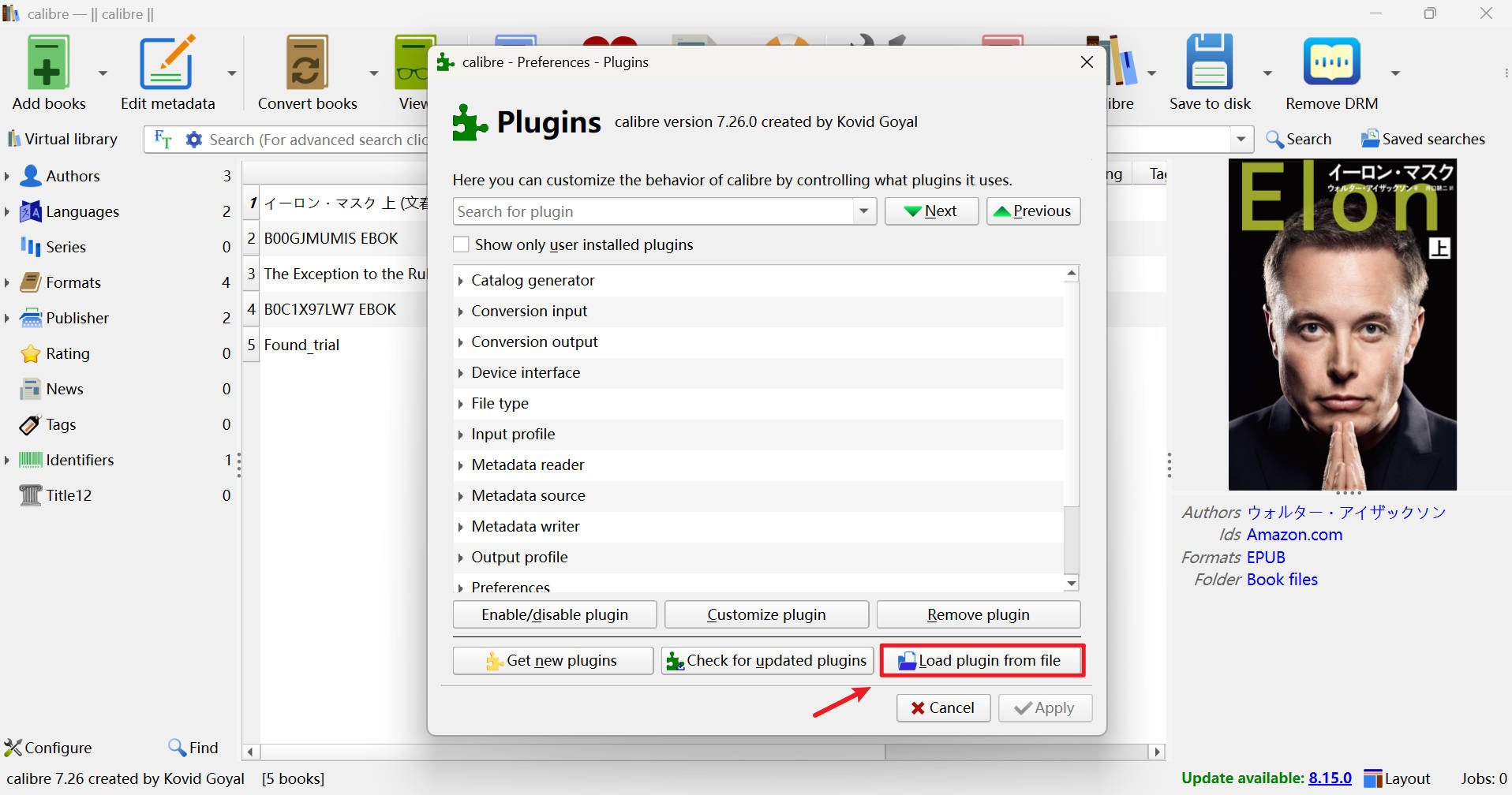
Download the plugin .zip file from this page, then in Calibre open Preferences, select "Plugins", choose "Load plugin from file", pick the downloaded .zip file to install the plugin, and restart Calibre to activate it.
Step 2. Add Your Kindle eBook to Calibre
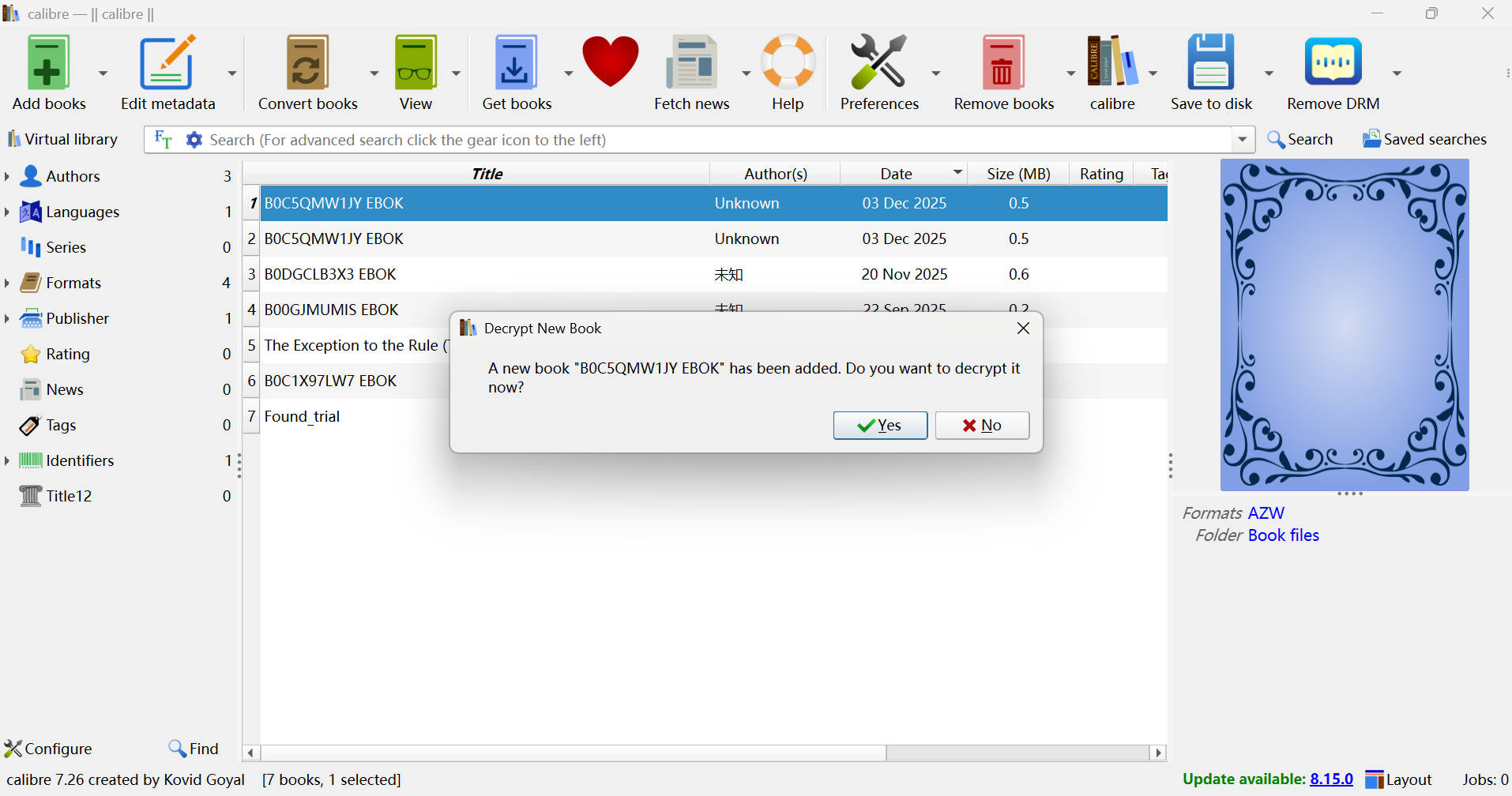
Add your Kindle eBook to Calibre, then select the book and click "Remove DRM" from the toolbar or right-click menu to start the decryption process.
Step 3. Manage Your Decrypted eBook in Calibre
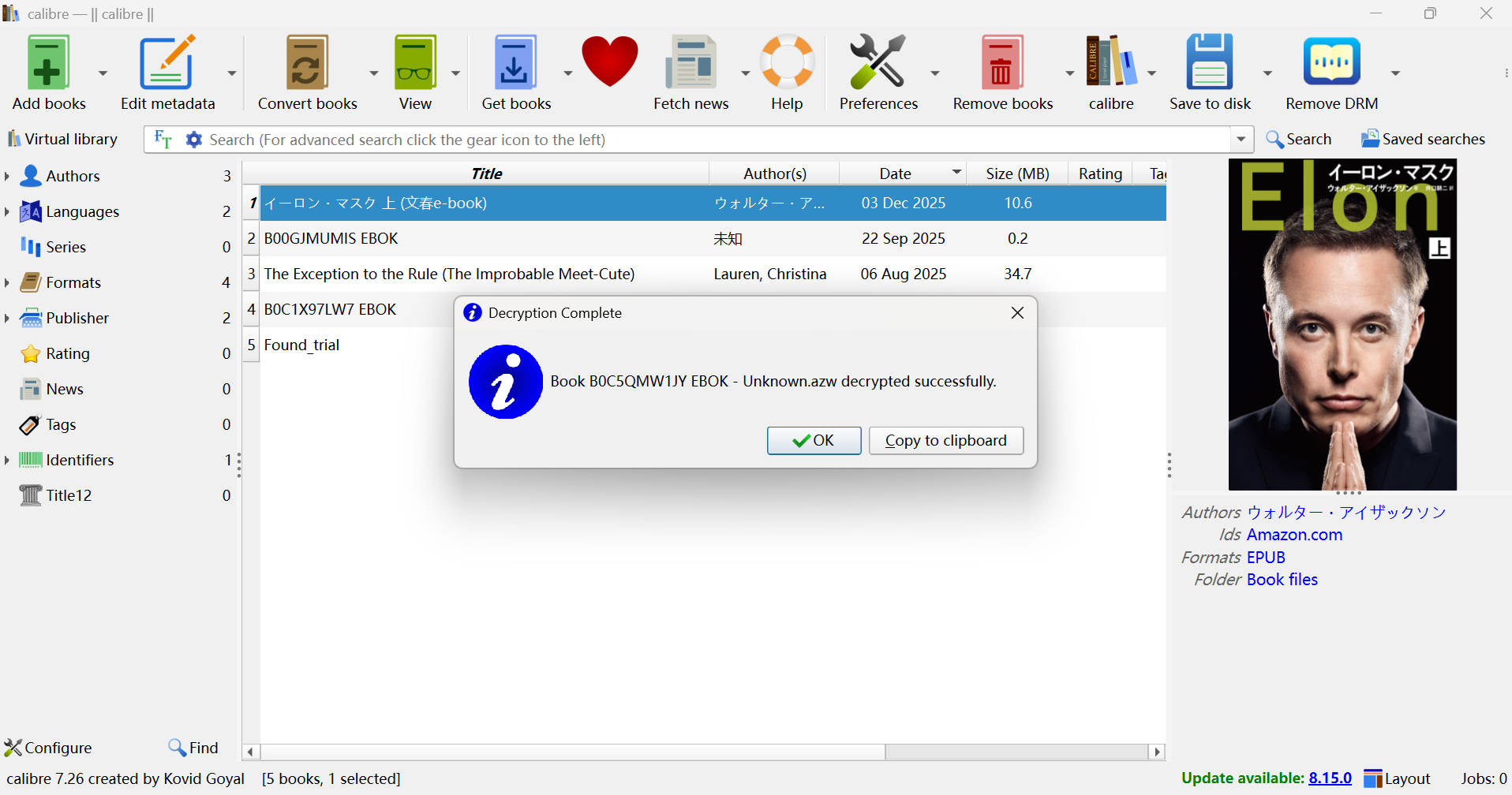
After decryption, the DRM-free file is automatically attached to the same book entry in Calibre, so you can convert formats, edit metadata, and organize it just like any other title in your library.
System Requirements

Install the Calibre Desktop App (Windows)
Windows 11/10 (32/64 bit)
4GB of RAM or above
40GB of free hard disk space or above
Live Internet connection required
Frequently Asked Questions
- Which eBook platforms does BookFab Calibre Plugin support?
- Is BookFab Calibre Plugin free to use?
- Do I need the BookFab desktop client to use the plugin?
- Does BookFab Calibre Plugin support macOS?