BookFab Voice Cloning: From Cloud Enhancer to Audiobook Creation

Summary: BookFab voice cloning connects BookFab Audiobook Cloud Enhancer, where a voice is generated, with the Windows AudioBook Creator, where that voice narrates pasted text, TXT, or EPUB content. The article explains the module workflow, export mapping, quality checks, privacy duties, and the tradeoff between an integrated audiobook path and broader local or API deployment.
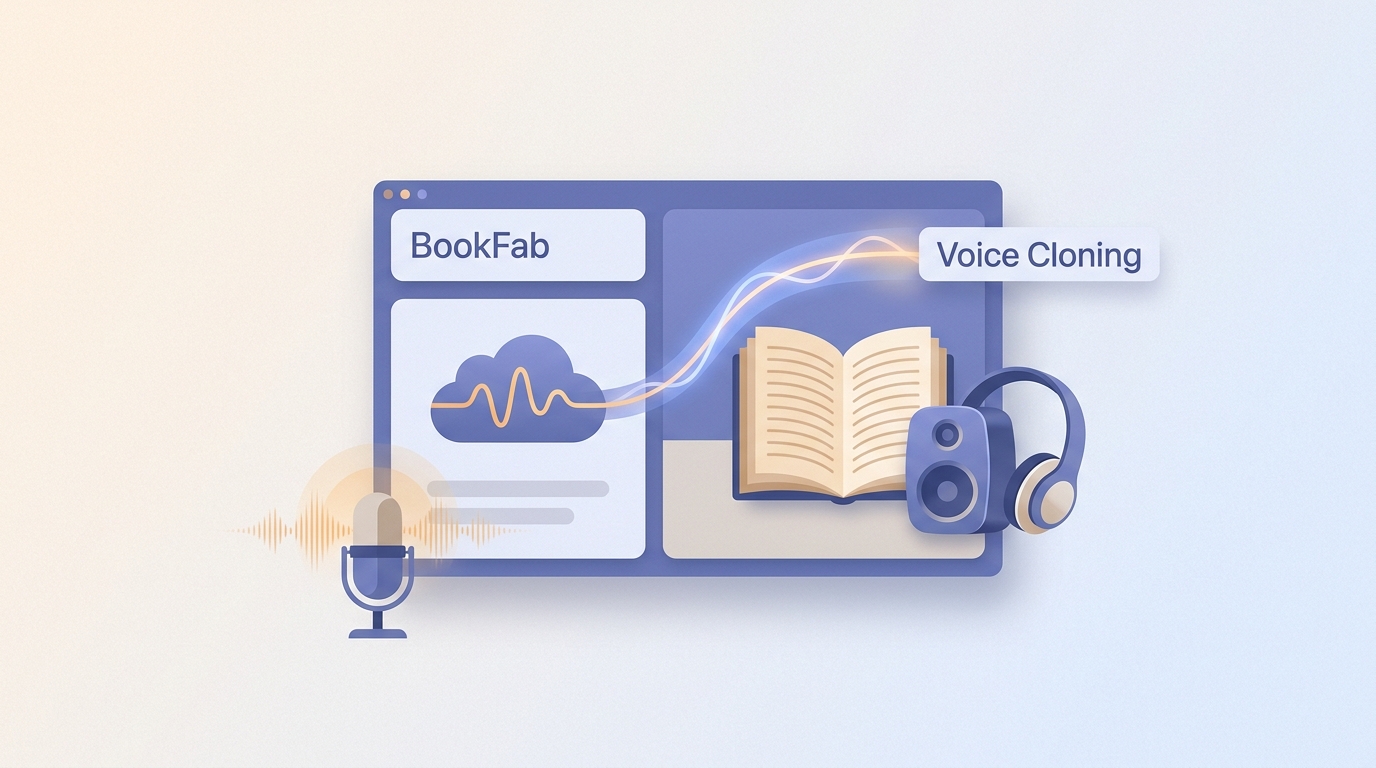
BookFab voice cloning is useful when you want audiobook voice cloning without stitching together separate developer tools, but the product path is easy to misunderstand. BookFab Audiobook Cloud Enhancer creates the voice, and AudioBook Creator applies it to written content for preview and export.
BookFab Voice Cloning at a Glance
BookFab voice cloning technology is a Windows workflow built around two connected modules, with its language, input, narration-control, and allowance details summarized below.
As of August 2026, AudioBook Creator supports Japanese and English and includes 20 built-in voices per language alongside voices generated through Cloud Enhancer.
- Module chain: Generate a voice in BookFab Audiobook Cloud Enhancer, then select it in AudioBook Creator.
- Creator inputs: Pasted text, TXT, and EPUB.
- Narration controls: Prosody, expressiveness, pauses, speed, volume, pronunciation rules, and aliases.
- Review aids: Synchronized text highlighting and automatic scrolling.
- Word allowance: The perpetual edition includes an initial 1 million words.
Voice clone limits at the profile level belong to the Cloud Enhancer stage; AudioBook Creator manages written input, narration settings, preview, and export after the generated voice is selected.
What BookFab Voice Cloning Does
The voice cloning workflow connects BookFab Audiobook Cloud Enhancer with AudioBook Creator: create the voice in Cloud Enhancer, select it in Creator, add written content, preview the narration, and export the finished audio.
Personalized Voice Cloning
A personalized voice is created in Cloud Enhancer, not from a recording fed directly to AudioBook Creator. Creator starts after that generated voice is available for selection.
Use your own voice or a source you have explicit permission to use. Clear, representative speech gives the profile a better starting point, while permission determines whether the source should be used at all.
Long-Form Audiobook Creation
After a generated voice is selected, AudioBook Creator turns written material into long-form narration. Its value for audiobook voice cloning is the connected path from voice selection through text review, parameter tuning, preview, and local export.
Before processing a full chapter, adjust prosody, expressiveness, pauses, speed, and volume, using the BookFab TTS parameter guide as a reference for pacing and emphasis choices.
BookFab Voice-Cloning Workflow
The BookFab voice-cloning workflow is a six-step chain from an authorized source to a locally exported narration file.
- Prepare a clear voice source that you own or have explicit permission to use.
- Open BookFab Audiobook Cloud Enhancer and create the voice with the source-input option available in that module.
- Open AudioBook Creator on Windows and select the voice generated by Cloud Enhancer.
- Paste text or load a TXT or EPUB file for narration.
- Set pronunciation rules, aliases, prosody, expressiveness, pauses, speed, and volume, then preview a representative passage.
- Choose the destination and export the finished audio in a format supported for the loaded input.
Outputs, Downloads, and Save Locations
BookFab's voice cloning output formats depend on the content loaded into AudioBook Creator: pasted text or TXT can be exported as MP3 or OPUS, while EPUB can be exported as M4B.
- Choose one of the formats available for the current input.
- Select or note the destination folder shown before export.
- After the task finishes, open that path in Windows File Explorer and play the file to confirm the result and location.
What Shapes BookFab Voice Quality
BookFab voice quality depends on the source voice, text, pronunciation choices, and narration settings. A useful assessment measures consistency and editing burden across a representative passage instead of assuming that a polished short preview will hold across a book.
Thorough Audio Preprocessing: Clean Input, Clean Output
Clean input improves the starting point for a voice profile. Use authorized speech with clear articulation, consistent microphone distance, low room echo, and no clipped peaks before creating the voice in Cloud Enhancer.
If the source contains strong background noise or abrupt level changes, capture a cleaner source before profile creation. Avoid aggressive cleanup that changes the speaker's timbre, because that can make the sample less representative.
Quality Evidence and Test Criteria
Judge voice cloning quality with a repeatable passage that includes ordinary prose, names, numbers, dialogue, and paragraph transitions.
- Voice similarity: Does the delivery retain the source voice's recognizable character?
- Pronunciation: Are names, abbreviations, numbers, and repeated terms read correctly?
- Pauses and pacing: Do sentence and paragraph breaks sound intentional?
- Emotional range: Does the available expressiveness suit the project without sounding exaggerated?
- Regeneration: How often must a passage be generated again to correct an issue?
- Post-production effort: How much external editing is needed before publication?
- Long-form consistency: Do voice character, volume, and pacing remain coherent across sections?
For audiobook work, I weigh long-form consistency most heavily because a convincing opening minute is less useful when names, pauses, or pacing drift across chapters.
Advanced Text Analysis and Processing
Long-form voice synthesis is easier to review when text problems are corrected before generation. AudioBook Creator supports pronunciation rules and aliases, which helps with names, abbreviations, repeated terms, and words that need a deliberate reading.
Synchronized text highlighting and automatic scrolling help locate a problem during preview. Correct the text or rule at its source, then regenerate the affected passage instead of patching the same issue throughout the finished file.
Synthesis and Postprocessing
AudioBook Creator lets users adjust prosody, expressiveness, pauses, speed, and volume before export. Those controls shape delivery, but a preview remains necessary because a setting that suits dialogue may not suit continuous narration.
Preview a representative section that includes transitions and difficult names. If the voice needs frequent correction or extensive external editing, narrow the project scope or choose a workflow with finer deployment control.
Use Cases, Limits, and Responsible Voice Cloning
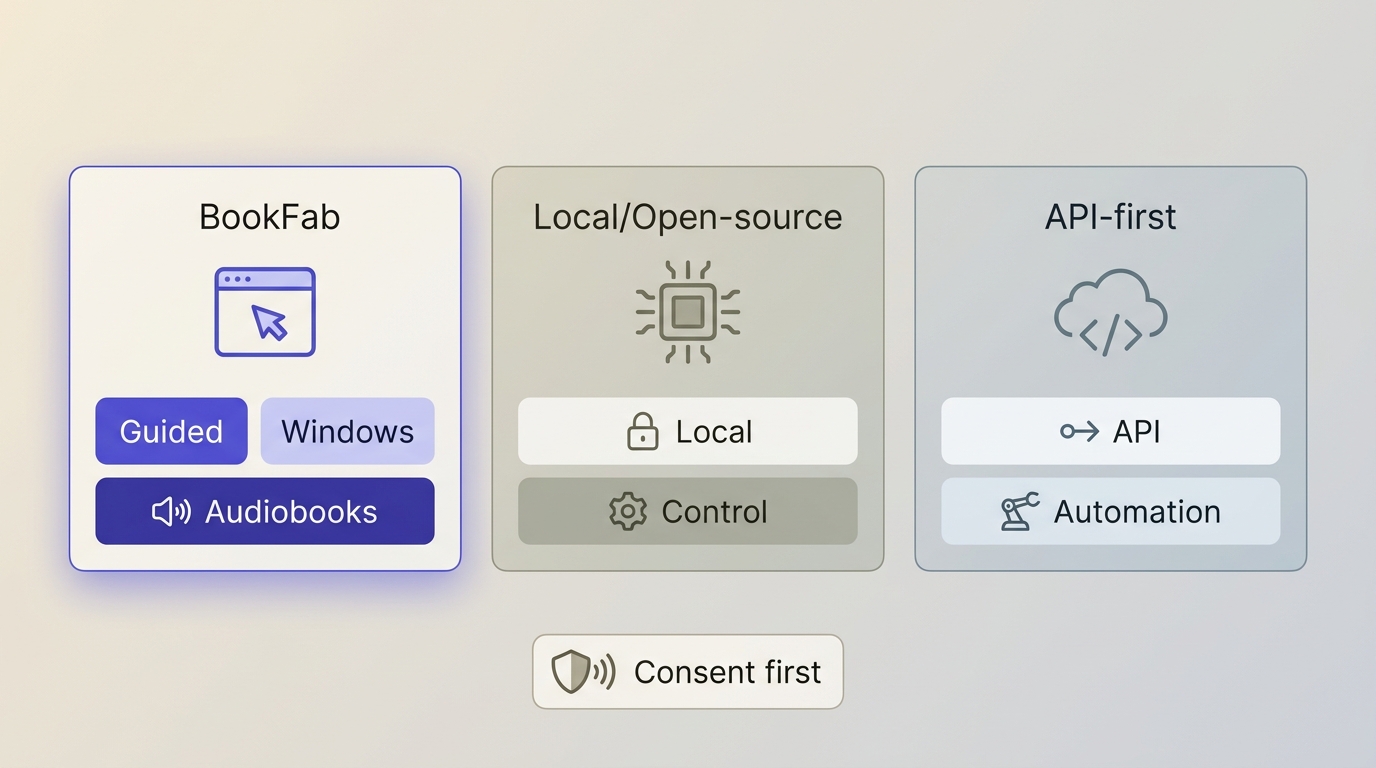
BookFab fits nontechnical users who want AI voice cloning software for personal audiobooks or other long-form narration, but it is less suited to dramatic performance, API-first deployment, or a fully local workflow.
- Good fit: Personal audiobooks, audio diaries, greetings, accessibility-oriented narration, and other authorized long-form projects.
- Less suitable: Highly dramatic acting, automated API pipelines, or projects that require all processing to remain local.
The tradeoff is straightforward: an integrated audiobook workflow reduces setup, while local and API-first approaches provide broader deployment flexibility.
| Workflow category | Setup effort | Long-form path | Deployment | Fit and limitation |
|---|---|---|---|---|
| BookFab voice cloning | Guided app workflow | Voice to written content | Windows plus cloud voice stage | Audiobooks; not API-first |
| Local or open-source tools | Technical setup | Varies by project | Local hardware | More control; more upkeep |
| API-first voice services | Developer setup | Built in code | Cloud API | Automation; coding required |
Voice cloning privacy begins with permission and access control. Use your own voice or a voice you have explicit permission to use, avoid impersonation or deceptive use, protect the account and source recording, and review Cloud Enhancer's available profile controls before uploading sensitive material.
Memorial projects need extra care because consent and ownership of older recordings may be unclear. A lawful copy of a recording does not automatically settle the right to synthesize, publish, or distribute that person's voice.

Frequently Asked Questions
Can BookFab clone a voice from an existing recording?
An existing recording can be used at the Cloud Enhancer stage when its current source-input option accepts that recording. AudioBook Creator itself accepts pasted text, TXT, or EPUB after a generated voice is available. Use recordings you own or have explicit permission to use.
AWhich languages and accents are currently supported?
AudioBook Creator supports Japanese and English. Accent coverage is not presented as a separate catalog, so preview a passage containing regional pronunciations, names, and numbers before committing a long project.
AWhere does BookFab save generated audio files?
Use the destination control shown before export and note the selected folder. When the task finishes, open that path in Windows File Explorer; this confirms the actual location without relying on a default folder that may differ by app configuration.
AIs BookFab voice cloning available as a desktop app?
Yes. AudioBook Creator is available for Windows. Create the voice in BookFab Audiobook Cloud Enhancer first, then confirm that generated voice appears in Creator's voice list before loading a long text.
AIs BookFab Voice Cloning a Good Fit?
BookFab is a good fit when the priority is a guided Windows path from a Cloud Enhancer voice to long-form narration, not broad deployment flexibility. Its main boundary is that voice creation and text-to-audio production remain separate modules.
It is not the right fit for highly dramatic performance, fully local processing, or API automation. For an authorized personal audiobook project, start with a representative passage, preview names and pacing, and expand only after the result meets the project's quality threshold.

 9 Best AI Voice Cloning Tools of 2026: Tested & RatedBy Amber Collins - May 28, 2026