Download Readly Magazines as PDF or EPUB for Offline Reading

Summary: This guide shows how to download Readly magazines for offline reading. You'll learn the difference between app downloads and local files, then follow simple steps to download Readly magazines as PDF or ePub with BookFab.
Readly can save an issue for offline reading, but finding that it is not a standalone PDF can be frustrating when you need to organize the file outside the app. For a Readly PDF export, use a permitted local-file workflow; if you only need to download Readly magazines for offline viewing, the official app is the simpler route. This guide shows how to use BookFab Readly Converter to download authorized Readly magazines as PDF, EPUB, or JPEG for personal offline reading, where permitted by platform terms and applicable law.
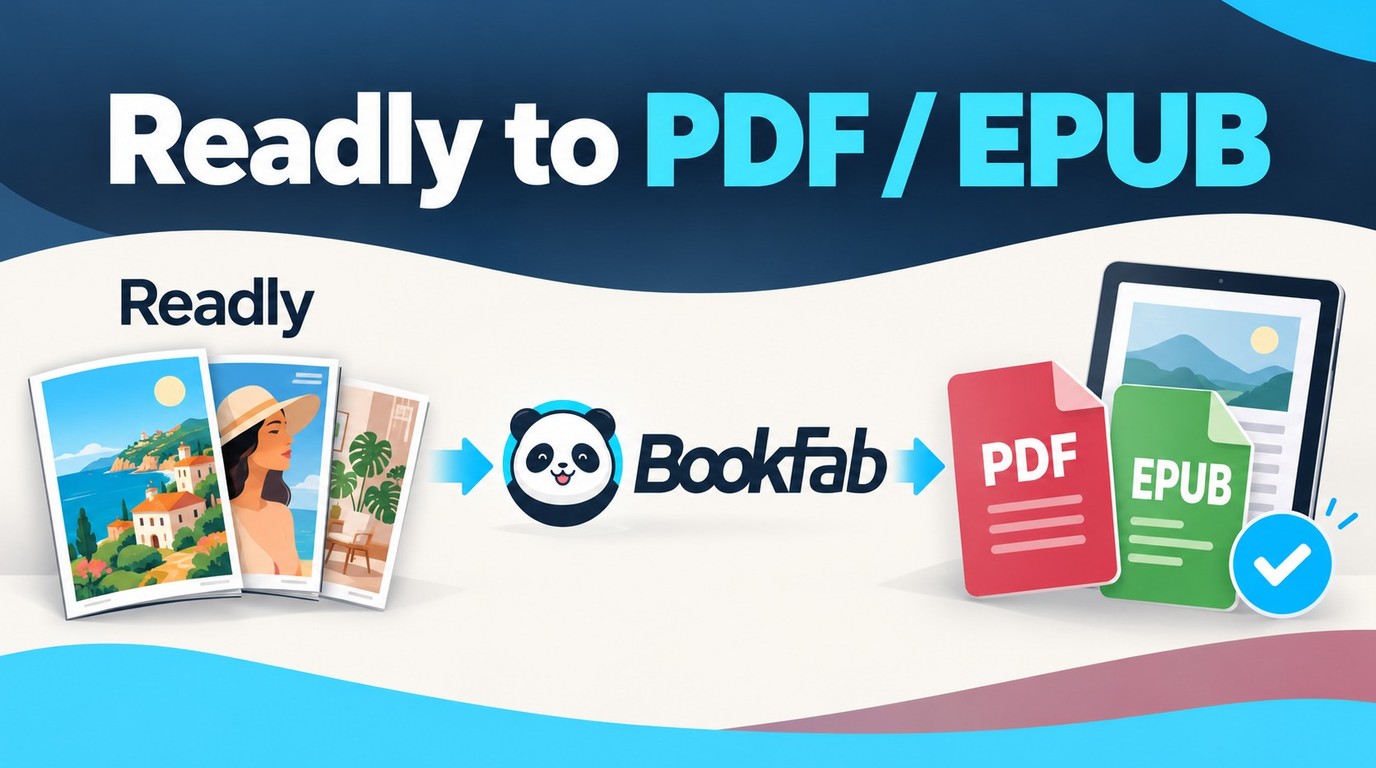
Readly Offline Reading vs. PDF/EPUB Download
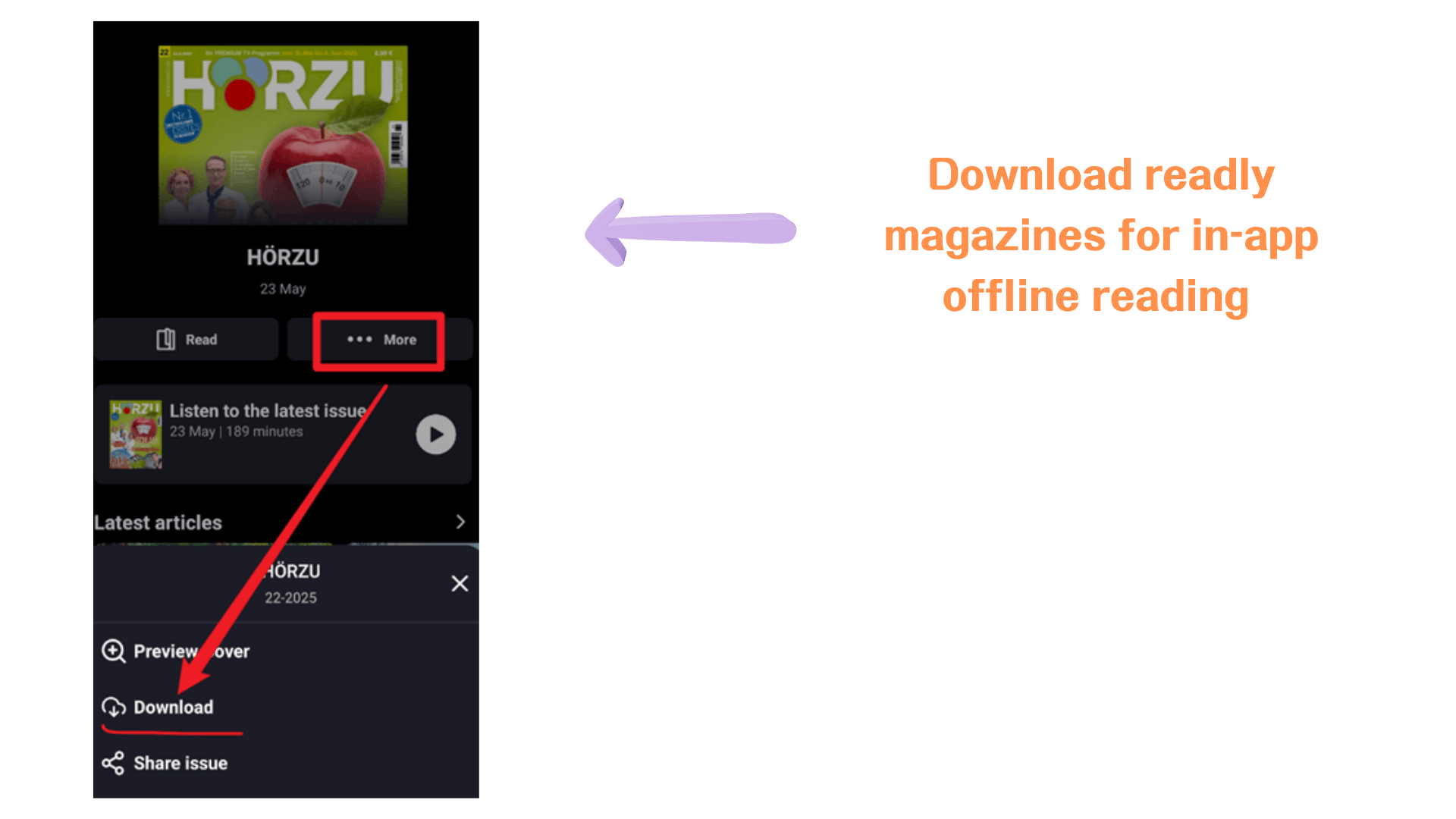
Readly's offline reading feature is useful when you want to read magazines inside the Readly app without an internet connection. As of October 2026, the legacy Readly offline-reading instructions describe downloading an issue to a mobile device, finding it under the Downloads area, and continuing to read it offline. However, those downloaded magazines are still tied to the Readly app and your account, so they are not the same as standalone files saved on your computer.
Legacy Readly help describes an offline-download setting of 10–500 issues, subject to device storage.The legacy go.readly.com browser reader does not provide offline downloads.
If you are authorized to save a magazine as a local file, organize issues in your own folders, or open them outside the Readly app, a PDF, EPUB, or JPEG workflow provides those file options.
| Feature | Readly App Offline Reading | BookFab Local-File Workflow |
|---|---|---|
| Offline workflow | My Content > Downloads | Built-in browser and task queue |
| Standalone output | In-app offline storage | PDF, EPUB, or JPEG |
Download Readly Magazines as PDF/EPUB with BookFab
The limited free trial for BookFab Readly Converter converts up to three magazines. Licensed conversion allows up to 100 items per content source per day. On Windows and Mac, this Readly downloader provides a local-file workflow for Readly magazines you are authorized to access, where permitted by platform terms and applicable law, with PDF, EPUB, or JPEG output.
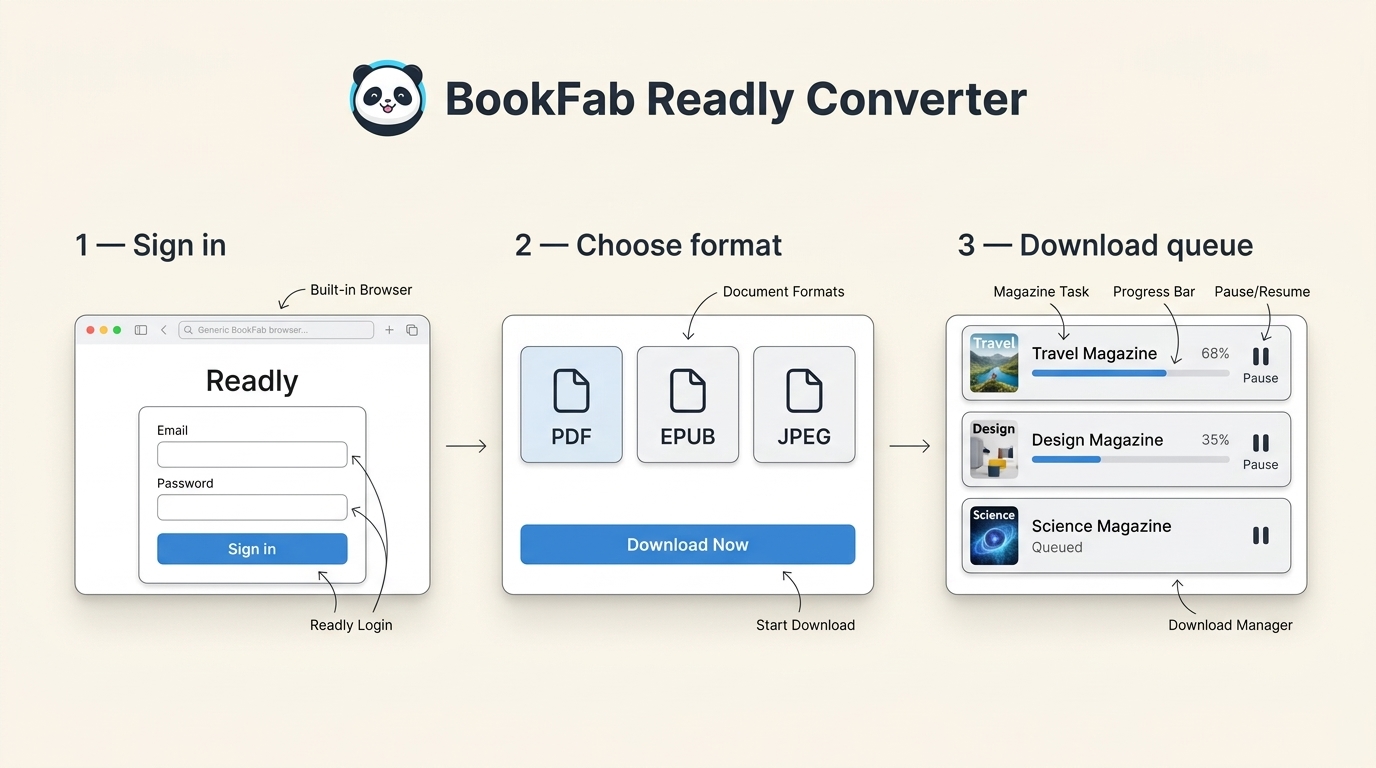
Step 1. Open BookFab Readly Converter and Log in to Readly
Download and install BookFab Readly Converter on your computer.
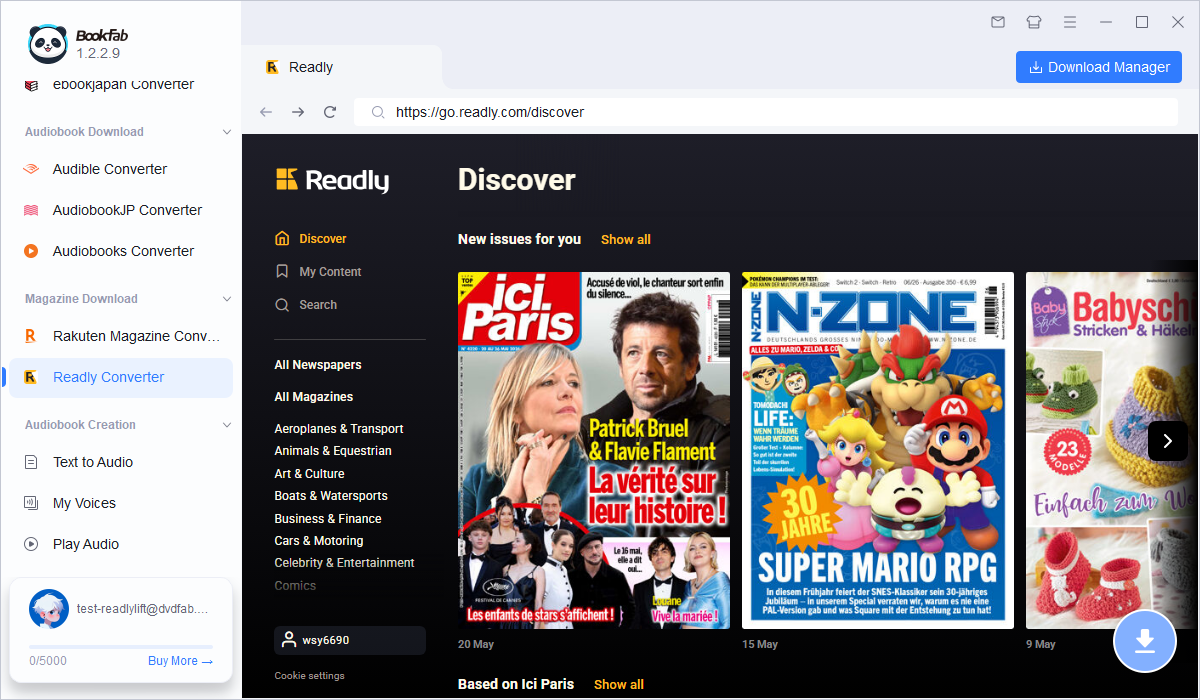
Launch the software on Windows or Mac, open the Readly section, and log in through the built-in browser. BookFab Readly Converter supports Readly and Readly.co (Cafeyn), with automatic region detection to direct the browser to the appropriate account path. In the United States, the deprecated Readly Android package directs users to the Cafeyn-published replacement, so the interface and account destination may differ from older instructions. Keep your subscription active and open a magazine issue available to your account. If the issue is not detected, use the update and support options on the official product page linked above.
Step 2. Open the Readly Magazine You Want to Download
After logging in, browse your Readly library or search for the magazine issue you want to save. Open the magazine in the built-in browser and wait until the reading page loads properly. Once the magazine content is detected, BookFab will prepare it for downloading.
Step 3. Choose Output Format and Download
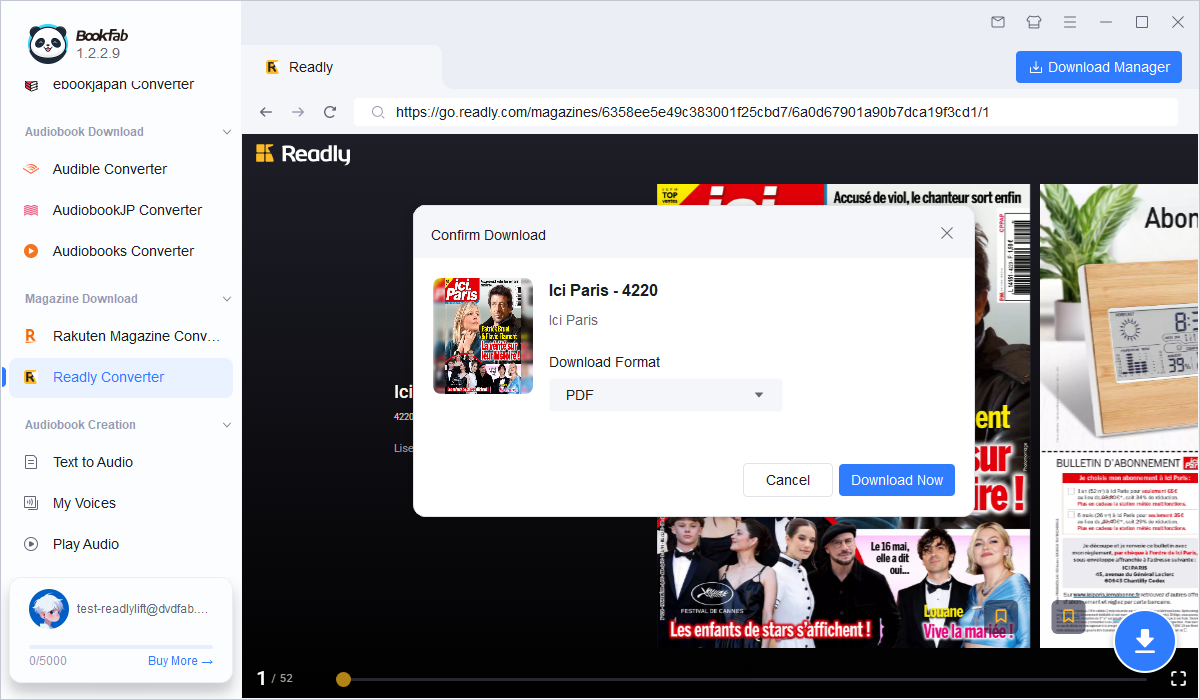
Click the Download button and choose your output format. BookFab Readly Converter offers PDF, EPUB, and JPEG output. PDF suits fixed magazine layouts, EPUB opens in compatible ebook readers, and JPEG saves pages as images. After choosing the format, click Download Now to start.
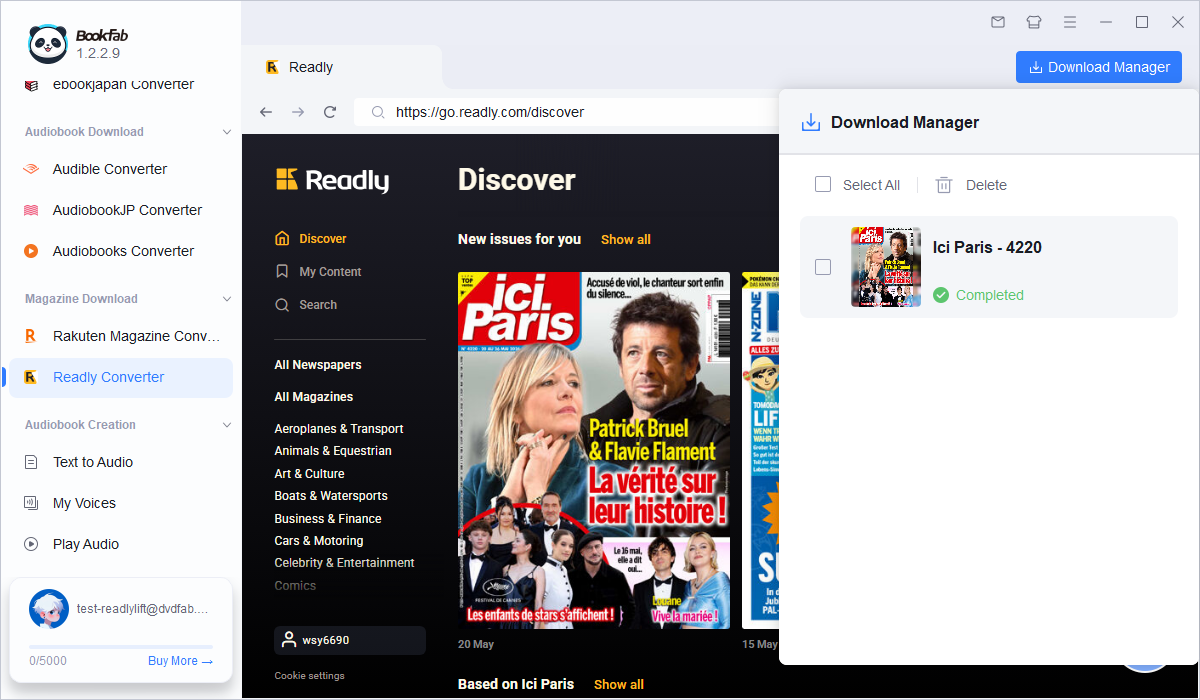
Once the download begins, you can track its progress in the download manager. You can also keep browsing other magazines and add more issues to the download queue. The converter retains the cover, title, and issue metadata, while the task list supports batch processing, pause, resume, and batch deletion. When finished, the magazine will be saved to your local folder in the selected format, ready for offline reading outside the Readly app. Before organizing a larger batch, open an authorized trial issue in your intended reader and inspect the page order, small text, and images.
FAQ
Is it legal to download Readly magazines as PDF or EPUB?
Personal use alone does not authorize every copy. Use authorized content only, follow applicable law and platform terms, and remember that permission requirements apply to the particular use. Do not share, upload, resell, or distribute converted magazines.
Is PDF or EPUB better for Readly magazines?
PDF is usually better if you want to keep the original magazine layout, images, columns, and page design. EPUB opens in compatible ebook readers, while JPEG saves each page as an image. For magazines, I would choose PDF when the fixed page design matters, EPUB for a compatible ebook reader, or JPEG when I need individual page images.
Can I download Readly magazines as PDF directly from the Readly app?
No. Readly allows offline reading inside its app, but those downloads are cached for app-based reading and are not exported as standalone PDF or EPUB files. For content you are authorized to access, BookFab Readly Converter provides a Windows and Mac local-file workflow where platform terms and applicable law permit it.
How do I use a Readly coupon?
Follow the redemption instructions and eligibility terms provided with your Readly coupon or Readly voucher code. Readly subscription offers and BookFab Readly Converter licenses are separate.
How do I cancel a Readly subscription?
You can cancel your Readly subscription from your Readly account settings or through the platform where you subscribed, such as the App Store or Google Play. If you subscribed through Apple or Google, cancellation must be managed there instead of inside Readly directly. After cancellation, your access normally continues until the current paid period ends.
Conclusion
Use Readly app downloads when you only need app-based offline reading. To download Readly magazines as PDF, EPUB, or JPEG for local organization, BookFab Readly Converter provides a Windows and Mac workflow for content you are authorized to access, where platform terms and applicable law permit it.

 Magazine PDF Downloads: Files vs. Offline App ReadingBy Amber Collins - Oct 21, 2026
 Playboy Magazine Download: Official Access and PDF OptionsBy Amber Collins - Oct 20, 2026
 [Solved] How to Download Rakuten Magazine?By Amber Collins - Aug 20, 2026