Win
Mac
BookFab DLsite Converter
Download manga, light novels, and audiobooks from DLsite, convert to PDF, EPUB or JPEG, and enjoy permanent offline reading with full device flexibility.
Last Update: Sep 30, 2026
100% Safe & Clean
4.8(85)

Download Multiple Content Types, Access Seamlessly, and Convert Flexibly
Broad Support
Download Multiple Content Types from DLsite
BookFab DLsite Converter supports downloading manga, doujins, light novels, CG collections, voice content, and music directly from DLsite. Browse the platform naturally and click the download button to instantly add content to your library.
Support for 13 different content types means you can build a comprehensive personal collection. From indie manga circles (RJ) to commercial publications (BJ), from audiobooks to ASMR, and from CG art to music tracks—all downloads are handled seamlessly with automatic DRM removal. One tool covers your entire DLsite ecosystem.

Effortless Access
Built-in Browser with Seamless Integration
No need to switch between apps or copy URLs. The integrated DLsite browser lets you stay within BookFab while accessing the platform natively. Log in once and browse securely with automatic detection of downloadable content.
BookFab automatically recognizes when you visit a product page, reader window, or preview section. The download button appears instantly, ready to grab your content. This seamless workflow means you spend less time managing windows and more time enjoying your purchases—all within one unified interface.

Format Flexibility
Flexible Format Conversion by Content Type
Different content types require different output formats. BookFab DLsite Converter intelligently adapts to your needs:
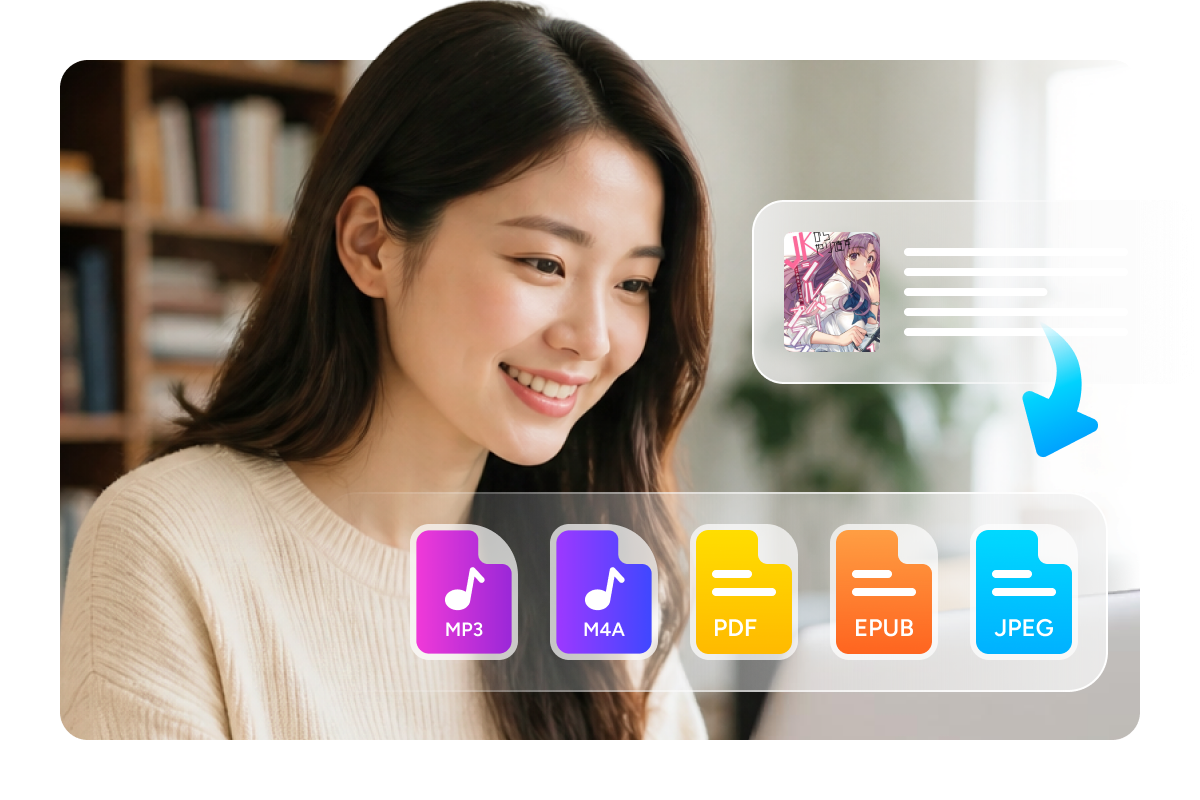
For manga, light novels, and CG collections: Choose PDF for universal compatibility across all devices, EPUB for e-readers and reflowable layouts, or JPEG to preserve original images as individual files.
For voice content and music: Download in MP3 for maximum device compatibility, M4A for superior audio quality, or keep the original format for complete fidelity. Metadata is automatically embedded so your content stays organized and properly labeled on any player.
One tool, unlimited format flexibility—convert the same content to different formats as your needs change.
Smart Organization and Advanced Download Management
Smart Organization
Smart Organization and Long-Term Archiving
Your downloaded content is automatically organized by title and author, making your personal library easy to browse and manage. All files are stored locally on your computer, giving you complete control and ownership.
Keep your entire DLsite collection backed up securely without relying on any online account. Access your content anytime—no subscriptions, no expiration dates, no account restrictions. Whether you're preserving a beloved series, archiving a rare find, or building a comprehensive collection, BookFab ensures your digital library remains yours forever. Create custom folder structures to organize by genres, series, or personal preferences—your library, your rules.

Download Management
Advanced Download Manager with Real-Time Control
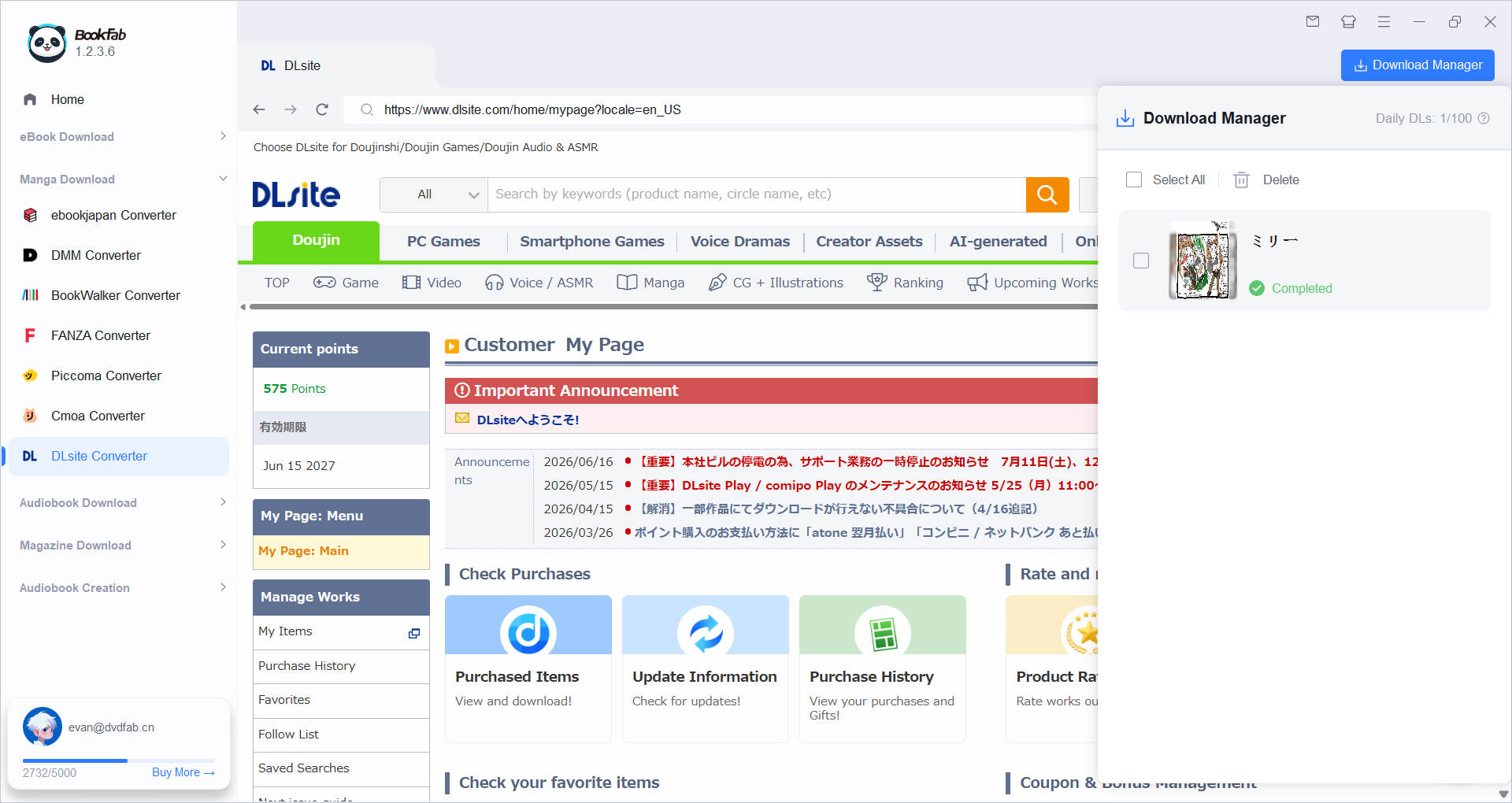
Monitor and control every download with real-time progress tracking. Select multiple chapters or entire books and download them all simultaneously without waiting. The download manager shows speed, remaining time, and file size for every task.
Pause any download without losing progress, resume when ready, or cancel if needed. View detailed download history and file organization at a glance. Batch download an entire manga series, multiple light novels, or a full audiobook collection in one go. Perfect for bulk archiving or grabbing all the latest releases. Everything is processed efficiently in the background while you browse for more content—stay productive while BookFab handles the heavy lifting.

What Users Are Saying

E
Emma
Manga CollectorFinally, I can download my DLsite purchases and keep them forever! The one-click download feature saves me so much time.
K
Kenji
Light Novel FanThe batch download feature for light novels is incredible! I grabbed an entire series in minutes. Never going back to manual downloads.
L
Lucia
Audiobook EnthusiastThe MP3 download feature is perfect for my commute! I can listen to DLsite voice content anywhere on my phone now.
D
David
Digital ArchivistPeace of mind knowing my entire DLsite collection is safely backed up on my hard drive. This tool is essential for long-term preservation.
S
Sakura
Multi-Format ReaderI love being able to choose PDF for my computer and EPUB for my e-reader. One tool, unlimited flexibility!
T
Thomas
Content ManagerThe built-in browser makes everything seamless. No more switching between apps or windows. DLsite Converter is all-in-one perfection.
E
Emma
Manga CollectorFinally, I can download my DLsite purchases and keep them forever! The one-click download feature saves me so much time.
K
Kenji
Light Novel FanThe batch download feature for light novels is incredible! I grabbed an entire series in minutes. Never going back to manual downloads.
L
Lucia
Audiobook EnthusiastThe MP3 download feature is perfect for my commute! I can listen to DLsite voice content anywhere on my phone now.
D
David
Digital ArchivistPeace of mind knowing my entire DLsite collection is safely backed up on my hard drive. This tool is essential for long-term preservation.
S
Sakura
Multi-Format ReaderI love being able to choose PDF for my computer and EPUB for my e-reader. One tool, unlimited flexibility!
T
Thomas
Content ManagerThe built-in browser makes everything seamless. No more switching between apps or windows. DLsite Converter is all-in-one perfection.
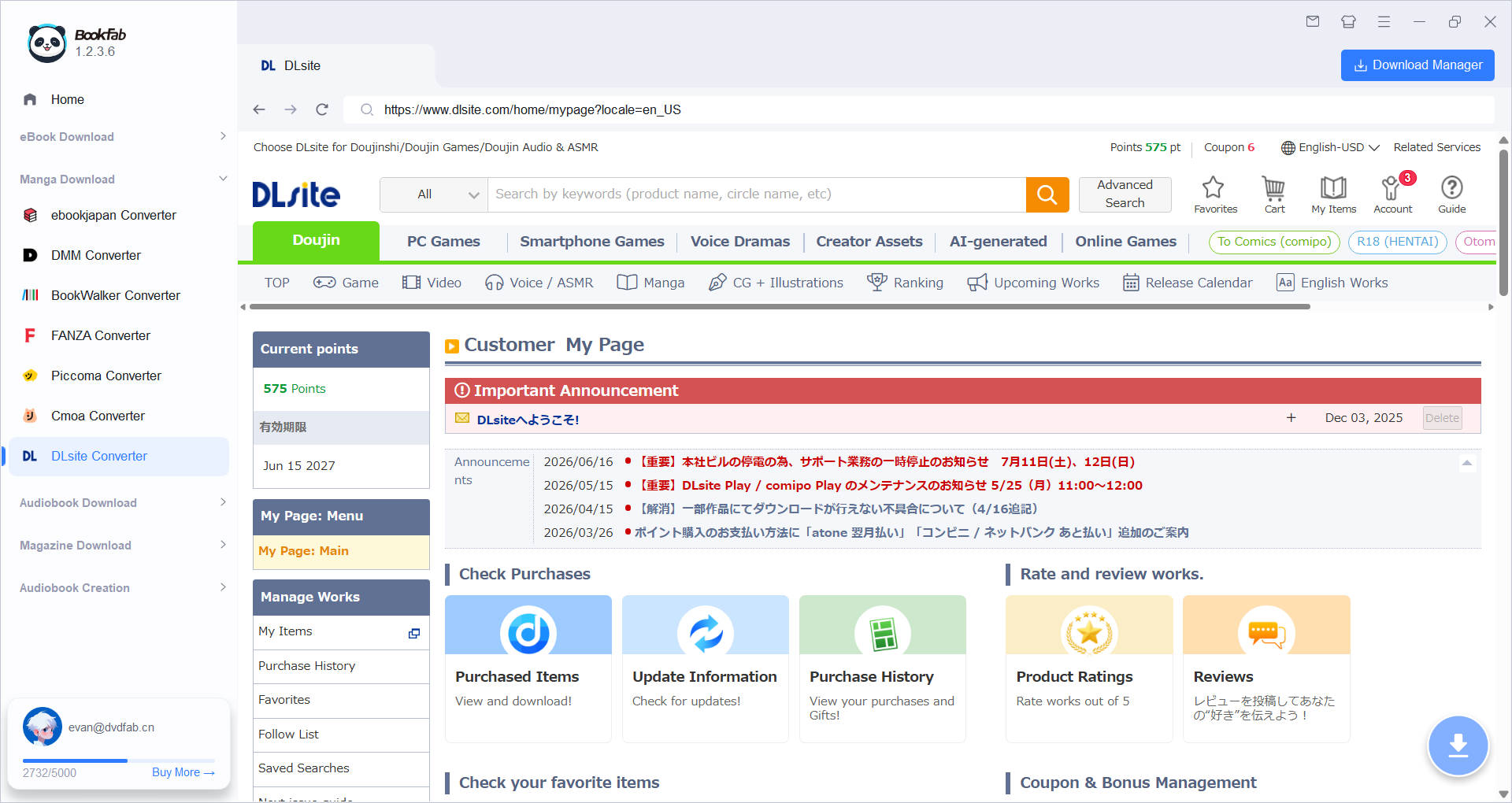
Step 1. Open DLsite in Built-in Browser
Launch BookFab DLsite Converter and click the DLsite icon in the left navigation menu. The built-in browser opens directly to DLsite.com. Log in with your DLsite account credentials.
Step 2. Browse and Select Content
Navigate to any DLsite product page for manga, light novels, audiobooks, or CG content. The download button appears automatically on product pages, preview pages, and reader windows. Click the download icon to start the process.
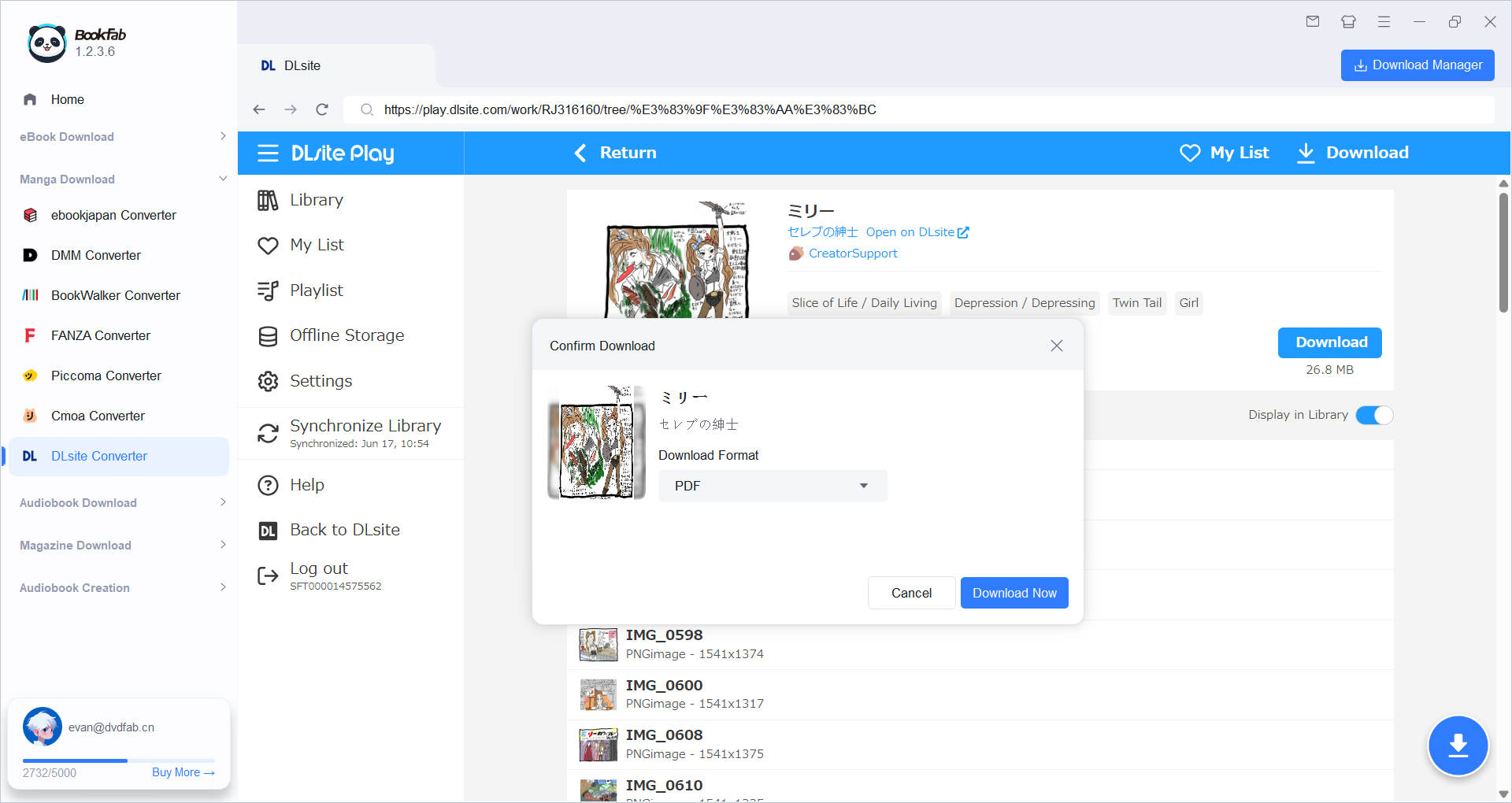
Step 3. Choose Format and Download
A confirmation dialog appears showing content details. Select your output format based on content type: PDF/EPUB/JPEG for manga and novels, or MP3/M4A/original for audio. Choose which chapters or tracks to download, then click Download Now.
System Requirements

Windows 11 / 10 (64-bit)
Intel i3 or higher
4GB of RAM or above
40GB of free hard disk space or above
Live Internet connection required
Frequently Asked Questions
- Can I try BookFab DLsite Converter for free?
- Is it legal to download from DLsite?
- Which formats can I convert to?
- What content types are currently supported?
- Can I download multiple books at once?
- What happens to my downloaded content after purchase?
Fair Use Policy : BookFab is legal only for personal needs and it's not allowed to share the downloaded content with any third party.
To avoid being blocked by content providers, a BookFab licensed account has a quota of 100 downloads per day from each supported content source. Whenever the quota is used up, it will refill at the start of the next day.