Win
Mac
BookFab LINE Manga Converter
Keep your LINE Manga collection forever. Download free series, indies comics and purchased volumes - read anywhere, on any device.
Last Update: Oct 21, 2026
100% Safe & Clean
4.8(45)

Grab Your LINE Manga Library, Keep It Forever
Own Your Content
Download Manga Directly from LINE Manga
With BookFab LINE Manga Converter, you can download manga straight from manga.line.me - official free series, indies doujin works, and volumes you have purchased. Everything you can open in the reader can be saved to your local library.
Seamless Workflow
Built-in Browser with One-Click Download
Sign in with your LINE account inside BookFab's built-in browser and browse LINE Manga as usual. The moment you open a reader or series page, the download button lights up - one click is all it takes to start saving.

Read on Any Device
Convert to PDF, EPUB or JPEG
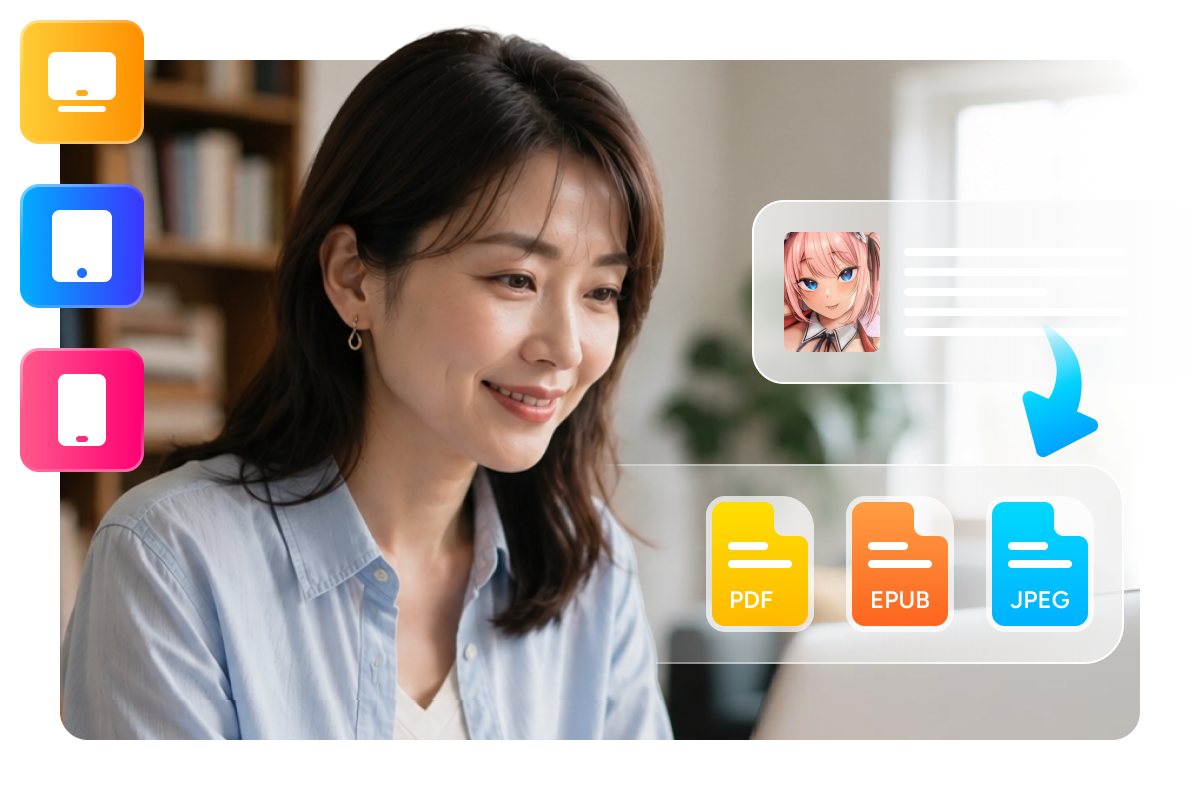
Turn your downloads into the format that fits your reading habit: PDF for archiving with original layout, EPUB for most e-readers, or original JPEG pages for custom processing. Read on Kindle, iPad, phone or PC - your library, your rules.
Grab Your LINE Manga Library, Keep It Forever
One-Click Series
Batch Download Entire Series in One Go
No more tapping through hundreds of chapters one by one. Open any series page, and BookFab lists every chapter automatically. Tick the ones you want, and they queue up for batch downloading - each chapter becomes its own neatly named file.

Original Quality
Auto-Organize with Metadata Preservation
Every download is automatically sorted into a clean folder structure by series, volume and chapter. Title, author, cover and other metadata tags are fully preserved. Pages are saved at original resolution with zero compression - your digital library stays as organized and sharp as the source.

Feedbacks on BookFab LINE Manga Converter

H
Haruto Sato
Manga CollectorI have been buying on LINE Manga for years, and finally I can keep my volumes locally. Whole purchased volumes come down complete - even the copyright page is there.
Y
Yuki Nakamura
Bookstore ClerkThe batch selection is a lifesaver. I ticked 80 chapters of a free series and went to make coffee - everything was waiting in PDF when I came back.
A
Aiko Tanaka
IllustratorAs a doujin artist I follow a lot of indies works. Being able to save them as JPEG pages for reference is exactly what I needed.
R
Ren Kobayashi
University StudentPurchased volumes used to be readable only in the official reader. Now they sit on my Kindle as clean EPUB files - everything reads perfectly.
M
Mei Suzuki
Comic Cafe StaffLogin is just the normal LINE login, one click on the reader page, done. No learning curve at all.
D
Daiki Yamamoto
Office WorkerI read on the train where signal is terrible. Downloading my series at home and reading offline has changed my commute.
H
Haruto Sato
Manga CollectorI have been buying on LINE Manga for years, and finally I can keep my volumes locally. Whole purchased volumes come down complete - even the copyright page is there.
Y
Yuki Nakamura
Bookstore ClerkThe batch selection is a lifesaver. I ticked 80 chapters of a free series and went to make coffee - everything was waiting in PDF when I came back.
A
Aiko Tanaka
IllustratorAs a doujin artist I follow a lot of indies works. Being able to save them as JPEG pages for reference is exactly what I needed.
R
Ren Kobayashi
University StudentPurchased volumes used to be readable only in the official reader. Now they sit on my Kindle as clean EPUB files - everything reads perfectly.
M
Mei Suzuki
Comic Cafe StaffLogin is just the normal LINE login, one click on the reader page, done. No learning curve at all.
D
Daiki Yamamoto
Office WorkerI read on the train where signal is terrible. Downloading my series at home and reading offline has changed my commute.
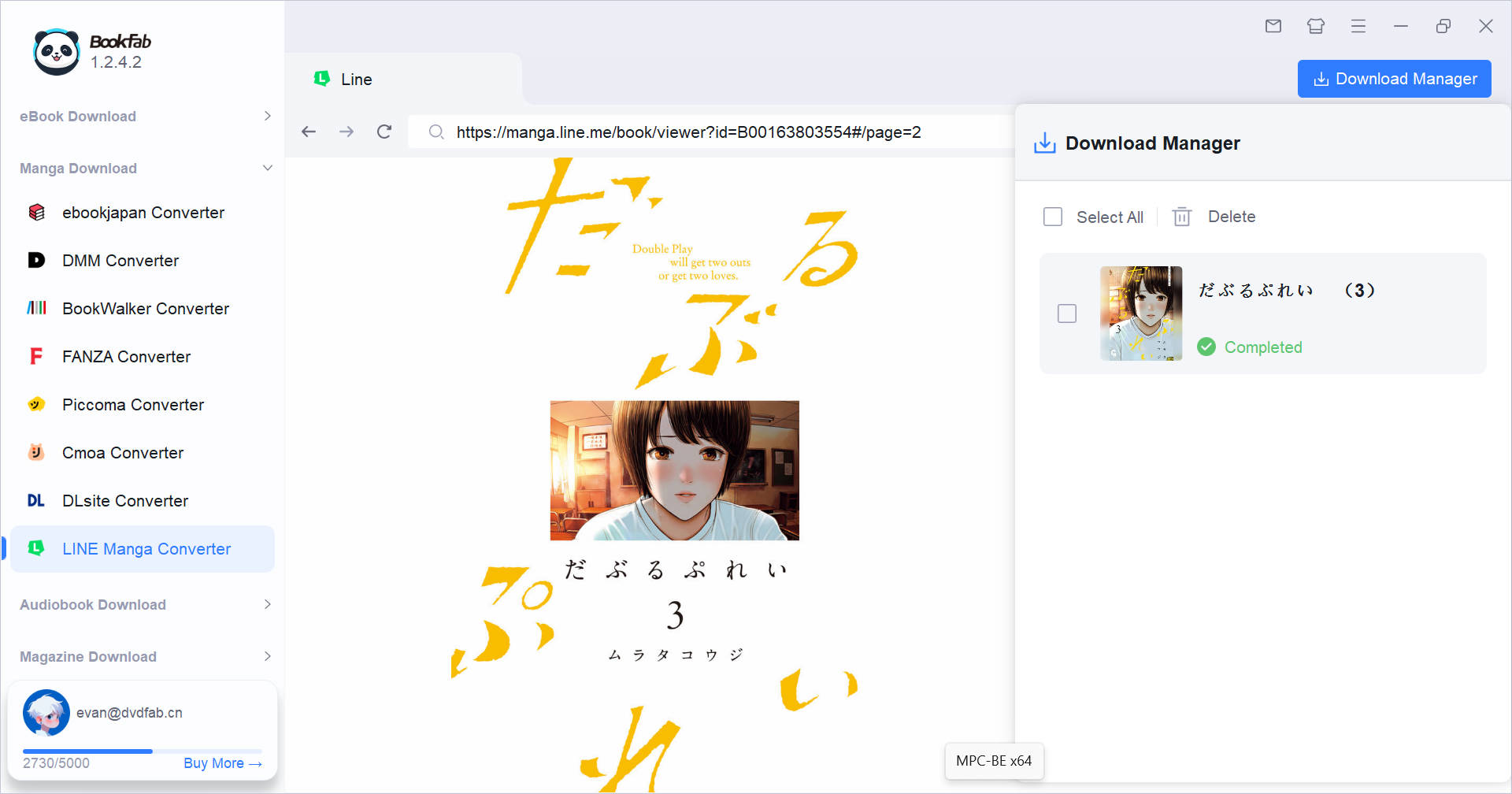
Step 1. Launch BookFab and Sign in
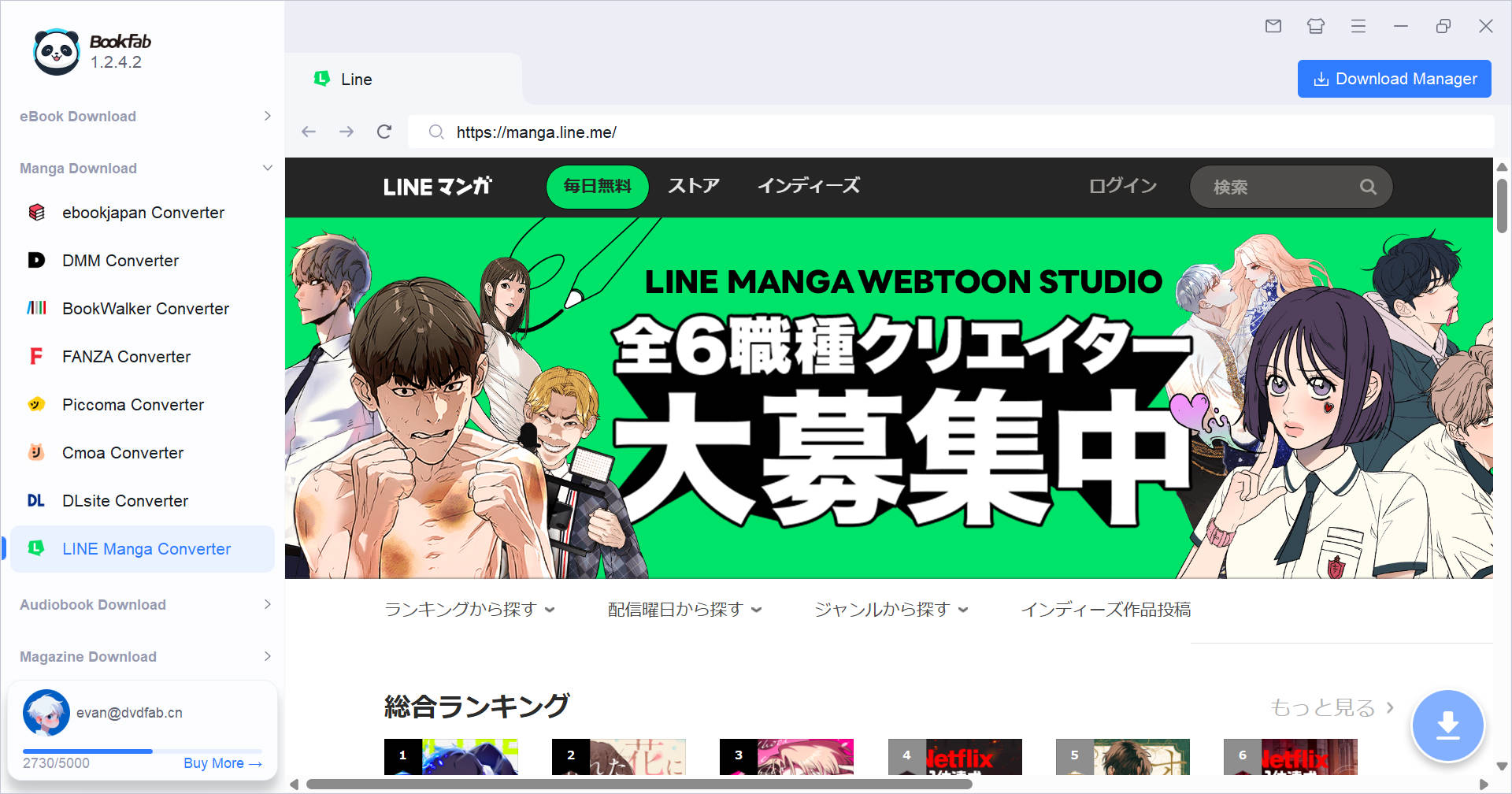
Launch BookFab and select LINE Manga from the sidebar. The built-in browser opens manga.line.me directly - sign in with your LINE account to access free series, indies works and your purchased bookshelf.
Step 2. Open a Title and Pick Chapters
Open any manga reader or series page. BookFab automatically detects the title and shows its cover and chapter list. For series, simply tick the chapters you want - no need to open them one by one.
Step 3. Choose Format and Download
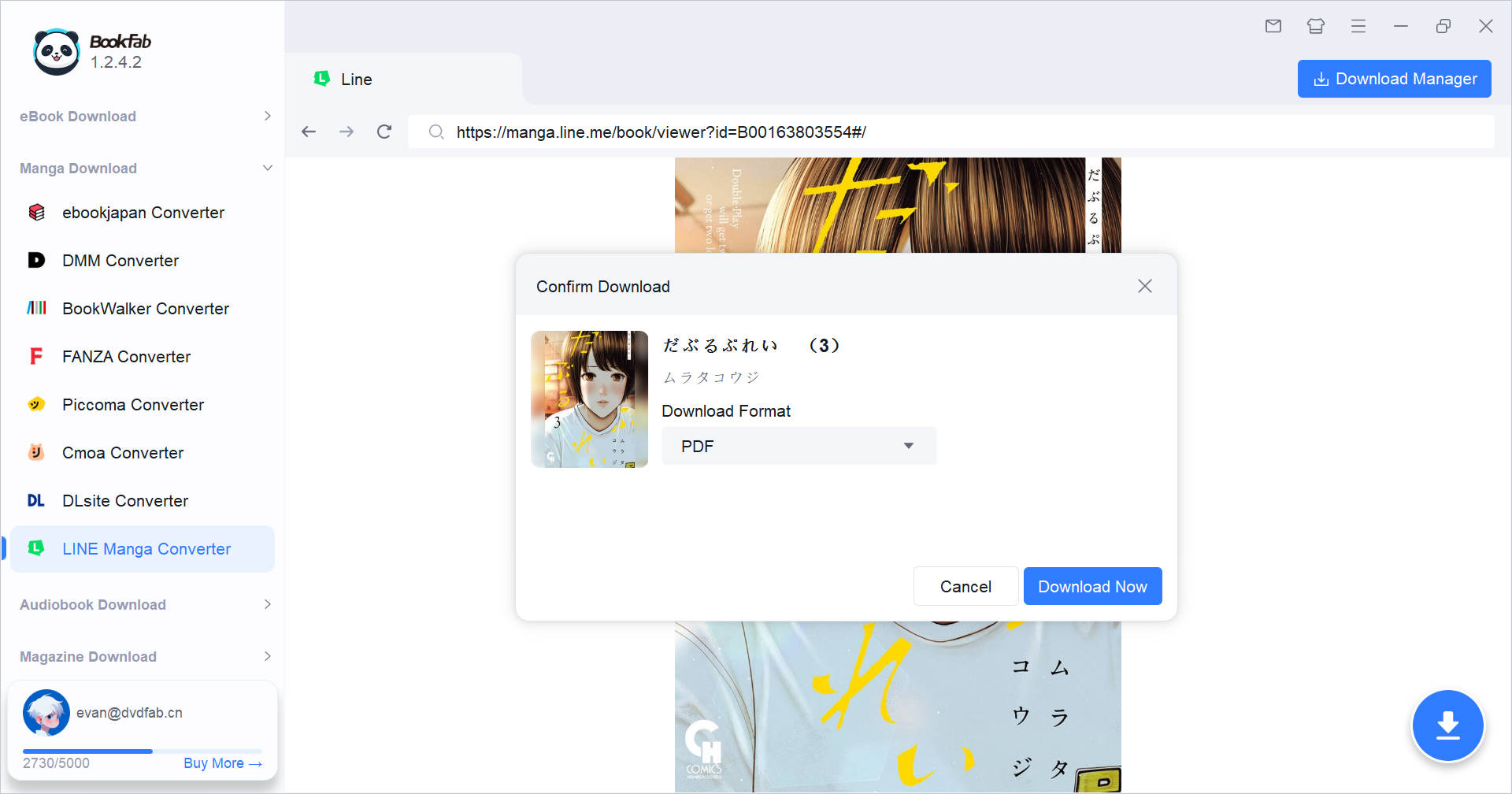
Pick your output format - PDF, EPUB or JPEG - and hit Download Now. Tasks run in the background with progress tracking, and finished files wait for you in the download manager.
System Requirements
Windows 11 / 10 (64-bit)
Intel i3 or higher
4GB of RAM or above
40GB of free hard disk space or above
Live Internet connection required
Frequently Asked Questions
- Can I try BookFab LINE Manga Converter for free?
- Which LINE Manga content can I download?
- Do I need to buy the manga before downloading?
- What output formats are supported?
- Can I download an entire series at once?
- Is it safe to sign in with my LINE account?
Fair Use Policy : BookFab is legal only for personal needs and it's not allowed to share the downloaded content with any third party.
To avoid being blocked by content providers, a BookFab licensed account has a quota of 100 downloads per day from each supported content source. Whenever the quota is used up, it will refill at the start of the next day.