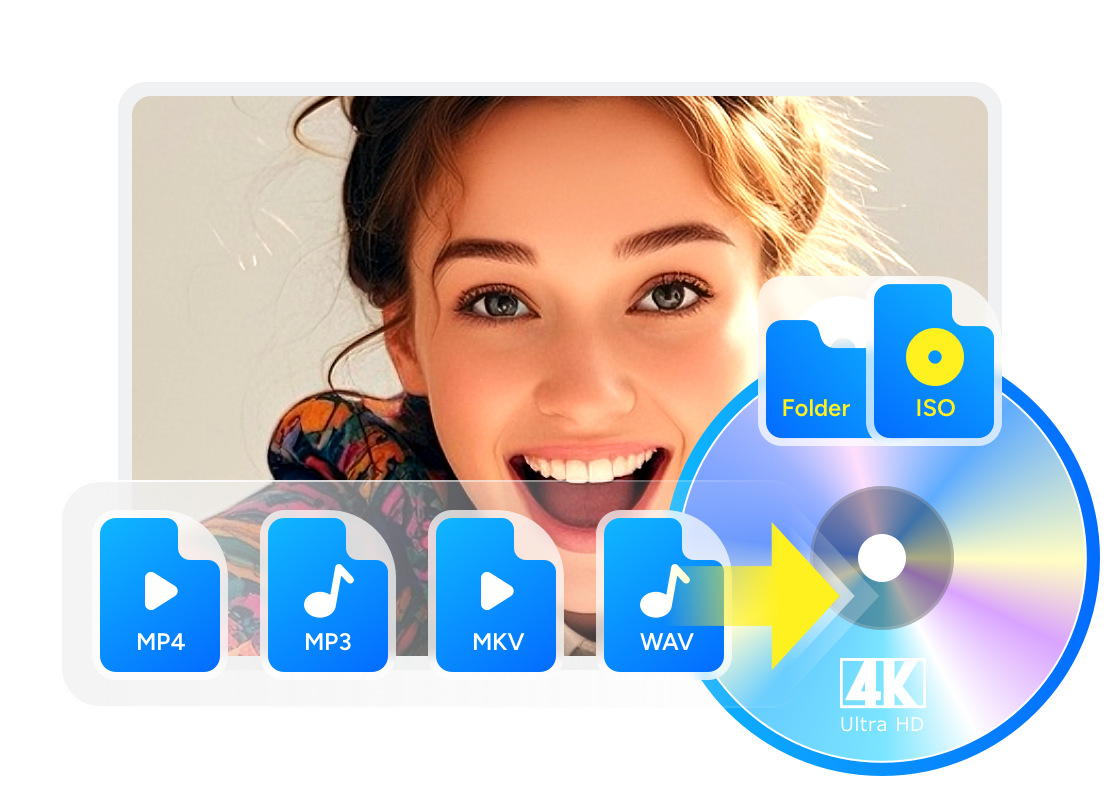
6 Best 4K Blu-ray Burners You Should Know [Software & Drive Included]

Summary: A 4K Blu-ray burner setup comes down to three things: authoring software like DVDFab UHD Creator, a compatible burner drive, and blank disc that fits your project size. If you want portability, choose an external drive. If you burn often on a desktop PC, an internal drive is usually the steadier option. Before you buy, check BDXL support and current availability.
Although most people watch movies on streaming now, I keep running into two realities: titles in my collection disappear, and poor network speeds drag the bitrate down. If you face the same issues, a 4K Blu-ray burner workflow is a practical fix for stable, full-quality playback at 3840×2160 with HDR on supported devices. In this guide, I'll compare six 4K Blu-ray burners you can actually use, covering 4K Blu-ray burner software as well as hardware, such as external UHD Blu-ray burners and internal burners.
2 Best 4K Blu-ray Burner Software
4K Blu-ray burner software is the core tool for creating UHD Blu-ray discs from 4K videos. These programs support authoring, menu creation, and 4K video encoding with formats like MP4, MKV, and MOV. Most work alongside a physical Blu-ray burner to produce discs that play on UHD players.
Professional 4K Blu-ray Burner Software: DVDFab UHD Creator
DVDFab UHD Creator is a 4K Blu-ray burner software that burns UHD Blu-ray discs from 200+ video formats like MP4, MKV, or M2TS. If you don't have a blank disc at hand, you can also save the output 4K Blu-ray as an ISO file or BDMV folder saved on your computer's HDD. You can target typical disc sizes such as BD-25 2160p, BD-50 2160p, and BD-100 2160p.
What we like most is that, as a professional UHD Blu-ray burner, DVDFab UHD Creator also offers built-in video editing features, including cropping, trimming, adding watermark and external subtitles, and adjusting brightness, so you can tailor the disc to your viewing environment.
- Burn 4K videos of 200+ formats to 4K Ultra HD Blu-rays
- Retain premium HDR10/Dolby Vision quality
- Output high-quality video (2160p) & audio (DTS-HD, DTS:X, TrueHD, TrueHD Atmos)
- Built-in video editor to customize your video footage on Windows and macOS
- One app handles authoring and burning
- Works with all familiar containers
- Selectable audio tracks and subtitles
- 20x faster burning speed with GPU Acceleration
- Not available on Linux
Score: ★★★★★
Free 4K Blu-ray Burner Software: tsMuxeR + ImgBurn
The free route pairs tsMuxeR and ImgBurn to split building and burning into two clean steps. tsMuxeR assembles a proper UHD Blu-ray structure (BDMV/CERTIFICATE) or ISO from familiar containers like MP4, MKV, and M2TS, letting you choose track order, import chapters, set language/default flags, and keep HDR10 when it already exists in the source. It's a remuxer—no re-encoding and no interactive menus.
ImgBurn then writes the ISO or folder to BD-R/BDXL, with verify, detailed logs, and write-speed control for quality assurance. Just note that this is now a legacy toolchain: the tsMuxeR repository was archived in April 2025, and ImgBurn remains an older Windows burner rather than an actively developed UHD suite.
- Separate "build" and "burn" steps for transparency and control
- UHD-BD folder/ISO output and UDF 2.50/2.60 writing
- Convert to ISO → test on PC → burn, which is a safer flow that cuts down on wasted discs
- Free and predictable; good visibility into what's on the disc
- Fine-grained control over tracks/chapters and file system settings
- Works well for PC playback and testing before burning
- Higher learning curve than one-stop paid suites
- Dolby Vision/HDR10+ on user-authored discs is not a reliable path
- ImgBurn is Windows-only, and the overall toolchain is no longer actively maintained
Score: ★★★☆☆
3 Best External 4K Blu-ray Burner
What UHD Blu-ray burner software mainly does is convert video files into a Blu-ray disc structure, such as an ISO or a folder. If you want to burn that structure to a physical disc, you'll still need a hardware drive. With internal optical drives disappearing from many modern laptops, external 4K Blu-ray burner drives remain a practical option. One thing to keep in mind, though, is that the optical-drive market is much smaller now, so some well-known models are sold out, discontinued, or only available through remaining stock depending on your region.
Pioneer BDR-X13U-S
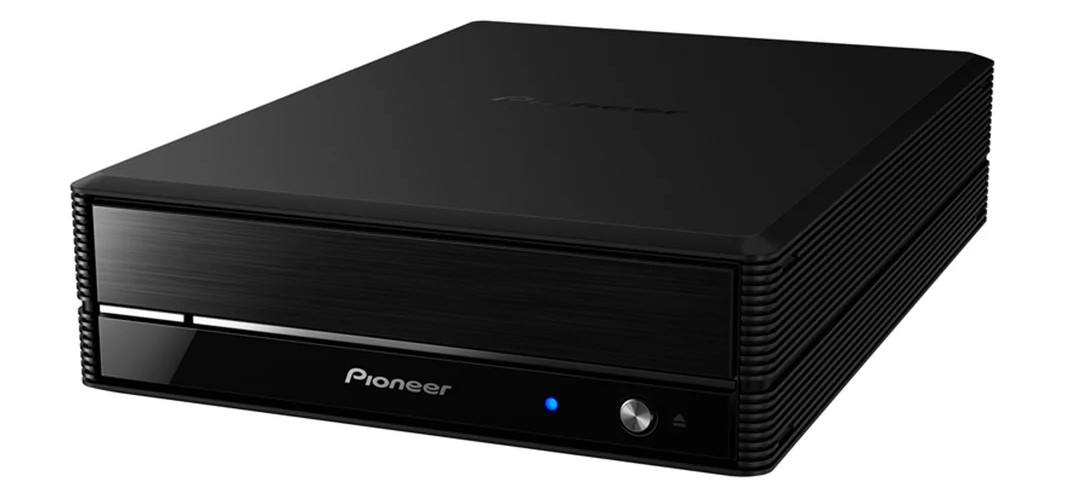
If you want a desktop-class external 4K UHD burner for long sessions, the BDR-X13U-S is still one of the strongest options on paper. It delivers up to 16× BD-R writing and supports BDXL 100/128 GB for large UHD projects, with Pioneer's PureRead/RealTime PureRead and utility features that favor cooler, quieter, steadier burns than slim portables. It also includes a CyberLink software bundle for Windows, so setup stays simple.
The main issue now is availability. Pioneer USA lists this model as sold out, and Pioneer Electronics (USA) says it has discontinued selling and distributing optical drives. So this drive is better treated as a remaining-stock option than a default buy.
- Up to 16× BD-R writing speed, stable for long sessions.
- BDXL 100/128 GB support for large 4K projects.
- Includes CyberLink Media Suite for Windows users.
- Bulkier and requires its own power supply.
- Software bundle is Windows-oriented; macOS users need other burning tools.
Price: US$230–260
Pioneer BDR-XD07TUHD
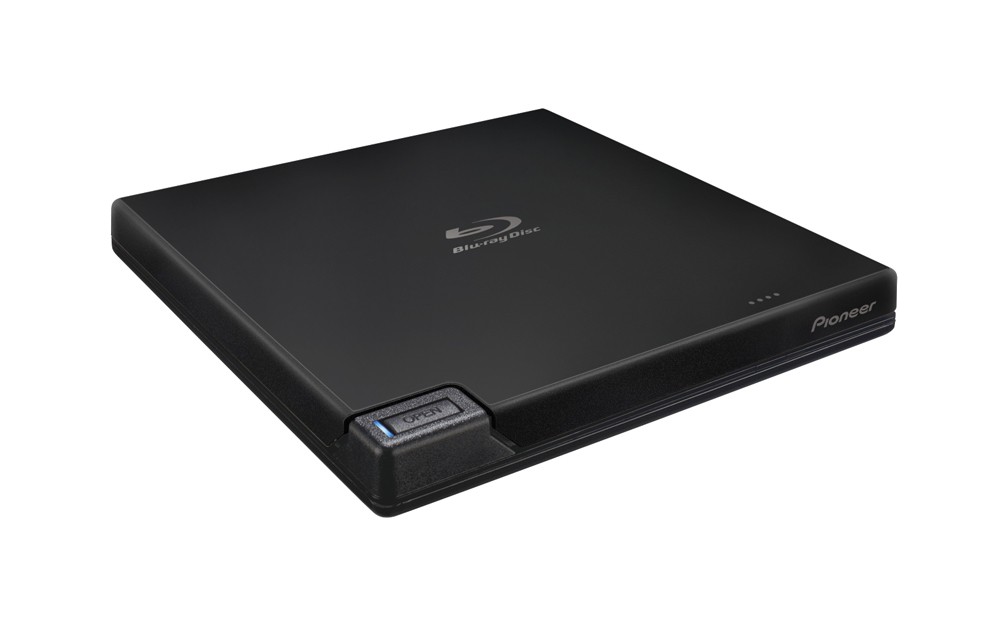
This model is a bus-powered external UHD burner you can slip into a laptop bag. Despite its ~230 g ultralight design, it still writes BDXL and is rated up to 6× BD-R—good for occasional UHD-BD authoring when you prioritize portability over raw speed. Pioneer's spec sheet highlights M-DISC support plus Auto Quiet, PowerRead, and PureRead 3+, which help keep playback and burns smooth; plan conservative 4×–6× speeds for the best reliability.
- Compact, lightweight, and USB-powered.
- Supports BDXL media; rated up to 6× BD-R.
- Often bundled with CyberLink playback/burning utilities.
- Slim mechanics mean slower and less stable burns.
- Better for occasional burns than long, high-capacity jobs.
Price: US$170–180
Buffalo MediaStation 16× External BDXL Burner
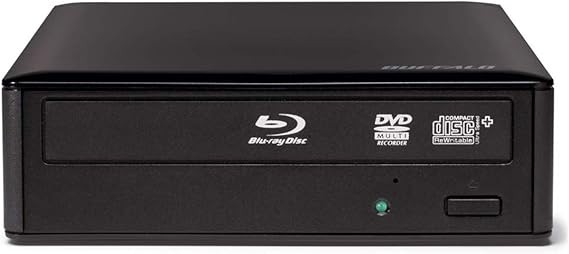
Buffalo's MediaStation BRXL-16U3 is a value-oriented external 4K/UHD Blu-ray burner that focuses on straightforward burning over fancy cosmetics. It supports BDXL up to 128 GB, connects via SuperSpeed USB, and includes CyberLink Media Suite to help Windows users author and burn quickly. It still makes sense if you want a simple desktop workhorse and can find one in stock.
That said, it should no longer be framed as a long-term mainstream pick. Buffalo announced that it will end Blu-ray drive sales in July 2026, and it also said there will be no successor model. In other words, this is now a remaining-stock option.
- 16× desktop burner with BDXL up to 128 GB.
- Bundled with CyberLink Media Suite, making it easy to start burning on Windows.
- Strong value for capacity and speed.
- Larger footprint and a simpler, less refined design.
- Bundled software is Windows-focused; macOS users need alternatives.
Price: US$160–190
Internal 4K Blu-ray Burner
If you burn 4K UHD discs often or work on a desktop, an internal 4K Blu-ray burner drive is a strong choice. It connects over SATA inside your PC, which usually means steadier data transfer than most USB externals, lower noise, and more stable high-speed burns.
LG WH16NS60
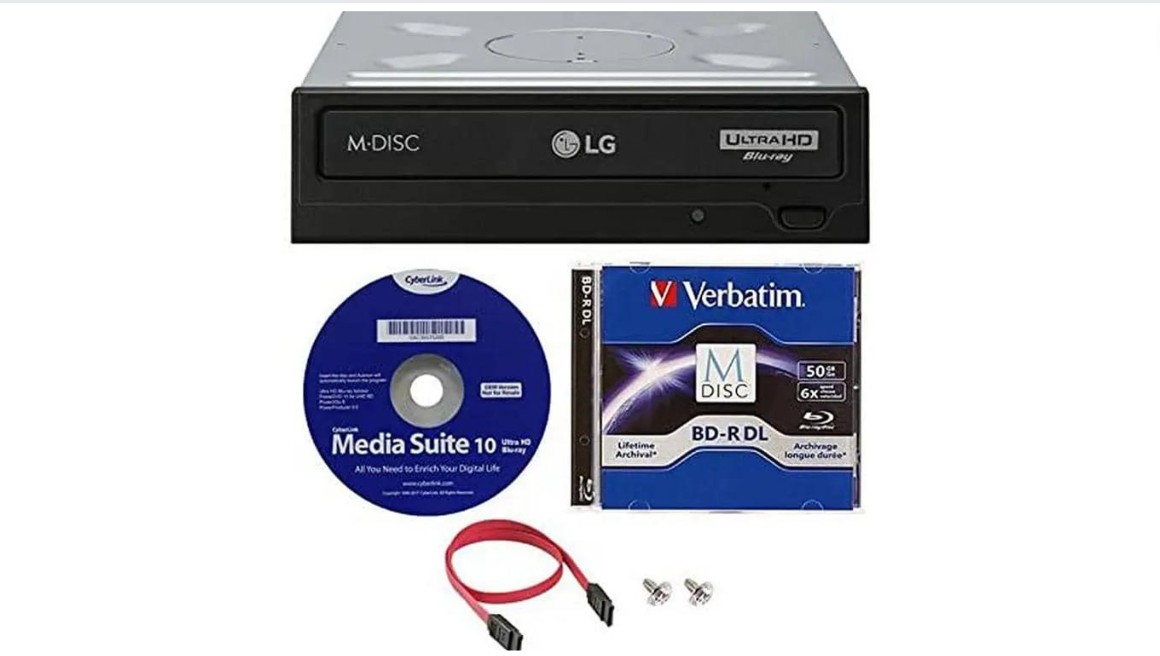
The LG WH16NS60 is one of the best-known internal 4K Blu-ray burner drives for desktop PCs. It delivers up to 16× BD-R write speeds, supports BDXL including quad-layer (128 GB) discs, and includes M-DISC support for long-term archival. It also features Silent Play and Jamless Play to reduce noise and skips during disc reads or burns. If you have a spare 5.25-inch bay and SATA connection, it remains a solid internal option.
The point to note is product status. LG now marks the WH16NS60 as discontinued on its U.S. product page, so it makes more sense to treat it as a legacy internal option that may still be available through remaining stock or resale channels.
- High write speeds and full BDXL (100/128 GB) support.
- Silent/Jamless operation reduces noise and read errors.
- Compatible with many blank media types and includes M-DISC support.
- Requires internal SATA interface and a 5.25-inch bay; installation needed.
Price: US$200–240
Bonus: Learn to Use the Best 4K Blu-ray Burner Right Now
After preparing the burner and drive, you can now proceed to learn how to use DVDFab UHD Creator, one of the best UHD Blu-ray burners. With clean and intuitive interface, it's quite easy to burn 4K Blu-ray with DVDFab UHD Creator. Refer to the following tips.
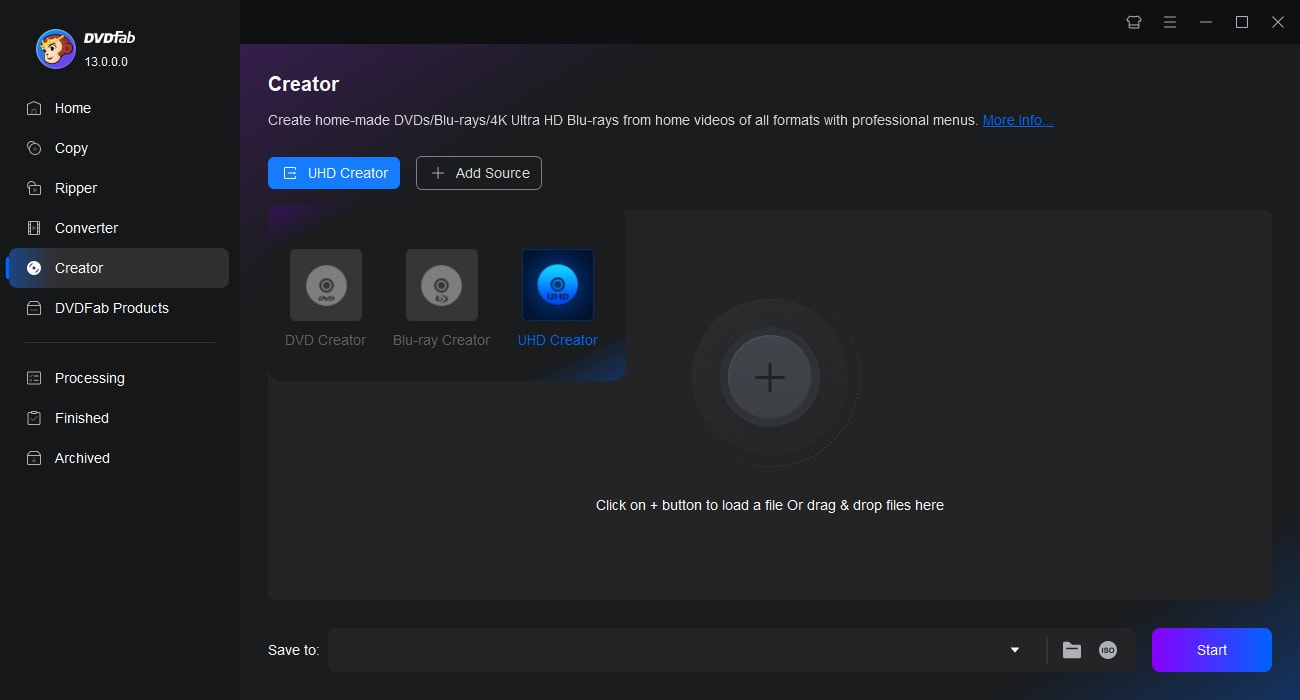
Free download, launch DVDFab 13 and go to UHD Creator module
Note that only the 64-bit version of DVDFab contains the UHD Creator module.
Load 4K video source and customize the output 4K Blu-ray
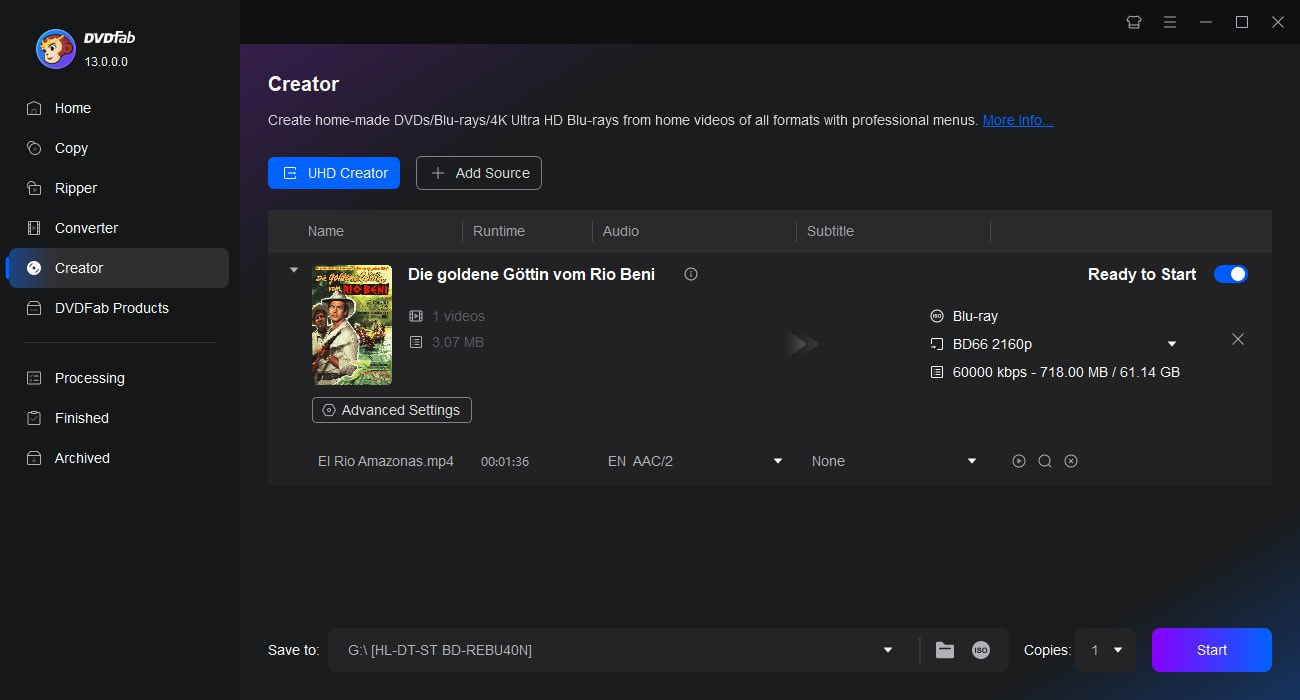
Add or drag & drop 4K video source with or without HDR10/Dolby Vision contents onto the main UI. Then go to "Advanced Settings (Wrench icon)" to set parameters for the output 4K Blu-ray: Menu Mode, Volume Label, Output (BD-25 2160P, BD-50 2160p, and BD-100 2160p), Processing Mode, and Video Quality.
Start to burn 4K Blu-ray
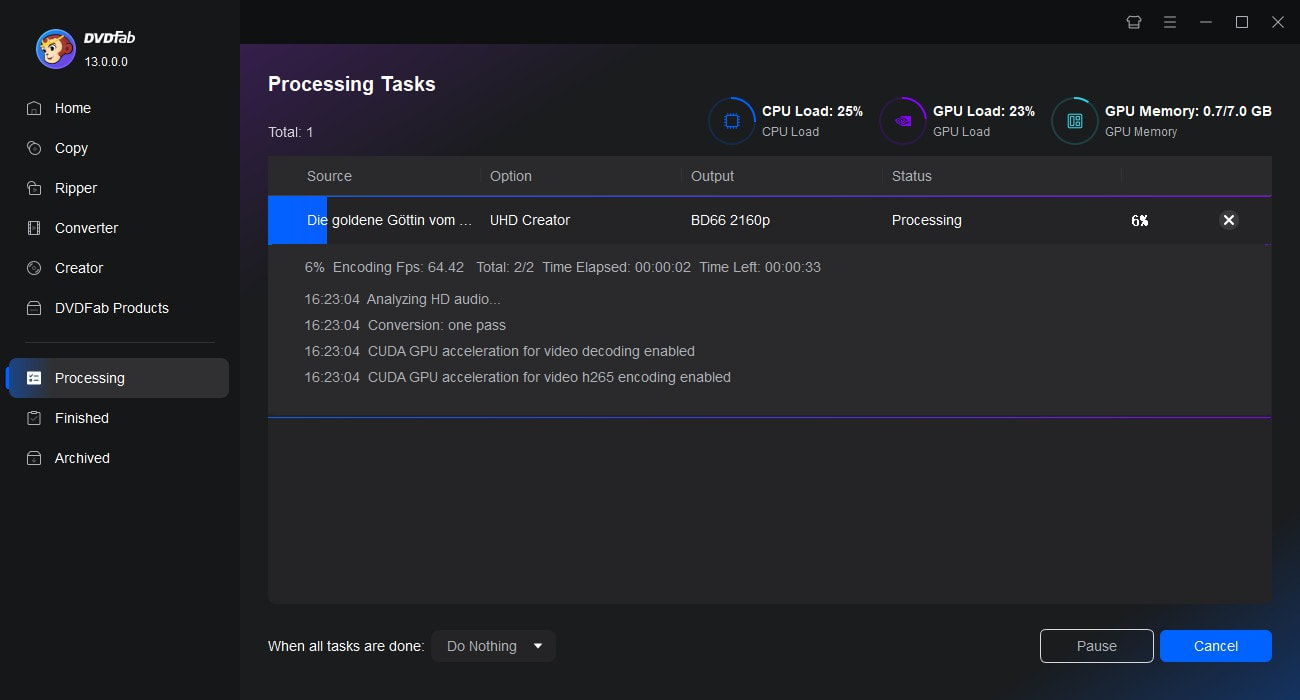
Insert your burner drive and a blank disc, select the drive under "Save To" Box. You can also set file destination to save the output 4K Blu-ray as ISO or folder. Hit the "Start" button to burn 4K Blu-ray. Detailed processing information will be shown on the progress bar.
FAQs
If your computer doesn't have a built-in burner drive, you'll need:
4K Blu-ray Authoring Software: You need a program specifically designed for UHD authoring, like DVDFab UHD Creator, which supports HDR10, Dolby Vision, and UHD Blu-ray structure creation.
A Compatible 4K UHD Blu-ray Burner Drive: This could be an external USB 3.0 burner or an internal SATA burner that supports writing to BD-XL media.
Blank UHD-Compatible Discs: Standard BD-R discs often will not hold a full-length 4K project. In practice, the most important capacities to check for UHD-style burning are 66GB and 100GB media, depending on your source size, bitrate, and whether you want to avoid heavy compression.
- BD-25 (25GB, single layer)
- BD-50 (50GB, dual layer)
- BD-66 (66GB, dual layer)
- BD-100 (100GB, triple layer)
Do I Need Special Software to Burn a Real 4K UHD Blu-ray?
Yes. You need software like DVDFab UHD Creator that can burn a proper Blu-ray/UHD-ready BDMV folder or ISO, not just a basic disc burner. After that, you still need a compatible drive to write the disc.
Can an External 4K Blu-ray Drive for PC Burn 100GB Discs?
Yes, but only if the drive supports BDXL. Ultra HD Blu-ray uses 66GB and 100GB disc formats, so you should always check BDXL support before you buy.
Why Won't My Burned 4K Disc Play in a Standalone UHD Blu-ray Player?
Because a burned disc is not always a player-compatible UHD disc. Standalone playback depends on the correct disc structure, supported video/audio formats, and player compatibility, even if the files work fine on a PC.
Conclusion
Choosing a 4K Blu-ray burner is really about matching the right tool to your setup. If you want a simple and portable option, an external drive is the better fit. If you burn more often on a desktop PC, an internal drive usually gives you a steadier experience. Software matters just as much, since the drive only writes what the software prepares. In short, once you have the right software like DVDFab UHD Creator, a compatible burner, and the right blank media, burning 4K Blu-ray discs becomes much easier.

 How to Burn 4K Blu-ray Discs: From Authoring to Hardware BurnersBy Diana Smith - Mar 16, 2026