Easily Download and Convert audiobook.jp Books
Broad Content Support
Download Audiobooks and Podcasts from audiobook.jp
This converter supports the major content types you can access on audiobook.jp. Whether it's purchased audiobooks, titles in the unlimited listening plan, or subscription podcasts, you can easily download them for playback across devices.

In-App Sign-In
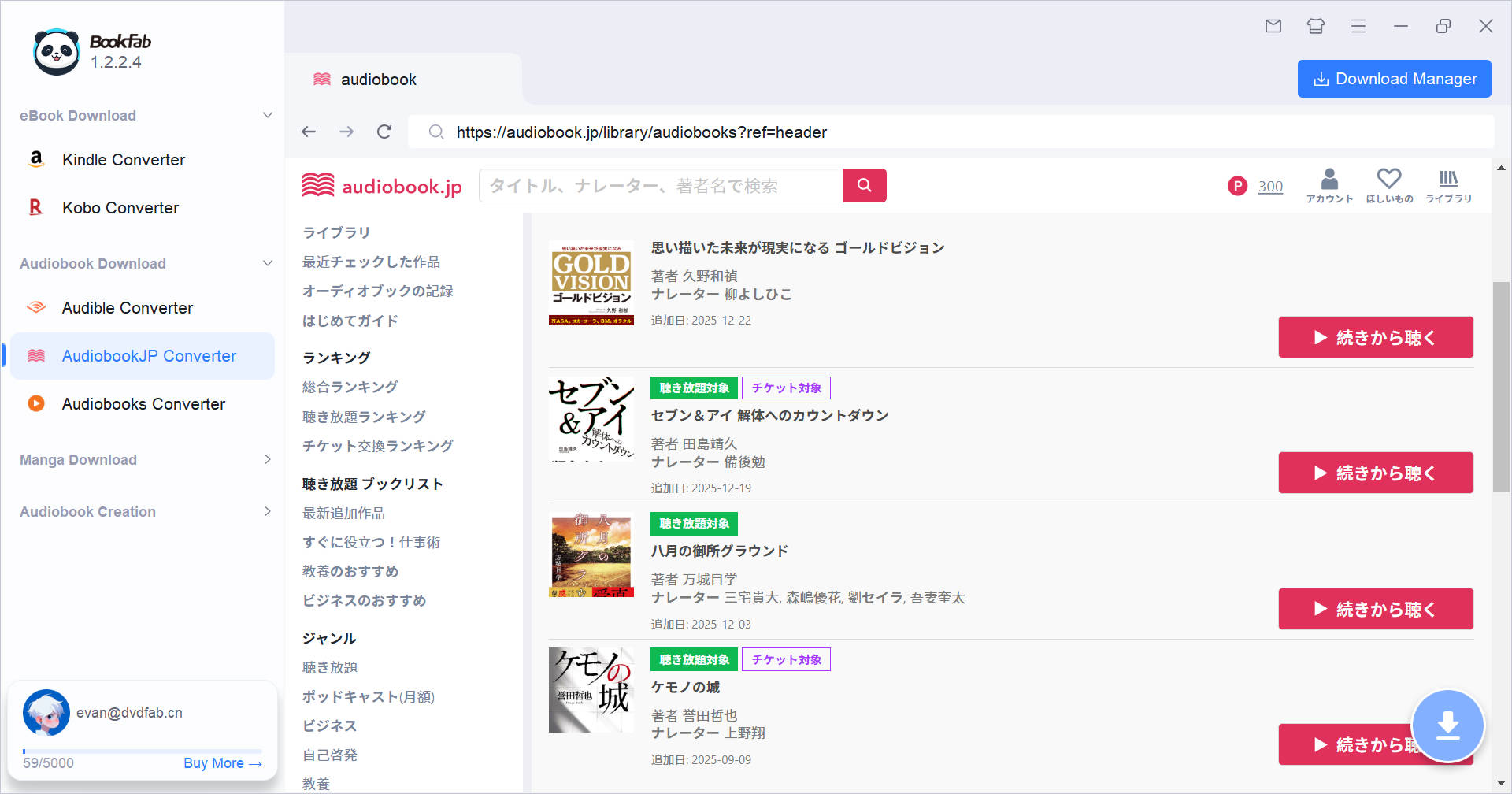
Access Your Library via a Built-in Browser
The integrated browser in this audiobook converter lets you sign in to audiobook.jp directly, browse your library, and start downloads with a single click. This seamless workflow reduces unnecessary switching between apps and browsers.

Flexible Output
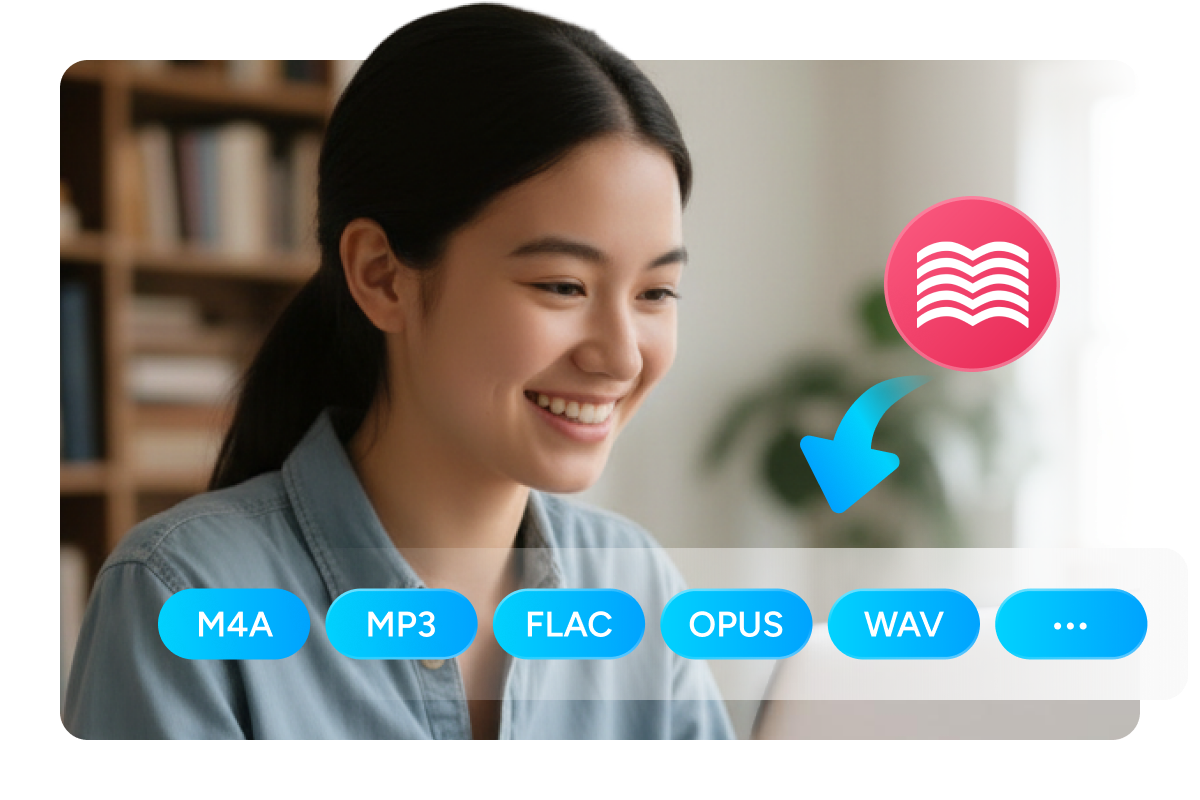
Export in Multiple Formats for Playback on Any Device
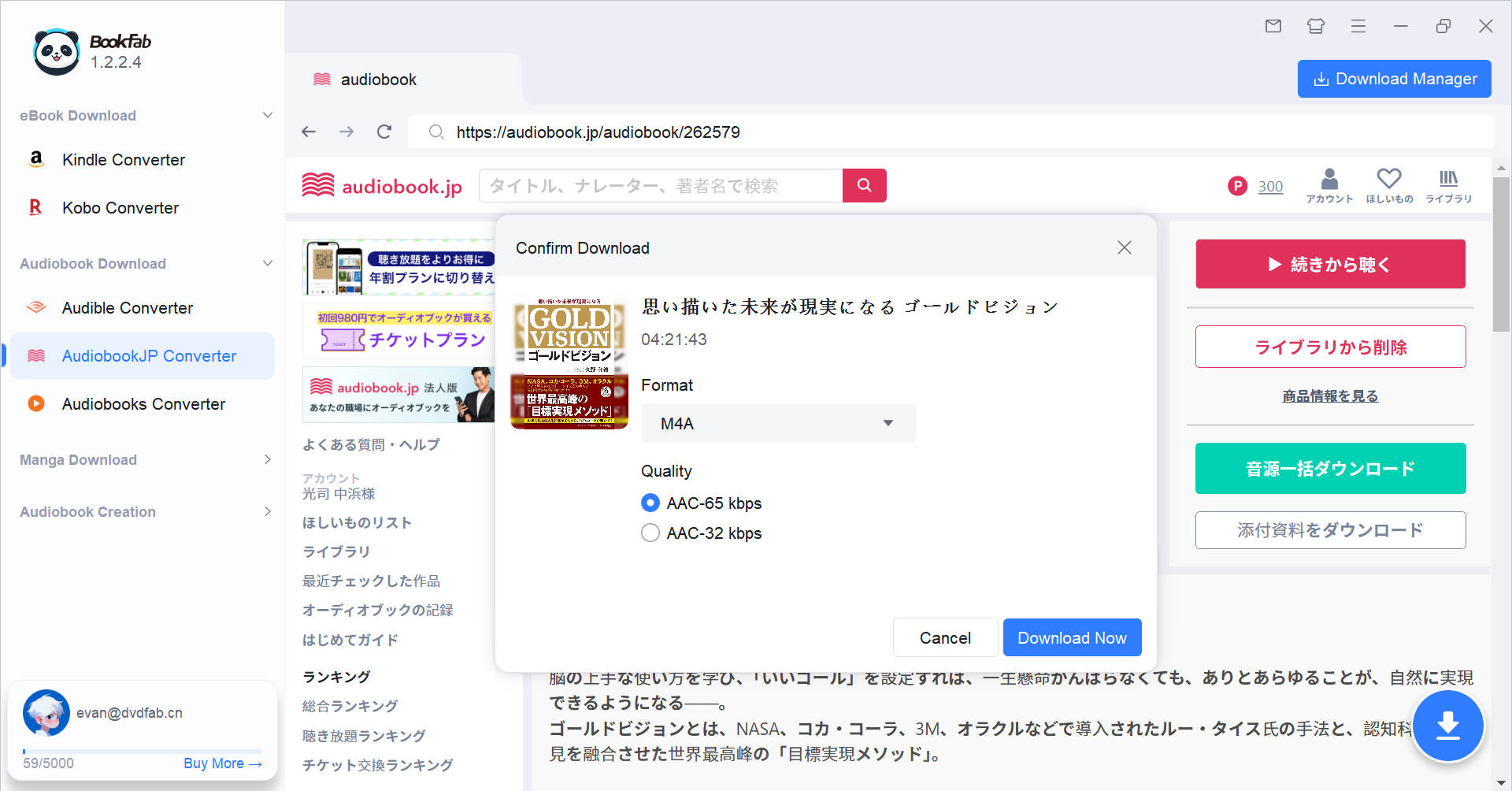
BookFab AudiobookJP Converter supports various DRM-free output formats: M4A (default) and MP3 for universal compatibility, FLAC and WAV for lossless high-fidelity audio, and OPUS for efficient storage. These diverse format options cater to all your playback device and audio quality requirements.

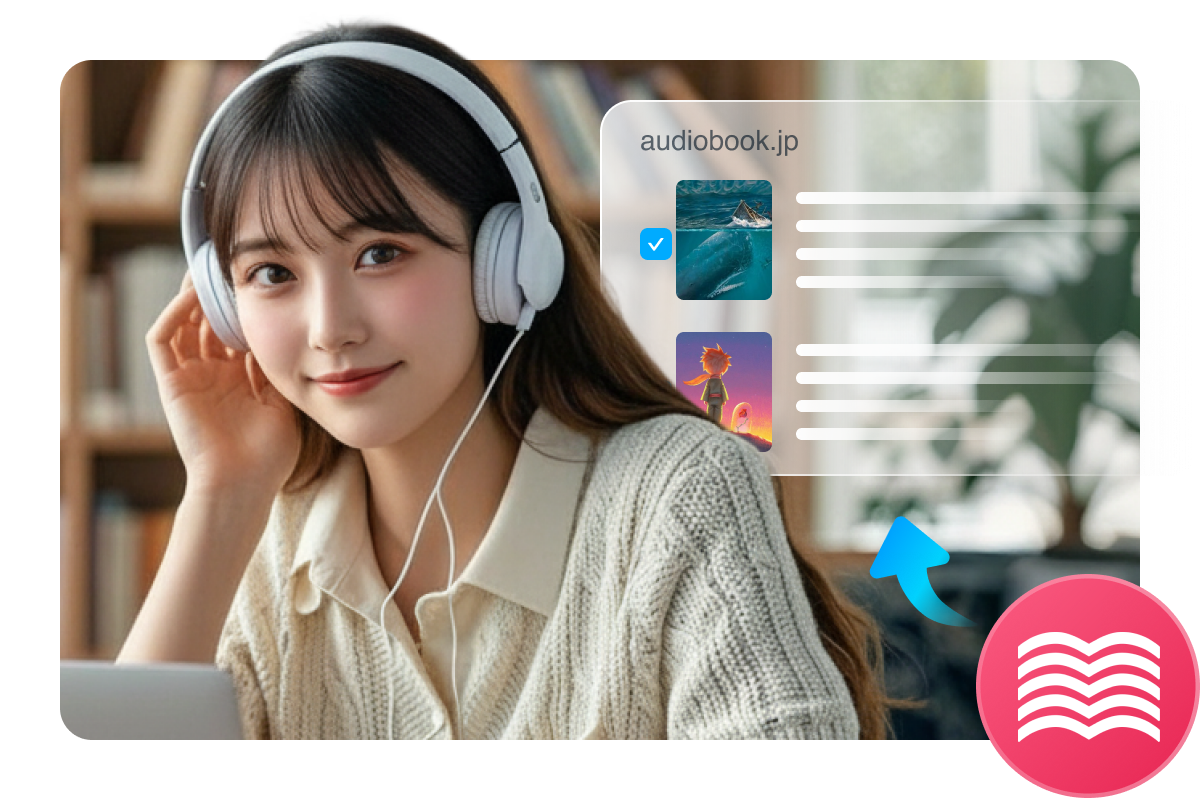
Efficiently Download and Organize audiobook.jp Library
Feedbacks on AudiobookJP Converter
S
Sato
Sales ManagerI love the support for the unlimited listening plan. I can download business books from the subscription catalog and listen to them during my long flights where I have no internet. It's the best way to make the most of my subscription.
J
Joshua
Freelance WriterThe variety of output options delivers far greater flexibility than the original app. The audio remains clear, and I can enjoy my books on my car stereo and Apple Watch. It's a must have for those seeking complete control over their audiobook.jp library.
E
Elena
Audio EngineerSupporting FLAC and WAV is a huge plus for me. I need to download high-quality podcasts on audiobook.jp, and this tool lets me save them in lossless quality. Even when the audiobook files are large, the download speed is still very fast.
A
Amy
Podcast ProducerFinally, a way to manage my Japanese podcasts offline. The Download Manager is intuitive, and I can queue up an entire series and monitor the progress in one place.
N
Natsuki
Language StudentThe built-in browser makes the whole process so easy. I just log in to my audiobook.jp account as I usually do and click download. It feels as if audiobook.jp itself gained a native download feature. Simple as it is, the results are powerful.
T
Takumi
Japanese Expat in USAThis audiobook.jp downloader handles conversions to MP3 and M4A efficiently. The exported chapter structure stays organized, so playback remains smooth on other devices, and you can control playback freely in any player you prefer.
S
Sato
Sales ManagerI love the support for the unlimited listening plan. I can download business books from the subscription catalog and listen to them during my long flights where I have no internet. It's the best way to make the most of my subscription.
J
Joshua
Freelance WriterThe variety of output options delivers far greater flexibility than the original app. The audio remains clear, and I can enjoy my books on my car stereo and Apple Watch. It's a must have for those seeking complete control over their audiobook.jp library.
E
Elena
Audio EngineerSupporting FLAC and WAV is a huge plus for me. I need to download high-quality podcasts on audiobook.jp, and this tool lets me save them in lossless quality. Even when the audiobook files are large, the download speed is still very fast.
A
Amy
Podcast ProducerFinally, a way to manage my Japanese podcasts offline. The Download Manager is intuitive, and I can queue up an entire series and monitor the progress in one place.
N
Natsuki
Language StudentThe built-in browser makes the whole process so easy. I just log in to my audiobook.jp account as I usually do and click download. It feels as if audiobook.jp itself gained a native download feature. Simple as it is, the results are powerful.
T
Takumi
Japanese Expat in USAThis audiobook.jp downloader handles conversions to MP3 and M4A efficiently. The exported chapter structure stays organized, so playback remains smooth on other devices, and you can control playback freely in any player you prefer.

Step 1. Launch BookFab and Sign in to audiobook.jp
Open BookFab and select "AudiobookJP Converter" from the sidebar. Use the built-in browser to sign in to your audiobook.jp account.
Step 2. Select Audiobook and Output Format
Browse your library and open the details page of the title you want. Click the Download button. In the pop-up window, choose your preferred output format (e.g., MP3 or M4A).
Step 3. Start and Track Progress
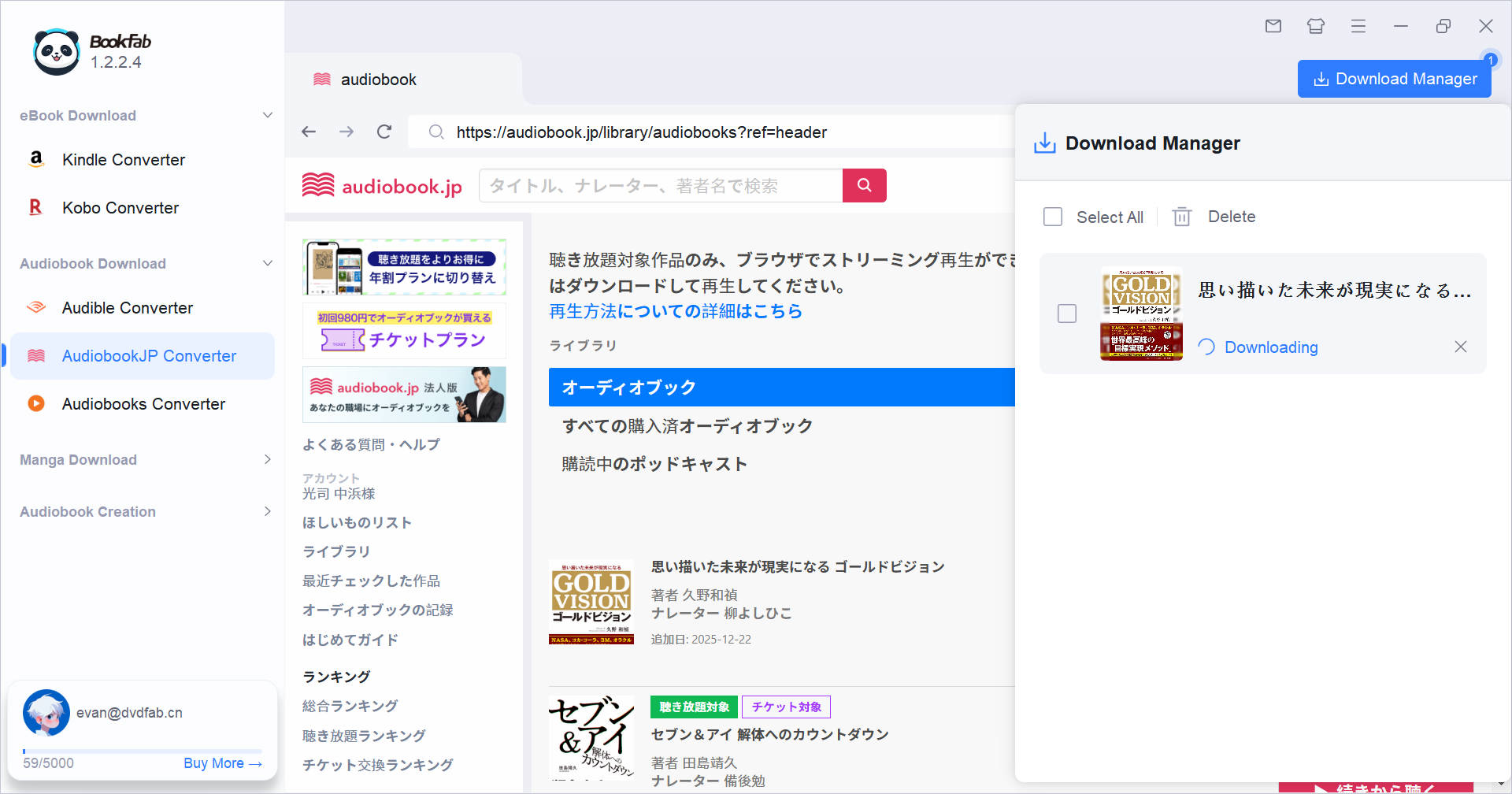
Click "Download Now" to start the download process. In the Download Manager, you can check real-time status and manage ongoing tasks.
System Requirements

Windows 11/10 (32/64 bit)
4GB of RAM or above
40GB of free hard disk space or above
Live Internet connection required
Frequently Asked Questions
- Is it legal to remove DRM from audiobook.jp audiobooks?
- Is it safe to download BookFab AudiobookJP Converter?
- What pricing plans are available for BookFab AudiobookJP Converter?
- Is there a free trial for BookFab AudiobookJP Converter?
- What output formats are supported?
- Is it safe to log into my audiobook.jp account within BookFab?