
AZW3 to EPUB: 3 Conversion Methods and File Compatibility Tips

Summary: To convert AZW3 to EPUB, you can use BookFab Kindle Converter for Kindle-purchased books, Calibre with a DeDRM plugin for more manual control, or an online converter like CloudConvert for DRM-free AZW3 files. Follow this guide to choose the right method and make your AZW3 files easier to read across devices.
Table of Contents
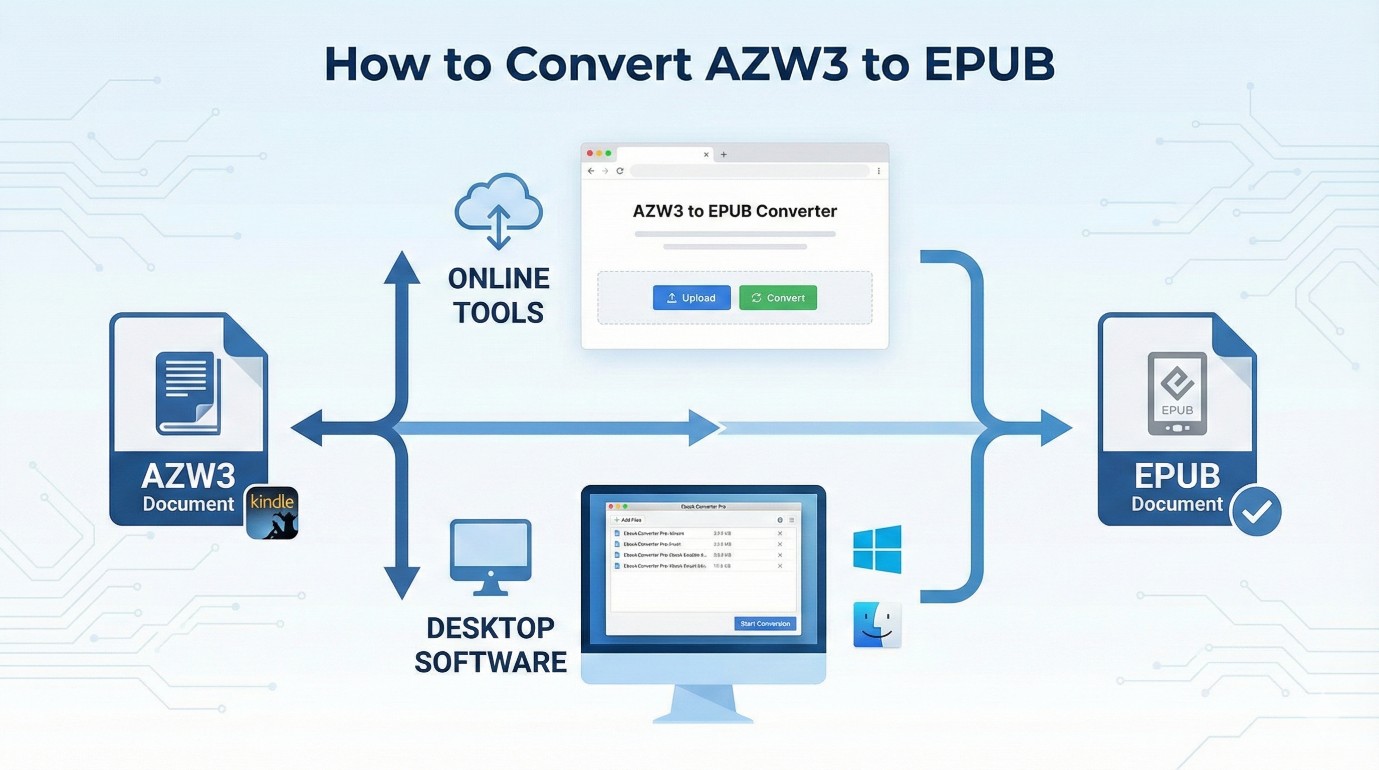
Method 1. Convert AZW3 to EPUB with BookFab
BookFab Kindle Converter is a Windows desktop AZW3 to EPUB converter for readers working with eligible Kindle content they are authorized to access, where permitted by platform terms and applicable law. It works with the Windows Kindle app to detect locally available Kindle books, export eligible content as EPUB or PDF, and retain key metadata such as the cover, title, and author where possible. Its batch task list is useful when several books need to be organized at once. I would reserve it for readers who want a guided local-file workflow; for one DRM-free AZW3 file, Calibre is usually the lighter option.
Step 1. Download and Open BookFab
Download and open BookFab, then click the Kindle Converter tab in the sidebar.
Step 2. Get Eligible Kindle Books
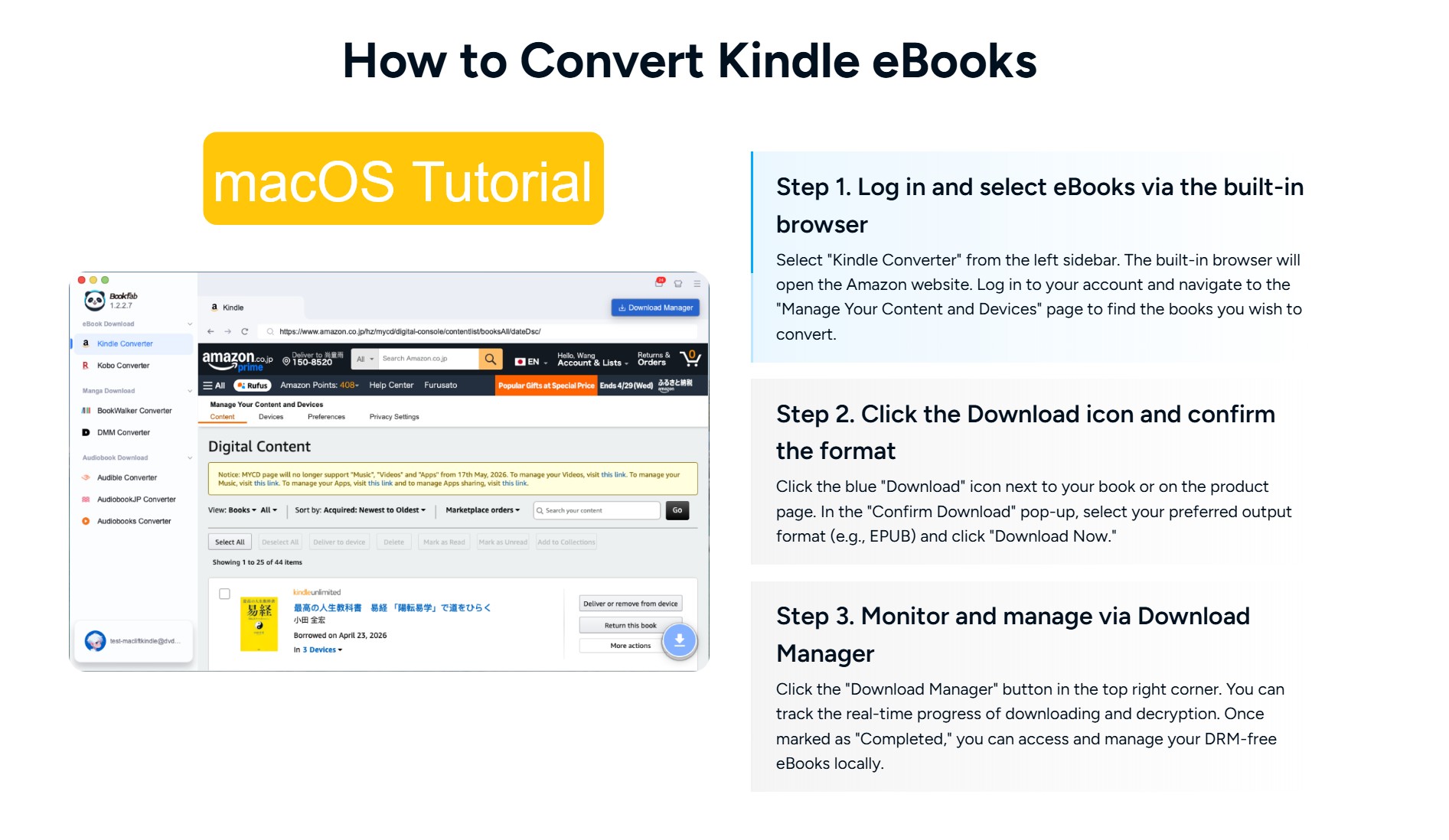
Install the Windows Kindle app, sign in to your Amazon account, and obtain the locally available titles you are authorized to access. Amazon removed Download & Transfer via USB on February 26, 2025, so a usable source file now depends on the compatible Kindle app or device, the delivered format, and the book’s access status. The steps for downloading Kindle books to your computer can help you locate titles that are available locally.
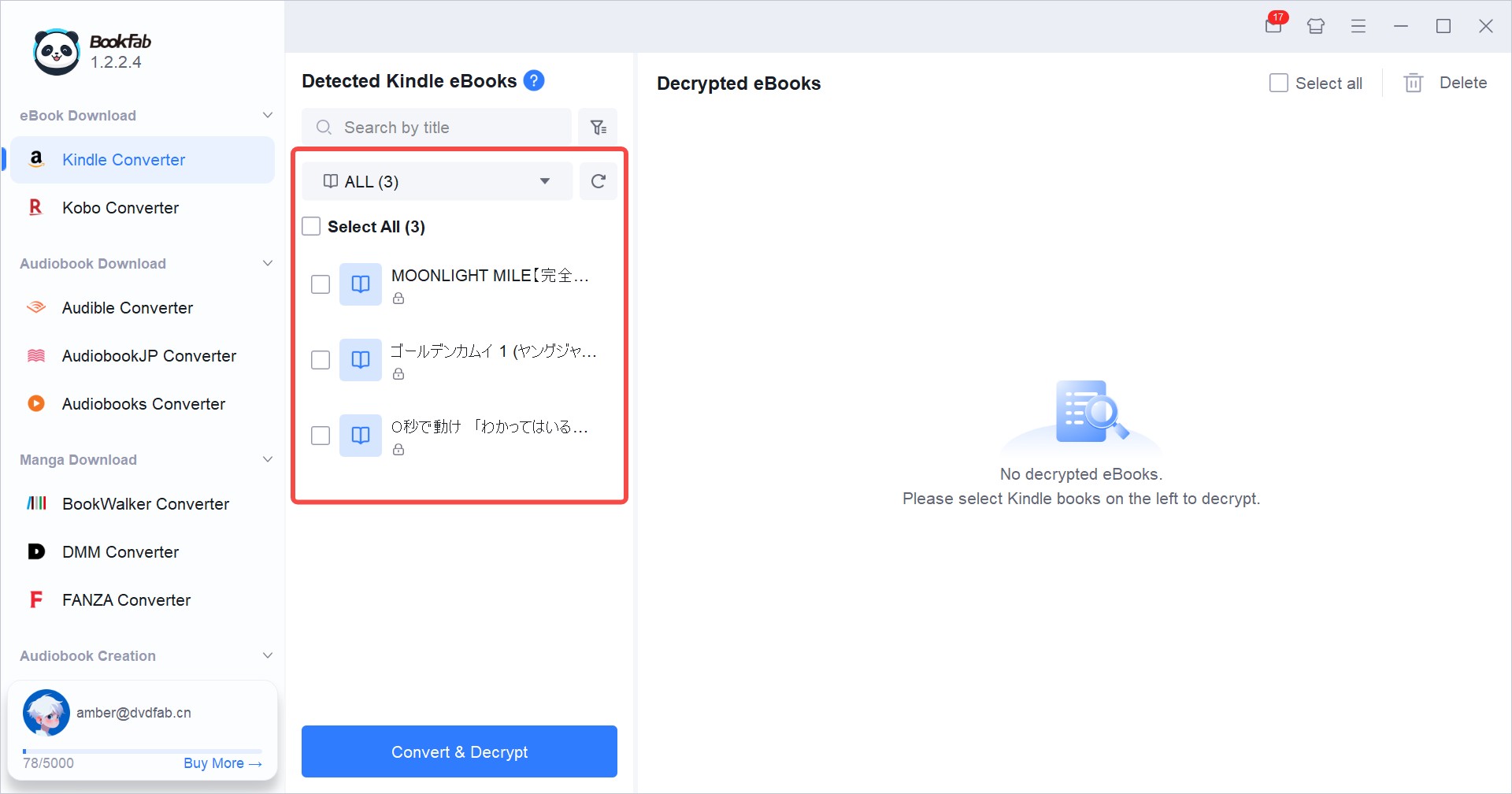
Step 3. Scan Your Kindle Library
Return to BookFab Kindle Converter and click the refresh icon to scan the Kindle books available in the local Kindle library. When the scan is complete, eligible titles appear in the main interface with their titles and covers.
Step 4. Choose EPUB and Convert
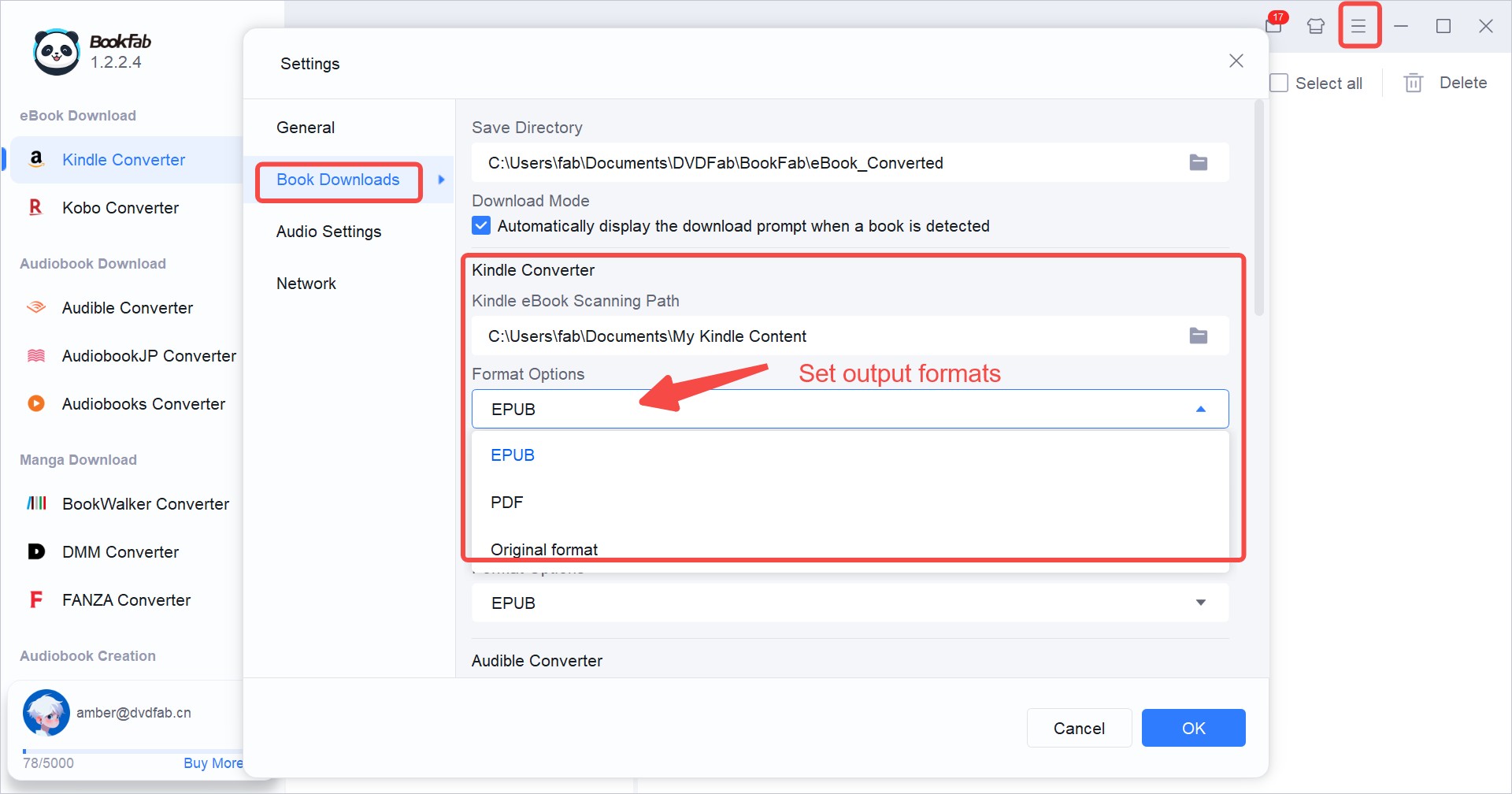
Click the hamburger icon in the top-right corner and select Settings. In the pop-up window, go to Book Downloads > Kindle Converter > Format Options, choose EPUB from the drop-down menu, and click OK.
Select the eligible books you want to convert, then start the conversion. The AZW3 to EPUB converter creates an EPUB copy for personal library use. Before filing it in your main library, use the quality check in Method 2, Step 4.
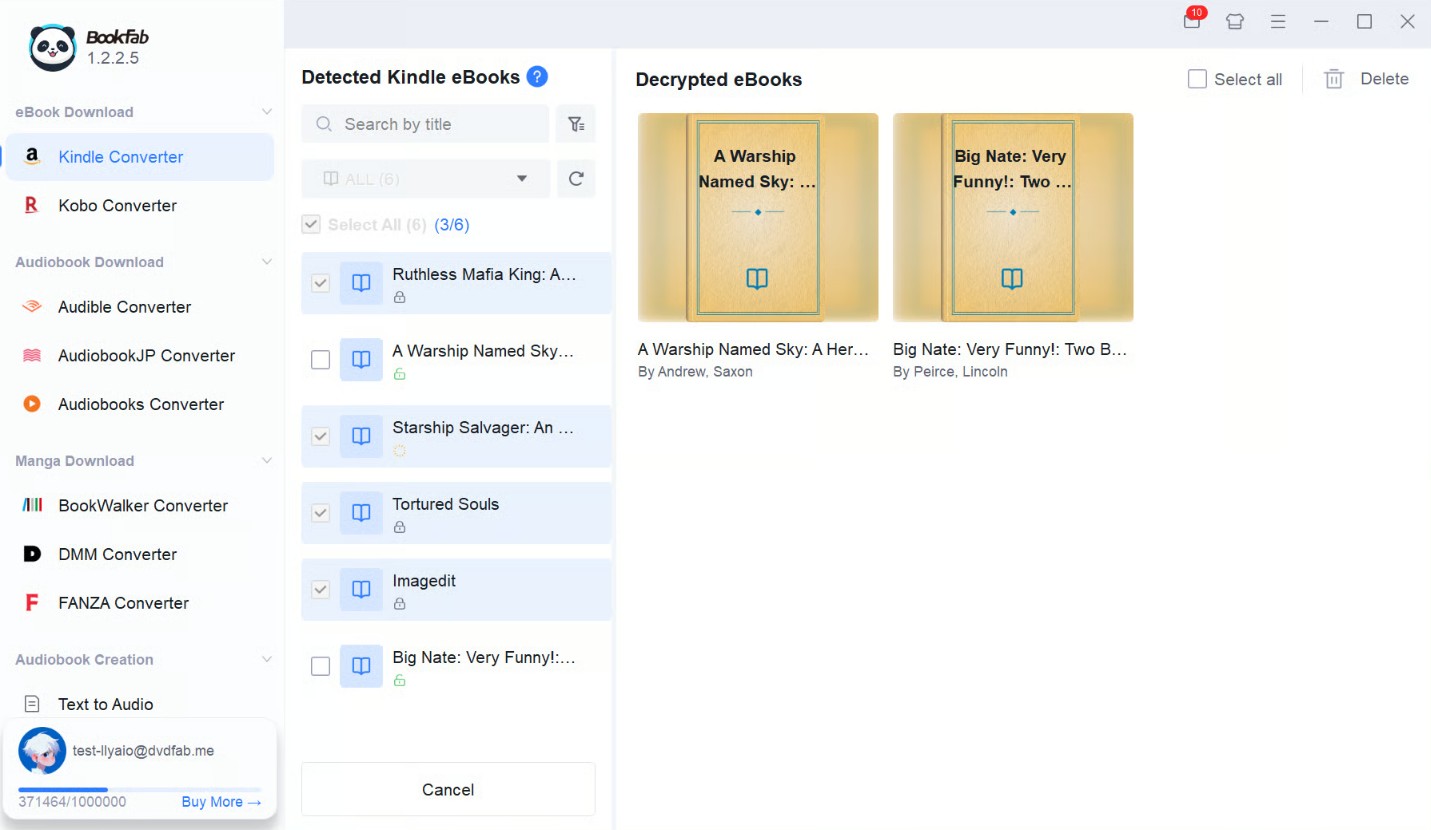
BookFab Kindle Converter is supported on Windows and uses the Windows Kindle app as its required local source environment.
Method 2. Convert AZW3 to EPUB with Calibre
Calibre is a free, open-source AZW3 to EPUB converter. It can read and convert compatible DRM-free AZW3 files through its built-in conversion feature, with detailed controls for metadata, covers, layout, and output settings. When I am preparing an EPUB for a particular reading app, those controls matter because a readable book needs more than an export that simply opens.
A locked-book message is usually a protection or file-provenance issue, not a normal output-setting problem. Calibre is most useful when you already have a compatible local file and want detailed control over its metadata or layout; it is not a guided way to acquire a Kindle library.
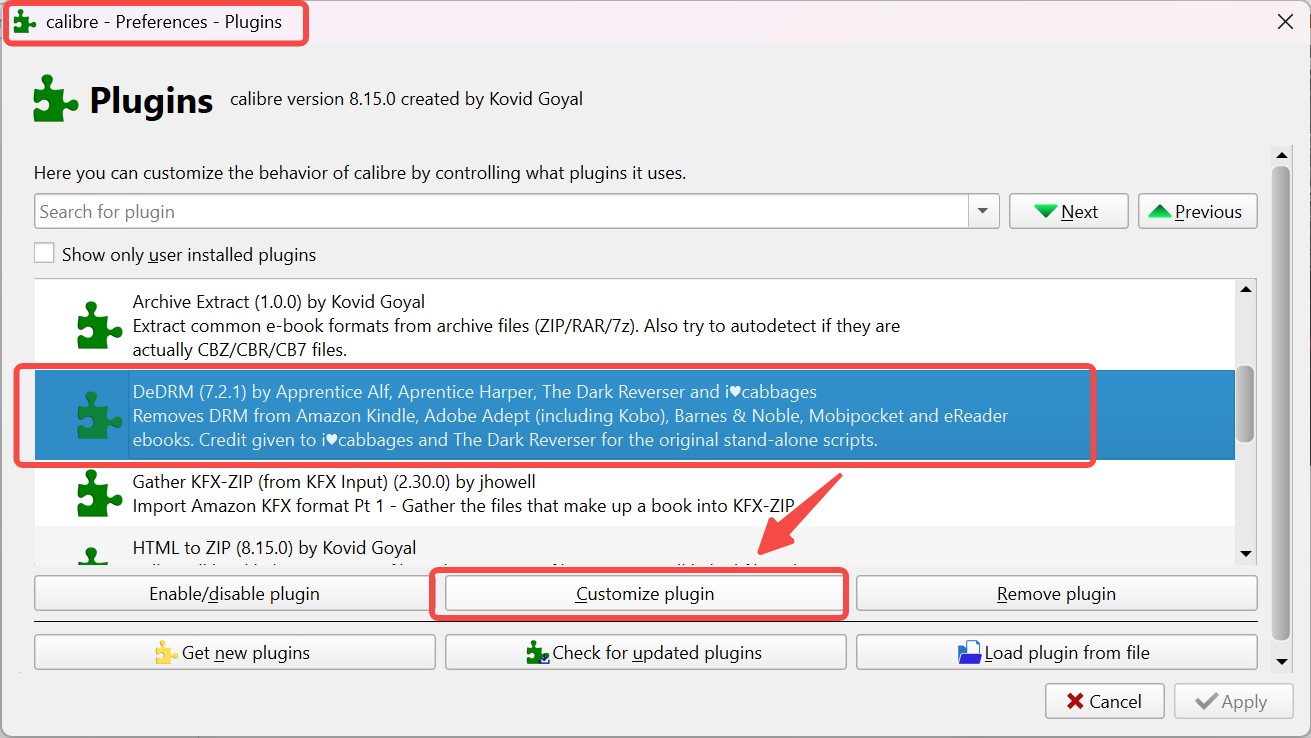
For authorized copies where permitted by applicable law and platform terms, AZW DRM removal options address the access limitation before format conversion, rather than changing Calibre’s output settings.
Step 1. Locate a Compatible AZW3 File
Start with a compatible DRM-free AZW3 file that is already available locally. Amazon removed Download & Transfer via USB on February 26, 2025, so not every Kindle purchase will be available as a usable AZW3 source file through the former account-download route.
Note: Locally downloaded Kindle files may appear in a Kindle content folder on Windows, but their exact location and format can vary by Kindle app version and title.
Step 2. Install Calibre and Check Compatibility
Download and install Calibre from its official website. Calibre’s built-in conversion tools are sufficient for compatible DRM-free AZW3 files.
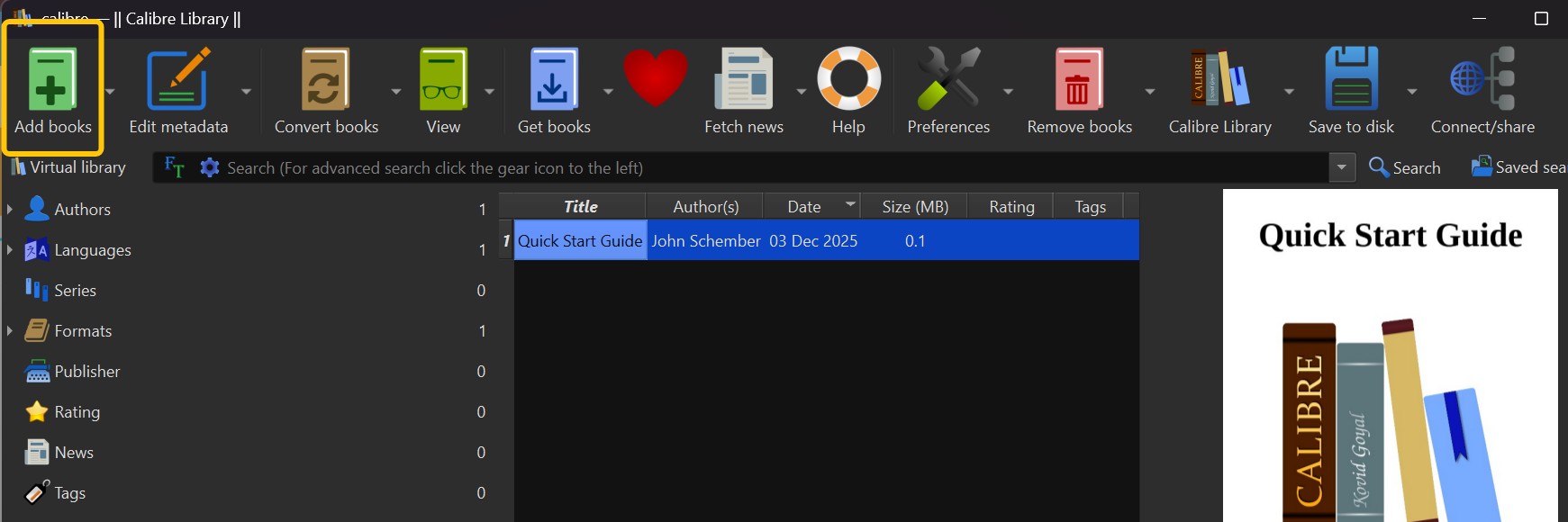
Community plugins are not part of Calibre’s built-in conversion feature, and compatibility can vary with Calibre, Kindle app, and file versions. A locked file remains outside Calibre’s ordinary format-conversion input.
Step 3. Import the AZW3 File
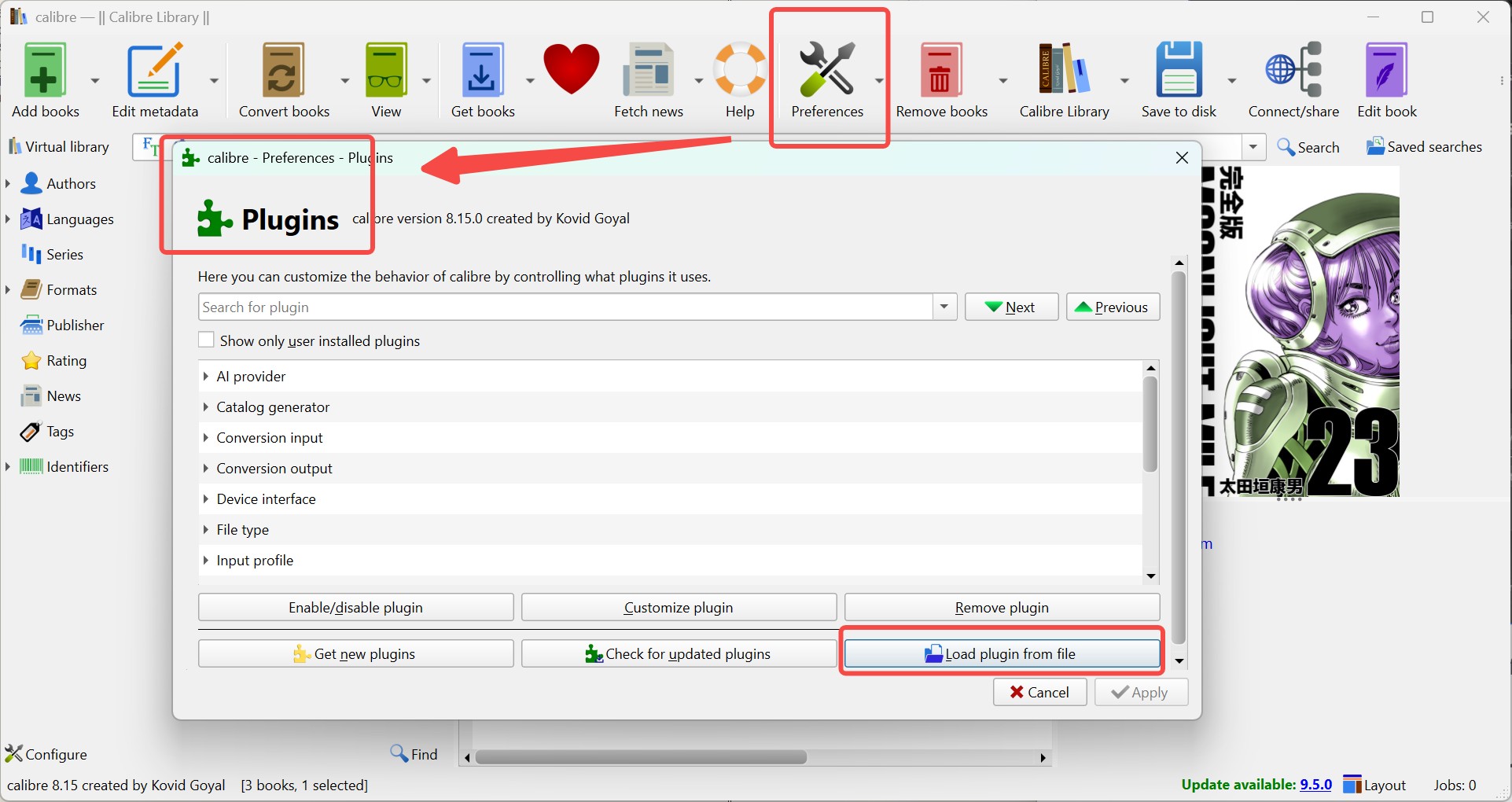
In Calibre, click Add books, select the compatible AZW3 file on your computer, or drag it into the Calibre window. If Calibre identifies the book as locked, stop there: that is a file-eligibility limitation rather than a conversion setting to adjust.
Step 4. Convert and Check the EPUB
Select the imported book in Calibre, right-click it, and choose Convert books from the top tool bar.
In the conversion window, set the output format to EPUB in the upper-right corner. You can adjust metadata, cover, layout, and other settings if needed. Then click OK to start converting AZW3 to EPUB.
After conversion, open the EPUB in your intended reading app and inspect the cover, author and title metadata, table of contents, paragraph flow, images, and any complex fixed-layout pages. A successful export is not necessarily a comfortable reading result, especially for illustrated or image-heavy books.
Method 3. Use an Online AZW3 Converter
Online AZW3 to EPUB converters such as CloudConvert or Zamzar are limited to compatible DRM-free files. They can be convenient for a small number of non-sensitive files when you do not want to install software, including when you are using a mobile browser. They are not a good place to upload confidential, protected, or library-scale collections. This example uses CloudConvert.
Step 1. Open the Conversion Page
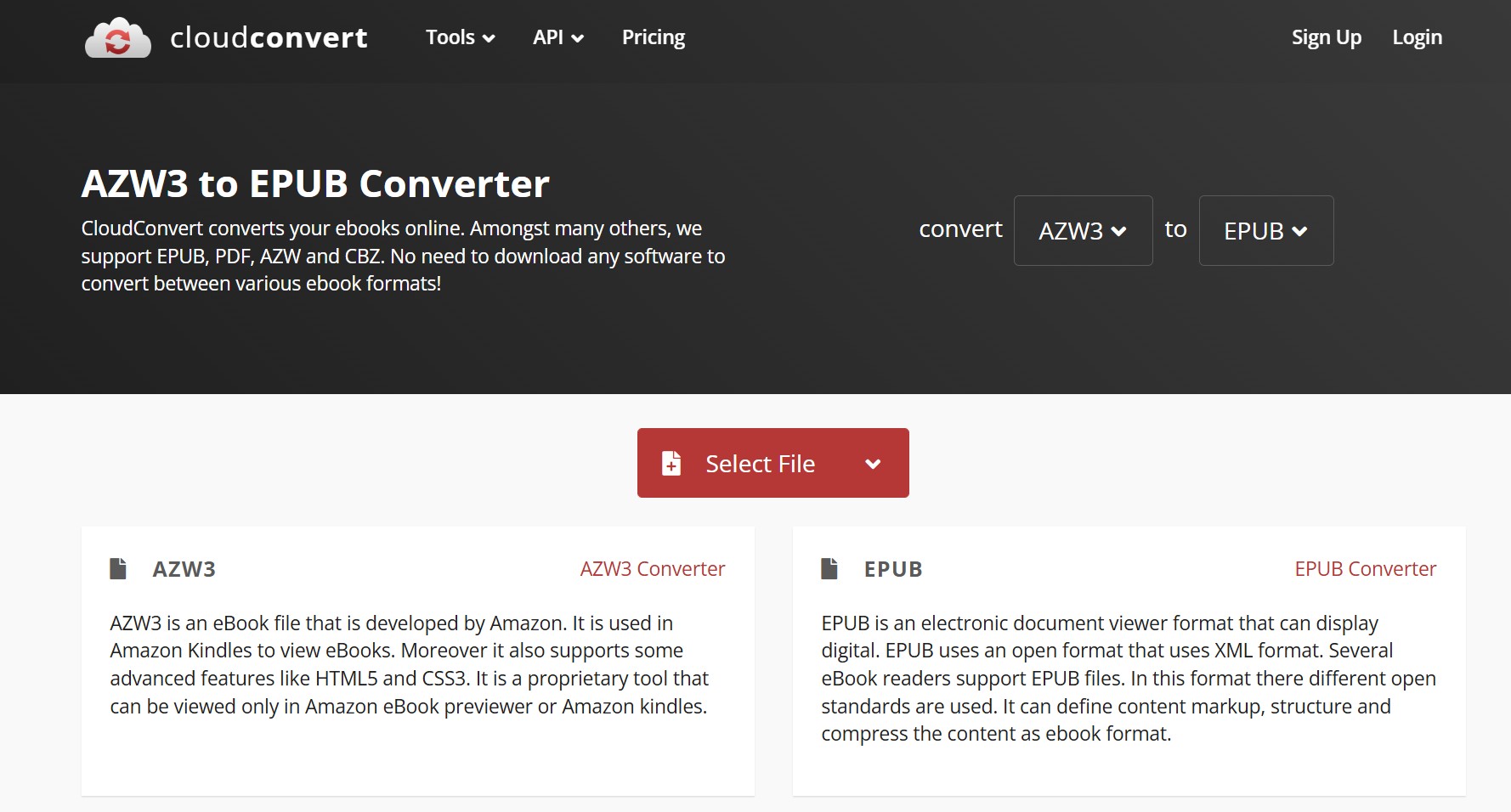
Open CloudConvert’s AZW3-to-EPUB conversion page. Ensure that the input and output formats are correctly set to AZW3 and EPUB, respectively.
Step 2. Upload a DRM-Free AZW3 File
Click the Select File button and select a DRM-free AZW3 file you are comfortable uploading to a third-party service. CloudConvert will then direct you to the conversion dashboard.
Step 3. Review EPUB Output Settings
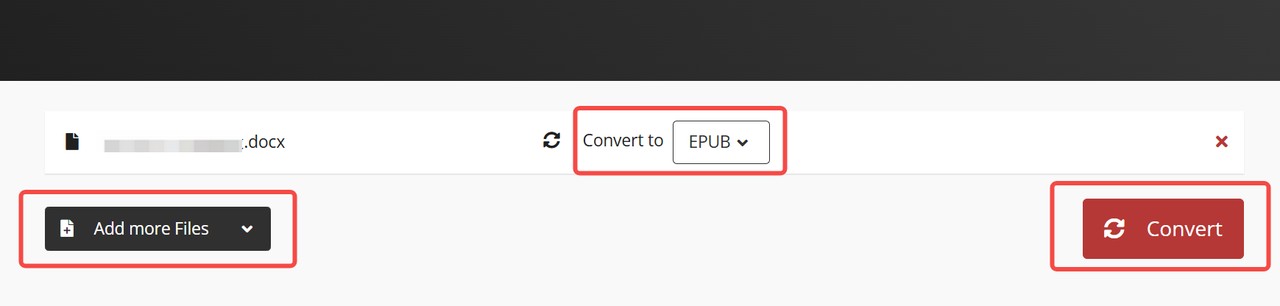
On the conversion page, confirm that the output format is set to EPUB. If settings are available, review options that affect the cover, metadata, images, and page flow before adding files. For multiple books, click Add More Files and set the output format for each document.
Step 4. Convert, Download, and Inspect
Once everything is configured, click Convert to start the process. When the conversion is complete, click Download to save the EPUB file to your local drive. Open it in your intended reader, then use the quality check in Method 2, Step 4 before relying on it.
Online Converter Privacy and File Safety
Before uploading an eBook, decide whether the file is appropriate for a third-party service. Do not upload protected, confidential, borrowed, or otherwise sensitive books. Read the provider’s file-retention and deletion terms, check whether an account is required, and confirm that you are comfortable with the service’s transfer and storage practices.
A local converter keeps the file on your computer and is preferable for a personal library, illustrated books, or files containing sensitive annotations. An online tool makes more sense for an occasional DRM-free file that does not need detailed formatting controls.
3 AZW3 to EPUB Methods Compared
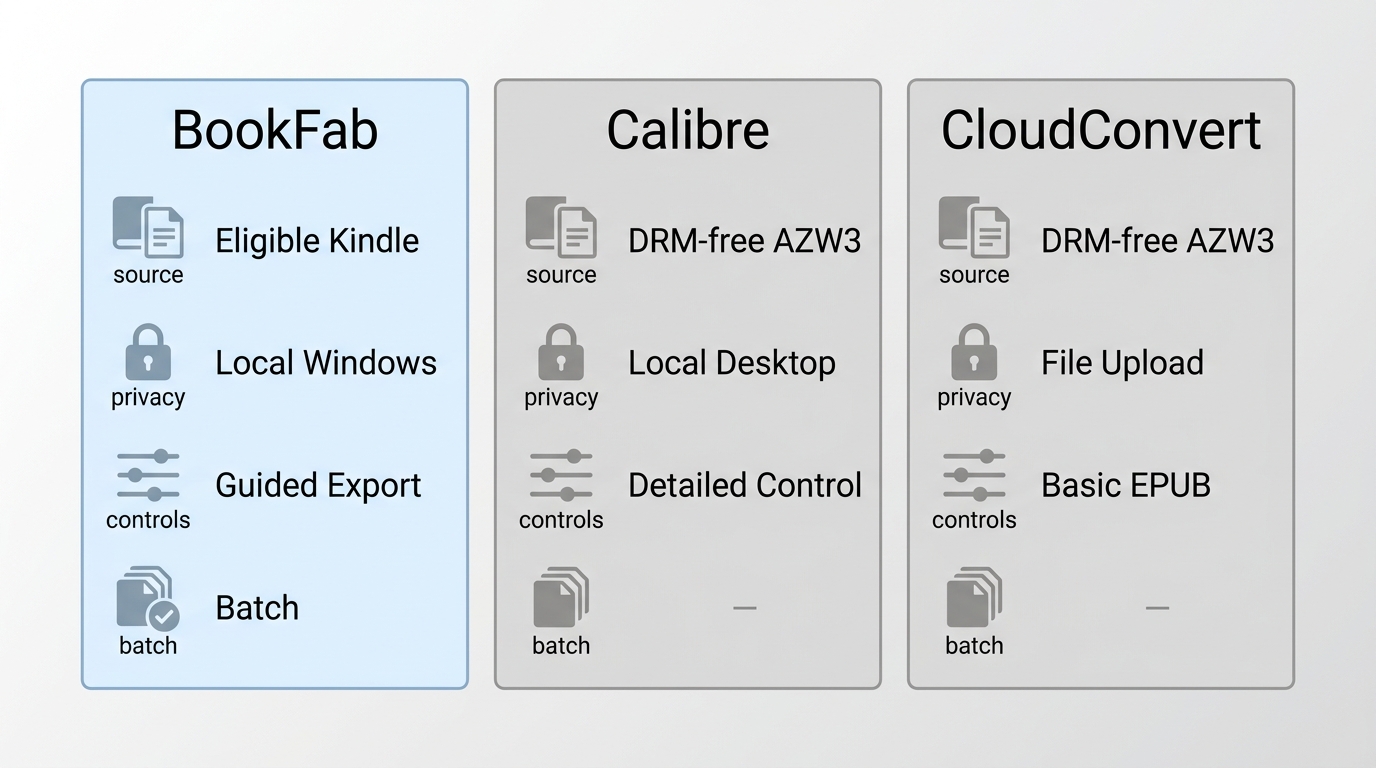
This comparison focuses on the source file, privacy exposure, and output checks that matter when choosing an AZW3 to EPUB converter.
| Decision point | BookFab Kindle Converter | Calibre | CloudConvert |
|---|---|---|---|
| Eligible source files | Eligible local Kindle content | Compatible DRM-free AZW3 | Compatible DRM-free AZW3 |
| Protected-file suitability | Eligible authorized content | Not ordinary conversion input | Not supported |
| Privacy exposure | Local Windows workflow | Local desktop workflow | Third-party upload |
| Formatting and book details | EPUB or PDF; key metadata | Metadata and layout controls | Basic EPUB conversion |
| Batch workflow | Batch task list | Batch conversion tools | Multiple uploads available |
| Installation and cost | Windows app; limited trial | Desktop install; free | No install; service limits |
CloudConvert describes its AZW3-to-EPUB conversion page in its official format guide.
BookFab is the guided desktop option for eligible Kindle content, Calibre gives the most hands-on control for a compatible local AZW3 file, and CloudConvert is limited to occasional non-sensitive uploads. Check EPUB formatting quality with the inspection list in Method 2, Step 4.
FAQs
Can Calibre open and convert an AZW3 file?
Yes, Calibre can open and convert compatible DRM-free AZW3 files. If the file imports normally, you can select EPUB as the output format and review the cover, metadata, and layout before adding it to your library.
AWhy does Calibre say my AZW3 book is locked?
That message usually indicates a protection or file-eligibility limitation, rather than an EPUB output-setting problem. A locked file is not an ordinary candidate for Calibre’s built-in format conversion.
AIs it safe to upload an AZW3 file to an online converter?
Uploading a file means placing it with a third-party service. Use an online converter only for a DRM-free file you are comfortable sharing, and review the provider’s retention, deletion, account, and transfer terms before uploading it.
ADo I need to convert AZW3 to EPUB for my reader?
Not necessarily. Conversion is unnecessary when your target reading app or device already supports AZW3. EPUB is useful when the destination requires EPUB or when you want adjustable text in a reader that does not accept the Kindle format. The AZW3 versus EPUB decision is mainly about what your target reader supports and how you want the text to display.
AConclusion
The right AZW3 to EPUB method depends on the local file you have, whether it is DRM-free, and how much privacy and formatting control you need. Calibre is a strong choice for compatible DRM-free files and detailed output adjustments, while an online converter is limited to non-sensitive DRM-free uploads. BookFab provides a guided Windows desktop alternative for eligible Kindle content you are authorized to access, where permitted. I would make the final choice after considering where the EPUB will be read, then applying the quality check in Method 2, Step 4.
Use note: Use converted files for personal reading only where permitted by the source platform’s terms and applicable law. Do not distribute or use them commercially.

 How to Download Kindle Books in 2026: 5 Current OptionsBy Amber Collins - Aug 26, 2026
![How to Convert Kindle Books to EPUB Easily [2026 Verified]](https://r5.dvdfab.cn/upload/bookfab/en/convert-kindle-to-epub-RDlf.jpg) How to Convert Kindle Books to EPUB Easily [2026 Verified]By Amber Collins - Aug 26, 2026
How to Convert Kindle Books to EPUB Easily [2026 Verified]By Amber Collins - Aug 26, 2026 Kindle DRM Compatibility in 2026: What Still WorksBy Amber Collins - Aug 25, 2026
![[Quick Solution] How to Remove Kindle DRM on Mac](https://images.dvdfab.cn/media/未命名的设计__87__crpyru.png/public) [Quick Solution] How to Remove Kindle DRM on MacBy Amber Collins - Aug 24, 2026
[Quick Solution] How to Remove Kindle DRM on MacBy Amber Collins - Aug 24, 2026