6 EPUB Text-to-Speech Readers and Audio Tools Compared (2026)

Summary: This comparison separates EPUB read-aloud apps from tools that export narration as an audio file. It compares six options by direct EPUB import, device support, offline behavior, account and free-tier limits, voice experience, and audio export, then gives a clear rule for choosing among them.
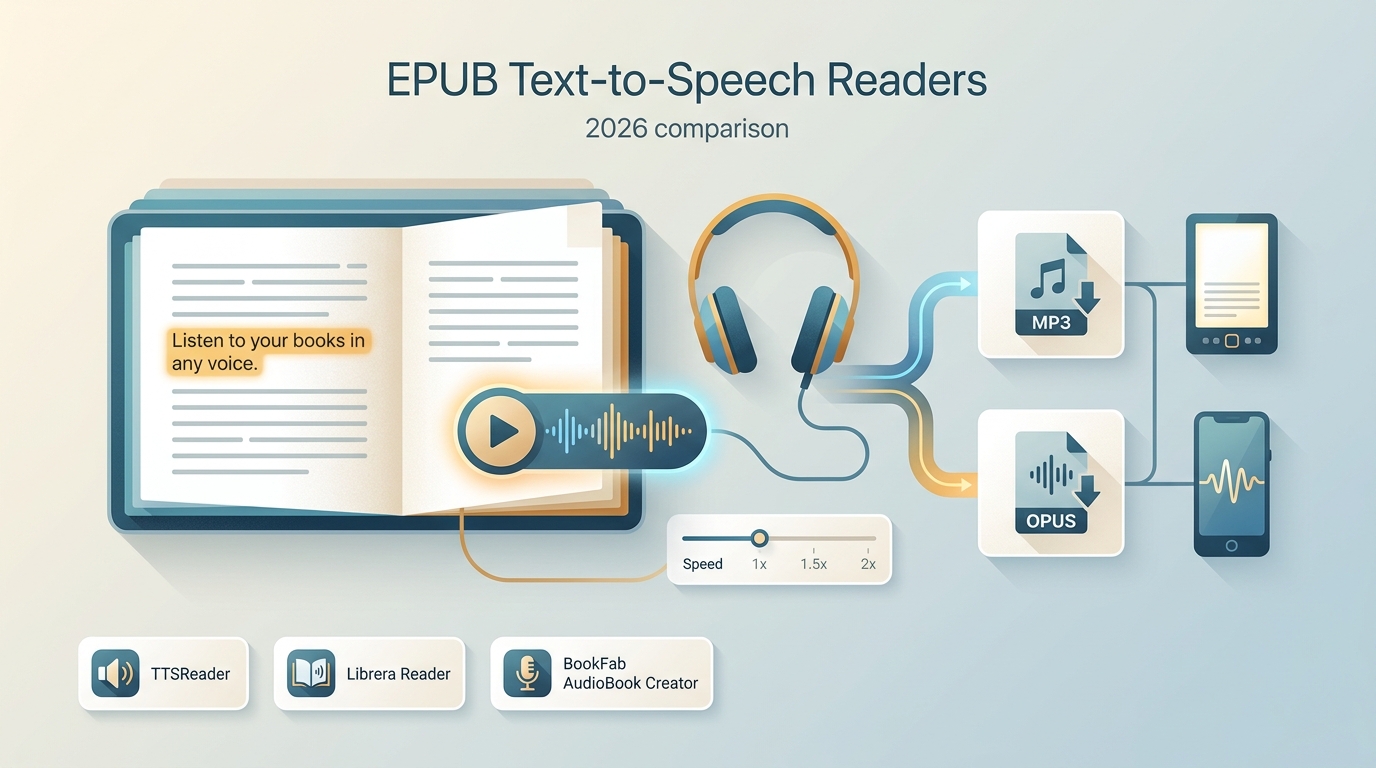
Table of Contents
EPUB Text-to-Speech: Reading vs Audio Export
EPUB text to speech covers three different jobs: reading inside an app, using an on-device voice offline, or exporting narration as an audio file. The right choice depends on direct EPUB import, position tracking, privacy, and whether you need a reusable file.
An EPUB reader with TTS keeps the book, chapter navigation, and spoken position together. An audio-export tool creates a separate file for another player. A broader ebook-to-audiobook workflow follows that saved-audio model, but it should not be confused with live read-aloud inside an EPUB app.
I would start with the listening result, not the longest feature list. For reading along, synchronized highlighting and a reliable resume position matter most. For commuting or moving between players, a saved audio file is more useful. For private offline reading, an on-device voice keeps the book local.
6 EPUB Text-to-Speech Options Compared
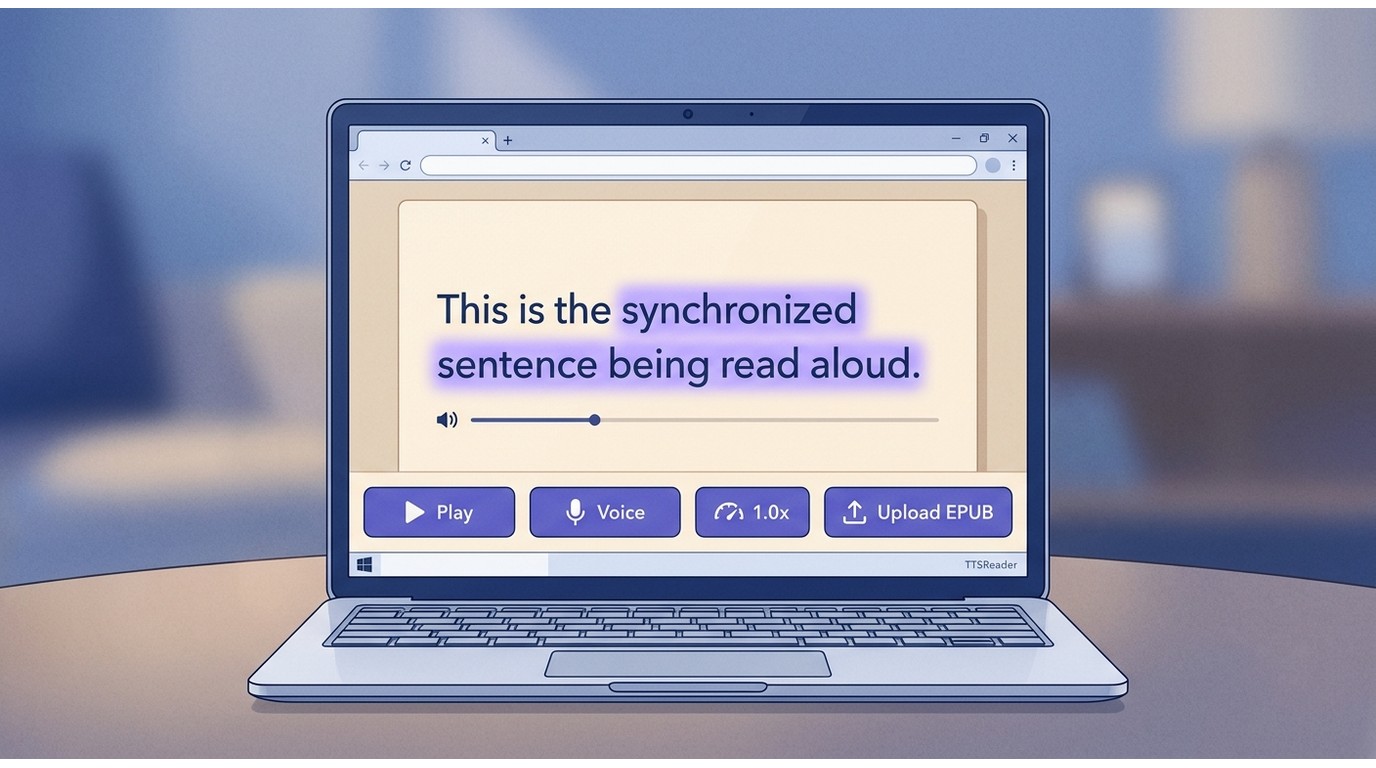
These six EPUB TTS options are not interchangeable. Some open EPUB files directly, some depend on a device voice, and others create audio only after text is supplied. The access and export notes below reflect availability as of August 2026.
| Tool | Direct EPUB import | Platforms | Offline or cloud | Audio export |
|---|---|---|---|---|
| BookFab AudioBook Creator | Yes | Windows desktop | Local desktop | MP3, OPUS |
| TTSReader | Yes | Web, mobile browser | Browser or system voice | MP3, Premium on Windows |
| Google Cloud Text-to-Speech | No, text or API input | Cloud API | Cloud | MP3, LINEAR16, OGG Opus |
| Audeus EPUB Audio Reader | Yes, non-DRM EPUB | iOS, Android, web | Account-based cloud | In-app listening |
| Reedy | Yes, non-DRM EPUB | Android, Chrome | Device TTS engine | No built-in export |
| Librera Reader | Yes | Android | Device TTS engine | No dedicated export |
The useful split is direct reading versus portable narration. A direct EPUB voice reader preserves visual context; device-engine apps favor local control; export tools suit listeners who want files outside the reading app. Voice comfort across a full chapter matters more than the raw number of voices.
BookFab AudioBook Creator
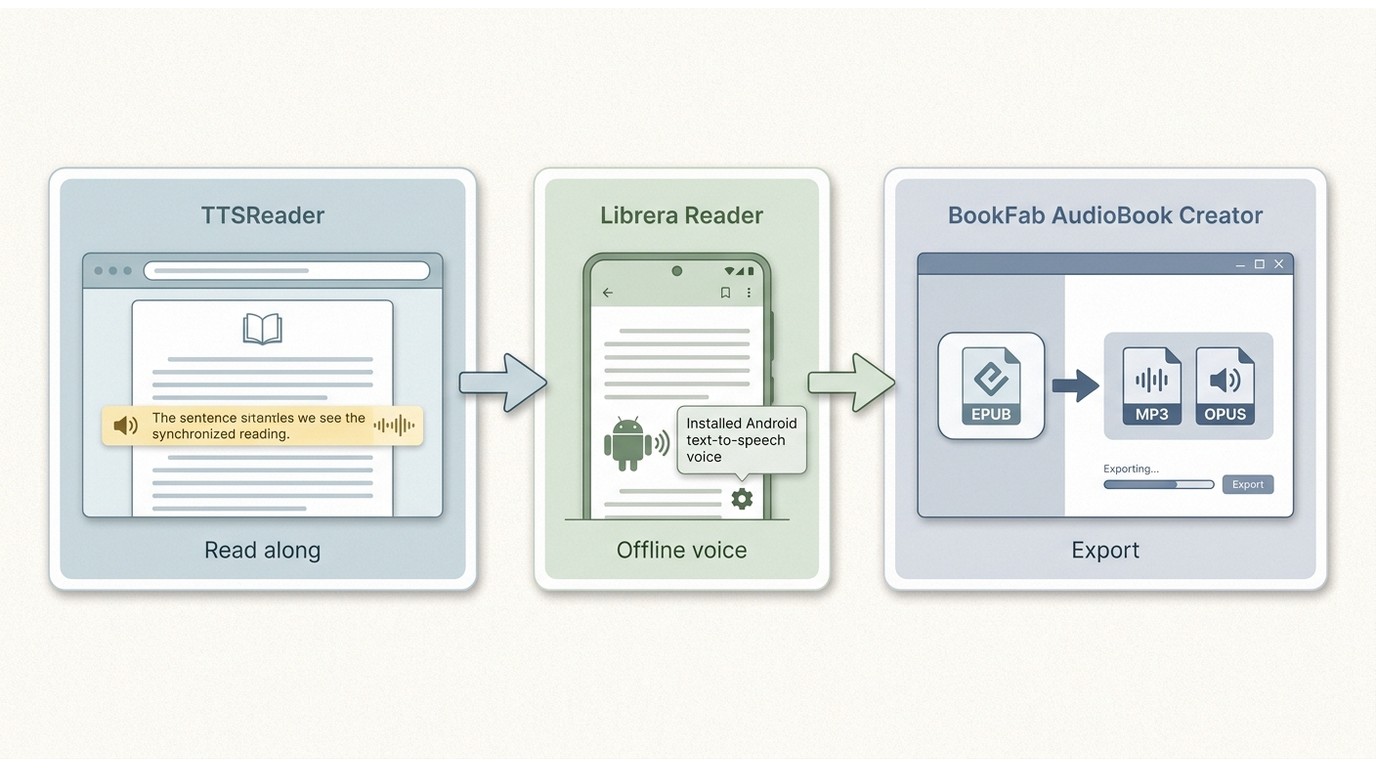
BookFab AudioBook Creator is a Windows desktop option for turning EPUB or text into MP3 or OPUS narration. It suits readers who want a local-file workflow and more control over speech, pauses, and pronunciation than an instant read-aloud button provides.
For EPUB files you are authorized to use, where permitted by platform terms and applicable law, the app imports the book and saves narration locally. This EPUB-to-audiobook conversion path is useful when the finished file needs to play outside an EPUB reader.
Disclosure: BookFab AudioBook Creator is offered by the publisher of this article. It is assessed here by the same import, device, offline, and export criteria as the other entries. It is a poor match for someone who needs instant in-app reading with synchronized position tracking.
Access: Allowance: limited trial; reset: none; account: required; export: local MP3 or OPUS; paid model: license after the trial.

Three-step process:
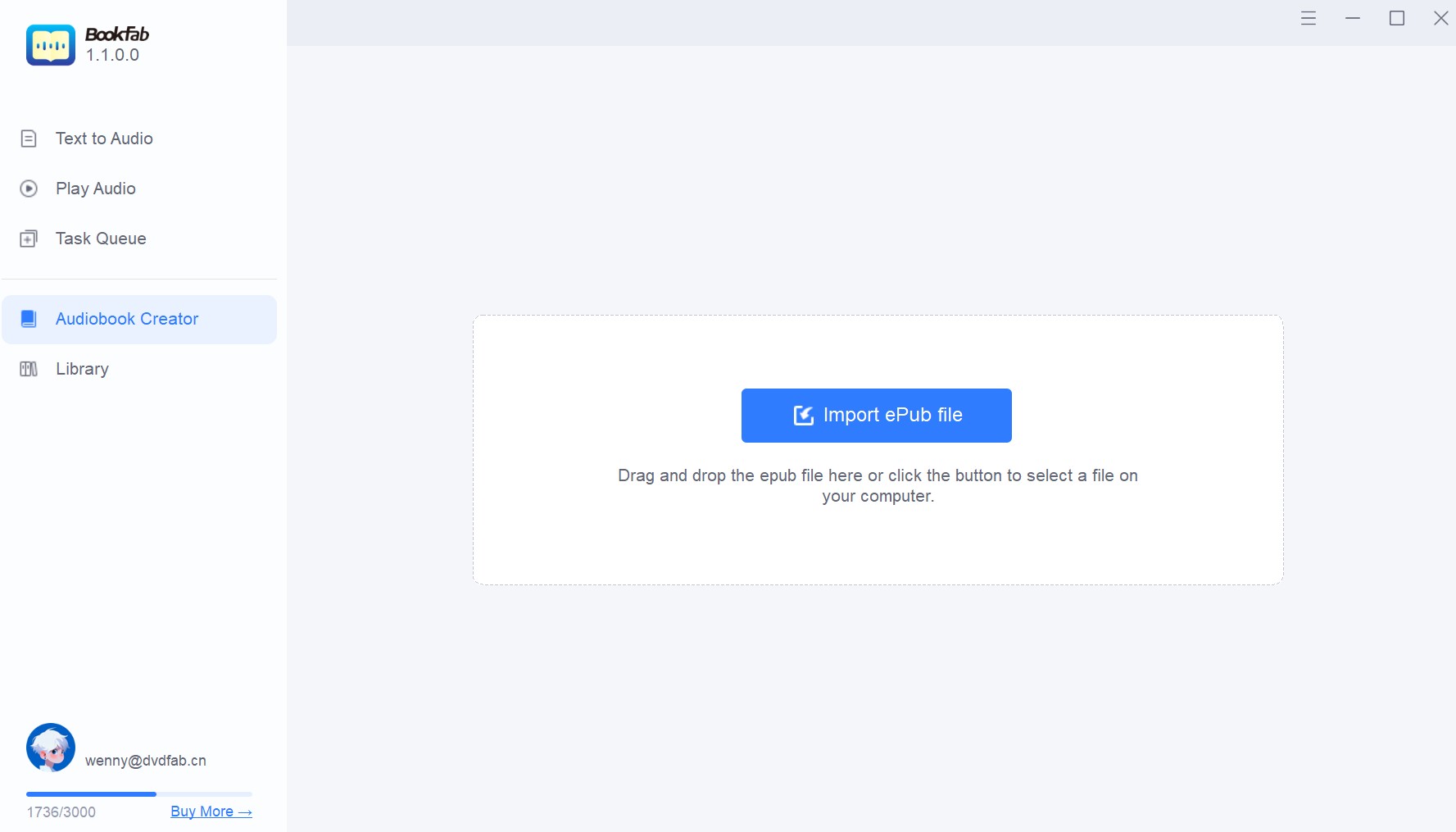
- Import an authorized EPUB file and select the narration language and voice.
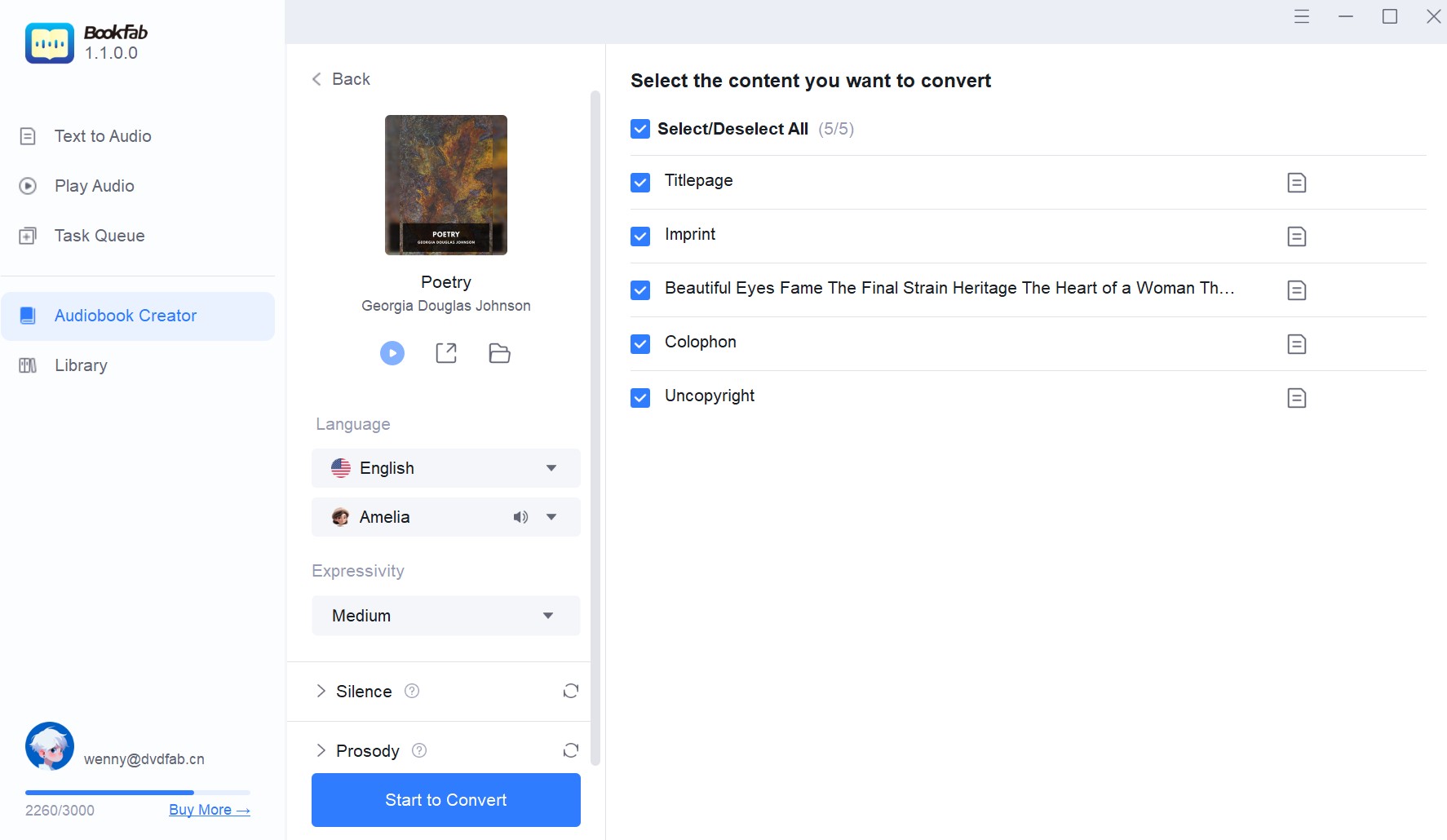
- Set speech speed, volume, pauses, expression, and pronunciation rules for the book.
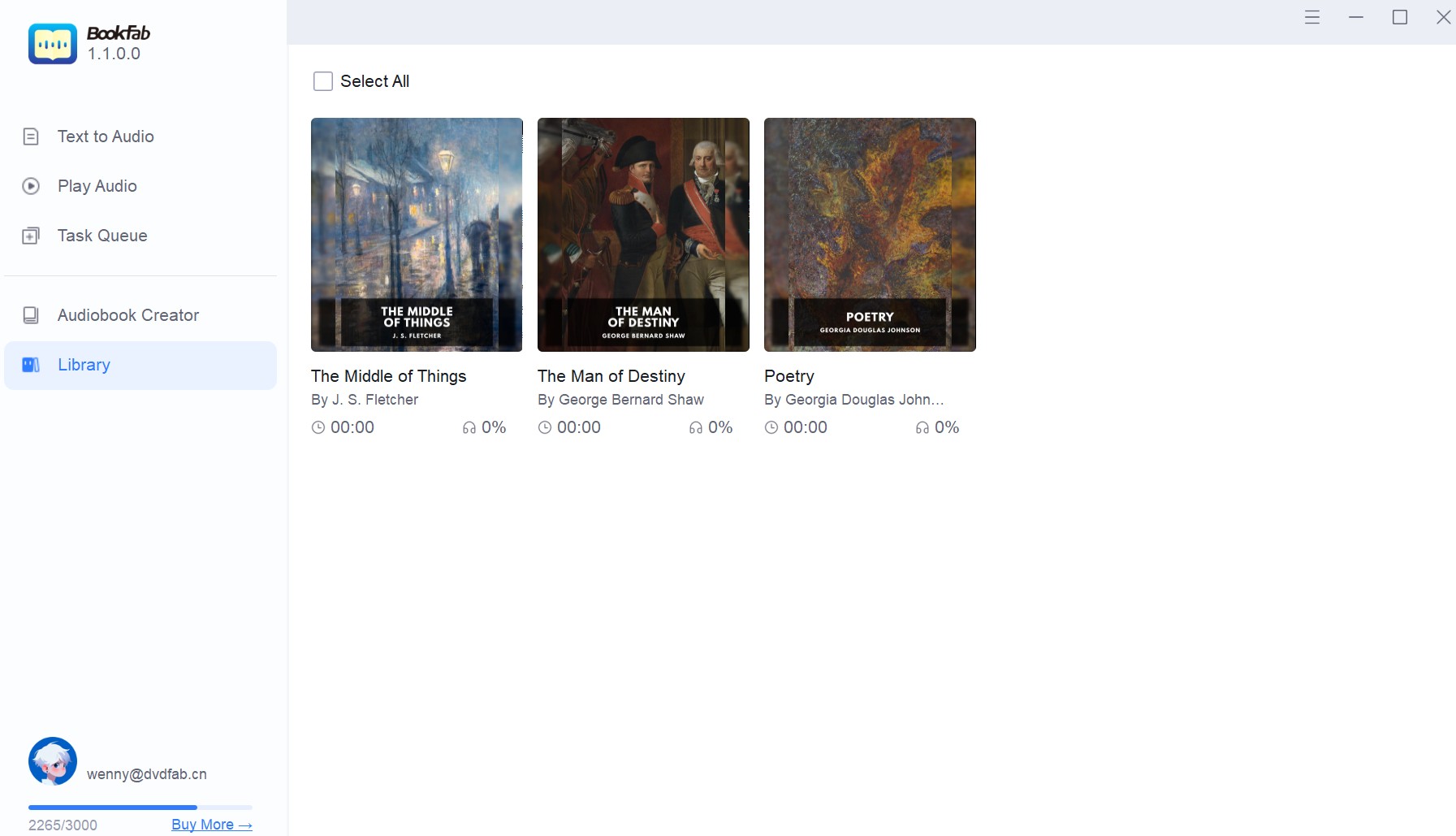
- Start the conversion, then open the Library folder and check the title, playback order, and pronunciation in the exported file.
TTSReader
TTSReader is a browser-based text to speech EPUB reader that accepts EPUB uploads directly, highlights the sentence being spoken, remembers the listening position, and offers system voices alongside paid AI voices. It works well for readers who want immediate playback without installing a desktop program.
Basic listening can use system-installed voices, including voices available offline through the browser's speech engine. MP3 export is a separate Premium feature currently offered on Windows, so it is less suitable when free audio-file export is the main requirement.
Access: Allowance: uncapped system-voice playback; reset: none; account: not required for playback; export: Windows Premium MP3; paid model: Premium for export and AI voices.
Browser steps:
- Open the player and upload the EPUB file directly.
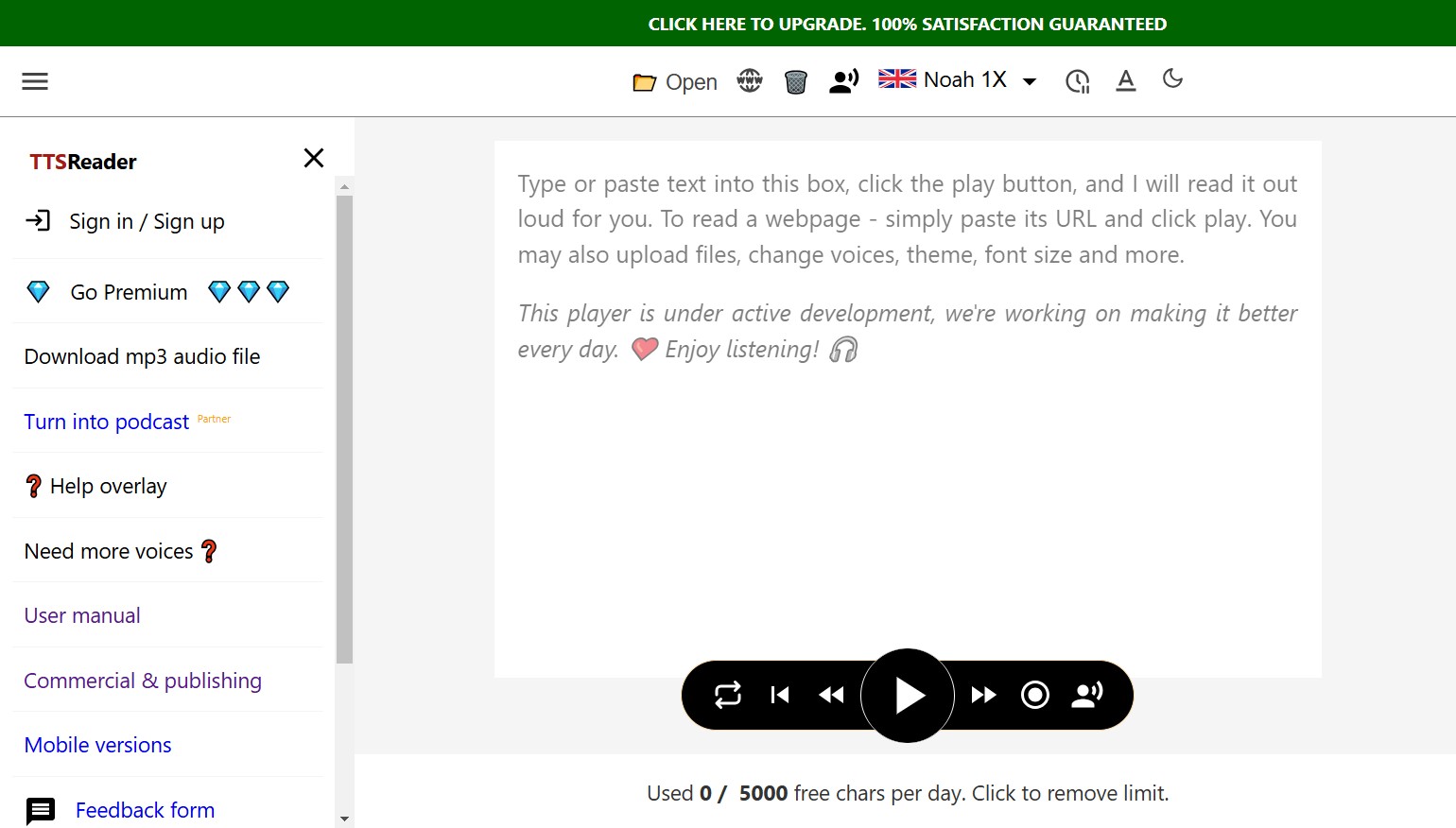
- Select a voice and reading speed, then follow the synchronized highlighting during playback.
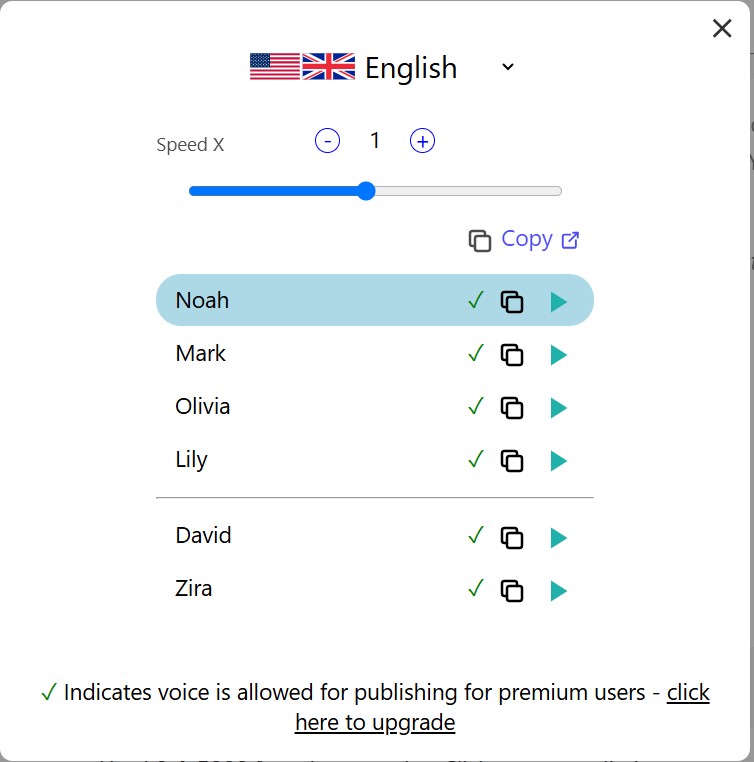
- Resume in the browser later, or use Premium on Windows when an MP3 file is required.
Google Cloud Text-to-Speech for Developers
Google Cloud Text-to-Speech is an API, not an EPUB reader with TTS. A developer supplies extracted text, chooses a voice, and builds the reading or export interface around the service. It belongs here as a programmable audio generator rather than a consumer reading app.
The API can return MP3, LINEAR16, or OGG Opus audio. That makes it useful for a custom publishing or accessibility project, but a reader seeking a ready-to-open EPUB app would face unnecessary setup and would lose native book navigation unless it is rebuilt.
Access: Allowance: monthly cloud quota; reset: monthly; account: Google Cloud with billing; export: supported; paid model: usage billing beyond the applicable quota.
Developer flow:
- Extract or otherwise supply the book text to the application.
- Send the text and selected voice settings to the API.
- Save the returned audio and build chapter handling in the surrounding application.
Audeus EPUB Audio Reader
Audeus is an EPUB audio reader for non-DRM EPUB files on iOS, Android, and the web. It combines direct upload, spoken playback, and synchronized highlighting, making it useful when the listener wants the words visible across multiple devices.
The service is account-based and cloud-connected. It works well for cross-device read-along sessions, but it is not the right match for private, fully offline reading or for someone who needs a downloadable narration file from the EPUB reader.
Access: Allowance: three-day trial; reset: none; account: required; export: in-app listening; paid model: subscription after the trial unless canceled.
App steps:
- Create an account and upload a non-DRM EPUB.
- Select a voice and listening speed.
- Listen in the app while the current text remains highlighted.
Reedy
Reedy supports EPUB text to speech Android reading through its Android app, with a Chrome extension for browser content. It opens local non-DRM EPUB files and switches among regular reading, speed reading, and TTS voice reading.
Its speed-reading heritage is useful for scanning, but fast word presentation and comfortable full-book listening are different tasks. For sustained listening, the selected Android TTS engine matters more than Reedy's maximum visual reading speed. Audio-file export is not part of the core reader.
Access: Allowance: free local-device reading; reset: none; account: not required for local files; export: none; paid model: optional in-app purchases.
Android steps:
- Open an EPUB from device storage, an SD card, or another app.
- Switch from regular reading to text-to-speech voice reading.
- Select the installed Android voice and listen while Reedy keeps the book navigation available.
Librera Reader
Librera Reader is an ebook reader with TTS for Android. It opens EPUB and EPUB3 files, reads them aloud through an installed Android TTS engine, and keeps bookmarks, tables of contents, covers, and local library organization in the same app.
This is a good match for Android readers who value local files and broad document support. It is less consistent across devices because voice quality, language availability, and offline behavior depend on the chosen Android engine rather than a bundled Librera voice.
Access: Allowance: ad-supported local reading; reset: none; account: not required for local files; export: none; paid model: Librera Pro.
Local reading steps:
- Add the EPUB to a Librera library folder and open the book.
- Start read-aloud and select an installed Android TTS engine.
- Check chapter order, pronunciation, and whether the chosen voice data is available offline.
EPUB Text-to-Speech FAQ
Is there a free EPUB TTS reader without daily limits?
Yes, but the absence of a daily limit usually applies to local or browser playback with system voices, not premium voices or audio export. TTSReader offers uncapped system-voice reading, while Reedy and Librera can use installed Android voices for local EPUB read aloud. Ads, voice downloads, and file export remain separate considerations.
ACan Speechify open EPUB files directly?
Yes. Speechify's current web reader accepts EPUB through its Upload a File option and reads the document aloud directly, so a paste-text workaround is not required. Account access, premium voices, and narration downloads can still depend on the selected plan.
AWhich EPUB TTS options work offline on mobile?
Reedy and Librera can read local EPUB files on Android with an installed on-device TTS engine; offline speech requires that the chosen voice data already be downloaded. A saved narration file also plays offline in a mobile audio player. Cloud readers need connectivity, and protected or unsupported EPUB files may fail to import.
AChoosing the Right EPUB TTS Reader
Use direct in-app reading when synchronized highlighting and book position matter, audio export when the narration must travel between players, and an on-device engine when offline access or local file handling is the priority.
- For read-along accessibility, start with TTSReader or Audeus and confirm that chapter navigation remains usable.
- For portable narration, use BookFab on Windows, TTSReader Premium on Windows, or a developer-built Google Cloud process.
- For EPUB text to speech Android use with local files, Reedy and Librera keep the reading app and device voice together.
When I judge an EPUB voice reader, I listen for whether the voice stays comfortable through a full chapter and whether the book remains easy to navigate. Those two results carry more weight than a long catalog of voices. Open one representative EPUB, check the contents page and footnotes, and then decide.

 EPUB to Audiobook: 5 Tools for MP3, M4B, and Read-AloudBy Amber Collins - Aug 26, 2026
 Ebook to Audiobook: 3 Routes for Any File or DeviceBy Amber Collins - Aug 21, 2026
 How to Listen to Kindle Books and Convert Them into AudiobooksBy Amber Collins - Aug 10, 2026