CinEx HD Review 2026: Current Status, Limits, and Alternatives

Summary: CinEx HD Utility is now more useful as a legacy reference than as a current software recommendation. This review explains its uncertain download status and database dependence, then compares documented DVD, Blu-ray, and UHD options for authorized personal disc backups.
A search for CinEx HD usually starts with a specific playback problem: a disc or backup reaches partway through a movie, the audio is muted, and the player displays a Cinavia message. The harder question is whether CinEx HD Utility remains a maintained, officially distributed option or has become an outdated reference for Cinavia removal.
I would separate the decision into three checks: whether the software has a verifiable source, whether it supports the exact disc and output you need, and what happens to the audio. That makes it easier to compare an old CinEx listing with current DVD, Blu-ray, and UHD options without treating them as equal products.
CinEx HD Utility Review
CinEx HD is best treated as a legacy product reference, not a current recommendation. Its historical focus was the Cinavia watermark in disc and movie-file backups, but old listings do not establish a clearly maintained official release today.
Features and Current Status
As of July 2026, available third-party listings show inconsistent CinEx HD Utility versions and release dates spanning 2014 to 2017, while some listings no longer provide a working download. I could not identify a clearly active official product site from those records.
Historically, CinEx HD was described as using title-specific data to address Cinavia-related playback interruptions in selected DVD, Blu-ray, and movie-file sources. Those descriptions do not verify current compatibility, playback on every device, or unchanged source quality.
- Legacy Cinavia-focused utility Historical listings describe support for selected Blu-ray, DVD, and movie-file sources, but current compatibility is not clearly documented.
- Title-specific processing A matching database entry may depend on the title, language, audio track, and release edition.
- Unverified output quality Available records do not confirm unchanged audio quality or playback on every device.
- No current recommendation A maintained alternative should have a verifiable publisher, official download, and current documentation.
CinEx HD Utility still helps explain older forum discussions and exact-keyword searches, but an installer from an unverified source is not a sound starting point for a current Windows PC. Choose software with an identifiable publisher, official installer, and current documentation.
Limits and Database Dependence
The main CinEx limitation was database dependence. A matching file could vary by movie title, language, audio track, and release batch, so a missing or mismatched entry could stop the process or produce an unsuitable result.
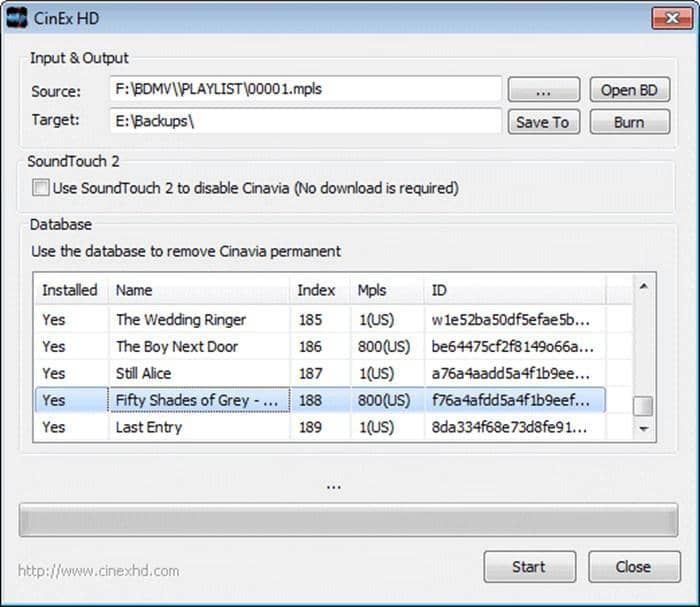
Two discs with the same movie name may not contain identical audio tracks or mastering. A Cinavia DVD list can therefore become outdated or fail to describe a different regional edition. Match the disc edition, language, and audio track; the movie title alone is not enough.
Available records do not establish the provenance, synchronization, or quality of replacement audio, and they do not support describing CinEx AC3 output as lossless. A completed backup therefore needs a final check for audio quality, synchronization, language, and edition match.
CinEx also did not serve as a complete disc-copying module for other source protections. For a commercial disc that requires protected-content handling before a personal backup can be created, a separate current disc module may be necessary. That extra dependency is a meaningful limit, not a minor setup detail.
CinEx HD Alternative: DVDFab Cinavia Removal
For discs you are authorized to access, where permitted by applicable law, DVDFab Cinavia Removal provides documented, product-specific paths for DVD, Blu-ray, and UHD personal backups. The required module, supported source, output form, and audio handling differ by disc type.
DVDFab Cinavia Removal works with the relevant Copy or Ripper module rather than as a universal standalone utility. This module-based design is easier to assess than a stale listing because the source type and intended output are defined before the task starts.
Audio output varies by disc type and selected mode. Current DVDFab documentation describes near-lossless AC3 for the DVD path, lossless DTS-HD preservation for supported Blu-ray tasks, and DTS-HD, AC3, or AAC for UHD. Compression and output choices can still change the result.
This option suits a supported disc, compatible optical drive, current operating system, and the required Copy or Ripper module. It is less suitable without the matching drive or companion module, or when the task involves an unrelated standalone MP4 file.
Free Download Windows 11/10/8.1/8/7
Free Download macOS 12 or newer
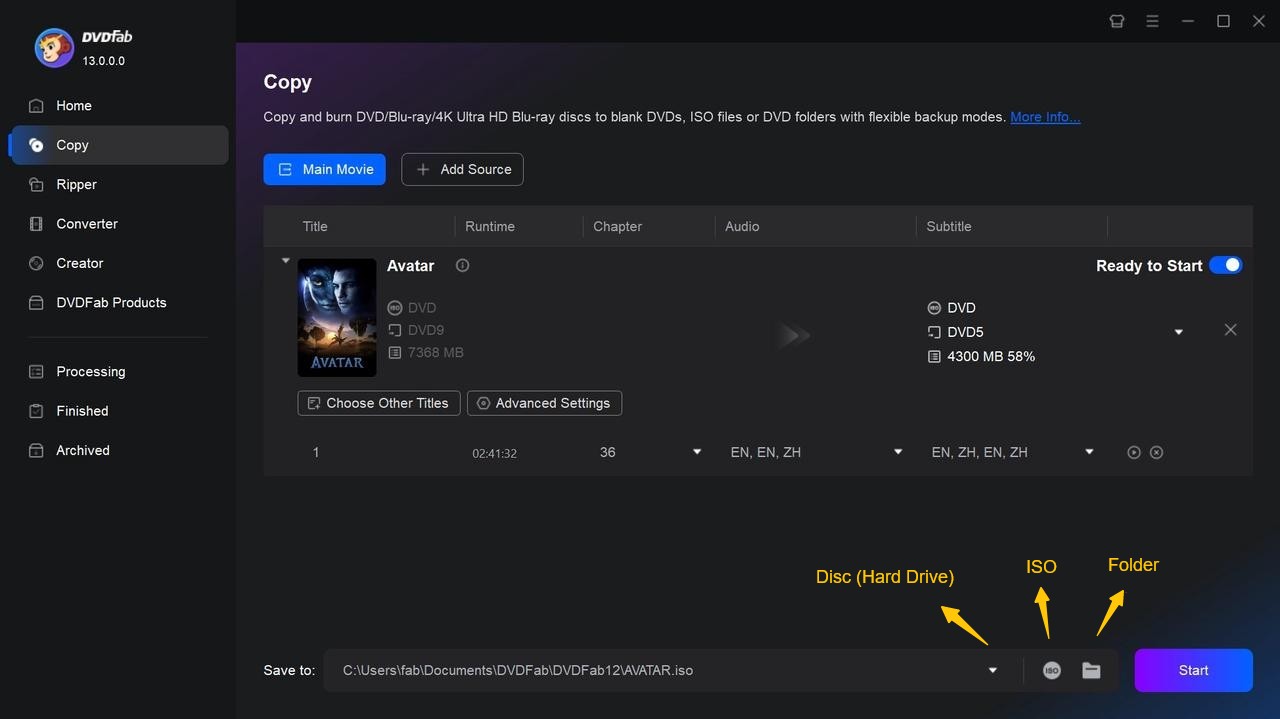
How to Remove Cinavia from a DVD with DVDFab
DVDFab DVD Cinavia Removal works inside the DVD Copy module. Use it with a DVD you own or are authorized to copy, where permitted by local law, and keep a compatible DVD drive and live internet connection available.
Step 1: Load the DVD in DVD Copy
Launch DVDFab 13, open the Copy module, and choose Main Movie or Full Disc. Insert the Cinavia-affected DVD and allow DVDFab to read the source.
Step 2: Select the Cinavia-Affected Audio Track
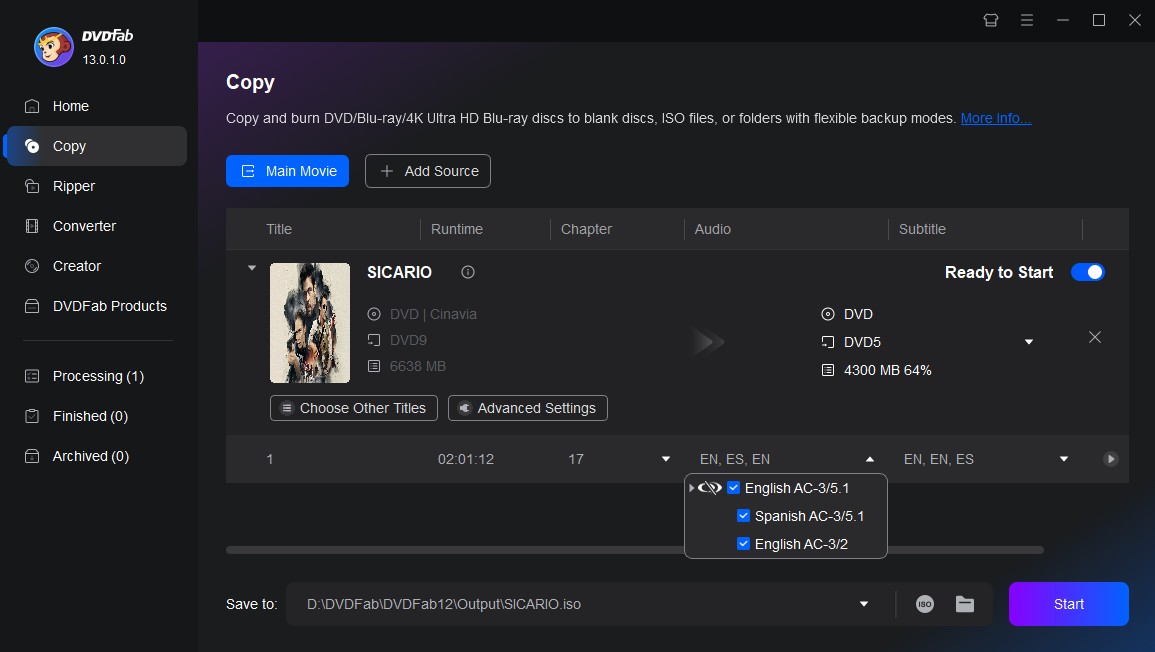
In the audio section, choose the track marked with the Cinavia logo. Click the logo until a slash appears over it, confirming that Cinavia removal is active for that track.
Step 3: Choose the Output and Start
Select a compatible blank DVD, ISO, or folder as the output, confirm the destination, and click Start. DVDFab displays the task progress during processing.
Current Cinavia Options Compared
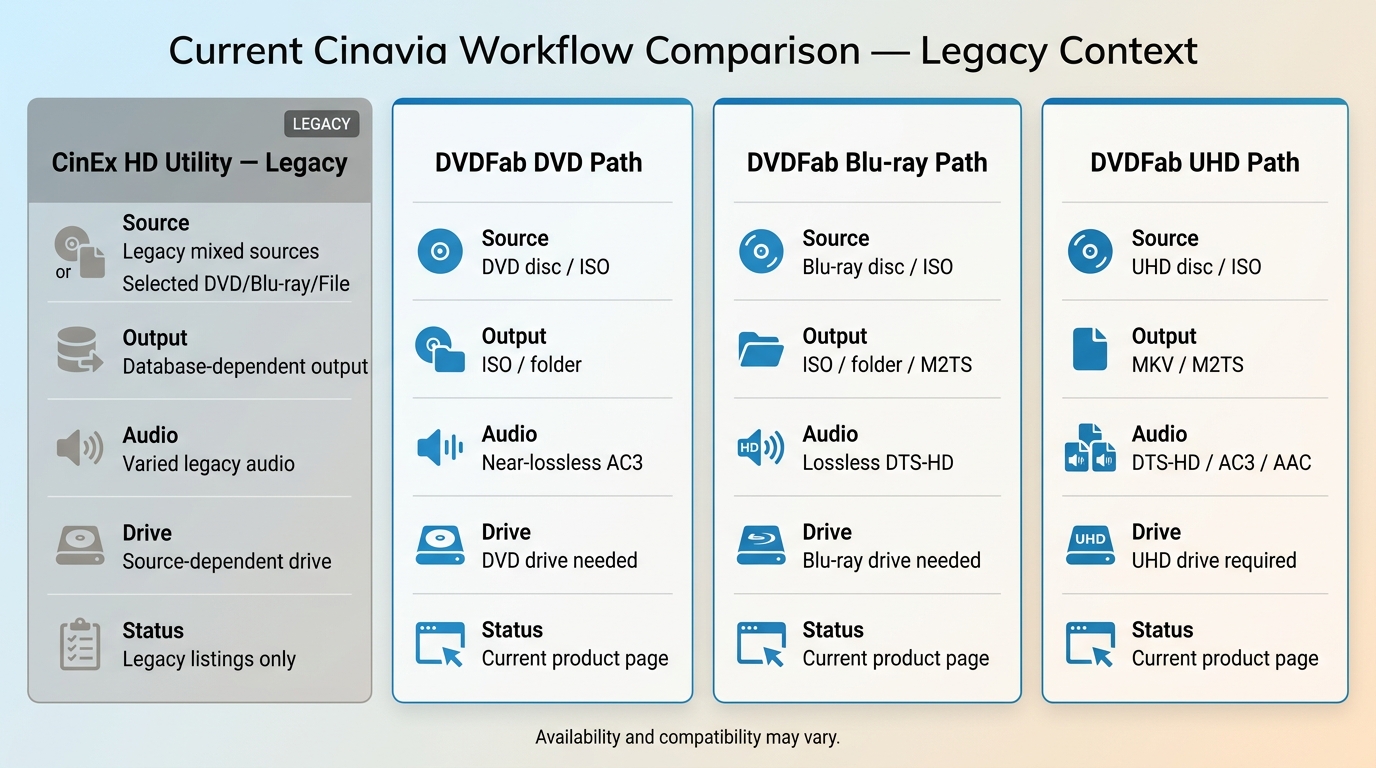
The useful comparison is not old brand versus new brand. It is whether each path has a verifiable source, accepts your DVD, Blu-ray, UHD, ISO, folder, or file input, and produces the output and audio form your playback setup needs.
| Option | Availability | Source and Output | Audio Result | Required Setup | Best For / Main Limit |
| CinEx HD Utility | Legacy listings from 2014 to 2017; no active official product site was verified. | Historical claims cover selected DVDs, Blu-rays, and movie files; current output support is unclear. | Database-supplied audio depends on the title, language, track, and release edition; lossless AC3 is not verified. | A separate disc tool may be needed; current Windows support and installer provenance remain unclear. | Historical reference only; not a practical choice for a new installation. |
| DVDFab DVD Cinavia Removal | Current official product page and download. | DVD through DVD Copy; output to a compatible blank DVD, DVD-5/DVD-9, ISO, or folder. | Near-lossless AC3 for supported DVD tasks; compression can affect the completed output. | DVD Copy, a DVD drive, live internet, and Windows 11/10/8.1/8/7 64-bit or macOS 12 or newer. | A permitted personal DVD backup with Cinavia-related audio muting; unnecessary when the source has no Cinavia issue. |
| DVDFab Blu-ray Cinavia Removal | Current official product page and download. | Blu-ray disc, ISO, or folder through Copy or Ripper; output depends on the selected module. | DTS-HD preservation in supported Copy tasks; Ripper offers converted audio formats. | Blu-ray Copy or Ripper, a Blu-ray drive, live internet, and Windows or macOS 12 or newer. | A supported Blu-ray backup or file output; the correct module and readable drive are required. |
| DVDFab UHD Cinavia Removal | Current official product page and download. | Supported UHD disc or ISO; disc-oriented or supported file output depends on the module. | DTS-HD, AC3, or AAC depending on the selected UHD mode and output. | UHD Copy or Ripper, a UHD-compatible drive, live internet, and Windows or macOS 12 or newer. | A supported UHD source; not suitable when the optical drive cannot read UHD media. |
Source compatibility matters more than feature count. Identify the disc type and required output first, then confirm the optical drive and companion module. Check the audio mode last, because a format label alone does not show whether the track was preserved, replaced, or re-encoded.
FAQs
Is there an official CinEx HD Utility download for current Windows?
An active official CinEx HD Utility site or current publisher download could not be verified. Third-party listings show conflicting old versions, so an installer from an unknown mirror should not be treated as an official current release.
What is Cinavia, and what does Message Code 3 mean on a purchased disc?
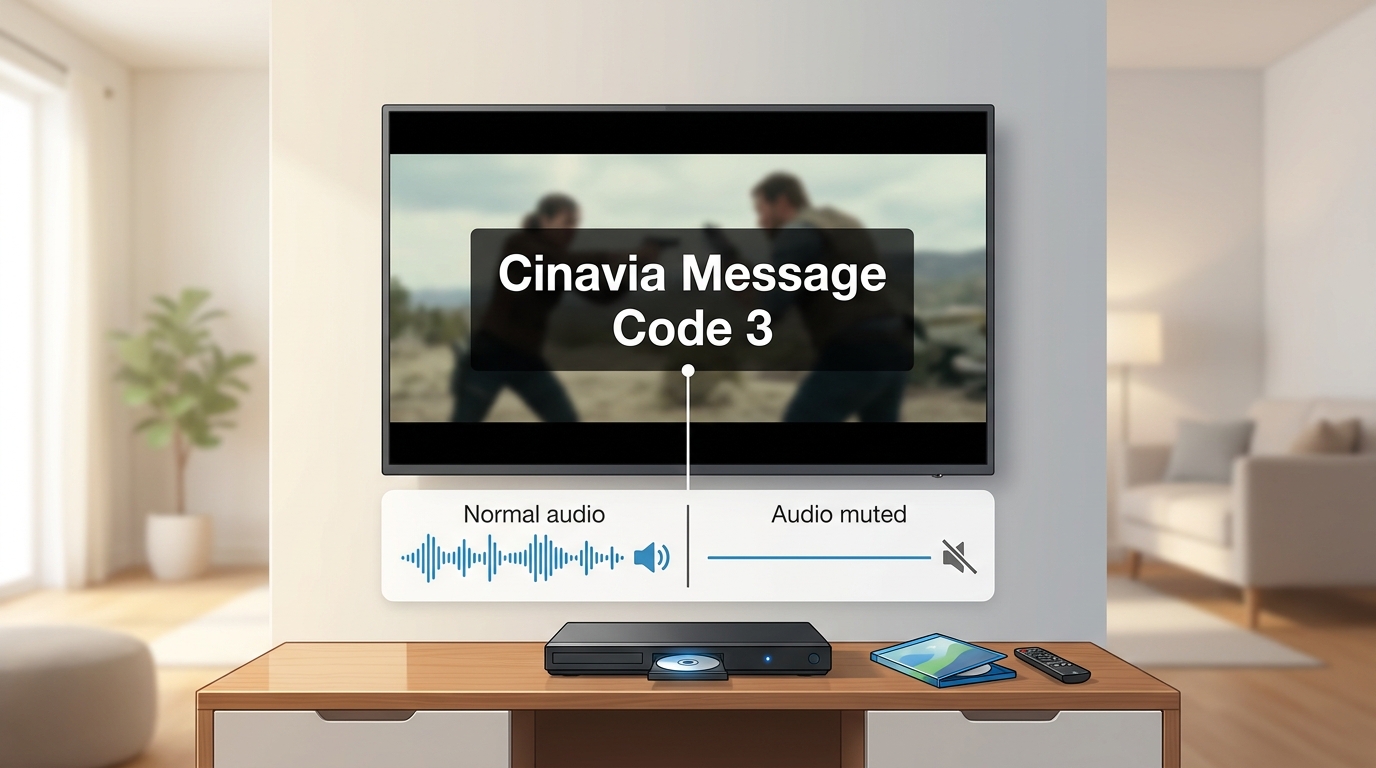
Cinavia is an audio watermark detection system used by compatible players. Message Code 3 can appear when a player detects protected audio in a playback context it does not accept, sometimes muting the sound partway through. With purchased media, check the disc, player firmware, connection, and source path before drawing a conclusion.
Will switching Blu-ray players remove Cinavia Message Code 3?
A different player may handle playback differently, but switching devices does not change the source audio or remove the Cinavia watermark. Use the result only as a compatibility check.
Does Cinavia removal software support standalone MP4 files?
Support depends on the product and module. Historical CinEx descriptions mentioned movie files, but its current compatibility is unclear; DVDFab users should verify that the selected Ripper module accepts the source and desired output before processing.
Conclusion
CinEx HD now serves mainly as a legacy reference for readers investigating older Cinavia tools, not as a practical recommendation for a current PC. A maintained alternative should provide a verifiable download, accept the exact DVD, Blu-ray, UHD, ISO, folder, or file source, and document its audio output, required module, operating-system support, and optical-drive needs. DVDFab offers current disc-specific paths, but DVD, Blu-ray, and UHD tasks use different modules and hardware. Confirm the source type and playback symptom first, choose the matching module, and check the finished backup on its intended player. If the source has no Cinavia issue, compare broader DVD copy software instead.