DVDFab Remote Review 2026: What Works, Limits, and Fixes.

Summary: DVDFab Remote is worth trying if you already use DVDFab on a computer and want to monitor long tasks, receive alerts, or send completed videos to a phone over local Wi-Fi. It is free and focused, but task controls remain on the desktop, and newer mobile devices may need a quick compatibility check.
Table of Contents
When a long Copy or Ripper task is running on my computer, I do not need another full desktop interface on my phone; I mainly want to see whether the job is moving and know when it needs attention. This DVDFab Remote review examines whether the free companion app still fills that narrow role in 2026, without treating it as a replacement for the desktop client.
For this DVDFab Remote review, I focused on the phone-side functions DVDFab describes, the available iPhone listing, Android requirements, and connection behavior reported by users. That scope supports a favorable recommendation for existing DVDFab users while keeping the app's control and compatibility limits clear.
Is DVDFab Remote Worth Using in 2026?
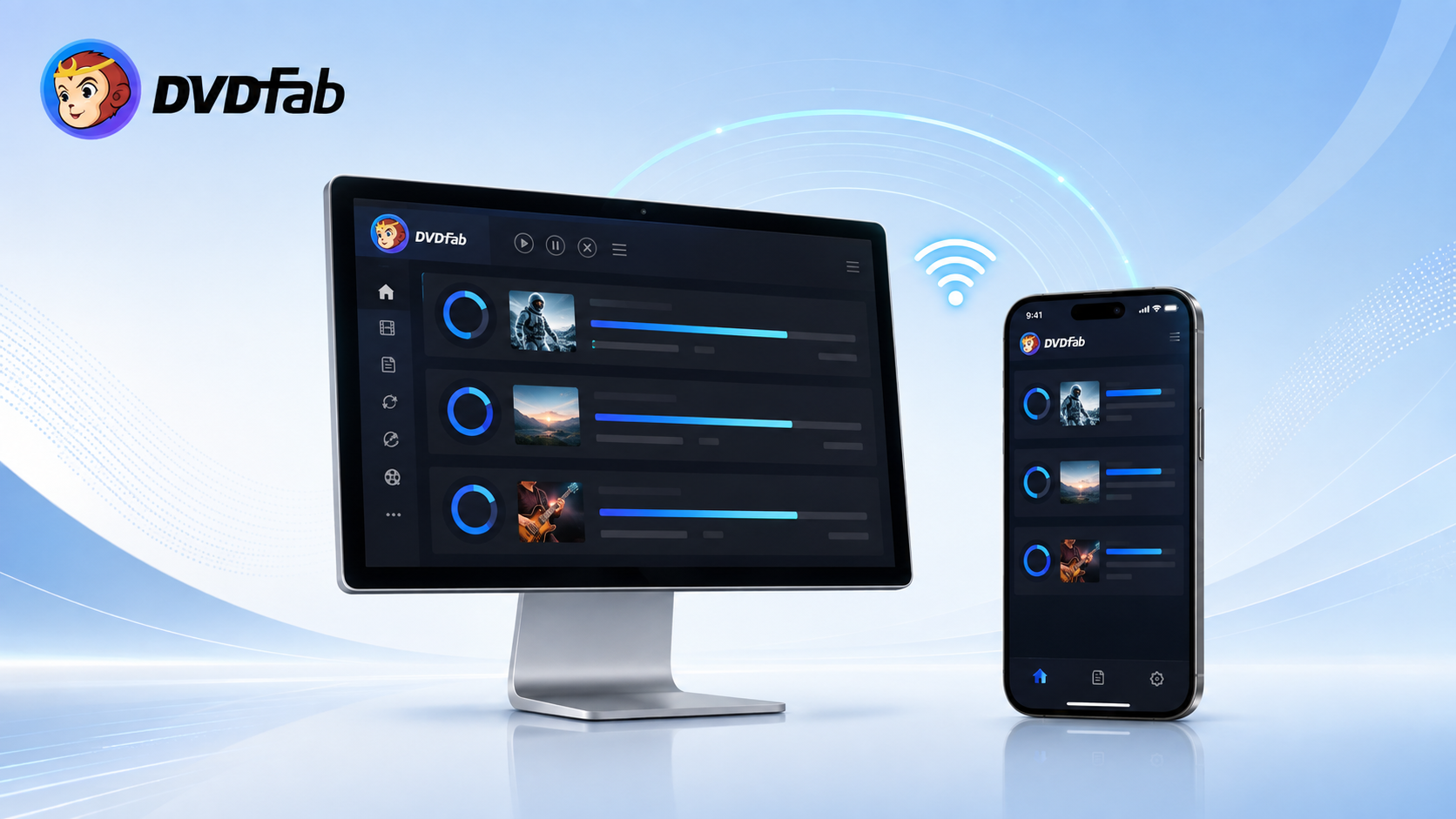
Yes. DVDFab Remote is worth trying when you already run DVDFab on a computer and want to check a long task without staying at the desk. The app is free, puts useful status information on your phone, and can receive a finished video over local Wi-Fi. Its role is focused: the phone shows what is happening, while the computer remains the place where you control the task.
Note: DVDFab Remote monitors tasks and delivers alerts, while start, pause, resume, and cancel controls remain in the desktop client.
| Phone task | Available? | What happens on the phone | What still requires the computer |
| Check task progress | Yes | Shows completed, failed, and queued tasks, plus percentage and estimated time remaining | The job continues in DVDFab |
| Receive notifications | Yes | Shows prompts, product updates, and promotions | Complete any required choice on the computer |
| Receive converted videos | Yes | Accepts a file sent over local Wi-Fi | Convert the video and select the mobile destination in DVDFab |
| Start, pause, resume, or cancel | No | No task-control screen | Use the desktop client |
Monitoring is the app's strongest feature. If a Copy, Ripper, Converter, or Creator job takes long enough that you want to leave the room, the task list and alerts remove the need to return to the computer just to read a progress bar.
File delivery adds a second useful job. After DVDFab finishes converting a video, DVDFab Remote can receive it on the connected phone or tablet when Mobile Device is selected as the destination. The receiving device still needs to support the video's container, codec, and audio format for playback.
DVDFab Remote Download and Compatibility
DVDFab Remote is available as a free mobile companion, but it cannot do useful work by itself. A compatible DVDFab desktop client must remain open, and both devices need a live Wi-Fi connection. The desktop modules keep their own trial or license terms; installing Remote does not add paid Copy, Ripper, Converter, or Creator functions.
iPhone Download and Version Details
The U.S. App Store listing currently offers DVDFab Remote for iPhone at no charge. It lists version 1.3.0, released on January 25, 2019, a 24 MB download, and iOS 9.0 or later.
That older release history does not remove the app's basic monitoring value, but it makes an initial pairing test sensible on a newer iPhone. Install the app, connect one running task, and confirm that progress updates before relying on it for a long batch.
Android Download Requirements
For Android, start from the official DVDFab Remote page instead of a third-party APK catalog. DVDFab lists Android 4.0 or later and live Wi-Fi as the requirements. Because a minimum version does not describe every current phone, confirm that the installer opens and the app can discover your computer before starting an unattended job.
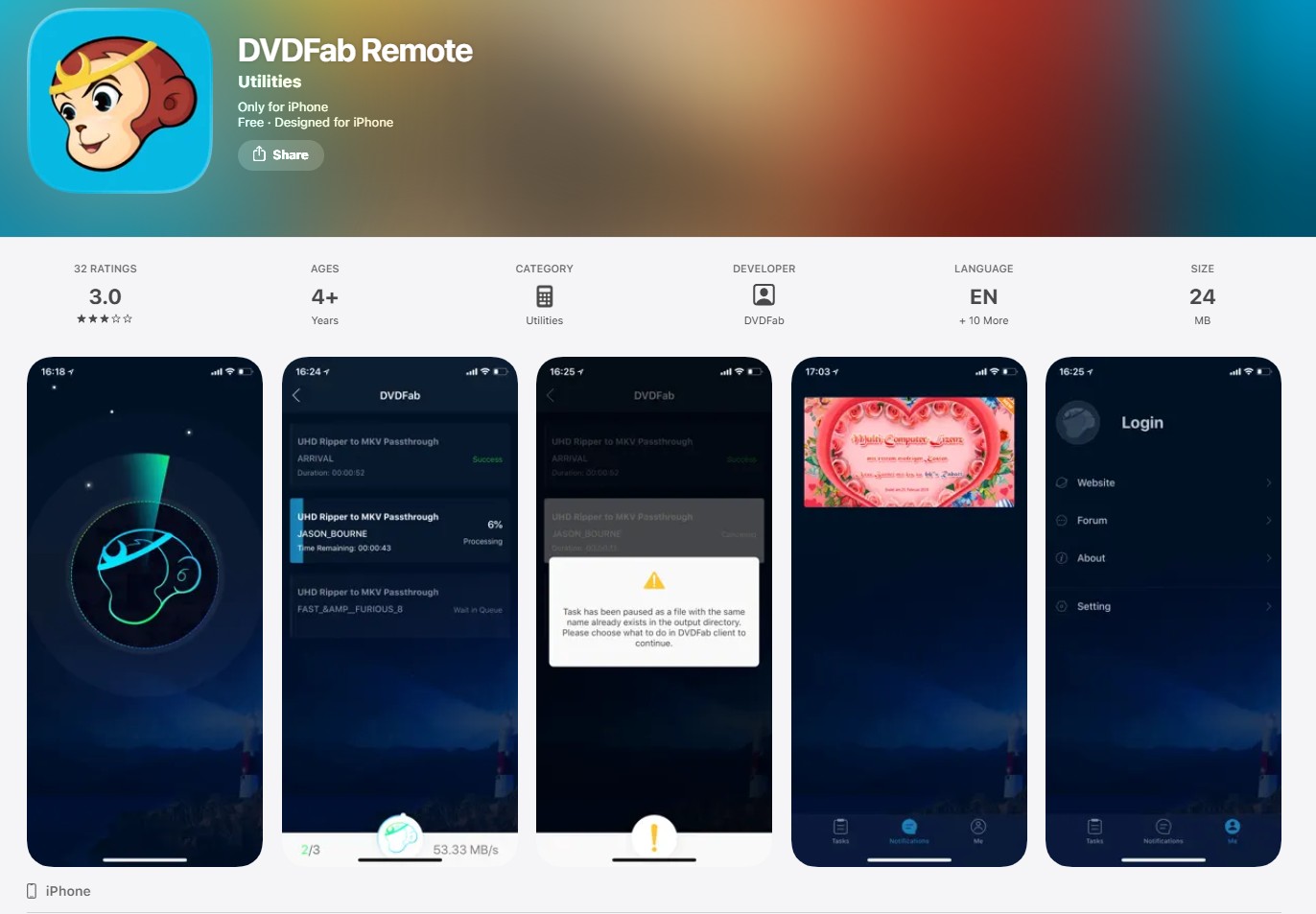
Remote works with the running desktop client rather than replacing it. Readers who need a broader explanation of the desktop modules, licensing, and interface can use the separate DVDFab 13 review.
How to Connect DVDFab Remote in Three Steps
The connection process needs only three decisions: which computer is running DVDFab, whether both devices share the same local network, and whether automatic discovery can find that computer.
Step 1: Open DVDFab on the computer. Start the compatible desktop client and keep it running. Connect the phone and computer to the same local Wi-Fi network.
Step 2: Scan for the computer. Launch DVDFab Remote and let it search for the running client. Select the computer when it appears, then check whether the current task list loads.
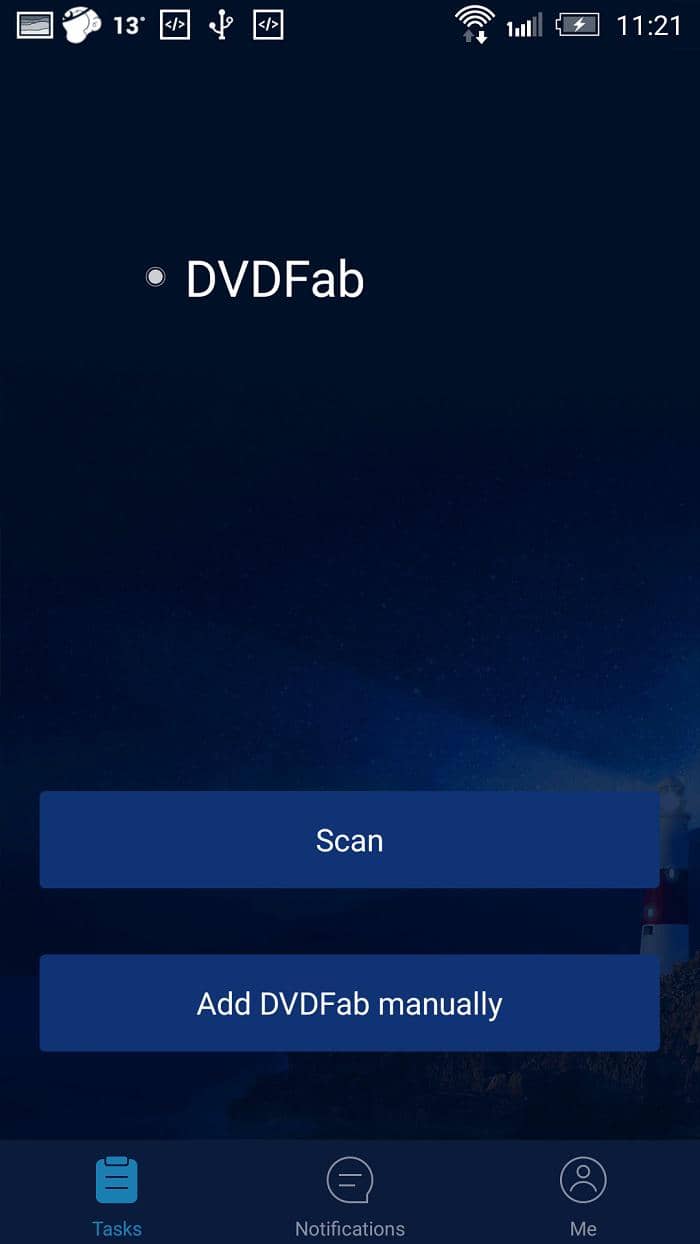
Step 3: Enter the local IP if scanning fails. Use the manual-add option and enter the computer's local IP address. Connect again and confirm that task progress appears; do not add unrelated numbers to the IP field.
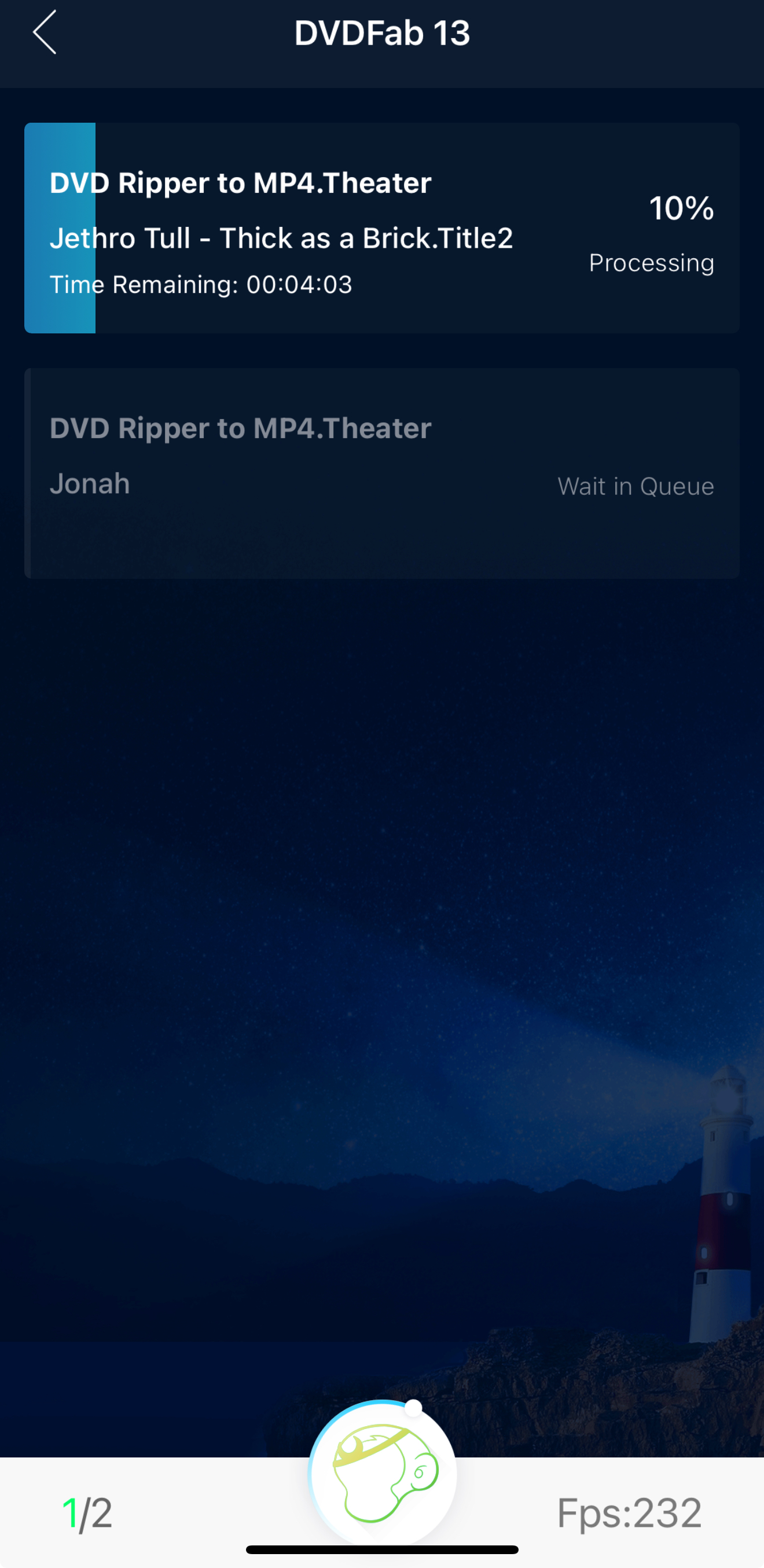
A visible task list is the useful completion check. If the app connects but shows no active work, confirm that DVDFab is actually processing or queuing a task before changing network settings.
Fix DVDFab Remote Connection and Installation Problems
Start with the visible symptom. Most connection checks are quick, and a desktop update or a fresh mobile installation may restore the link without changing router settings.
| Symptom | Check first | Next action |
| The computer does not appear | Both devices use the same Wi-Fi; DVDFab is open | Update the desktop client, scan again, and try the local IP |
| Remote stopped connecting after a DVDFab update | The desktop build is current | Install the latest DVDFab update, reopen both apps, and reconnect |
| The IP address is rejected | The field contains only the computer's local IP | Re-enter the address without appending port digits to the IP |
| A saved address disappears | The app was reopened after saving | Enter the IP again; restart or reinstall Remote if the problem continues |
| The connection works but no task appears | DVDFab has an active or queued job | Reopen the task list and reconnect to the running client |
| Android reports that the app is incompatible | The installer came from the official page | Check the phone's Android version and contact DVDFab support for that device |
User feedback is mixed rather than one-sided. Some App Store reviews mention failed discovery or an IP address that must be entered again, while another reviewer reported that Remote connected automatically and displayed a Blu-ray ISO task. DVDFab's release notes also record connection fixes in desktop versions 13.0.0.1 and 13.0.3.1, and one forum user confirmed that the iPhone app worked again after the desktop update.
Device-specific limits can still appear. In one 2026 forum report, a Samsung S24 owner running Android 16 received an incompatibility message, and DVDFab staff said the case had been sent to the development team. This single report does not describe every modern Android phone, but it supports testing the installer before depending on the app.
Check security software only after the same-Wi-Fi and update checks. If a brief firewall test changes discovery, restore protection and allow the relevant local connection instead of leaving the firewall disabled. When the desktop program itself will not open or process a job, use the separate DVDFab not working guide; Remote cannot repair the desktop client.
Conclusion: Who Should Use DVDFab Remote?
DVDFab Remote is easy to recommend to people who already use DVDFab and run Copy, Ripper, Converter, or Creator tasks that continue for more than a few minutes. It provides the information that matters away from the desk—progress, remaining time, alerts, and completed-file delivery—without adding another mobile license.
The app makes less sense if you need to start, pause, rename, overwrite, or cancel work from the phone. It is also unnecessary when you stay beside the computer for every task. A general remote-desktop app is the more relevant category when full computer control is the requirement, although that is a different job from DVDFab Remote's focused monitoring.
The local-network requirement is reasonable for in-home monitoring, and the free price keeps the decision simple for existing desktop users. Notifications can include DVDFab updates and promotions, so adjust mobile notification permissions if those alerts are not useful to you.
Use copied or converted content only when you own it or have permission, and follow the laws that apply where you live.
If you already use DVDFab, install Remote, pair it on your local network, and confirm that one running task appears. When progress checks and alerts are enough, the app adds useful mobility without changing how you run the desktop job.
DVDFab Remote FAQs
Can DVDFab Remote start or cancel desktop tasks?
No. The phone app monitors tasks and shows notifications, while task controls remain in the DVDFab desktop client.
Do I need DVDFab 13 to use DVDFab Remote?
DVDFab Remote needs a compatible DVDFab desktop client running on your computer. The phone app does not copy, rip, convert, or create media by itself.
Which DVDFab modules can Remote monitor?
The iPhone listing names Copy, Ripper, Converter, and Creator. The phone shows task information from the running desktop client.
Does DVDFab Remote work outside the home Wi-Fi network?
DVDFab describes Remote for use within the home Wi-Fi range. It is not presented as an internet-based remote desktop service.