4 Easy Ways to Remove Audible DRM in 2026: Tool Reviews and Tutorial

Summary: The guide details four effective methods to remove Audible DRM for legal and personal use, including high-speed desktop converters and free alternatives. Keep reading and enjoy your journey of free listening.
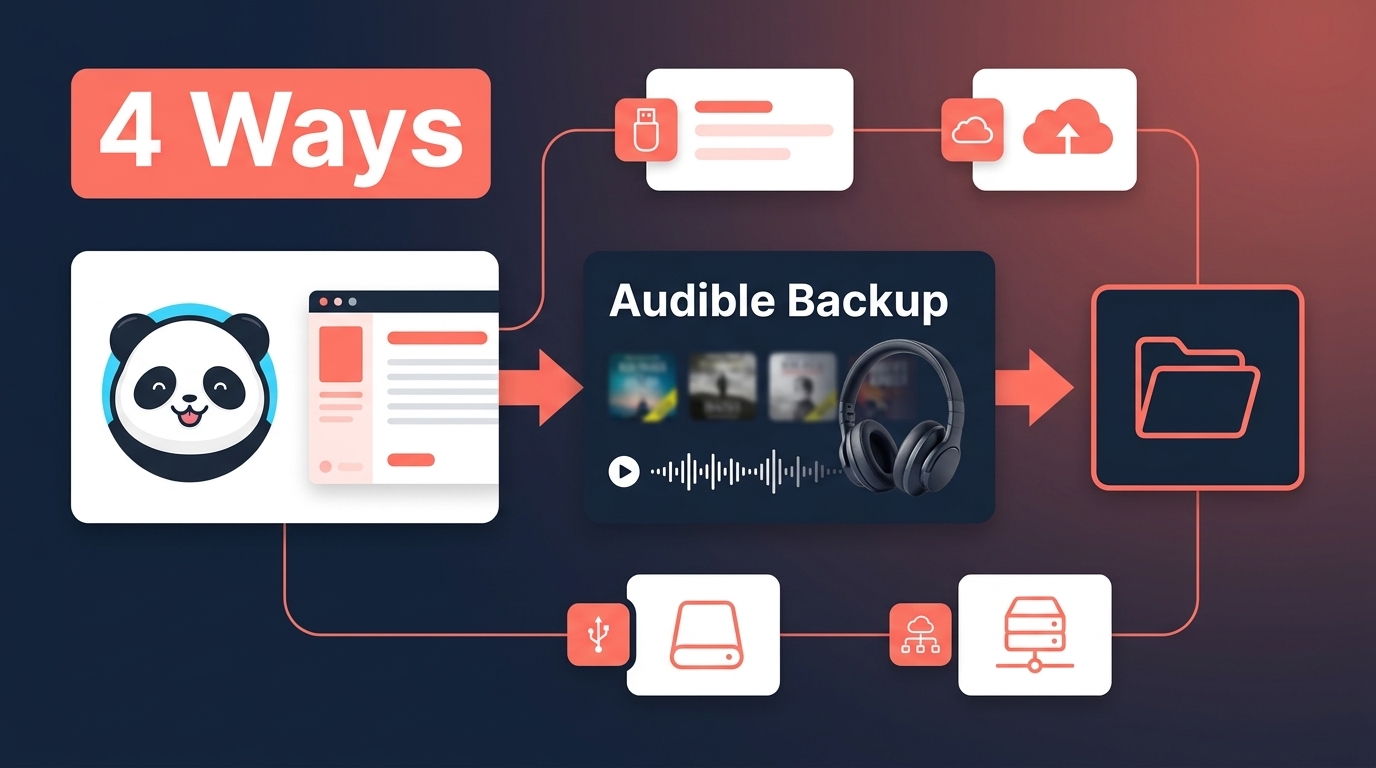
Table of Contents
Audible DRM removal is not a single workflow: a title that plays in the app may fail elsewhere because its source file, account region, or method does not match. For authorized titles in your own purchased library, compare four options by compatibility, audio quality, chapter structure, and setup.
Start by identifying whether you have an AA, AAX, AAXC, EXO, or account-library title. The discussion here is limited to your own purchased library and personal backup use; shared, borrowed, and subscription-only content is outside that scope. Then compare setup effort, privacy, chapter retention, metadata, and the player or operating system you plan to use.
- More Compatible Audio Formats: MP3, M4A, FLAC, WAV, or OPUS can work with players that support the selected format.
- A Local Backup: A copy of a title purchased in your own Audible account can be stored for personal organization, subject to platform terms and applicable law.
- Clearer Library Organization: Chapter data, cover art, titles, and other metadata make audiobook libraries easier to sort.
BookFab Audible Converter for Desktop Backups
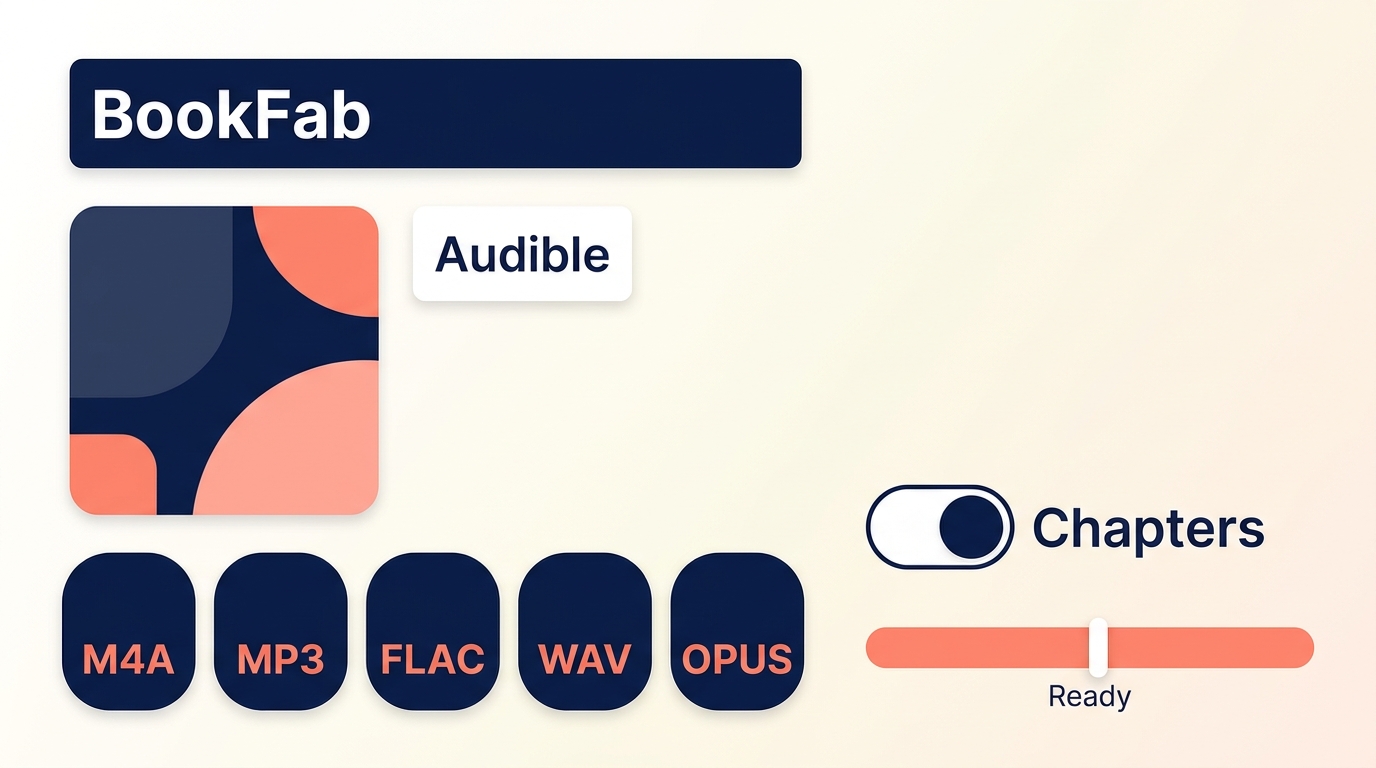
For readers comparing an Audible DRM remover for a title purchased in their own account, BookFab Audible Converter offers a guided Windows and Mac workflow for saving a local copy for personal organization, subject to platform terms and applicable law. It favors an account-library process over manual file hunting.
As of August 2026, BookFab Audible Converter is a Windows and Mac desktop app for Audible with a built-in browser. For titles in your own purchased library, it saves M4A by default, can output MP3, FLAC, WAV, or OPUS, supports chapter splitting and batch task handling, retains chapter data, cover art, title, duration, and other metadata, and offers a free trial that converts up to three audiobooks.
Before adding an audiobook export to a library, check more than whether the audio starts. Chapter order, cover art, title data, and an output format that the target player accepts determine whether the book remains usable in a library. BookFab suits readers who want that guided desktop process; it is less appropriate for mobile-only or open-source-only use.
Save an Audible Book with BookFab Audible Converter
Install BookFab and open Audible Converter. Install BookFab on a Windows or Mac computer, then select Audible Converter.
100% Safe & CleanOpen the Audible area in the built-in browser and sign in to the marketplace that contains the authorized title.
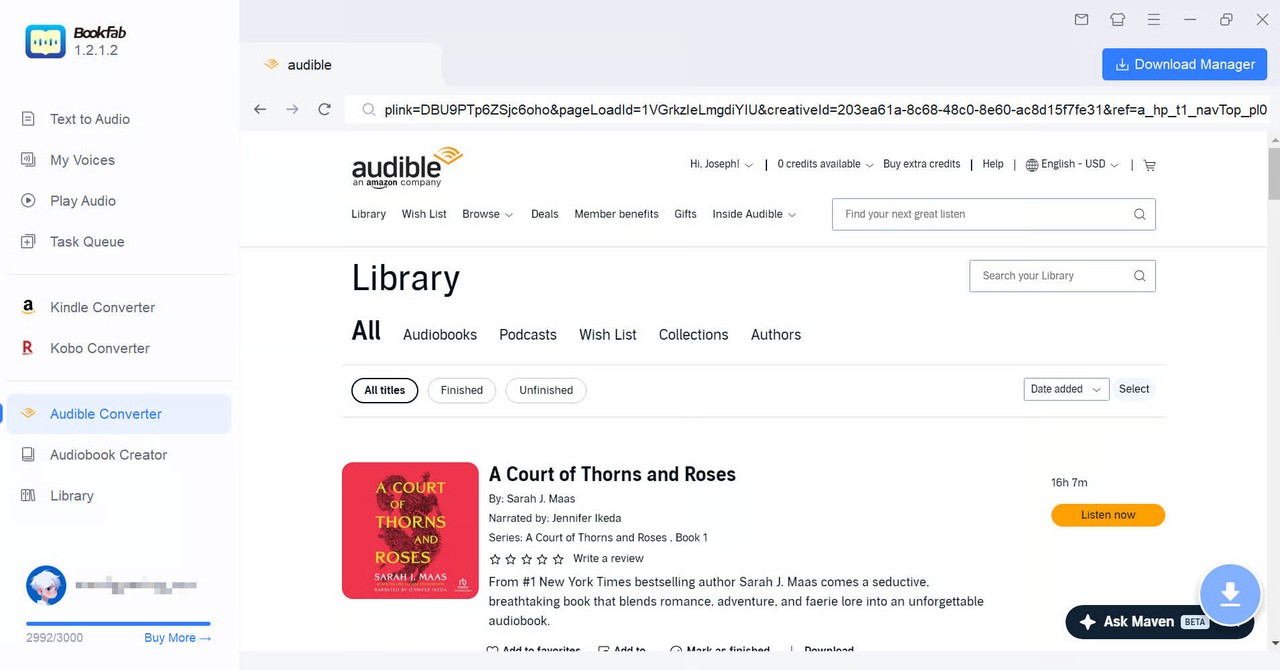
- Open the audiobook. Select the title from the library. BookFab analyzes the book and presents its download control and available output settings.
Set the format and save the book. Keep M4A or select MP3 for broad player support; FLAC, WAV, and OPUS are also available. Choose chapter handling and the destination folder before starting the task.
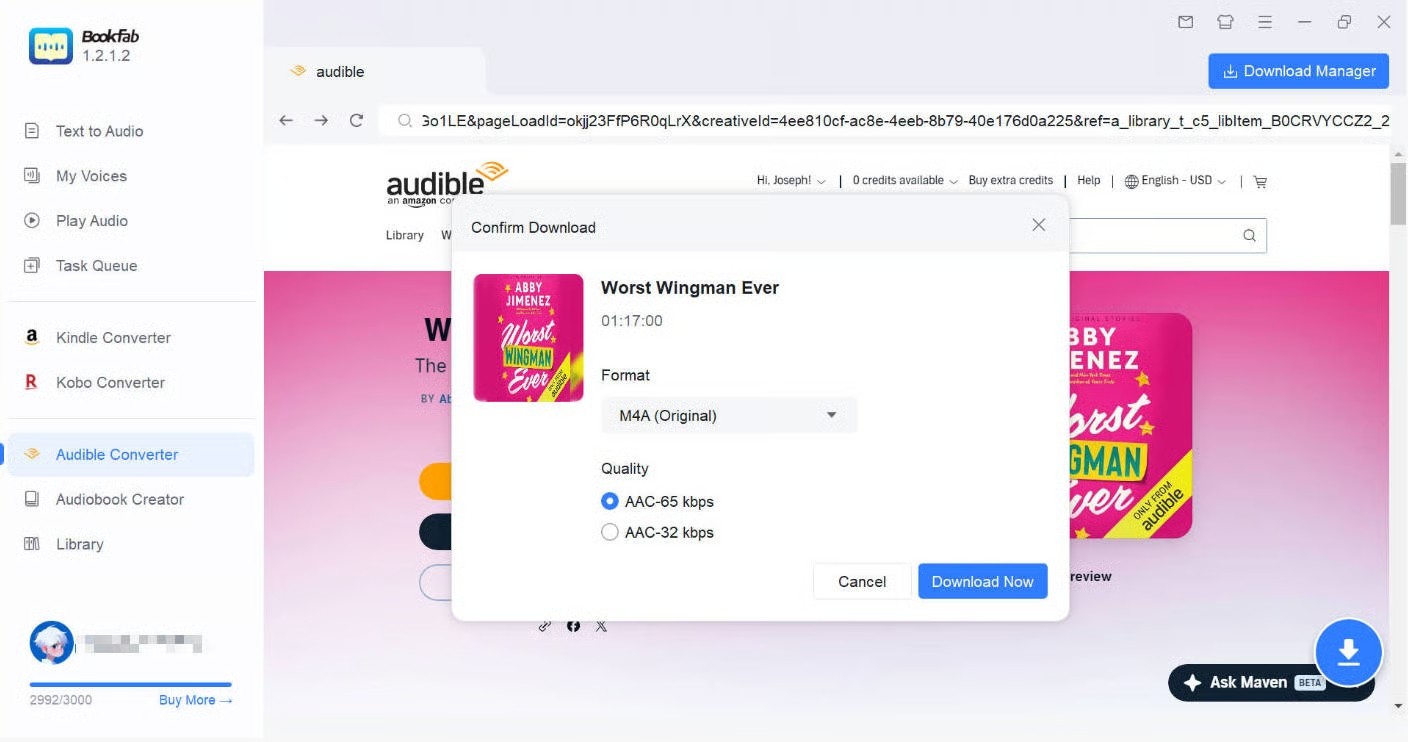
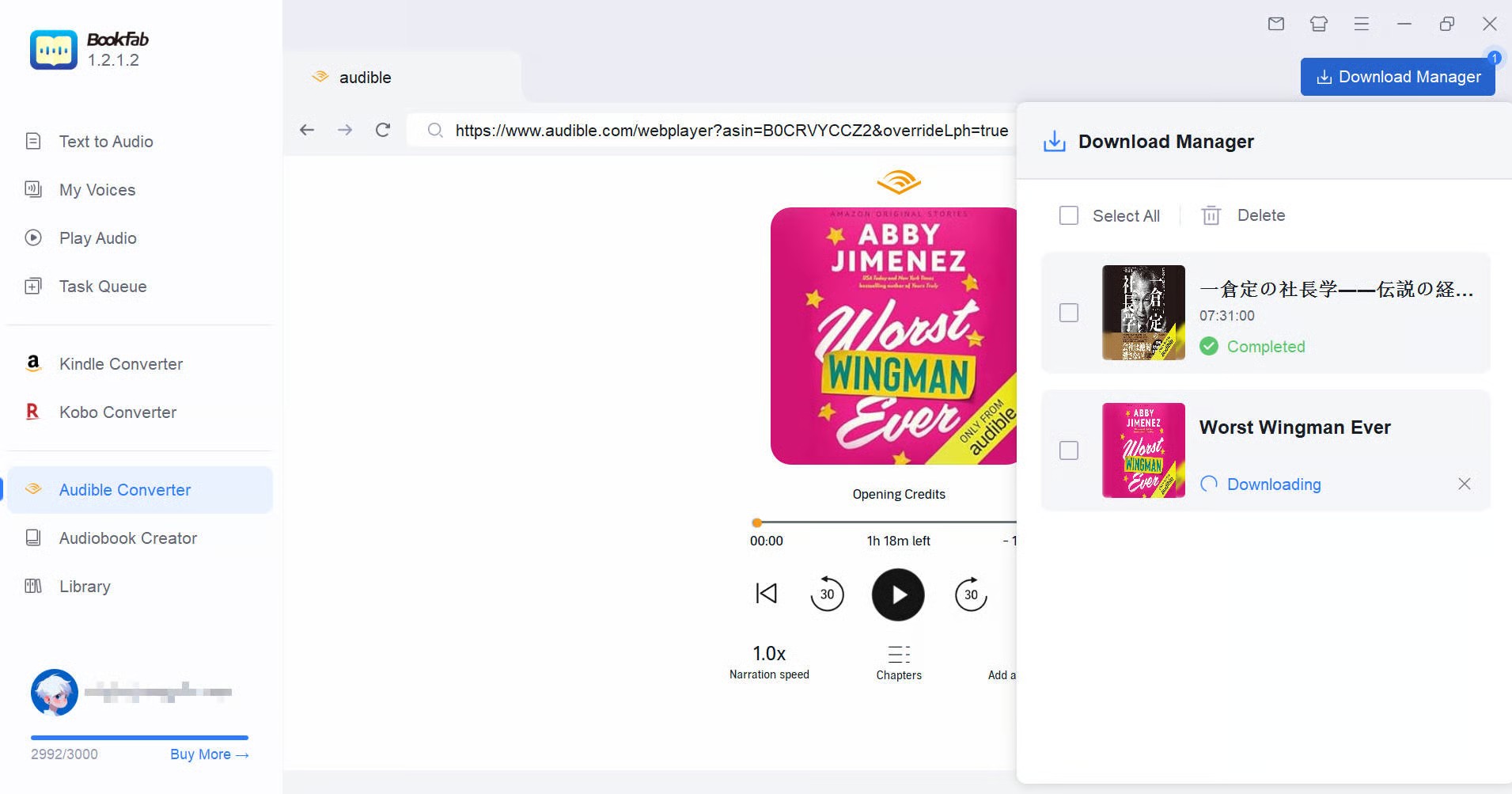
After the task begins, use the task manager to monitor the book and open the saved folder when processing finishes.
Libation for Open-Source Audible Backups
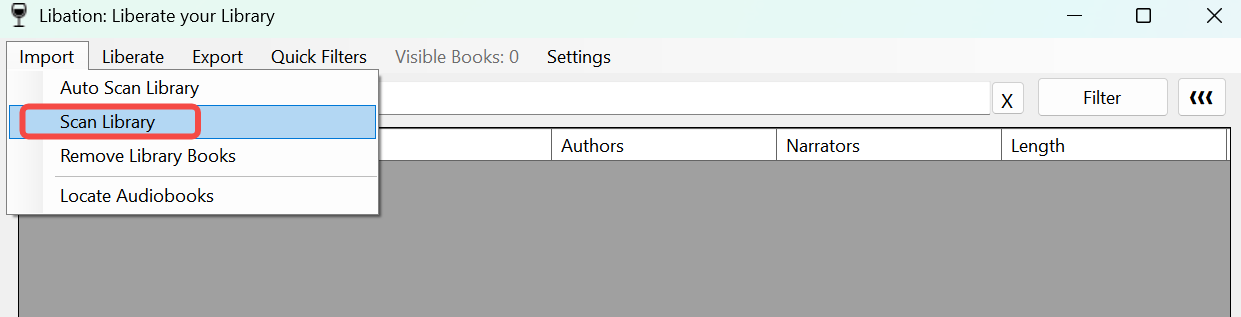
Libation is the free, open-source option in this Audible DRM removal comparison. It is intended for organizing and saving titles from your own purchased Audible library, but its settings and troubleshooting demand more attention than a guided commercial desktop app. Shared, borrowed, and subscription-only titles are outside the stated scope.
As of August 2026, Libation remains actively maintained; version 13.7.9 was released on August 16, 2026. Its GitHub project suits technical Windows, macOS, and Linux users who are comfortable reviewing releases, account regions, output settings, and community documentation.
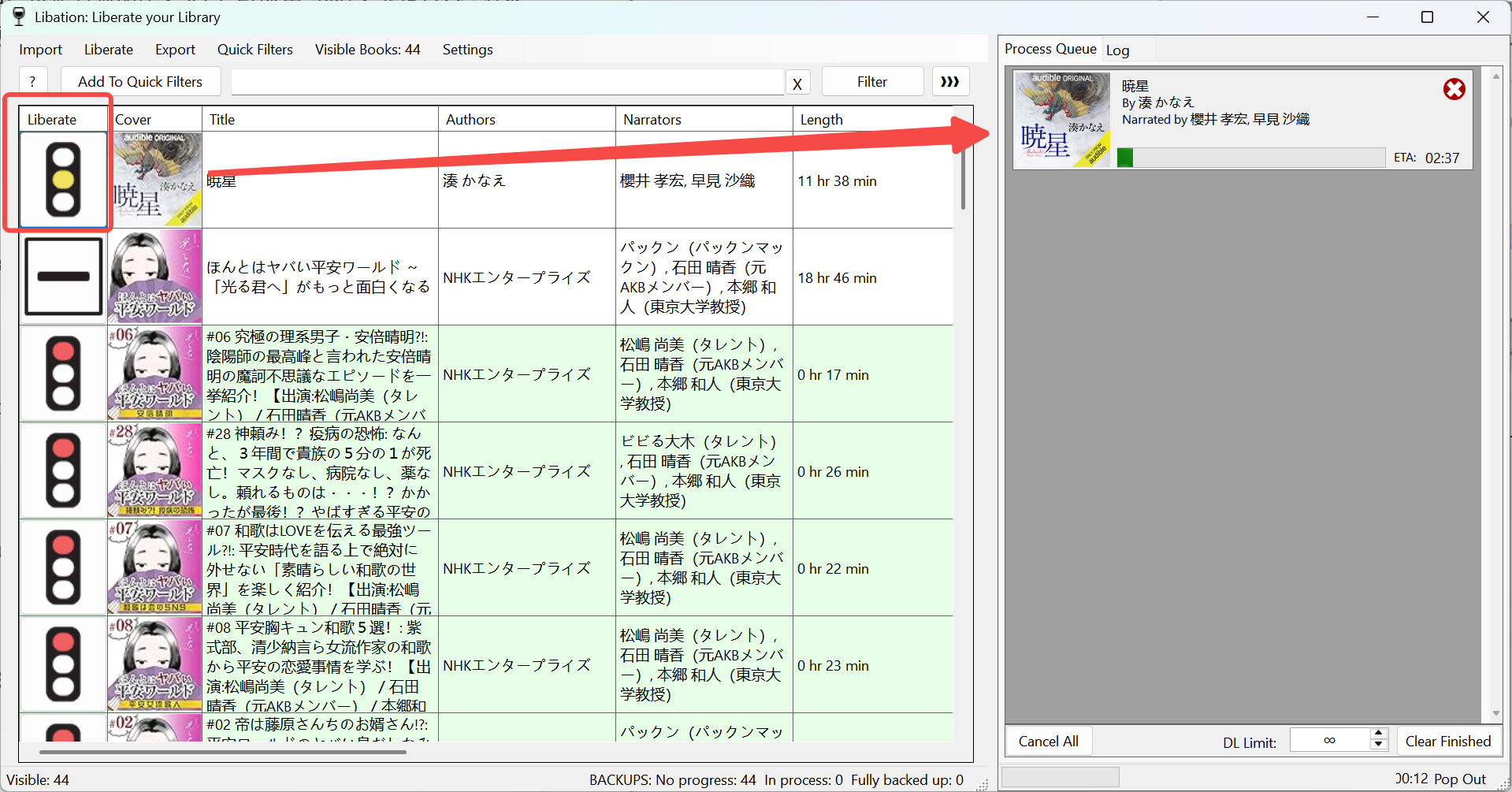
For a large library, I value Libation's scan-and-queue model because titles can be checked as a collection rather than one isolated file at a time. The tradeoff is setup: it is a poor match for a mobile-only reader or anyone who wants vendor-guided support.
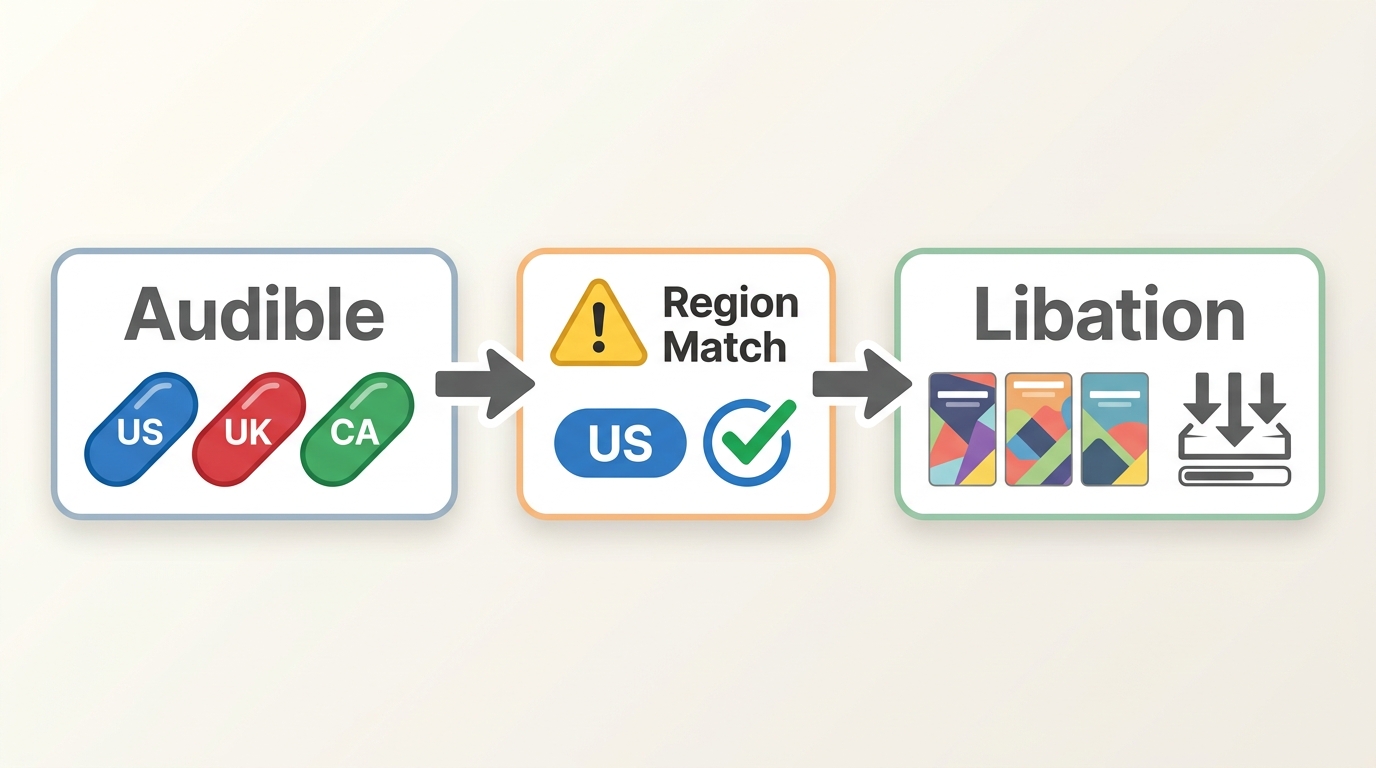
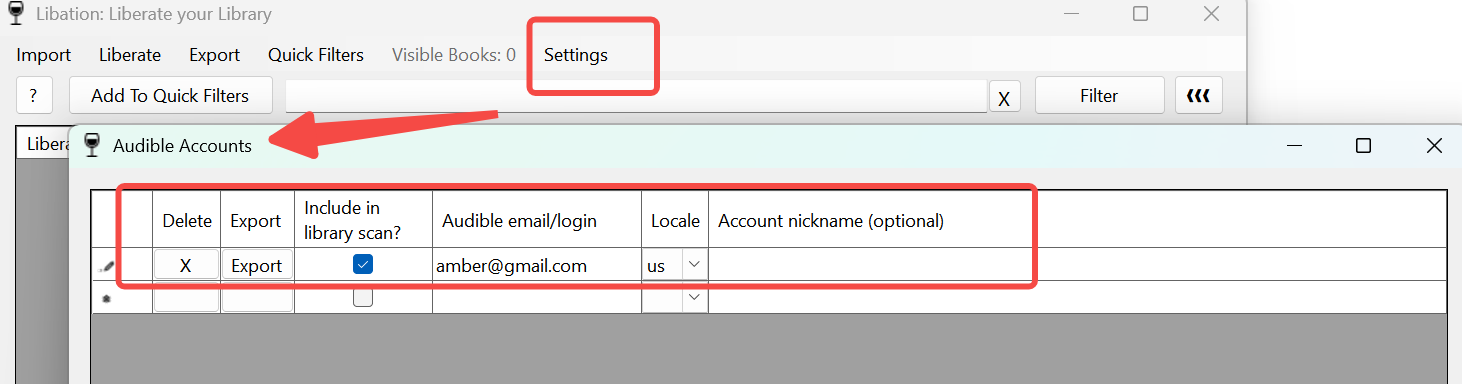
The account marketplace matters when a purchased title is expected to appear in your own Audible library. A region mismatch can prevent titles from appearing even when the sign-in itself succeeds. Libation requires more hands-on account and library configuration than a guided desktop application, which makes it more relevant to technical users and larger libraries than to readers seeking a mobile-only or low-setup option.
Kamsker as an Experimental Online Fallback
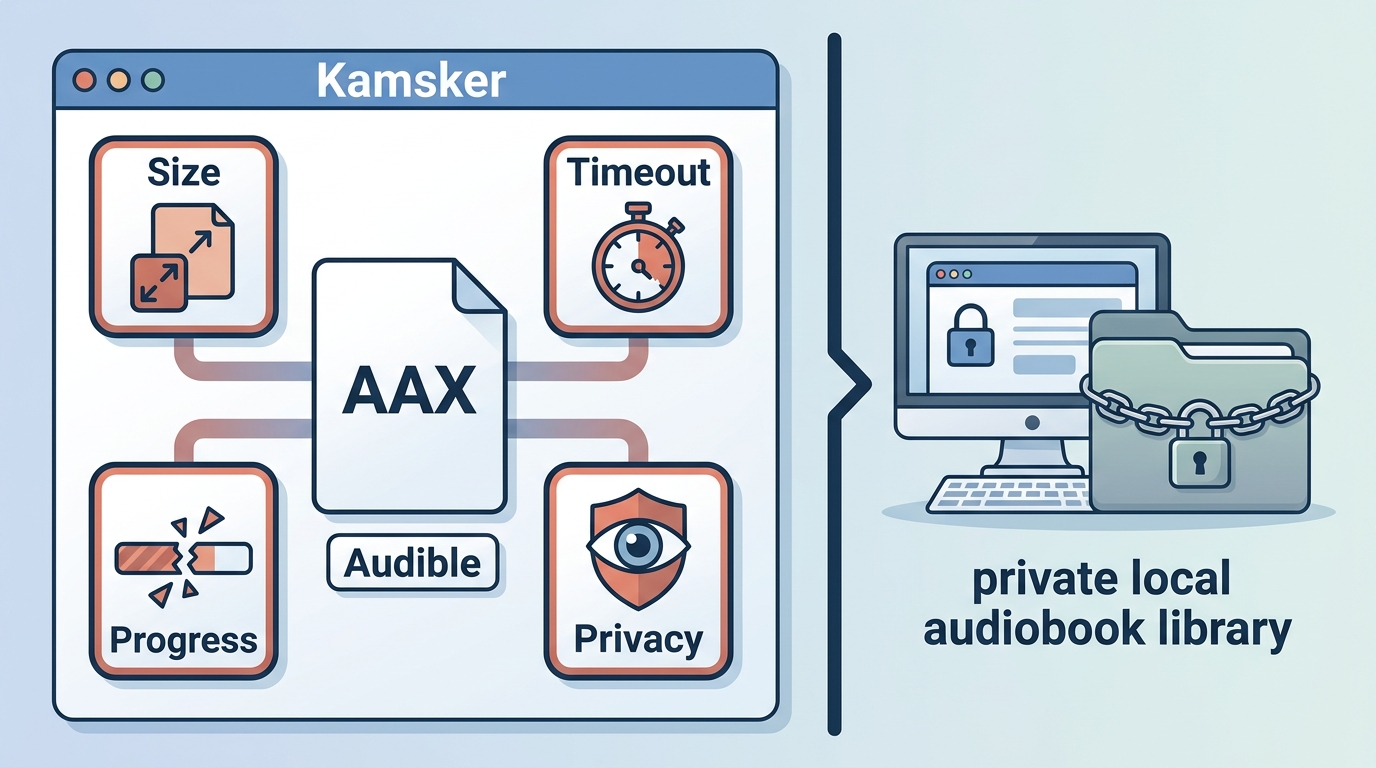
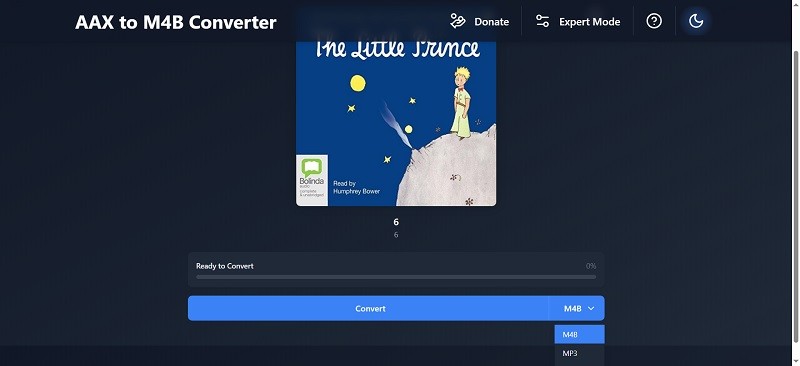
Kamsker is an experimental browser fallback within Audible DRM removal comparisons, not an equal replacement for a maintained desktop library tool. For a small AAX file from a title purchased in your own Audible account, the site may appear relevant, but its current maintenance status and dependable operation are unclear.
Uploading an audiobook introduces privacy, timeout, crash, and upload-size concerns. A browser tab can also lose progress during a long transfer. I would reserve Kamsker for a one-off, small, non-sensitive AAX file, not a private collection or a large library.
Kamsker Compatibility and Privacy Limits
Kamsker may be relevant to a one-off, small, non-sensitive AAX file, but it is not a dependable choice for a private collection or large library. AAXC and EXO files from mobile apps may not fit this browser-based route. Uploading a file can raise privacy concerns and may fail because of timeouts, browser crashes, or upload-size limits.

Audacity as a Real-Time Recording Fallback
Audacity is the fourth Audible workflow, but it records playback in real time rather than converting an account library or local audiobook file. It is relevant only to playback the reader is authorized to access, such as a title purchased in their own Audible account; shared, borrowed, and subscription-only content is outside this scope. The recording takes the full playing time and may lose chapter structure, metadata, cover art, or some audio fidelity.
I treat this as an occasional last resort when the source can play on a computer but the first three workflows do not accept it. It is not a sensible choice for a large library, precise chapter navigation, or a quality-first archive.

- Set the recording source. In Audacity on Windows, select Windows WASAPI and the loopback input for the speakers or headphones that will play the audiobook.
- Record the playback. Start the authorized Audible playback, confirm that Audacity's level meters respond, then start recording. Silence notifications and other system sounds during the session.
- Export and inspect the result. Stop at the end of the desired section, export to an available format such as MP3 or WAV, then check the start, end, and any manually created chapter breaks.
Compare 4 Audible DRM Workflows
The four Audible DRM removal workflows in this 2026 comparison concern titles purchased in the reader's own Audible account and do not begin with the same input. Identify the source before judging setup or output quality: mobile EXO and AAXC files, desktop AA or AAX files, and an account library lead to different choices.
Match Your File to a Method
A request to remove DRM from M4B starts with the wrong diagnostic shortcut: M4B is a container and does not reveal the original Audible input or account state. Use this compact start-here matrix before selecting a workflow.
Start-here file and failure matrix
- AA or AAX desktop file: These are the local inputs most often associated with desktop workflows. If you need to acquire an authorized file first, follow this guide on how to download Audible books.
- Mac file acquisition: An Audible download on Mac may follow a different desktop path, so confirm the file type before moving it into another workflow.
- AAXC or EXO mobile file: These app-based inputs may not work with a desktop AA or AAX process. Identify the starting file rather than assuming that a mobile download is interchangeable.
- Account, activation, or region mismatch: A successful sign-in does not guarantee that the expected title will appear. Confirm the Audible marketplace tied to the purchase before scanning a library.
- Corrupt or incomplete download: A file that stops early, lacks chapter information, or will not open should be downloaded again from the authorized account before trying another tool.
- Large browser upload: Long audiobooks can exceed a browser service's working limits or lose progress during transfer. A desktop-library workflow is easier to monitor for large batches.
Compare Quality, Setup, and Best Fit
BookFab is commercial and guided; Libation and Audacity are free and open source; Kamsker is browser-based with uncertain maintenance. A broader free Audible converter comparison covers additional tools without diluting this four-method decision.
| Method | Starting input | Process and quality | Setup effort | Best fit |
| BookFab Audible Converter | Audible account library | Guided export; chapters, cover, metadata | Guided Windows/Mac app | Readers wanting desktop guidance |
| Libation | Audible account library | Library export; M4B default; chapter data | Technical desktop setup | Technical users; large libraries |
| Kamsker Audible Tools | Small local AAX | Browser upload; output may vary | Low setup; uncertain operation | One-off, non-sensitive file |
| Audacity | Real-time Audible playback | Recording; possible structure and fidelity loss | Manual; full playing time | Occasional last-resort capture |
For library use, file compatibility and chapter retention matter more than a generic fastest label. I would start with BookFab for a guided Windows or Mac task, use Libation when open-source control and batch library work justify the setup, limit Kamsker to a small test file, and keep Audacity for rare real-time capture.
FAQ
Q
Does personal use make Audible DRM removal legal in the United States?
Personal use does not by itself settle the question. Audible's <a target="_blank" rel="noopener noreferrer" href="https://www.audible.com/legal/conditions-of-use">Conditions of Use</a> prohibit attempts to defeat its DRM protections, while <a target="_blank" rel="noopener noreferrer" href="https://www.copyright.gov/1201/">U.S. copyright law and Section 1201</a> provide a separate legal framework. Do not distribute saved copies. This is general information, not legal advice.
A
Q
What can I do if a purchased title is no longer in my Audible library?
A library-dependent workflow cannot process a title that no longer appears in the account tied to the purchase. Check the correct marketplace and purchase history, then contact Audible support. A previously saved copy of a title purchased in your own account may help with organization, but no method can promise recovery of unavailable content.
A
Q
Are GitHub-based Audible tools a good choice for beginners?
Maintained open-source projects can work well for users who accept account setup, release checks, and troubleshooting. Beginners who prefer a guided interface and direct support may be more comfortable with a desktop product that packages those steps into one application.
A
Q
Can a Chromebook or Android phone handle a large Audible library?
Mobile devices may store AAXC or EXO files that desktop AAX workflows do not accept, while browser tools can struggle with long batches and large uploads. Identify the file type first; a compatible Windows, Mac, or Linux library workflow is usually easier to monitor for many titles.
A
Conclusion
The four routes behind the search to remove Audible DRM serve different needs. BookFab favors guided Windows and Mac exports rather than mobile-only or open-source-only use, Libation suits technical users and larger libraries, Kamsker is limited to experimental small-file use, and Audacity trades time and structure for real-time recording.
Choose by starting file, chapter and metadata needs, setup tolerance, and operating system. Use any workflow only for content you are authorized to access, where platform terms and applicable law permit, then open the result in the intended player and check chapter order, cover art, title data, and playback.

 How to Listen to Audible on Mac: 4 Practical MethodsBy Amber Collins - Aug 24, 2026
 9 Audible Converters for AAX to MP3: Free vs. Trial (2026)By Amber Collins - Aug 21, 2026
 How to Download Audible Books: Phone, PC, MP3, and M4BBy Amber Collins - Aug 19, 2026
 Download Audible Books on Mac: Choose the Right MethodBy Amber Collins - Aug 19, 2026