How to Download Audible Books: Phone, PC, MP3, and M4B

Summary: How to download Audible books depends on your device and the type of file you want. This guide explains how to download Audible books on phone and computer, including offline listening in the Audible app, AAX downloads from audible.com, and MP3, M4A, or M4B downloads for personal backup. It also covers common download issues and helps you choose the right method.
Table of Contents
How to download Audible books depends on where you plan to listen: the Audible mobile app saves titles for offline listening, a US computer browser is mainly for streaming, and local-copy software can create common audio files for authorized personal use. The deciding question is whether you need app access or a portable file.
Choose your Audible download method quickly:
- For Audible offline listening on a phone, see Audible Offline Downloads on iPhone and Android.
- For Audible downloads on PC, see Audible Downloads on a US Computer, which explains browser streaming and supported-device transfers.
- For authorized local audio files, see Audible Books in MP3, M4A, and M4B.
Audible Offline Downloads on iPhone and Android
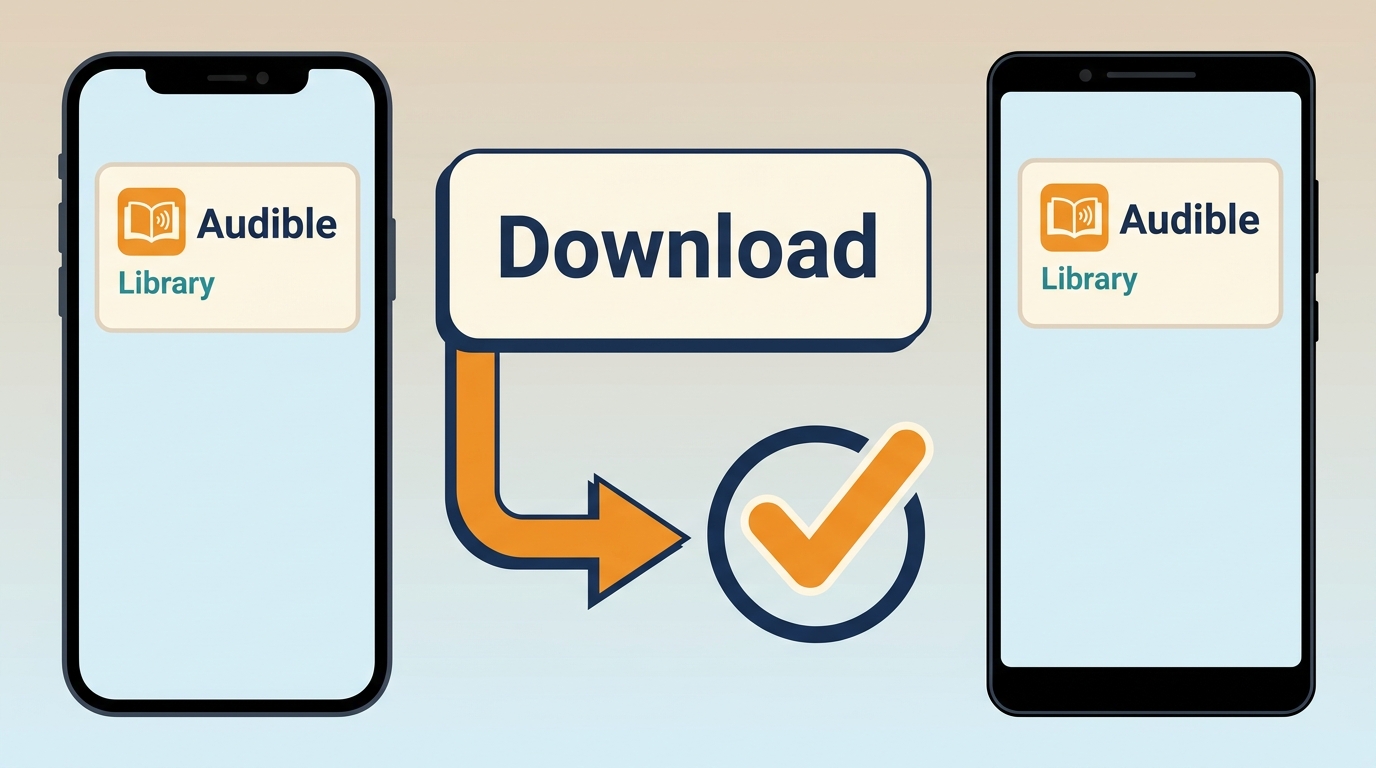
Audible mobile downloads let you listen without Wi-Fi or mobile data, but they remain managed inside the Audible app rather than becoming transferable audio files. Purchased or credit-redeemed titles remain in your library after cancellation, while Plus Catalog access depends on your membership and whether the title remains in the catalog.
If membership access is part of your decision, it is also worth checking whether Audible is free with Prime before choosing a download method.
Step 1: Open Audible and go to Library
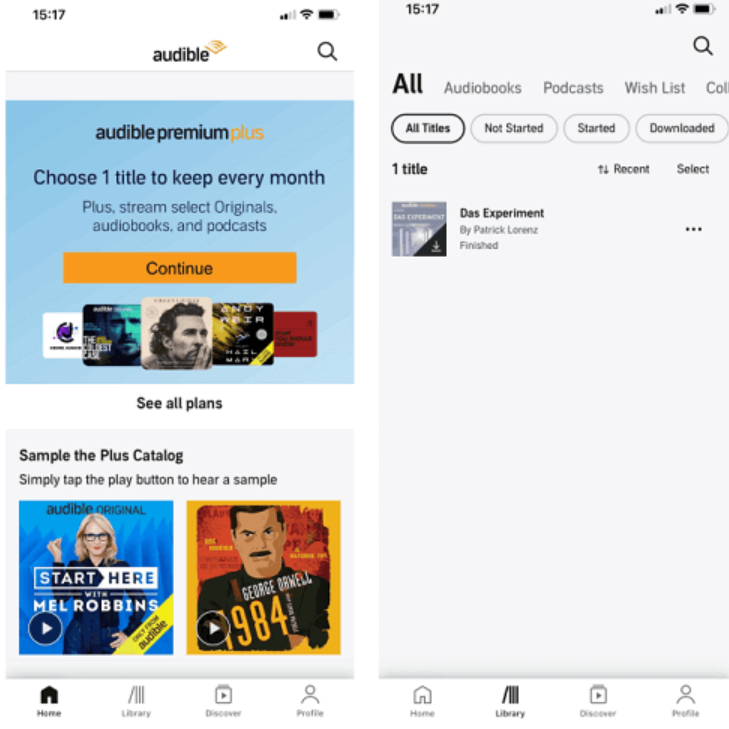
Open the Audible app on your iPhone or Android phone. Sign in with the Amazon account linked to your Audible library. Then tap Library at the bottom of the screen.
Step 2: Find the audiobook you want to download
On the Library page, tap All Titles. Scroll through your library and find the audiobook you want to save for offline listening.
Step 3: Open the title menu and start downloading
Tap the three-dot icon next to the audiobook title. Then tap Download. Keep the app open until the download finishes.
Step 4: Play the downloaded book offline
When the download is complete, return to Library and tap the audiobook cover. The book will play inside the Audible app without Wi-Fi or mobile data. Apple Watch listening also depends on the Audible app and your watch setup. For uncomplicated phone listening, this is the clearest route, but it does not suit listeners who need a portable local file.
Audible Downloads on a US Computer
On a US computer, Audible is primarily a browser-streaming service. As of August 2026, the Download button was removed from US desktop libraries on August 11, so an Audible download AAX file is now a legacy or region-dependent route rather than the standard browser option. Start with browser playback for ordinary computer listening, use AudibleSync for supported external devices, or move to an authorized local-file workflow when a common audio format is the goal.
Step 1: Use the Audible web player for computer listening
Open Audible.com in your browser and sign in with the Amazon account linked to your library. Select a title and use the web player when you want to listen on a computer without creating a separate audio file.

Step 2: Use AudibleSync for supported external devices
AudibleSync transfers eligible titles to supported external listening devices; it is not a universal MP3 export route. For operating-system differences, readers looking for Audible downloads on Mac can follow the Mac-specific instructions separately.
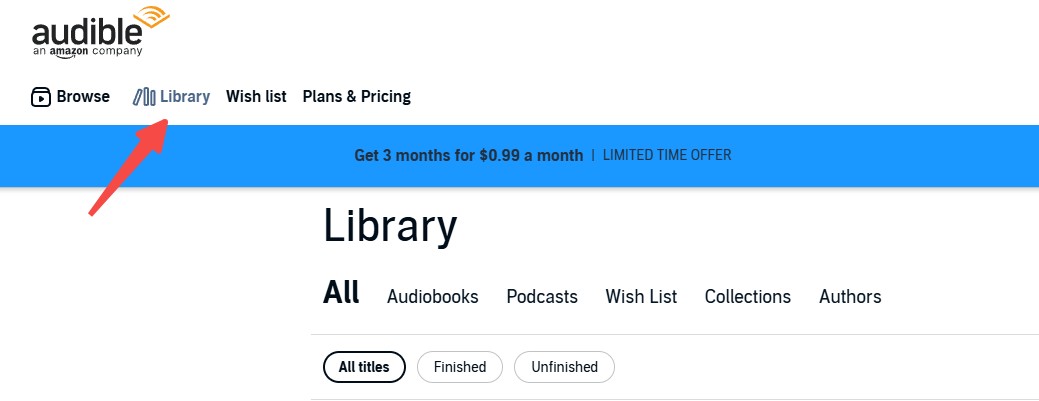
Step 3: Select a local-file route when device compatibility matters
If you need audio that can be organized in a local library or played in compatible software, use an authorized local-copy option that offers the file format your target device accepts. For beginners, browser playback is generally the least confusing choice when no portable file is needed.
If you want to listen to Audible on Mac, browser playback is the simplest route, while local-file tools are better when you need downloads that work outside Audible.
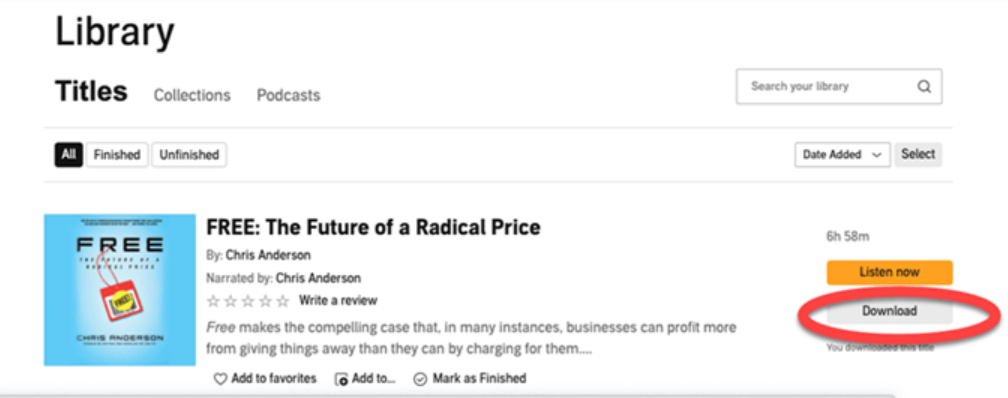
Audible Books in MP3, M4A, and M4B
App-based listening and portable files serve different purposes. MP3 is widely recognized by players, M4A is a common audio container, and M4B is designed to keep a longer audiobook together with chapter navigation. A one-title task may need little more than the right output format; a larger Audible library also benefits from clear chapter names, cover art, metadata, and task management. Readers comparing free Audible converter options should first decide whether they need a single portable file or a way to organize many authorized titles.
BookFab for Local Audible Copies
For content you're authorized to access, where permitted by platform terms and applicable law, BookFab Audible Converter is an independent local-copy tool for personal offline listening. On Windows and Mac, it can save Audible audiobooks as M4A, MP3, FLAC, WAV, or OPUS, with chapter information and core metadata such as cover art, title, and duration retained where available. Its task manager can also organize batch jobs. It makes sense when common files and library organization matter; it is not a good match for someone who only needs the Audible app on a phone.
Step 1: Open BookFab Audible Converter and log in
Launch BookFab on your computer and choose Audible Converter. In the built-in browser, sign in to your Audible account.
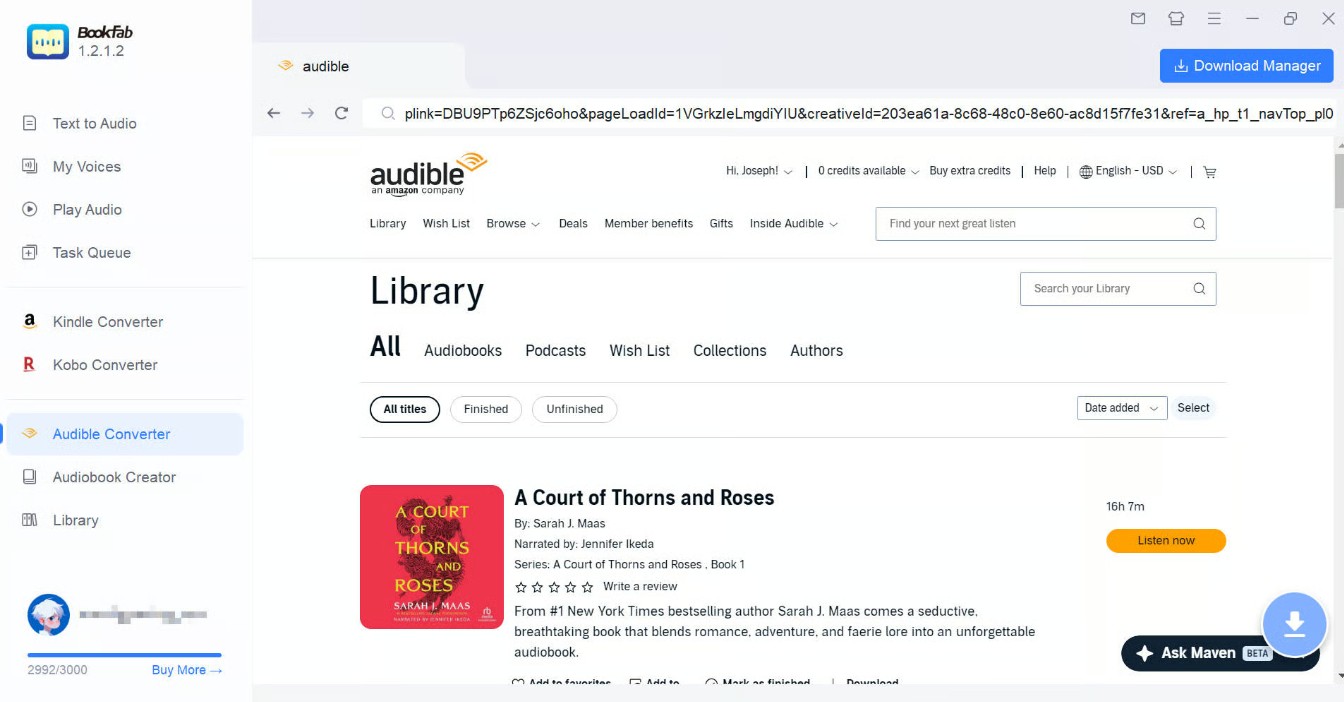
Step 2: Pick a book and set the format
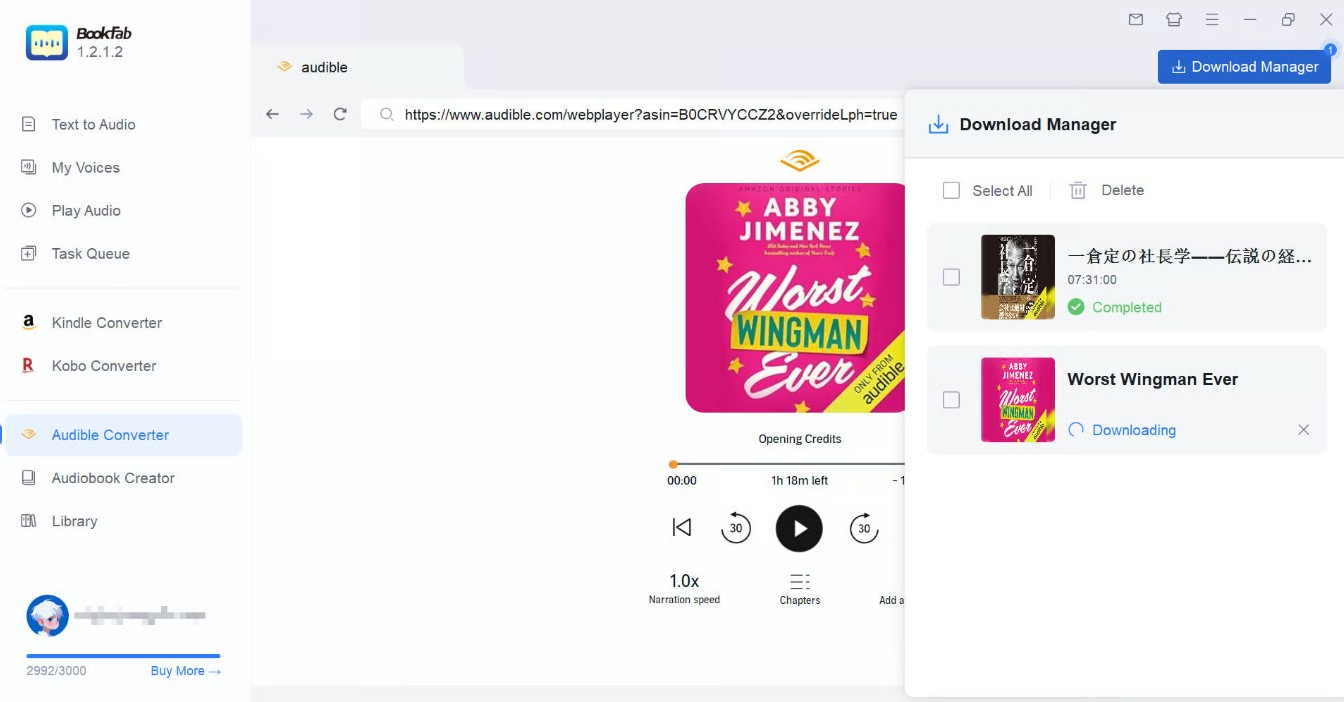
Open the audiobook's detail page inside BookFab and click the Download button in the lower-right corner. In the Confirm Download window, choose the output format you want, such as MP3 or M4A.
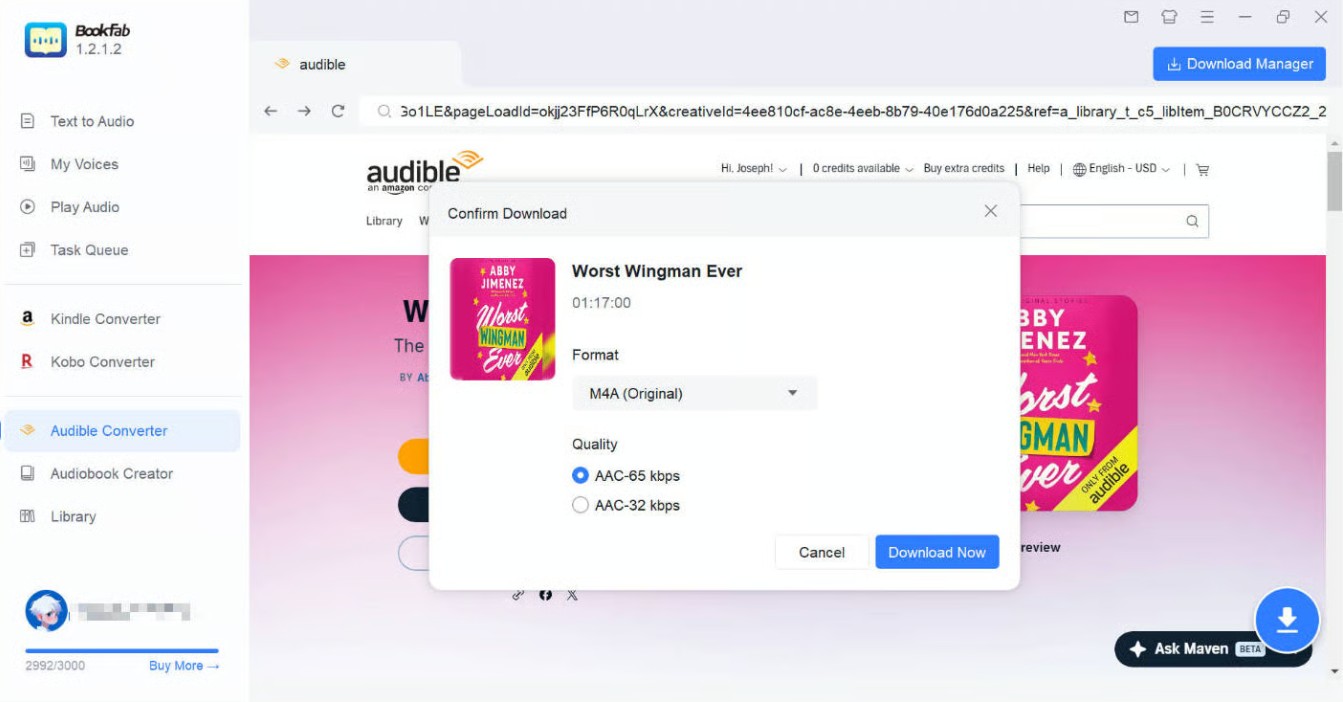
Step 3: Start the download task
Click Download Now to begin. BookFab saves and converts the selected title in one task, and you can check progress in Download Manager. When the task is complete, open the output folder to review the local audio file, chapter details, and metadata before adding it to your library.
Use note: Keep locally saved audiobooks for personal offline listening or backup when you are authorized to access them, and do not share, upload, resell, or redistribute them.
Download Audible Audiobooks with OpenAudible
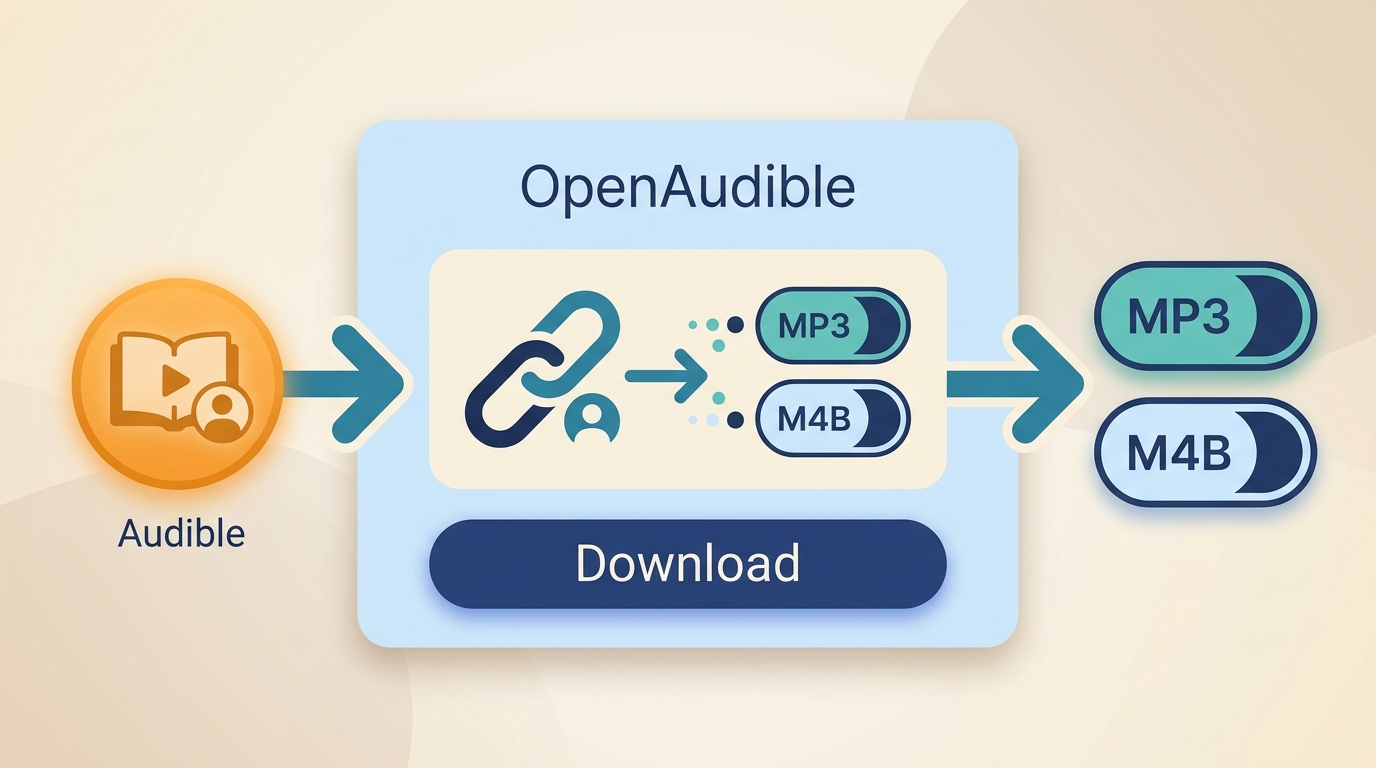
OpenAudible is another desktop option for library-scale Audible management. It supports Windows, macOS, Linux, and Docker, and can export audiobooks as MP3 or M4B. Its Linux and Docker support can matter for listeners who maintain a NAS-based library, but it is not ideal for someone who only needs simple offline listening on a phone.
OpenAudible can download, manage, and play books without a conversion license, but MP3 and M4B conversion requires a paid license after the trial.
Step 1: Install OpenAudible and set the output format
Download and install OpenAudible from its official website. Launch the program, then go to Edit > Preferences and choose M4B or MP3 as the audio output format.
Step 2: Connect your Audible account
Go to Controls > Connect to Audible. Choose your Audible region, sign in through the browser window, and complete any verification required by Audible.
Step 3: Download and convert your books
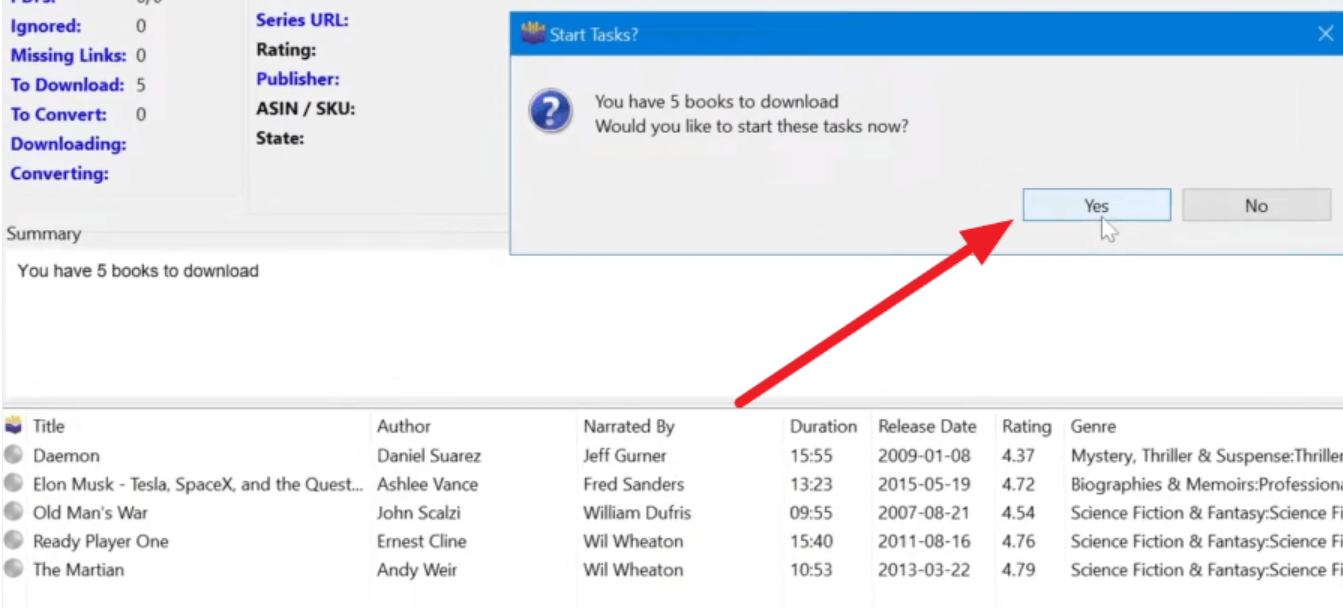
After your Audible library loads, OpenAudible may ask whether you want to download and convert your books. Click Yes to process them automatically. To choose titles manually, select one or more books, then click Action > Download to download Audiobooks.
Which Audible Download Method Should You Use?
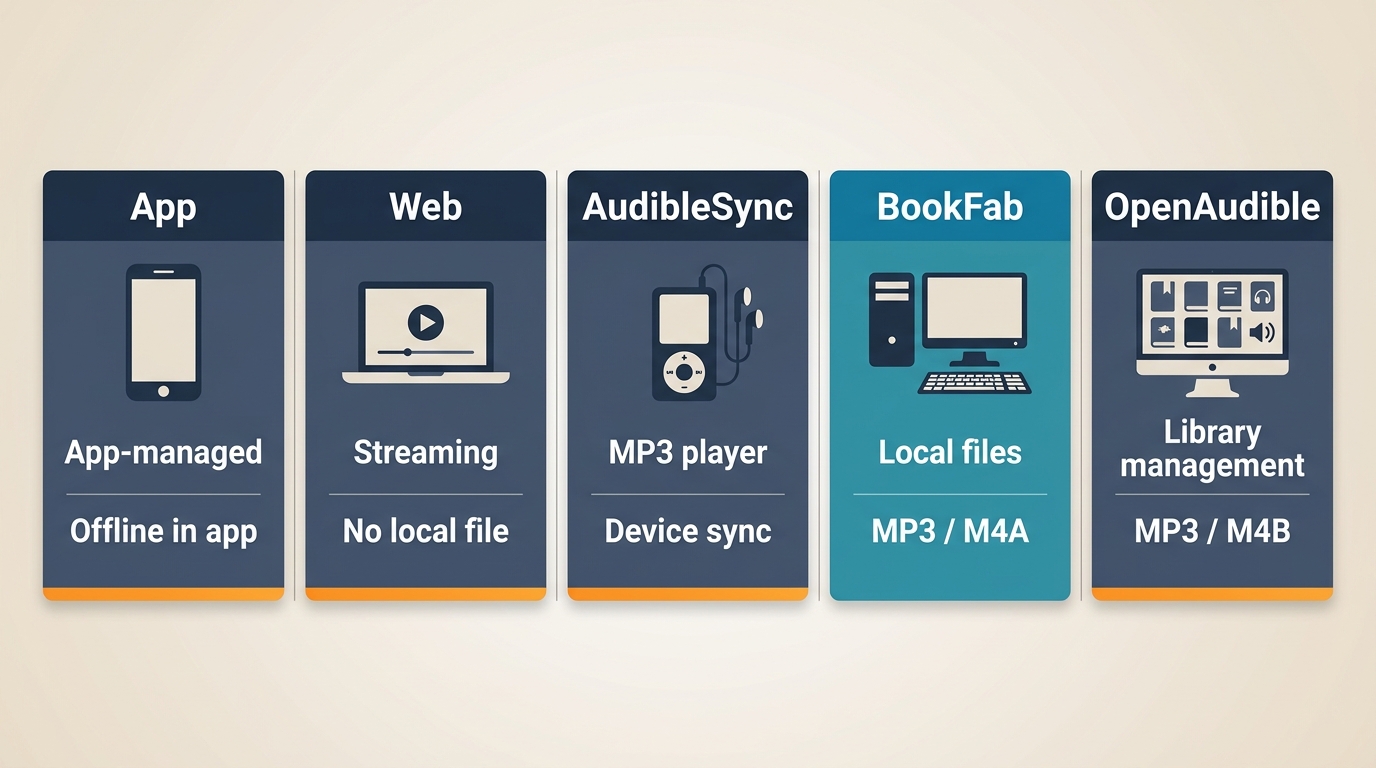
There are several ways to download Audible books to PC, but they do not give you the same type of file. Use the table below to choose the right method based on how you want to listen and manage your audiobooks.
| Method | Best fit | Access or output | Supported devices | Key limitation |
|---|---|---|---|---|
| Audible mobile app | Offline phone listening | App-managed download | iPhone, Android, Apple Watch | Not a portable audio file |
| Audible web player | Basic computer listening | Browser streaming | Windows, macOS browsers | No standard US AAX download |
| AudibleSync | External-device transfers | Supported-device transfer | Eligible MP3 players | Not a universal export |
| BookFab Audible Converter | Local personal copies | M4A, MP3, FLAC, WAV, OPUS | Windows, Mac | Authorized use required |
| OpenAudible | Large library management | MP3, M4B | Windows, macOS, Linux, Docker | Conversion license required |
AAX and AAXC are Audible-managed formats, while MP3 and M4B are portable audio formats with different playback behavior. The Audible app is the route for phones and Apple Watch, AudibleSync is limited to supported external devices, and local-file tools are the routes that suit Windows, macOS, or Linux libraries. Chromebook and Android users should not assume a reliable large-file conversion option is available. I would start with the target playback device, not the longest feature list, because chapter navigation and file compatibility are what determine whether an audiobook remains easy to resume.
Why Can't I Download Books from Audible?
If Audible cannot download a book, start with the device and listening route. Mobile failures usually involve network, storage, or app settings. On a US computer, a missing browser Download button is a platform change rather than a browser fault; account access, title eligibility, and supported-device requirements are the next checks.
📱On iPhone or Android
1. Check Wi-Fi and storage
Switch to a stable Wi-Fi connection and make sure your phone has enough free storage. If the download stops halfway, delete unused files or remove old Audible downloads, then try again from Library.
2. Check your Audible account and title access
Make sure you are signed in to the Amazon account that owns the audiobook. If the book is from the Plus Catalog or another subscription-included library, it may become unavailable after the title leaves the catalog or your membership ends.
3. Adjust download settings in the Audible app
Open Profile > Settings > Data & Storage. Try lowering Download Quality or changing Download by Parts, then return to Library and download the book again.
💻On PC
1. Use the route that matches your device
The old Audible for Windows app is no longer a reliable PC route. Use the Audible web player for computer listening, AudibleSync for a supported external device, or an authorized local-file option when you need compatible audio files. Avoid online services that promise to remove Audible DRM and ask for account credentials or require you to upload large audiobook files without a clear privacy explanation.
2. Check title access and device eligibility
Make sure the audiobook was purchased or redeemed with an Audible credit, or that it remains available through your current membership. Plus Catalog titles, Audible Originals, and region-limited titles can have different access conditions. For AudibleSync, also confirm that your external player is among Audible's supported devices.
3. Check storage and the selected listening route
Make sure your computer or connected device has enough free storage. If browser playback, AudibleSync transfer, or a local-copy task does not start, sign in again and confirm that the title is available to your account and that the selected device or format matches your listening goal.
Audible Download FAQ
Q
Can I still download Audible books directly from a US browser?
Not as the standard US browser route. The web player is for streaming, while the mobile app supports offline downloads, AudibleSync transfers to supported external devices, and authorized local-copy tools can create common audio files.
A
Q
Do purchased Audible books remain available after I cancel?
Purchased or credit-redeemed titles remain in your library. Plus Catalog titles depend on an active membership and whether the title is still included in the catalog.
A
Q
Can AudibleSync transfer books to every MP3 player?
No. AudibleSync is intended for supported external devices, not as a universal MP3 export method. Check your player's compatibility before relying on this route.
A
Q
Can I download Audible books to an Apple Watch?
Audible supports offline listening through its app on compatible Apple Watch setups. Available controls and sync behavior can vary, so use Audible's official device support information for the current requirements.
A
Conclusion
Start with the listening destination. The Audible app covers uncomplicated offline phone listening, the web player covers basic computer access, and AudibleSync serves supported external devices. For authorized content where platform terms and applicable law permit it, local-copy tools can suit listeners who need common files or a more organized audio library. BookFab Audible Converter is not intended for someone who only needs app-based listening.

 4 Easy Ways to Remove Audible DRM in 2026: Tool Reviews and TutorialBy Amber Collins - Aug 26, 2026
 How to Listen to Audible on Mac: 4 Practical MethodsBy Amber Collins - Aug 24, 2026
 9 Audible Converters for AAX to MP3: Free vs. Trial (2026)By Amber Collins - Aug 21, 2026
 Download Audible Books on Mac: Choose the Right MethodBy Amber Collins - Aug 19, 2026