Bitmap to Text: Solving Disc Subs Issues via DVDFab Custom OCR Solution

Table of Contents
A PGS or VobSub track can look correct during disc playback yet remain impossible to search, edit, or translate because every subtitle cue is stored as a bitmap rather than text. Converting that image stream into SRT requires subtitle OCR, but a general document engine may confuse outlined glyphs, compressed edges, and mixed CJK characters. The problem is character recognition while retaining each cue's timing.
This technical review examines how DVDFab adapts subtitle OCR for disc media, from mangaOCR and ViT-based feature encoding to disc-specific retraining, Beam Search decoding, language-aware correction, and SRT output. It also separates the reported performance improvements from source conditions that can still require manual review.
Why Disc Subtitles Need Specialized OCR
PGS and VobSub Store Images, Not Editable Text
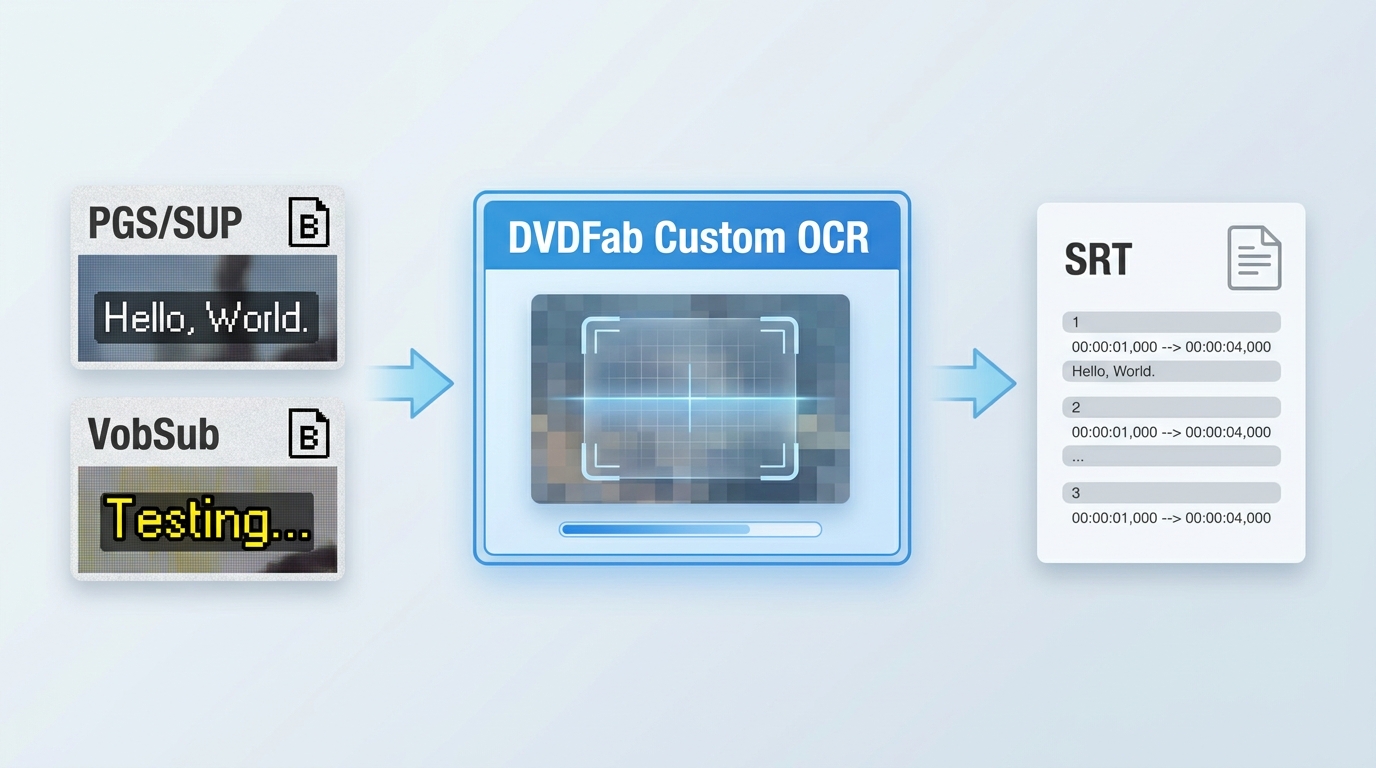
DVDs commonly store subtitles as VobSub streams, while Blu-ray and UHD Blu-ray discs normally use PGS. Both formats render subtitle cues as bitmap graphics. The player displays each image at a defined time and screen position, but the stream does not contain an editable text layer.
Changing .sup, .sub, or .idx to .srt cannot recover the words. OCR must first recognize the characters in every subtitle image and associate the result with the original cue timing.
This distinction matters when subtitles need to be searched, translated, corrected, or used by a player that accepts SRT but cannot display the original image track.
Why General-Purpose OCR Struggles with Disc Subtitles
Document OCR usually works with dark characters on a clean, evenly lit page. Disc subtitles present a different input:
- Character edges may contain compression artifacts.
- Outlines and drop shadows can merge with the glyph.
- Anti-aliasing creates several shades around one character.
- Decorative fonts can change familiar letter shapes.
- Japanese kana, Chinese characters, and mixed scripts contain visually similar glyphs.
- A short subtitle line provides less linguistic context than a document paragraph.
The source resolution also matters. A VobSub track taken from a DVD provides fewer character pixels than a PGS track from a Blu-ray, although a higher-resolution source can still contain difficult fonts, transparency, or noisy edges.
What the OCR System Must Preserve
A usable conversion needs to produce the recognized text, retain each cue's start and end time, and write the result into a text subtitle format such as SRT. These three tasks are related but separate.
SRT can preserve text and timing, but it does not reproduce the full bitmap design. Font choice, outlines, colors, exact screen coordinates, and graphic effects may be reduced or lost. The original PGS or VobSub track therefore remains the visual reference.
DVDFab OCR Architecture and Disc-Specific Model Training
The mangaOCR Vision Encoder–Decoder Foundation
DVDFab's system builds on mangaOCR, an open-source OCR model originally developed for Japanese manga text. MangaOCR uses a Vision Encoder–Decoder structure: a visual encoder reads the text image, and an autoregressive text decoder generates the character sequence.
The upstream model is useful because it was designed for Japanese text with varied fonts, horizontal and vertical layouts, low-quality images, and characters placed over graphic backgrounds. Yet manga text and optical-disc subtitles are not identical inputs. DVDFab retrains and adjusts the model with subtitle samples rather than treating the original mangaOCR model as a finished multilingual disc recognizer.
How ViT Encodes Subtitle Image Features
A Vision Transformer, or ViT, divides an input image into patches and converts them into visual tokens. Attention layers examine the relationships between those tokens, allowing the encoder to represent character strokes, spacing, edges, and surrounding image patterns.
For subtitle recognition, this representation helps separate the visible character from outlines, shadows, and compression noise. The encoder does not output the final text. It produces the visual information used by the text decoder.
The architecture also avoids treating every character as an isolated template match. Features from the complete cropped subtitle region can contribute to the generated sequence, which is useful when individual glyphs are ambiguous.
Disc-Specific Retraining and Character Expansion
DVDFab retrains the model with subtitle images drawn from DVD, Blu-ray, and UHD sources. The training material includes conditions that occur less often in clean document scans:
- Compressed or blurred character boundaries
- Colored outlines and shadows
- Low-resolution DVD subtitle graphics
- Horizontal, vertical, and multiline layouts
- Japanese kana, Chinese characters, Latin text, and mixed scripts
- Font and spacing variations found on commercial discs
The training character set is expanded for the languages used in the target subtitle material. Preprocessing parameters are also matched to the samples used during training so that the model receives a consistent image structure during recognition.
Subtitle Context and Time-Sequence Tuning
A single image may not contain enough information to resolve every similar character. DVDFab's adaptation also considers the order and continuity of subtitle cues when correcting recognition output.
This context does not replace visual recognition or perform unrestricted language understanding. It provides an additional signal for detecting improbable character sequences, inconsistent punctuation, and text breaks that do not match adjacent cues.
How the Six-Stage DVDFab Subtitle OCR Process Works
1. Input Preprocessing
The system first prepares each subtitle bitmap for recognition. It scales the input to the dimensions expected by the model and can convert the image to grayscale when color information does not help identify the characters.
Binarization is applied selectively rather than to every cue. A clean threshold can sharpen text in some sources, but an aggressive threshold may erase thin strokes or combine a character with its outline.
Noise filtering, contrast adjustment, and edge enhancement make the glyph body easier to distinguish from compression artifacts, shadows, and transparent borders. DVD, Blu-ray, and UHD inputs are normalized to a consistent model input without assuming that they contain the same amount of visual detail.
2. Subtitle Region Detection
PGS and VobSub already contain subtitle graphics, but each cue can include transparent margins, several text lines, or more than one positioned element. Region detection locates the areas that contain useful glyph information and removes empty image space.
The detected regions can then be cropped and labeled according to their reading order. Layout rules account for horizontal and vertical text, multiple lines, borders, and changes in subtitle position.
This stage reduces unrelated pixels before the recognition model processes the image. It also helps prevent separate subtitle elements from being joined in the wrong order.
3. Visual Feature Extraction with ViT
The prepared region enters the ViT encoder. Image patches become visual tokens, and the encoder maps their relationships into a sequence that describes the subtitle image.
Stroke shape, character spacing, adjacent glyphs, and edge patterns all contribute to this representation. The encoder can therefore distinguish between a character stroke and a surrounding shadow more effectively than a fixed glyph template under the same training conditions.
4. Transformer-Based Text Recognition
The text decoder reads the encoded visual sequence and generates characters one at a time. Each new character is conditioned on both the image representation and the characters already generated.
Custom character sets restrict the output space to supported symbols for the selected language or language group. This reduces irrelevant candidates and provides better coverage for kana, logographic characters, punctuation, and mixed Latin text.
The first recognition result is still a model prediction. It passes through decoding and correction stages before the subtitle file is written.
5. Beam Search Decoding
Greedy decoding selects the highest-probability character at each step. That local choice can create a weak complete sentence if an early ambiguous character sends the sequence in the wrong direction.
Beam Search keeps several candidate sequences active. At every decoding step, it expands the candidates, compares their accumulated scores, and retains the strongest options. Sequence length, repeated character patterns, and the end token can also affect the final score.
The upstream mangaOCR training configuration uses four beams, early stopping, a length penalty, and a repeated n-gram restriction. DVDFab retains Beam Search as part of its adapted recognition process, allowing the decoder to compare complete candidate sequences instead of relying on one character choice at a time.
6. Language-Aware Correction and SRT Output
The selected character sequence receives additional correction before export. Statistical language information and rule-based checks can address frequent OCR substitutions, invalid punctuation combinations, repeated symbols, and spacing errors.
Cue order and timing data are then restored. Long lines can be divided according to subtitle formatting rules, and the final text is written with start and end timestamps in SRT format.
Language-aware correction cannot restore a stroke that is absent from the source image. A final review remains relevant for names, technical terms, stylized lettering, mixed languages, and heavily compressed subtitles.
Performance Evaluation and Reported Results
Evaluation Scope
DVDFab's internal evaluation compares its disc-trained mangaOCR adaptation with a standard OCR baseline, including Tesseract. The evaluated material contains English-dominant and East Asian subtitle samples, with particular attention to mixed scripts, decorated fonts, compressed edges, and visually complex cues.
The reported accuracy figures apply to those test samples. Disc resolution, subtitle language, font design, preprocessing settings, and the definition of an error can change the measured result.
A complete comparison should keep the source images, character set, preprocessing conditions, and scoring method consistent. Character-level accuracy, subtitle-line accuracy, and the percentage of cues requiring correction are different measurements and should not be presented as interchangeable.
Recognition Accuracy
DVDFab reports a 15%–20% improvement in overall recognition accuracy over the standard OCR tools used in its evaluation. The largest differences appeared in Japanese, Chinese, mixed-language, and visually complex subtitle samples.
The improvement is attributed to disc-specific training data, expanded character coverage, subtitle image preprocessing, sequence decoding, and correction based on subtitle context. A cleaner Latin subtitle with a conventional font may leave less room for improvement than a compressed CJK subtitle with outlines and shadows.
Error-Rate Reduction
The same evaluation reports that generic OCR errors can reach 30% or more in selected samples containing dense effects, decorative fonts, or heavy compression. DVDFab's adapted system kept the error rate below 10% under the comparable conditions used in that test.
These values describe the evaluated set rather than a fixed rate for every disc. A damaged bitmap, a missing character stroke, or an unsupported symbol can still produce an incorrect result regardless of the decoder.
Manual Correction Workload
Recognition accuracy affects more than the number of spelling mistakes. Every error in a long subtitle stream can require the user to locate the cue, compare it with the image, correct the text, and check the timing.
DVDFab reports that its OCR process reduced correction work by more than 50% in the evaluated cases. For a two-hour title, the reported review time fell from several hours to less than one hour.
The remaining work depends on the source. Proper names, stylized captions, mixed scripts, vertical text, and damaged glyphs deserve closer review even when most dialogue is recognized correctly.
Cases That Still Need Manual Review
| Source condition | Likely OCR problem | Recommended check |
| Low-resolution VobSub | Missing or joined character strokes | Compare thin letters and punctuation with the bitmap |
| Heavy outline or shadow | Outline interpreted as part of the glyph | Check similar letters and repeated symbols |
| Japanese or Chinese names | Visually similar character selected | Review names against the original cue |
| Mixed-language line | Incorrect character-set transition or spacing | Check script changes and Latin abbreviations |
| Decorative or vertical text | Wrong reading order or line split | Compare sequence and layout manually |
| Damaged subtitle image | Character information absent from the source | Retain the original graphic track as reference |
From Recognized Text to Usable SRT Subtitles
What SRT Preserves
The OCR result can be written as an SRT file containing numbered cues, recognized text, and start and end timestamps. Text-based output can be searched, edited, translated, spell-checked, and displayed by software or devices that support SRT.
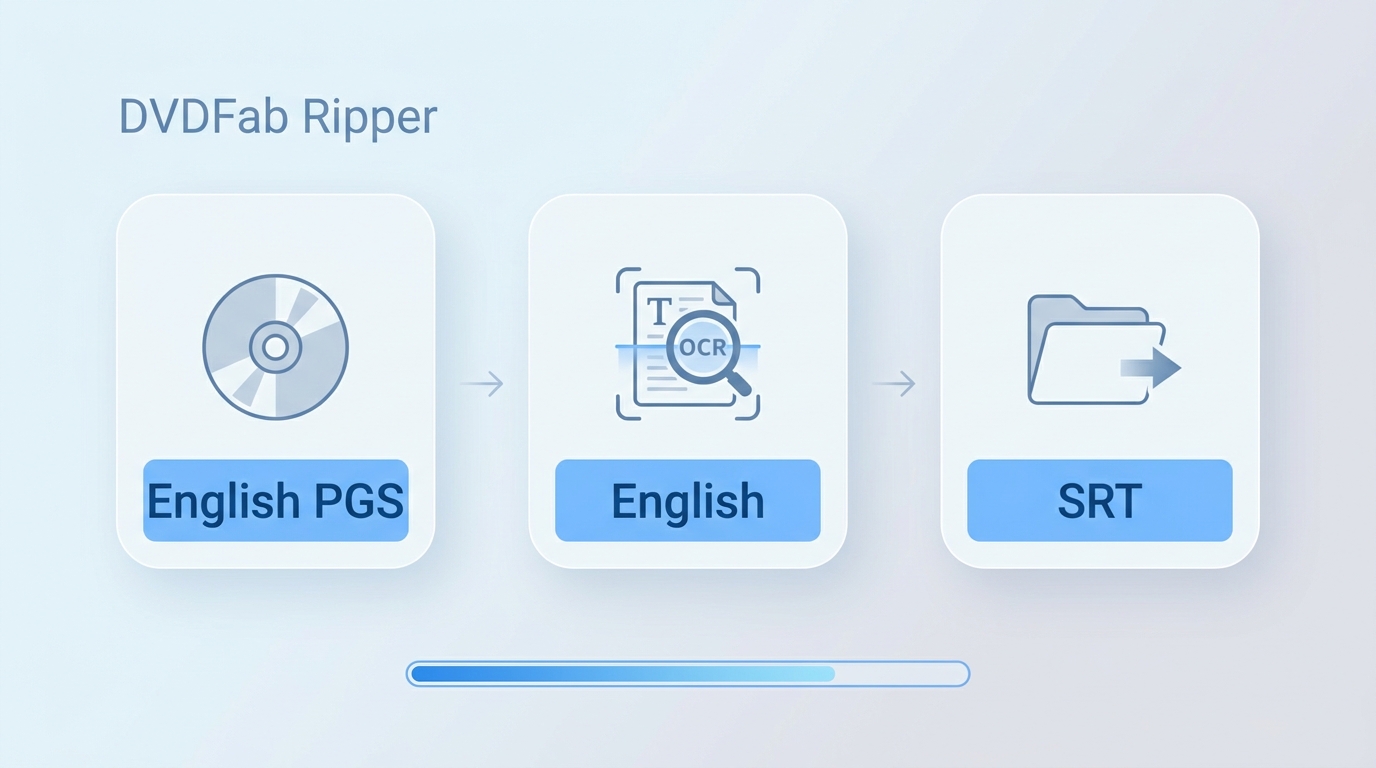
DVDFab added OCR-based extraction for DVD, Blu-ray, and UHD Blu-ray subtitles in its Ripper modules. With compatible MP4 and MKV conversion profiles, the recognized subtitles can be written or remuxed as SRT through the subtitle settings.
What SRT Does Not Fully Preserve
SRT is designed around text and timing. It does not provide the same graphic model as PGS or VobSub.
A converted SRT file may therefore lose:
- The original typeface
- Character outlines and shadows
- Exact colors and transparency
- Screen coordinates
- Complex vertical or multi-position layouts
- Graphic symbols not represented in the character set
Users who need the original presentation should retain the PGS or VobSub stream. SRT is preferable when editable text and player compatibility matter more than matching the disc's subtitle artwork.
OCR, Speech Recognition, and Translation Are Different Technologies
| Technology | Input | Main operation | Typical output |
| Subtitle OCR | Existing PGS or VobSub images | Recognizes visible characters | Editable SRT text |
| AI Subtitle Generator | Spoken audio | Transcribes speech | Newly generated SRT |
| Subtitle translation | Existing subtitle text | Converts text into another language | Translated subtitle text |
OCR does not translate the recognized language automatically, and it cannot generate dialogue that is absent from the subtitle images. Audio transcription is the appropriate process when a disc has no subtitle track.
Product and Source Boundary
The source disc, subtitle stream, and selected subtitle mode affect the result. For example, selecting a forced-subtitle-only option when the chosen stream contains no forced cues can produce an empty subtitle output even though the complete subtitle stream is visible.
Users should inspect the available subtitle tracks before conversion and review the exported SRT against a representative part of the original bitmap track. Disc extraction should be limited to content the user owns or is authorized to process, subject to applicable local law.
FAQs
Does subtitle OCR automatically translate the extracted text?
No. OCR converts visible characters into text in the source language. Translation requires a separate text-translation stage after recognition.
Why can two discs in the same language produce different OCR results?
The discs may use different resolutions, compression levels, fonts, outlines, spacing, or source masters. These visual differences change the information available to the recognition model even when the language is identical.
Should I keep the original PGS or VobSub track after exporting SRT?
Yes, when storage permits. The original bitmap track preserves the disc's visual styling and provides a reference for checking names, symbols, formatting, and difficult characters.
Is DVDFab subtitle OCR the same as AI Subtitle Generator?
No. Subtitle OCR reads an existing image-based subtitle track, while AI Subtitle Generator transcribes spoken audio when a suitable subtitle track is unavailable.
Conclusion: Disc-Trained OCR Reduces the Hardest Recognition Errors
Disc subtitles require more than a general document OCR engine. PGS and VobSub combine compressed glyphs, outlines, varied fonts, complex scripts, and cue timing in a form that contains no editable text layer.
DVDFab adapts the mangaOCR Vision Encoder–Decoder structure with ViT feature encoding, disc-specific retraining, expanded character coverage, Beam Search, subtitle context, and language-aware correction. The reported evaluation indicates lower error rates and less correction work under the tested conditions.
The output should still be checked where the source contains damaged glyphs, stylized lettering, names, vertical text, or mixed scripts. Keep the original bitmap track and compare a representative section before relying on the complete SRT file.

 4 Free DVD Rippers for Windows 10/11: Best Tools & Step-by-Step GuideBy Diana Smith - Oct 13, 2026
![How to Convert DVD to AVI Free: 3 Current Options [2026]](https://images.dvdfab.cn/artifact/2026/09/17/2HqH4KgGwIXxwkHdUUZtp0D98DCpL4gS/feature_cover.jpg) How to Convert DVD to AVI Free: 3 Current Options [2026]By Diana Smith - Oct 12, 2026
How to Convert DVD to AVI Free: 3 Current Options [2026]By Diana Smith - Oct 12, 2026 How to Copy DVD to Computer on Windows & Mac: Rip and Direct CopyBy Wenny Yan - Oct 12, 2026
 Free DVD Decoder for Windows XP and Windows 11: 3 Ways to Play DVDsBy Diana Smith - Sep 23, 2026