WinX DVD Copy Pro Review 2026: Tests, Guide, and Alternative

Summary: WinX DVD Copy Pro is a Windows-only tool for copying DVDs to disc, ISO, or VIDEO_TS folders. It offers nine copy modes and supports protections such as CSS and RCE, but lacks macOS support, strong compression, and modern format conversion. DVDFab DVD Copy is a fuller alternative with Windows and Mac support, DVD-9 to DVD-5 compression, more copy modes, and broader protection handling.
Table of Contents
For users who are looking for a way to copy their DVDs, WinX DVD Copy Pro is probably a familiar name. But is it really worth buying? Are its features solid and easy to use? In this WinX DVD Copy Pro review, I'll address all your questions about the software and walk you through the full picture of WinX DVD Copy Pro from multiple angles, including features, limitations, user ratings, and its best free alternative.
WinX DVD Copy Pro Review: Introduction and Complete Guide
Winx DVD Copy Pro is a very renowned software used on Windows only to copy any DVD disc to another blank DVD or you can save it to your computer as an ISO image file or Video-TS folder. While copying DVDs, Winx gives 1:1 quality without any data loss. The copied DVD can be stored on the hard drive, cloud storage, external drive, or something else. WinX can handle all the common DVD formats, such as DVD-5, DVD-9, etc. It lets you copy DVD-9 to DVD-9 or DVD-5 to DVD-5 with lossless quality.
OS: Windows 11, 10, 8/8.1, 7, Vista, XP, 2003, and 2000, including 32-bit and 64-bit systems
Features of WinX DVD Copy Pro
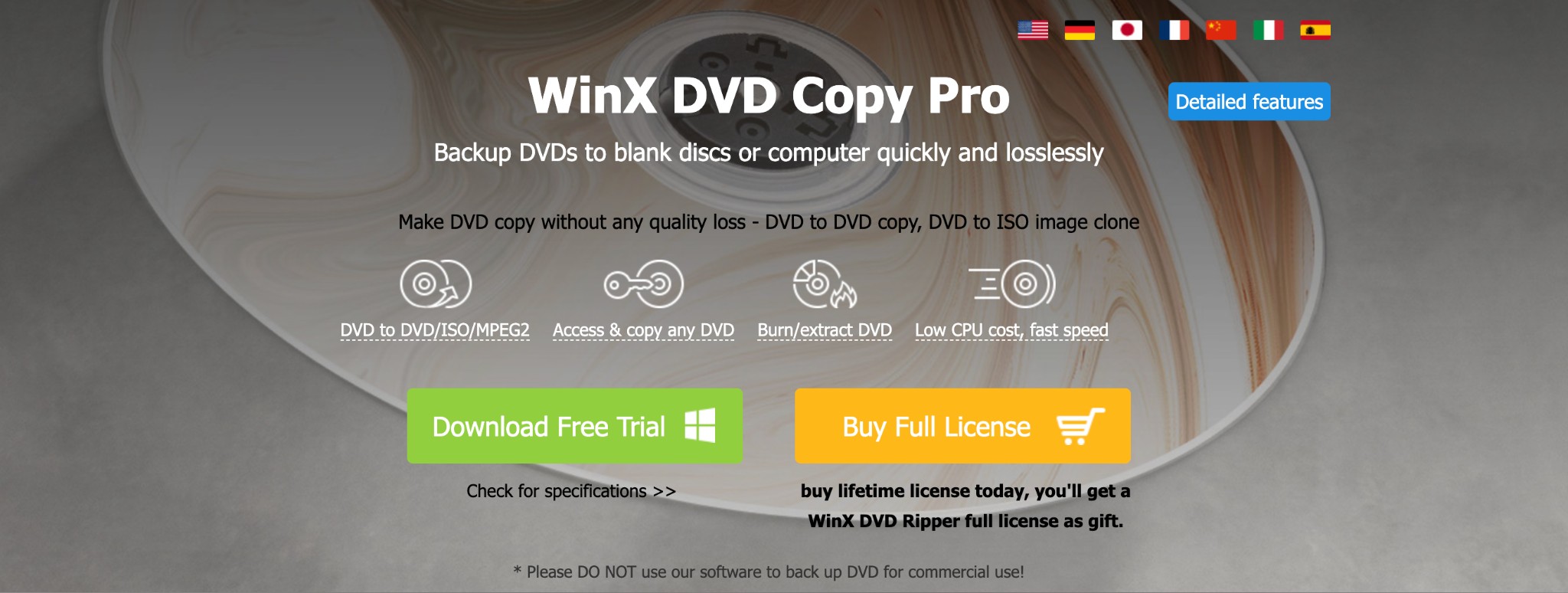
- Remove common DVD protections, including CSS, APS, RCE, UOPs, Sony ARccOS, and Disney X-project DRM, according to its official specifications.
- Create 1:1 DVD copies or choose from nine backup and disc-processing modes, including DVD to DVD, DVD to ISO, DVD to VIDEO_TS folder, ISO mounter, and DVD burner.
- Retrieve DVD information online through the built-in DVD Info Display feature and online DVD database.
- Handle bad sectors and damaged sectors during the copying process, though the result still depends on the disc condition and optical drive.
- Copy DVDs to MPEG-2 while keeping the original video, audio tracks, and chapter information.
Limitations of WinX DVD Copy Pro
- No listed Mac, Linux, or Blu-ray copy support.
- No DVD-9-to-DVD-5 compression or unattended multi-source queue.
- Damaged-disc recovery depends on the disc, drive, and Windows environment.
- The free trial only copies the first five minutes of a DVD.
Pricing, Trial, and License Terms of WinX DVD Copy Pro
Pricing and rating data in this article use a July 2026 snapshot. The two WinX plans differ more by device allowance and renewal model than by the small headline price gap.
| Plan | Official US Price | Device Allowance | Term | Purchase Consideration |
| Standard | $34.95 | Three PCs | One year, with yearly auto-renewal | Fits annual use across several Windows computers |
| Premium | $42.95 | One PC | Lifetime license | Fits longer-term use on one Windows computer |
The refund policy is conditional rather than an unconditional promise. The trial copies only the first five minutes, which is enough to inspect the interface but not enough to validate a complete disc workflow, final burn, or long-read behavior.
How to Copy DVD to DVD Using WinX DVD Copy Pro
Step 1: Download, install, and launch WinX DVD Copy Pro on your Windows computer.
Step 2: Choose the Clone DVD to DVD option, then select the Source DVD and Target DVD Burner.
WinX does not automatically load every disc or file type into the workflow. In many cases, users need to add the source manually, and drag-and-drop file addition is not part of the main copy process.
Step 3: Click Browse to select a temporary folder. The folder should have enough free space for the source DVD data before burning starts.
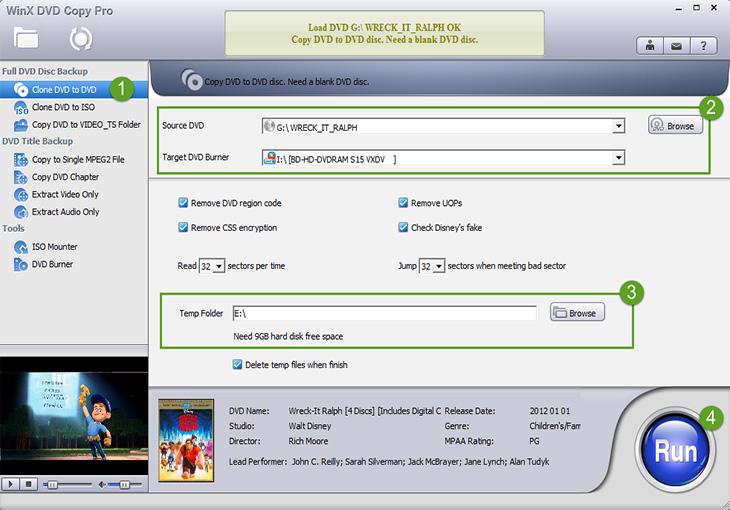
Step 4: Check the optional settings you need, such as removing the DVD region code, UOPs, CSS encryption, or Disney's fake titles.
Step 5: Click Run to start the DVD-to-DVD copying process. If you are using two optical drives, choose Burn when prompted.
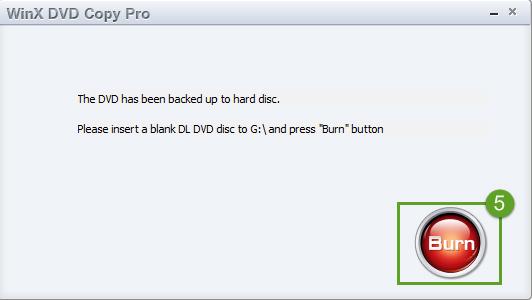
Step 6: If your computer has only one optical drive, WinX will first back up the original DVD content to the temp folder. After the backup is complete, insert a blank DVD and select Burn to finish the copy.
Product Rating and User Feedback of WinX DVD Copy Pro
To keep this WinX DVD Copy Pro review objective, I collected recent user ratings, comments, and feedback on this DVD cloner so you can understand both its strengths and its common complaints.
WinX DVD Copy Pro Rating
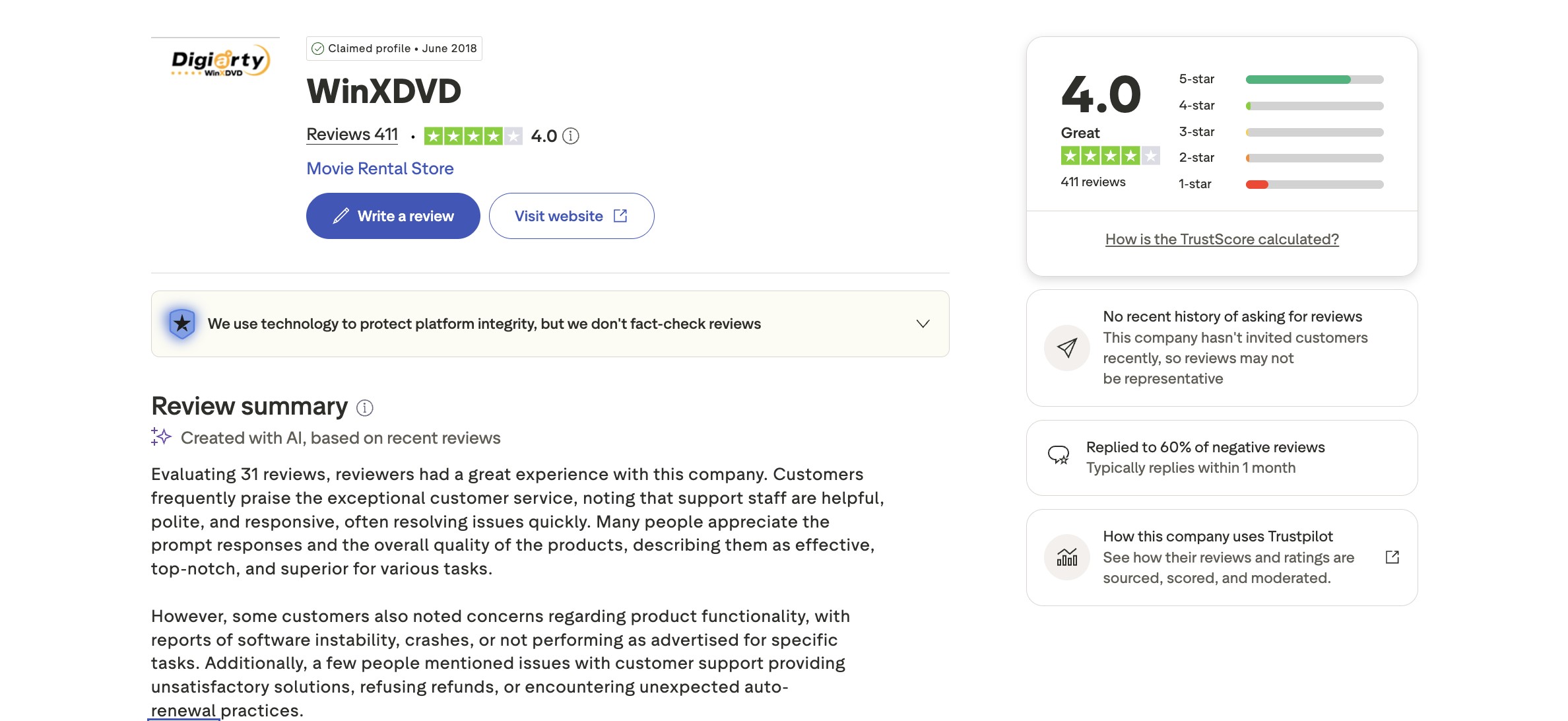
Source: Trustpilot (queried in July 2026).
WinX has a rating score of 4.0 out of 5 on Trustpilot, based on 411 user reviews. 80% of these users awarded WinX a rating above 3 stars, which suggests that many users are satisfied with the software for everyday DVD backup tasks.
At the same time, about 16% of users gave it a 1-star rating. Their reviews mention issues such as the software not meeting expectations, support concerns, refund problems, or technical failures with certain DVDs. The following section summarizes the main user feedback patterns.
User Feedback of WinX DVD Copy Pro
User reviews of WinX DVD Copy Pro are mixed but useful. Many users like its simple Windows workflow and basic DVD copy results, while negative reviews focus more on support, refunds, and copy failures with certain discs. The table below summarizes the main patterns before we look at the review screenshots.
| Feedback Type | What Users Mention |
| Positive | Simple interface, smooth DVD copy process, and easy ISO or full-disc backup |
| Positive | Supports common DVD copy workflows such as full disc, main title, ISO image, and DVD folder |
| Positive | Some users report stable copying with ordinary discs |
| Negative | Support and refund complaints appear in some low-star reviews |
| Negative | Some reviews mention freezing, stopping, or failing before the copy finishes |
| Negative | Windows-only program with no listed Mac support or DVD-9 to DVD-5 compression |
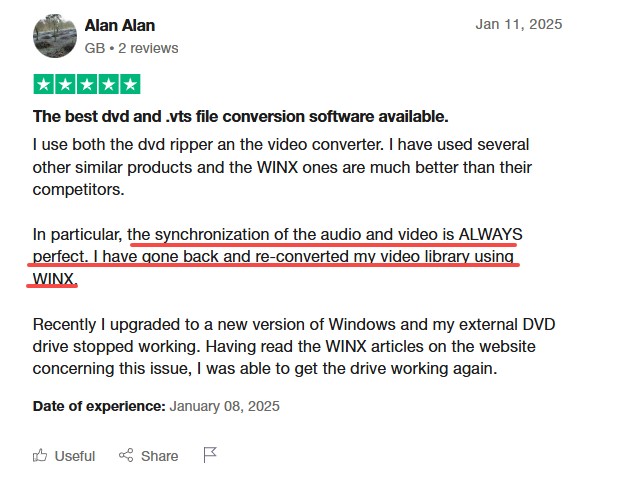
Many users like WinX DVD Copy Pro because it is simple and works well for everyday DVD copy tasks. They often mention that the interface is easy to understand, so beginners can start with common options such as cloning a full disc, copying the main title, or creating an ISO image.
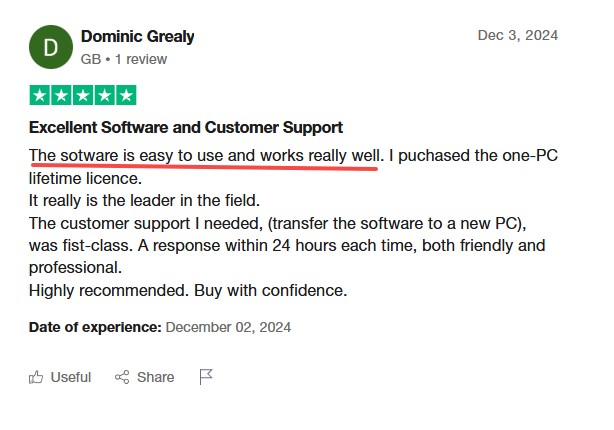
Users also appreciate its practical backup options. WinX DVD Copy Pro can clone a full disc, copy only the main movie, create an ISO image, or save a DVD folder. For users who only need a Windows-based DVD copy tool for ordinary discs, this can be enough.
Not all feedback is positive. Some users complain about customer service, saying responses can be slow or not helpful enough when they ask for support or refunds.
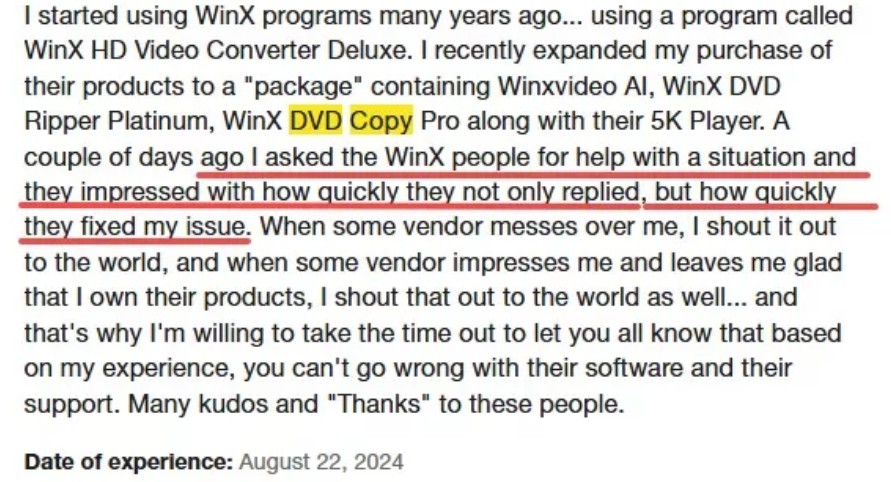
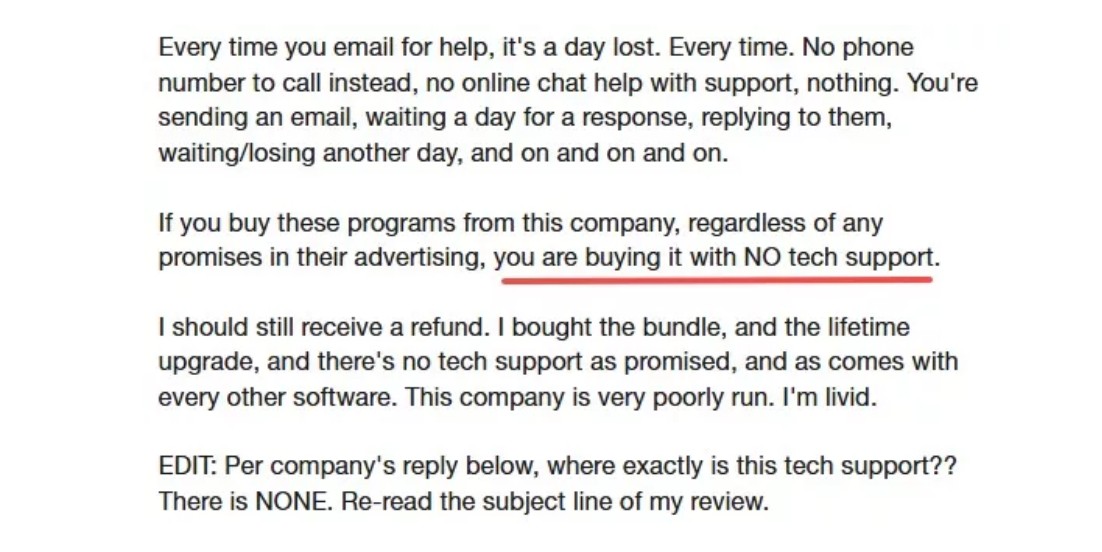
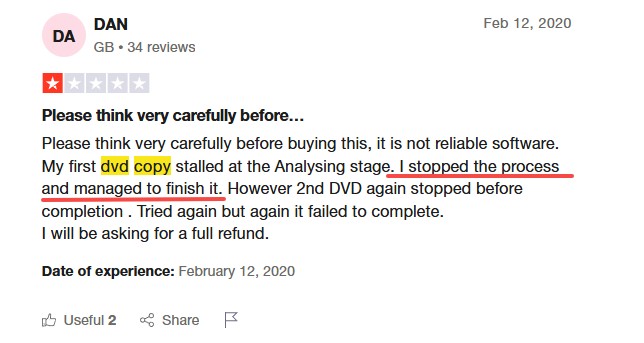
There are also Trustpilot reviews saying that the copying process may stop, freeze, or fail before completion, especially with certain DVDs. This does not mean every user will face the same issue, but it shows that disc condition, copy protection, optical drive quality, and system environment can affect the final result.
So, WinX DVD Copy Pro remains a practical Windows tool for basic DVD backup tasks. However, if you need to overcome these limitations, DVDFab DVD Copy is a more advanced alternative to consider.
The Advanced Alternative to WinX DVD Copy Pro: DVDFab DVD Copy
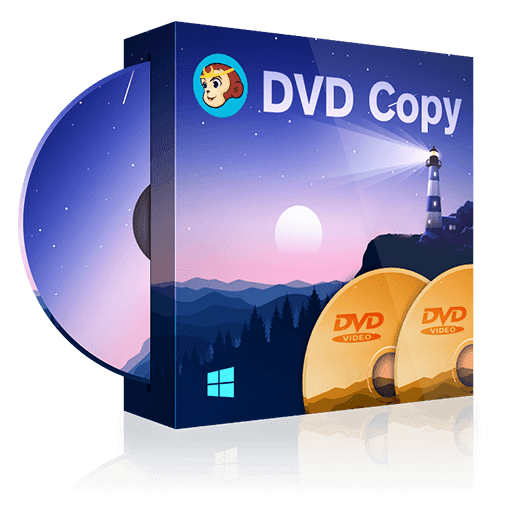
DVDFab DVD Copy is a professional DVD copy program for Windows and Mac that can copy DVDs to blank discs, ISO files, or folders. It provides six copy modes, DVD-9 to DVD-5 compression, and cloud-assisted support for updated DVD protections.
DVDFab DVD Copy is not just a basic DVD-to-DVD copier. Its main value is that it gives users more control over the backup process: you can keep the full disc structure, copy only the main movie, clone or burn a disc, split one DVD-9 into two DVD-5 discs, merge multiple sources, or customize titles, chapters, audio tracks, and subtitles. For users who manage more than one DVD, DVDFab can add multiple tasks to a queue and process them in sequence.
Supported OS:
Free Download Windows 11/10/8.1/8/7
Free Download macOS 10.13 - 15.x
Why DVDFab DVD Copy Is a Stronger WinX DVD Copy Pro Alternative
After reviewing WinX DVD Copy Pro, I found that DVDFab DVD Copy offers a more complete set of features. The comparison below is based on my analysis of both tools.
| Decision Factor | WinX DVD Copy Pro | DVDFab DVD Copy |
| Supported operating systems | Windows | Windows 11/10/8.1/8/7 and macOS 10.13–15.x |
| New-disc update approach | Supports common protections listed in its specifications | Cloud-assisted updates for supported newly released DVDs |
| Disc, ISO, folder, and extraction outputs | DVD, ISO, VIDEO_TS, MPEG-2, and track extraction | DVD-5, DVD-9, ISO, and folder structure |
| Compress DVD-9 to DVD-5 | NO | Supported |
| Copy modes | Disc, title, ISO, folder, extraction, and burn-related workflows | Full Disc, Main Movie, Clone/Burn, Merge, Split, and Customize |
| Multi-source task queue | NO | Multiple tasks can be added and processed in sequence |
| Best replacement scenario | Basic Windows DVD copy tasks | Windows and Mac users, DVD compression, custom copy modes, batch copying, and newer protected DVDs |
In terms of user ratings, DVDFab DVD Copy gets more positive feedback and fewer negative reviews than WinX DVD Copy Pro. Many users praise DVDFab for being reliable, feature-rich, and able to handle even difficult or heavily protected DVDs. By contrast, WinX DVD Copy Pro receives more complaints, especially about stability issues and problems working with newer copy protections.
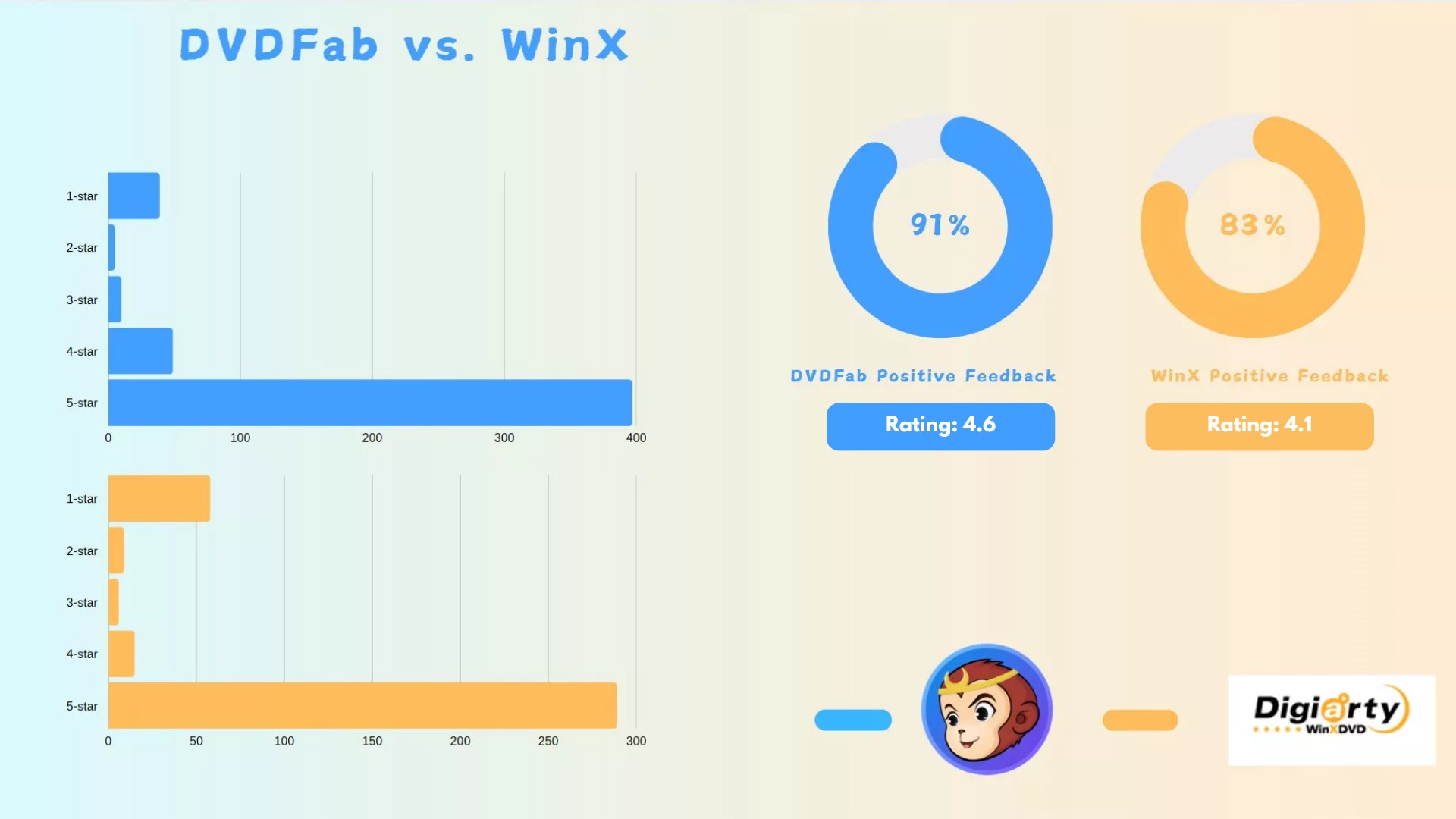
In short, DVDFab DVD Copy is the best WinX DVD Copy Pro replacement for users who need Mac support, DVD-9 to DVD-5 compression, more copy modes, batch copying, or better handling of newer protected DVDs. If you only copy an ordinary DVD on Windows once in a while, WinX may be enough. If you need a more complete DVD copy workflow, DVDFab is the better long-term choice.
How to Copy DVD to DVD Using DVDFab DVD Copy?
Step 1: Download and launch DVDFab on your Windows or Mac computer. Open the Copy module.
Free Download Windows 11/10/8.1/8/7
Free Download macOS 10.13 - 15.x
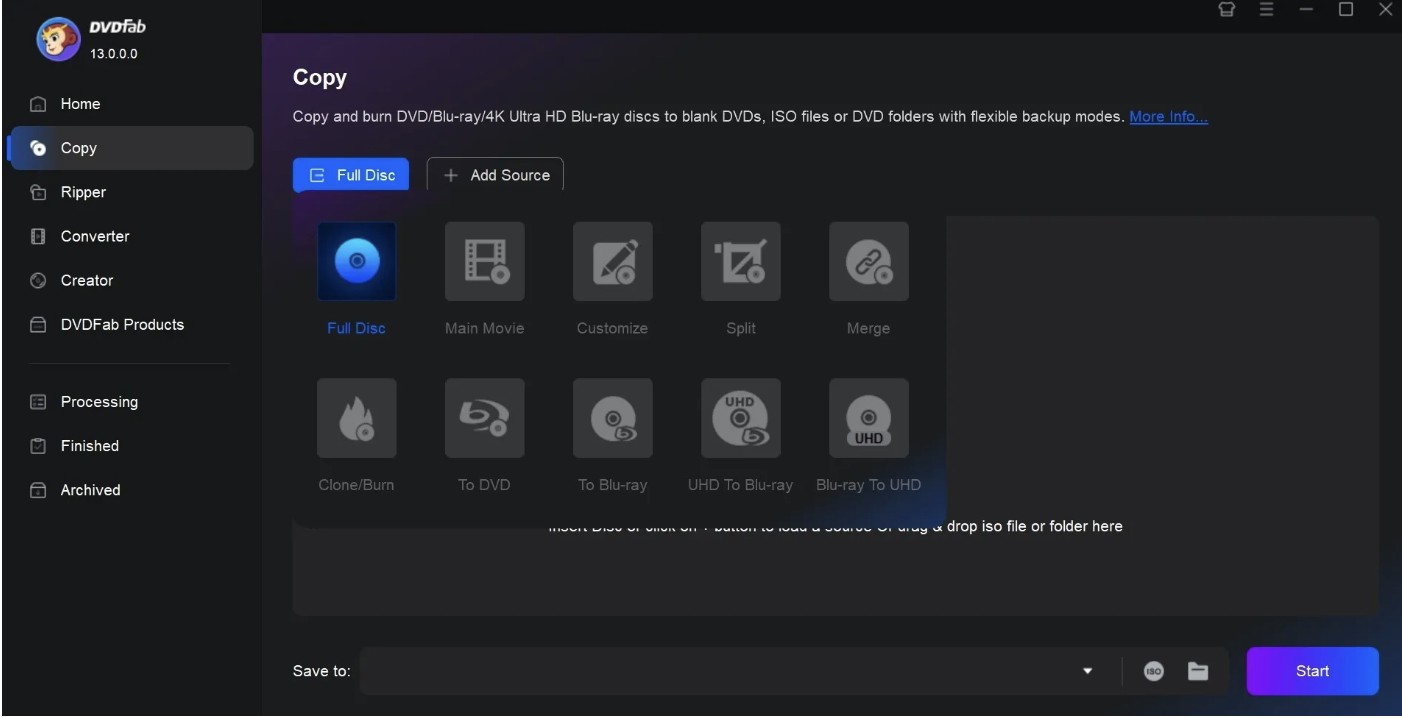
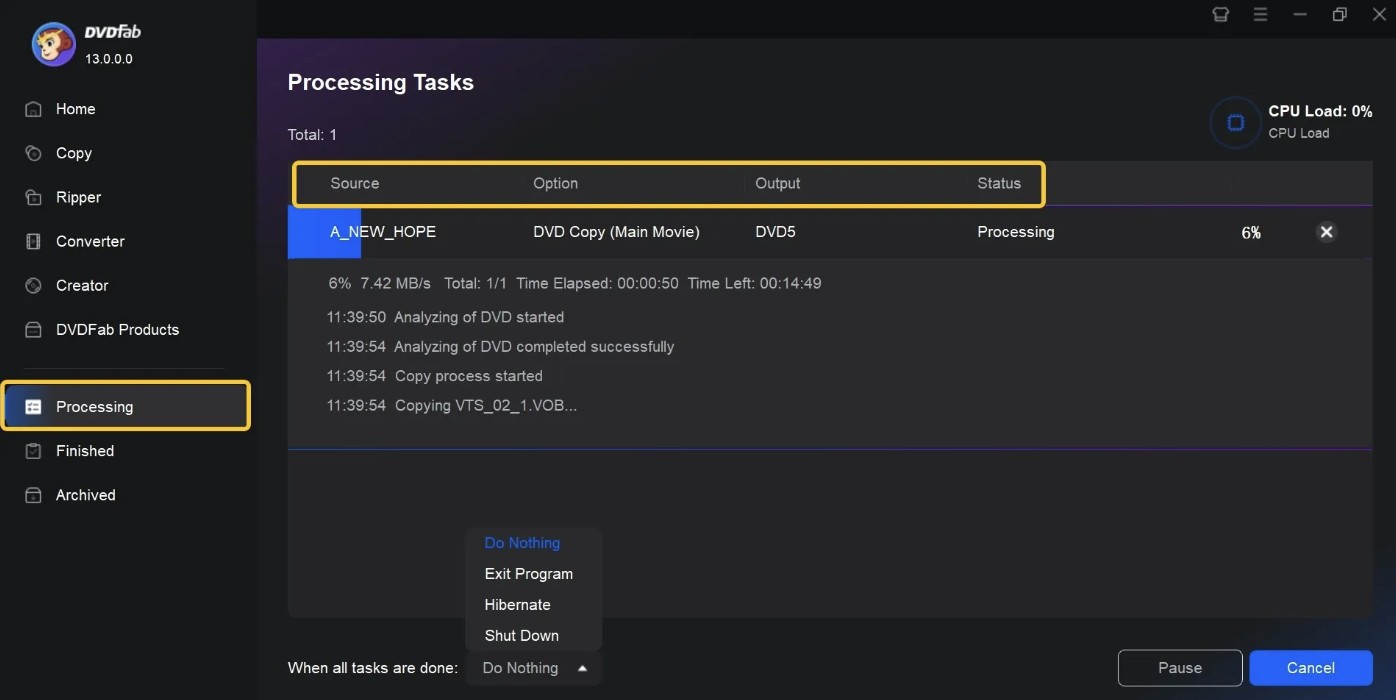
Step 2: Insert the source DVD, or drag an ISO file or DVD folder into the main interface. Then choose a copy mode such as Full Disc, Main Movie, Clone/Burn, Split, Merge, or Customize.
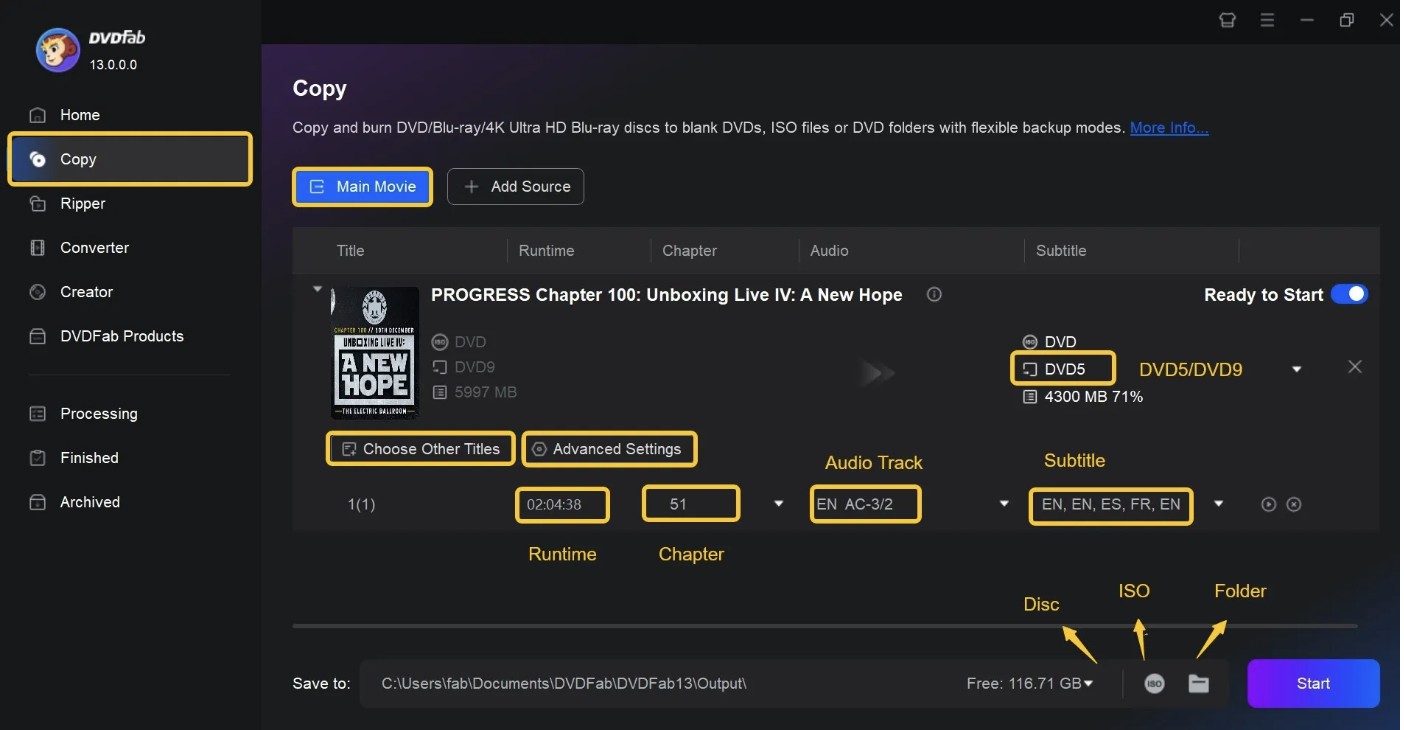
Step 3: Adjust the output settings. You can choose DVD-9 or DVD-5, keep selected chapters, audio tracks, and subtitles, or save the result as a blank disc, ISO file, or DVD folder.
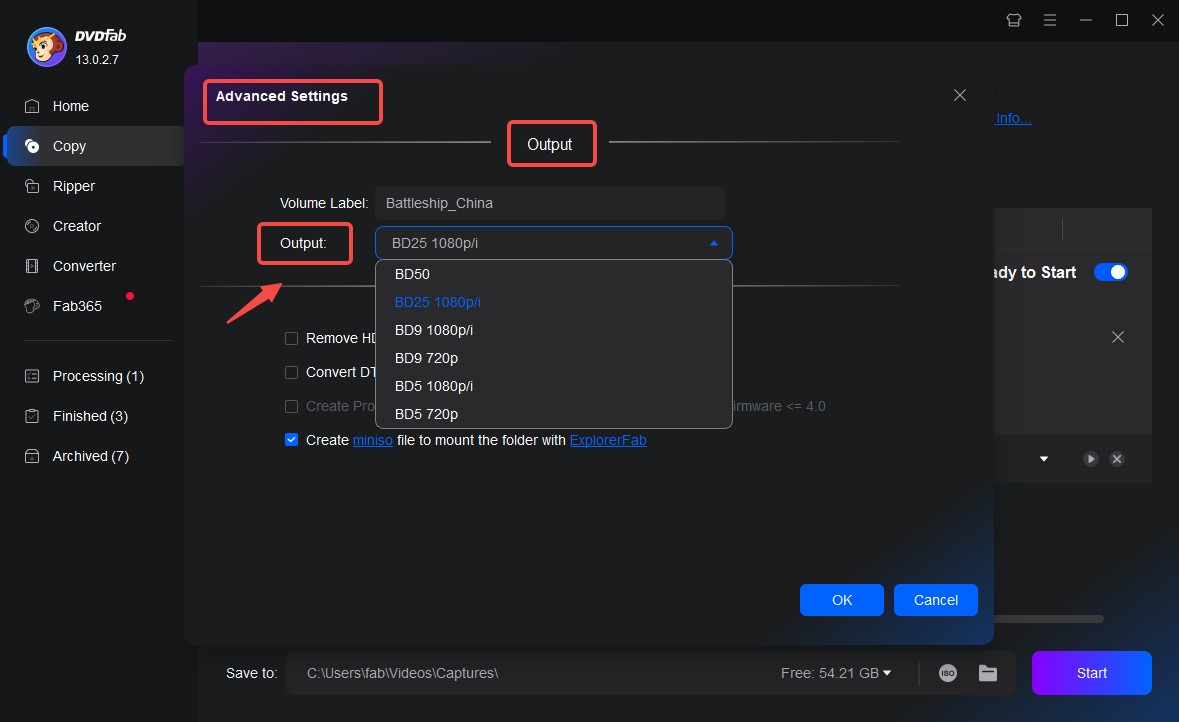

Step 4: Select the output directory and click Start. If you are copying to a blank disc, choose your optical drive as the output target.
FAQs
Is WinX DVD Copy Pro free?
No, WinX DVD Copy Pro is not free. It has a free trial, but the trial version only lets you copy the first five minutes of a DVD. To use the full DVD copy workflow without that limit, you need a paid license.
How long does WinX DVD Copy Pro take to copy a DVD?
The copy time depends on your CPU, optical drive speed, blank disc quality, source disc condition, and selected copy mode. Some tests and reviews report DVD copy times around 12 to 17 minutes, but actual results can be shorter or longer.
How much free storage is required to prepare temporary files in DVD copying software?
For DVD copying, the safe amount depends on the source disc size and workflow. WinX DVD Copy Pro asks users to prepare at least 9 GB for temporary files in its DVD-to-DVD copy process, while other DVD copy tools may need more space depending on whether the source is DVD-5, DVD-9, ISO, or folder output.
What happens to my license when I replace my PC?
The outcome depends on the purchased plan and its device allowance. A replacement PC may require reactivation through WinX support, so keep the purchase record and license details available.
Conclusion
This review has covered the main features, workflow, and limitations of WinX DVD Copy Pro. It remains a practical choice for basic DVD backups on Windows, while users who need macOS support, DVD compression, or additional copy modes may prefer DVDFab DVD Copy or another alternative. The right choice depends on your operating system, disc type, preferred output, and backup needs.

 How to Copy DVD on Mac: 6 Tested DVD Copy Software for Mac in 2026By Wenny Yan - Oct 26, 2026
 How to Rip DVD to ISO on Windows 10/11 and Mac in 2026By Wenny Yan - Oct 12, 2026
![11 Best ISO Creators to Create ISO File on Windows & Mac [2026 Updated]](https://images.dvdfab.cn/artifact/2026/10/09/DVxGGdRFZrckamUXZ3-uk9NfbC6bsZr3/feature_cover.jpg) 11 Best ISO Creators to Create ISO File on Windows & Mac [2026 Updated]By Wenny Yan - Oct 9, 2026
11 Best ISO Creators to Create ISO File on Windows & Mac [2026 Updated]By Wenny Yan - Oct 9, 2026 8 Best Free ISO Burners for Windows and Mac in 2026: Tested PicksBy Diana Smith - Sep 16, 2026