Explore the Features of DVDFab DVD Cinavia Removal
Complete Solution
Remove Cinavia Watermarks Permanently
When playing Cinavia-protected DVDs, you may experience muted audio or playback interruptions accompanied by on-screen warnings.
DVDFab DVD Cinavia Removal offers a permanent solution, removing Cinavia watermarks automatically from DVD audio tracks while preserving high-quality AC3 output. This ensures uninterrupted playback and permanent protection against future updates.

High-Quality Output
Produce High-Quality AC3 Audio Tracks
If Cinavia protection prevents you from enjoying your favorite DVDs, DVDFab DVD Cinavia Removal provides a reliable solution that preserves high-quality audio output.
Its intelligent algorithm detects and removes Cinavia watermarks from audio tracks in both Main Movie and Full Disc copy modes, restoring the original audio and producing near-lossless AC3.

Flexible Copying
Improve the Performance of the DVD Copy Module
Backing up DVDs—including trailers and special features—can be challenging when Cinavia protection is present.
DVDFab DVD Cinavia Removal improve the performance of the DVD Copy module by enabling seamless removal of Cinavia watermarks in both Main Movie and Full Disc modes. This enhancement ensures you can make complete, hassle-free backups without any restrictions.

Multi-Device Support
Remove Cinavia on All Devices for Unrestricted Playback
Since February 1, 2012, most consumer Blu-ray players have included Cinavia watermark detection, which can restrict playback. DVDFab ensures complete removal of Cinavia watermarks, allowing seamless playback even on the latest Blu-ray players.
The software is highly compatible with all Cinavia-affected devices, including DVD, Blu-ray, and UHD players, as well as PS3, PS4, and more. After removal, discs can be played without restriction.




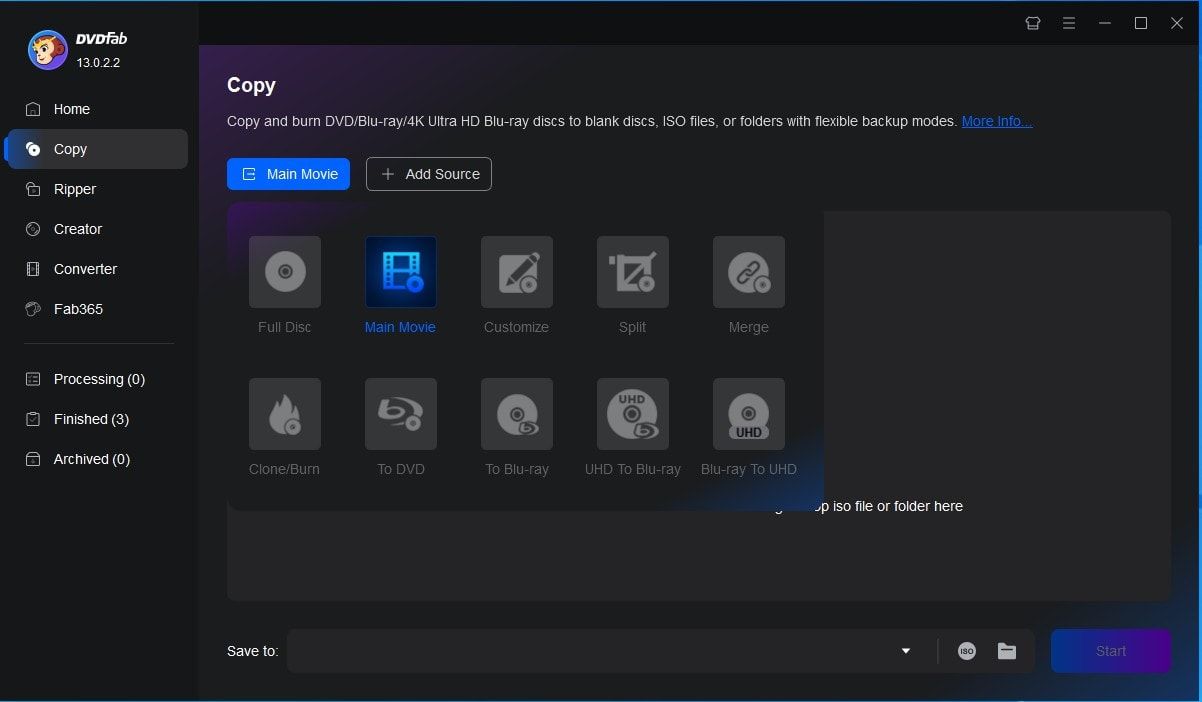
Step 1. Launch DVDFab 13 and Navigate to the Copy Module
After installing the latest version of DVDFab 13, launch the software and select Main Movie or Full Disc mode in the Copy module. Then, insert the Cinavia-affected DVD into your DVD drive for reading and analysis.
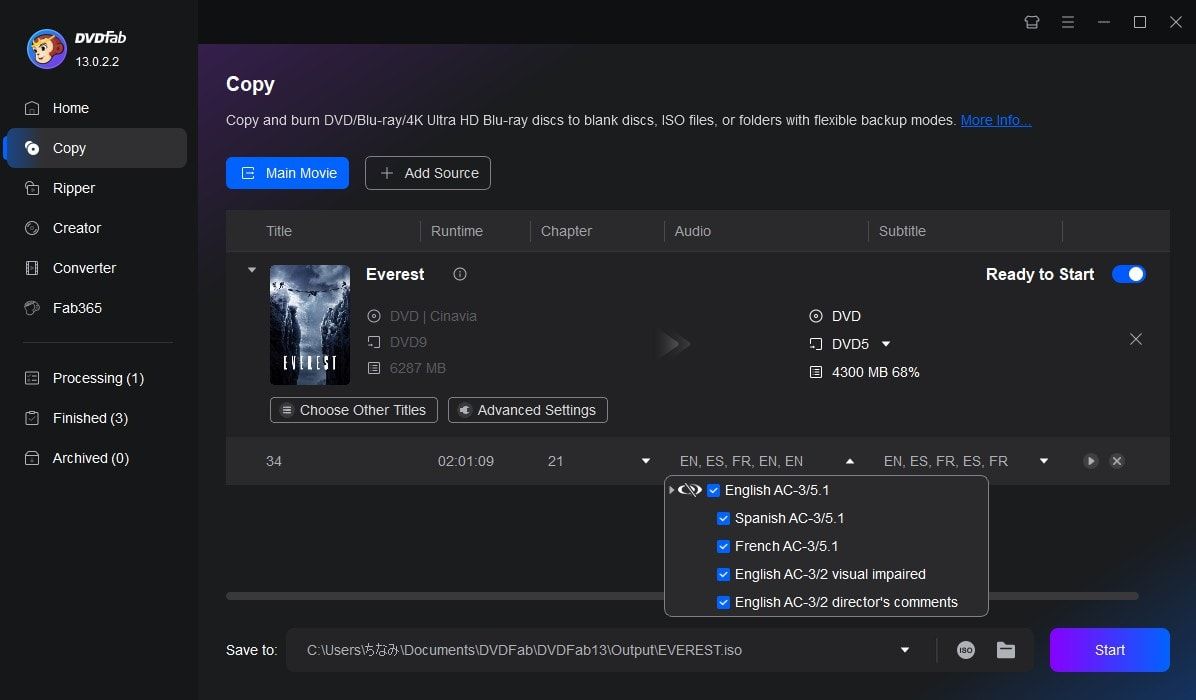
Step 2. Select the Audio Track with the Cinavia Watermark
After DVDFab reads and analyzes the DVD disc, select the audio track marked with the Cinavia watermark in the audio section. Click the Cinavia logo to ensure a slash appears over the icon, indicating the watermark will be removed.
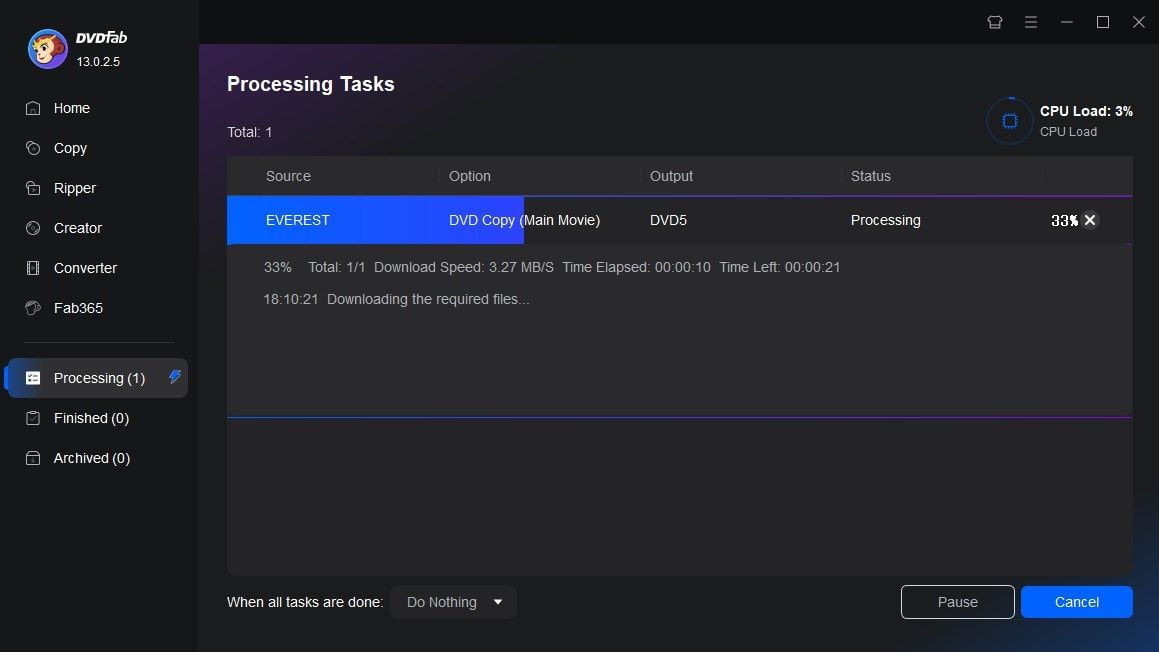
Step 3. Start the Removal Process
Once all settings are configured, click the Start button to begin removing the Cinavia watermark. Progress details will be displayed throughout the removal process.
You May Be Interested in These Items
Back up DVDs to blank DVD9/DVD5 discs, ISO files, or folders with up to 6 backup modes.
Convert DVDs to popular videos and audio formats for playback on mobile and portable devices.
Upscale and convert the regular DVDs into standard Blu-ray format for playback on Blu-ray players.
System Requirements

Windows 11/10/8.1/8/7 (32/64 bit)
Core 2 Quad and above
2GB of RAM
NVIDIA GeForce GTX 260 and above
A DVD drive
Live Internet connection required
Fair Use Policy : DVDFab is intended for personal use only, and sharing copied content with any third party is strictly prohibited.
To ensure a stable user experience and prevent potential restrictions from disc publishers, each DVDFab licensed account has a quota of 100 disc copies per week. This quota will automatically reset at the start of a new weekly cycle.


![How to Remove Copy Protection from DVD Easily [2025 Update]](https://r5.dvdfab.cn/upload/resource/en/remove-dvd-copy-protection-gAlQ.jpg)