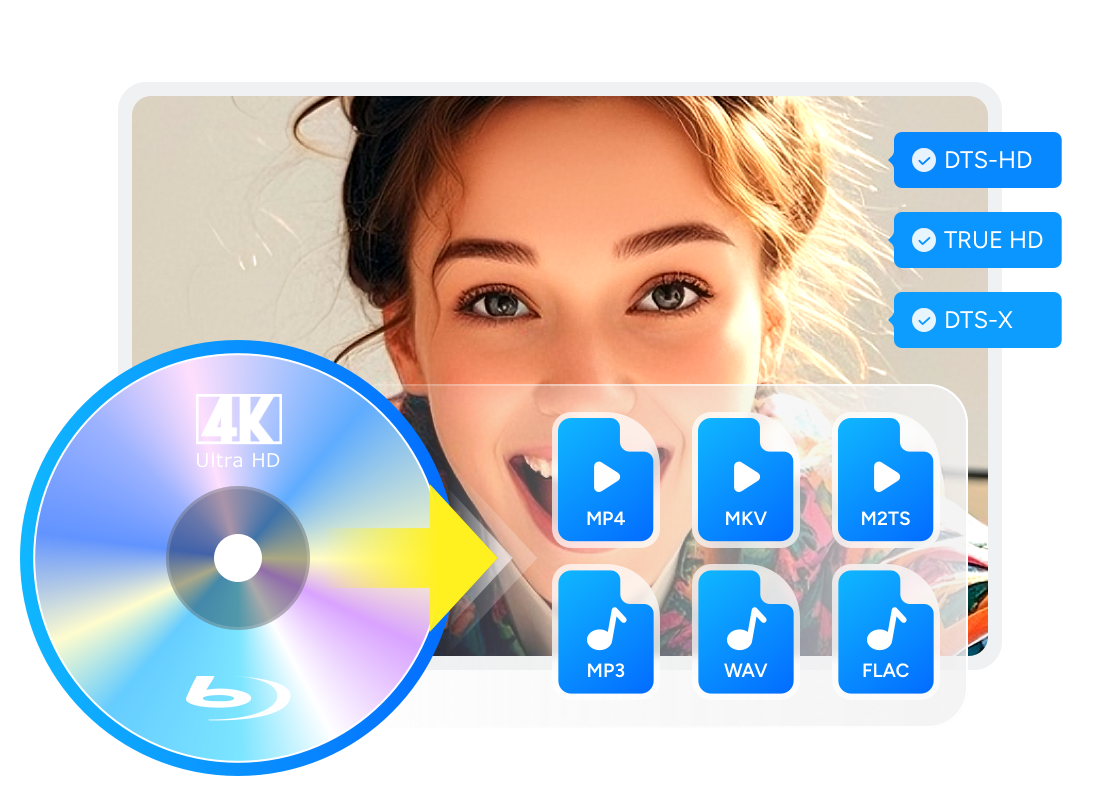
Do Blu-rays Have Dolby Vision? HDR Formats Explained

Summary: Standard Blu-ray and DVD do not carry Dolby Vision video, while selected 4K UHD Blu-ray releases do. This guide compares HDR10, HDR10+, and Dolby Vision, explains the playback chain, and maps disc backup formats to compatible local players.
Blu-ray Dolby Vision is easy to misread because a case may show Dolby Atmos while the video remains HDR10. Standard Blu-ray and DVD do not carry Dolby Vision video; selected 4K Ultra HD Blu-ray releases may. The full playback chain must support the same format.
A useful DoVi vs HDR check starts with the media type, not the logo on the TV. Below, I separate the formats, show what to inspect on a player and display, and explain which backup choices preserve the signal your local player can actually use.
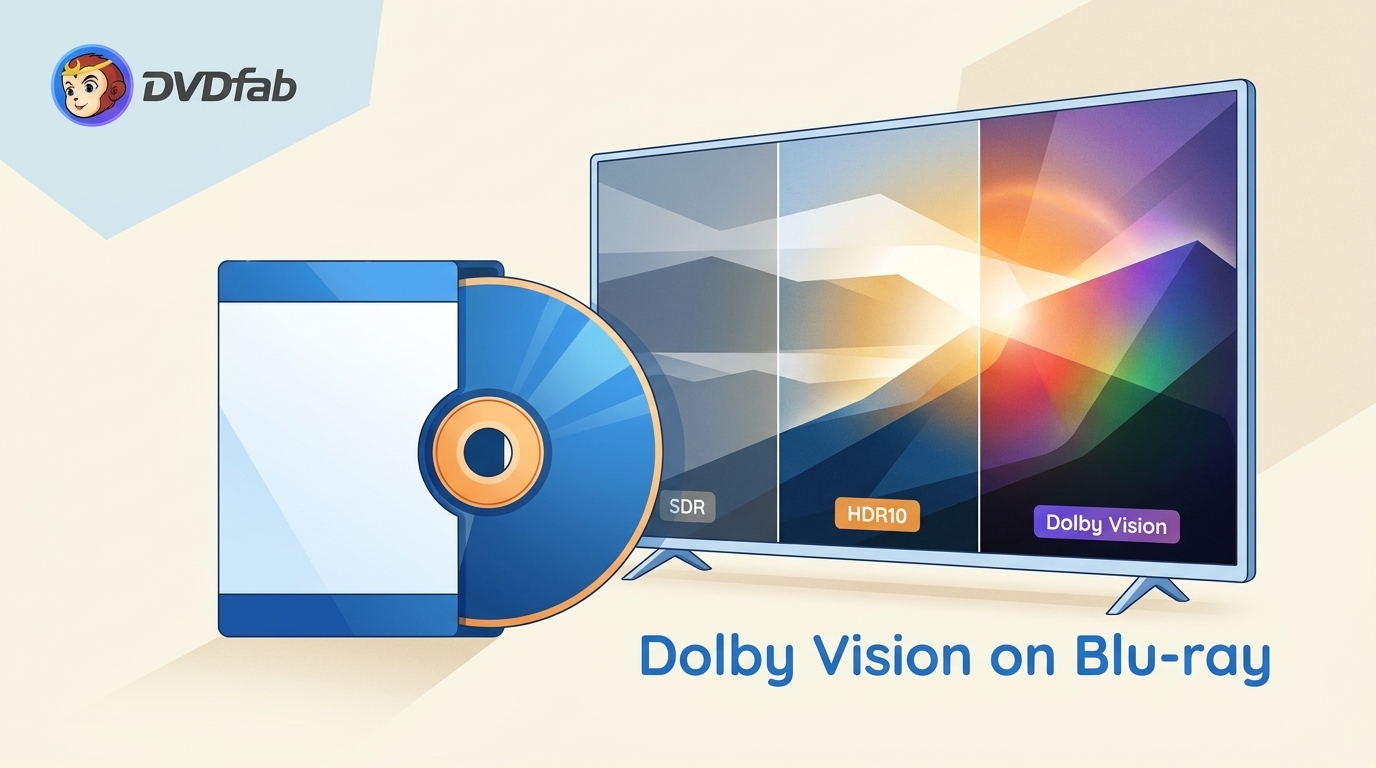
Dolby Vision on Blu-ray: The Short Answer
Regular 1080p Blu-ray and DVD do not include Dolby Vision video. Dolby Vision UHD is optional on selected 4K Ultra HD Blu-ray discs, while Blu-ray HDR for the UHD format always has HDR10 as its baseline.
- Standard Blu-ray and DVD do not carry Dolby Vision video; a Dolby Atmos logo refers to audio, not the HDR picture format.
- 4K Ultra HD Blu-ray may include Dolby Vision on selected releases, but the format is optional rather than universal.
- HDR10 is the required UHD HDR baseline and supplies the compatible fallback picture.
- Dolby Vision adds dynamic metadata when the disc, player, display, and signal path support it.
Check the disc format first. the media distinction matters more than a logo on one device.
What HDR Means
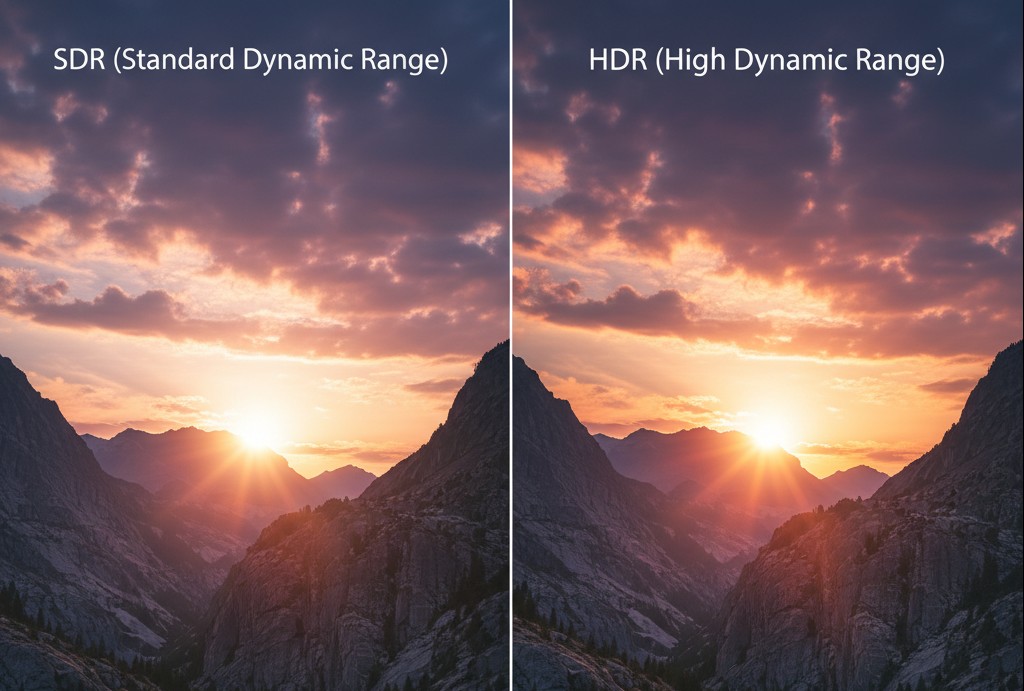
High Dynamic Range expands the visible range between dark detail and bright highlights compared with SDR. Blu-ray HDR also uses a wider color range, but the result depends on the source master, the display's brightness, its tone mapping, and the room.
Metadata tells the display how to map that range. Static metadata gives one set of guidance for the title, while dynamic metadata can change by scene or frame. This distinction explains HDR10 vs 4K confusion: HDR changes tone mapping and color range, while 4K describes image resolution.
HDR10: The UHD Baseline
HDR10 uses static metadata and HDR 10-bit video. It is the mandatory HDR format for Ultra HD Blu-ray, so an HDR10-capable player and display provide the broadest disc compatibility.
The HDR10 fallback is especially important with Dolby Vision discs: a compatible base layer lets equipment without Dolby Vision show the HDR10 presentation. Picture quality still varies because each display maps the same static guidance to its own panel limits.
Dolby Vision on UHD Discs
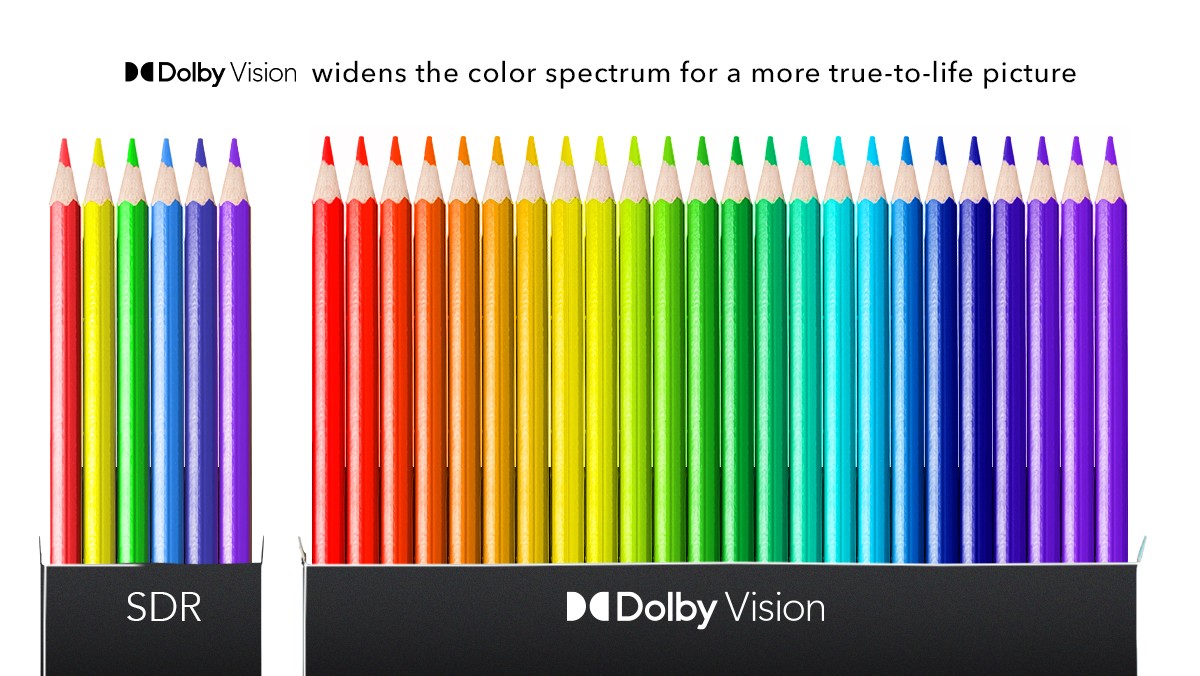
Dolby developed Dolby Vision as a dynamic-HDR system. A 4K Blu-ray Dolby Vision release can supply scene-level guidance so a compatible display maps highlights and shadows more precisely than it would from static metadata alone.
Dolby Vision Profile 7 on UHD disc uses an HDR10-compatible base layer plus an enhancement layer. MEL carries a smaller set of enhancement data, while FEL carries a fuller layer; support for those layers varies among local players. The Dolby Vision format overview explains the display side of the technology.
My editorial rule is simple: confirm the exact UHD release and playback device before treating the Dolby Vision badge as proof of a visible upgrade. Mastering and tone mapping can matter as much as the format name.
HDR10+ in Context
HDR10+ also adds dynamic metadata to an HDR10 base. In a DoVi HDR comparison, the meaningful difference is the compatible title-and-device chain, not a theoretical specification that the display cannot use.
HDR10+ is optional on UHD discs. Equipment that lacks HDR10+ can generally use the HDR10 presentation when the title provides the standard base signal.
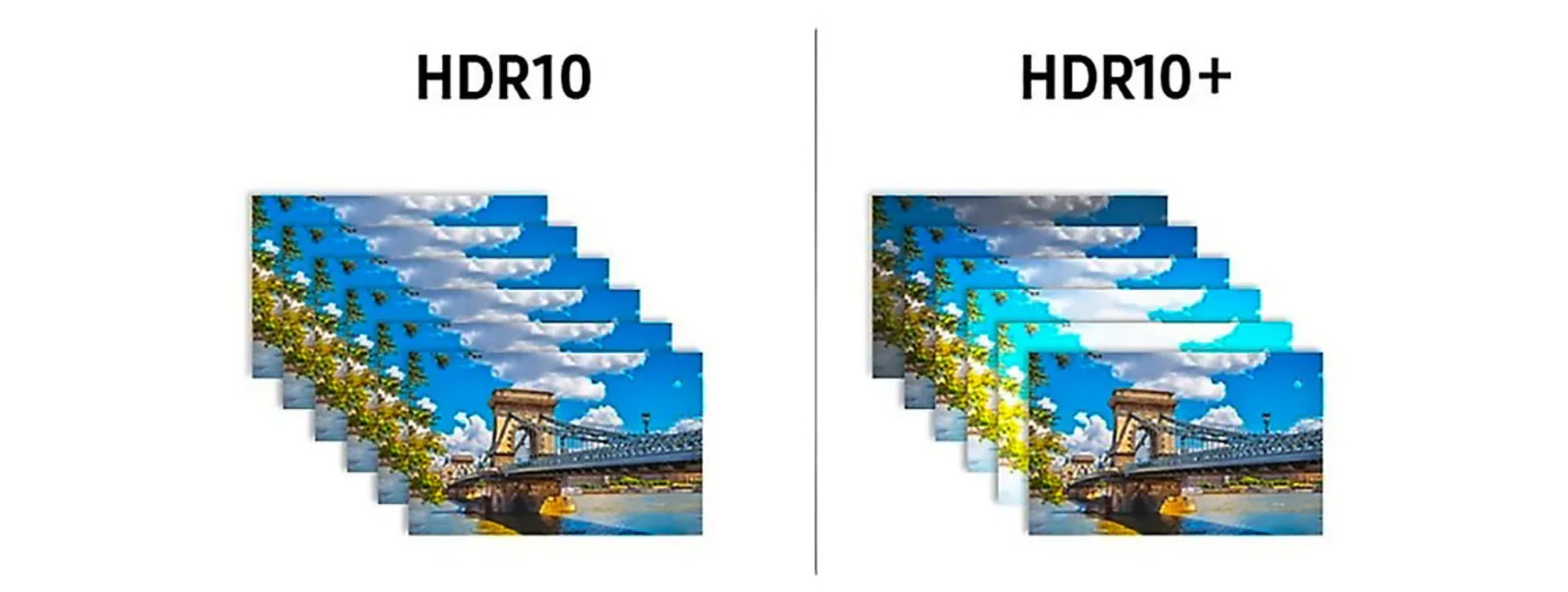
HDR10 vs HDR10+ vs Dolby Vision
HDR10 is the UHD baseline; HDR10+ and Dolby Vision add dynamic metadata. The better viewing result comes from a well-mastered title matched to a compatible player and display, not from format branding alone.
| HDR format comparison | HDR10 | HDR10+ | Dolby Vision |
| Metadata | Static One set of title-level guidance | Dynamic Scene-level or frame-level guidance | Dynamic Scene-level or frame-level guidance |
| UHD disc status | Required HDR baseline | Optional on selected releases | Optional on selected releases |
| Fallback behavior | Native baseline presentation | Uses the HDR10 base on compatible titles | Profile 7 includes an HDR10-compatible base layer |
| Bit depth used by current content | HDR 10-bit presentation | HDR 10-bit presentation | Common UHD output is 10-bit; the system can process higher precision |
| Playback requirements | HDR10 title, player, and display | HDR10+ title, player, and display | Dolby Vision title, player, display, and signal path |
| Licensing | Open standard | Open standard with certification program | Licensed device and content certification |
| Best use | Broad UHD compatibility and dependable fallback | Dynamic tone mapping on a complete HDR10+ chain | Dynamic tone mapping on a complete Dolby Vision chain |
The clearest verdict is conditional: Dolby Vision is meaningful when the release and every device in the chain support it; HDR10 is sufficient when compatibility and predictable fallback matter more than dynamic metadata.

HLG, or Hybrid Log-Gamma, is another HDR format developed for broadcast use. It does not rely on the same metadata model as HDR10, HDR10+, or Dolby Vision, so it is not the format that determines Dolby Vision support on a movie disc.
HDR10, HDR10+, Dolby Vision or HDR formats from Technicolor and Philips are not compatible with SDR and HLG, because they use a different way (PQ transfer function) to digitize light.
Dolby Vision Playback Requirements
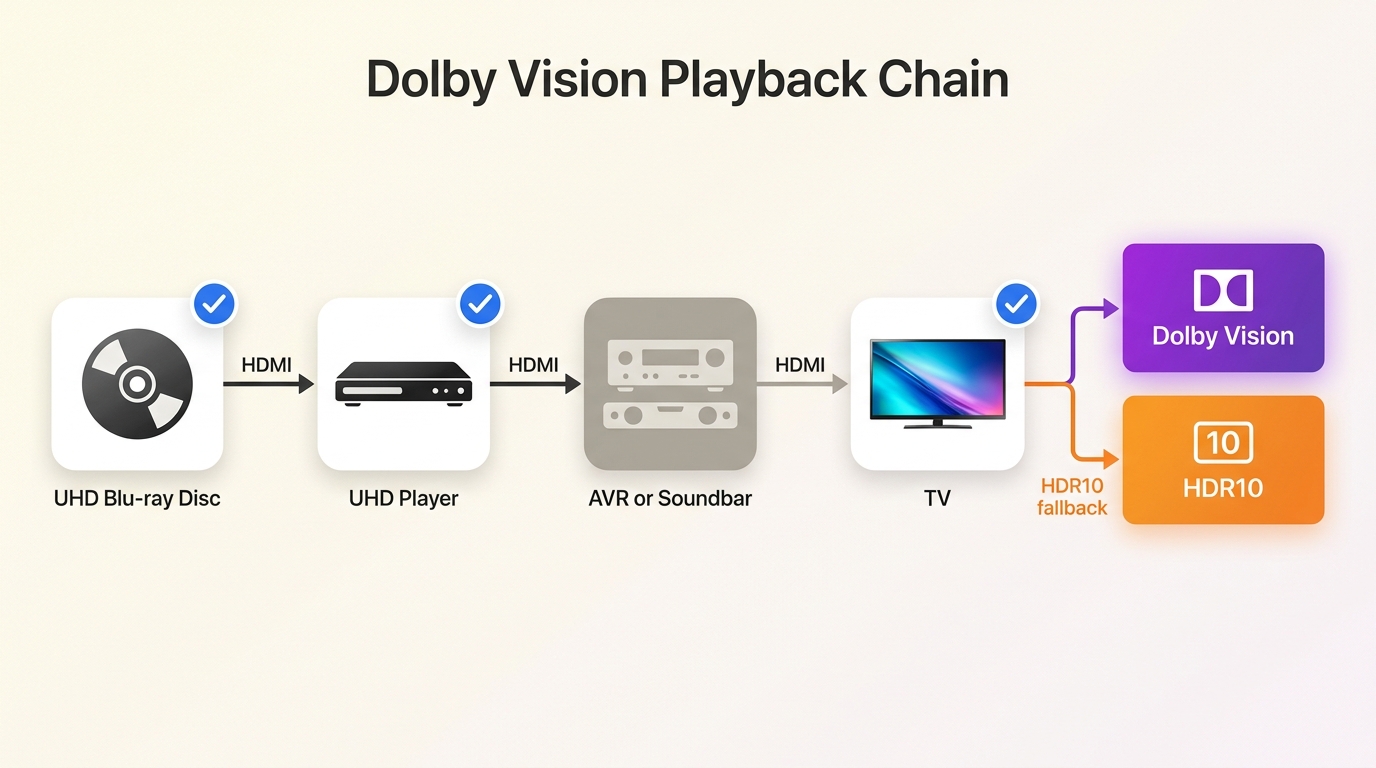
A Dolby Vision Blu-ray signal appears only when the disc, player, display, HDMI connection, and any receiver or soundbar in between all pass the required format. One unsupported link usually produces HDR10 fallback instead.
TV, Projector, and Player Compatibility
Check the complete chain in this order:
- Confirm that the title is a 4K Ultra HD Blu-ray release with Dolby Vision video, not merely Dolby Atmos audio.
- Confirm that the disc player supports Dolby Vision for UHD disc playback and that the setting is enabled. Some players require manual switching.
- Confirm that the exact TV or projector model accepts Dolby Vision on the HDMI input being used.
- Use an HDMI input and cable rated for the player's 4K HDR output.
- Confirm that a receiver or soundbar can pass Dolby Vision without changing the signal.
- Open the display's signal information and verify whether it reports Dolby Vision or HDR10.
Projector support must be checked by exact model; current projectors may support HDR10, HDR10+, Dolby Vision, or a subset. A PlayStation 5 plays 4K UHD Blu-ray discs in HDR10 rather than Dolby Vision for disc playback.
For a convenience-focused setup, HDR10 playback through a current console or general UHD player is often enough. Readers who want Dolby Vision from compatible discs benefit from a dedicated player with clear format controls and a display that reports the incoming signal.
UHD Disc Formats and Fallback
Selected Profile 7 discs combine a Dolby Vision enhancement layer with an HDR10 fallback base. If the player cannot process the required Dolby Vision layer, a clean HDR10 presentation is the expected outcome when the rest of the chain supports HDR10.
Do not diagnose the format from brightness alone. A dark picture, clipped highlights, or flicker can also come from picture mode, HDMI settings, player output, or display tone mapping. The on-screen signal indicator is a more reliable first check.
Preserving HDR in UHD Backups with DVDFab
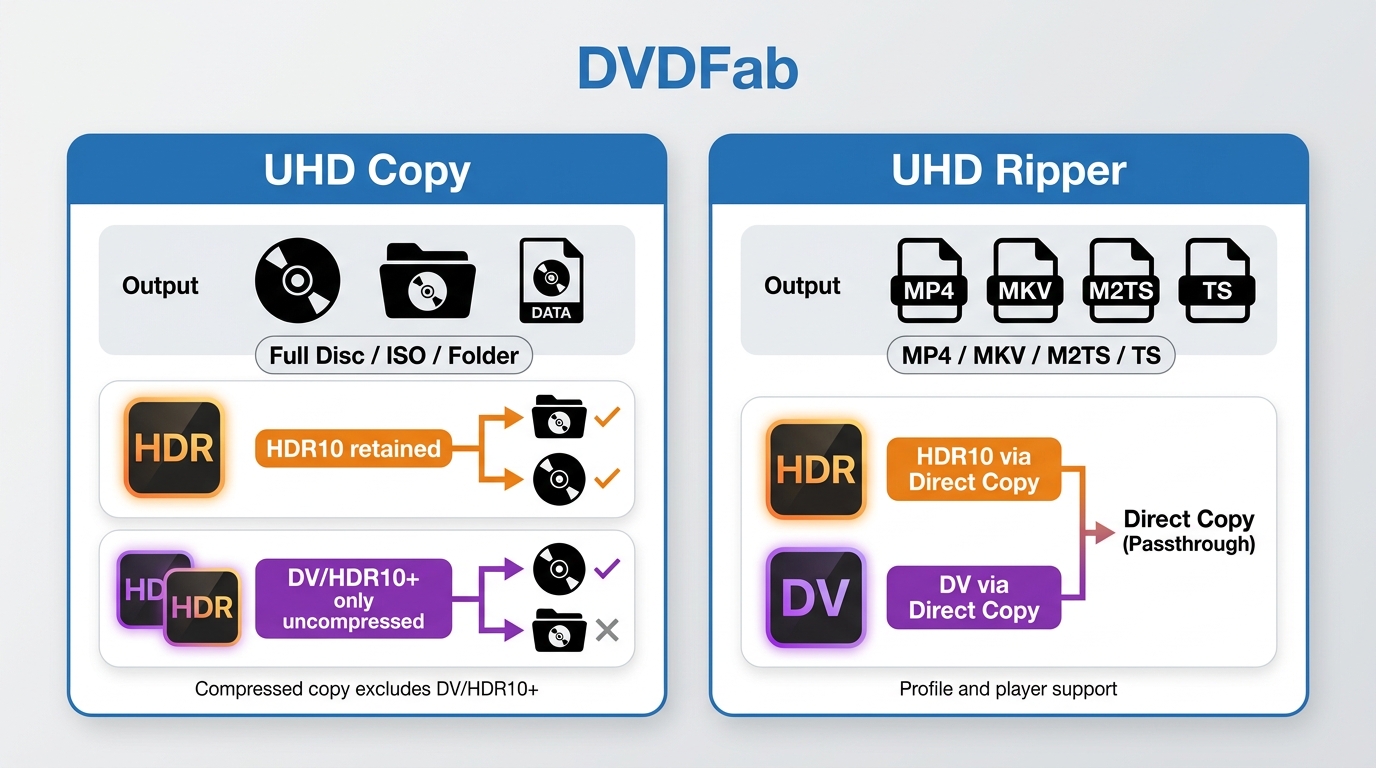
DVDFab includes three tools for 4K Ultra HD Blu-ray back-up:
- UHD Copy— Copy UHD discs with or without compression.
- UHD Ripper — Convert UHD discs to MKV/MP4 (or other formats).
- UHD Drive Tool— Check drive compatibility and, where legal, adjust firmware so a drive can read UHD discs.
Before copying or converting your 4K UHD discs in DVDFab, please read the note and make your UHD drive back-up ready.
NOTE:
Not all UHD drives can read or back up UHD discs. Drives are often called either "friendly" or "official."
- Friendly drives weren't designed for UHD, but their firmware doesn't enforce the strict AACS2 copy protection. That makes them friendlier for backup tools like DVDFab, which can still use them to read and copy UHD discs.
- Official drives are fully UHD-certified and support AACS2, but because of that strict protection, not every model works with DVDFab.
If your drive can't read UHD discs, you can try DVDFab Drive Tool to check compatibility. In some cases, you can downgrade the firmware so the drive behaves more like a "friendly" one. But only do this if you understand the risks and follow local laws.
HDR Support in Copy Module
- Copy the UHD discs to BD100/BD66/BD50/BD25 in Full Disc or Main Movie mode, and it will also keep the HDR10, HDR10+ and Dolby Vision contents in the output results.
- For HDR10 and Dolby Vision UHD discs, it will keep the HDR10 or Dolby Vision regardless of the option to compress the movie or not
HDR Support in Ripper Module
- Convert UHD discs to MKV/MP4 as lossless copies, or re-encode to smaller files with high quality.
Use the following profiles to preserve HDR correctly with DVDFab UHD Ripper and match your playback setup.
For HDR10 discs
- Recommended: MKV.Passthrough (lossless video & audio).
- Smaller file: MKV.4K.HDR10.H265.10Bit (re-encode; HDR10 preserved).
For Dolby Vision discs
- Container: Dolby Vision is preserved in MP4 output only.
- Keep Dolby Vision: MP4.4K.DolbyVision.H265.10Bit (preserves DoVi and high audio quality).
- HDR10-only devices: MKV.Passthrough (lossless HDR10 version).
For HDR10+ discs
- Keep HDR10+: MKV.Passthrough (lossless).
- Container note: HDR10/HDR10+ don’t need special container support; if the decoder is HDR10+-aware, it will detect and apply the metadata.
The useful choice is the file your target player can decode correctly. For Dolby Vision Profile 7, preserving the data and reproducing it are separate questions; container support alone does not prove that the player uses every layer.
| Backup choice | HDR retained | Audio retained | File size | Profile 7 implication | Target player | Works well for | Less suitable for |
| Full Disc | Original HDR data when uncompressed | Original tracks | Largest | Retains disc structure and layers | Disc-folder capable player | Menu and structure preservation | Storage-limited libraries |
| ISO or folder | Original HDR data when uncompressed | Original tracks | Large | Retains the source arrangement | ISO or folder-compatible software | Local archival organization | Apps that accept only common video files |
| MKV or M2TS passthrough | Source HDR metadata retained | Selected lossless tracks can pass through | Large | Playback depends on layer support | Profile-aware local player | Video and audio preservation without menus | Devices with limited container support |
| MP4 Dolby Vision output | Dolby Vision option available | Selected compatible tracks | Depends on profile settings | Match output profile to the device | MP4-compatible Dolby Vision player | Devices tested with the chosen MP4 profile | Assuming universal Profile 7 playback |
| Compressed output | HDR10 retained; dynamic HDR limits depend on method | Selected or converted tracks | Smaller | May change or omit enhancement data | Device matched to the new file | Reducing storage use | Keeping the full source structure |
If local playback looks wrong, check these points before creating the file again:
- Confirm the display reports Dolby Vision rather than HDR10.
- Check whether the player and app support the source Profile 7 layers.
- Test the HDR10 fallback for a clean picture without unusual darkness or flicker.
- Compare audio passthrough with a compatible converted track if sync drifts.
- Update the player, TV, receiver, or soundbar firmware.
- Open the same file on a second playback path to separate a file issue from a device issue.
I start with the signal indicator and a second device because both checks narrow the cause without changing the backup. Successful format detection by an app does not guarantee correct picture processing or audio synchronization on the final display.
FAQs
How can I tell whether a disc has Dolby Vision rather than only Dolby Atmos?
Dolby Vision is a video format; Dolby Atmos is an audio format. Check the case or a reliable disc specification for a Dolby Vision video label. An Atmos badge by itself does not prove that the disc includes Dolby Vision.
Does the PS5 play Dolby Vision from 4K Blu-ray discs?
No. The PS5 can play 4K UHD Blu-ray discs, but disc playback uses HDR10. A dedicated Dolby Vision player is useful only if the compatible discs and display make that format important to you.
Should I convert every Dolby Vision Profile 7 backup for local playback?
No. Match the file to the actual player and app. Some devices use the HDR10 base correctly, while others support particular Dolby Vision profiles. Conversion can improve compatibility, but it can also discard data the current player already understands.
Why does my Dolby Vision backup play as HDR10?
The player may be using HDR10 fallback because the source profile, app, display, HDMI input, or pass-through device does not support the Dolby Vision signal. Check the display's signal indicator, then test a direct player-to-display connection.
What can cause audio delay in a Dolby Vision backup?
Possible causes include source timing, passthrough behavior, remux settings, player firmware, and receiver or soundbar processing. Test another audio track and a second playback path before changing the video profile or creating a new file.
Conclusion
Identify the disc type first, verify the complete playback chain second, and choose HDR10 fallback or Dolby Vision playback third. Only after those checks should you select an authorized personal-backup format.
My balanced view is that Dolby Vision can improve tone mapping on a compatible title and display, but HDR10 remains the more predictable choice across mixed equipment. DVDFab UHD Ripper is a sensible option when a local MP4, MKV, M2TS, or TS file matches the player you have already checked.

![How to Rip 4K Blu-ray Disc: 2 Tested Tools [2026]](https://images.dvdfab.cn/media/feature_cover_v1dqak.jpg/public) How to Rip 4K Blu-ray Disc: 2 Tested Tools [2026]By Diana Smith - Aug 10, 2026
How to Rip 4K Blu-ray Disc: 2 Tested Tools [2026]By Diana Smith - Aug 10, 2026 DVDFab UHD Ripper Review: Key Features Tested & How toBy Diana Smith - Jul 1, 2026