UHD vs HD: Which Movie Format Fits Your Setup?

Summary: Choosing between HD and UHD depends on more than just pixel count. This guide covers the resolution gap, HDR requirements, viewing distance thresholds, and the quality difference between streaming 4K and physical UHD Blu-ray. For most viewers, the upgrade is noticeable on screens 55 inches or larger at close range. Physical UHD Blu-ray delivers higher bitrate video and lossless audio that streaming currently cannot match.
When you compare UHD vs HD for movies, the 4K label is not a promise that the upgrade will be visible or even delivered in UHD. Screen size, seating distance, HDR support, the title's master, and the complete playback path all matter. That is why UHD movies vs HD decisions should start with the setup, not the badge on a store page.
I use the same order whenever I assess UHD vs HD: define the resolution, compare the source, check the TV and connection, and decide whether UHD earns its premium. The sections below cover streaming quality, physical discs, movie purchases, and tools for keeping an authorized disc copy usable.
What HD and UHD Actually Mean
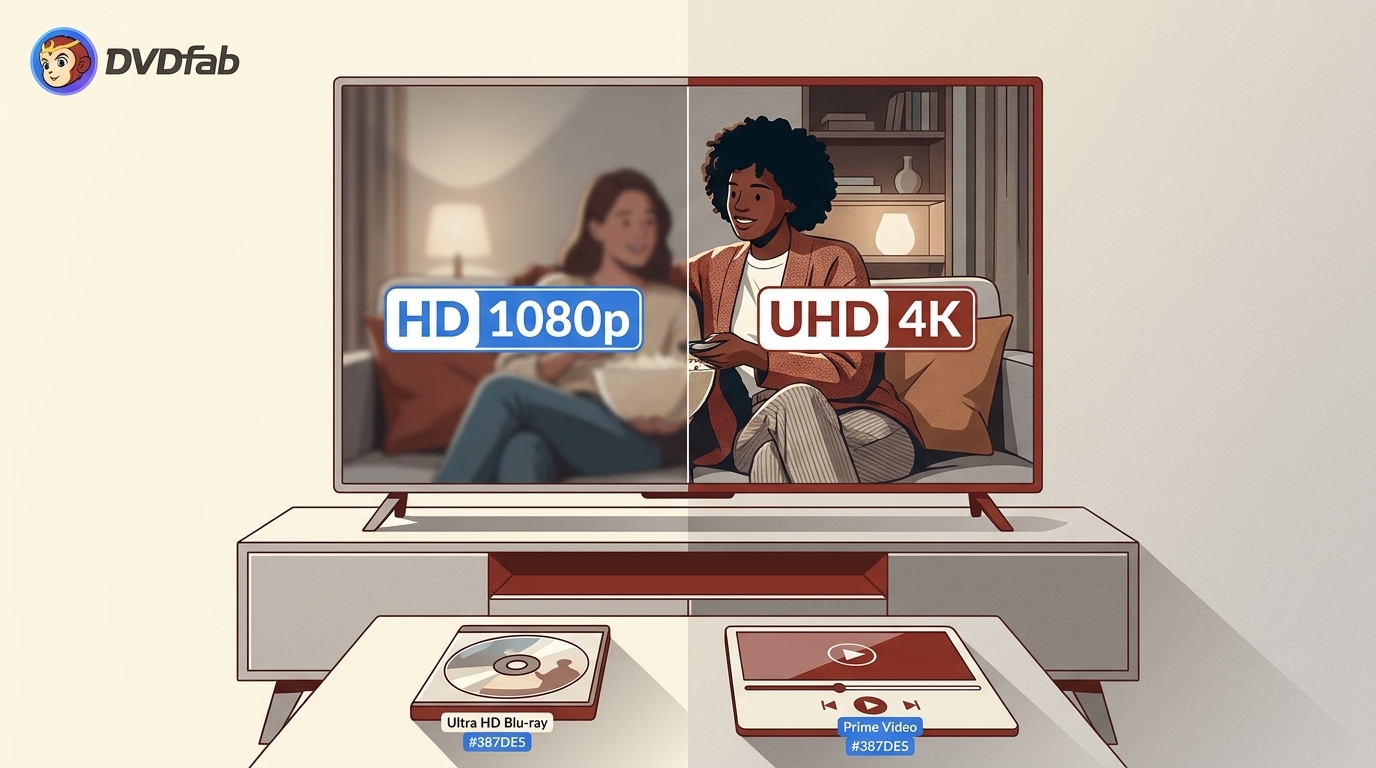
HD describes high-definition video, while UHD describes the consumer 3840×2160 format commonly marketed as 4K. The difference between HD and UHD is mainly pixel count, but color, HDR, compression, and playback support determine how much of that difference reaches your eyes.
HD vs UHD: Quick Comparison
| Format | Resolution | Approximate pixels | Common label | Typical viewing fit |
| SD | 480p | About 0.35 million | Standard definition | Older DVDs and smaller displays |
| HD | 1280×720 | About 0.92 million | High definition | Broadcast and basic HD streaming |
| Full HD | 1920×1080 | About 2.07 million | 1080p | Blu-ray and most HD streaming |
| UHD (4K) | 3840×2160 | About 8.29 million | 4K Ultra HD | Larger screens or closer seating |
Standards language often uses HD for 720p, while retail menus may use HD for 1080p. Read the listed resolution before buying. Full HD vs Ultra HD is therefore a comparison between 1920×1080 and 3840×2160, not simply two names for the same tier.
Color and HDR add another layer. Full HD content commonly uses the BT.709 color space, while UHD releases may use a wider gamut and HDR metadata. HDR changes brightness and contrast range rather than pixel count, and it works only when the title, player, display, and HDMI path all support the same format.
HD (High Definition)
HD begins at 1280×720, or 720p, with about 921,600 pixels. Full HD, also written as 1080p, reaches 1920×1080 and remains common for broadcast, streaming libraries, and older Blu-ray collections. A 16:9 frame is typical, and a well-mastered Full HD source can look clean on a modest screen or from a longer seating distance.
UHD (Ultra High Definition)
UHD, or 4K Ultra HD, uses 3840×2160 pixels, about four times the detail of 1080p. Consumer 4K UHD is the format used by modern UHD TVs, streaming services, and Ultra HD Blu-ray. DCI 4K uses 4096×2160 for cinema production, so 4K and UHD are technically different labels even though home-video menus often treat them as equivalents.
The phrase 4K UHD resolution tells you the panel or file target, not the quality of the master. HDR, bitrate, grain management, and the display's own processing can change the result independently of resolution.
UHD vs. HD: Difference and Comparison
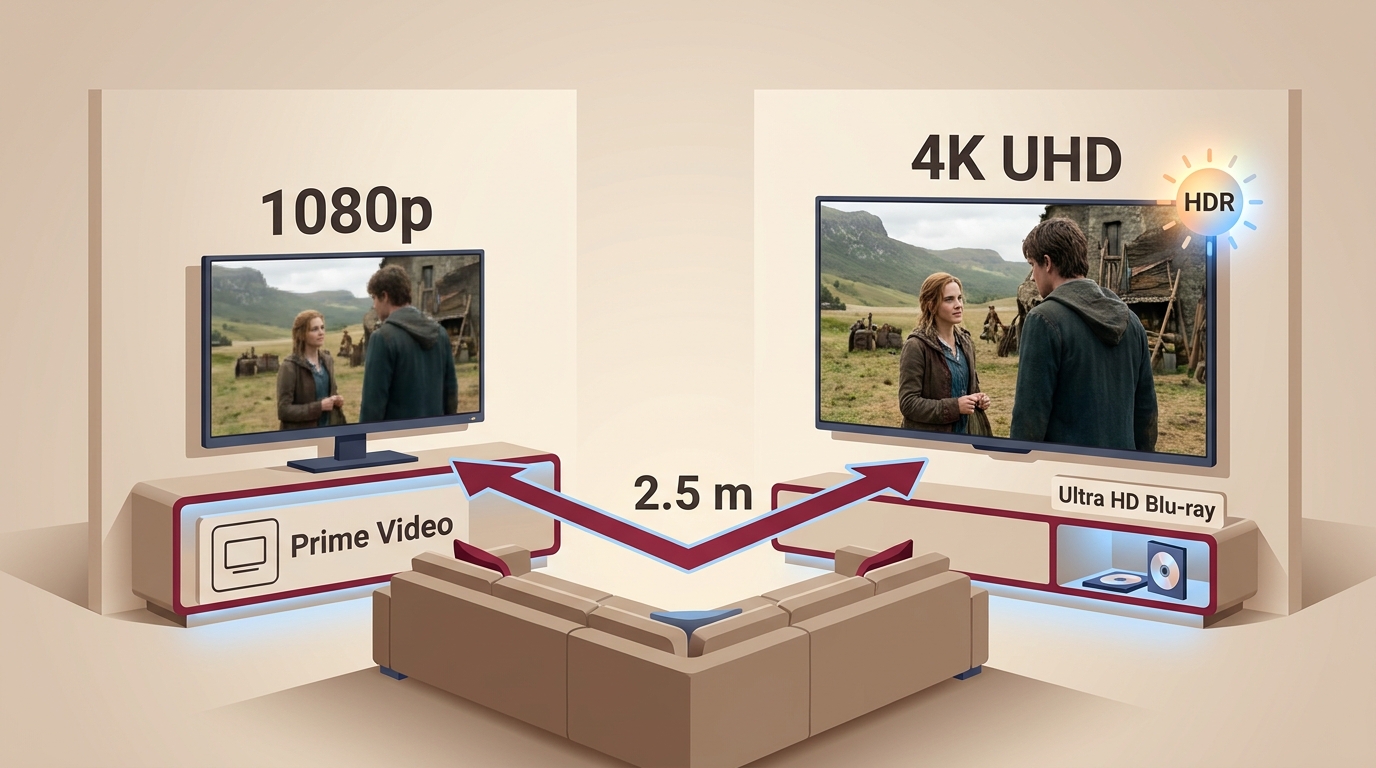
The clearest difference between HD and UHD is resolution. HD tops out at 1080p, about two million pixels, while UHD reaches 2160p, about eight million. That extra detail can sharpen small text, fabric patterns, and distant backgrounds that look softer in HD.
UHD detail is easiest to see on a larger screen or from a shorter seating distance. On a screen below the size where individual pixels resolve easily, or from a couch more than about 2.5 meters away, the gap can be subtle. My rule is to treat viewing geometry as a buying condition, not an afterthought.
Resolution is only one part of perceived quality. Source compression, HDR grading, motion performance, screen size, and viewing distance can matter just as much. A 4K display running at 60 Hz may be less suitable for fast motion than a Full HD display at 120 Hz, so the right choice depends on what you watch.
HDR and wide color gamut expand brightness and color range without changing pixel count. A compatible title, display, player, and HDMI connection are all required. If one part of that chain falls back, the movie can still play, but it will not show the full HDR or UHD presentation.
Streaming 4K vs Physical UHD Blu-ray
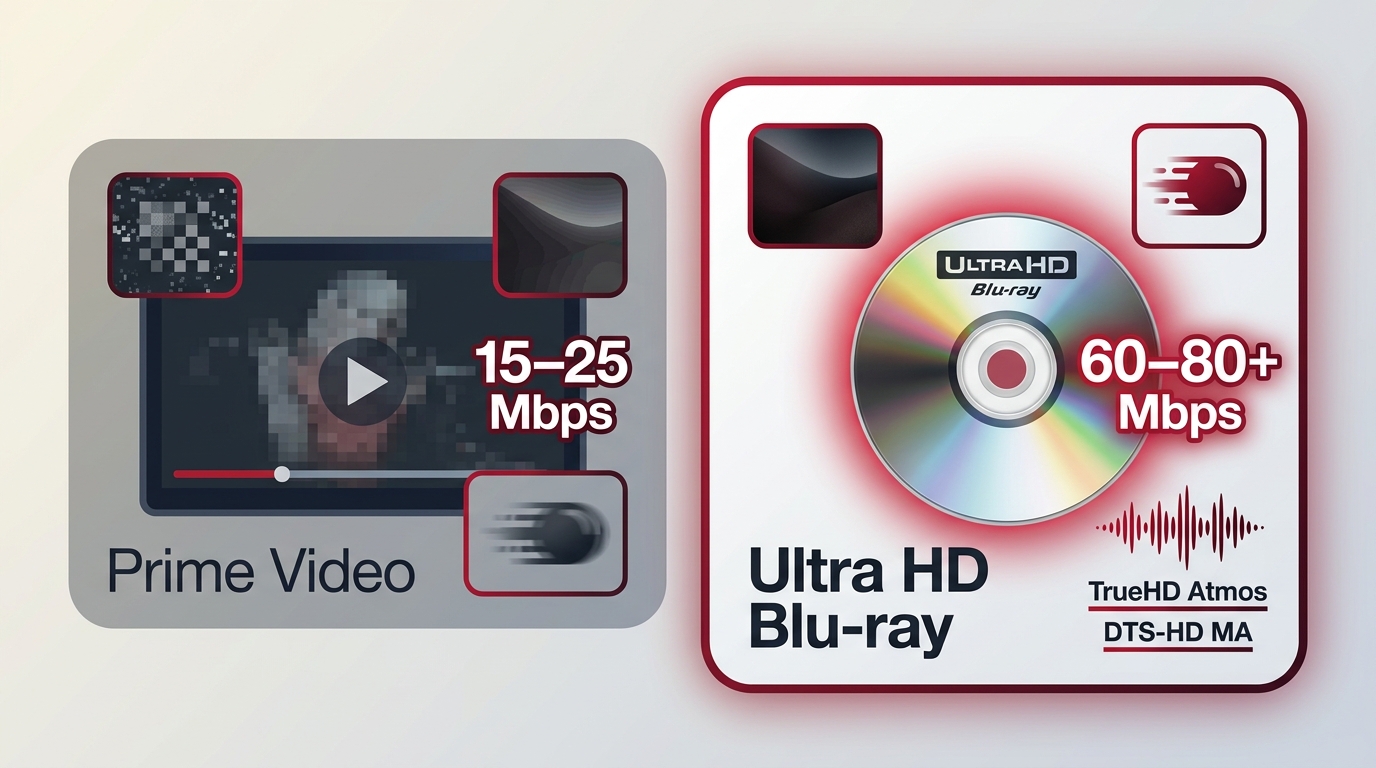
UHD vs HD streaming is shaped by compression and network delivery. As of September 2026, streaming 4K is commonly delivered around 15–25 Mbps, while a physical 4K Blu-ray can carry roughly 60–80 Mbps or more for the video stream. The disc therefore has more room for fine texture, dark-scene detail, and fast movement.
Streaming can look excellent in calm scenes, yet compression artifacts are easier to spot during rapid motion or in near-black areas. Physical UHD Blu-ray also supports lossless audio formats such as Dolby TrueHD Atmos and DTS-HD Master Audio, while streaming services generally use compressed audio. For a surround-sound system, that audio difference can matter as much as the video bitrate.
The uhd blu-ray vs streaming choice is straightforward: use streaming for convenience and broad access, and choose a disc when a specific film, higher sustained bitrate, or lossless soundtrack matters more than instant delivery.
UHD vs. 4K: Differences and Use Cases
People use UHD and 4K as synonyms in consumer products, but the technical distinction is useful when reading specifications. The 4K vs UHD difference is mostly the frame width: cinema DCI 4K is 4096×2160, while consumer 4K/UHD is 3840×2160 in a 16:9 frame.
- DCI 4K is used mainly in cinema production and professional post-production.
- Consumer 4K/UHD is the relevant format for home TVs, streaming platforms, and physical Ultra HD Blu-ray.
For a home purchase, the consumer standard is the one to match with the TV, player, HDMI path, and movie listing. The label alone does not tell you whether the source is a native 4K scan or an upscale.
Choosing UHD or HD for Movies
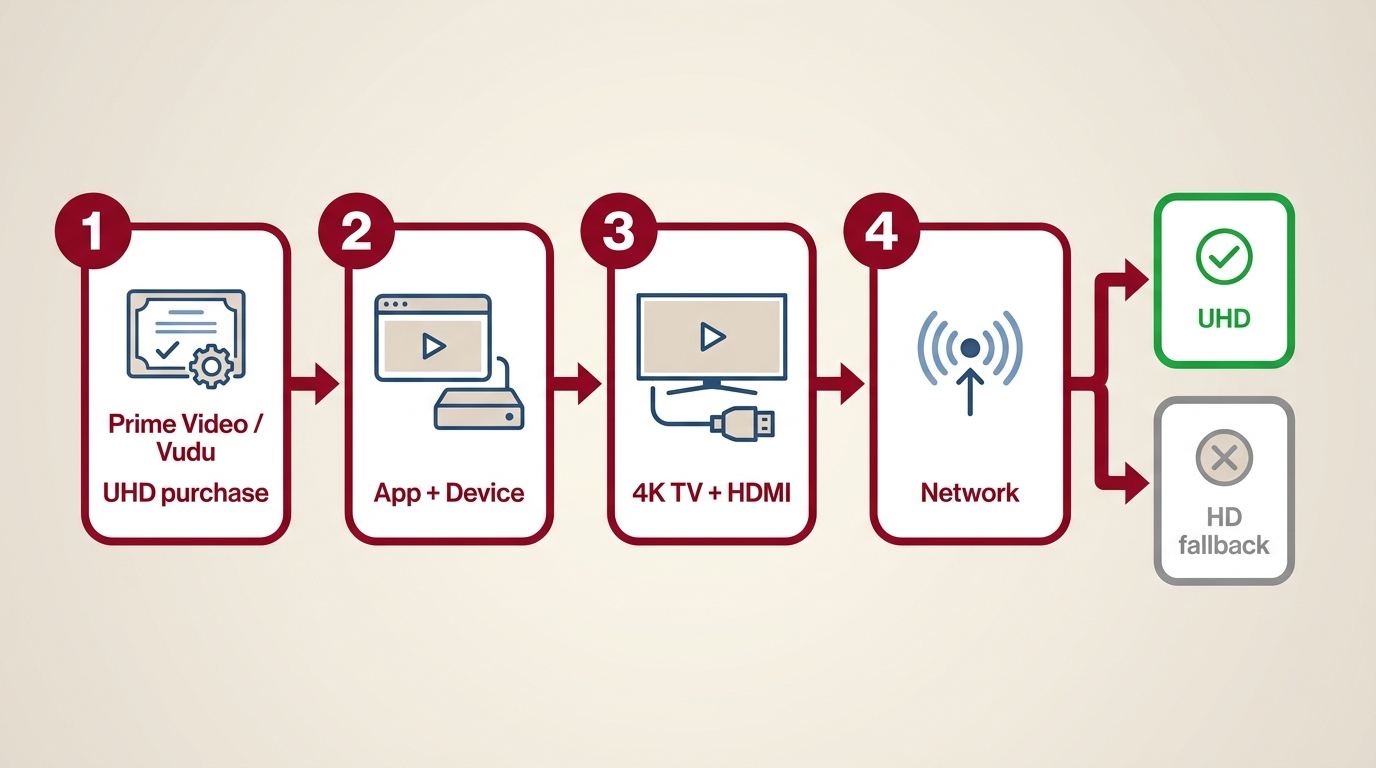
Buying or renting a UHD-labeled movie does not by itself promise UHD playback. The title, account entitlement, app, device, display, HDMI path, and network conditions must all line up before the higher-resolution stream can reach the screen.
Streaming Purchase and Playback Checks
Use this order when comparing a UHD movies vs HD listing on Prime Video, Vudu, or another service:
- Check the title: Confirm that the specific movie offers a UHD edition, not only an HD listing.
- Check entitlement: Read whether the purchase or rental includes UHD playback for the account.
- Check the app and device: The service app, streaming box, smart-TV software, or player must support UHD for that title.
- Check the display path: Confirm the TV's native panel resolution, accepted input mode, and an HDMI connection that can carry the selected format.
- Check the connection: Network congestion or a lower-quality adaptive stream can trigger an HD fallback even when the listing says UHD.
If one check fails, the movie may fall back to HD or another supported quality level. I would pay the UHD premium when the screen, seating distance, HDR capability, and title transfer all provide a visible benefit. HD is the better value when the setup cannot show the extra detail or when the same title's HD edition is well mastered.
Native 4K and Transfer Quality
A UHD badge does not guarantee a native 4K scan or a better remaster than a strong HD Blu-ray. Some releases upscale an older master, and aggressive noise reduction can make a higher-resolution image look less natural than a carefully authored HD edition.
Use this movie-buying guide to check:
- Source scan: Is the transfer native 4K, a 2K intermediate, or an upscale?
- HDR grade: Does the HDR treatment preserve shadow detail and natural highlights on your display?
- Noise reduction: Has film grain and fine texture been softened?
- Bitrate: Does the source retain detail in dark scenes and fast motion?
- Audio: Does the edition include a soundtrack format your receiver or TV can play?
My preference is simple: buy the UHD edition for a clearly better transfer or audio package, not for the badge alone. That is the useful answer behind the 4K Ultra HD vs HD question.
Ultra HD Solutions
Once the movie and playback choice is clear, local disc tools can help with authorized personal backups or device-ready files. Use these workflows only with content you are authorized to access, for personal noncommercial use, and where permitted by applicable law. A full-disc copy, a compressed file, and a software player solve different problems.
DVDFab UHD Copy
DVDFab UHD Copy can copy a complete UHD disc, the main movie, or a 1:1 clone to an ISO, folder structure, UHD BD-100, or UHD BD-66 target. A 1:1 copy preserves the source audio and video data, while capacity-reducing output may be re-encoded; processing time varies by hardware, drive performance, source, and selected mode. Image quality in capacity-reducing mode depends on the compression setting and source complexity.
A UHD-friendly drive is a prerequisite. Before starting, confirm your hardware in the DVDFab UHD drive tool's supported drive list. HDR10, Dolby Vision, chapters, and multiple audio or subtitle tracks can be retained when the source and selected mode support them.
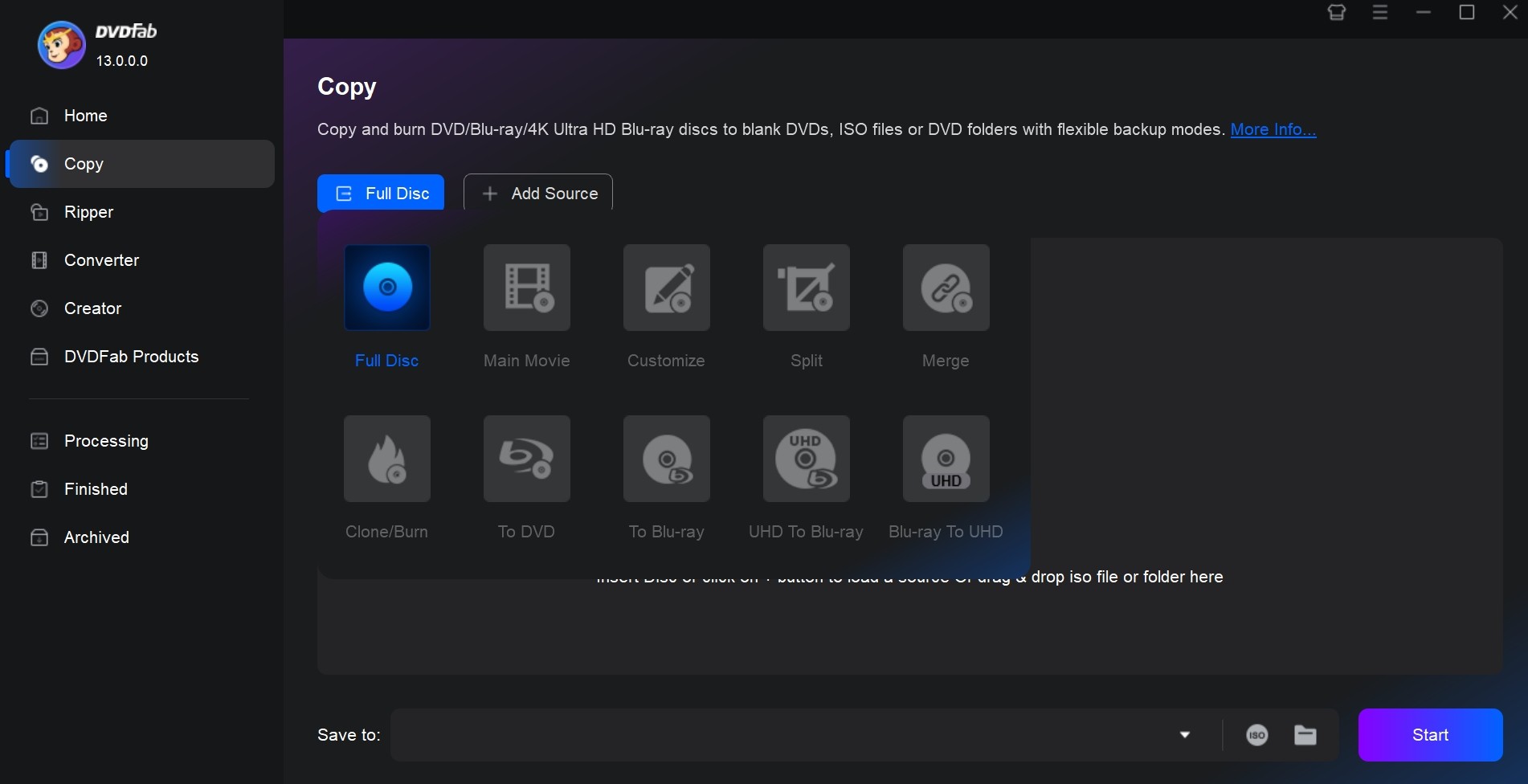
Best for: Readers who need a full-disc, main-movie, or 1:1 backup and have a compatible UHD drive.
DVDFab UHD Ripper
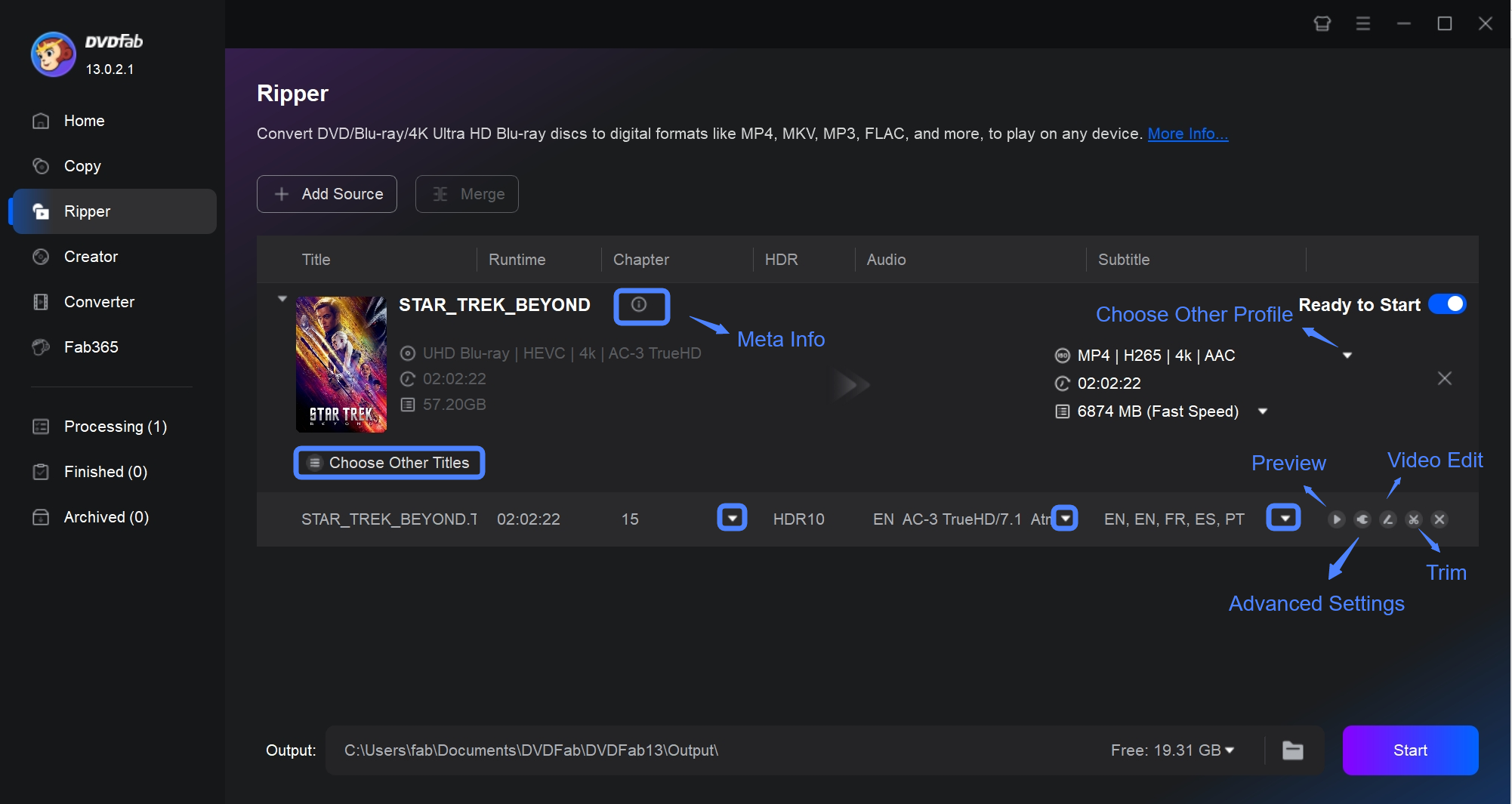
DVDFab UHD Ripper converts protected 4K Ultra HD Blu-ray discs to device-friendly files such as MP4, MKV, or M2TS. That is useful when a TV, NAS, or media player needs a local file instead of a full disc structure.
After export, check the result on the target device: confirm HDR behavior, audio format, audio sync, subtitles, and direct play. A file that opens on a computer can still trigger transcoding on a media server if the container, codec, audio, or subtitle format is not supported.
- MP4, MKV, and M2TS export for device-friendly UHD playback
- HDR metadata and chapter selection when supported by the source
- Audio and subtitle controls before export
- GPU-accelerated encoding on supported hardware
- Output checks for UHD TVs, NAS media servers, and compatible players
Best for: Viewers who want a manageable local file and control over the output container.
PlayerFab Ultra HD Player
PlayerFab Ultra HD Player is a playback option for supported discs, ISO files, folder structures, and local media on compatible Windows and Mac systems. Menu navigation, HDR behavior, audio passthrough, and GPU assistance depend on the source, hardware, display, and supported format.
- HDR10 and Dolby Vision playback when source and display support them
- Navigable menus for supported Ultra HD Blu-rays, Blu-rays, and DVDs
- Playback of ISO files, folder structures, and local media on compatible systems
- Audio passthrough for supported DTS-HD Master Audio and TrueHD formats
- GPU assistance for high-bitrate UHD playback on compatible hardware
Best for: Viewers who want one interface for supported disc images and local UHD files.
FAQs
How can I tell whether my TV is HD or UHD?
A TV's UHD capability is confirmed by its native panel resolution and supported input modes; HDR support is a separate feature. Check the model specifications for a 3840×2160 panel, open the display settings to see the highest accepted input resolution, and inspect the HDMI input information while a known UHD source is connected. The Dolby Vision and HDR explanation also covers Blu-ray Dolby Vision and shows why an HDR label alone does not identify a UHD panel.
Can a UHD movie play on an HD TV?
Often, a compatible service or device can fall back to HD or downscale the signal, so the movie may play. An HD television cannot display native 3840×2160 detail, though, and the final image will be limited by its panel resolution and the rest of the playback chain.
Why is Prime Video not playing in UHD?
Check the title's UHD availability and account entitlement first. Next confirm that the Prime Video app and playback device support UHD, then inspect the TV's input resolution and HDMI path. If those checks pass, network conditions can still trigger an HD stream, so test the connection while the title is playing.
Can I make a personal backup of a UHD disc?
Use disc-copy tools only with UHD media you legally own, for personal noncommercial use, and where permitted by applicable law. Keep the resulting copy private and do not share or redistribute it. Hardware requirements also matter, including a compatible UHD-friendly drive.
Conclusion
The UHD vs HD decision is conditional: screen size, viewing distance, HDR support, source quality, and the playback chain determine whether the higher-resolution edition earns its cost. A UHD movie can be the right choice for a large, well-matched setup, while a good HD transfer remains sensible on a smaller or less compatible system.
My final check is title-specific. Choose UHD when the transfer, audio, display, and connection offer a clear benefit; choose HD when they do not. A well-mastered HD edition can be the better buy than a weak UHD release, and a short playback check is worth doing before you commit a whole collection to one format.

 DVDFab UHD Copy Review 2026: 3 Modes, Drives, and Backup StepsBy Diana Smith - Sep 16, 2026
 UHD Backup Software Review: Choose the Best Tool for 4K Blu-ray BackupBy Diana Smith - Jun 15, 2026