Free DVD Decoder for Windows XP and Windows 11: 3 Ways to Play DVDs

Summary: To play DVDs on Windows XP/11, your system requires an MPEG-2 decoder, which is often missing by default. You can restore it by installing K-Lite Codec Pack, switching to VLC, or converting the disc to a digital file with DVDFab DVD Ripper for device-agnostic playback. A comparison table covers all six methods with XP compatibility and setup time.
Table of Contents
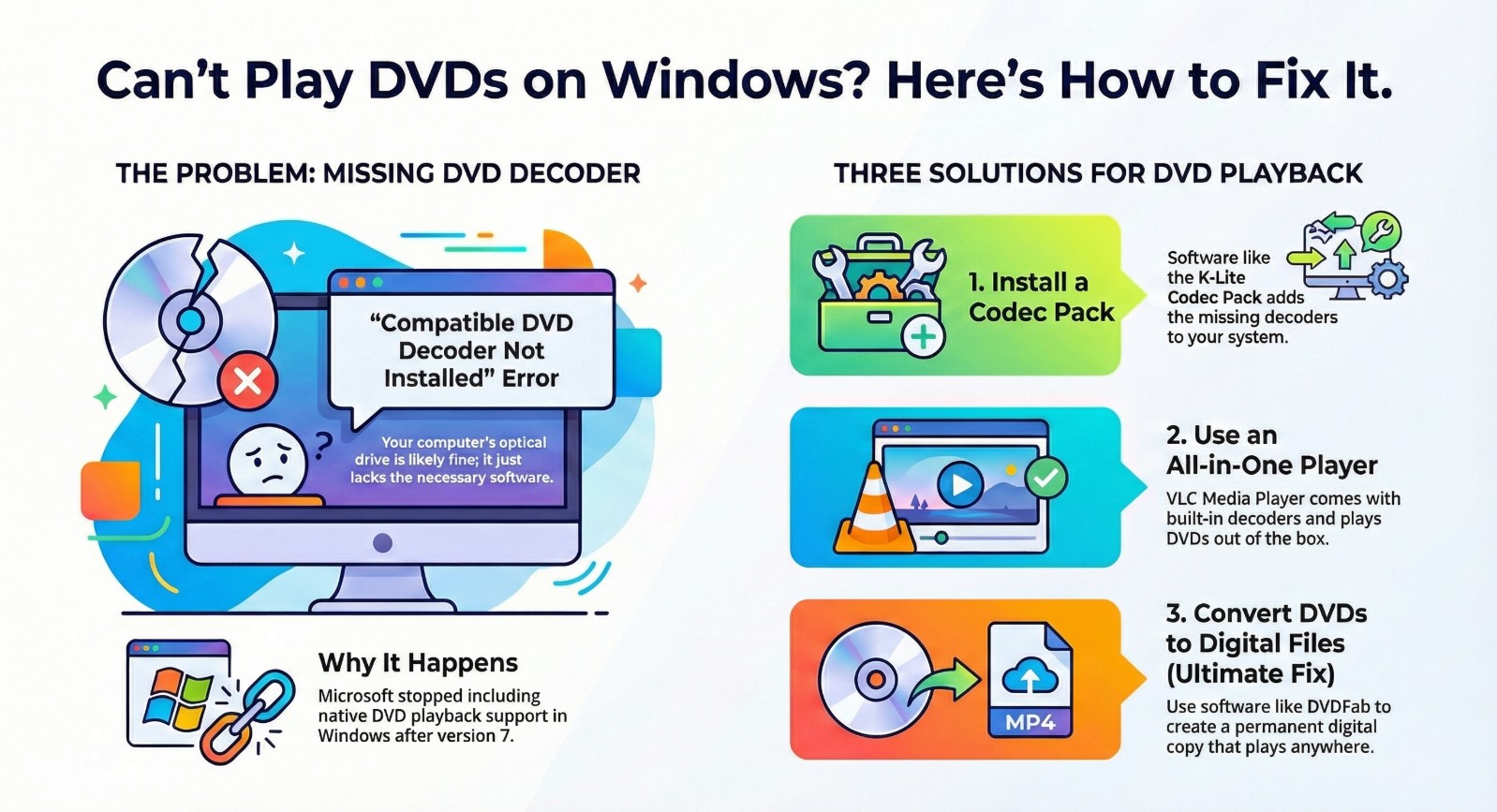
Microsoft removed the MPEG-2 decoder license from Windows 8 and has kept it out of every version since, which is why a clean install of Windows 10 or 11 cannot play a movie DVD in Windows Media Player by default. With Windows 10 reaching end of support in October 2025, users on older hardware that cannot run Windows 11 now face this playback gap on a system that no longer receives security updates.
I tested three approaches to fix the "Compatible DVD decoder not installed" error across both modern Windows 11 and legacy Windows XP: installing a free codec pack so WMP gains native DVD support, switching to a standalone player that carries its own decoder, and converting the disc once to a digital file that plays on any device without decoder installed. This guide covers all three, including the specific legacy builds needed for Windows XP.
Why Windows Can't Play DVDs Out of the Box
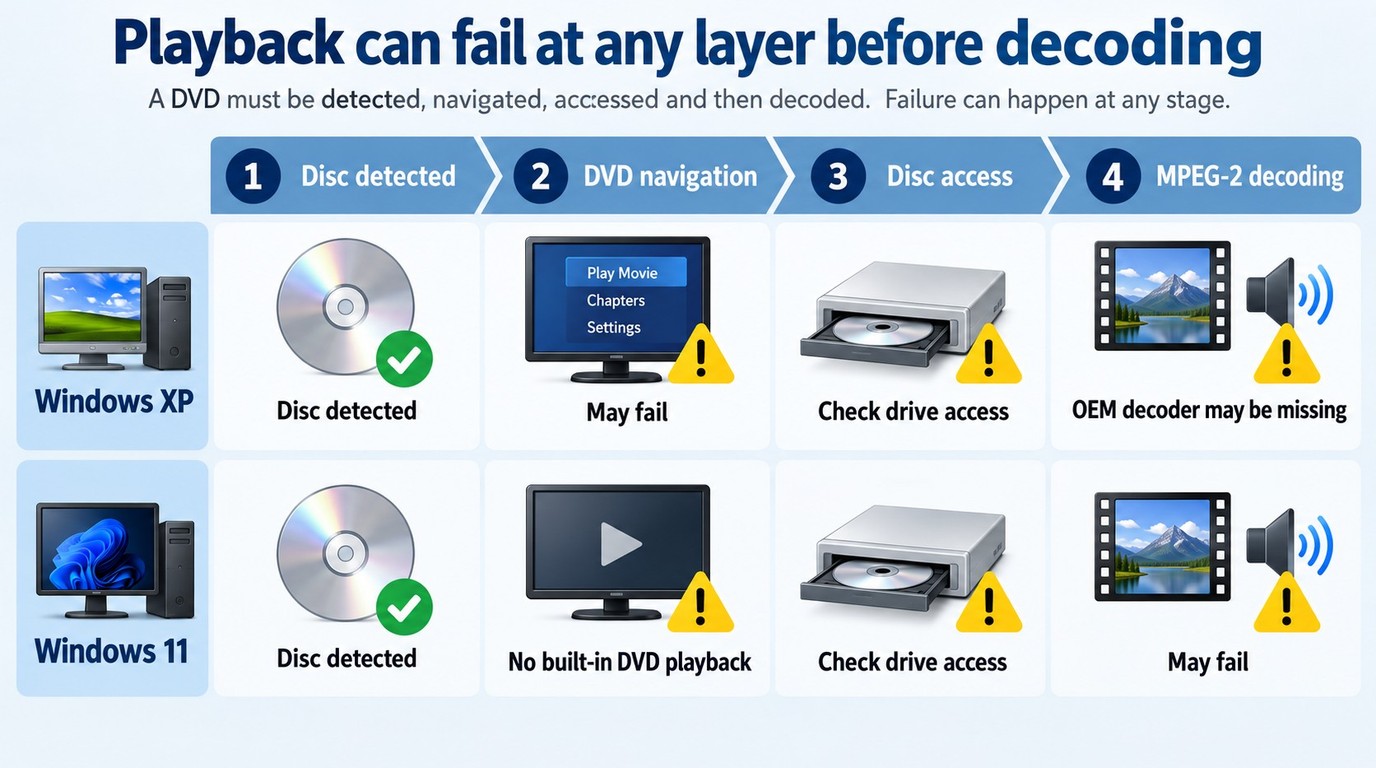
A DVD can fail before MPEG-2 decoding begins. Confirm that Windows detects the disc and that the selected player supports DVD navigation; if both checks pass, examine video and audio decoding and disc-access handling. Separating these layers prevents a codec download from being treated as a universal fix.
What is a DVD Decoder?
MPEG-2 decoding turns DVD video data into picture and sound; disc playback also requires navigation and drive access; ripping creates a local MP4 or MKV file; copy-protection handling is a separate task.
Software that handles region controls or DVD decryption performs a different task from MPEG-2 decoding. Ripping is separate again because it saves selected DVD content as a local MP4, MKV, or another media file. A failure at any of these layers can prevent playback even when a decoder is installed.
Why Windows Removed DVD Playback Support
You may get "Compatible DVD Decoder Not Installed" error [1] on modern devices because Windows Media Player on Windows 8, 10, and 11 no longer includes the licensed MPEG-2 decoder required for DVD playback. Microsoft dropped the license in Windows 8 to reduce manufacturing costs and has not included it since.
Windows 7 is the version most users remember as working: it shipped with a bundled MPEG-2 license that made DVD playback available out of the box.
Windows XP users face the issue for a different reason. If you reinstall XP or run it in a virtual machine without the original OEM software bundle, Windows Media Player has no registered decoder for DVD video, because the decoder was provided by OEM manufacturers rather than Windows itself.
These Windows versions do not fail for the same reason. The next section separates legacy codec support from current standalone playback and local-file conversion.
DVD Decoder Compatibility and Download Status
Choose the Right DVD Decoding Workflow
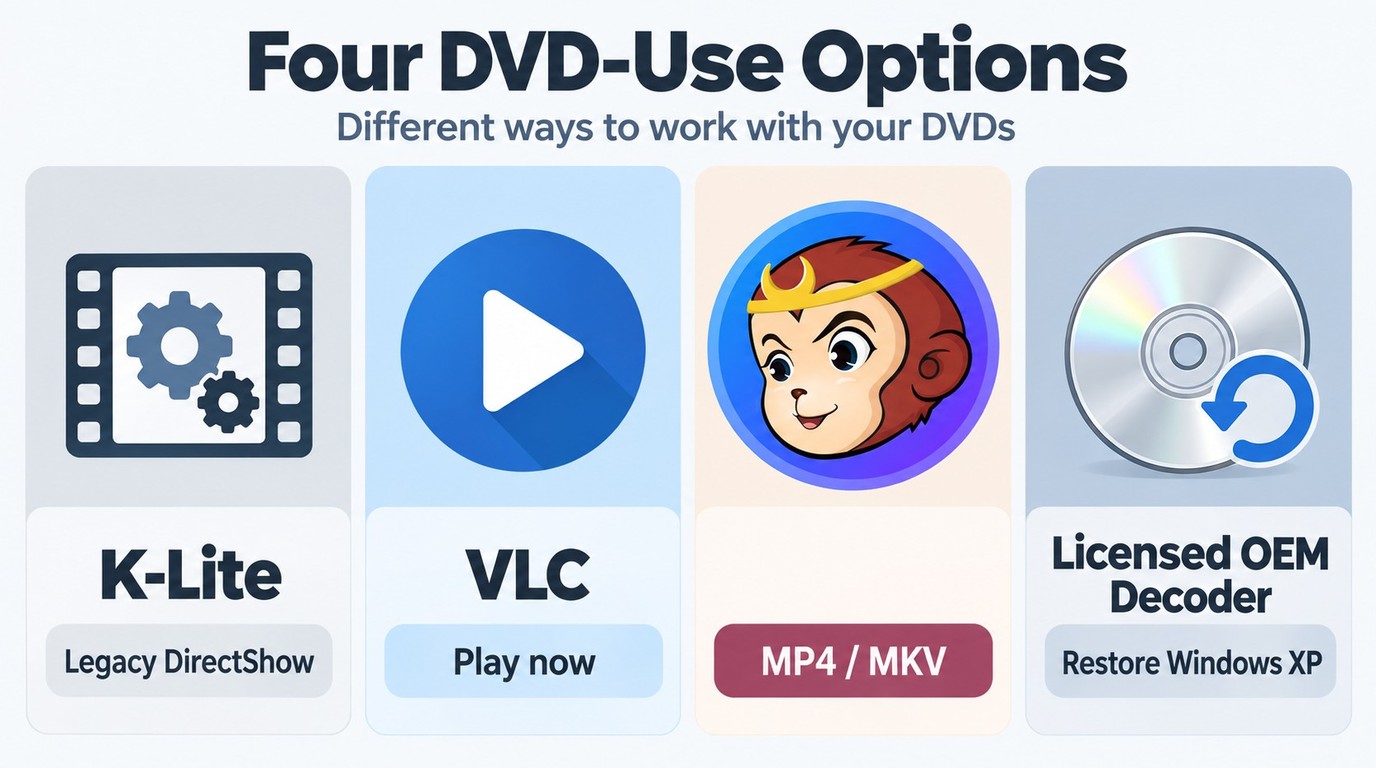
The correct option depends on whether you need playback inside an older Windows application, immediate viewing in a current player, or a reusable local file. The table separates active software from legacy recovery options as of September 2026.
Windows and WMP Compatibility Matrix
| Option | Windows and WMP fit | Best for | Saved file | Availability |
| K-Lite Codec Pack | Legacy DirectShow players; XP needs an older build | Restoring compatible legacy playback | No | Active; official project download |
| VLC Media Player | Current Windows; independent of modern WMP | Immediate DVD playback | No | Active; official VideoLAN download |
| DVDFab DVD Ripper | Windows 7–11 and macOS 12 or newer | Authorized MP4 or MKV conversion | Yes | Active; limited free trial |
| Legacy OEM or archive decoders | Windows XP-era applications and hardware | Restoring an existing licensed system | No | Legacy; availability is limited |
Legacy Windows Media Player users may need a compatible DirectShow decoder. On modern Windows, a maintained standalone player is usually better for immediate viewing, while a local-file option suits discs you are authorized to save and organize.
Add a Free DVD Decoder for Windows XP/7/8/10/11
If you use a legacy DirectShow-based media player, a compatible MPEG-2 decoder may restore DVD support without replacing that player. Modern Windows 10/11 Windows Media Player does not use installed DirectShow filters in the same way, while Windows XP often requires an older codec build or licensed OEM recovery software supplied with the PC.
K-Lite Codec Pack
- 💻Supported OS: Windows 7 / 8.1 / 10 / 11 (current version: 19.8.0)
- 💡Windows XP Note: If you're on XP, you must use a legacy build. Codec Guide lists 13.8.5 as the last version that works on Windows XP SP3.
- 📀Supported Media: MPEG-2 / DVD video streams plus a wide range of video formats through DirectShow filters (don't confuse this with "full encrypted Blu-ray disc playback").
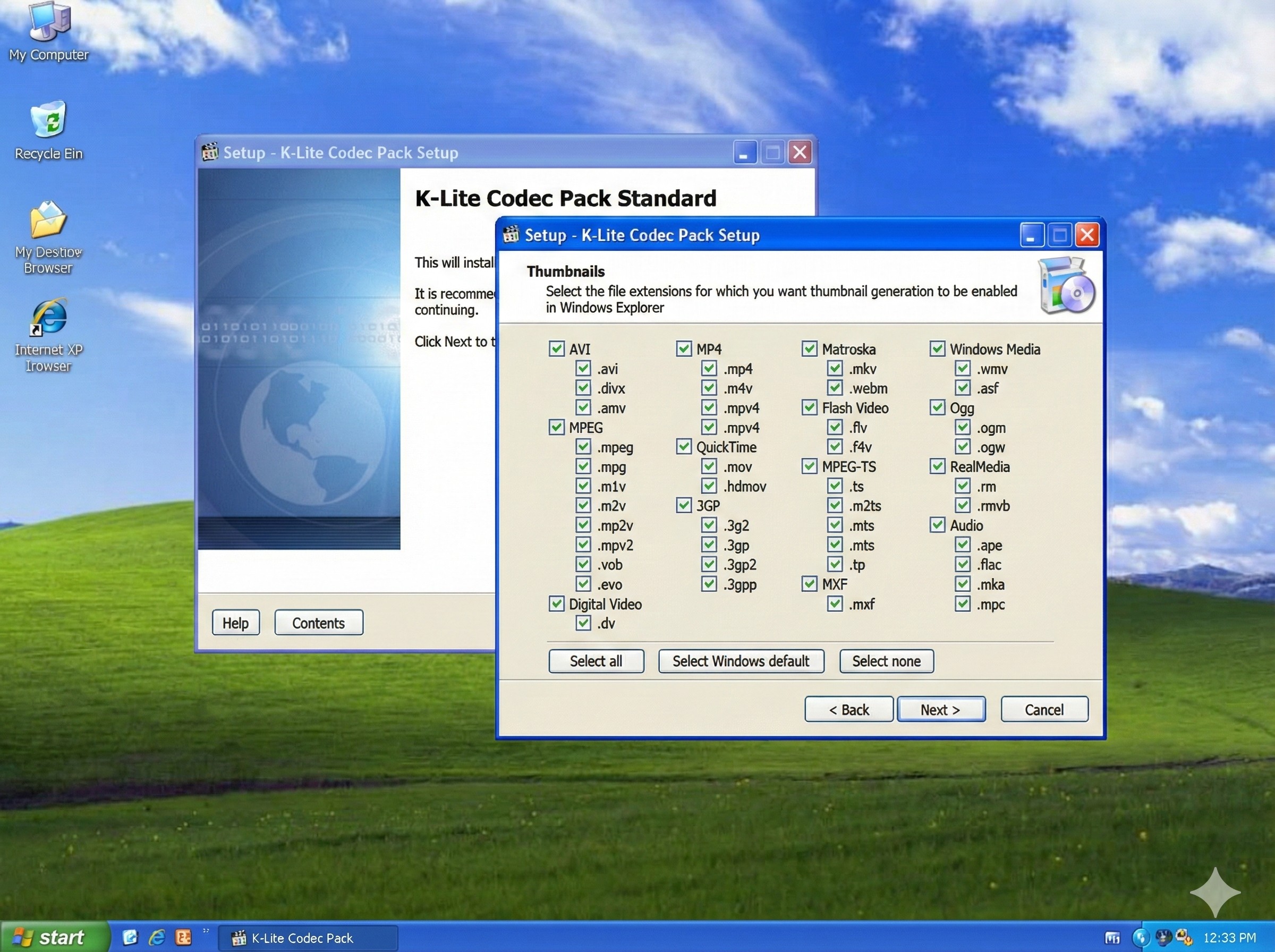
K-Lite Codec Pack is a maintained free codec pack that installs DirectShow filters [2] and MPEG-2 codecs for compatible applications. K-Lite supplies DirectShow filters for compatible legacy players, but modern Windows 10/11 Windows Media Player does not use DirectShow in the same way and may not gain DVD playback from the codec pack.
Download K-Lite from its official project page and review the selected components and file associations during installation. On Windows XP, use the legacy build intended for XP SP3. On modern Windows, MPC-HC or another maintained standalone player is the more direct option when Windows Media Player does not use the installed filters.
Pros:
- Current builds support Windows 7 through Windows 11.
- Includes Media Player Classic (MPC-HC) as a standalone playback option.
- Active Windows builds receive compatibility updates.
Cons:
- Installation includes several component and file-association choices.
- The Windows XP build is a legacy release without current updates.
CyberLink PowerDVD SE (OEM Versions)
- 💻Supported OS: Windows 98, ME, 2000, XP, Vista (Legacy OEM builds only)
- 📀Supported Media: DVD only
PowerDVD SE is a legacy OEM edition for systems that already have licensed recovery media; CyberLink's active retail product line is PowerDVD 24. The SE/OEM edition supplied licensed MPEG-2 support for compatible legacy systems, but it is not a current free download or retail edition.
If you are restoring a legacy PC, check the original driver or recovery discs supplied with the system. Licensed OEM recovery media may restore the decoder intended for that computer's original Windows installation and hardware.
Pros:
- Officially licensed Dolby Digital audio decoding included.
- Stable performance on low-spec.
- Integrates directly with Windows Media Center Edition on XP-era all-in-one PCs.
Cons:
- No longer offered as a current download or retail edition.
- PowerDVD 24 is a separate current product, not the discontinued SE/OEM edition.
NVIDIA PureVideo Decoder
- 💻Supported OS: Windows XP, Windows Media Center Edition 2005
- 📀Supported Disc Types: DVD only
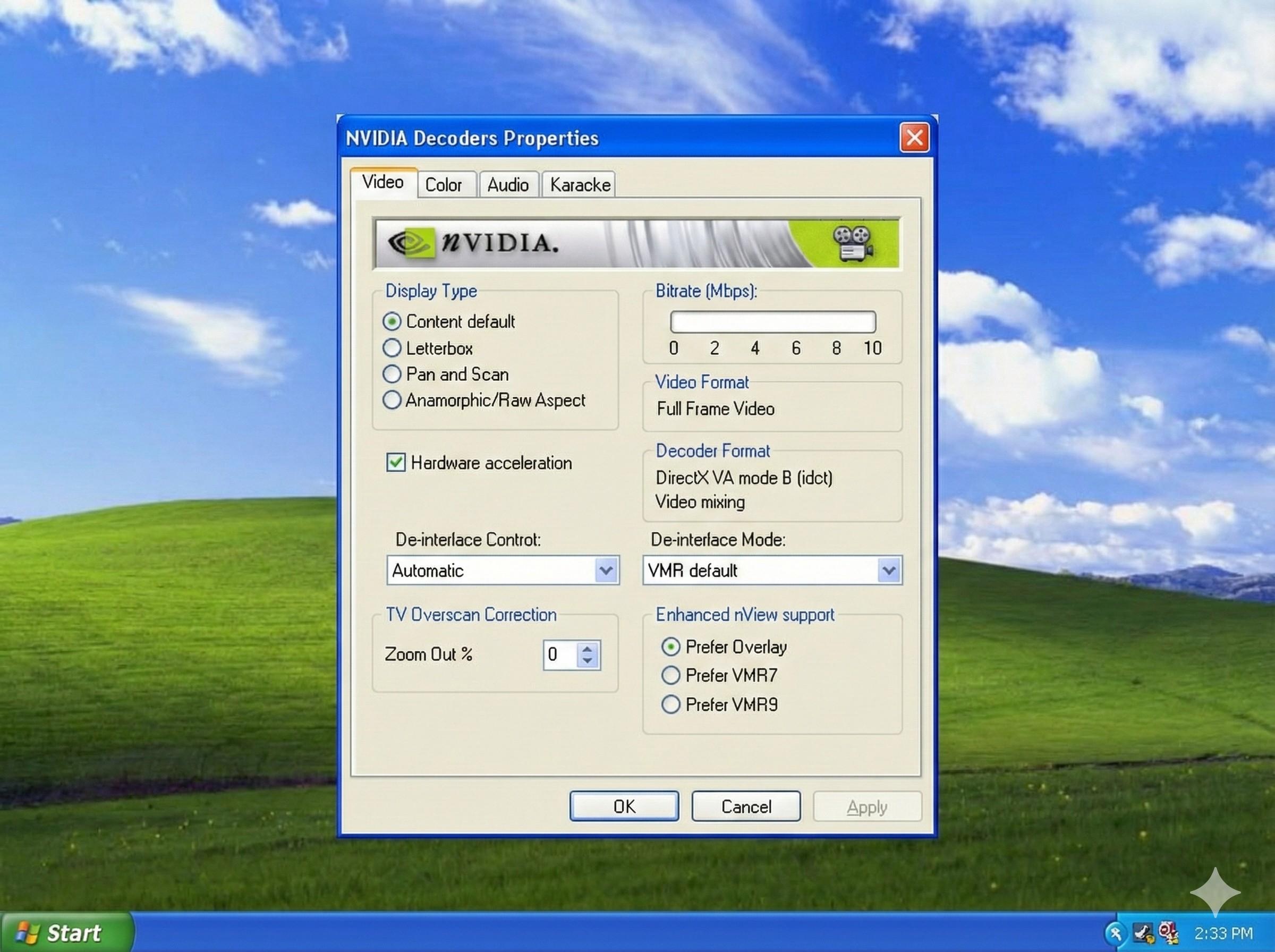
The NVIDIA PureVideo Decoder is a specialized plugin for Windows XP systems equipped with older GeForce GPUs. It uses compatible legacy NVIDIA hardware to offload some DVD decoding work from the CPU to the graphics card.
This decoder has a narrow use case on compatible mid-2000s Windows XP and Media Center systems. NVIDIA PureVideo Decoder 1.00.58 was released in 2004 for Windows XP-era systems and requires an activation key. Its hardware-assisted features apply only to supported legacy NVIDIA GPUs and software configurations.
Pros:
- Can offload supported DVD decoding tasks to compatible NVIDIA hardware.
- Includes hardware-assisted de-interlacing and color controls for supported configurations.
- Direct integration into Windows Media Player settings.
Cons:
- Strictly requires specific legacy NVIDIA hardware.
- No longer maintained as a current supported product.
Use a Media Player with Built-in DVD Decoding
If you want current DVD playback without restoring legacy Windows Media Player, a standalone player with its own decoding libraries is usually the more direct choice. It does not depend on the missing Windows MPEG-2 component, although disc access and menu support still depend on the player, optical drive, and DVD structure.
VLC Media Player
- 💻Supported OS: Windows, macOS, Linux; legacy builds are available for some older systems
- 📀Supported Disc Types: DVD, audio CD, VCD, and common multimedia files
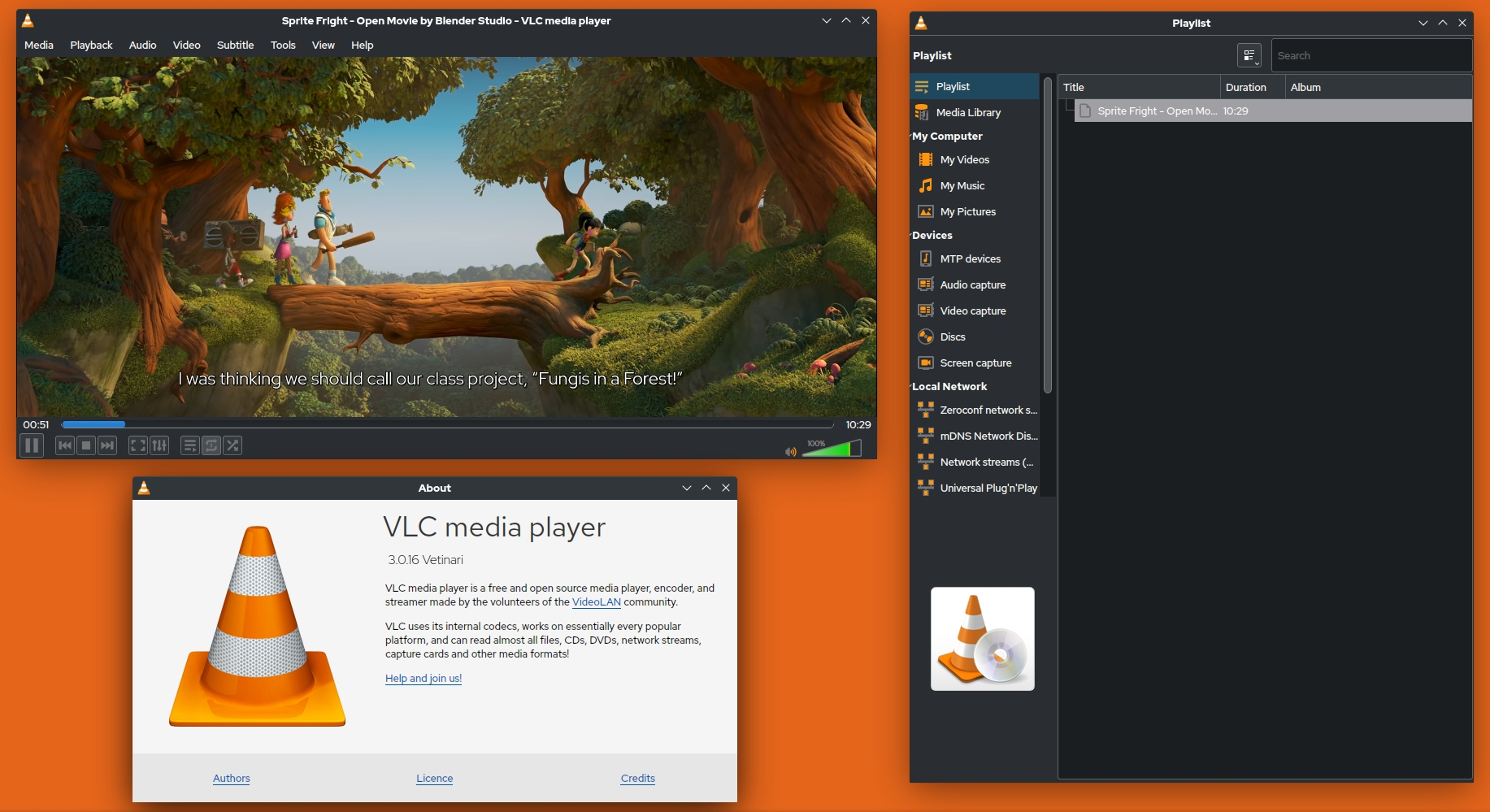
VLC Media Player is a current standalone option for DVD playback when Windows Media Player lacks a compatible decoder. Rather than changing Windows Media Player's codec layer, it uses its own internal playback libraries. Download the build intended for your operating system from the official VideoLAN site.
Some subtitle, audio-track, and chapter controls are located in secondary menus, so new users may need time to learn where they are. DVD navigation and disc access can also depend on the disc structure and optical drive. VideoLAN notes that RPC2 drives enforce region settings at the firmware level, which a media player cannot change.
Pros:
- Free and open-source.
- Provides current standalone playback without restoring legacy Windows Media Player codecs.
- Supports DVDs and a broad range of common media files.
Cons:
- Some subtitle, audio, and chapter controls are located in secondary menus.
- DVD menu and disc-access compatibility can vary by disc structure and optical drive; use the official build supported by your operating system.
Dedicated DVD Playback Applications
- 💻Supported OS: Windows 11, 10, 8.1, 8, 7 and Mac
- 📀Supported Disc Types: DVD, ISO Image, DVD Folder
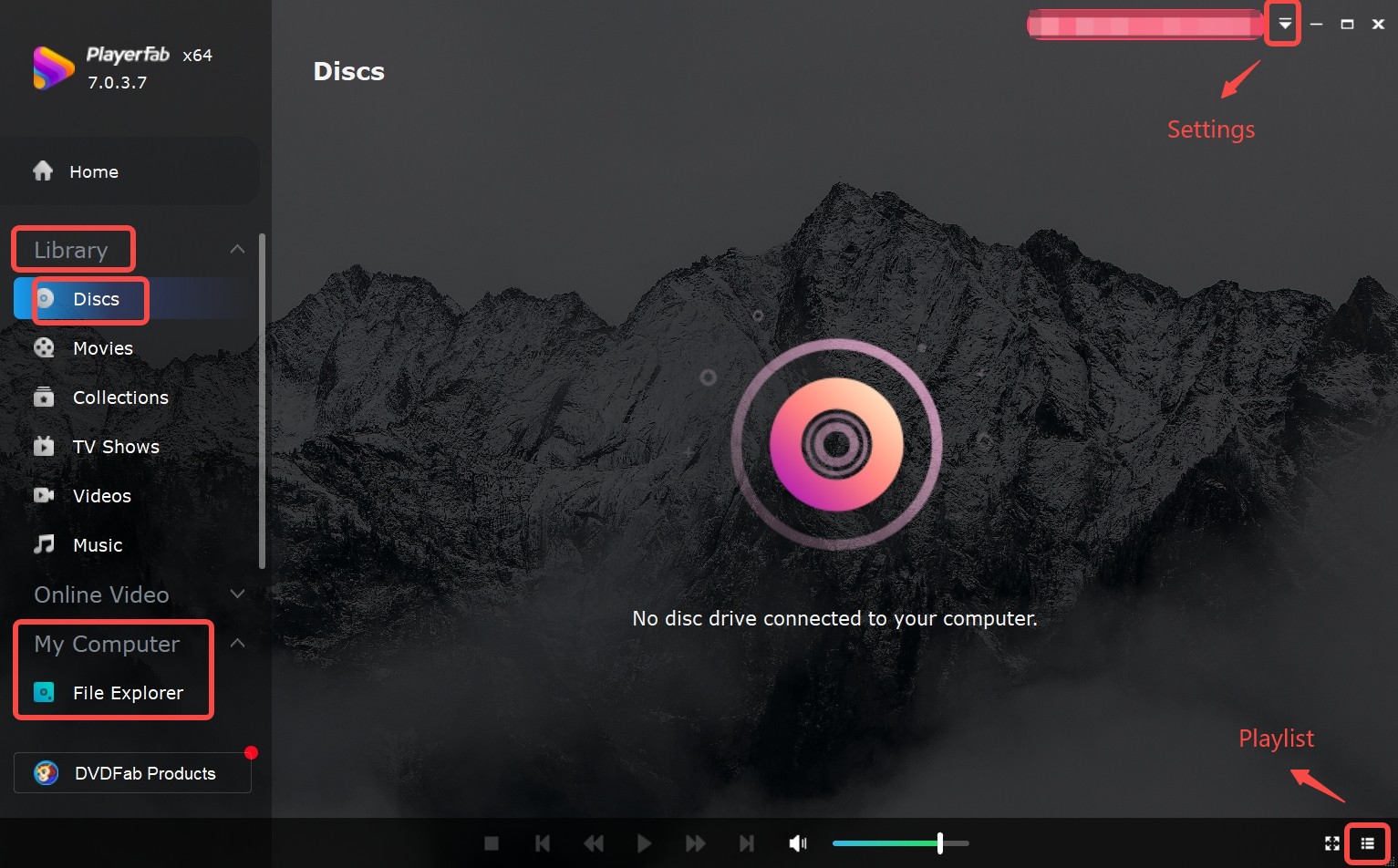
PlayerFab DVD Player is a region-free playback application designed for users who want a dedicated home theater experience. It opens DVDs from any region, ISO files, and DVD folders, and preserves full interactive menus, chapter navigation, and extras exactly as they appear on a physical player. Hardware decoding via AMD, Intel, and NVIDIA chips keeps playback smooth on older CPUs.
Two features stand out for users managing a disc library. Main Movie Mode detects the main feature automatically and skips trailers and studio logos, saving 2 to 3 minutes per session. The Poster Wall function scans local ISO files and DVD folders, fetches cover art and metadata, and presents the collection as a visual grid instead of a file browser.
Pros:
- Supports DVD, ISO image, and DVD folder playback.
- Can organize ISO files and DVD folders with cover art and metadata.
- Preserves interactive DVD menus, chapters, and extras.
Cons:
- Full functionality may require a paid license.
- Older Windows versions may not be supported.
Decode DVD to Digital Format for Broader Device Compatibility
I consider digitizing physical discs the best way to decode DVDs in the modern era. Instead of constantly patching an outdated system like Windows XP or troubleshooting WMP errors, the ultimate solution is to retire the physical disc entirely and turn it into a permanent digital file.
Rip DVD to Digital Files with DVDFab DVD Ripper
- 💻Supported OS (as of September 2026): Windows 11/10/8.1/8/7 (64-bit) & macOS 12 or newer
- 📀Supported Media: Protected DVD, ISO, Folder
DVDFab DVD Ripper DVDFab DVD Ripper can convert physical discs into universally compatible digtal video files like MP4, MKV, AVI, MOV, etc. It reads standard DVD copy protections, including CSS, RC, and APS, which allows personal backups regardless of hardware restrictions. The resulting file plays on any device that supports common video formats, with no decoder software required.
I use DVDFab DVD Ripper when I encounter a disc that fails due to a region mismatch or a persistent Windows Media Player error. On a modern PC, a standard DVD rip takes about 5 minutes, and the output file works on every device in the library. That means no decoder hunting on future OS installs.
Key Features:
- Efficiently removes copy protection from old or latest DVDs for personal backups.
- Converts DVD to MP4 and other 1000 video and audio formats.
- Output presets for 260+ devices, including phones, tablets, and game consoles.
- Compresses file size while preserving quality for mobile storage.
- Get 50x faster DVD ripping speed with GPU acceleration and multitasking mode.
- Includes a built-in video editor to crop black bars or trim unwanted ads
Before starting, prepare a DVD you own or are authorized to use, a supported Windows or macOS computer, a readable optical drive or an ISO/DVD folder source, and enough storage space for the output file.
How to Use DVDFab DVD Ripper to Convert a DVD to a Digital File
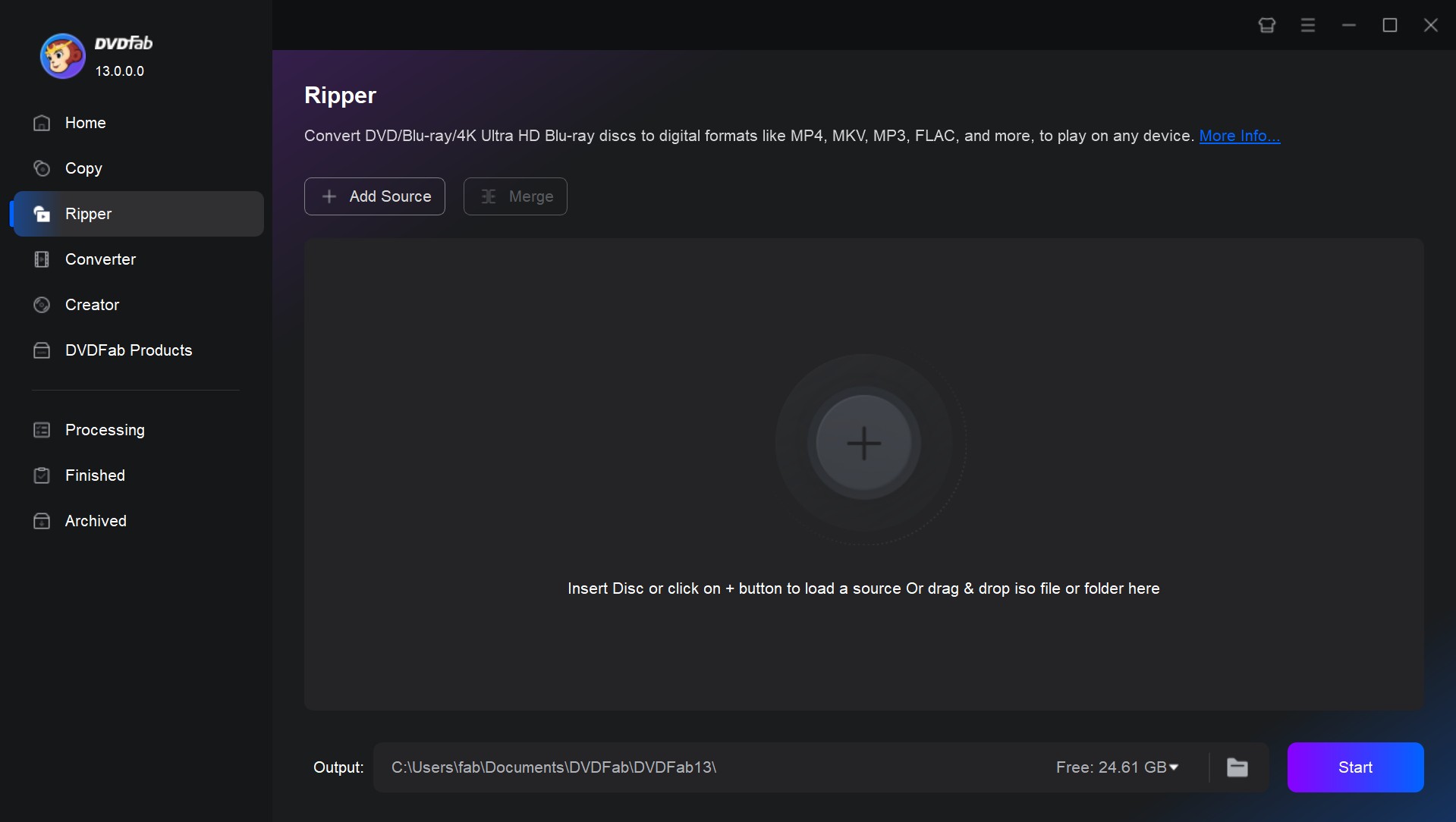
Step 1: Launch DVDFab and Import the DVD Source
Download and install DVDFab DVD Ripper. Select the Ripper module. Now, either insert the DVD into your computer or drag the ISO file or DVD folder onto the user interface.
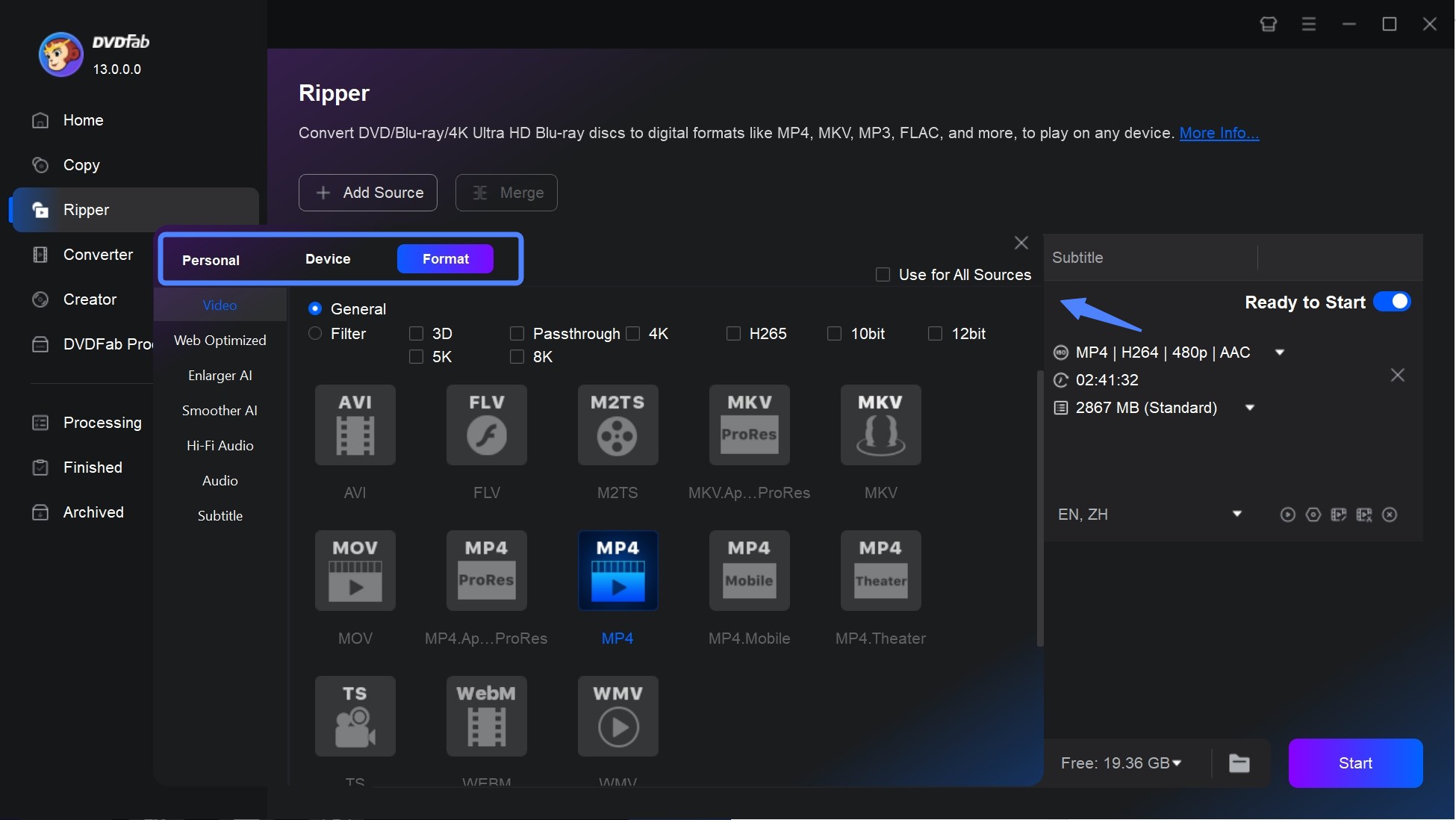
Step 2: Select a Profile and Customize the Output Video
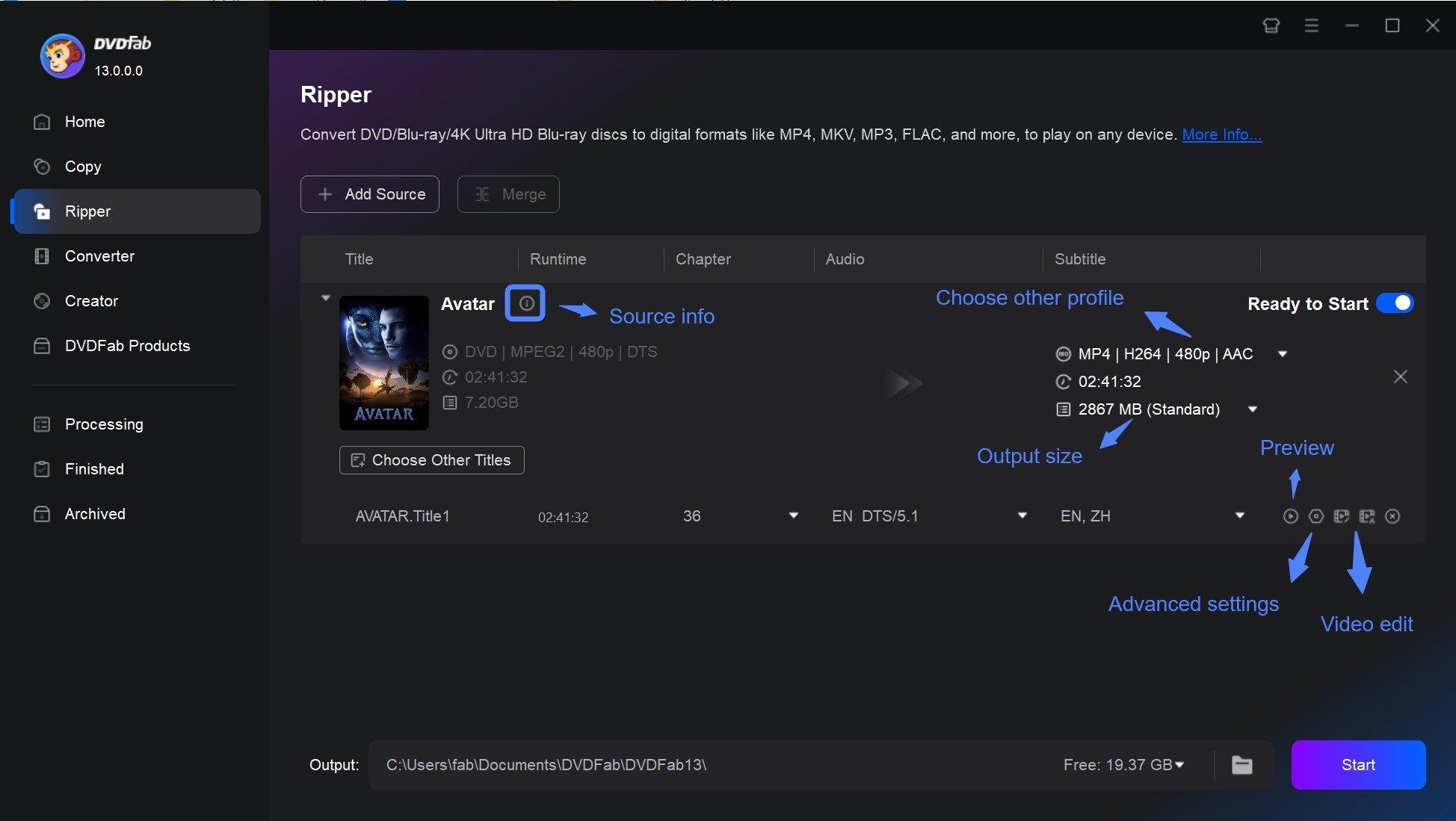
Click on Choose Other Profile to access the profile library and select your desired profile. You have the option to convert the DVD into popular digital formats or choose a specific output device format.
Then, access advanced settings and modify parameters. Additionally, utilize the built-in video editor to trim, crop, rotate, add a watermark or subtitles, and adjust contrast.
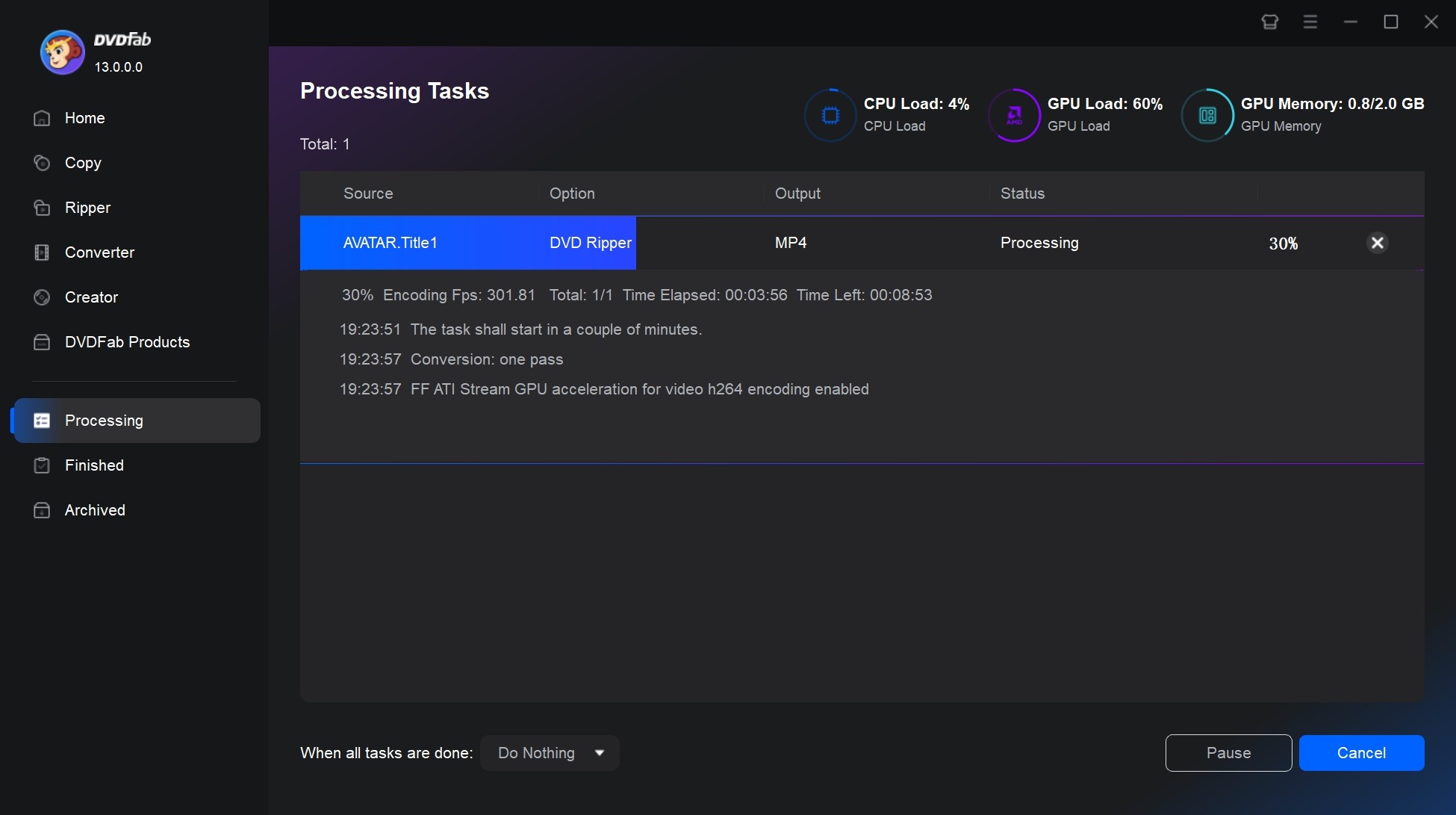
Step 3: Initiate the DVD Ripping Process
Determine the file directory where you want to save the output video. You can also enable GPU Hardware Acceleration for batch conversion on supported hardware. Once you have configured all settings, click on the Start button.
FAQs about DVD Decoding on Windows
Is a free DVD decoder download safe?
Download maintained software only from its official project or vendor page. PowerDVD SE and NVIDIA PureVideo Decoder are legacy products, not current free-download recommendations. Corel labels its CinePlayer DVD Decoder Pack information as outdated, so treat it as a legacy decoder rather than a current download recommendation and avoid third-party archives.
How can I check which DVD decoder is installed?
For a legacy DirectShow-based version of Windows Media Player, press Alt to show the menu, open Help > About Windows Media Player, and select Technical Support Information. Look under "MPEG/DVD Filters" for registered decoders. Codec Tweak Tool, which is included with K-Lite, can also inspect installed DirectShow filters.
Will a DVD decoder fix a wrong region error?
No. MPEG-2 decoding turns DVD video data into picture and sound, but it does not change the region controls applied by the disc or optical drive. The guide to DVD regions explains those controls in more detail.
Why won't my DVD play after I install a decoder?
A DVD can still fail after decoder installation when the drive does not detect the disc, the player lacks DVD navigation, the video or audio filter is incompatible, or the disc requires access handling beyond MPEG-2 decoding. Confirm that File Explorer sees the disc, check whether the player supports DVD menus and chapters, and test the video and audio filters separately. If the drive cannot detect the disc in another supported player, inspect the disc and optical drive before changing codecs again.
Can modern Windows Media Player play DVDs?
Modern Windows Media Player on Windows 10 and 11 does not use legacy DirectShow codec packs in the same way as older versions, so installing an MPEG-2 filter may not add DVD playback. A maintained standalone DVD player is usually the more direct option on a modern Windows system.
Conclusion
Resolving the "DVD decoder not installed" error does not require paying for the Microsoft Windows DVD Player app. The right approach depends on how you use the disc and what OS you are running.
On a legacy Windows PC with a DirectShow-based player, a compatible codec pack or licensed OEM decoder may restore playback. On Windows 10 or 11, a maintained standalone player is usually the more direct choice for one-time viewing. If you want an organized local library or need to convert multiple authorized DVDs, DVDFab DVD Ripper supports MP4, MKV, broad output profiles, batch conversion, and GPU acceleration on compatible hardware. Use its 30-day trial, which covers up to three DVDs, to check your drive, source disc, and preferred output format.

 How to Compress ISO Files: 4 Methods for Storage, Playback, and ArchivesBy Diana Smith - Sep 16, 2026
 How to Rip DVD to Facebook and Upload the Video in 2026By Diana Smith - Sep 15, 2026
![How to Rip DVDs for Plex: Guide to Formats, Tools, and Library Setup [2026]](https://images.dvdfab.cn/media/Screenshot_2026-09-08_at_18.53.34_j36v3l.png/public) How to Rip DVDs for Plex: Guide to Formats, Tools, and Library Setup [2026]By Diana Smith - Sep 8, 2026
How to Rip DVDs for Plex: Guide to Formats, Tools, and Library Setup [2026]By Diana Smith - Sep 8, 2026![Top 12 DVD to MP4 Converter Software for Win & Mac [2026 Tested]](https://r3.dvdfab.cn/upload/resource/convert-dvd-to-mp4-p2X3.jpeg) Top 12 DVD to MP4 Converter Software for Win & Mac [2026 Tested]By Diana Smith - Sep 4, 2026
Top 12 DVD to MP4 Converter Software for Win & Mac [2026 Tested]By Diana Smith - Sep 4, 2026