4K UHD Drive Firmware Downgrade Solution

Advanced and Powerful

Downgrade UHD Unfriendly Firmware for Normal Backup

The existing firmware on a 4K UHD drive (also known as a 4K Blu-ray drive), including both internal and external models, may restrict the reading of UHD disc data as well as the ability to copy UHD discs to a hard drive, computer, or to rip them into digital formats for playback on multiple devices. DVDFab UHD Drive Tool is a firmware downgrade utility designed to help you revert your 4K UHD drive's firmware, enabling legal backups of your 4K Blu-ray discs with tools such as UHD Copy and UHD Ripper.
Downgrade UHD Unfriendly Firmware
Broadly Compatible

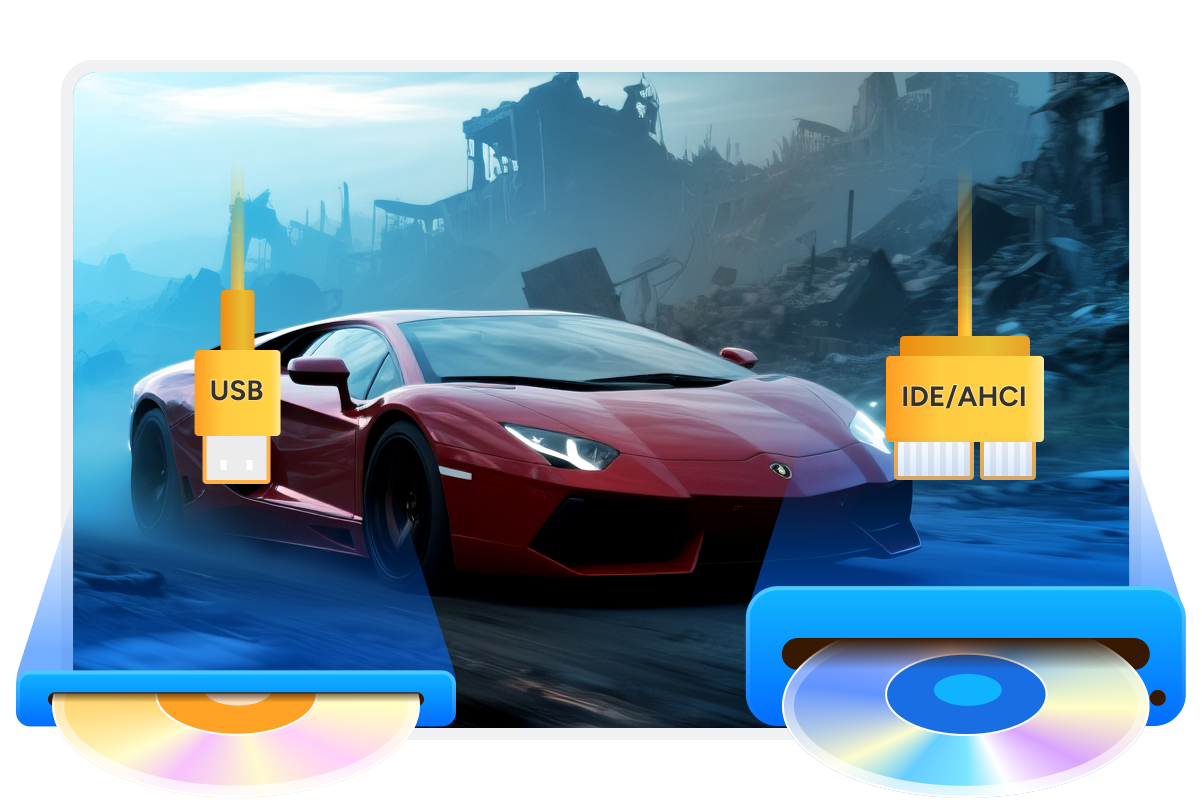
Support All Types of 4K Blu-ray Drive and USB Drives

As a comprehensive UHD drive utility, it is fully compatible with nearly all UHD drives on the market, including internal SATA 4K Blu-ray drives and external USB drives. We have now significantly expanded our support to include the Pioneer family, covering its most popular internal and portable series. In addition to firmware downgrades for various interfaces, the tool also supports cross-flashing specific models to unlock their full 4K UHD potential.

Support All Types of 4K Blu-ray Drive and USB Drives
Simple and Intuitive

Truly 'One-Click' Mode Made it Easy for Everyone

This user-friendly firmware flashing utility features an intuitive interface. No advanced knowledge or special skills are required to complete the downgrading process, making it accessible for both novices and experienced users. Regardless of the type of 4K Blu-ray optical drive you own, simply launch the interface and click a single button to complete the downgrade.
Truly 'One-Click' Mode

Supported 4K UHD Drive List

As of now, DVDFab supports popular 4K UHD drives from all major manufacturers — LG, ASUS, Pioneer, and more.
BrandDrive ModelTypeCurrent FirmwareTarget FirmwareMethodStatus
Pioneer (NEW)BDR-XD07UHDExternal USB slim tray, RS8D301.041.00, 1.01, 1.02, 1.03DowngradeTested
BDR-XS07UHD/B-UHD/TUHDExternal USB slim slot, RS8E211.021.00, 1.01DowngradeTested
BDR-S11 / BDR-S11JXInternal 5.25" SATA, RS88001.541.53DowngradeTested
BDR-S12UHTInternal 5.25" SATA, RS8F001.041.00, 1.01DowngradeTested
BDR-212UBKInternal 5.25" SATA, RS8F001.051.00, 1.01, 1.02DowngradeTested
BDR-XD07TSExternal USB, Non-UHD, RS8D301.00, 1.01, 1.02, 1.03XD07TUHD 1.00, 1.01, 1.03Cross-flash
BDR-S12XLTInternal 5.25" SATA, Non-UHD, RS8F001.00, 1.01S12UHT 1.00, 1.01Cross-flash
BDR-212DBKInternal 5.25" SATA, RS8F001.02S11 1.53Cross-flash
BDR-S09Internal 5.25" SATA1.50211M 1.53Cross-flash
BDR-209DBKInternal 5.25" SATA1.00211M 1.53Cross-flash
BDR-209MBKInternal 5.25" SATA1.00S11 1.53Cross-flash
BDR-S12JXInternal 5.25" SATA1.03S11 1.53Cross-flash
LGUH12NS40Internal, BDXL, SVC code: NS401.01/1.021.00DowngradeTested
BP55EB40External, BDXL, SVC code: NB501.02/1.031.00Downgrade
WH14NS40Internal, UHD Friendly, SVC code: NS501.01-1.051.00DowngradeTested
WH16NS40Internal, UHD Friendly, SVC code: NS501.03-1.05NS50_1.02DowngradeTested
BH16NS40Internal, UHD Friendly, SVC code: NS501.03-1.051.02DowngradeTested
BH16NS55Internal, UHD Friendly1.01-1.051.00DowngradeTested
BH14NS58Internal, UHD Friendly1.01/1.021.00DowngradeTested
BH16NS58Internal, UHD Friendly1.01/1.021.00DowngradeTested
WH16NS58Internal, UHD Friendly1.V5-1.V91.00DowngradeTested
BE16NU50External, UHD Friendly1.02-1.041.01DowngradeTested
BU40NInternal, UHD OfficialCAT9Downgrade
BU50NInternal, UHD OfficialCC01Downgrade
WH16NS60Internal, UHD Official1.02/1.031.00DowngradeTested
BP60NB10External, UHD Official1.021.00/1.02DowngradeTested
ASUSBC-12B1ST bInternal, UHD Friendly, 2015+3.01-3.113.00Downgrade
BC-12D2HTInternal, UHD Friendly, 2015+3.01-3.113.00DowngradeTested
BW-16D1HTInternal, UHD Friendly, 2015+3.01-3.103.00DowngradeTested
BW-16D1H-UExternal, UHD Friendly, 2015+A202/A203/A204A201Downgrade
HPHLDS BU40NInternal, UHD OfficialBW41Downgrade
HLDS BU50NInternal, UHD OfficialBW50Downgrade
BuffaloBU40NExternal, UHD OfficialBU13/BU14/BN12/BN13BU10DowngradeTested
ArchgonMD-8107S-U3-UHD BU40NExternal, UHD Official1.00DowngradeTested
Launch DVDFab UHD Drive Tool
Step 1. Launch DVDFab UHD Drive Tool
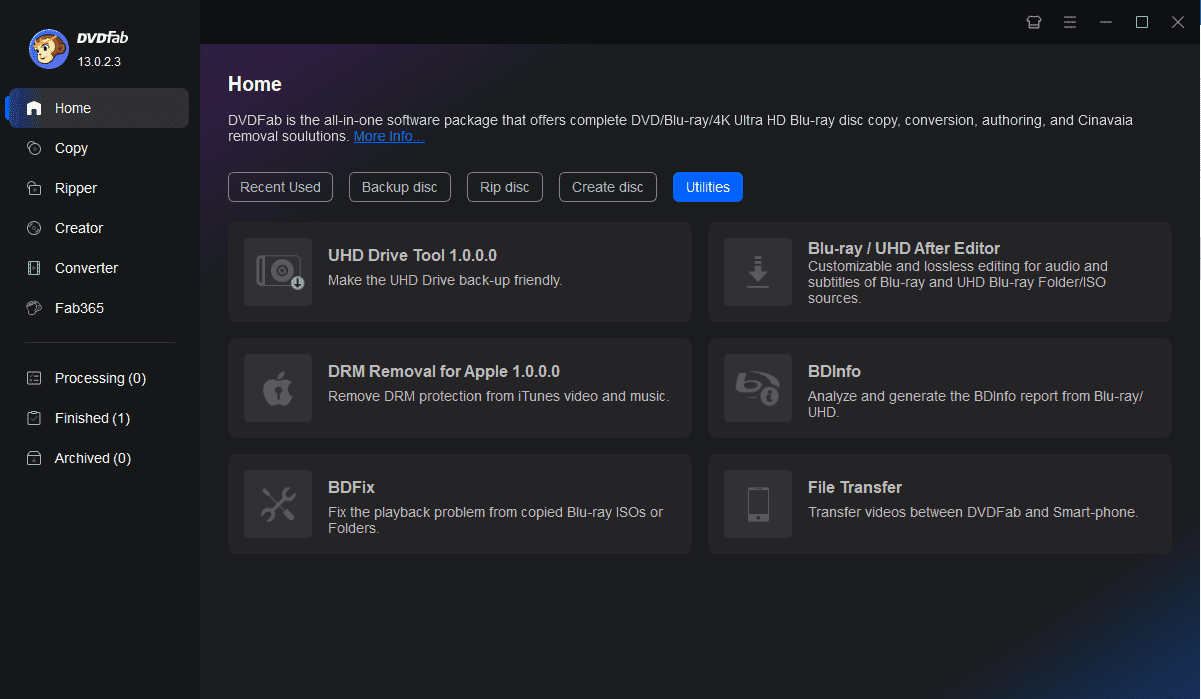
Download and install this 4K Blu-ray Drive tool. Go to 'DVDFab' > 'Utility' and tab 'UHD Drive Tool'. Then insert the external 4K Blu-ray drive (if it is external) into PC and take out any disc from the drive.
Step 2. Select your UHD drive from the available drive list
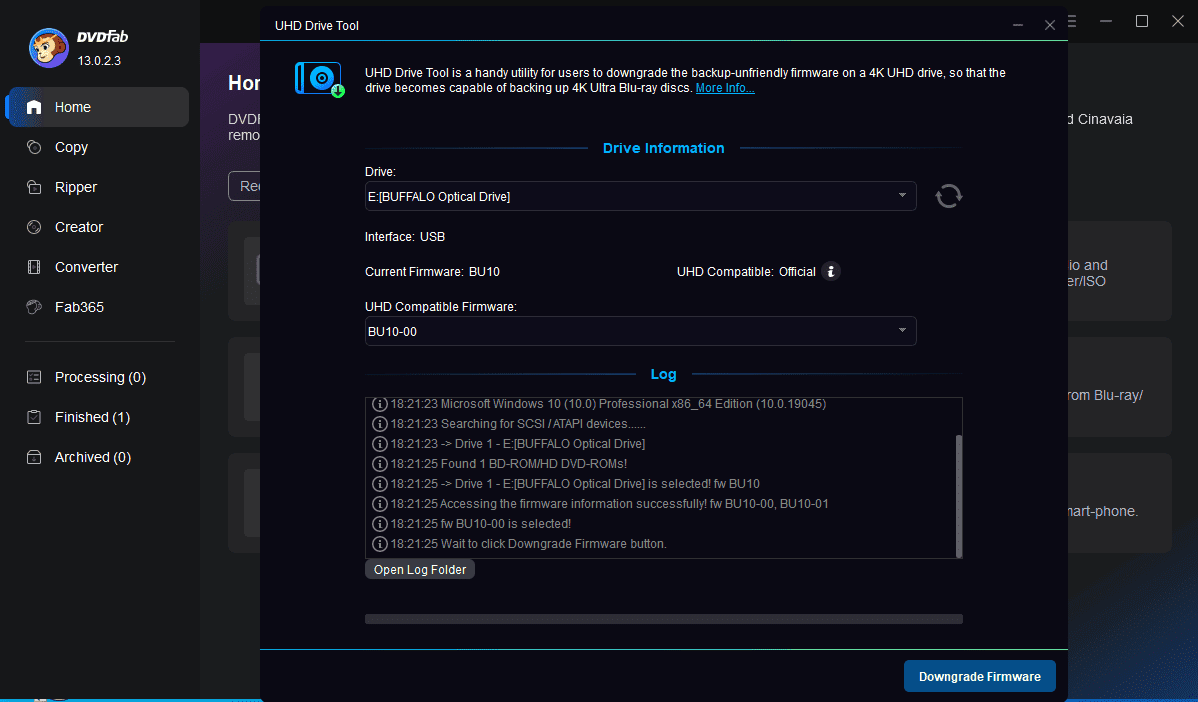
Choose your 4K UHD drive from the drop-down menu.
Step 3. Hit "Downgrade Firmware"
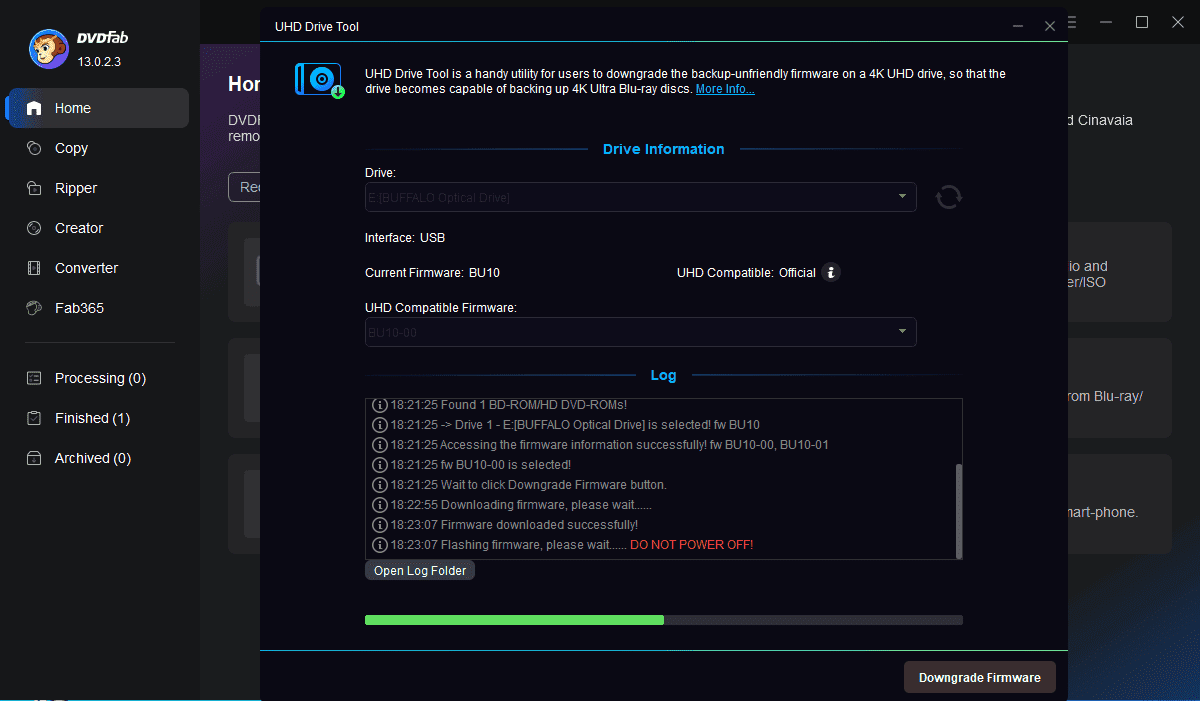
Tab "Downgrade Firmware" to proceed with the downgrading task. A successful report will pop up when the friendly firmware is flashed. Once done, reboot your PC.

System Requirements

Icon
Windows 11/10/8.1/8/7 (64 bit)
Core 2 Quad and above
2GB of RAM
10GB of free hard disk space
Live Internet connection required

Fair Use Policy : DVDFab is intended for personal use only, and sharing copied content with any third party is strictly prohibited.
 
To ensure a stable user experience and prevent potential restrictions from disc publishers, each DVDFab licensed account has a quota of 100 disc copies per week. This quota will automatically reset at the start of a new weekly cycle.