BookFab Text-to-Speech Review 2026: Worth It for Audiobooks?
Summary: BookFab is a powerful multilingual text-to-speech app offering high-quality AI voices, extensive customization, and offline functionality. Read this article to know more in detail!
Here’s the short answer: BookFab AudioBook Creator suits Windows users who want to turn EPUB, TXT, or pasted text into audiobook files, but it is not for mobile-only, offline-first, or broad multilingual use. This BookFab text-to-speech review finds its EPUB-to-M4B path and pronunciation controls most relevant to long-form listening.
BookFab Review Verdict and Core Features
This review considers five things that affect a finished audiobook: voice naturalness, pronunciation control, long-form pacing, file handling, and usability. The documented feature set supports English and Japanese voices, with 20 voices for each language, but it does not establish a universal winner for every text-to-speech task. For a book-length project, the useful question is whether the resulting file remains easy to navigate, label, and resume after it leaves the app.
What This Review Evaluates
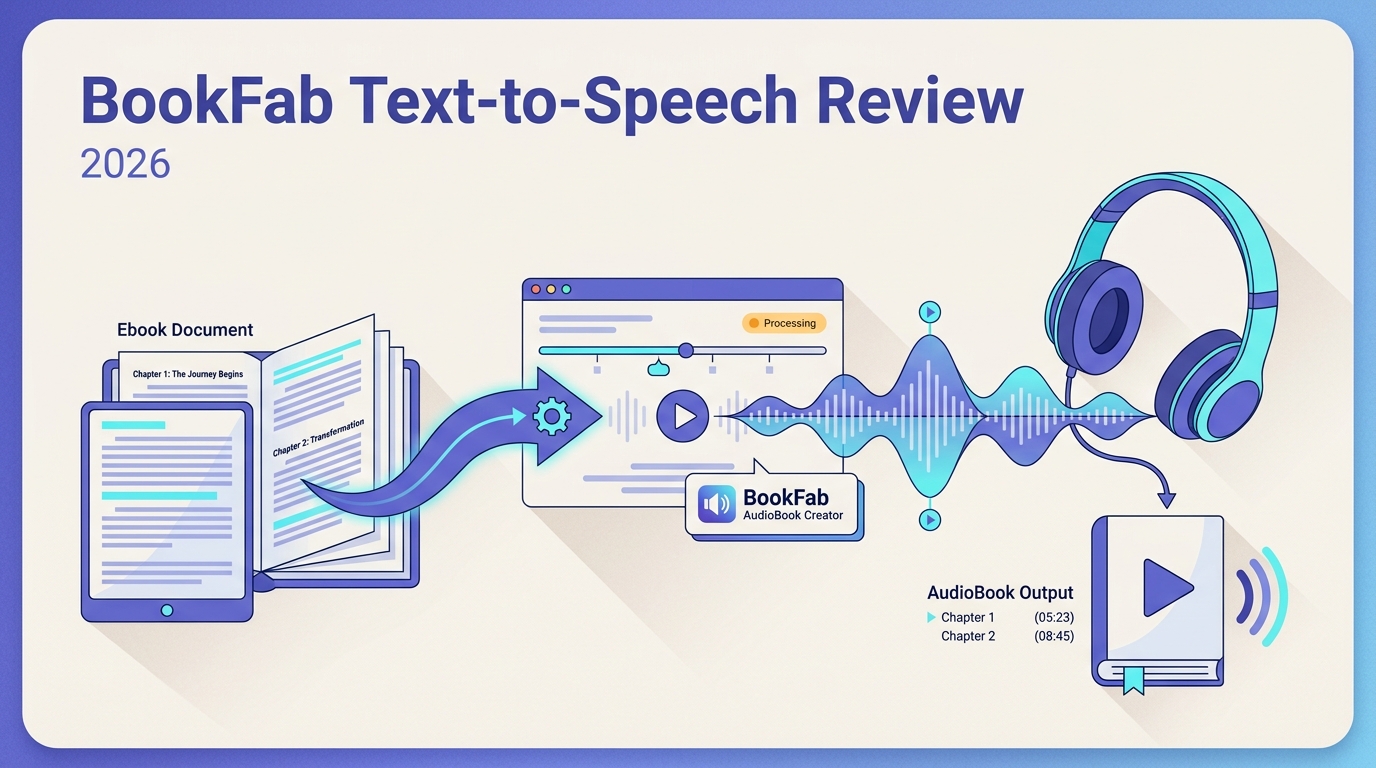
BookFab’s strongest documented use case is a Windows-based audiobook workflow: prepare a text or EPUB, adjust narration settings, export a portable audio file, then check chapter order and naming before adding it to a library. It is less suited to readers who need to create audio on a Mac, phone, or offline computer.
Verified Formats and Voice Controls
Smart Voice Generation
| Category | Verified details |
|---|---|
| Inputs | Pasted text, TXT, EPUB |
| Text and TXT exports | MP3, OPUS |
| EPUB export | M4B audiobook |
| Voice languages | English and Japanese |
| Voice library | 20 voices per language |
| Controls | Prosody, expressivity, pauses, speed, volume, Alias rules |
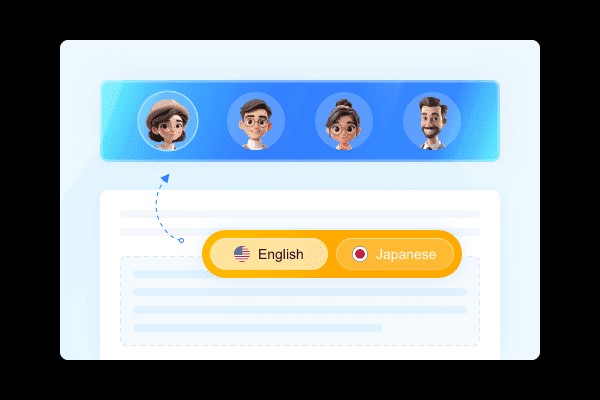
BookFab AudioBook Creator provides 20 voices for English and 20 for Japanese. BookFab AudioBook Creator can use voices generated in BookFab AudioBook Cloud Enhancer, a linked capability rather than an in-app voice-cloning feature. For long-form listening, pronunciation rules and pacing controls matter more than a long voice list: a misread name or abbreviation can interrupt an otherwise readable chapter.
Format Conversion
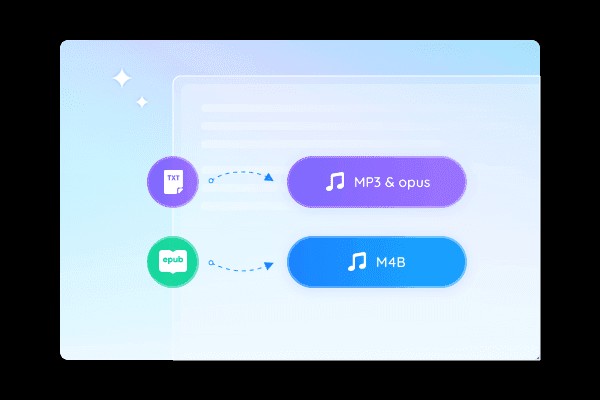
- Convert EPUB to M4B
- Export pasted text or TXT as MP3 or OPUS
- Create audio on supported Windows systems
BookFab AudioBook Creator is a Windows app that turns pasted text or TXT into MP3 or OPUS files and EPUB into M4B audiobooks, with 20 English and 20 Japanese voices available for narration. EPUB-to-M4B is meaningful for a book rather than a short clip because chapters can remain part of one audiobook file. When I review an audiobook export, I look beyond whether it plays and check chapter order, title information, and where playback resumes. If you are preparing EPUB files alongside a larger collection, BookFab Calibre ebook management covers the library-organizing side of that task. With content you are authorized to use, BookFab Kindle Converter can also help you turn Kindle books into audiobooks.
Interactive Tools
- Real-time subtitle highlighting
- Smart bookmark resuming
- Custom start points
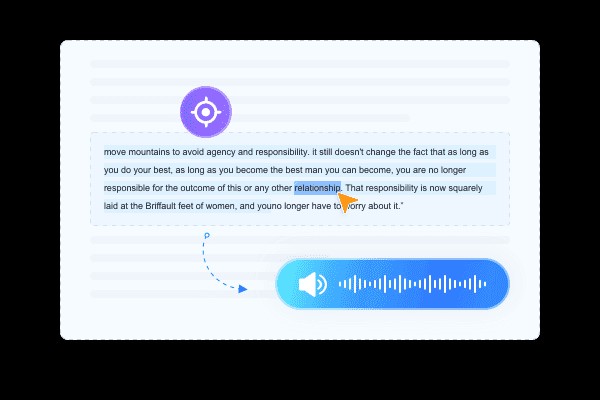
This AI voice reader ensures an interactive reading experience with real-time text highlighting. As the audio plays, the current sentence being read is highlighted and the text automatically scrolls to stay in view. You can also customize playback by selecting specific sentences to start from, making it easy to follow along.
Tech Highlights
- Pronunciation Correction
- Custom word replacement rules (Alias feature)
- Multi-language pronunciation engine
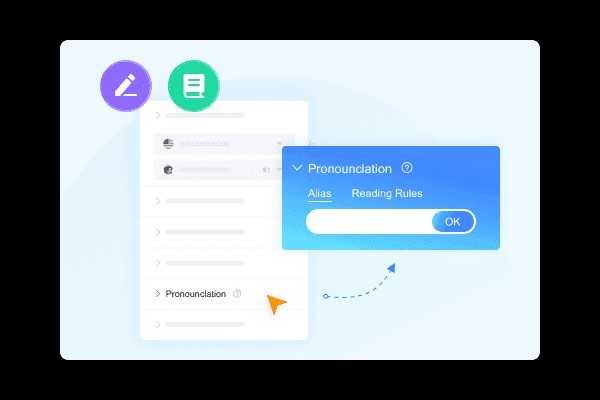
BookFab includes Alias pronunciation rules for words, abbreviations, and names that need a different spoken form. It also offers prosody, expressivity, pause, speed, and volume controls. The BookFab TTS parameter guide explains how those narration controls affect the finished audio. Text-to-speech generation is not translation, so the documented English and Japanese voice options should not be read as support for generating new language versions of a manuscript.
Smart Resource Management
- Library-based audiobook organization
- 40GB of free hard-disk space required
- Listening progress can be saved in the library
System, Internet, and Privacy Limits
Audio creation requires Windows and a live internet connection. The 40GB requirement refers to free hard-disk space, not cloud storage. Those system facts do not establish how text is retained or whether it is used for model training, so unpublished manuscripts require a separate privacy review before import.
BookFab Pricing and Word Quotas
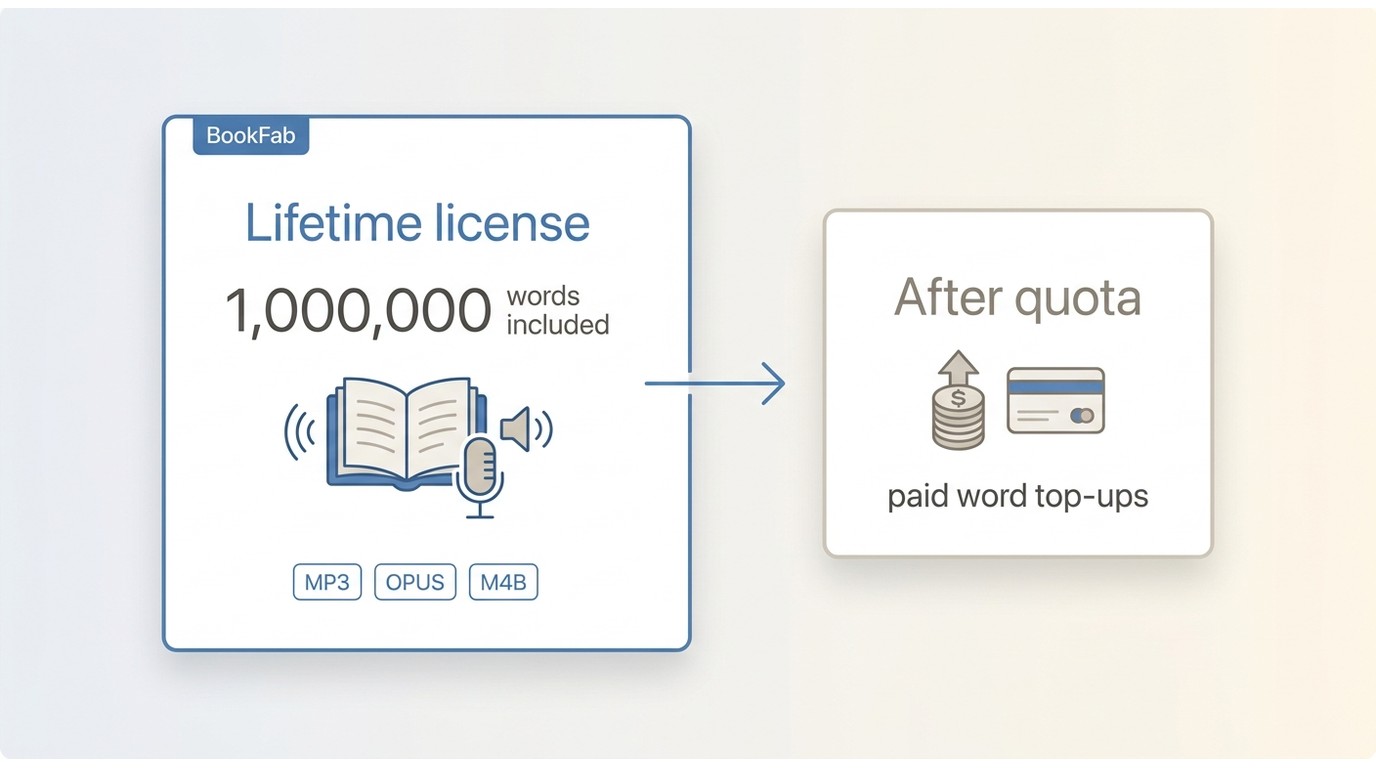
The lifetime license includes an initial 1,000,000-word quota. After that quota is used, additional word credits require paid top-ups. BookFab uses a quota-based model, and its supported inputs are pasted text, TXT, and EPUB rather than any document type. As of August 2026, the practical cost question is how much narration you expect to create after the included quota is exhausted.
Who BookFab Suits and Where It Falls Short
Best Fits by User Type
Authors working with English or Japanese drafts can use pasted text, TXT, or EPUB to create a listening copy for personal review. The most defensible use is checking how a chapter reads aloud, especially where names, abbreviations, or technical terms need Alias pronunciation rules. It should not be treated as a substitute for unsupported languages, a mobile recording studio, or an unrestricted narration service.
For a manuscript with recurring terms, add pronunciation rules before converting a full chapter. That preparation is more useful than treating a generated file as finished without listening: long-form narration still needs a check for pacing, chapter order, and terms that sound different from their spelling.
Japanese is within the documented voice scope, but text-to-speech does not translate a manuscript or automatically add sound effects. A Japanese-language source still needs its own editorial review after conversion.

Pros and Cons
Pros: The documented EPUB-to-M4B path is useful for book-length material; pasted text and TXT can be exported as MP3 or OPUS; and Alias rules give readers a way to address recurring pronunciation issues.
Cons: Creation is Windows-based and requires live internet access; current voice support is limited to English and Japanese; use is quota-based. Mac-only, mobile-only, offline-first, and broad multilingual users should look for a tool designed around those requirements.
BookFab and Other Text-to-Speech Options
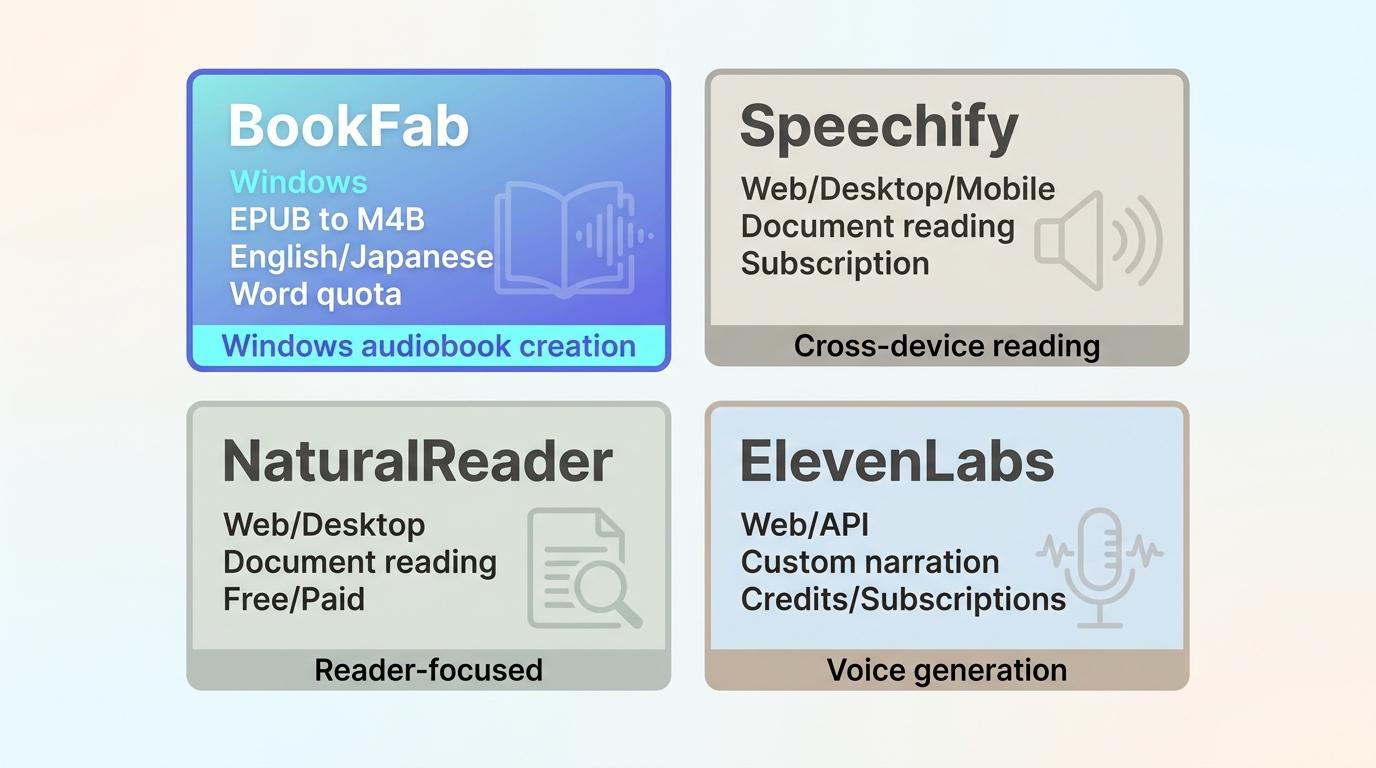
| Feature | BookFab | Speechify | NaturalReader | ElevenLabs |
|---|---|---|---|---|
| Primary use | Book-to-audiobook creation | On-screen reading | Document reading | Custom narration |
| Input and export | Text, TXT, EPUB to MP3, OPUS, M4B | Documents and web pages | Documents and web pages | Text to generated audio |
| Creation access | Windows, live internet | Web, desktop, mobile | Web and desktop apps | Web and API |
| Voice scope | English and Japanese | Multilingual catalog | Multilingual catalog | Multilingual voice tools |
| Usage model | Included word quota, then top-ups | Subscription plans | Free and paid plans | Credits and subscriptions |
The table separates reader apps from audiobook-creation tools. I would consider BookFab when an EPUB or prepared manuscript needs to become a portable M4B, MP3, or OPUS file with pronunciation adjustments. Speechify and NaturalReader make more sense for reading documents across devices, while ElevenLabs is more relevant when custom voice generation matters more than book-file organization.
Windows Creation and Mobile Playback
Commuters can play an exported audio file on a compatible mobile device, but the audiobook creation step itself takes place on Windows with a live internet connection. That distinction matters when deciding whether the software belongs in a desktop book-preparation routine or a phone-first listening routine.

For audio created from a book, clear chapter structure and sensible file naming make it easier to resume the right section in another player. That is the final check I would make before placing an exported audiobook in a personal library.
Creating an Audiobook with BookFab
Before starting, use a supported Windows computer with a live internet connection and work only with text or books you own or are authorized to use. Use pasted text or TXT when you need MP3 or OPUS; import EPUB when you need an M4B audiobook.
BookFab AudioBook Creator runs on Windows.
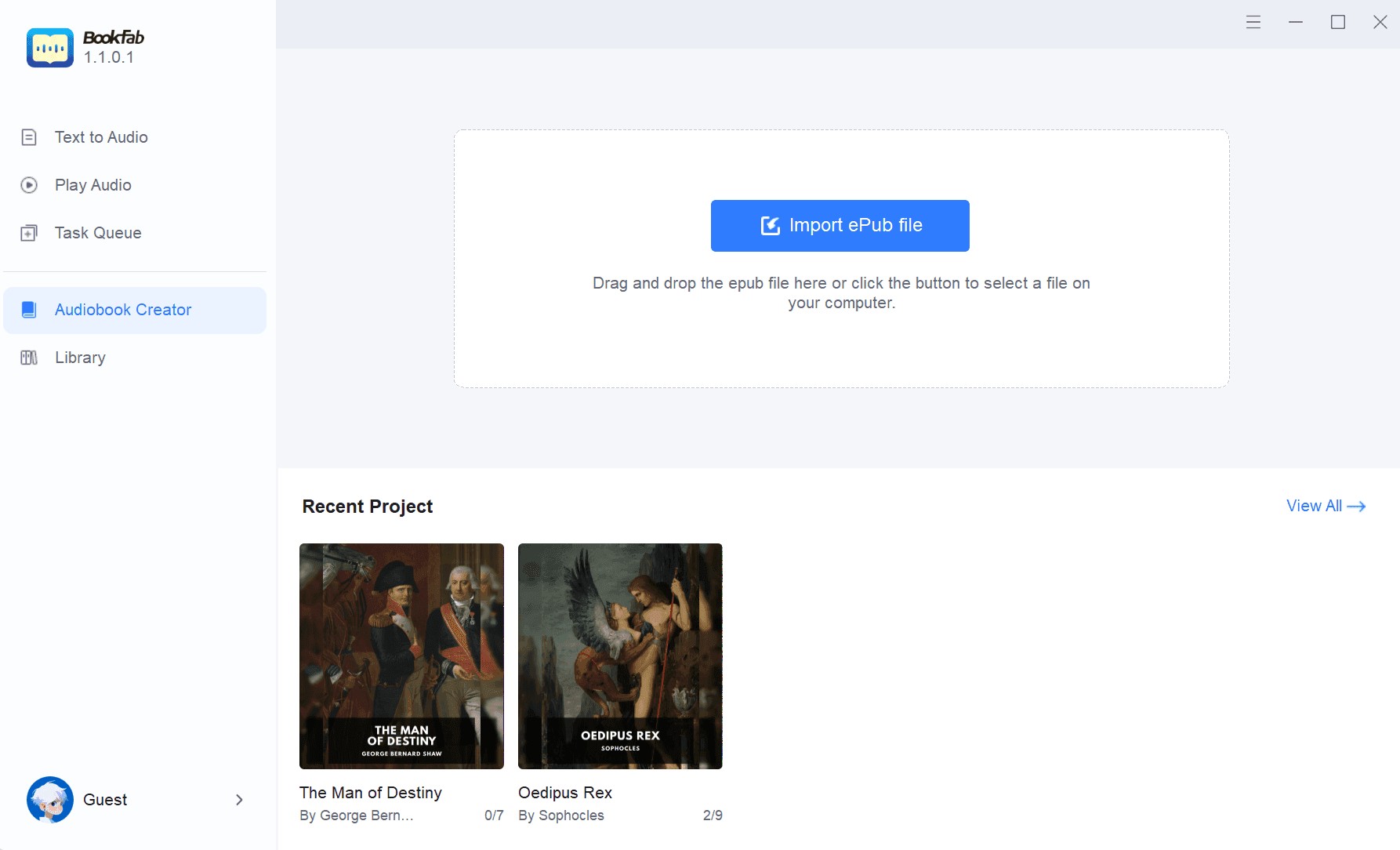
Step 1: Launch BookFab and import pasted text, TXT, or EPUB
Open BookFab and navigate to the AudioBook Creator interface. Paste text, import a TXT file for MP3 or OPUS output, or add an EPUB for an M4B audiobook.
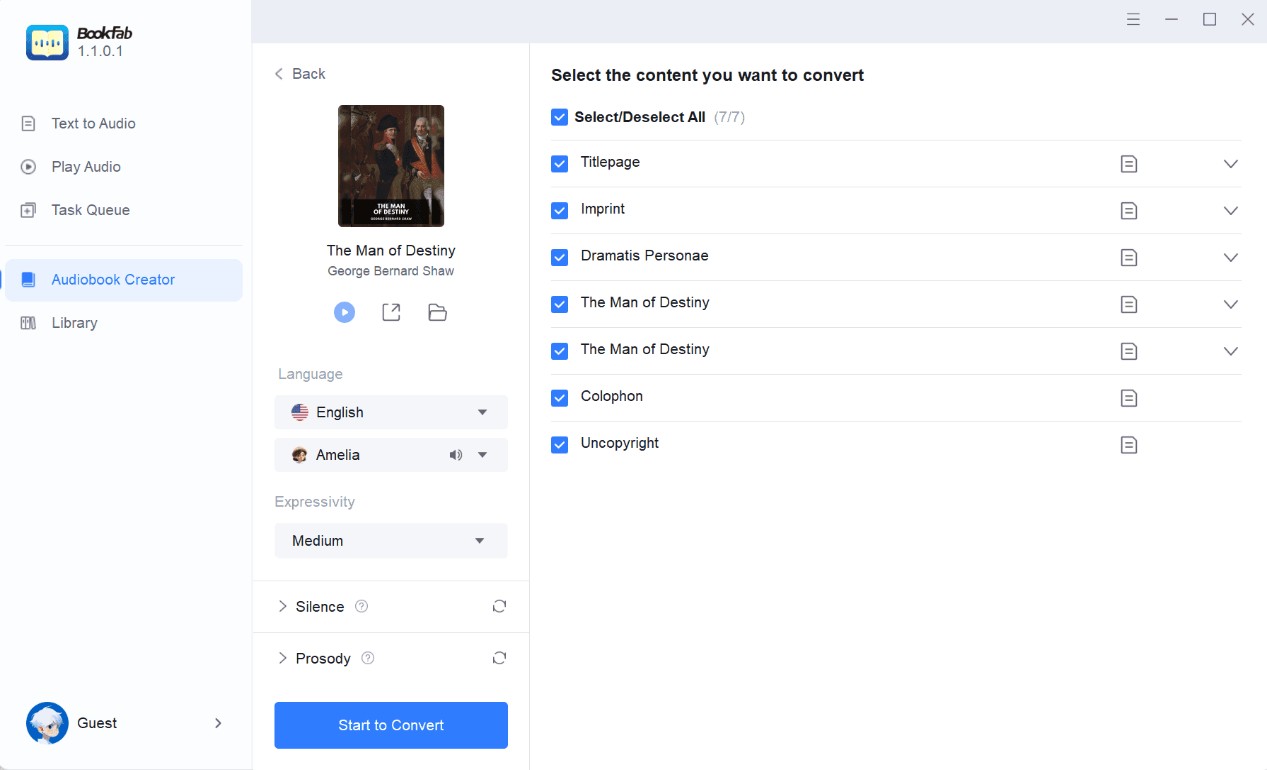
Step 2: Select chapters and adjust narration settings
After the file is analyzed, select the chapters to convert and set the language, expressivity, prosody, pauses, speed, and volume. Add Alias rules before conversion when names or abbreviations need a different spoken form, then click the "Start to Convert" button.
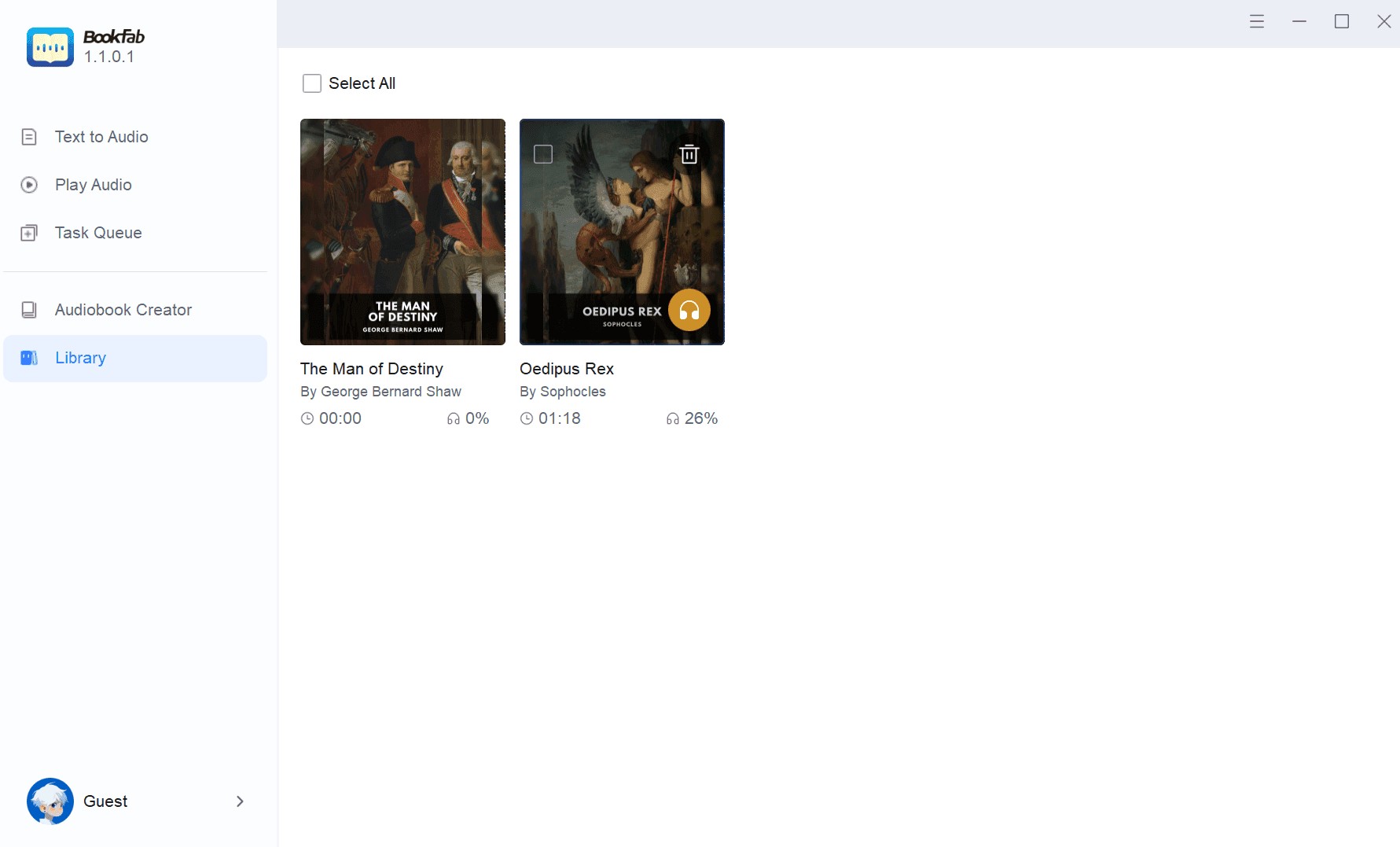
Step 3: Manage your audiobook in the library
When processing is complete, review the audiobook in the library and save your listening progress. Before relying on the export, check that the chapter order and title information make sense in the player where you plan to listen.

BookFab FAQs
Q
Does BookFab create MP4 files, or only audio formats?
MP4 is not listed as a BookFab AudioBook Creator output. Pasted text and TXT can be exported as MP3 or OPUS, while EPUB follows an M4B audiobook workflow.
A
Q
Can I use BookFab on a Mac, Android phone, or iPhone?
BookFab creates audiobooks on Windows with a live internet connection. Exported audio can be played on compatible mobile devices, but Mac, Android, and iPhone are not documented creation environments.
A
Q
Is BookFab safe for unpublished manuscripts?
The documented requirements confirm Windows, internet access, and free hard-disk space, but they do not document text-retention or model-training practices. Review the privacy terms that apply to sensitive manuscripts before importing them.
A
Q
Does the lifetime license include unlimited conversions?
No. The lifetime license includes an initial 1,000,000-word quota. Additional word credits require paid top-ups after that quota is used.
A
Final Verdict on BookFab
BookFab is worth considering for Windows users who want to turn EPUB into M4B or convert prepared text into portable audio while adjusting pronunciation and narration settings. Its appeal is book-oriented audio creation, not broad platform coverage or unlimited use.
The tradeoffs are clear: creation requires Windows and live internet access, the current voice library covers English and Japanese, and narration uses a word quota. It is not a strong match for Mac-only, mobile-only, offline-first, broad multilingual, or unlimited-usage needs. If its formats and limits match your library, convert a short authorized sample first and check the chapters, pronunciation, and playback behavior in your intended player.
 EPUB to Audiobook: 5 Tools for MP3, M4B, and Read-AloudBy Amber Collins - Aug 26, 2026
 6 EPUB Text-to-Speech Readers and Audio Tools Compared (2026)By Amber Collins - Aug 24, 2026
 Ebook to Audiobook: 3 Routes for Any File or DeviceBy Amber Collins - Aug 21, 2026
 How to Listen to Kindle Books and Convert Them into AudiobooksBy Amber Collins - Aug 10, 2026