
Kobo vs Kindle: Which Fits You Better After 6 Months?

Summary: Kobo and Kindle differ most in library access, store ties, cross-device continuity, screen choices, and local-file management. This comparison matches current US device tiers, explains Libby and OverDrive, and shows where each ecosystem fits without treating either one as a universal winner.
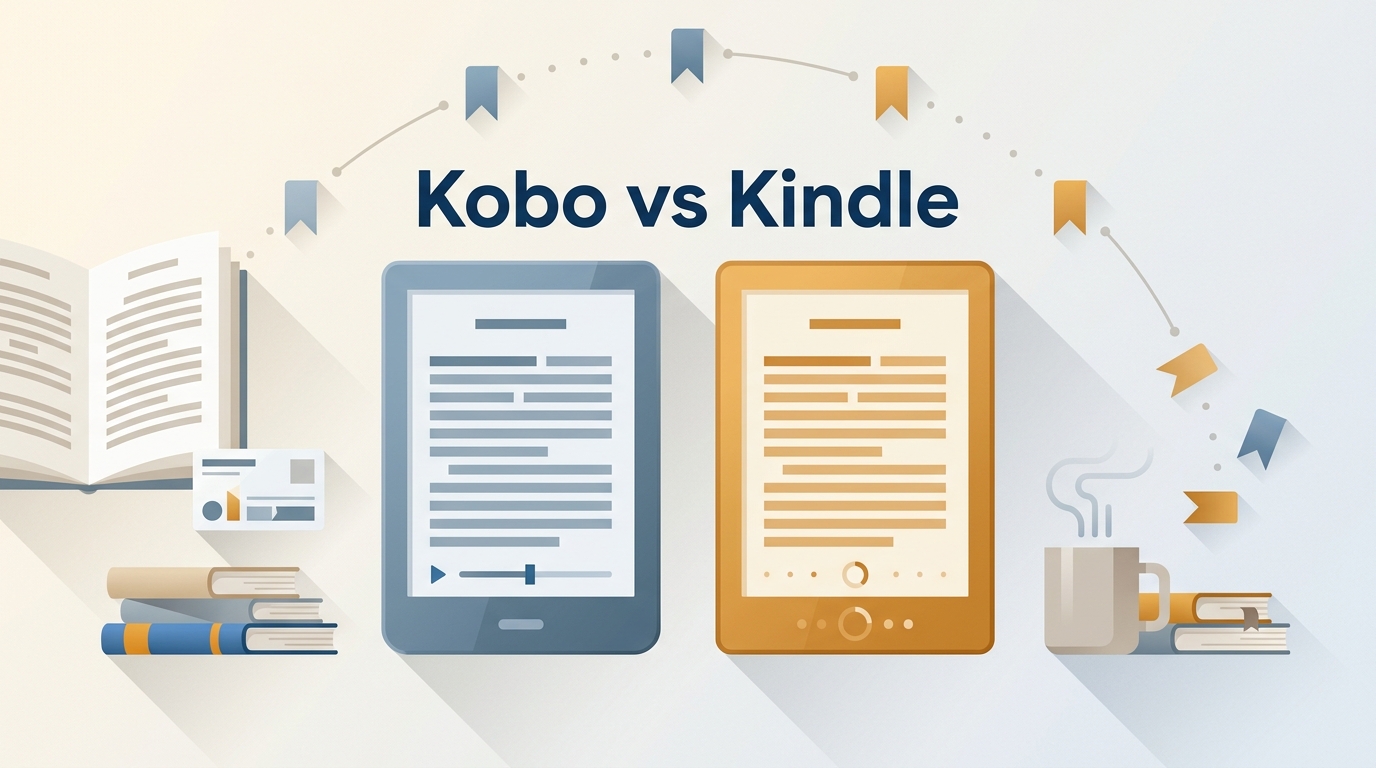
Choosing between Kobo and Kindle is less about E Ink hardware than where your books come from and how you read them. After six months with both, I found that ecosystem lock-in, library access, and your existing books matter more than small hardware differences.
This Kobo vs Kindle comparison starts with current US device tiers, then follows the reading experience from library borrowing and subscriptions to display choices, sideloaded books, and a possible Kindle to Kobo switch. The result is a decision based on a usable library, not a feature count.
Kobo vs Kindle: A Quick Overview First
Readers searching for the best ebook reader comparison need equivalent device tiers. Kobo vs Kindle price differences matter, but library access, store ties, controls, screen type, and long-term ownership usually decide which device remains useful.
| Current pair | US price | Display | Controls or stylus | Battery or repairability |
|---|---|---|---|---|
| Kindle Basic vs Kobo Clara BW | Kindle $109.99 Kobo $139.99 sale / $159.99 regular | Both 6-inch black-and-white | Touch / Touch | Use-dependent / Kobo authorized repairs |
| Kindle Paperwhite vs Kobo Libra Colour | Kindle $159.99 Kobo $259.99 | 7-inch black-and-white / 7-inch color | Touch / Buttons and stylus | Use-dependent / Kobo authorized repairs |
| Kindle Colorsoft vs Kobo Clara Colour | Kindle $279.99 Kobo $159.99 sale / $179.99 regular | 7-inch color / 6-inch color | Touch / Touch | Use-dependent / Kobo authorized repairs |
| Kindle Scribe family vs Kobo Elipsa 2E | Kindle varies by model Kobo $399.99 | 11-inch black-and-white or color / 10.3-inch black-and-white | Stylus / Stylus | Use-dependent / Model-specific service |
Prices and active model listings are shown as of August 2026. Kobo sale and regular prices are separated when both apply.
The overview leads to a clear decision framework. An established Amazon library, Kindle Unlimited reading, X-Ray, and cloud continuity favor Kindle. Frequent US library loans, EPUB-based local files, page-turn buttons, or selected authorized repair options favor Kobo. Comics and illustrated books make color useful; text-heavy novels often look cleaner on black-and-white screens.
A Kobo vs Kindle subscription decision should begin with catalog fit rather than device price: the Kobo Plus vs Kindle Unlimited comparison explains how each ebook service keeps access within its own catalog. Those subscription loans do not become transferable purchases. Audiobook buyers face a separate catalog choice because Kobo audiobooks and Audible use different purchasing and listening ecosystems.
Library Borrowing in the US
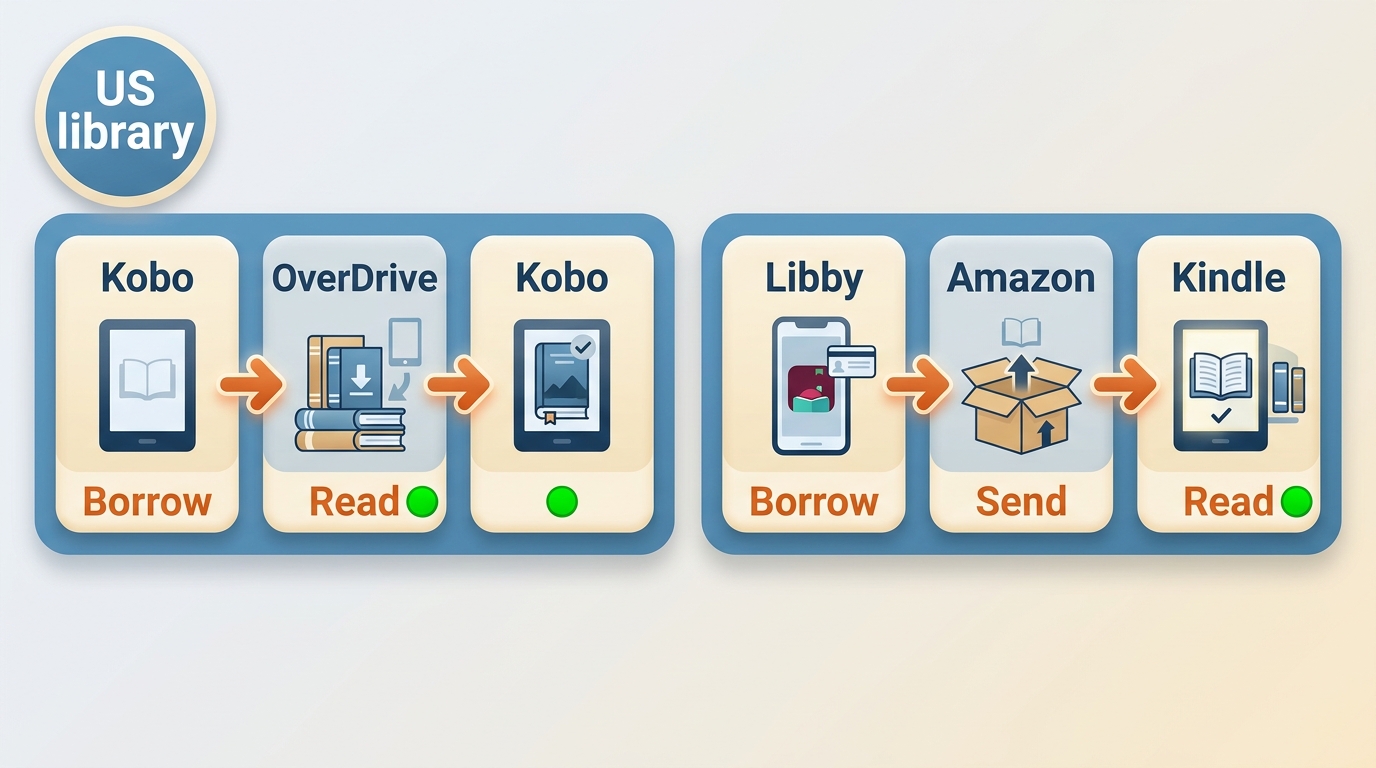
For US library borrowing, Kobo puts OverDrive on the device, while Kindle commonly receives compatible loans sent from Libby. Libby and OverDrive reach the same basic goal, but the number of handoffs and account steps can matter when borrowing is a weekly habit.
Kobo Uses On-Device OverDrive
Kobo's built-in OverDrive access lets a reader search a participating library, borrow a compatible ebook, and open it on the e-reader without first sending the title from another device. That tighter sequence is Kobo's clearest advantage for frequent public-library reading.
Multiple library cards require more care. Depending on the library systems and account links involved, switching among cards or locating the right hold may require additional sign-ins. Kobo is convenient for one main library account, but it does not make every multi-card setup equally simple.
Kindle Receives Books Through Libby
In the United States, a compatible Libby loan can be sent to Kindle through an Amazon account. The borrowing step begins in Libby, followed by Amazon delivery, so the process has an extra handoff but ends inside the familiar Kindle library and sync system.
For frequent borrowers who want the fewest device changes, Kobo's on-device flow is easier to follow. Kindle makes more sense when Libby-to-Kindle delivery already works with the reader's library cards and Amazon's multi-device continuity matters more than completing the loan on the e-reader itself.
Kindle vs Kobo: Where Kindle Still Feels Better
In an Amazon Kindle vs Kobo decision, Kindle remains stronger for store convenience, subscription catalog access, reading across several devices, and book-specific tools such as X-Ray. That convenience becomes a limitation when independent local library management is the priority.
1. Kindle Has the Stronger Book Ecosystem
Kindle's strongest advantage is how purchasing, delivery, annotations, and reading progress work together across Amazon's apps and e-readers. Readers who already own many Kindle books spend less time importing files or correcting library metadata.
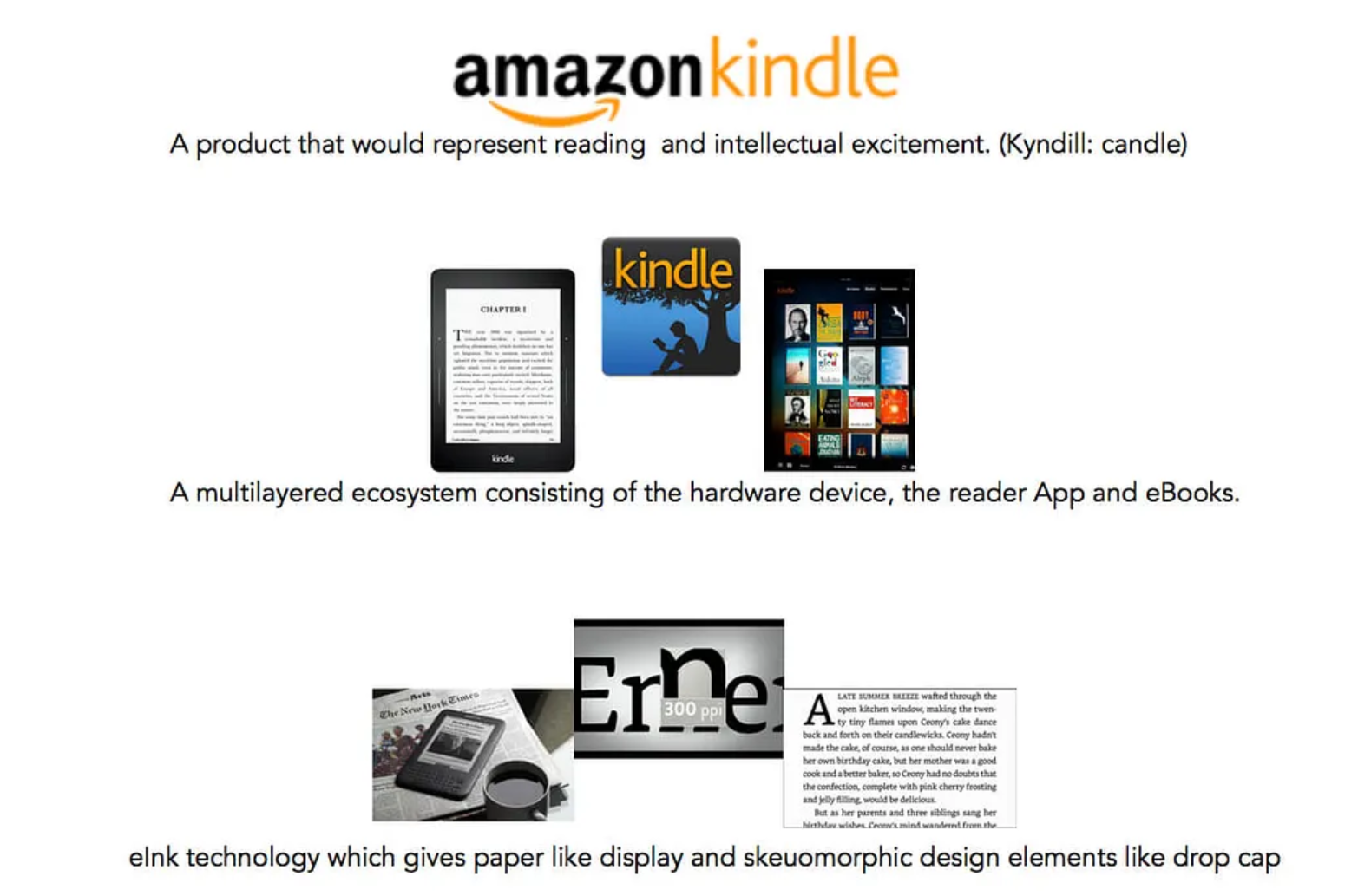
Kindle Unlimited can also be a deciding factor when its catalog matches the reader's preferred authors or genres. Access remains tied to the subscription, however, and the loaned books, annotations, and reading progress do not automatically move into Kobo Plus or a Kobo library.
Kindle suits a reader who wants purchases and reading position to follow the same account across an e-reader, phone, and tablet. It is less convincing for someone who wants to maintain an independent collection of local files, edit metadata, and decide how those files are organized.
2. Kindle X-Ray Makes Complex Books Easier
Kindle X-Ray can surface people, places, terms, and earlier passages in supported books. It is most useful in long novels, biographies, history, and nonfiction with recurring names or concepts, while ordinary search remains available when a title does not support X-Ray.
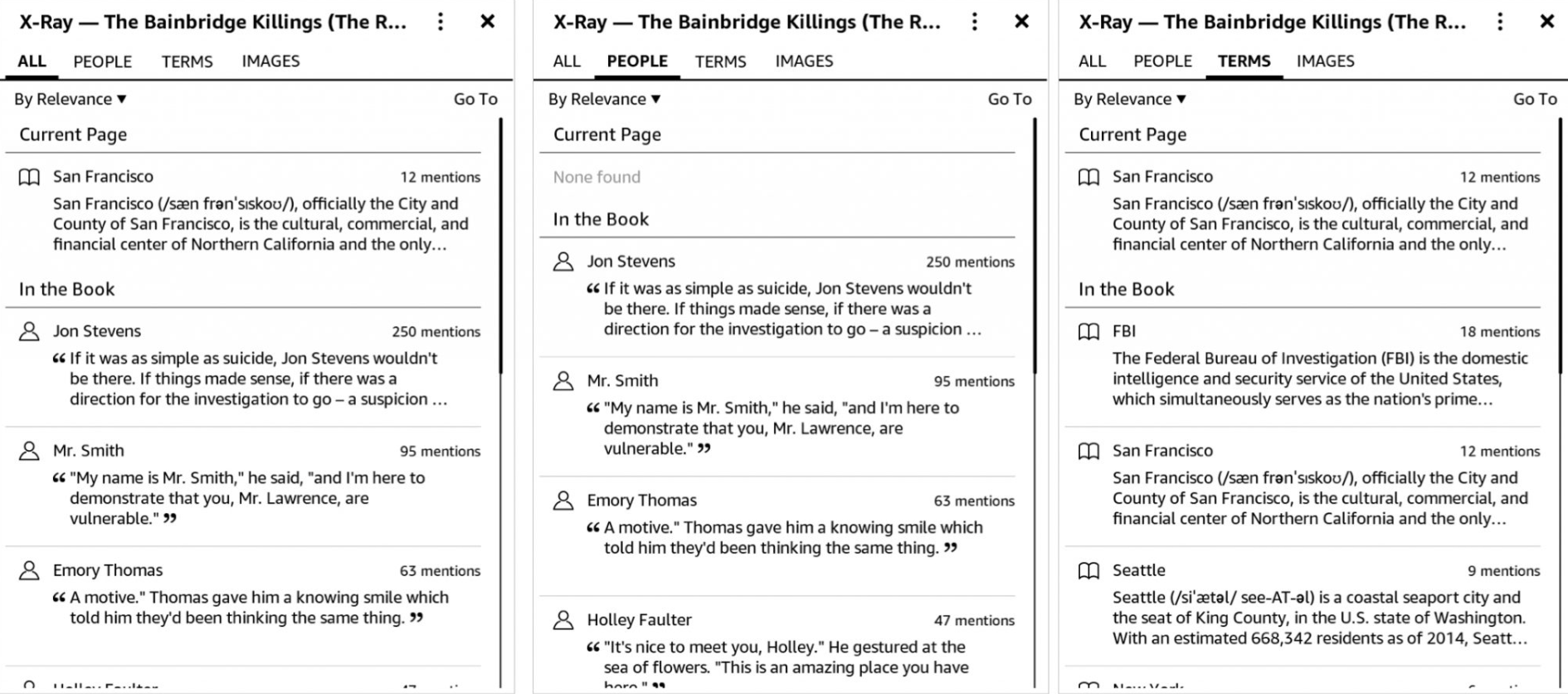
I value X-Ray as a reading aid rather than a reason to choose the whole ecosystem. It can work like a compact index when I need to remember where a character or term appeared, but its availability depends on the individual Kindle book.
3. A Bigger Screen Helps Longer Reading
The Kindle Paperwhite's 7-inch screen places more text on a page than the 6-inch Kobo Clara BW. The extra room helps with larger fonts and long paragraphs, while the Clara's smaller body is easier to hold and pack.
The Paperwhite's flush front is easy to wipe clean, but the Clara BW's recessed display can make the text appear closer to the surface. Neither design wins every reading situation: larger pages reduce page turns, while a smaller reader puts less weight in one hand.
A Kobo vs Kindle battery life comparison cannot be settled by screen size alone. Front-light level, wireless use, page refreshes, and reading time all affect charging intervals, so I would choose the screen and controls first rather than assume the larger device lasts longer.
Current Kindle Models and Long-Term Support
The current Kindle models extend beyond Basic, Paperwhite, and Colorsoft. Amazon's active US range also includes an 11-inch Kindle Scribe for black-and-white reading and writing, plus an 11-inch Kindle Scribe Colorsoft for color notes and illustrated content.
Paperwhite remains the large-screen reading tier in this comparison, not a color model. Colorsoft carries Kindle's color role, while the Scribe family is the note-taking tier; side-by-side dimensions and current prices stay in the overview table.
Kindle e-readers released in 2012 or earlier lost the ability to purchase, borrow, or download new books after May 20, 2026. The cutoff concerns those new content actions, not a claim that every older Kindle stopped displaying books already stored on it.
Kobo vs Kindle: Where Kobo Wins
Kobo wins when typography control, a quieter library screen, direct OverDrive borrowing, and local-file organization matter more than Amazon's store integration. Its color and repairable models add choices, but black-and-white readers remain compelling for text-heavy books.
1. Display Quality and Typography Control
The Kobo vs Kindle color decision is not the same as a text-clarity decision. Color supports comics, covers, diagrams, and illustrated books, while black-and-white E Ink can give novels and long nonfiction a brighter background and more defined letter edges.
In side-by-side reading, Kobo’s text looks darker and more defined to my eyes.
The Clara BW uses a Carta 1300 panel, while the older Paperwhite 5 uses Carta 1200. Kobo also provides fine control over font weight, margins, line spacing, and page layout, which can matter more than raw screen size during long reading sessions.
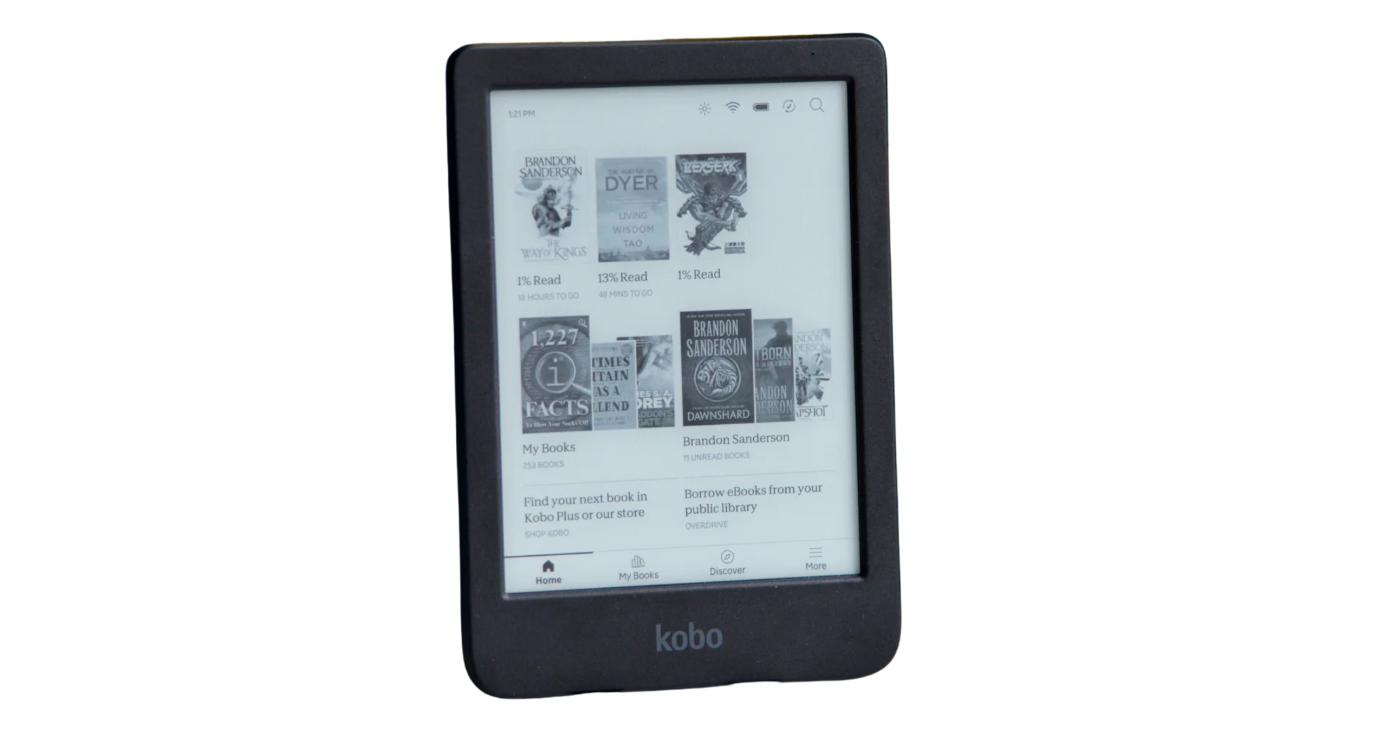
For novels, I would take the sharper black-and-white page unless color annotations or covers carry real value. Comics, cookbooks, travel guides, and illustrated nonfiction give Colorsoft, Clara Colour, or Libra Colour a clearer purpose, though their screen sizes and controls still differ.
2. A Cleaner Home Screen
Kobo's home screen keeps the current book and personal library more prominent, while Kindle gives more space to recommendations and store discovery. The quieter Kobo layout is useful when the goal is to resume reading rather than browse for another purchase.
This difference became obvious during short reading sessions. On the subway, I do not want to browse a store. I want to open the book I was reading yesterday and continue before my stop arrives. Kobo made that flow feel slightly calmer.
Kindle's recommendations can still help readers who discover most books through Amazon. Kobo's interface is preferable when a reader already knows what to open and wants fewer storefront elements between waking the device and reaching the page.
3. Reading Progress and Library Organization
Kobo makes reading progress visible through chapter estimates and activity statistics, but store purchases and sideloaded books do not always behave the same way across devices. That distinction matters more than the presence of a progress percentage.
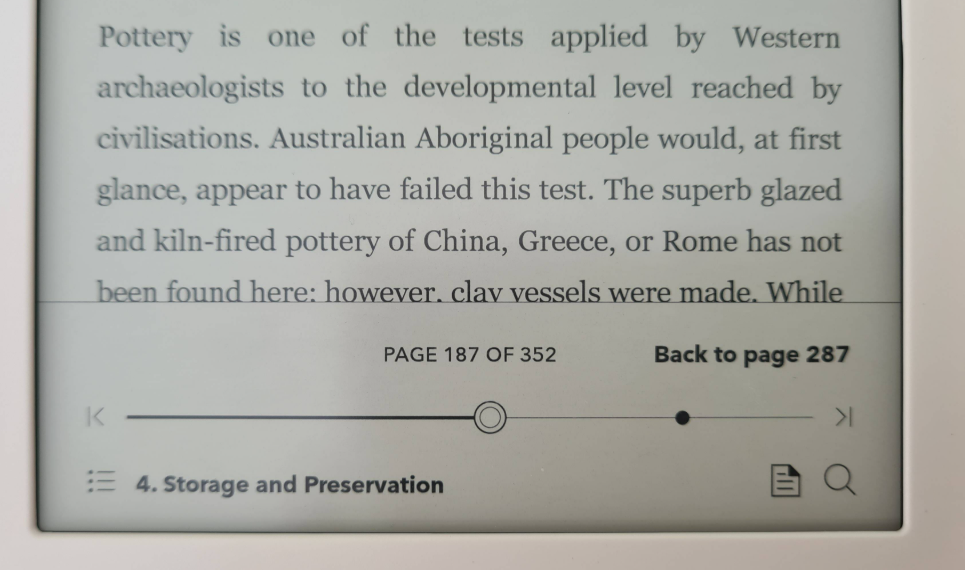
Kobo store books can use the platform's cloud features, while progress for sideloaded books may not continue as consistently between a Kobo e-reader and other reading devices. Series grouping and clean title, author, and cover metadata also become important when the library contains many imported files.
I check navigation and organization as part of the reading result: a book that opens is not fully useful if its series order is unclear or its chapter links are difficult to follow. Kobo works well for a carefully organized library on one main device; Kindle is easier when cloud continuity across several devices takes priority.
Current Kobo Models and Repairability
Current Kobo models cover compact black-and-white reading, compact color, page-turn buttons, and large-screen notes. Clara BW is listed at $139.99 on sale and $159.99 regularly, Clara Colour at $159.99 on sale and $179.99 regularly, and Libra Colour at $259.99.
Kobo lists authorized replacement of the display, battery, motherboard, and covers for Clara BW, Clara Colour, and Libra Colour. That does not guarantee every repair will be economical, but it gives ownership a clearer path than treating the device as a sealed purchase with no listed parts options.
For long-term value, I would weigh repair access alongside screen and controls. Clara BW suits text-focused reading, Clara Colour adds color in the same compact size, Libra Colour adds buttons and stylus support, and Elipsa 2E serves readers who want a larger writing surface.
Moving Books Between Kindle and Kobo
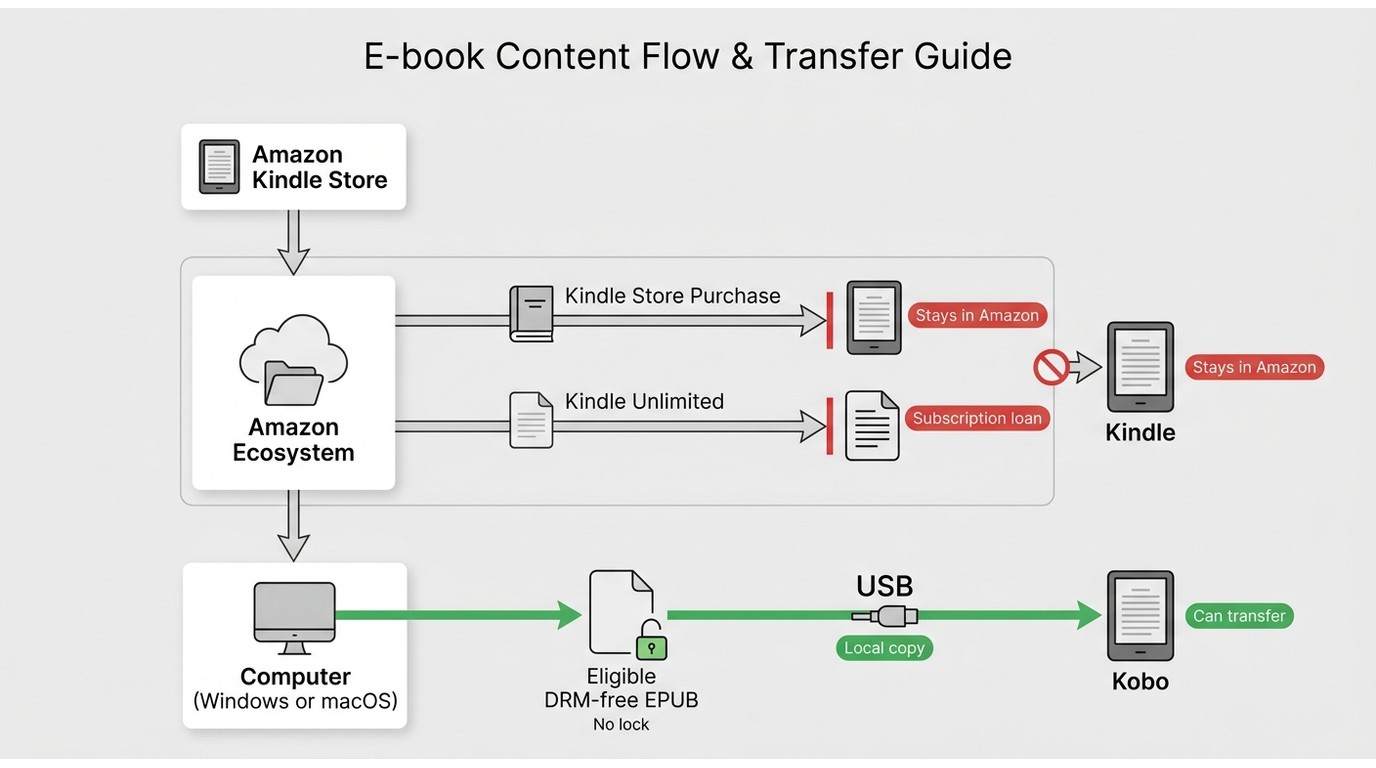
Can you put Amazon books on Kobo? It depends on the source and license. Store purchases, subscription loans, eligible DRM-free files, and authorized personal local copies have different transfer limits, and cloud annotations or reading progress may not follow the book.
A Kindle to Kobo switch does not move an Amazon account library as a single package. Kindle Unlimited loans remain within Amazon's service, while eligible DRM-free files can be prepared for the target device. The same source-specific distinction applies to Kobo access and format restrictions, which should not be confused with a universal transfer promise.
Lawful ebook backups also depend on the content source, account rights, and permitted personal use. Ebook format conversion can make an eligible local file readable in another app or device, but it does not carry over the original store's cloud sync, highlights, notes, or subscription entitlement.
For content you are authorized to access, where permitted by platform terms and applicable law, a desktop local-file workflow can support personal offline reading and library organization. Readers whose authorized copies originate in Amazon's ecosystem can use BookFab Kindle Converter for that source, while BookFab Kobo Converter is scoped to Kobo content.
BookFab Kobo Converter is a Windows and Mac desktop app for eligible Kobo purchases and Kobo Plus titles that can output EPUB, PDF, or the original format, retain cover, title, and author metadata, manage batch tasks, and process up to 100 items from each content source per day.
This local-file option suits readers who need common formats and a personally organized library. It is less useful when the main requirement is automatic continuity for store purchases, annotations, and reading progress across several devices, because those cloud features remain tied to the original ecosystem.
FAQ
Q
Do I need Kobo Plus or Kindle Unlimited to use either e-reader?
No. Purchased books, compatible library loans, and eligible local files do not require a monthly catalog subscription. Kobo Plus and Kindle Unlimited are optional services whose included titles remain subject to their own access terms.
A
Q
Can I send the same DRM-free EPUB to both Kobo and Kindle?
An eligible DRM-free EPUB can be imported to Kobo and prepared for Kindle through Amazon's supported delivery tools. Fixed-layout and image-heavy books may render differently, so check the cover, table of contents, and illustrated pages on each target device.
A
Q
Can one Kobo account use more than one US library card?
Multiple cards may work, but the experience depends on how the participating libraries and OverDrive accounts are linked. Readers who switch among several cards should expect more account handling than someone who borrows through one main library.
A
Q
Does a larger e-reader automatically have better battery life?
No. Screen lighting, wireless connections, page refresh behavior, note-taking, and daily reading time all affect battery use. Compare the screen size and controls you need, then treat battery claims as model-specific rather than a simple size advantage.
A
Final Verdict: Should You Choose Kobo or Kindle?
The best choice follows the library you already have and the way you obtain new books. Kindle favors Amazon purchases and multi-device continuity; Kobo favors US library borrowing, local-file organization, typography control, and selected repair options.
Kindle fits readers with a substantial Amazon collection, regular Kindle Unlimited use, a need for X-Ray, or reading that moves between an e-reader and mobile apps. It is less suitable when EPUB-based library management and direct on-device OverDrive borrowing matter more than Amazon sync.
Kobo fits readers who borrow often, sideload eligible books, want stronger typography controls, or value page-turn buttons, color options, and authorized repair parts on selected models. It is less suitable when Kindle subscriptions, Amazon annotations, and sideloaded progress across multiple devices are central.
A best ebook reader comparison does not require declaring one ecosystem superior in every category. I am keeping both because Kindle remains useful for Amazon-centered reading, while Kobo is the device I prefer for library loans and a library I organize myself.

 How to Download Kindle Books in 2026: 5 Current OptionsBy Amber Collins - Aug 26, 2026
![How to Convert Kindle Books to EPUB Easily [2026 Verified]](https://r5.dvdfab.cn/upload/bookfab/en/convert-kindle-to-epub-RDlf.jpg) How to Convert Kindle Books to EPUB Easily [2026 Verified]By Amber Collins - Aug 26, 2026
How to Convert Kindle Books to EPUB Easily [2026 Verified]By Amber Collins - Aug 26, 2026 Kindle DRM Compatibility in 2026: What Still WorksBy Amber Collins - Aug 25, 2026
![[Quick Solution] How to Remove Kindle DRM on Mac](https://images.dvdfab.cn/media/未命名的设计__87__crpyru.png/public) [Quick Solution] How to Remove Kindle DRM on MacBy Amber Collins - Aug 24, 2026
[Quick Solution] How to Remove Kindle DRM on MacBy Amber Collins - Aug 24, 2026