12 Best HandBrake Alternatives in 2026 for DVD Ripping and Video Conversion

Summary: Whether the HandBrake alternative you need depends on one thing: are you ripping copy-protected discs, or just converting files you already have? This comparison covers twelve tools split across both jobs, from paid rippers like DVDFab DVD Ripper that strip disc protection to free command-line converters like FFmpeg. And a feature table compares pricing, formats, and platform support across every option.
Table of Contents
HandBrake's reputation as "the free, no-nonsense ripper" comes with real caveats once you look past the basics: crashes on large files, output capped at a handful of formats, and DVD protection it simply cannot touch. I looked at twelve HandBrake alternative options across DVD ripping and video conversion, covering both Windows and Mac, to map out which tool actually solves the specific problem you're running into rather than repeating what HandBrake already does. Each entry below lists supported operating systems up front, so you can skip straight to the options that will actually run on your machine.

Why Do You Need a HandBrake Alternative?
HandBrake remains one of the most widely used free tools for ripping DVDs and converting video files. It supports batch importing up to four videos at once and keeps video and audio quality close to the source, which is why so many people default to it first.
The catch shows up once you push past basic conversions. Here is where HandBrake tends to fall short:
- HandBrake won't run: It usually means the required .NET frameworks are missing and need to be installed separately.
- Lack of output formats: Only M4V, MP4, MKV, and WebM are supported as outputs, which rules out several formats other tools handle natively.
- Limited DVD features: It cannot rip copy-protected DVDs, struggles with 99-title discs, and often has trouble reading UDF discs.
- Glitches and errors: Large files can cause HandBrake to crash, rip only part of a DVD, stall at 99% during conversion, or throw a "No valid source or titles found" error.
- Slow conversion speed: Converting large video files can take considerably longer than GPU-accelerated alternatives.
- No video pass-through: The Auto Passthru feature covers audio and subtitle tracks only; direct video-stream pass-through has never been supported.
None of this makes HandBrake unusable, and it still gets the job done for plenty of straightforward conversions. But once one of the issues above blocks what you're trying to do, the twelve tools below cover DVD ripping and video conversion across Windows and Mac, so you can pick a replacement that matches what HandBrake couldn't handle.
Best HandBrake Alternatives for DVD Ripping
DVDFab DVD Ripper
- Supported OS: Windows & macOS
DVDFab DVD Ripper is the alternative to HandBrake people most often reach for once a disc fails at HandBrake's copy-protection wall, since it's built as a one-click path from disc to media library rather than a general-purpose converter that treats disc ripping as an afterthought. It ships as one module inside the wider DVDFab 13 suite, and its 30-day trial converts three full discs with every advanced function unlocked, enough to judge whether a specific disc rips cleanly before deciding on a license. That structure suits someone ripping a home DVD collection who wants to test against their own discs first, rather than trusting review numbers alone.
Highlights:
- Handles encrypted DVDs, including many commercial discs with region locks.
- GPU acceleration cuts ripping time dramatically compared to CPU-only tools.
- Supports over 1,000 output video and audio formats and device presets.
- A built-in editor covers cropping, trimming, merging, and watermarking without leaving the ripping workflow.
Where It Falls Short:
- Full editing and format features require a paid license after the trial.
- DVDFab DVD Ripper only runs on Windows and macOS.
How to rip DVDs using DVDFab DVD Ripper as an alternative to HandBrake
Step 1: Download, install, and launch DVDFab 13. Choose the Ripper option.
Step 2: Then, insert the DVD source to your computer drive or use the "Add button to navigate to it. If the source is a folder or an ISO file, you can just drag and drop it to the workspace.
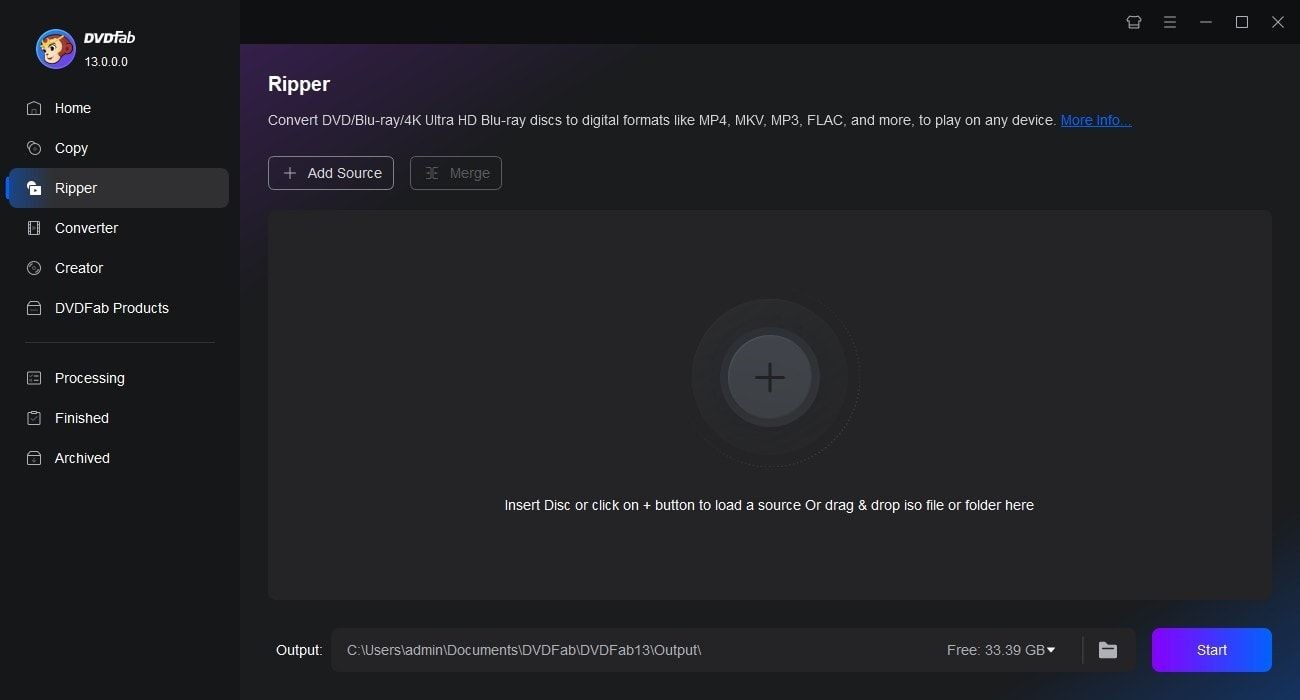
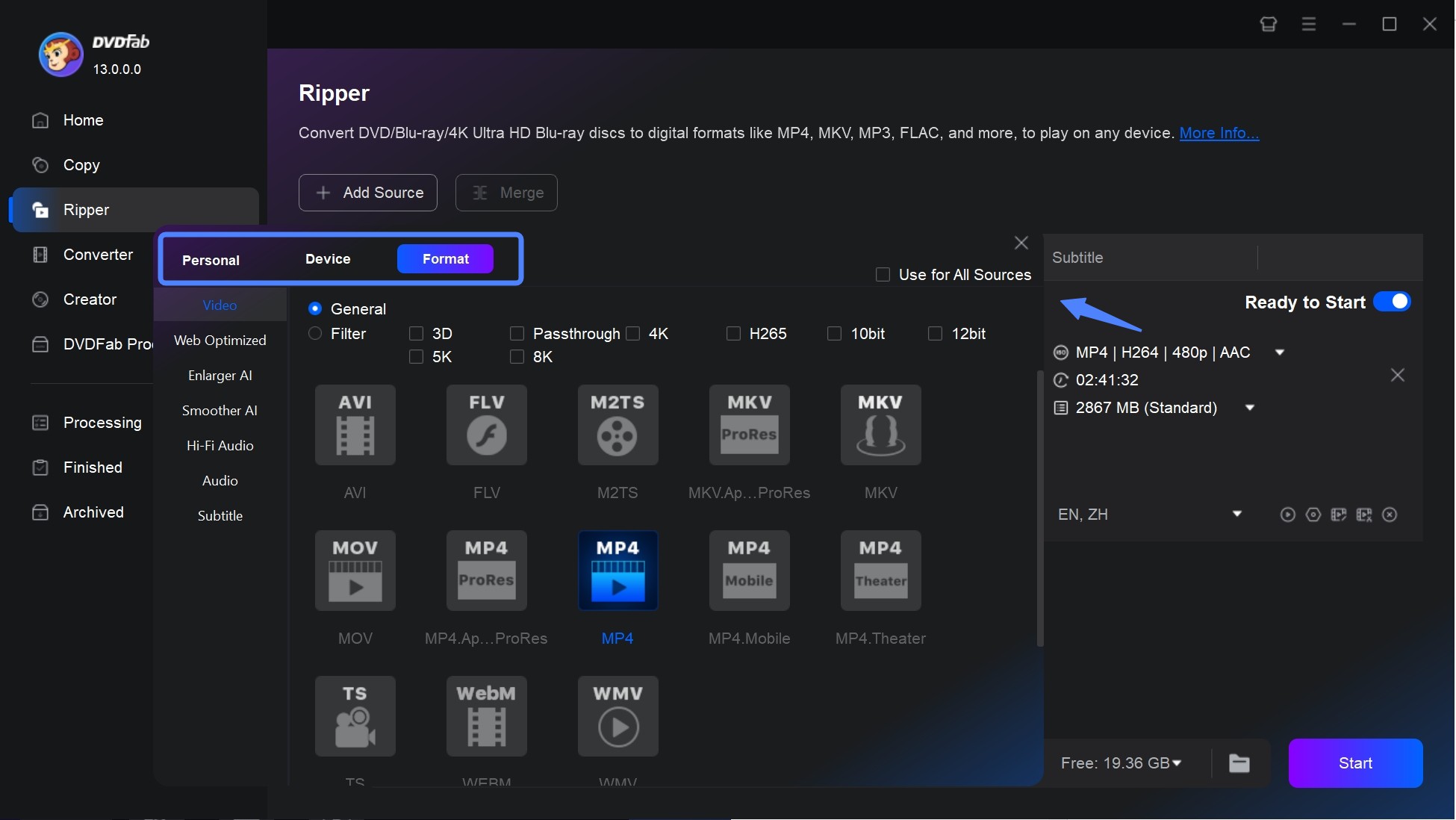
Step 3: Choose the video title you want to rip and customize the output of the DVD video.
To select an output format, click "Choose Other Profile". There are options not only for selecting audio tracks and subtitles but also for setting video and audio parameters.
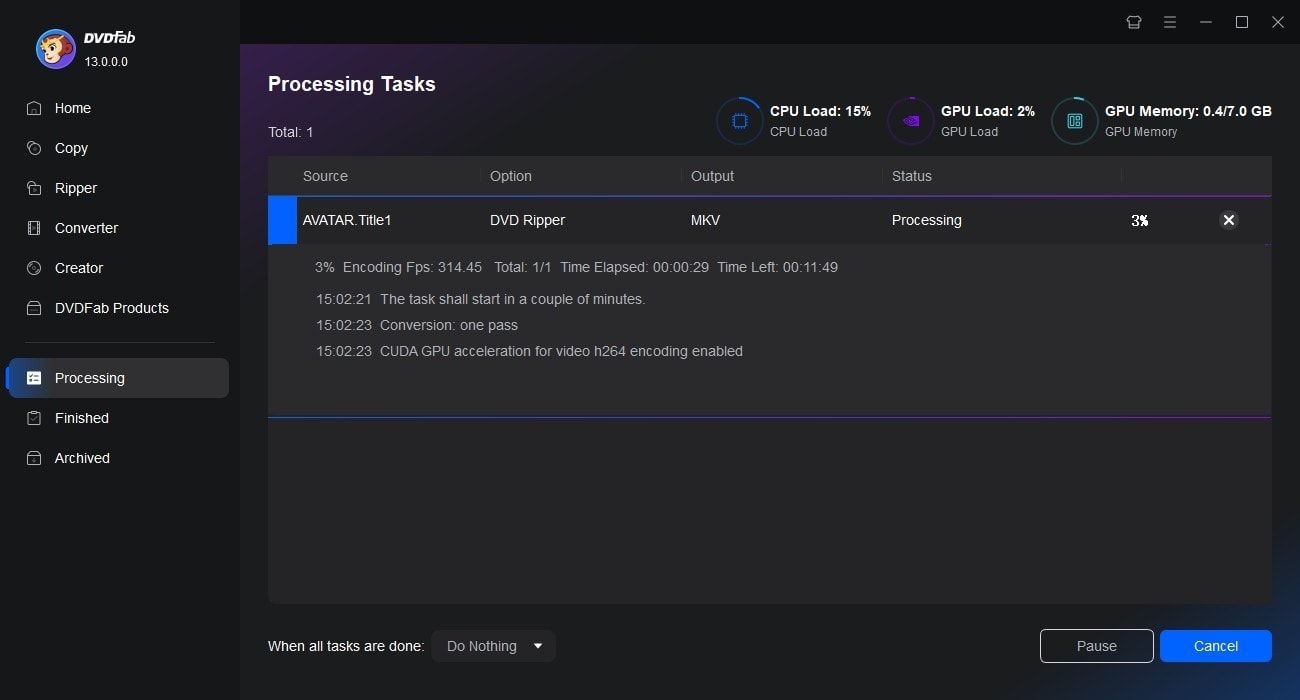
Step 4: Finally, save the video to your hard drive or mobile device. When you press the "Start" button, the DVD ripping process will be clearly displayed.
StaxRip
- Supported OS: Windows
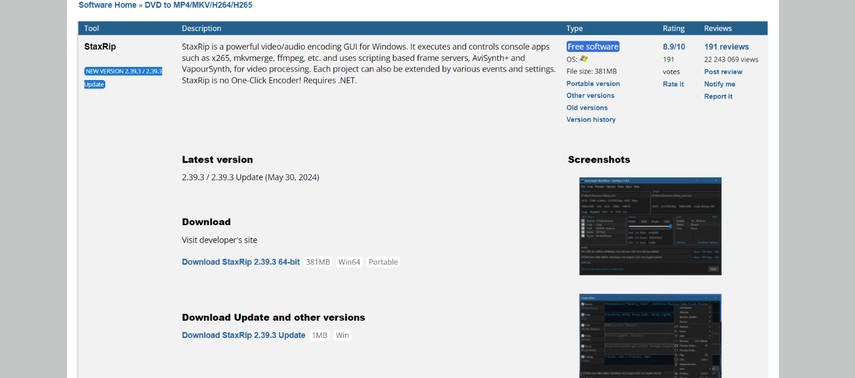
StaxRip's own documentation is upfront that it is not a one-click encoder: it expects you to already know what settings you want, then orchestrates external command-line tools like x265, NVEnc, and mkvmerge through frameservers such as AviSynth+ or VapourSynth to run the job. That makes it a fit for videophiles and encoding enthusiasts rather than someone who just wants to drag a file in and get an MP4 out. For anyone new to that workflow, StaxRip also includes an Assistant mode that walks through job setup step by step.
That level of control is also why StaxRip sits at the opposite end of the spectrum from a tool like DVDFab DVD Ripper or Freemake: there's no single "convert" button, and getting a useful result means understanding what each orchestrated tool actually does. Anyone coming from a simpler converter should expect a real setup phase before the first successful encode.
Highlights:
- Free and open-source, with no license fee or feature paywall.
- Exposes detailed encoding controls most consumer converters keep hidden.
- Handles HD and 4K workflows well, including higher bitrate encodes.
Where It Falls Short:
- Does not handle encrypted DVDs natively; protected discs need extra tools.
- Interface density can overwhelm first-time users who just want a quick conversion.
- Resource-intensive on large files, which can slow down older systems.
iSuper DVD Ripper
- Supported OS: macOS
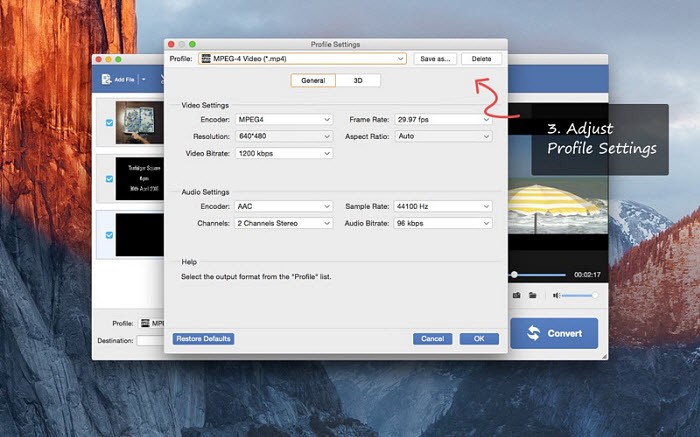
iSuper DVD Ripper comes from AnyMP4 Studio, the same developer behind several other Mac conversion utilities, and it ships through the Mac App Store rather than a standalone installer. That distribution model is the main reason people looking for a lightweight, App Store-vetted ripper for home movies land on it instead of a downloaded third-party app. It targets people ripping their own unprotected DVD collection into everyday formats, not anyone dealing with commercial discs.
The freemium split follows a pattern common to Mac App Store utilities: the core rip-and-convert function is free, while format and editing extras sit behind a single in-app purchase rather than a subscription. That keeps the upfront cost low for anyone who only needs basic ripping, at the cost of extra clicks if a specific format or editing feature turns out to require the paid unlock.
Highlights:
- Runs inside Apple's App Store sandbox, so it can't touch files outside folders you explicitly grant it.
- Fast ripping of homemade, unprotected DVDs into common formats.
- Trim, merge, adjust brightness, or add subtitles right after ripping, without a separate app.
Where It Falls Short:
- Commercial copy protection is not supported.
- H.265, 4K, HD, and 3D output need a one-time $9.99 unlock.
- Occasional glitches or crashes reported during long ripping sessions.
MakeMKV
- Supported OS: Windows, macOS
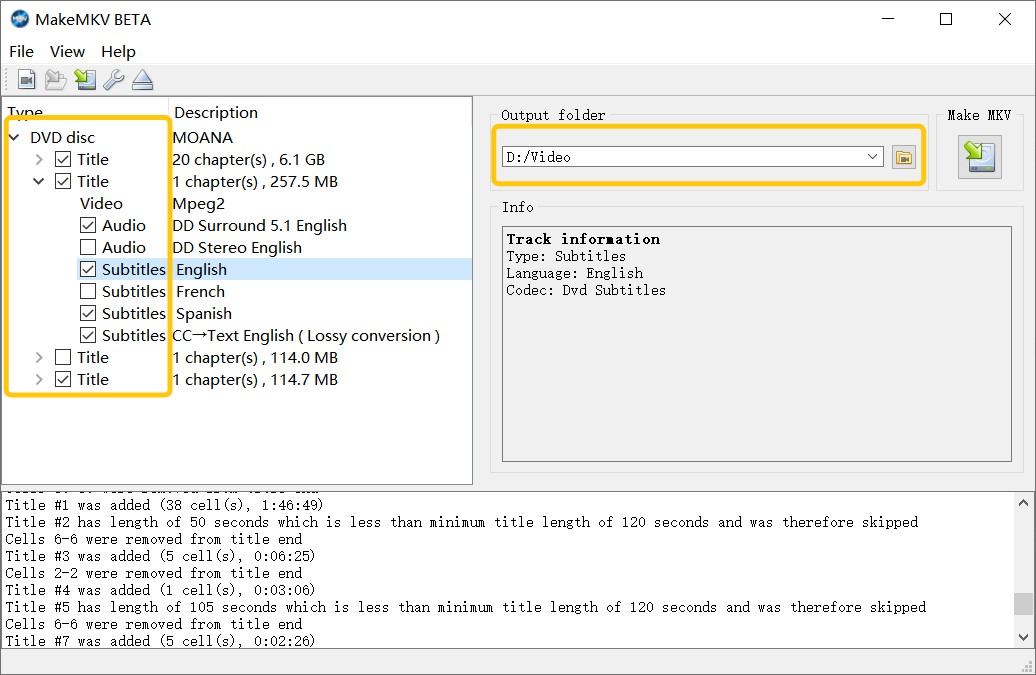
MakeMKV occupies a specific niche among ripping tools: it is less a converter and more a direct copier, built around getting a disc's raw streams off the platter and into a file container as fast and unmodified as possible. That focus is why home media server communities treat it as the default first step before any compression tool gets involved, rather than as a HandBrake replacement in the traditional sense.
Users on Reddit's r/PleX consistently describe a two-step workflow built around that focus: rip the disc losslessly with MakeMKV first, then hand the result to HandBrake or a similar tool for compression, since MakeMKV's own output stays uncompressed. For discs with tougher protection than MakeMKV can clear on its own, the same threads point to pairing it with a LibreDrive-flashed optical drive, which extends what the software can pull directly off the disc.
Highlights:
- Rips most encrypted DVDs and Blu-rays that HandBrake cannot touch.
- No re-encoding means the ripped file keeps the original source quality.
- Usually rips a disc faster than HandBrake since nothing gets compressed.
Where It Falls Short:
- Only outputs MKV files; other formats need a separate conversion step.
- File sizes run much larger than a compressed HandBrake encode.
- Typically needs a second tool like HandBrake to shrink the file.
VLC Media Player
- Supported OS: Windows, macOS, Linux, Android
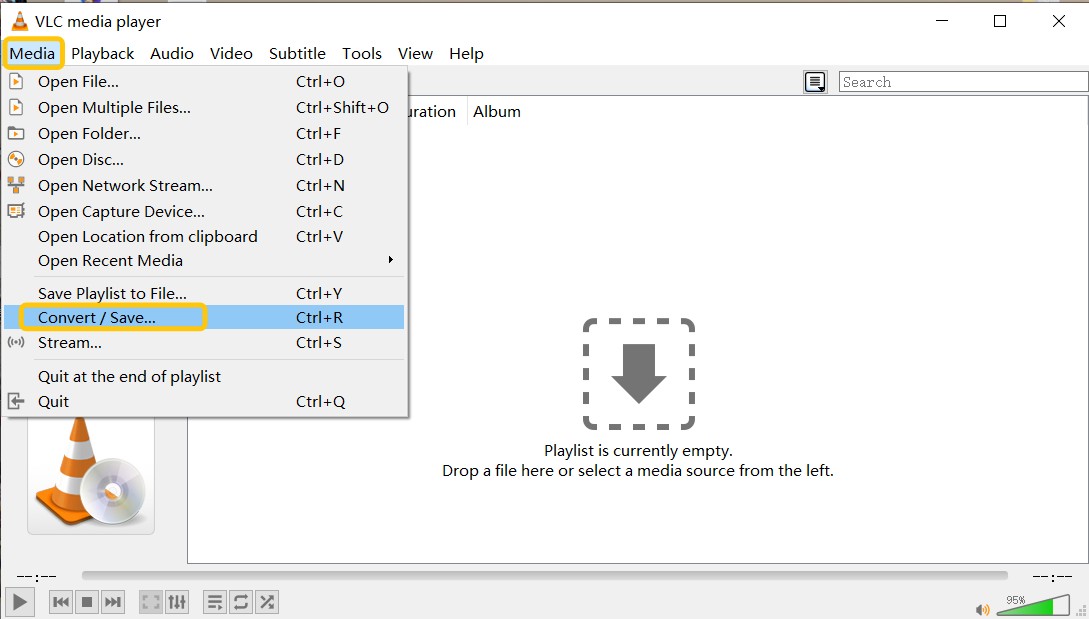
VLC's format conversion tools exist as a secondary feature bolted onto what is fundamentally a media player, which shapes how it behaves as a HandBrake alternative. The HandBrake vs VLC comparison comes down to that difference in design intent: HandBrake is purpose-built for ripping and conversion, while VLC treats conversion as one feature among many inside a much broader media tool.
That breadth is also why VLC's ripping workflow feels secondary to its core job as a player. The tool was designed around playback first, so anyone doing serious disc-ripping work will likely find HandBrake or a dedicated ripper a more natural fit for that specific task.
Highlights:
- Runs on Windows, macOS, Linux, and Android at no cost, and stays light on older hardware.
- Plays almost any video and audio format without extra codecs.
- Can convert files and rip some DVDs, including a few protected discs.
- Bundles extra tools: streaming, recording, and simple video editing.
Where It Falls Short:
- No real batch DVD ripping; each disc has to be handled manually.
- Conversion settings are less clearly labeled than in HandBrake.
- Quality can drop if encoding settings aren't configured correctly.
VidCoder
- Supported OS: Windows
VidCoder is built and maintained by a single open-source developer (RandomEngy) rather than a team, a solo-maintainer model that shapes both its release pace and its narrower feature set next to HandBrake's larger contributor base. The project also ships with translations for two dozen languages, from Spanish and German to Japanese and Arabic, broader localization than HandBrake's own Windows build offers. That combination makes it less a competing engine and more a different front end for people who already trust HandBrake's output.
Highlights:
- Uses HandBrake's own libhb engine, so output quality matches HandBrake closely.
- Simpler interface than HandBrake, with clearer presets and settings.
- Built-in batch queueing handles multiple files without extra scripting.
Where It Falls Short:
- Inherits HandBrake's limitation: copy-protected DVDs and Blu-rays are not supported.
- Only ships for Windows, so Mac and Linux users are locked out entirely.
- Smaller community than HandBrake, so support resources are more limited.
Best HandBrake Alternatives for Video Conversion
Freemake Video Converter
- Supported OS: Windows
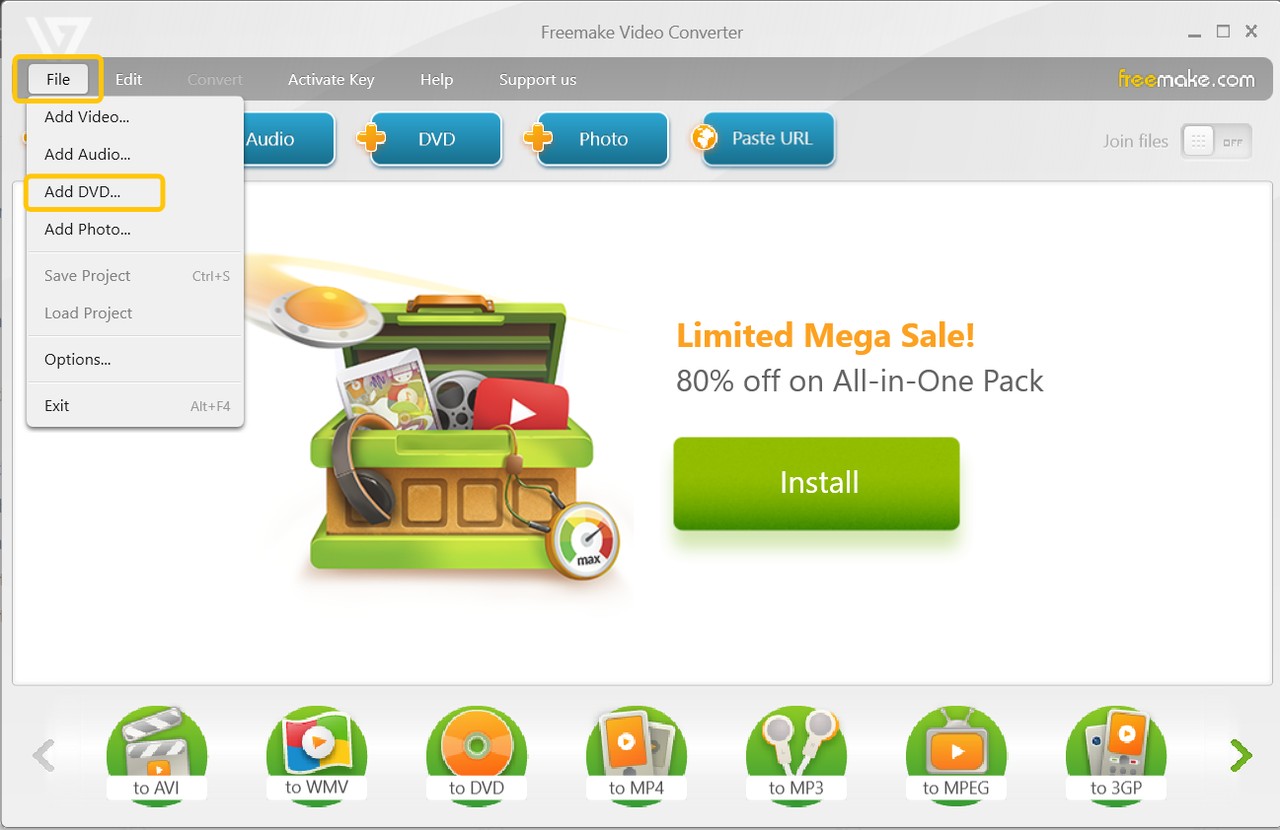
Freemake Video Converter comes from a small Belarusian software studio and has kept nearly the same interface design for years, which by 2026 gives it a slightly dated look next to newer converters. What has stayed consistent is a single combined workflow: importing, light editing, and exporting all happen on one screen without switching between separate modules for each step.
That same small-studio economics is worth keeping in mind before installing: a free Windows tool with no subscription still has to fund development somehow, and long-running utilities like this one have historically leaned on the kind of trade-offs listed below rather than a paywall.
Highlights:
- Very approachable for beginners with no technical conversion settings to learn.
- Supports more output formats than HandBrake across video, audio, and images.
- Converts video, audio, photos, and downloads from online links in one app.
- Can copy some encrypted DVDs that HandBrake would refuse outright.
Where It Falls Short:
- Free version stamps a watermark onto every exported video.
- Conversion speed lags noticeably behind HandBrake on larger files.
- Installer can bundle extra software if you skip through the setup screens.
Any Video Converter
- Supported OS: Windows, macOS
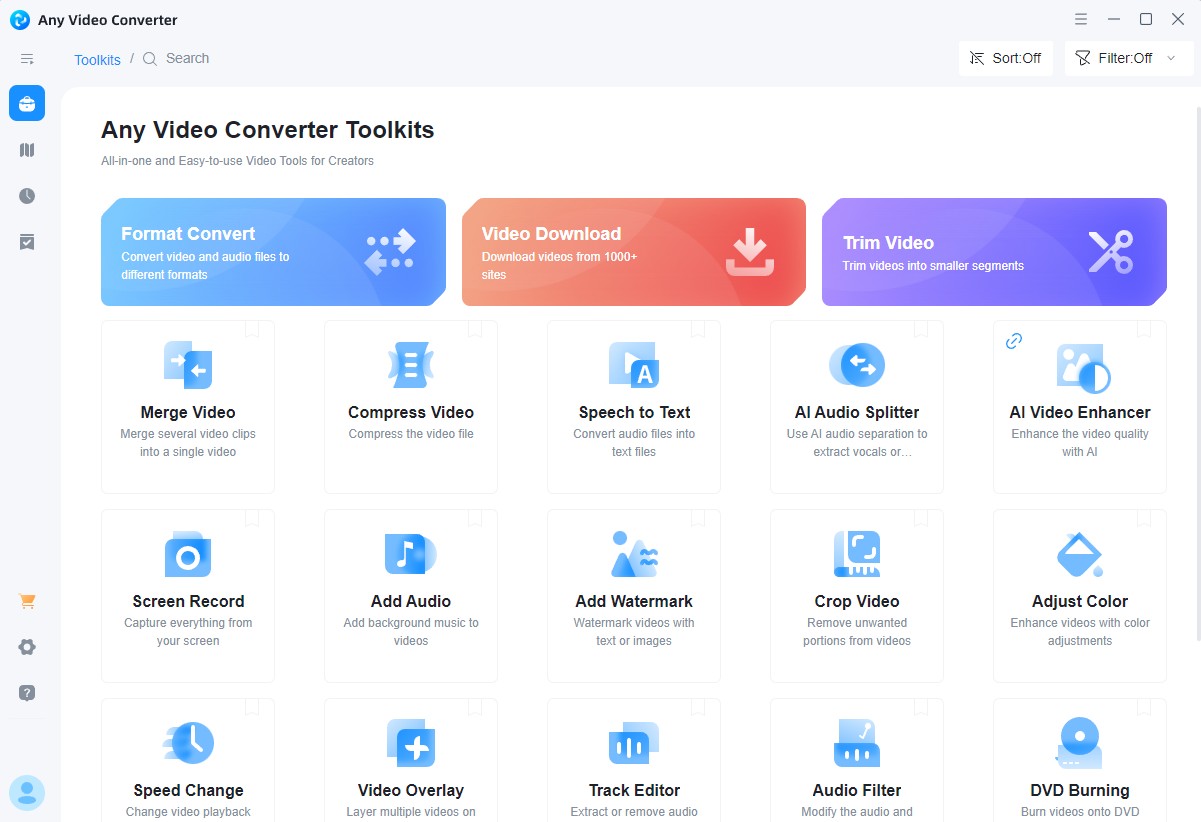
Any Video Converter comes from Anvsoft Inc., a studio that has kept the free tier and the paid Ultimate tier on parallel but separate development tracks rather than converging them. The 2026 Ultimate release added an AI Rough Cut feature that auto-splits long footage into segments by detecting scene and speaker changes, a capability well beyond anything the free tier or HandBrake itself attempts.
That split mirrors a common pattern among conversion tools that started free and added a paid tier later: the original free function stays free indefinitely, while whatever gets added after the paid tier launches tends to require it. Anyone evaluating AVC as a HandBrake swap should check which tier a specific task actually requires before assuming the free download covers it.
Highlights:
- Free tier covers everyday video conversion without any cost.
- Accepts a wide range of input formats, including MP4, MOV, and MTS.
- Exports video, audio, GIFs, and PNG images from one interface.
- Ultimate tier adds DVD disc, folder, and ISO conversion support.
Where It Falls Short:
- Free edition cannot rip or convert DVDs at all.
- DVD and disc-related features are locked behind the paid Ultimate tier.
Format Factory
- Supported OS: Windows
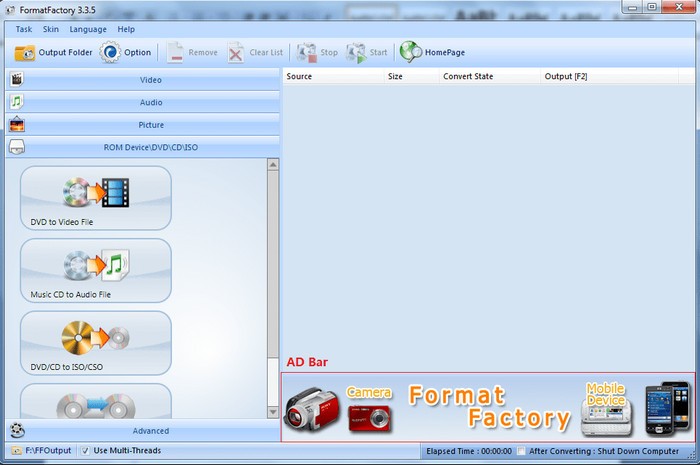
Format Factory has stayed completely free with no premium tier for its entire history, unlike most of the other converters on this list that reserve some feature behind a paywall. That model has made it a long-running default recommendation on forums for anyone who wants one app instead of three, even though its interface design has changed little since earlier Windows versions.
That no-paywall model comes with a different kind of trade-off than a subscription tool: development pace and feature polish depend entirely on what the team maintains for free, rather than on paid-license revenue funding faster updates. It tends to suit occasional, everyday conversion tasks more than high-volume production work.
Highlights:
- All-in-one converter covering video, audio, images, and PDF files.
- Also converts from CD, DVD, and Blu-ray sources directly.
- Clip, join, split, crop, or remove a logo overlay as part of the same conversion pass.
- Fast conversion speed paired with a simple, approachable interface.
Where It Falls Short:
- Cannot decrypt copy-protected discs, the same limitation HandBrake has.
- Windows only, with no Mac or Linux version available.
Shotcut
- Supported OS: Windows, macOS, Linux
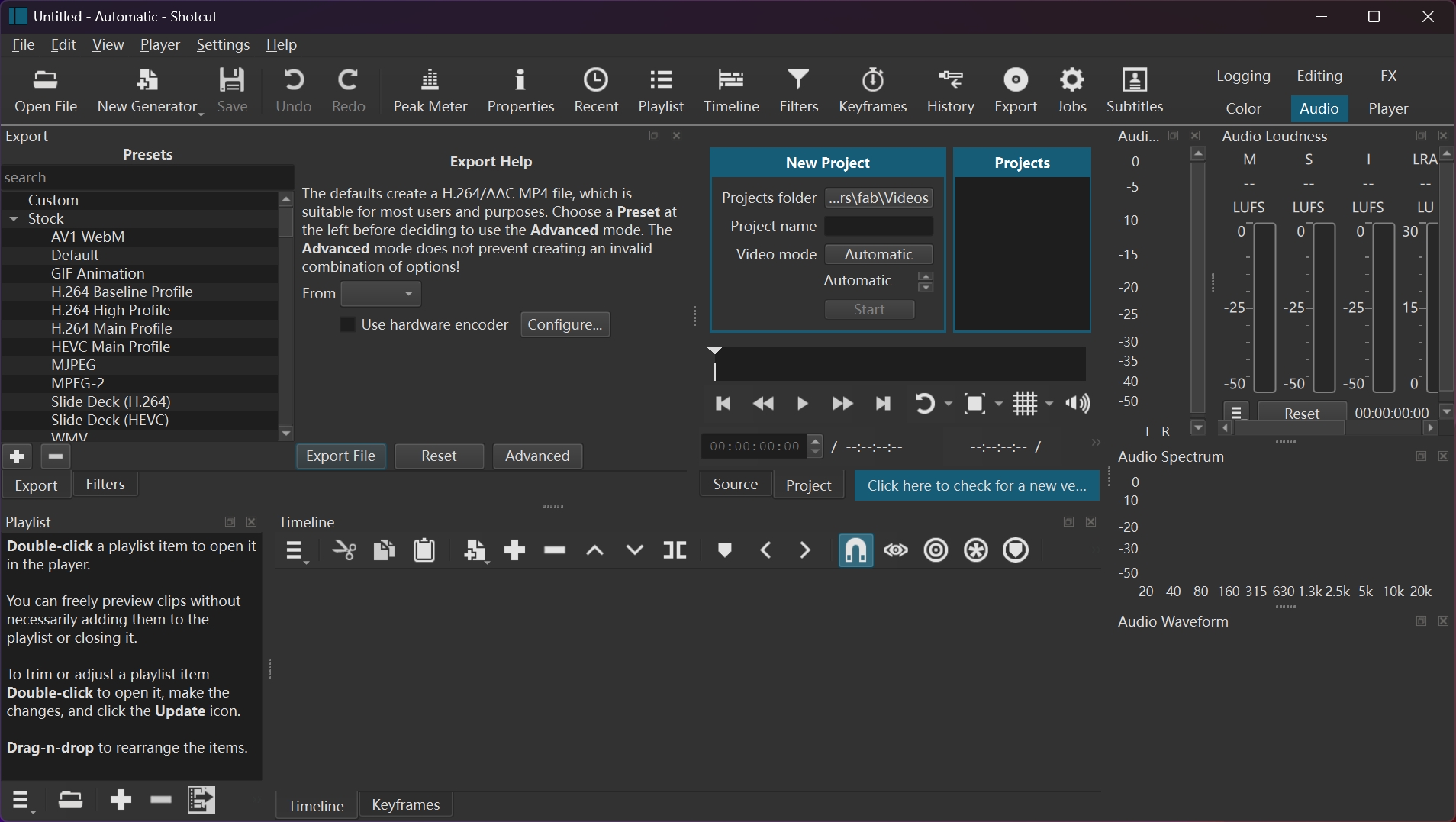
Shotcut is built on the open-source MLT multimedia framework and maintained by Meltytech, which is also why it behaves more like a lightweight version of a professional NLE than a simple format converter. That heritage shows up in how the project is organized around clips and tracks rather than a single input-to-output conversion queue.
That editor-first design is the main thing to weigh against a lighter tool like Avidemux: Shotcut asks for more setup time before your first export, in exchange for editing depth a plain converter does not offer at all.
Highlights:
- No license fee anywhere in the app, and the same project works identically on Windows, macOS, and Linux.
- Supports almost all major video codecs and container formats.
- Full video editor with multi-track timeline, filters, and effects.
- Includes solid audio tools: noise reduction and equalizer adjustments.
Where It Falls Short:
- Interface is more complex to learn than a pure converter.
- Does not rip DVDs; video conversion only.
FFmpeg
- Supported OS: Windows, macOS, Linux
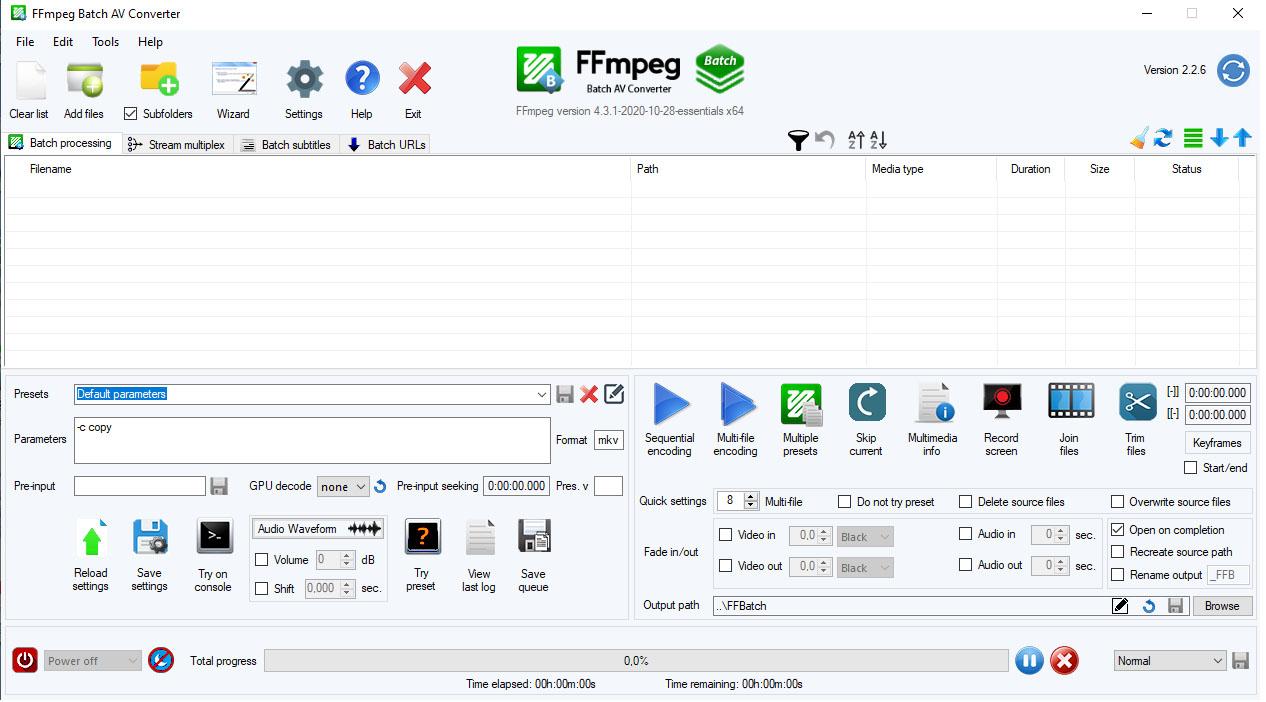
FFmpeg predates most of the GUI tools on this list and functions as infrastructure as much as an end-user application: HandBrake's own encoding pipeline relies in part on FFmpeg's underlying libraries, and so do several other converters covered here. Learning it directly, rather than through a GUI wrapper, means working with the same underlying tool that powers much of the software built on top of it.
That infrastructure role is also why its documentation and community knowledge base dwarf what any single GUI converter maintains on its own: nearly any conversion problem already has a documented command-line solution somewhere in the FFmpeg wiki or forums, even if finding the exact syntax takes some searching.
Highlights:
- Flexible; supports nearly any audio and video format combination.
- Often faster and more customizable than HandBrake for the same job.
- Handles almost any video and audio workflow through command-line scripting.
- Backed by a large open-source contributor base that keeps it free and actively updated across Windows, macOS, and Linux.
Where It Falls Short:
- Command-line only, with a steep learning curve for beginners.
- No direct DVD ripping; video and audio conversion only.
- Overkill for casual users who just need a couple of presets.
Avidemux
- Supported OS: Windows, macOS, Linux
Avidemux's own developers describe the goal plainly: a simple tool for simple video processing tasks, not a competitor to full editing suites. That philosophy shows up most in its direct stream-copy mode, which can cut a video at existing keyframes without re-encoding the untouched portions at all, preserving quality in a way that a full re-encode never can. It is built for someone who wants to trim or re-wrap a file quickly, not restructure it.
Highlights:
- Project files save cut points and filters, so you can resume an edit later without redoing selections.
- Straightforward project workflow for quick cuts and format conversions.
- Lightweight enough to run smoothly on older hardware.
Where It Falls Short:
- Narrower format support than FFmpeg or Shotcut.
- Does not rip DVDs or handle disc-based sources.
- Development pace has slowed, so newer codecs arrive later than in actively maintained tools.
Comparison Table: HandBrake vs. Alternatives
The table below lines up all twelve tools across platform support, pricing, ripping speed, format compatibility, and how much help you can expect if something breaks. Use it to shortlist a couple of candidates, then check the fuller write-up above for whichever one fits closest.
| Program | Supported OS | Price | Conversion Speed | Input Support | Output Support | Rip Protected DVD | Video Editing | Technical Support | Reliability / Maintenance |
| HandBrake | Windows, macOS, Linux | Free | Slow | DVD/Blu-ray disc, folder, ISO | MP4 (M4V), MKV, WebM | No | Yes | Community forum and docs only | Actively maintained, open-source |
| DVDFab DVD Ripper | Windows, macOS | Free 30-day trial | 50x faster | DVD disc, DVD folder, DVD ISO | MP4, MKV, AVI, MP3, WAV, FLAC, more | Yes | Yes | Email support (paid license) | Actively maintained |
| StaxRip | Windows | Free | Fast | DVD disc | AVI, MP4, MKV, WebM | No | Yes | Community forum only | Community-maintained, slower release cadence |
| iSuper DVD Ripper | macOS | Free; $9.99 one-time unlock for advanced features | Fast | DVD disc | MP4, MOV, AVI, WMV, FLV, etc | No | Yes | Mac App Store support channel | Actively maintained |
| MakeMKV | Windows, macOS | Free (extended beta, donation-supported) | Fast | DVD disc, Blu-ray | MKV only. | Yes | No | Community forum (very active) | Actively maintained |
| VLC Media Player | Windows, macOS, Linux, Android | Free | Normal | DVD disc, Blu-ray | MP4, AVI, TS, WebM, ASF, plus common audio formats. | Yes | Yes | Community forum and wiki | Actively maintained (VideoLAN) |
| VidCoder | Windows | Free | Normal (same engine as HandBrake) | DVD/Blu-ray disc, folder, ISO (unprotected) | MP4 (M4V), MKV, WebM | No | No | Community forum (GitHub issues) | Actively maintained |
| Freemake Video Converter | Windows | Free (watermarked); paid tier removes watermark | Slow | DVD disc, Video, Audio, Photo, URL | AVI, MP4, WMV, MKV, FLV, SWF, MP3, etc. | Yes | Yes | Email support (paid tier) | Actively maintained; installer flagged by some antivirus tools |
| Any Video Converter | Windows, macOS | Free; Pro ~$39.95, Ultimate ~$49.95 | Fast | Free: Video, Audio, CD Ultimate: DVD disc, folder, ISO, Video, Audio | AVI, 3GP, WMV, FLV, F4V, SWF, MP3, M4A, etc | Yes | Yes | Email support (paid tiers) | Actively maintained |
| Format Factory | Windows | Free | Fast | CD/DVD disc, Video, Audio, Picture | MP4, MPG, FLV; MP3, WMA, AAC; JPG, PNG, etc | No | Yes | Community forum only | Actively maintained |
| Shotcut | Windows, macOS, Linux | Free | Fast | Video, Audio, Picture | mainly H.264 MP4, plus presets for WebM, MKV and others. | No | Yes | Community forum and GitHub | Actively maintained |
| FFmpeg | Windows, macOS, Linux | Free | Fast | Video, Audio | wide range including MP4, MOV, WebM; FLAC, OGG, etc. | No | Yes | Community and documentation only | Actively maintained; one of the most widely used open-source multimedia projects |
| Avidemux | Windows, macOS, Linux | Free | Normal | Video files (no disc-based sources) | AVI, MKV and other common formats. | No | Yes | Community forum only | Maintained, slower release cadence |
Copy-protected disc support is the rarest capability in this table: only MakeMKV, DVDFab DVD Ripper, Freemake, and Any Video Converter's paid tier can handle it, and the paid tools come with guaranteed technical support if a specific disc fails to rip. Free, community-maintained tools like VLC, FFmpeg, Shotcut, and Avidemux trade that disc flexibility for zero cost and broader platform coverage across Windows, macOS, and Linux. If reliability and vendor support matter more than price, the paid options are the safer default; if you're comfortable troubleshooting through a community forum instead, the free tools cover almost everything except protected discs.
Conclusion
The choice mostly comes down to one factor: whether you need to rip copy-protected discs at all. If you do, MakeMKV (paired with a LibreDrive-flashed drive for tougher protection) or a paid tool like DVDFab DVD Ripper are the only options here that actually get past the encryption; everything else, including HandBrake itself, is limited to unprotected discs. If protection isn't a concern and you're purely converting existing video files, the free open-source tools cover nearly every format need without any cost.
FAQs
What is the best HandBrake alternative Mac users can try?
For Mac users who don't mind the command line, FFmpeg is the most capable option on this list: it's free, open-source, and handles decoding, encoding, transcoding, muxing, demuxing, streaming, and filtering for nearly any video format. If a graphical interface matters more, DVDFab DVD Ripper and iSuper DVD Ripper are the two Mac-native GUI alternatives covered above.
Which alternative to HandBrake supports hardware acceleration?
DVDFab DVD Ripper is the main hardware-acceleration option here, supporting multi-core CPU decoding, NVIDIA CUDA, AMD, Intel Quick Sync, and Apple's Video Toolbox on macOS. In practice, that combination is what lets it rip a full DVD in a few minutes instead of the longer CPU-only times HandBrake typically needs.
How do I rip a DVD with copy protection that MakeMKV can't handle?
Users on Reddit's r/PleX commonly report that flashing an optical drive's firmware to LibreDrive removes most of the region and encryption restrictions that block MakeMKV from reading a disc in the first place. It requires a compatible drive model and some manual setup, but it's the most frequently recommended fix before assuming a disc is simply unreadable. A paid tool like DVDFab DVD Ripper, which handles protection removal internally, is the lower-effort alternative.

 4 Free DVD Rippers for Windows 10/11: Best Tools & Step-by-Step GuideBy Diana Smith - Oct 13, 2026
![How to Convert DVD to AVI Free: 3 Current Options [2026]](https://images.dvdfab.cn/artifact/2026/09/17/2HqH4KgGwIXxwkHdUUZtp0D98DCpL4gS/feature_cover.jpg) How to Convert DVD to AVI Free: 3 Current Options [2026]By Diana Smith - Oct 12, 2026
How to Convert DVD to AVI Free: 3 Current Options [2026]By Diana Smith - Oct 12, 2026 How to Copy DVD to Computer on Windows & Mac: Rip and Direct CopyBy Wenny Yan - Oct 12, 2026
 Free DVD Decoder for Windows XP and Windows 11: 3 Ways to Play DVDsBy Diana Smith - Sep 23, 2026