CloneCD Is Discontinued: Download Safety and 2 Alternatives

Summary: The sudden shutdown of the official RedFox website has left users unable to access or purchase its software, including CloneCD. This article explains the current status of CloneCD and introduces practical alternatives: DVDFab DVD Copy for decrypting and backing up DVDs, and CDBurnerXP for everyday CD copying tasks.
Table of Contents
Is CloneCD Still Available?
CloneCD was a Windows disc-copying tool published under the RedFox brand, but its last verified release dates to May 2016 and it is now listed as no longer developed. The RedFox website went offline in June 2024, although no confirmed public explanation for its disappearance has been provided.
Other RedFox products, including AnyDVD, were affected when the site disappeared. For a replacement, first identify whether you need DVD copying, basic CD burning, or track-aware preservation for audio, mixed-mode, or legacy game CDs.
Best CloneCD Alternative to Decrypt and Copy DVD - DVDFab
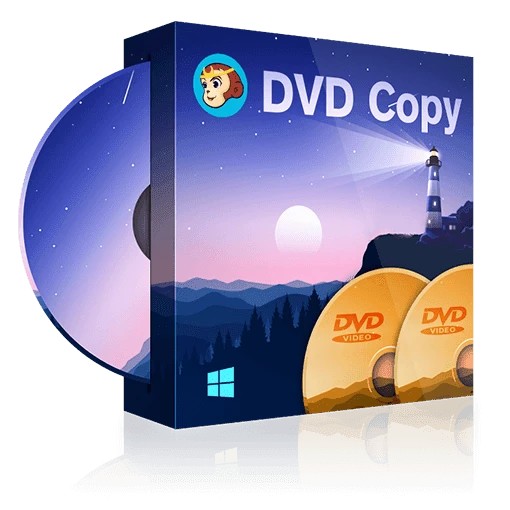
DVDFab DVD Copy, with more than 20 years of disc processing software development, is an excellent replacement for CloneCD when you're looking to decrypt and copy DVDs. Considered a top-tier solution in the industry, the Copy module allows you to easily backup your DVDs while maintaining the original quality. It is known for its user-friendly interface, quick processing speed, and superior functionality.
- Remove any old and new DVD copy protection from commercial DVDs
- Copy or compress DVD to DVD 5/9, ISO image file, or Folder
- Provide 6 copy modes: Full Disc, Main Movie, Customize, Split, Clone/Burn, Merge
- Copy DVD in batch at GPU-accelerated speed with highest quality
- Allow you to choose the titles, chapters, audio tracks and subtitles for free
- Free experience Blu-ray Copy module to decrypt and copy your Blu-ray
How to Use the Best CloneCD Alternative to Copy a DVD
Step 1: Download and Install DVDFab DVD Copy for free. It is completely safe and clean.
Step 2: Open DVDFab software and choose the "Copy" module to enter the copy panel. Load the source DVD you want to copy. The software is smart enough to immediately analyze and decrypt the DVD after you insert it into your DVD drive.
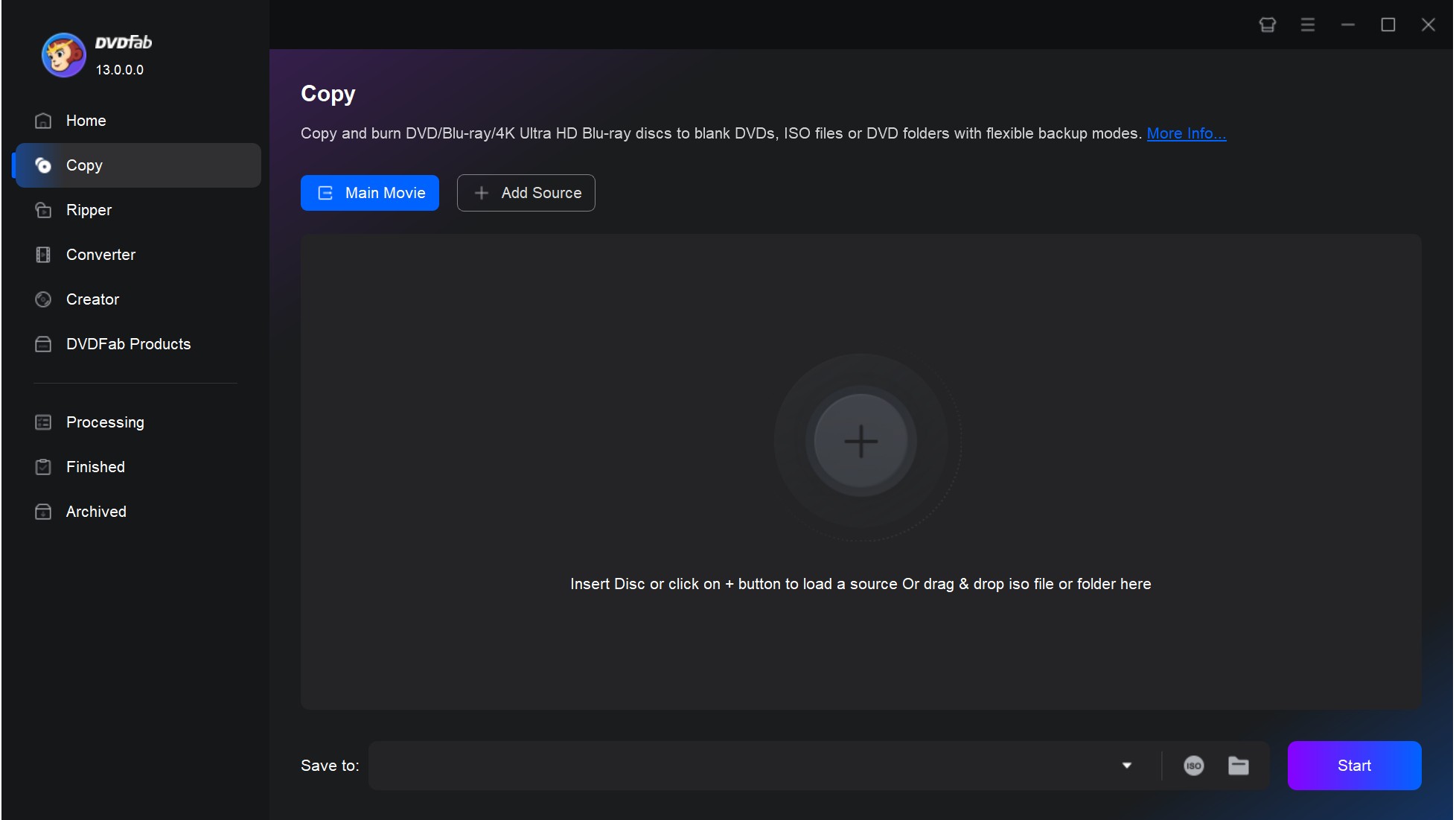
Step 3: On the main interface, there is a copy mode switcher in the top left corner. Click on it and you can choose the copy mode you desire. Whether you want to copy the whole DVD or only a certain part, DVDFab gives you the freedom to choose.
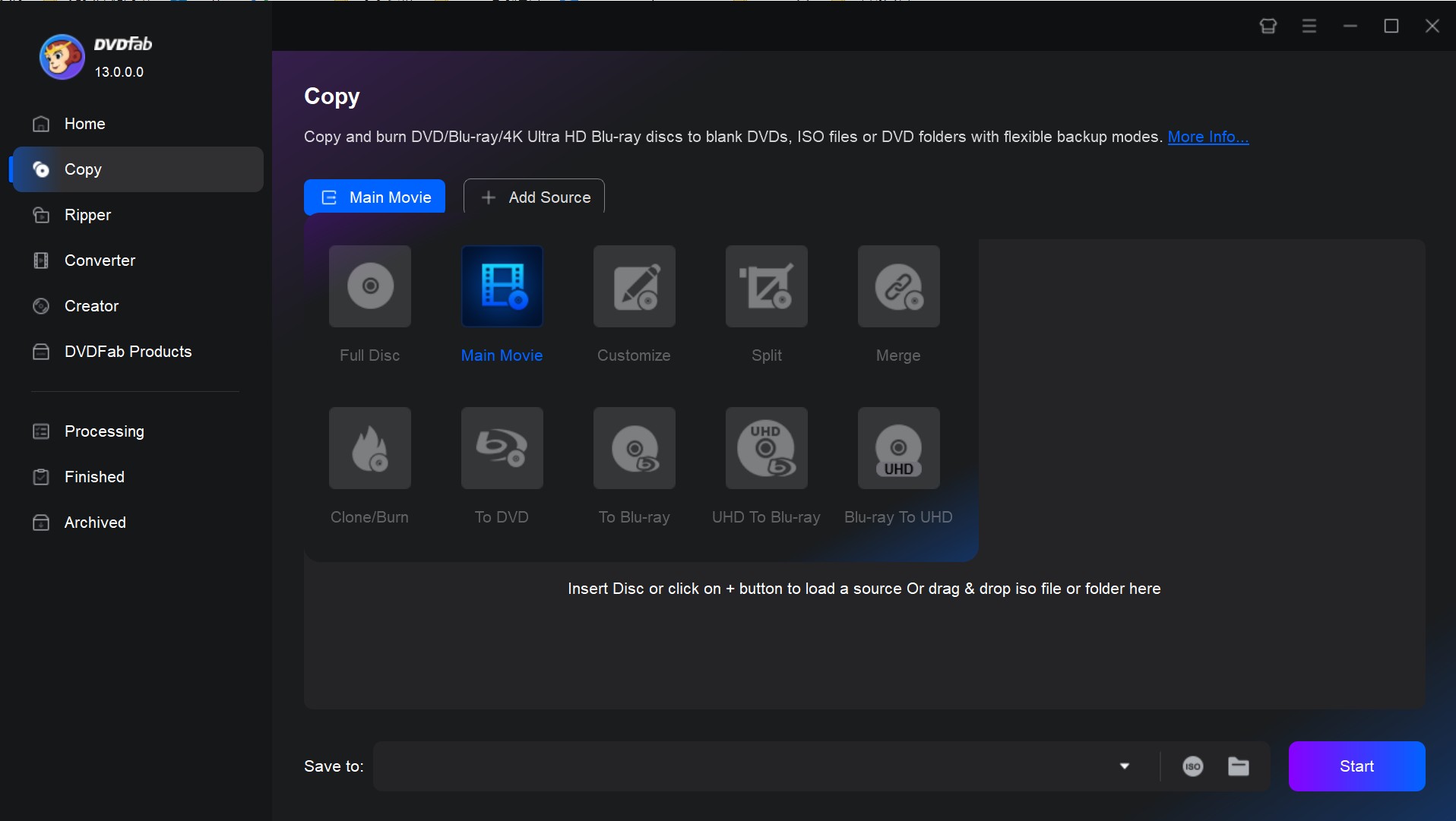
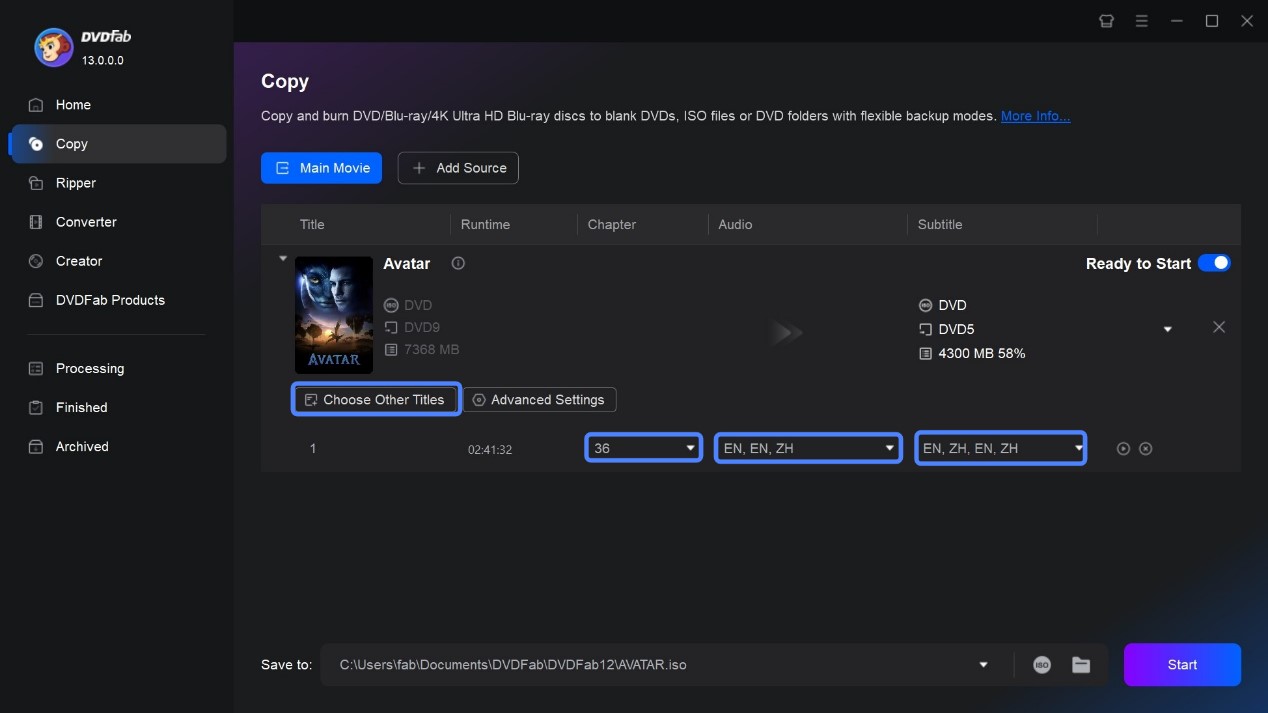
Step 4: After you've selected the copy mode, you can customize your DVD further using advanced settings and options offered by the software. You can either make changes to the volume label, save it to your specified directory, or select the type of output as DVD-5 or DVD-9.
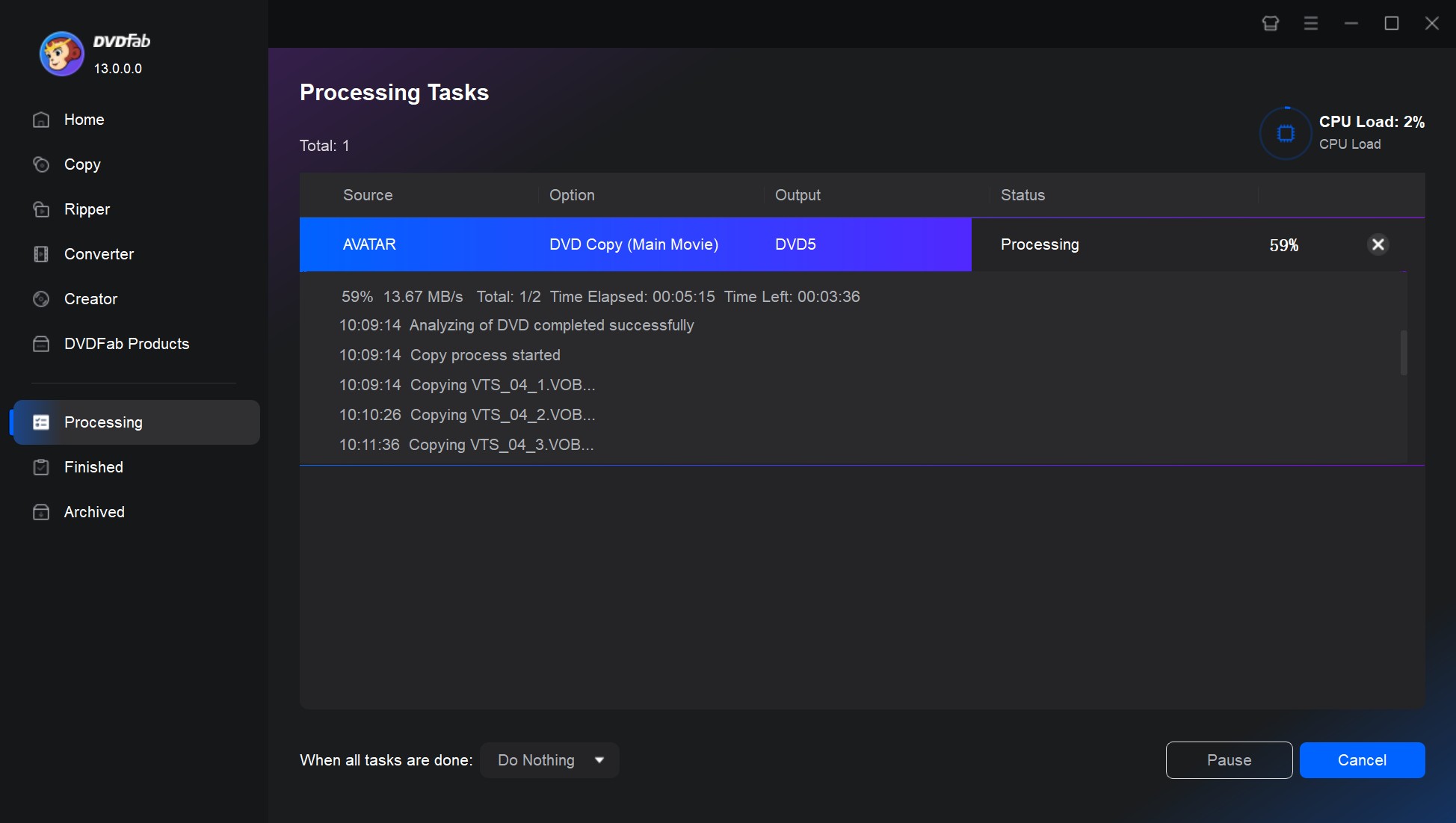
Step 5: Once everything is set, click on the "Start" button to initiate the process. A progress bar will display the ongoing operations, and update you on remaining time.
💡Related reading: CloneDVD review and alternative
Best CloneCD Alternative to Copy CD - CDBurnerXP
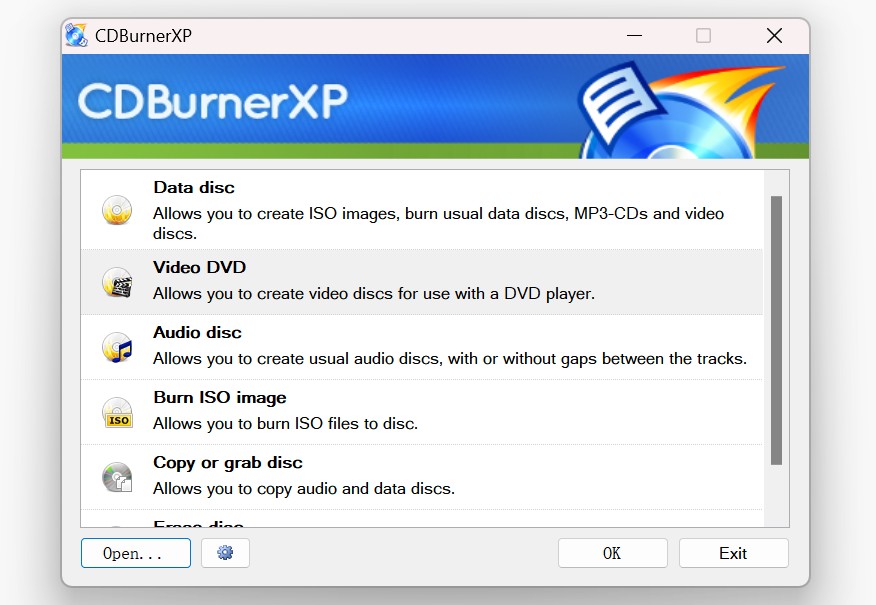
CDBurnerXP is a free CloneCD alternative for basic CD copying and disc-burning tasks. It supports CDs, DVDs, HD DVDs, and Blu-ray discs, as well as creating and burning ISO and MDS image files. Although it remains usable on Windows 10, its former official website was inaccessible during research, and its current ownership, maintenance status, and Windows 11 compatibility could not be confirmed. It is therefore better suited to occasional use than to a critical long-term workflow.
Key Features:
- Perform data verification after burning to confirm that the copied disc matches the source
- Generate bootable discs for system tools, with clear options for choosing the boot image
- Burn audio CDs with control over track gaps and basic metadata
- Offer buffer-underrun protection and "on-the-fly" burning to keep long sessions stable
- Include a clean file-browser interface that lets users quickly assemble the disc content
RedFox CloneCD Overview, Limits, and Downloads
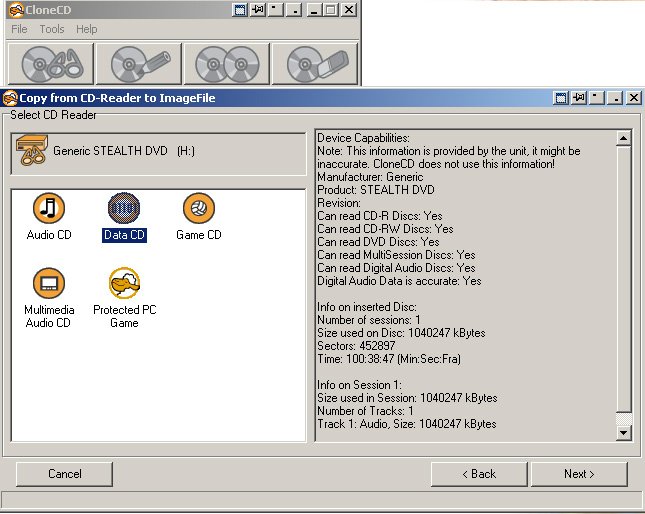
Originally developed by SlySoft, CloneCD was a Windows-only tool for sector-level copies of audio and data CDs, with later support for recordable DVD formats. Its historical strength was CloneCD-style image sets and raw preservation, but its last verified release was in May 2016, it is no longer developed, and no active official site remains. That abandoned status makes it a poor default for a new workflow.
CloneCD Features and Image Formats
CloneCD Limitations
Cloning reproduces a disc's structure, ripping extracts playable content, imaging stores the disc in one or more image files, and burning writes files or an image to recordable media. CloneCD concentrated on cloning and imaging, so it should not be treated as a modern ripper, converter, or general-purpose disc suite.
CloneCD Download Safety
No active first-party CloneCD download was found. A third-party page updated in 2026 may still be distributing an old build, so its page-update date should not be interpreted as a new CloneCD release date.
If you evaluate a third-party installer, use this provenance checklist:
- Compare the displayed version number with multiple reputable software directories.
- Inspect the named publisher and any available digital signature before running the file.
- Compare a published cryptographic hash when one is available.
- Scan the installer with current security software and a multi-engine scanning service.
- Avoid crack, key-generator, or repack pages, which create additional legal and malware risks.
Even when an installer passes basic checks, abandoned software can still fail after operating-system or driver updates. For a new or business-critical workflow, choose a maintained tool that explicitly supports the required disc type and image format.
Frequently Asked Questions
Can I trust a CloneCD download page updated in 2026?
Not based on the page date alone. It may indicate that the listing changed rather than that CloneCD received a new release. Check the version, publisher identity, signature, hash, and scan results before deciding whether to keep the installer.
Will CloneCD run reliably on Windows 11?
Reliable compatibility is unverified. Third-party claims conflict with a reported post-update failure, and the discontinued software has no dependable support path. Use a maintained application for any workflow you cannot afford to lose after a Windows update.
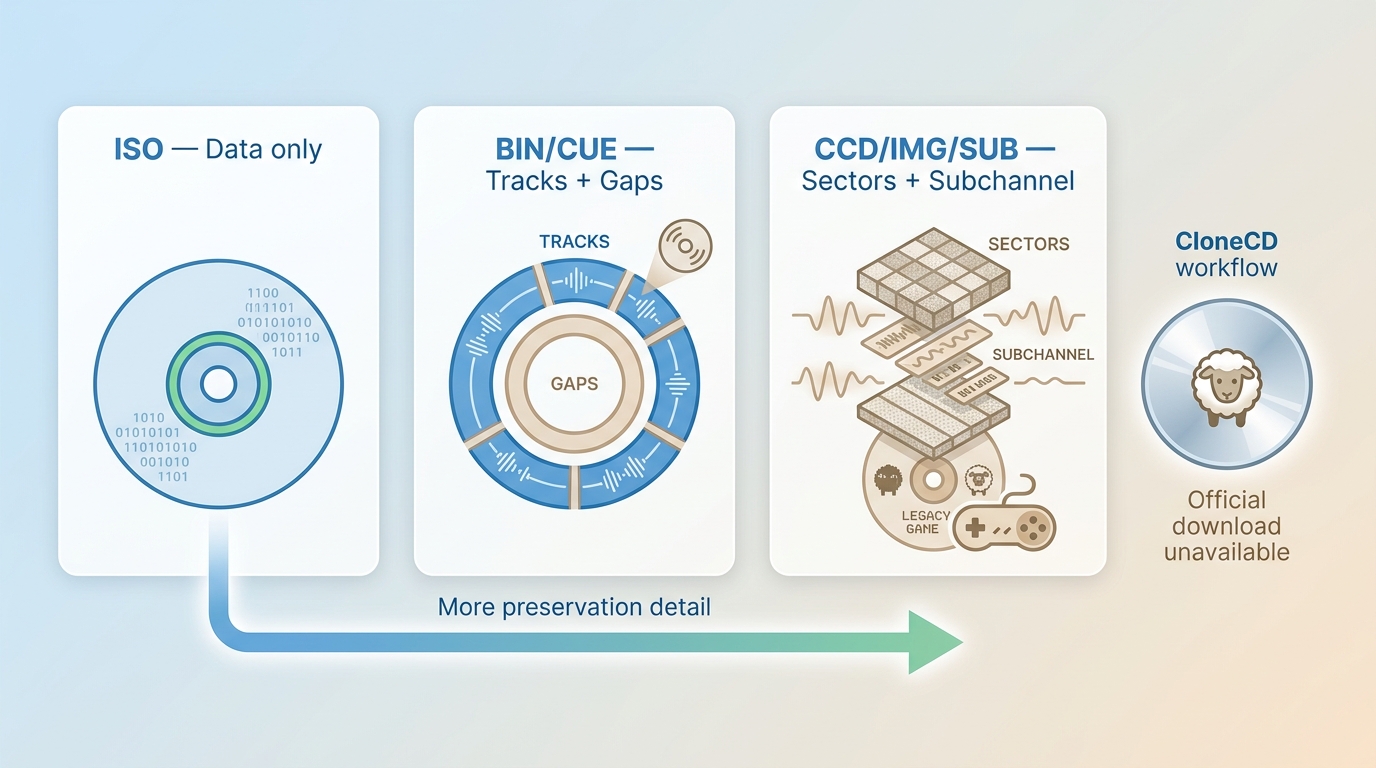
Should I use ISO for an audio or game CD?
Usually not when precise track layout or subchannel information matters. ISO suits many standard data discs, while audio or mixed-mode discs may need BIN/CUE and some legacy game discs may require CCD/IMG/SUB.
Is it legal to copy a protected CD or DVD?
The answer depends on your jurisdiction and the disc's license terms. Limit backups to media you own or are authorized to copy, where permitted by applicable law. This article does not provide instructions for bypassing licensing or access controls.
Conclusion
With the RedFox website offline and CloneCD no longer accessible through its original source, many users are left without a straightforward way to continue their disc copying workflows. If you still need to back up CDs or DVDs, alternatives such as DVDFab DVD Copy and CDBurnerXP can fill the gap. Each covers different use cases: DVD decryption and backup on one side, and data-disc burning on the other.

 How to Rip DVD to ISO on Windows 10/11 and Mac in 2026By Wenny Yan - Oct 12, 2026
![11 Best ISO Creators to Create ISO File on Windows & Mac [2026 Updated]](https://images.dvdfab.cn/artifact/2026/10/09/DVxGGdRFZrckamUXZ3-uk9NfbC6bsZr3/feature_cover.jpg) 11 Best ISO Creators to Create ISO File on Windows & Mac [2026 Updated]By Wenny Yan - Oct 9, 2026
11 Best ISO Creators to Create ISO File on Windows & Mac [2026 Updated]By Wenny Yan - Oct 9, 2026 8 Best Free ISO Burners for Windows and Mac in 2026: Tested PicksBy Diana Smith - Sep 16, 2026
![How to Remove DVD Copy Protection: 6 Software Options [2026]](https://images.dvdfab.cn/media/How_to_Remove_Copy_Protection_from_DVD_upluh5.png/public) How to Remove DVD Copy Protection: 6 Software Options [2026]By Diana Smith - Sep 10, 2026
How to Remove DVD Copy Protection: 6 Software Options [2026]By Diana Smith - Sep 10, 2026