DVDFab DVD Ripper Review 2026: Speed, Quality, Features, and Limits

Summary: DVDFab DVD Ripper can convert protected DVDs, ISO images, and VIDEO_TS folders while providing detailed control over formats, audio tracks, subtitles, and device compatibility. In my 6.13 GB DVD test, MP4/H.264 averaged 5 minutes 31 seconds, while MKV Passthrough finished in 1 minute 37 seconds and retained the selected source streams. Full use requires a paid license, Internet access, and compliance with the 100-disc weekly fair-use limit. Select MP4/H.264 for broader playback or MKV Passthrough to avoid video re-encoding.
Table of Contents
I still have a shelf full of DVDs that never made it to any streaming service: niche concerts, out-of-print anime box sets, a few family videos that only exist on burned discs. The discs are getting older, some drives already refuse to read them, and I don't want to lose them to a random scratch or a dead DVD player. At the same time, I care about quality and time: I want reliable rips that work on my TV, phone, and NAS, without spending hours tweaking every single setting or fighting with copy protection that newer free tools can't handle anymore.
Anyone who has looked into DVD digitization has likely come across DVDFab DVD Ripper. It has been around for many years and is often mentioned when people discuss tools that can handle both new releases and older discs with complicated structures. In this review I will look at DVDFab DVD Ripper from that practical angle. Instead of repeating the feature list, I will focus on how it behaves on real discs, how fast it runs on common hardware, what the output quality looks like, and where it still struggles.
DVDFab DVD Ripper Review: Quick Verdict and Key Facts
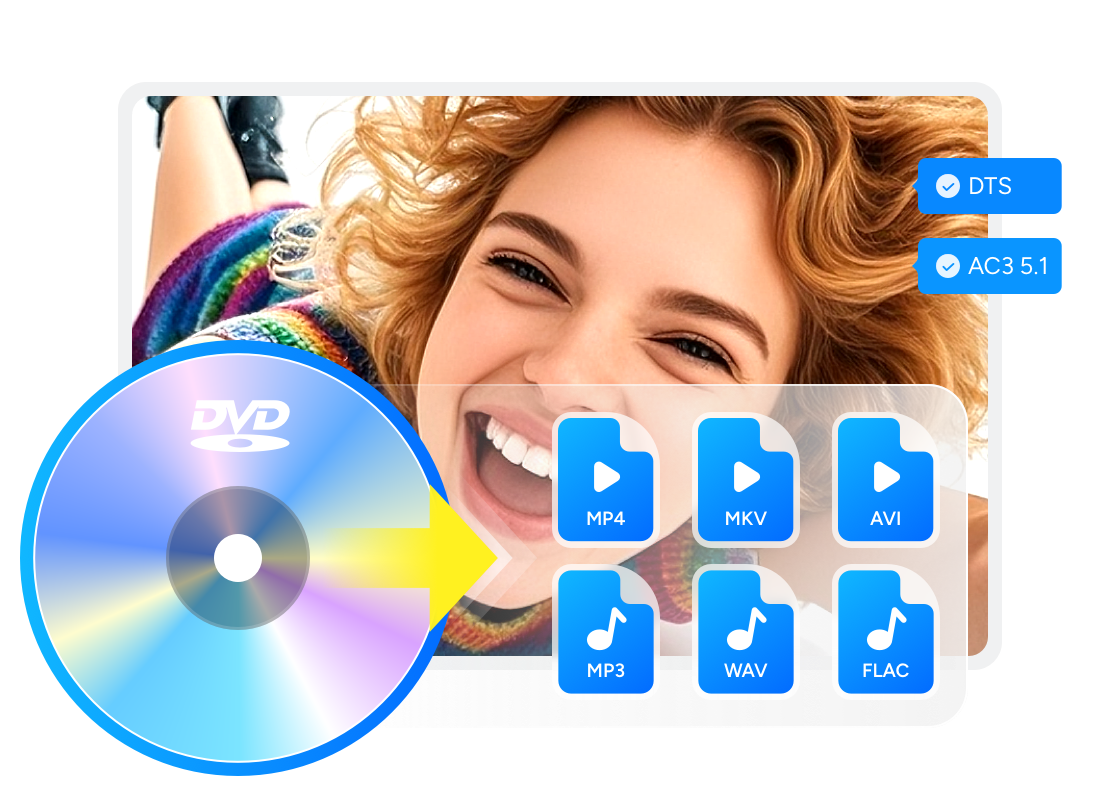
DVDFab DVD Ripper is one of the core modules in the DVDFab 13 suite, built for converting physical DVDs, ISO images, and VIDEO_TS folders into video or audio files. It supports compressed output for smaller files and MKV Passthrough for retaining the selected source video, audio, and subtitle streams without video re-encoding.
Free Download Windows 11/10/8.1/8/7
Free Download macOS 10.13 - 15.x
The program is most useful when a commercial DVD has region restrictions, copy protection, or a title structure that a general video converter cannot read correctly.
| Item | Details |
| Suitable use | Convert DVDs, ISO images, and VIDEO_TS folders to digital video or audio files |
| Operating systems | Windows and macOS; some acceleration and subtitle functions differ by platform |
| Common outputs | MP4, MKV, AVI, MP3, WAV, and FLAC |
| Source-stream option | MKV Passthrough |
| Trial and free use | Most functions are available in a 30-day trial; MP4.free and MKV.passthrough remain after the trial |
Pros and Limitations at a Glance:
| Pros | Limitations |
| Reads physical DVDs, ISO images, and VIDEO_TS folders, including listed commercial DVD protection schemes | Continued access to the complete feature set requires a paid license |
| Provides compressed profiles and MKV Passthrough, with separate title, audio, and subtitle controls | The 100-disc weekly fair-use quota apply |
| Supports hardware-assisted encoding and continues to receive disc-reading, protection, subtitle, and profile updates | Optional AI tools have separate requirements |
Key Features and Updates of DVDFab DVD Ripper
DVD Sources, Protection Support, and Title Selection
DVDFab DVD Ripper reads DVD-5, DVD-9, writable DVDs, ISO images, and VIDEO_TS folders. Its listed protection support includes CSS, APS, RC, RCE, Sony ARccOS, UOPs, and RipGuard. Support for a particular commercial release can still depend on the disc edition, optical drive, program version, and condition of the disc.
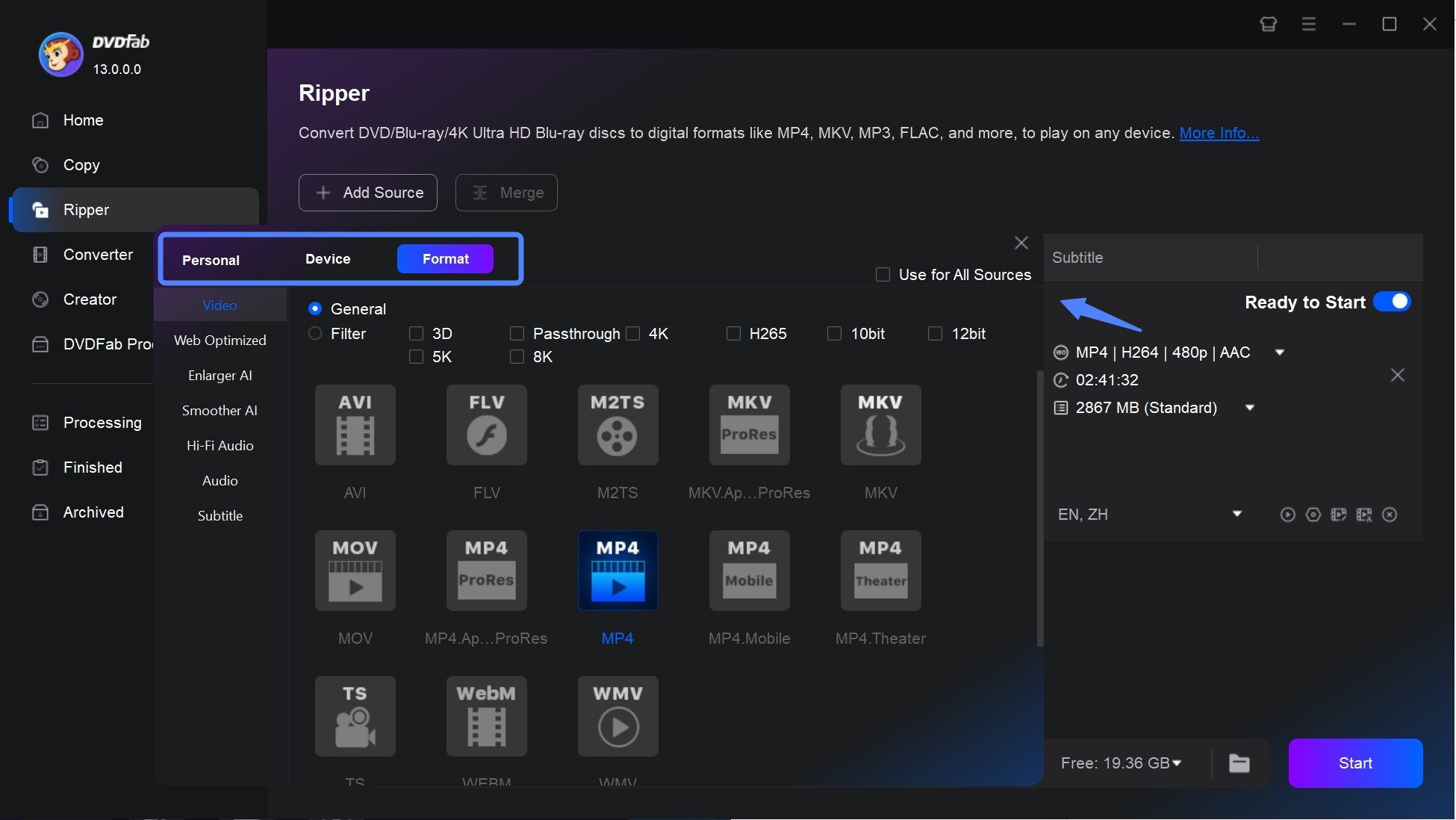
The title list deserves attention when a disc contains episodes, bonus material, several language versions, or misleading title entries. Before conversion, compare the selected title's duration with the movie, preview it, and check the chosen audio and subtitle languages. This takes less time than repeating a complete rip after selecting the wrong entry.
Output Formats, Audio, Subtitles, and Device Profiles
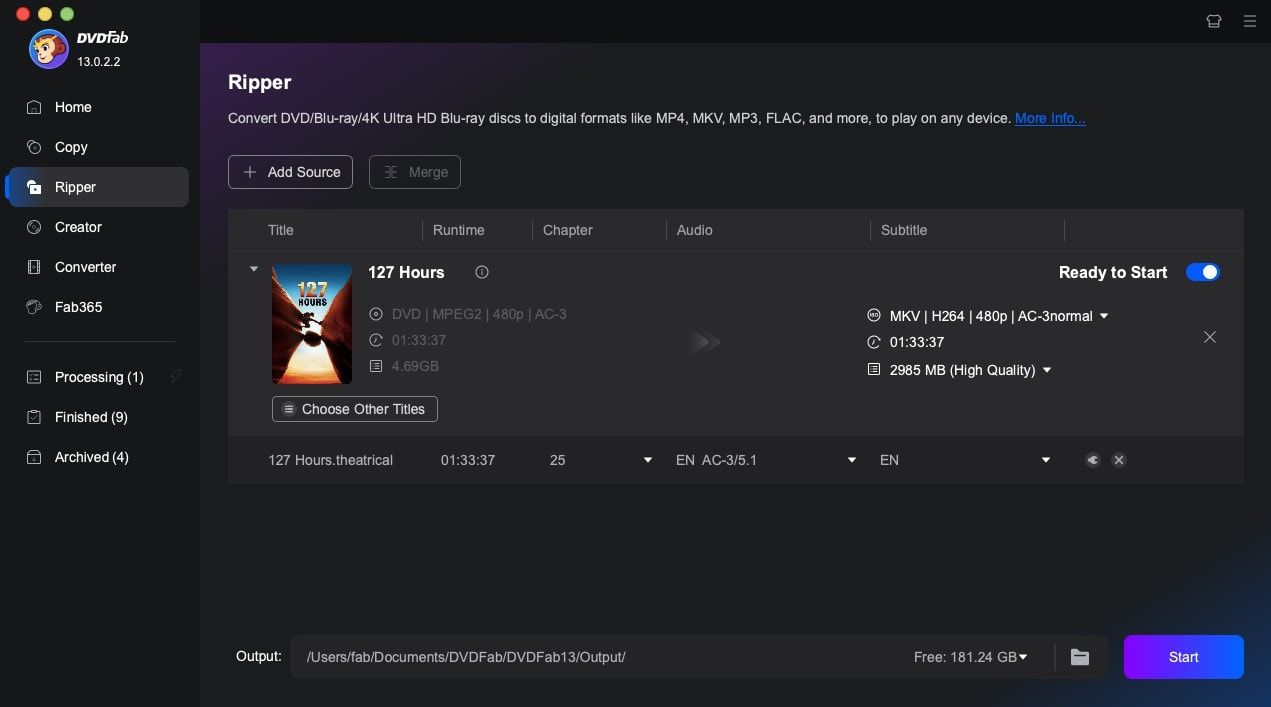
DVDFab DVD Ripper offers more than MP4 and MKV output. Its profile library covers over 1,000 video and audio options, with listed examples including MP4, MKV, AVI, MP3, WAV, and FLAC. Available video codecs include H.264, H.265, MPEG-4, and AV1, while profile filters cover options such as Passthrough, 3D, H.265, 10/12-bit video, and higher-resolution output used with compatible processing modules.
| Profile category | Listed examples | What it changes |
| Video containers and formats | MP4, MKV, and AVI | File structure, audio and subtitle support, and playback compatibility |
| Video codecs | H.264, H.265, MPEG-4, and AV1 | Compression, processing time, file size, and hardware decoding requirements |
| Audio-only output | MP3, WAV, and FLAC | Extracts a selected soundtrack or audio stream without creating a video file |
| Source-stream output | MKV Passthrough | Retains the selected source video, audio, and subtitle streams without video re-encoding |
| Device profiles | Apple, Google, Huawei, Microsoft, Samsung, Sony, LG, BlackBerry, Box, PVP, and PS | Applies predefined output settings for a device or playback category |
The container and codec need to be considered separately. MP4/H.264 is the safer selection for broad playback, while H.265 or AV1 only makes sense when the target device can decode the selected codec. MKV supports more flexible audio and subtitle retention, but an MKV profile can either re-encode the video or use Passthrough, so the container name alone does not indicate the quality level.
DVDFab also lists more than 260 device presets. These profiles reduce manual setup by selecting a compatible container, codec, resolution, and audio configuration for the chosen device category, but the completed file should still be tested on the actual television, phone, tablet, console, or media player. The program can retain multichannel audio, convert selected tracks, keep selectable subtitles, burn subtitles into the picture, or extract supported subtitle formats; OCR conversion to SRT is currently a Windows-only function.
Updates Focused on DVD Ripping
The release history shows continued work on disc reading, output profiles, subtitles, and optional image processing. The entries below retain the product's development history while separating Ripper-related changes from updates to unrelated DVDFab modules.
| Date | Ripper-related update | Effect on use |
| October 13, 2023 | Video editor added to DVDFab 13 | Added trimming and basic picture adjustments before conversion |
| August 13, 2024 | Hardware-acceleration and MKV Passthrough fixes | Addressed slow conversion with hardware acceleration and an audio-sync issue in MKV Passthrough |
| July 31, 2025 | AI Upscaler and AI HDR Upconverter added | Added optional upscaling and SDR-to-HDR processing for supported Ripper tasks |
| November 14, 2025 | 100 additional device profiles | Expanded predefined output choices for playback devices |
| January 21, 2026 | DVD recognition and reading fixes | Corrected cases in which a DVD could not be recognized, loaded, or read |
| April 23, 2026 | Subtitle Generator AI and read-error processing | Added multilingual SRT generation, additional DVD protection support, and revised reading behavior for damaged discs |
Core Technologies Behind DVDFab DVD Ripper
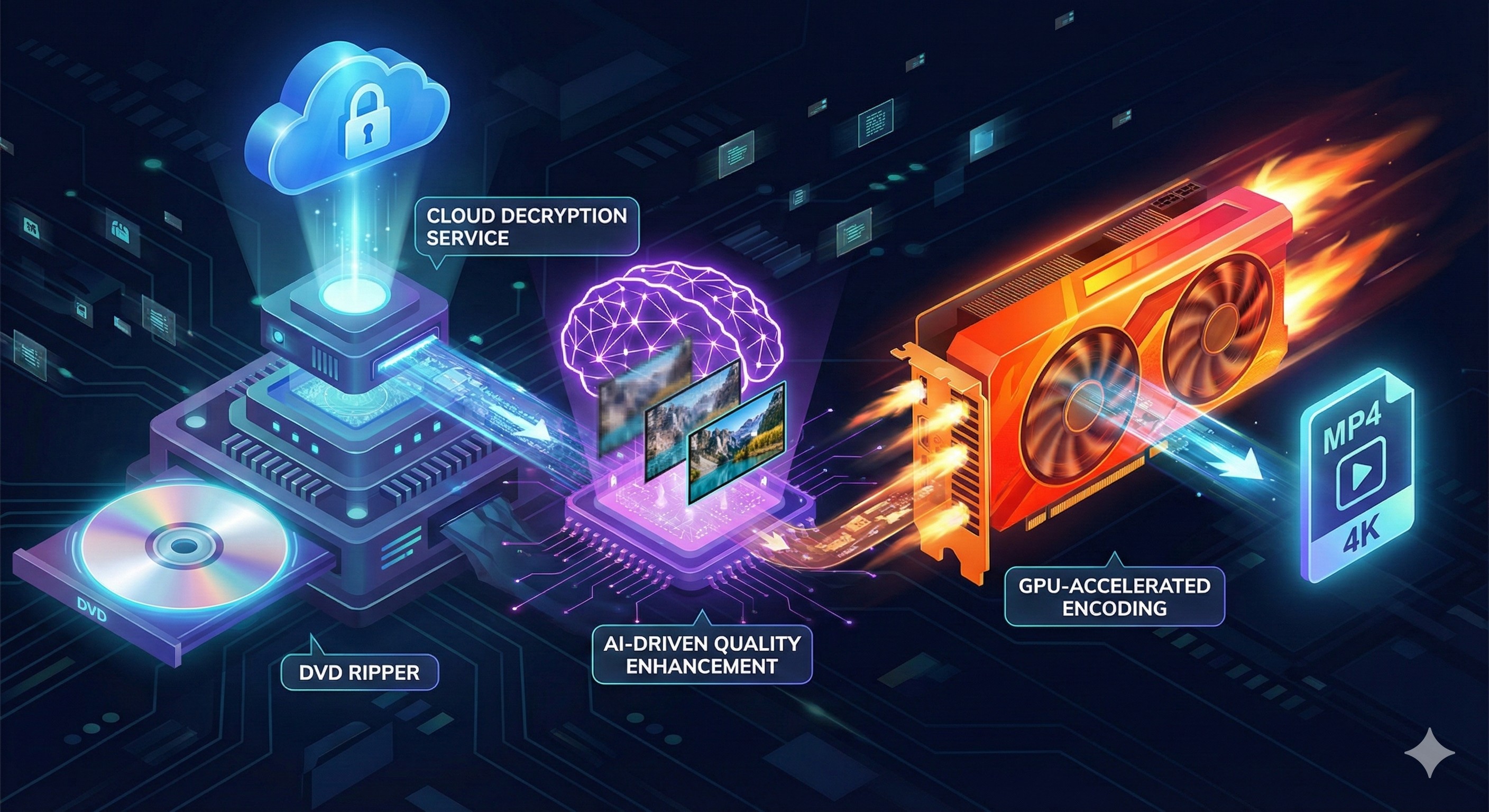
Cloud Decryption Service
DVDFab uses an online Cloud Decryption Service to supply updated analysis data for newly released and structurally complex commercial DVDs. This is one reason a live Internet connection is required. Decryption support still depends on the specific disc edition, current software version, optical drive, and applicable law, so an unfamiliar release should be tested during the trial rather than assumed to work from the title alone.
GPU-Accelerated Encoding
On compatible systems, DVD Ripper can use NVIDIA CUDA or NVENC, AMD AMF, Intel Quick Sync Video, and VideoToolbox on macOS. Hardware encoding can shorten H.264 or H.265 conversion, but the gain depends on the graphics hardware, selected codec, driver, optical drive, and source disc. Passthrough benefits less from an encoding engine because it retains the existing video stream instead of creating a new one.
Optional AI Tools
NVIDIA AI Enhancer, AI Upscaler, and AI HDR Upconverter can be used with supported Ripper tasks to increase resolution or change an SDR presentation to HDR. These are optional modules with their own license and hardware conditions. Upscaling predicts new pixels; it cannot recover authentic detail that was not stored on the DVD, so compare a short sample with the original before processing the full movie.
Hands-On Test of DVDFab DVD Ripper: Ripping Speed and Output Quality
Test Setup and Method
I used the same 6.13 GB 8 Mile DVD and computer for both measurements. The Windows PC had an Intel Core i7-6700 and an NVIDIA GeForce RTX 4060 Ti. I averaged four MP4/H.264 runs and compared that result with MKV Passthrough on the same source.
| Profile | Video processing | Recorded time | Performance and quality result |
| MP4/H.264 with AAC | Re-encoded with hardware acceleration | 5 min 31 s average across four runs | Completed a full H.264 re-encode in minutes while producing a more widely playable file |
| MKV Passthrough | Source streams retained without video re-encoding | 1 min 37 s | Finished in under two minutes while retaining the selected source streams |
Speed, Quality, and Performance Assessment
The main result is that DVDFab completed both versions of the 6.13 GB feature-length DVD in minutes on the tested computer. The MP4/H.264 result is the more demanding performance measurement because it includes video encoding: the four-run average of 5 minutes 31 seconds shows that the RTX 4060 Ti hardware path processed this DVD quickly and consistently. MKV Passthrough finished in 1 minute 37 seconds, demonstrating how fast DVDFab can extract the selected streams when no video encoding is required.
Picture quality depends on the selected profile. MKV Passthrough retains the DVD's source video and selected audio or subtitle streams, so it avoids quality loss from another video encode. MP4/H.264 creates a compressed copy, but its advantage is a smaller, more widely supported file produced in a short processing time. The test did not include an objective SSIM or VMAF score, so the supported conclusion is strong source preservation with Passthrough and a useful speed-to-compatibility balance with H.264, not lossless quality after compression.
These results show that speed is one of DVDFab DVD Ripper's clearer strengths on compatible hardware. Select MKV Passthrough when source quality is the priority, or MP4/H.264 when the file needs to play across more devices. A different optical drive, CPU, GPU, disc condition, or output profile can change the measured time.
User Feedback and Issues to Know Before Buying
On Trustpilot, DVDFab as a brand holds a rating around 4.6 out of 5, with the majority of reviews in the five-star range. Many of the comments that mention DVD Ripper focus on successful rips, fast performance, and responsive customer support. Users praise the ability to back up entire collections and stream them through Plex, often after many years of use across multiple versions.
Reddit discussions are more technical but still provide useful insight. Some long-time users report that they have used DVDFab for a decade or more as their main ripping tool, calling out the convenience of all-in-one DRM removal and conversion. Others compare it directly with MakeMKV, noting that DVDFab can go straight to MP4 in 15 minutes, while a MakeMKV plus third-party encoder workflow can take considerably longer.
According to external reviews, DVDFab DVD Ripper is generally regarded as quick, powerful, and ideal for huge libraries, particularly when combined with a media server.
FAQs
Why does a DVD fail to load or stop during ripping?
A failure can come from the disc surface, optical drive, an unsupported protection update, or an unusual title structure. Clean the disc, update DVDFab, test another drive or USB port if available, and submit the processing log if the same title still fails.
Why does DVDFab select the wrong title, audio track, or subtitle?
Compare the selected title's duration with the main movie, preview it, and check the audio, subtitle, and forced-subtitle selections separately. Update DVDFab and submit the processing log if the preview is correct but the output remains wrong.
How do I troubleshoot audio that is out of sync?
Test the file in a second player, compare MKV Passthrough with an H.264 re-encode, and run one test with hardware acceleration disabled. If the offset appears in multiple players, save the log and note whether it stays constant or increases during playback before contacting support.
Can DVDFab repair a scratched or damaged DVD?
Software cannot repair physical damage. DVDFab added revised read-error processing in 2026, but a deeply scratched, deteriorated, or unreadable disc can still fail; clean it from the center outward and test another drive if available.
Is it legal to rip a DVD with DVDFab?
DVD copying and protection-circumvention rules vary by country and intended use. Process only discs you own or have permission to copy, do not distribute the output without authorization, and check the rules that apply in your location.
Conclusion
DVDFab DVD Ripper is worth considering when commercial DVD support, separate audio and subtitle controls, passthrough output, and hardware-assisted conversion affect the result. Start with the 30-day trial and process one representative disc before buying. Select MP4/H.264 when playback compatibility matters most, or MKV Passthrough when retaining the source streams is the priority. Check the completed file on the actual television, phone, computer, or media server you plan to use.

 4 Free DVD Rippers for Windows 10/11: Best Tools & Step-by-Step GuideBy Diana Smith - Oct 13, 2026
![How to Convert DVD to AVI Free: 3 Current Options [2026]](https://images.dvdfab.cn/artifact/2026/09/17/2HqH4KgGwIXxwkHdUUZtp0D98DCpL4gS/feature_cover.jpg) How to Convert DVD to AVI Free: 3 Current Options [2026]By Diana Smith - Oct 12, 2026
How to Convert DVD to AVI Free: 3 Current Options [2026]By Diana Smith - Oct 12, 2026 How to Copy DVD to Computer on Windows & Mac: Rip and Direct CopyBy Wenny Yan - Oct 12, 2026
 Free DVD Decoder for Windows XP and Windows 11: 3 Ways to Play DVDsBy Diana Smith - Sep 23, 2026