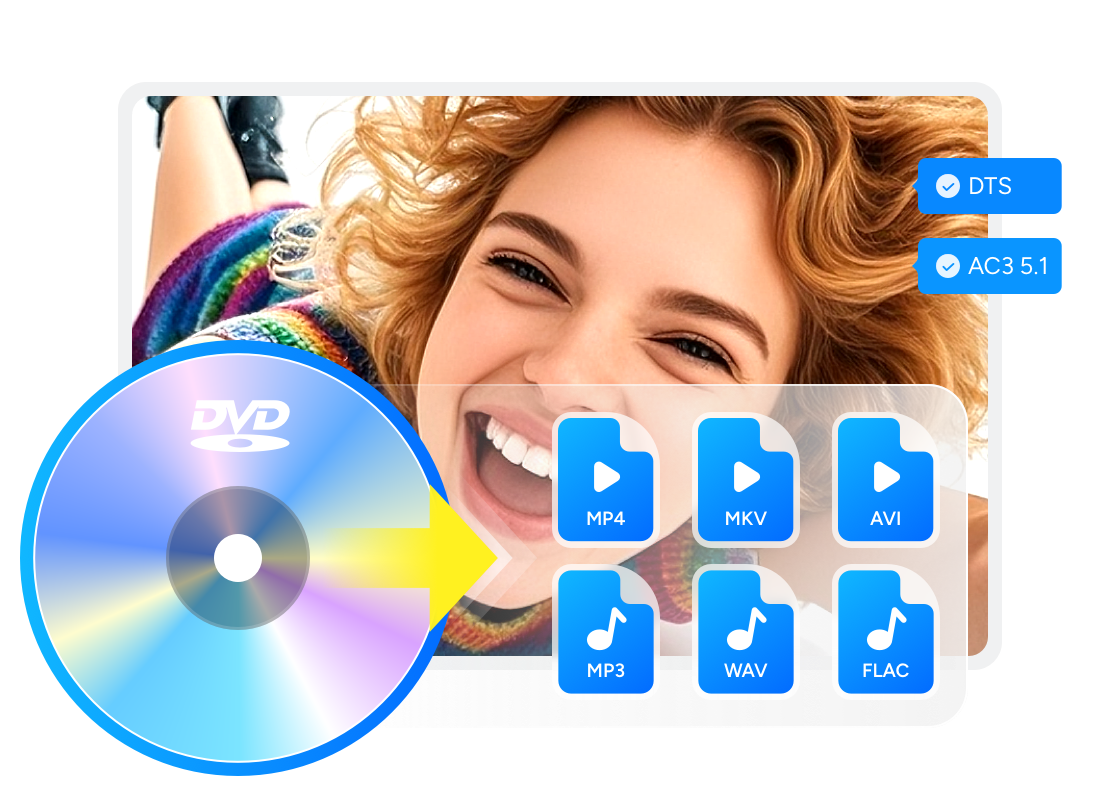
DVD vs Streaming & How to Convert DVD to Streaming

Summary: DVD streaming offers a modern way to enjoy your physical collection without relying on a disc player. This guide explains how DVD compares with streaming, and how you can convert your DVDs into a streaming-ready library using simple tools like DVDFab DVD Ripper. With practical tips for formats, device compatibility, and media server setup, you can keep the benefits of DVD ownership while enjoying the flexibility of streaming across your favorite devices.
Table of Contents
When favorite movies are scattered across subscriptions, choosing DVD vs streaming is a choice between catalog convenience and local control. DVD streaming has two common meanings: finding a title's digital release or converting discs you own into files served from a private media library. DVD playback offers local access to specific discs; subscription streaming offers account-based access to a changing online catalog. A personal DVD library uses local files and a media server rather than a subscription catalog. The three-step process below covers the personal-library option.
DVD vs Streaming: The Trade-Offs
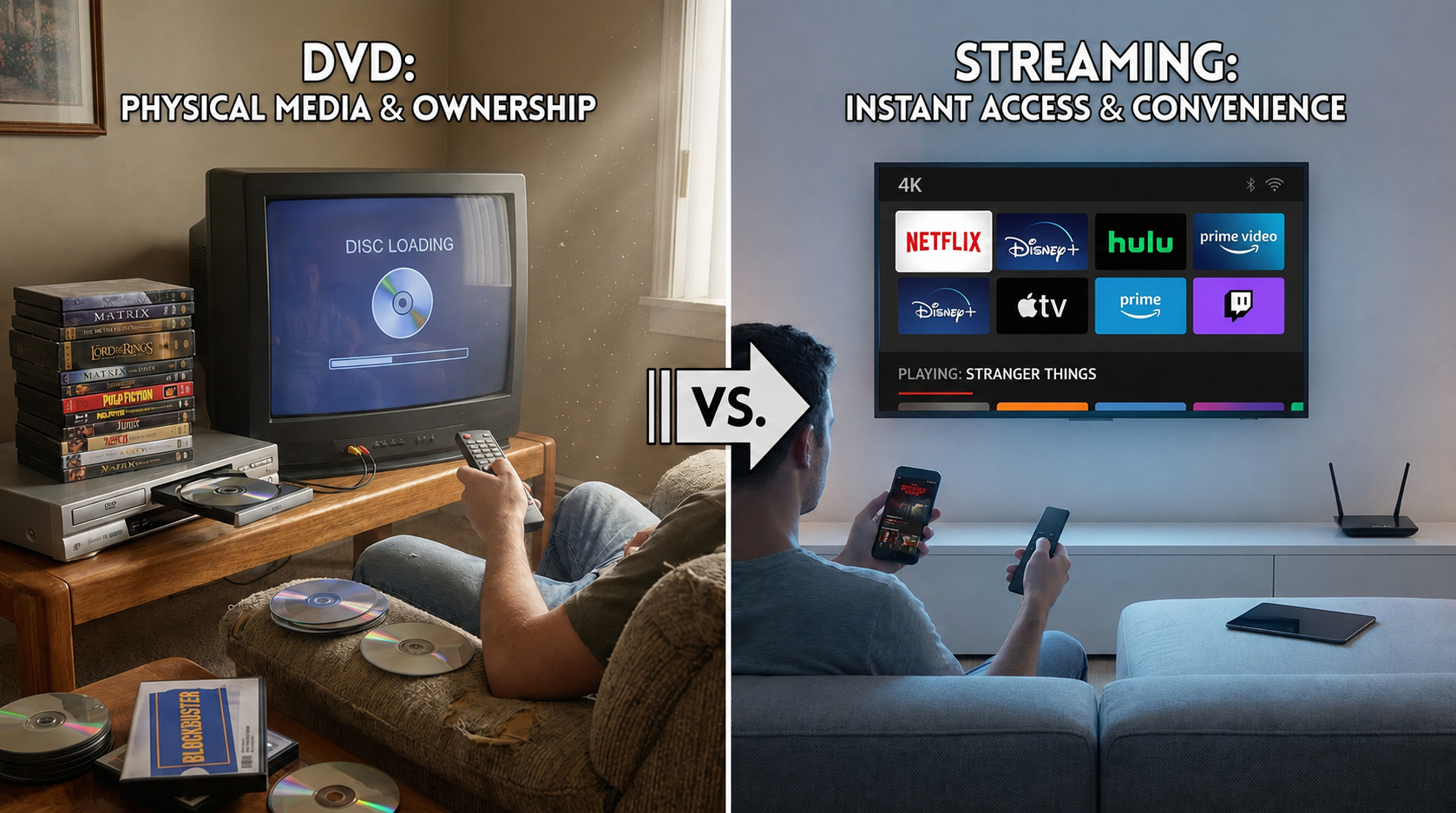
At a glance, discs favor local control over specific titles, while subscription services favor immediate access to a changing catalog. DVD streaming from a personal server adds flexibility, but it also requires storage, setup, and compatible playback clients.
A purchased DVD remains under your physical control, while subscription access depends on licensing, account status, and service availability. Neither route wins in every situation.
Picture and Audio Quality
DVD image quality is consistent but limited to the disc's standard-definition source, while subscription services may offer HD or 4K when the title, plan, connection, and device support it. A stream can look better, but unstable bandwidth can reduce quality during playback. Native DVD video is standard definition: NTSC DVDs use 720×480 pixels and PAL DVDs use 720×576 pixels. Bitrate alone does not compare quality across codecs because codec efficiency, resolution, and source quality also affect the result.
The useful comparison is source quality plus viewing conditions. A well-authored DVD can remain predictable on an offline player, while a higher-resolution stream usually benefits a larger screen when the connection stays steady.
Cost and Subscription Models
DVD vs streaming cost depends on scale. Discs involve a purchase per title, while subscription services charge recurring fees; a personal library can also require an optical drive, conversion software, storage, and optional server hardware.
Compare disc spending plus any drive, software, and storage costs, divided by expected viewings, with monthly subscription spending multiplied by the number of months used. For example, $60 across 12 viewings = $5 per viewing; this is a personal cost illustration, not a service price. Keeping frequently rewatched favorites while using subscriptions for discovery can make sense when that matches your viewing habits.
For a small collection, using an existing computer and external drive may be enough. For a large library, storage expansion, backups, and possible remote-access features become part of the real project cost.
Availability and Regional Limits
Streaming catalog availability changes with licensing and location, so a title can move between services or disappear from a region. DVDs can also carry region restrictions, but the title itself does not depend on a subscription catalog once you own the disc.
Ownership and Long-Term Access
DVD ownership gives you control of the physical copy, not a promise that the disc or a personal server will remain usable indefinitely. Disc condition, drive compatibility, storage health, server uptime, network conditions, and client support all affect access.
A personal library improves local control, while a separate backup, supported by practical DVD storage ideas, protects labor-intensive conversions and irreplaceable recordings. It should be treated as maintained storage rather than permanent availability.
| Scenario | DVD | Subscription Streaming |
| Access and Ownership | Stable access to purchased titles while the disc and compatible hardware remain usable. | Fast on-demand access, but titles depend on licensing, region, plan, and account status. |
| Quality and Connection | Consistent standard-definition playback without internet dependence. | May offer HD or 4K, with results shaped by the title, plan, bandwidth, and device. |
| Catalog and Extras | Fixed collection with edition-specific menus, commentary, and bonus material when included. | Broader discovery, although catalogs and included extras can change. |
| Cost and Setup | Per-title purchases; a personal server adds drive, software, storage, and maintenance costs. | Recurring service fees with little local setup for ordinary viewing. |
DVD to Streaming: How to Turn Your Discs into Streaming Library
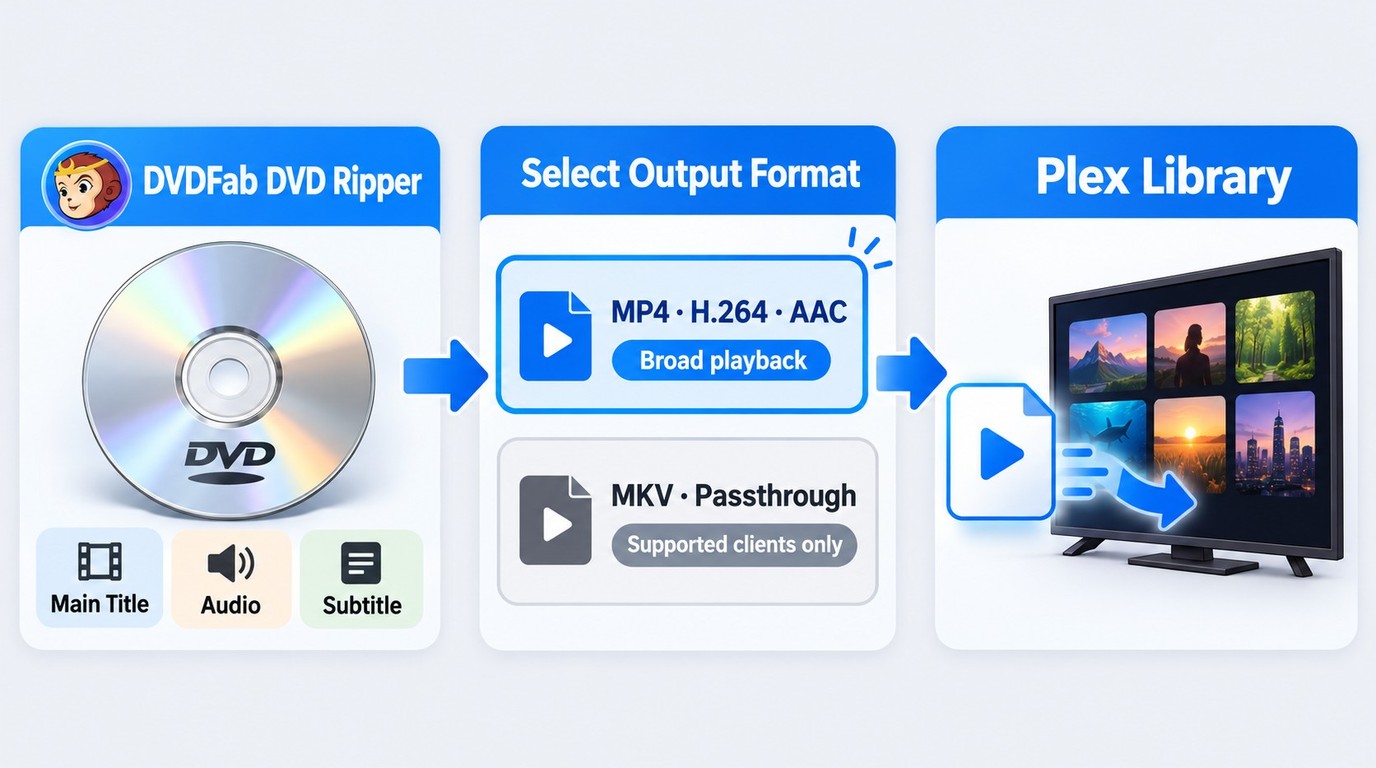
To build a personal DVD streaming library, DVD ripping software creates local files from authorized discs, a media server organizes and serves those files, and a compatible client plays them while the server is reachable.
Preparing for the Conversion
Before you start ripping your DVDs, there are a few essentials you'll need.
- Ensure that your computer has a working DVD drive. If you need an external model, compare the best DVD drive for ripping based on disc support and connection type.
- You'll also need reliable DVD ripping software that can extract the video and audio content from the disc and convert it into a digital format.
DVDFab DVD Ripper is an excellent tool for this purpose, offering an easy-to-use interface that supports a wide range of formats for streaming. It can convert protected DVDs into local video or audio files for storage and playback on compatible devices. It supports formats such as MP4, MKV, AVI, and MP3, along with device-specific profiles for TVs, media players, phones, and tablets. The software can also retain source metadata such as the movie title, cast, and cover art, while generating an '.nfo' file that helps Plex, Kodi, Emby, and similar media servers organize and display the ripped content correctly.
Step 1: Loading Your DVD
Once DVDFab 13 software is installed, insert your DVD into your computer's drive and open the software. The program will automatically detect the DVD.
Depending on the disc, you may have the option to choose specific chapters, audio tracks, or subtitles. Select the main title and the language options needed for the way you plan to watch it, without including unnecessary extras like trailers or ads.
Step 2: Choosing the Right Format for Streaming
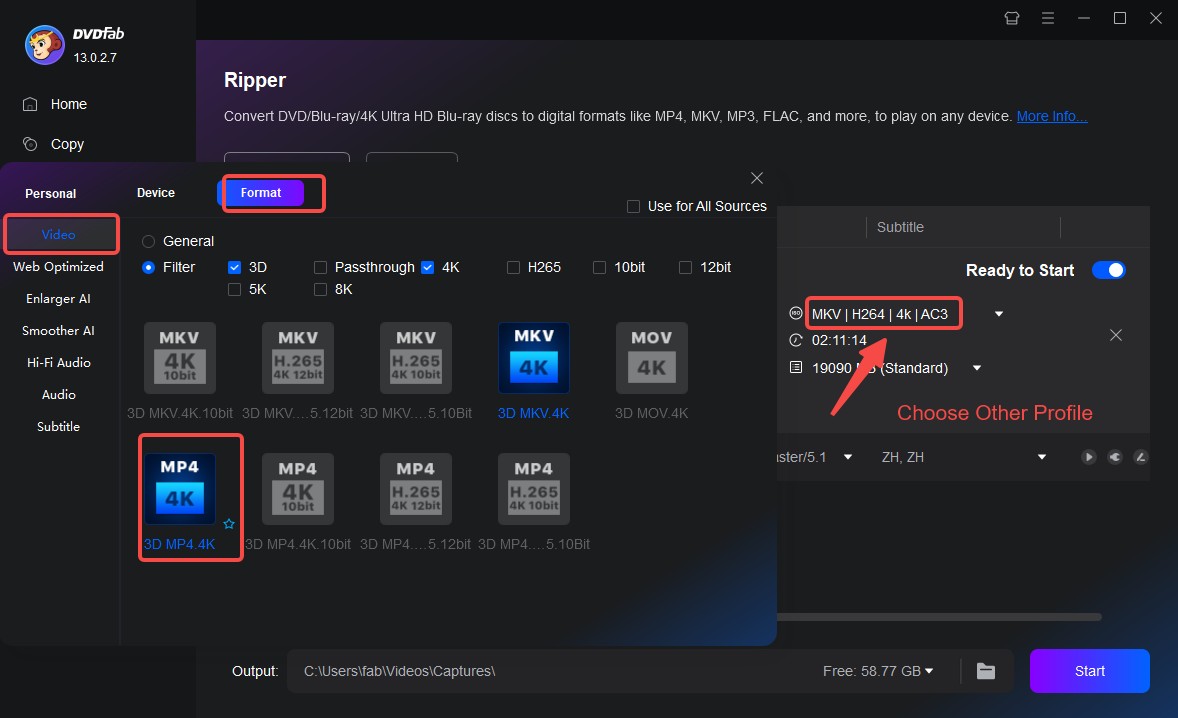
DVDFab DVD Ripper offers a variety of preset formats. Through the Filter option, choose a profile for the least capable client you plan to use. Native DVD video is standard definition: NTSC uses 720×480 pixels and PAL uses 720×576 pixels, so increasing the output dimensions does not restore native 4K detail. MP4 and MKV are containers; playback also depends on the video codec, audio format, subtitle mode, and client.
| Profile | Selected streams | Client use |
| MP4 playback copy | H.264 video and AAC audio | Broad compatible-client playback |
| MKV passthrough copy | Compatible original video and audio streams | Clients that support the selected streams |
A compatible passthrough profile retains selected source streams without ordinary re-encoding, while a compressed playback copy re-encodes the video. Neither output preserves interactive DVD menus.
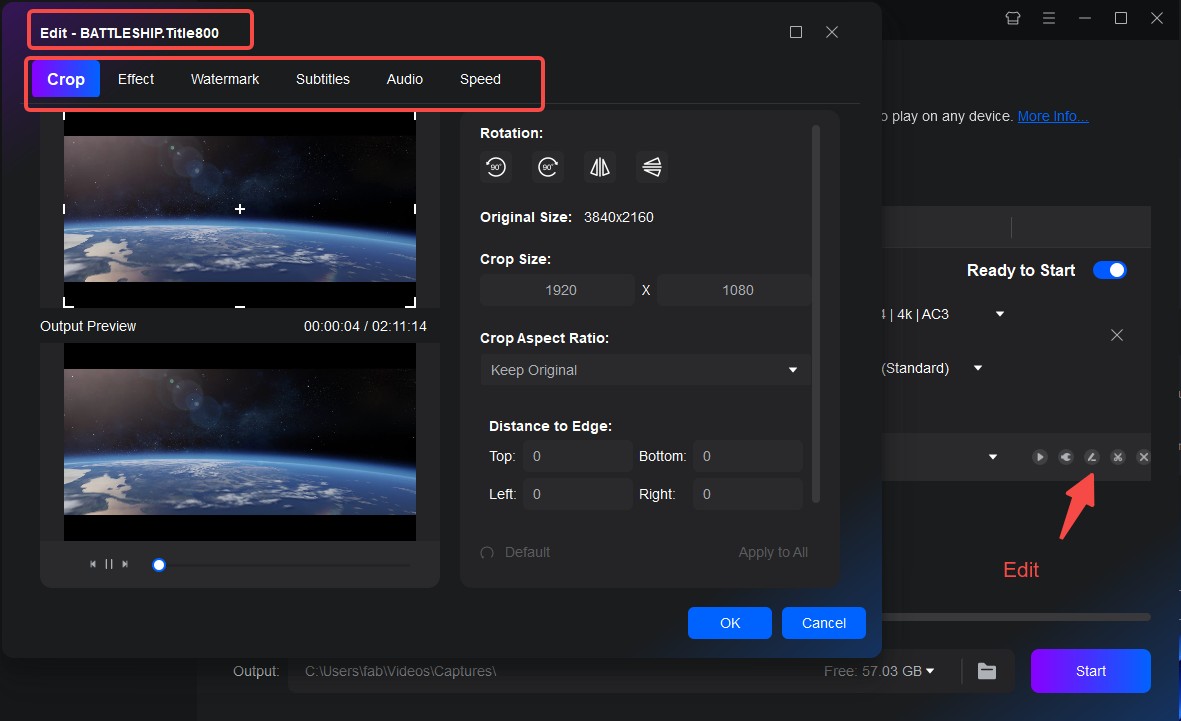
This program also allows you to edit disc content and adjust settings like resolution, bitrate, and frame rate, giving you more control over the final quality of your digital files.
Step 3: Setting Up Your Streaming Library
Once you've ripped your DVDs using DVDFab DVD Ripper, the next step is to organize and manage your files.
A personal media server serves files from folders added to its library; a compatible client plays those files while the server is reachable. For example, save a movie as Movies/Movie Name (Year)/Movie Name (Year).mp4, add the Movies folder to a Plex, Jellyfin, or Emby library, let the server scan it, and open the matching client on your home network. Media-server naming and metadata support determine how the title, cover art, and cast information appear. Check subtitle playback on the intended client before organizing the rest of the collection.
DVD Streaming on Different Devices
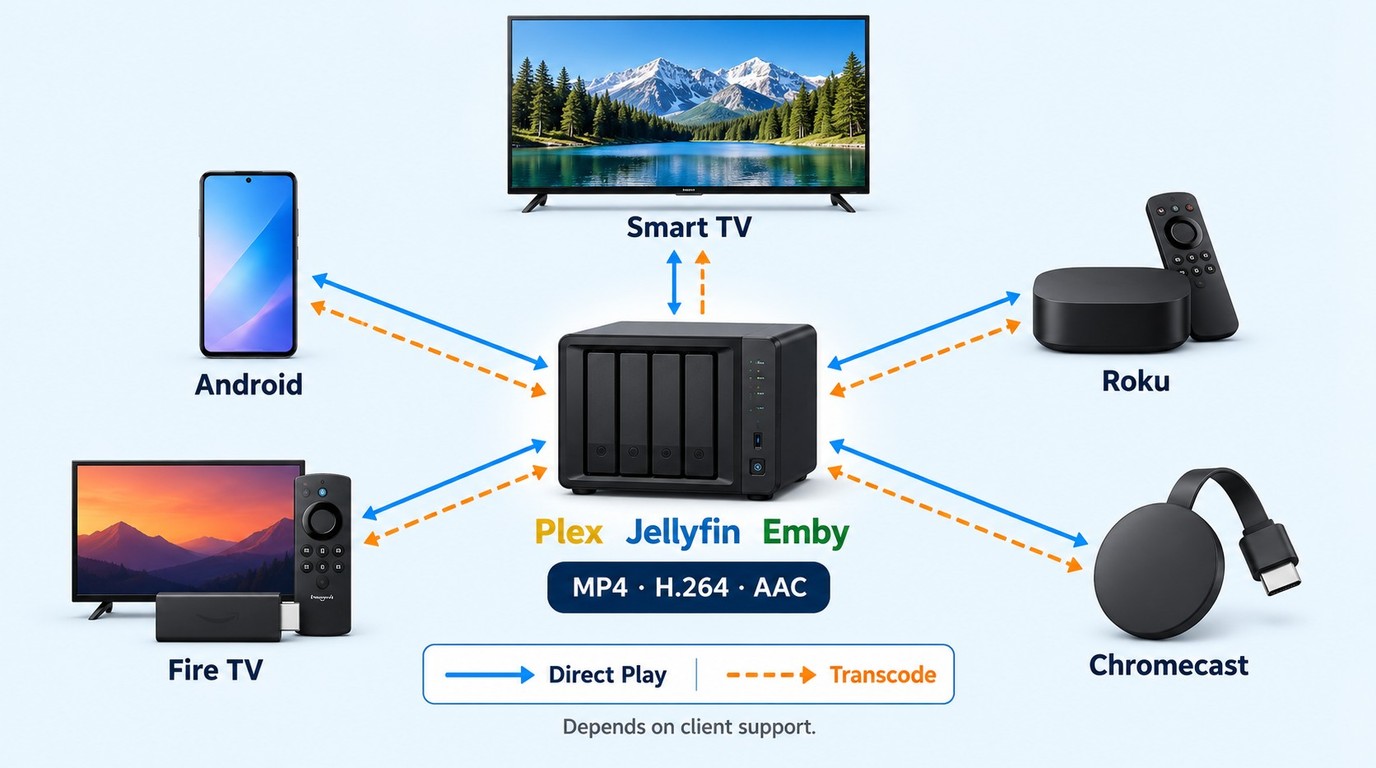
Many users who used to play DVDs on Xbox One or on a standalone player now prefer to open their converted library through compatible clients on those devices. Choose the output for the least capable client you intend to use, then test one representative file before converting the rest of the collection.
A network-capable DVD player does not automatically serve an inserted disc over the home network. A NAS stores files and may host server software; direct playback still requires a compatible container, video codec, audio format, subtitle mode, and client. A media server can transcode unsupported streams when its software and hardware support that playback path. Adding a local folder to a server library is not the same as an upload to a subscription service. An MP4 or MKV extension alone does not guarantee playback on every device or TV.
| Device | Role | Playback Check |
| Smart TVs | Playback client | Test one file and its subtitles. |
| NAS & Home Media Servers | Storage or server host | Check server software and transcode capacity. |
| Android Phones & Tablets | Mobile playback client | Check codec, audio, and subtitle support. |
| Streaming Sticks (Roku, Fire TV, Chromecast) | TV playback client | Confirm the model supports the intended client. |
| Gaming Consoles (PlayStation, Xbox) | Console playback client | Test server access and one representative file. |
If a file does not play directly, check the compatibility guidance for the selected server and client. For a DVDFab output-profile issue, use the free trial to compare a compatible profile or contact DVDFab Support.
FAQs
Is Netflix DVD still a thing?
No. Netflix ended its DVD-by-mail service on September 29, 2023, after 25 years. Netflix streaming is a separate service.
Is it better to buy DVDs or stream movies?
Buying a DVD gives you possession of that physical copy and its included extras. Streaming provides licensed, account-based access to a catalog that may change when licensing agreements expire.
Can I still watch DVDs on a smart TV?
Yes. Connect a DVD or Blu-ray player to the smart TV through HDMI, select the correct input, and play the disc normally. You can also convert DVDs you own into compatible video files and play them through a USB drive or private media server.
Can I convert Blu-ray discs for streaming?
Yes, but you need a compatible Blu-ray drive and the separate DVDFab Blu-ray Ripper module. DVDFab DVD Ripper handles DVDs, not Blu-ray discs.
Is converting a DVD to MP4 legal in the US?
In the United States, copyright permission and permission to circumvent an access control are separate legal questions. Owning a DVD does not by itself grant a Section 1201 exemption. Exemptions apply to defined uses and conditions rather than creating general permission for personal backups.
Can I save each TV episode as a separate file?
Yes. Select each episode title and save it as a separate file, then preview the files because disc title numbers may not match the broadcast order. Use season-and-episode filenames such as Show Name - S01E01.MKV before adding them to your library; automatic episode identification is not guaranteed.
Final Verdict
DVDs and online streaming do not have to compete with each other. Streaming services are convenient and flexible, while DVDs leave the physical copy in your possession and support the experience of building a physical collection. The best choice depends on how you like to watch and whether you prefer access on demand or control over your own library.
If you want the flexibility of streaming without giving up your discs, converting DVD to streaming files is a practical middle ground. With DVDFab DVD Ripper, you can back up your DVDs, choose formats matched to your intended clients, and build a personal streaming library accessible while its storage remains healthy, its server is reachable, and its network and client remain compatible. Please note that use only authorized content for personal offline viewing, do not redistribute copies, and follow the conditions that apply to your use case.

 Top 6 ISO to MP4 Converters in 2026: Tested & GuideBy Diana Smith - Oct 28, 2026
 How to Copy DVDs to Hard Drive: Tested Tools for Windows 10/11, Mac and LinuxBy Wenny Yan - Oct 20, 2026
 How to Rip and Transfer DVD to iPad/iPhone: Free and Paid Options in 2026By Wenny Yan - Oct 15, 2026
 How to Convert DVD to Digital in 2026: 7 Software, Service & Hardware MethodsBy Diana Smith - Oct 14, 2026