10 Best DVD Storage Ideas for Every Collection

Summary: Choose DVD storage by collection size, available space, budget, and whether you want to keep the original cases. Wall racks, cabinets, towers, cubes, archival sleeves, and binders offer different balances of display, access, and space savings. Keep discs upright in a cool, dry place away from direct light. For a large, frequently watched collection, add a searchable MP4 or MKV library on an external drive or NAS, with a separate backup.

Choose the Right DVD Storage
Good DVD storage solutions match the collection to the available room, budget, and preferred way of finding a title. There is no universal winner because a display-focused collector and a space-first collector are solving different problems.
Quick Comparison by Space, Budget, and Cases
| Storage Option | Best For | Collection & Space | Cases & Visibility | Cost, Access & Protection |
| Wall-mounted rack | Visible, easy-to-browse cases | Small–medium; open wall | Keeps cases; displayed | Low–medium; easy access; secure when mounted well |
| Hidden cabinet | A tidy room and covered storage | Medium–large; cabinet or alcove | Keeps cases; hidden | Medium; easy with labels; protects from dust and light |
| Tower with drawers | Dense vertical storage and sorting | Medium–large; small footprint | Usually keeps cases; mostly hidden | Medium; fast with labels; avoid overloaded drawers |
| Binder and archival sleeves | Maximum space savings | Small–very large; minimal shelf space | Cases removed; hidden | Low; searchable with an index; use disc-safe sleeves |
| Stackable cubes | Changing or movable collections | Small–large; flexible footprint | Keeps cases; displayed or hidden | Low–medium; easy by category; keep stacks stable |
| Custom built-in | High-capacity, permanent storage | Large–very large; dedicated wall | Keeps cases; displayed or hidden | High; excellent access; strong support and doors help |
| Digital library | Search and access across devices | Any size; drive, NAS, or server | Physical cases optional | Medium–high; excellent access; requires a backup |
- Best for display: choose a wall rack, open shelf, or built-in.
- Best for compactness: choose a DVD storage binder or a digital library.
- Not ideal for changing collections: a fixed built-in can become restrictive, while modular cubes or labeled drawers are easier to expand.
I would prioritize title access over maximum density if the collection is watched often. If some discs no longer deserve storage space, deciding what to do with old DVDs before choosing furniture can reduce the capacity you actually need.
Physical DVD Storage Ideas by Space and Style
Physical DVD storage ideas work best when each option is judged by footprint, visibility, case retention, and expansion. These creative DVD storage ideas range from simple reused furniture to fitted cabinetry, so the right choice should reflect how often you browse the shelves.
Preservation checklist: store cases and filled binders upright with steady support, keep them in a cool and dry place, limit direct sunlight, handle discs by the center and edge, and avoid heavy unsupported stacks. Use a suitable method to clean DVD discs, and address damage early if you need to fix a scratched DVD.
For long-term DVD storage, protection matters, but access still has value. A tightly packed system that discourages browsing is less useful for an active collection than a slightly larger arrangement with clear labels and room to handle cases safely.
1. DIY DVD Storage Shelf
A DIY shelf is best for readers who want measured compartments, a furniture conversion, or DVD shelf ideas tailored to an awkward wall. It offers more control than a ready-made rack, but the project requires accurate measurements and secure assembly.
An old bookcase can become a practical unit by adding narrow shelves or dividers at DVD-case height. Wooden boards or crates can also form a custom shelf, but check that the finished structure is level and anchored where needed.
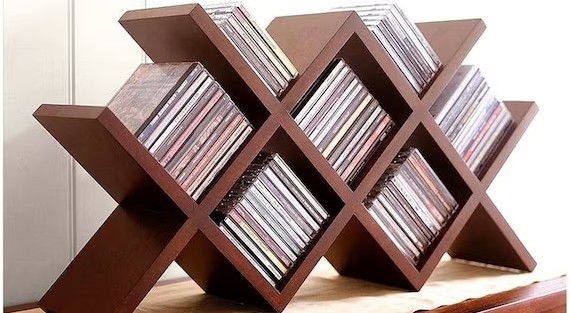
Best for: a collection that needs custom spacing or reuse of existing furniture.
2. Hidden CD and DVD Cabinet
Hidden DVD storage keeps cases organized without making them the visual focus of the room. A cabinet behind sliding doors, beneath a media console, or inside an unused alcove can hold a medium or large collection while reducing dust and light exposure.
A shallow cabinet usually makes titles easier to scan than deep shelves where cases form multiple rows. Add shelf labels or dividers so the unit functions as a hidden DVD storage system rather than an unsorted box.
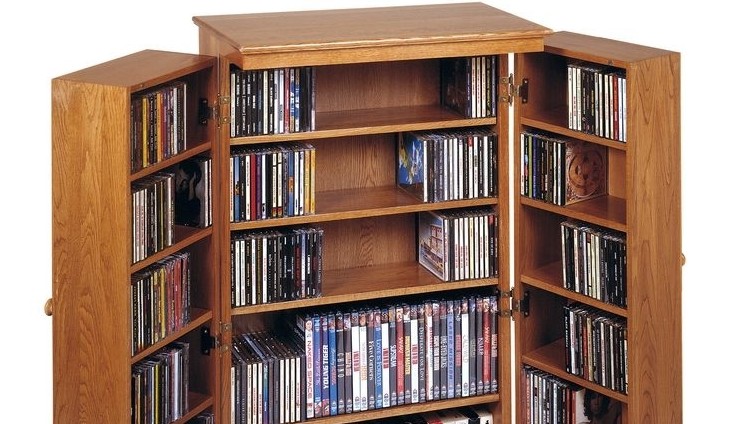
Best for: readers who want a clean room and a protective DVD display case with doors.
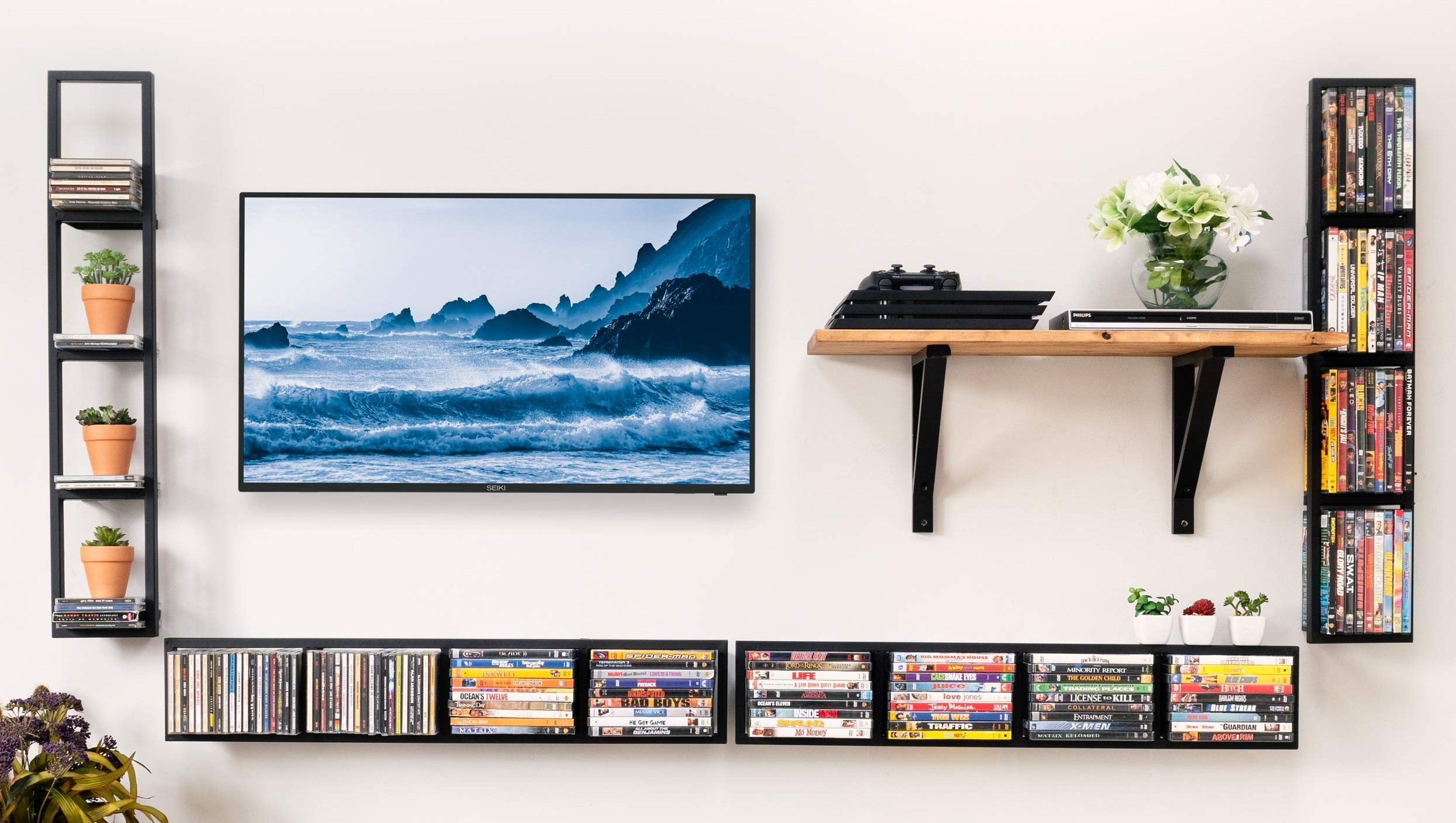
3. Wall-Mounted DVD Rack
A wall-mounted rack suits collectors who want visible cases without giving up floor space. Among common DVD display ideas, it combines quick browsing with a small footprint, provided the wall and mounting hardware can carry the loaded rack.
Measure the wall, slot depth, and shelf spacing before buying. Standard DVD dimensions help with the basic fit, while common DVD case dimensions help you plan slot depth; leave enough clearance to pull out a title without rubbing neighboring spines.
Mount the rack into studs or use anchors rated for the wall type and expected load. Sort cases alphabetically, by genre, or by director, and leave some open capacity for additions.
Best for: small-space DVD storage that keeps original cases visible.
4. Hanging DVD Organizer
A hanging organizer uses the back of a door or a narrow wall, making it a low-footprint option for a modest collection. Clear pockets make titles visible, while fabric compartments hide more of the artwork.
Check pocket dimensions and total loaded weight before installation. A door-mounted organizer should not interfere with hinges, handles, or the door frame, and the discs should remain upright rather than bending in loose pockets.
Best for: a small collection in a room with little shelf space.
5. DVD Tower with Drawers
A tower with drawers makes DVD collection storage searchable while using vertical space efficiently. It can work for hundreds of discs when drawers are labeled and divided, but its fixed footprint and drawer capacity create an expansion limit.
Choose solid wood or metal construction, check drawer depth, and avoid filling a drawer so tightly that cases scrape during removal. For a larger collection, assign ranges or genres to drawers and keep a simple catalog that points to the right tower and drawer.
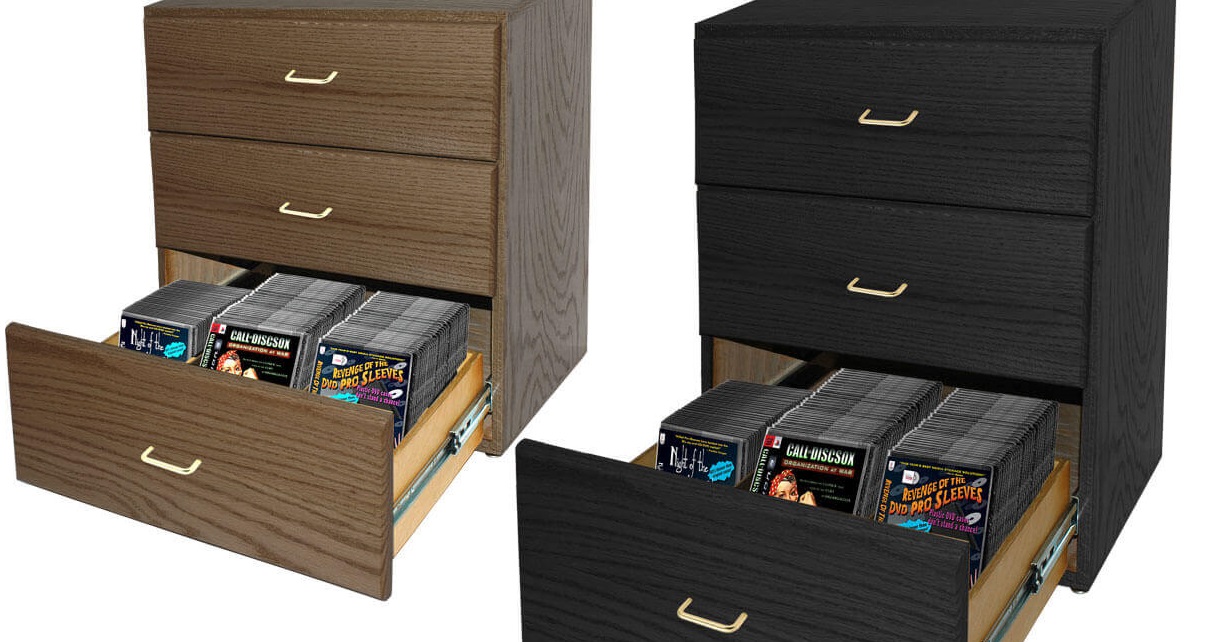
Best for: readers who value fast title finding and a smaller floor footprint.
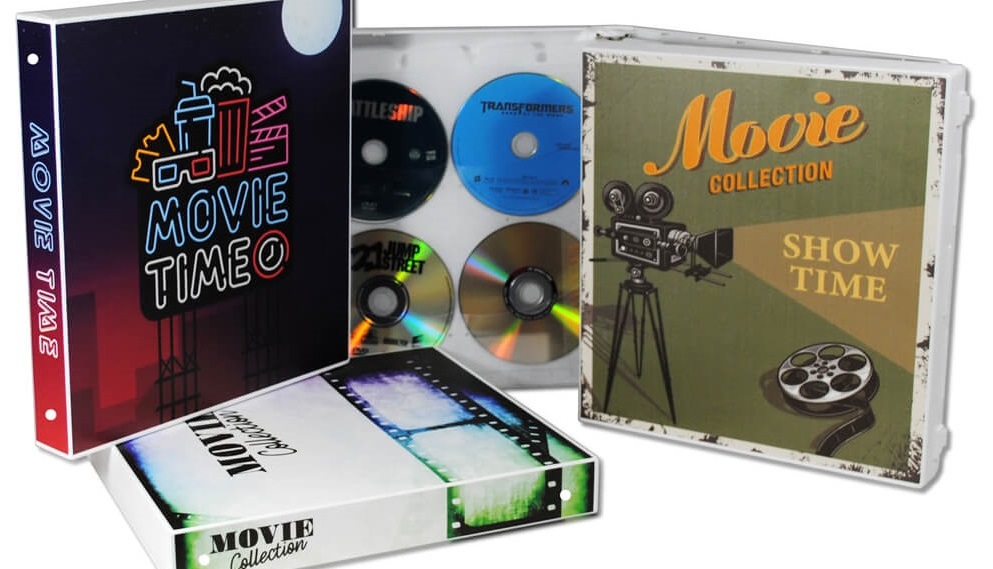
6. DVD Binder and Archival Sleeves
A DVD storage binder is the clearest answer for DVD storage ideas without cases because it can shrink the physical footprint dramatically. The trade-off is losing display spines and separating discs from their original packaging.
- Choose disc-safe archival sleeves with separate surfaces so discs do not rub against one another.
- Keep cover art in a labeled album, file, or upright archival box instead of discarding it.
- Create one index using title, year, disc number, and binder or page location.
- Store filled binders upright and supported; do not stack heavy binders flat for long periods.
- Add new binders before pages become too tight to turn without pressure.
This is one of the most compact DVD organization ideas for hundreds of titles. My judgment is that it suits space-first collectors, but it is a poor fit when original packaging, box-set presentation, or visible spines are part of the collection's value.
7. Repurposed Wooden Crate Holder
A repurposed crate is the low-cost modular choice among CD and DVD storage ideas. Unlike a measured DIY shelf, it relies on ready-made boxes that can be stacked, placed side by side, or moved as the collection changes.
Clean and dry each crate, smooth rough edges, and connect stacked units with brackets or screws. Add dividers and labels so cases remain upright and titles do not slide into a loose pile.
Best for: a budget collection that needs flexible capacity and a handmade look.
8. Stackable DVD Storage Cubes
Stackable cubes support a collection that changes in size or location. They can function as open display, hidden storage with bins, or a mixed DVD library storage system built one module at a time.
Use each cube for a genre, alphabet range, or media type. Check the manufacturer's stacking limit, keep the base level, and secure taller arrangements so they cannot tip. Cubes also make it easier to move a collection than one large cabinet.
Best for: renters, changing collections, and readers who want modular expansion.
9. Custom Built-In DVD Storage
A custom built-in is one high-capacity option for hundreds or thousands of discs, not the sole practical choice. It can provide excellent title visibility and use an entire wall, but it has the highest installation effort and is difficult to move or reconfigure.
Plan shelf depth, support, doors, ventilation, lighting, and expansion space before construction. A full-wall unit can combine open shelves with hidden lower cabinets, while labeled bays make large collections easier to browse.
For very large collections, compare the built-in with multiple towers, modular shelving, cataloged boxes, or digital access. The best DVD shelf is the one that remains searchable and supportable at the collection's expected size, not simply the largest structure that fits today.
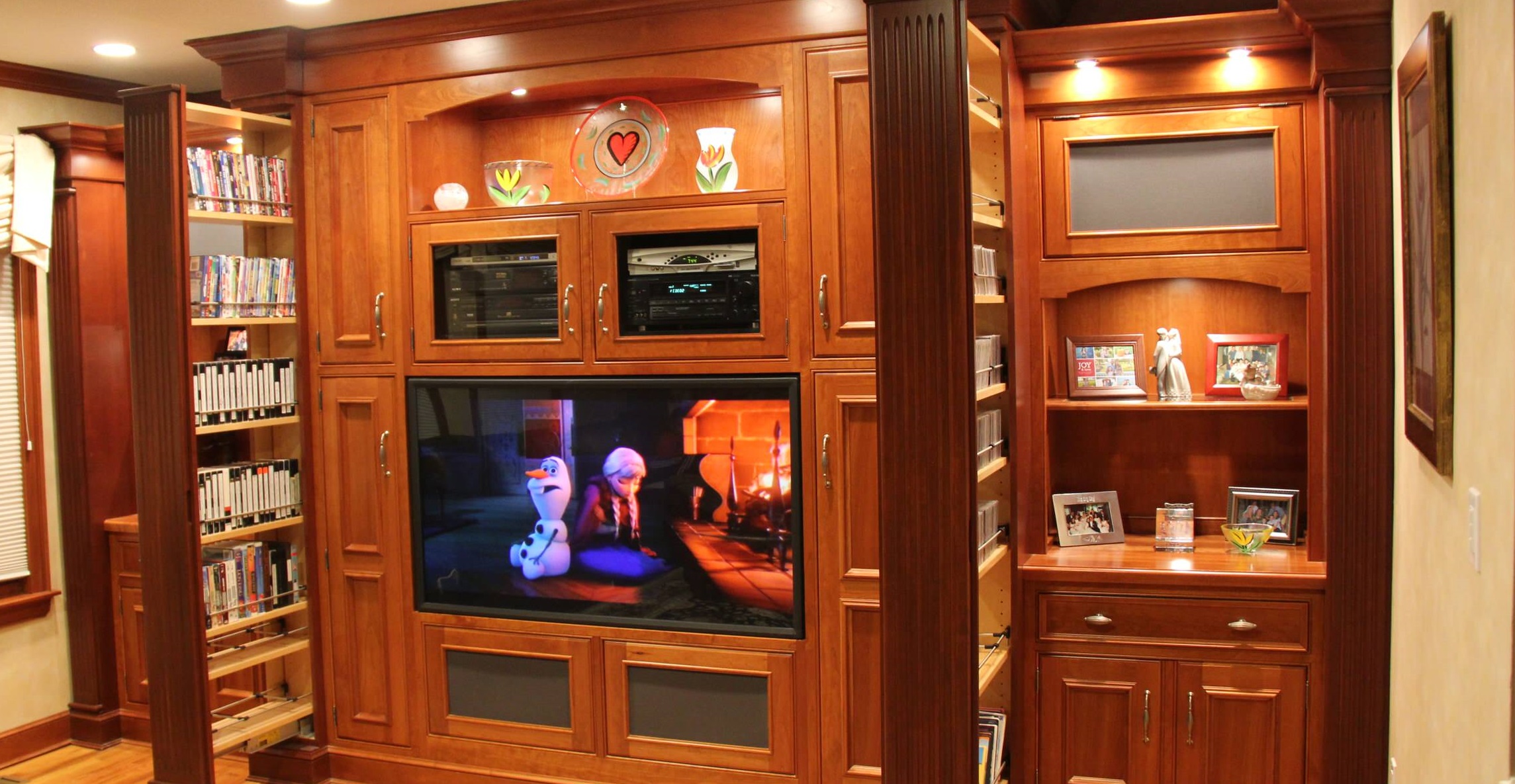
Best for: a stable long-term room layout and a large collection that deserves dedicated furniture.
Build a Practical Digital DVD Library
Digital DVD storage starts with five decisions: file format, estimated capacity, storage location, naming and metadata, and a second copy. Conversion software is one part of the workflow, not the whole DVD library storage system.
- Choose MP4 or MKV. MP4 emphasizes broad playback compatibility, while MKV is useful when you want to retain multiple audio tracks, subtitles, or a more preservation-focused file structure.
- Estimate capacity from a sample batch. Convert a representative group, note the average file size, and project the storage needed for the rest of the collection. Passthrough output usually needs more space than a compressed profile.
- Choose local storage. An external drive is simple for one computer, while a NAS or media server is better suited to access from several devices. A reliable external DVD drive may also be needed when the computer has no optical drive.
- Apply consistent organization. Use filenames with title, year, season, episode, and disc number where relevant. Add metadata so Plex, Kodi, or another media library can group and display titles correctly.
- Maintain a second copy. Keep another drive or backup destination separate from the primary library so one device failure does not erase the collection.
My preferred balance is to choose quality and format around the devices that will actually play the files, then estimate capacity before processing the full shelf. That avoids preserving more data than you need or compressing files before you understand the quality trade-off.
Digitize and Organize DVDs with DVDFab
DVDFab DVD Ripper converts DVDs, ISO images, and disc folders into local video files for a more organized media library. It supports MP4, MKV, passthrough output, and compressed profiles, while allowing you to choose the chapters, audio tracks, and subtitles to keep. For larger collections, the task queue and GPU acceleration help process multiple titles more efficiently, and the generated metadata and ".nfo" files make the results easier to manage in Plex, Kodi, and similar media servers.
Suitable for: collectors building a local file library with subtitles, audio tracks, metadata, or queued jobs.
Supported OS:
Free Download Windows 11/10/8.1/8/7
Free Download macOS 10.13 - 15.x
FAQs
Which option saves the most space while keeping cases?
A wall-mounted rack saves floor space, while a slim tower or stackable cubes can hold more cases in a compact footprint. Measure usable wall and floor dimensions first; the most efficient option is the one that fits without blocking access or overloading the support.
Can I keep cover art when storing DVDs without cases?
Yes. Put the discs in archival sleeves, then store the cover art in a labeled album, file, or upright box using the same index as the binder pages. This preserves the artwork, although it no longer provides the original shelf display.
What digital setup works for a large DVD collection?
Choose MP4 or MKV based on your playback and track-retention needs, estimate the required capacity from sample files, and use an external drive for simple local access or a NAS or media server for access across devices. Consistent filenames, metadata, and a separate backup are more important than the brand of storage enclosure.
Should DVDs be stored vertically for long-term protection?
Yes. DVD cases and filled binders are generally better stored upright with steady support. Keep them in a cool, dry location away from direct sunlight, handle discs by their edges or center holes, and avoid heavy unsupported stacks that place pressure on cases or binder pages.
Conclusion
The best DVD storage setup is not necessarily the one that holds the most discs. It should keep the collection protected, easy to search, and practical for the room. If I wanted to display the original cases, I would choose a wall-mounted rack, modular shelving, or a built-in unit. If saving space mattered more, I would use labeled archival sleeves, drawers, or a DVD storage binder.
For a large collection that I watch regularly, I prefer a hybrid approach: keep the original discs upright in a cool, dry location while building an organized digital library for faster access. DVDFab DVD Ripper can convert DVDs into MP4 or MKV files for storage on an external drive, NAS, or media server. Whichever method you choose, measure the available space, leave room for the collection to grow, maintain a clear index, and keep a separate backup of important digital files.

 How to Rip and Transfer DVD to iPad/iPhone: Free and Paid Options in 2026By Wenny Yan - Oct 15, 2026
 How to Convert DVD to Digital in 2026: 7 Software, Service & Hardware MethodsBy Diana Smith - Oct 14, 2026
 Best Free DVD Ripper for Mac in 2026: 6 Tested ToolsBy Diana Smith - Oct 14, 2026
 4 Free DVD Rippers for Windows 10/11: Best Tools & Step-by-Step GuideBy Diana Smith - Oct 13, 2026