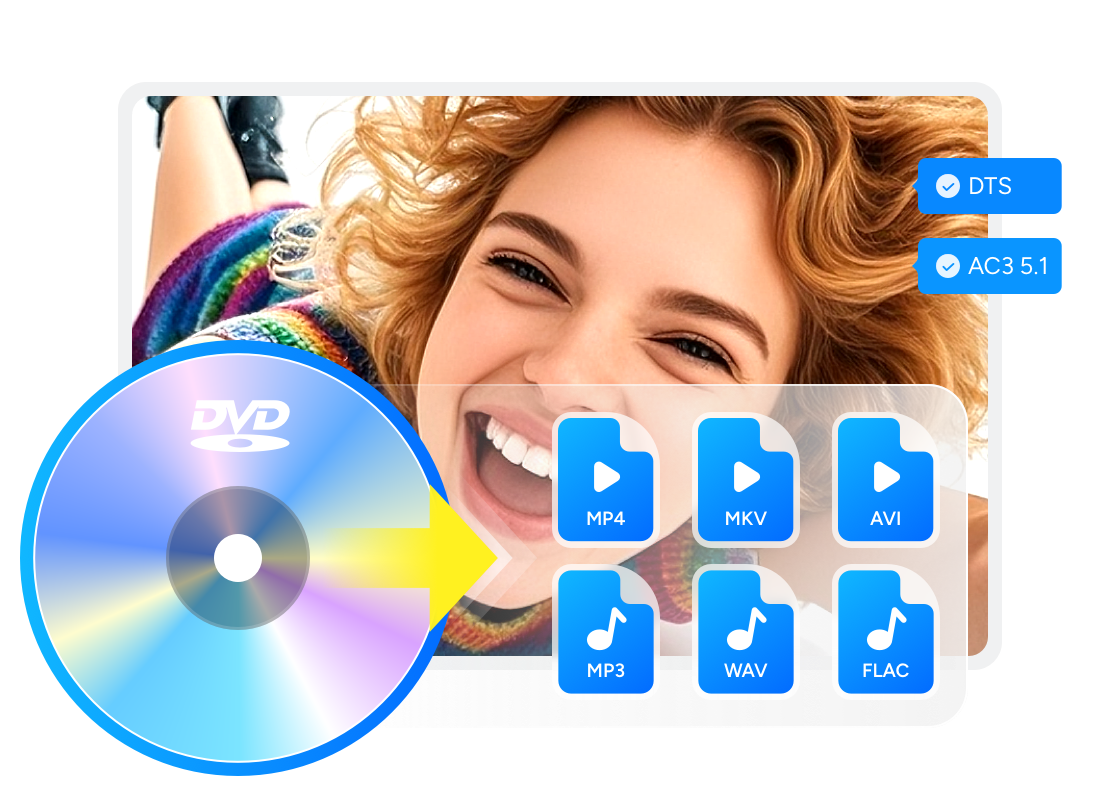
WonderFox DVD Ripper Pro Review: Free vs Pro

Summary: WonderFox DVD Ripper Pro is a Windows-only DVD ripping tool for digitizing physical DVD collections into formats such as MP4, MKV, AVI, MPG, and device presets. It is easy to use and supports many common DVD sources, but it does not support macOS, Blu-ray, or UHD Blu-ray ripping. The free trial is limited to 15 minutes per DVD or video, so the paid version is needed for full-length ripping.
This WonderFox DVD Ripper review separates two products that are often treated as one: Free DVD Ripper Speedy converts full-length DVDs to MPG, while the unregistered WonderFox DVD Ripper Pro trial limits each conversion to 15 minutes. Activated Pro is the paid option for full-length conversion to formats such as MP4 and MKV.
This review compares those edition limits, explains how MP4, MKV, and ISO or DVD-folder output serve different purposes, and outlines the steps from loading an authorized DVD to checking the saved file. It also compares WonderFox with DVDFab DVD Ripper for readers who need macOS support, task queues, Windows subtitle OCR, or media-library metadata. Readers comparing Windows software can also consult the best DVD ripper for Windows 10 guide.
WonderFox DVD Ripper Pro Test and Review
WonderFox DVD Ripper is an excellent DVD ripping software which can convert your DVDs to a variety of video and audio formats. It can extract audio from DVDs to MP3, M4A format and supports multiple devices such as phones, computers etc. It can convert homemade DVDs and many commonly protected DVDs, depending on the disc and software version.
Its main advantages are a simple interface, short setup process, and clear output profile selection. Its main limits are also clear: it is Windows-only and does not rip Blu-ray or UHD Blu-ray discs. The edition table below separates Speedy, the Pro trial, and activated Pro.
Note: WonderFox DVD Ripper Pro is the paid full-featured version. Free DVD Ripper Speedy is a separate free edition, while the unregistered Pro installer provides a 15-minute conversion trial.
WonderFox DVD Ripper Free vs Pro
| Feature | Free DVD Ripper Speedy | Unregistered Pro trial | Activated Pro |
|---|---|---|---|
| Conversion length | Full-length DVDs | Up to 15 minutes | Full-length DVDs |
| Outputs | MPG | Pro output profiles | MP4, MKV, ISO, DVD folder, and more |
| Source inputs | Disc, ISO, or folder | Disc, ISO, or folder | Disc, ISO, or folder |
| Operating system | Windows | Windows | Windows |
| Blu-ray support | No | No | No |
| Suitable use | Simple full-length MPG export | Test Pro profiles | Broader output choices |
Free DVD Ripper Speedy is sufficient for a simple full-length MPG export. The Pro trial lets you check its wider profile selection for up to 15 minutes, while activated Pro removes that conversion-length restriction.
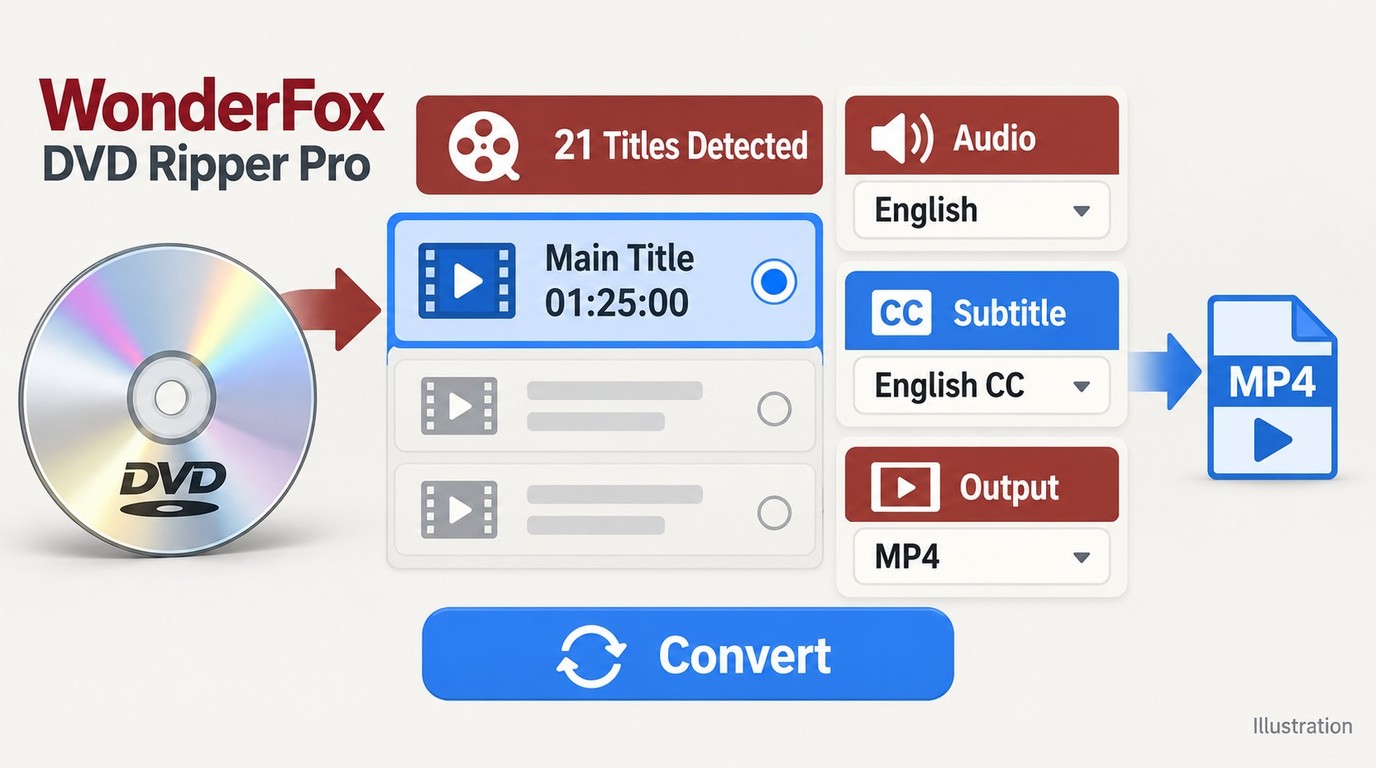
Main Functions of WonderFox DVD Ripper Pro
Supported Formats and Device Profiles
WonderFox DVD Ripper Pro supports output profiles including AVI, MPG, MP4, MTS, WebM, WMV, MKV, MP3, WMA, WAV, OGG, FLAC, M4A, H.265, AV1, and more. As noted in the edition comparison above, Speedy, the unregistered Pro trial, and activated Pro have different conversion-length and format limits. Activated Pro provides full-length conversion to additional formats.
Device profiles cover common brands and categories such as Apple, Samsung, Huawei, HTC, Nokia, Sony, Android devices, smart TVs, and computers. ISO and DVD-folder output are also supported by Pro; readers who need to preserve a complete disc structure can compare how dedicated DVD copy software differs from DVD-to-file conversion. Version 24.0 added 8K output and improved MP4 soft-subtitle compatibility, while version 24.2 addressed AV1 output and hardcoded-subtitle issues. Enlarging an SD DVD source to 8K does not create native DVD detail.
Handles Common Protected DVDs with Limits
WonderFox DVD Ripper Pro is presented as supporting many common protected DVD types, including CSS, CPRM, Region Code, RCE, Sony ARccOS, and UOPs. Results can still vary by disc, drive, region, and software version, so support for one protected DVD should not be treated as a guarantee for every disc.
Basic Customization Before Ripping
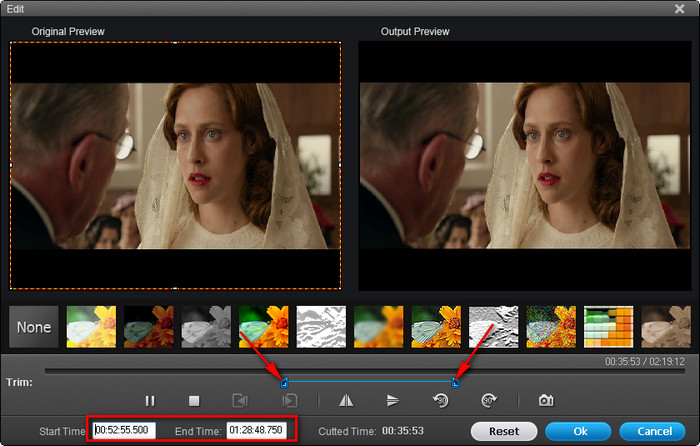
WonderFox DVD Ripper Pro also offers advanced customization options before ripping DVDs. It allows you to tailor the output film settings to their specific needs, including adjustments in channel mode, audio encoder, bit rate, sample rate, volume level, resolution, video encoder, bit rate and frame rate. It also provides a built-in video editor that enables you to cut any clip of your video or add effects.
Speed and Output Quality
WonderFox DVD Ripper Pro supports GPU acceleration on compatible hardware. Conversion time depends on the CPU, GPU, optical drive, selected codec, resolution, and quality settings.
For output quality, multiple-track MKV output can preserve selected compatible source streams. Recompressed MP4, MKV, MOV, and other file outputs trade some combination of file size, bitrate, and visual detail for easier playback. An ISO or DVD folder preserves more of the disc structure, while an MP4 or MKV container alone does not establish lossless output.
Price Plan of WonderFox DVD Ripper Pro
WonderFox DVD Ripper Pro is sold as a paid Windows program. The listed purchase options include a single-PC lifetime license, a DVD Ripper plus Video Converter discount pack, and a family license for 3 PCs. The plan structure is shown below:
| Plan | Price and License |
|---|---|
| Single License (1 PC) | $29.95; lifetime license with free upgrades |
| Family License (3 PCs) | $69.95 (regularly $89.95); lifetime license with free upgrades |
| Discount Pack (1 PC) | $39.95 (regularly $69.95); includes DVD Ripper Pro + HD Video Converter Factory Pro, with lifetime free upgrades |
Note: Prices reflect promotional offers available at the time of writing and may change.
The single-PC license covers one Windows computer, the family license covers three PCs, and the software pack adds HD Video Converter Factory Pro for one PC.
Installation
The first step is to download and launch the program from the official WonderFox website. WonderFox DVD Ripper Pro is a Windows program with no native Mac edition, so confirm that your Windows system meets the software requirements before installing it.
Load DVD
WonderFox DVD Ripper Pro supports importing DVD discs, DVD ISO files, and DVD folders.
In the test, I used a copy-protected DVD with the following features:
- Length: 1 hour 25 minutes
- Number of Titles: 21
- Encryption type: Sony ARccOS
After clicking the Load DVD button, review the detected titles and select the intended title, audio track, and subtitles before continuing.
Output Formats and Customization
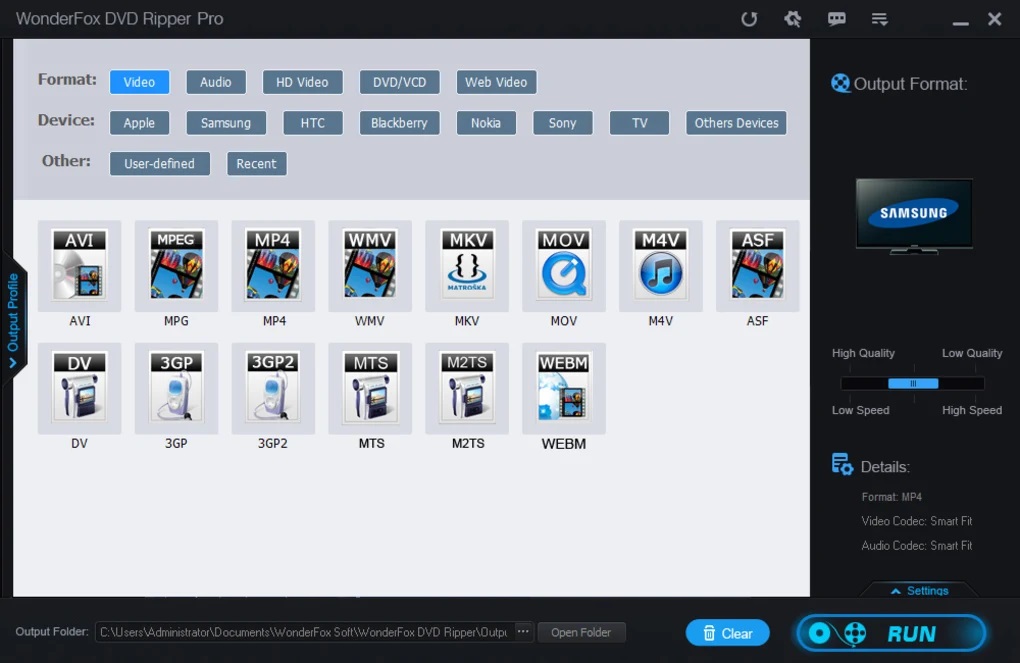
The "Output Format" section includes video, audio, disc-structure, and device profiles.
- Formats: Video, Audio, DVD/VCD, HD Video, and more
- Device: Apple, Samsung, Android, Smart TVs, and more
- Other: User-defined and Recent
It offers basic editing features, including enabling embedded subtitles or adding external subtitles, cropping the video, adding effects, and more. The available edit options are still basic.
- Select the intended title, audio track, and subtitles. For episodic DVDs, preview the relevant titles and give each exported file a clear name.
- Choose MP4 with an available H.264 profile to save authorized content locally for broad playback, or select MKV when you need compatible source streams and multiple tracks.
- Keep the DVD source resolution unchanged for ordinary playback unless you have a specific reason to upscale it.
- Set the destination folder and start the conversion.
- Open the saved file and check playback, audio selection, subtitle results, and file naming.
A recompressed MP4 can reduce file size, while multiple-track MKV can preserve selected compatible video, audio, and subtitle streams. ISO and DVD-folder output retain more disc structure. No format provides unlimited storage or guarantees permanent storage, so keep an additional backup of files intended for long-term preservation.
Pros and Cons of WonderFox DVD Ripper

- Can rip homemade DVDs and many commonly protected DVDs, depending on the disc and update status.
- Supports named output formats and device presets in Pro, including MP4, MKV, H.265, AV1, and multiple-track MKV preservation.
- Supports GPU acceleration on compatible hardware.
- Includes basic trimming, cropping, subtitle, and output-setting controls.
- Small Windows installer and a simple workflow for DVD-to-format conversion.

- No Mac version.
- No Blu-ray ripping.
- The interface is simple, but the visual design looks dated.
- Enlarged 8K output does not add native detail to an SD DVD source.
- Disc loading can vary with disc condition, drive connectivity, and software version.
- Not ideal if you need batch-heavy workflows, OCR subtitle export, or metadata management.
Dated user comments show mixed experiences. A Trustpilot product-listing comment from April 2026 said the software “works as described,” while another from June 2026 called it “easy to use.” A September 2026 Trustpilot report described an activation-key problem tied to a reseller transaction, not a general software defect. A 2024 Reddit comment reported difficulties with deinterlacing and subtitles at that time. Older Reddit discussions from 2023 and 2024 also contain conflicting experiences about selecting another source after a task finishes, so they do not establish a current batch-processing limitation.
For straightforward DVD conversion on Windows, WonderFox DVD Ripper Pro keeps the choices relatively direct. The next section compares those requirements with DVDFab DVD Ripper.
A WonderFox DVD Ripper Alternative
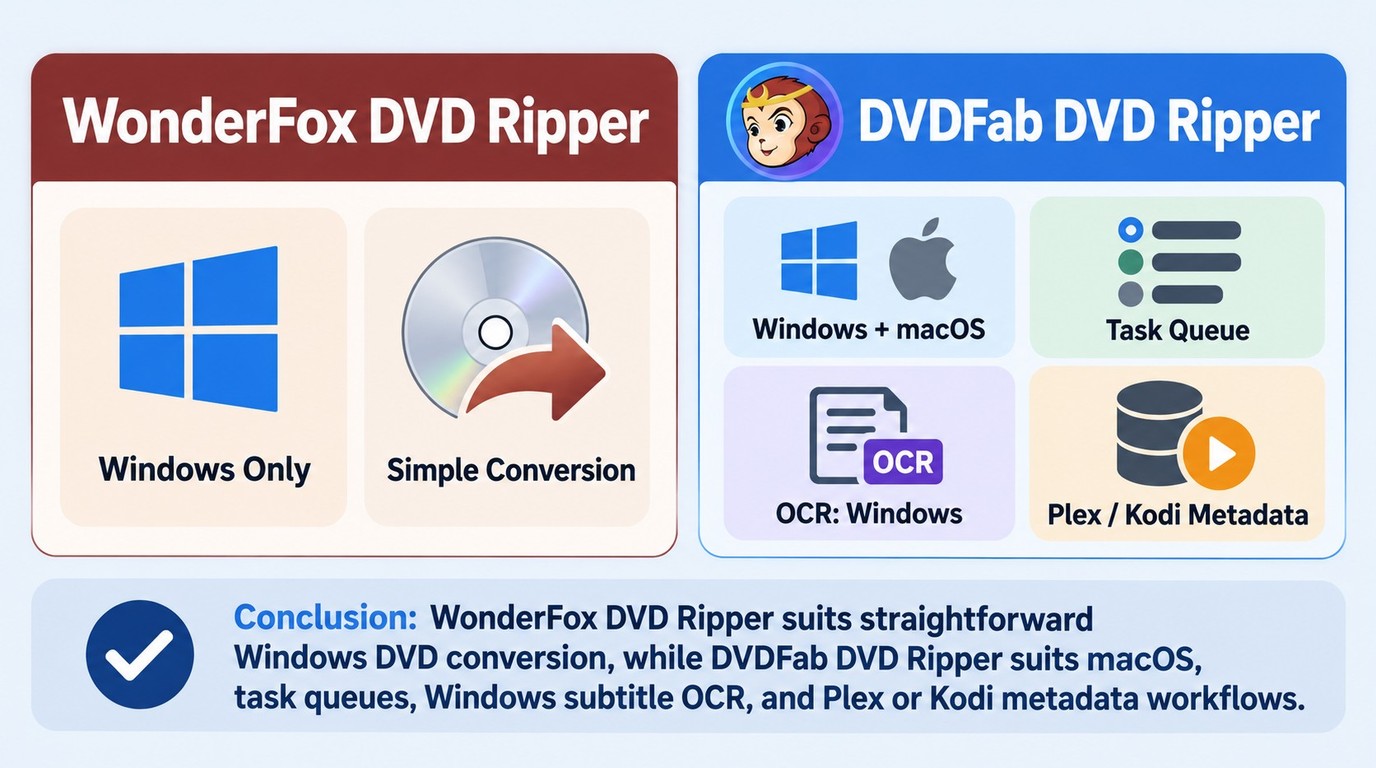
If WonderFox fails to read your discs correctly, you may consider DVDFab DVD Ripper as its best alternative, especially when macOS support, batch conversion, broader output presets, OCR subtitle export, metadata synchronization, or more frequent disc support updates matter more than a lower single PC price.
For content you are authorized to access, DVDFab DVD Ripper can convert DVD discs, ISO files, and folders to supported video and audio formats for personal offline viewing on compatible devices, media players, and home theater systems.
Main Functions of DVDFab DVD Ripper
Supports 1000+ Output Formats and 260 Preset Devices
DVDFab DVD Ripper supports more than 1000 video and audio profiles and 260+ preset devices, including Apple, Google, Huawei, Microsoft, Samsung, and Sony. This wider profile list is useful if you frequently switch between devices or need more codec/container choices than a basic DVD-to-MP4 workflow.
Handles Many Old and New Copy-protected DVDs
DVDFab DVD Ripper supports protected DVD content and can automatically remove native DVD copy protections such as CSS, APS, Region Code, RCE, Sony ARccOS, UOPs, and RipGuard. Its cloud-based protection data is updated to support newly released DVDs.
More Output Profile and Editing Controls
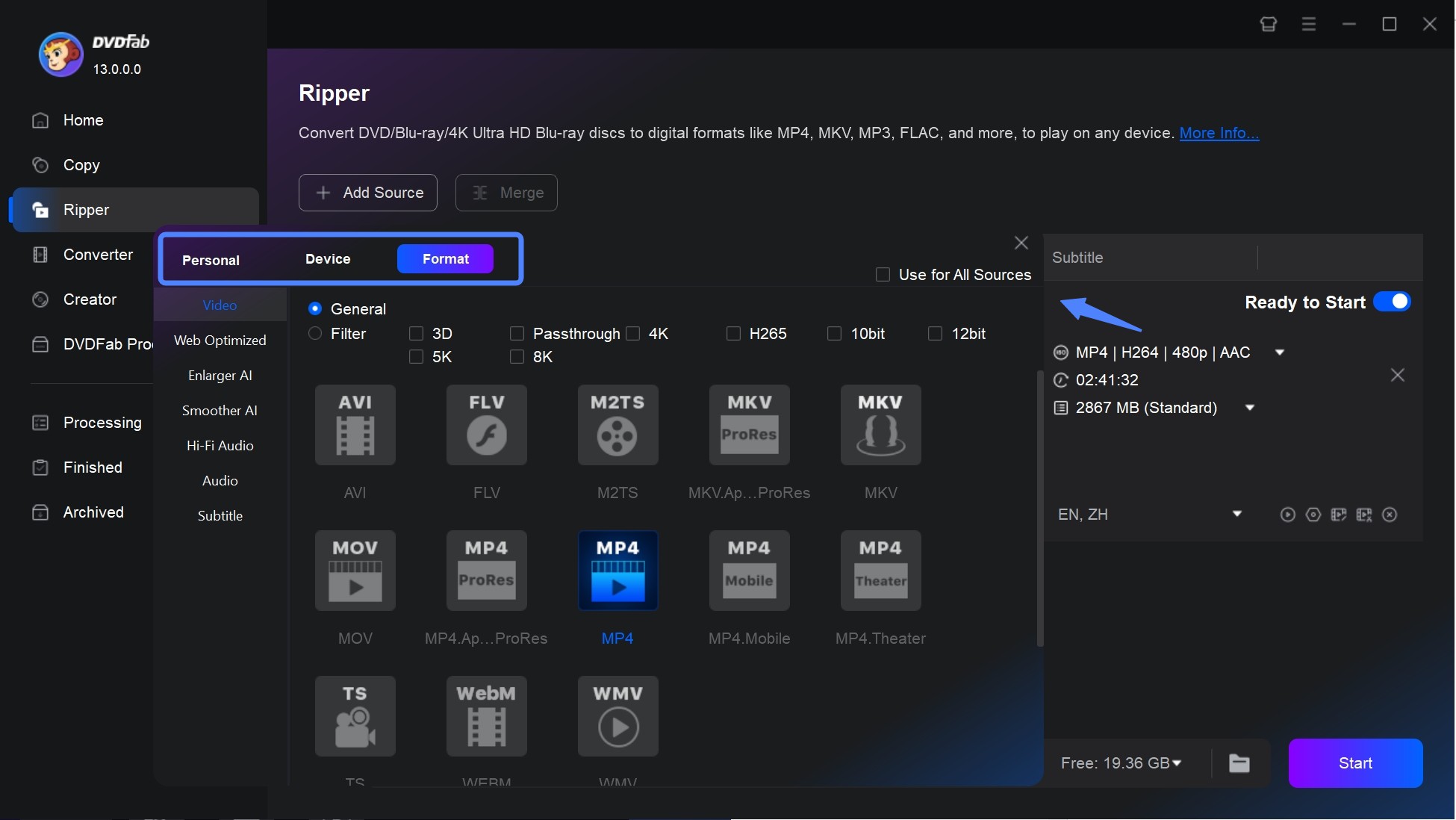
Before ripping DVD to MP4, DVDFab DVD Ripper allows you to select specific video quality parameters, such as 3D, Passthrough or various resolutions like 4K/5K/8K. It also includes options for different bit depths such as 10-bit or 12-bit, and different codecs such as H265. You can also customize some advanced settings, such as Frame/Sample Rate, Resolution, Quality, Channels, Subtitles.
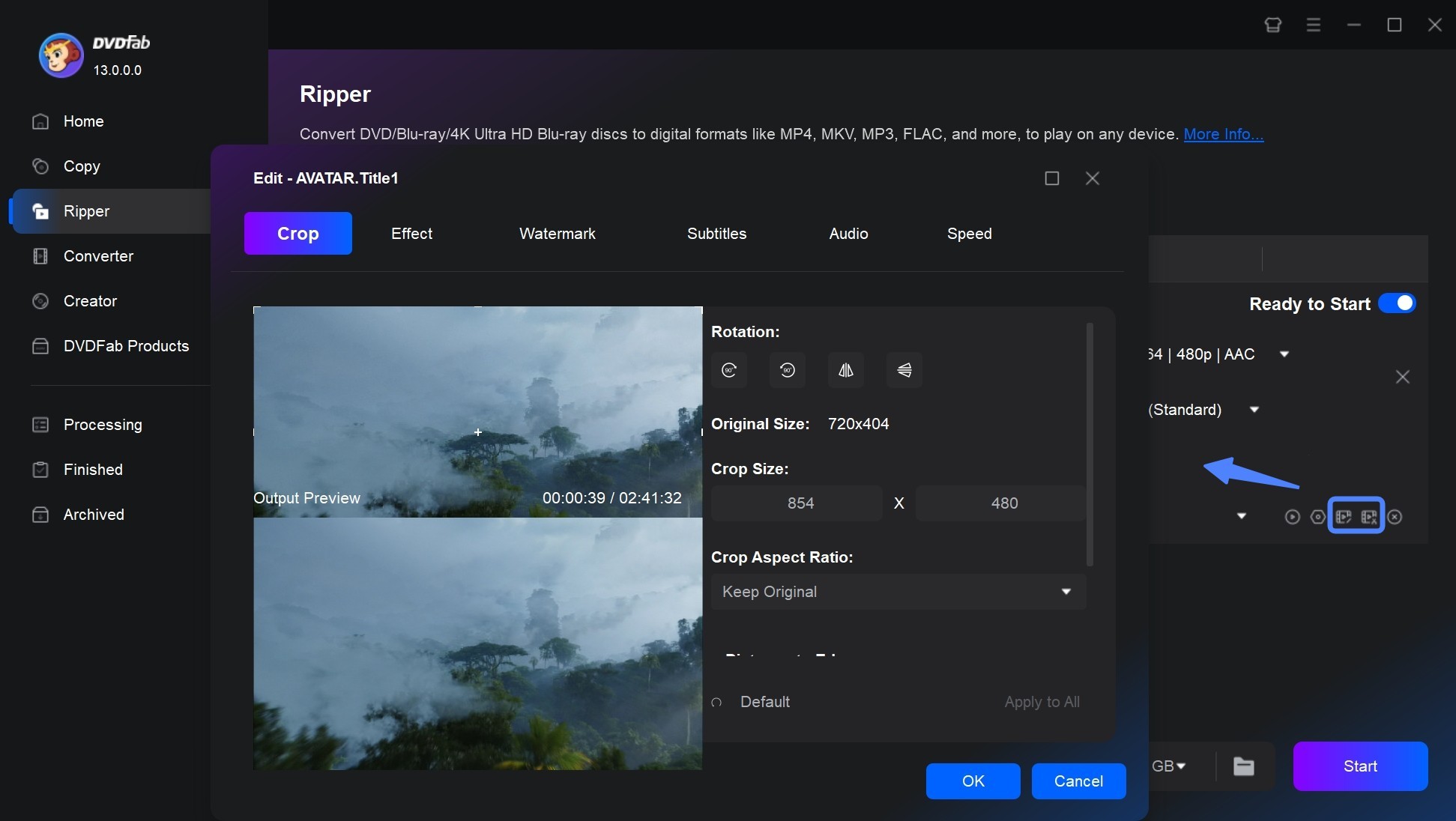
This software also comes with a built-in video editor that lets you trim, crop, rotate, and watermark your videos. You can also adjust the brightness, contrast, and saturation of your videos.
Task Queues and Cross-Platform Support
DVDFab DVD Ripper supports task queues on Windows and macOS, with hardware acceleration through compatible multi-core CPUs, NVIDIA CUDA/NVENC, AMD, Intel Quick Sync, and macOS VideoToolbox paths. Actual conversion speed depends on the hardware, optical drive, output profile, and quality settings. Optional NVIDIA AI Enhancer features require compatible hardware and separate support.
Convert DVD Subtitles to SRT and Synchronize Metadata
On Windows, DVDFab DVD Ripper can use OCR to export DVD subtitles as SRT files. It can also render subtitles, remux compatible subtitle streams, extract image subtitles as IDX/Sub, or add external SRT and ASS subtitles. Its .nfo files store title, cast, and cover information for organizing files in PlayerFab, Plex, and Kodi.
Pros and Cons of DVDFab DVD Ripper
- Supports Windows and macOS.
- Supports MP4, MKV, H.264, H.265/HEVC, AV1, and passthrough profiles.
- Handles many common DVD protections, depending on update status and disc condition.
- Supports batch conversion for multi-disc workflows.
- Can export DVD subtitles to SRT with OCR on Windows.
- Can generate .nfo metadata files for PlayerFab, Plex, and Kodi organization.
- The wider profile menu can take time to learn; beginners can start in the DVD Ripper module with a standard MP4 profile before using advanced profiles.
Comparison of WonderFox and DVDFab
| Item | WonderFox DVD Ripper | DVDFab DVD Ripper |
|---|---|---|
| Working system | Windows 11/10/8/7; no Mac version. | Windows 11/10/8.1/8/7 and macOS 12+ |
| Free version boundary | 15 minutes per DVD; MPG only; no ongoing technical support. | Rip 3 whole DVDs |
| Blu-ray ripping | No. | Not the same as DVD Ripper; Blu-ray requires a Blu-ray-specific product or module. |
| Disc-protection handling | Handles many common DVD protections | Handles many common old and newer DVD protections with cloud-based update support |
| Output formats | 500+ video/audio profiles and multiple device presets in Pro. | 1000+ video/audio profiles and 260+ preset devices. |
| Video quality controls | Basic profile, resolution, bitrate, encoder, and frame-rate settings. | More profile choices, H.265, higher-resolution profiles, bit-depth options, and optional AI enhancement path. |
| Ripping speed | GPU acceleration on compatible hardware. | GPU hardware acceleration on compatible hardware. |
| Video editor | Crop, brightness, contrast, mosaic, blur, sharpen, emboss, noise, old film, and trimming. | Crop, trim, merge, watermark, subtitles, brightness, contrast, saturation, and color adjustment. |
| Subtitle and metadata tools | Basic subtitle selection and external subtitle support. | OCR subtitle export to SRT and metadata synchronization. |
| Suitable for | Windows users with occasional DVD-to-digital needs, lower budget, and common output formats. | Users who need Windows + macOS support, batch jobs, subtitle OCR, metadata tools, or broader output profiles. |
WonderFox suits straightforward Windows DVD conversion, while DVDFab adds task queues, Windows subtitle OCR, .nfo export, and a native option for readers who need a DVD ripper for Mac.
WonderFox DVD Ripper Pro runs on Windows and has no native Mac edition. Current DVDFab DVD Ripper requires Windows 10 or Windows 11, 64-bit, or macOS 12 or later. Windows and macOS license rights are separate unless the purchased offer includes both platforms.
Both programs support GPU acceleration on compatible hardware, with actual speed depending on the CPU, GPU, optical drive, codec, and output settings. WonderFox supports formats and codecs including MP4, MKV, H.265, and AV1, as well as multiple-track MKV and ISO or DVD-folder output. DVDFab DVD Ripper converts DVDs to video and audio files; whole-disc ISO copying, Blu-ray processing, and UHD processing require their respective DVDFab modules. Optional AI enhancement is separate from standard DVD ripping and does not create native high-resolution detail from an SD DVD source.
FAQs
Is WonderFox DVD Ripper Pro Safe to Use?
Download WonderFox DVD Ripper Pro from WonderFox’s official website and use a legitimately purchased license.
Is WonderFox DVD Ripper Legal to Use?
DVD ripping software can be used for authorized purposes, but disc ownership alone does not grant permission to copy content or remove access controls.
Access only content you are authorized to access, copy only content you are authorized to copy, do not redistribute copies, follow applicable U.S. law and relevant terms, and treat permissions as specific to the use case.
Can I use a WonderFox DVD Ripper Pro crack or license key?
Use only a legitimately purchased WonderFox DVD Ripper Pro license. Do not use cracks, shared license keys, key generators, torrent builds, or modified installers. Free DVD Ripper Speedy converts full-length DVDs to MPG, while the separate unregistered Pro trial limits each conversion to 15 minutes. Activated Pro supports full-length conversion to additional formats such as MP4, MKV, MOV, and AVI.
Is WonderFox DVD Ripper Pro the same as WonderFox DVD Ripper?
WonderFox DVD Ripper Pro is the paid full-featured product. Free DVD Ripper Speedy is a separate free edition that converts full-length DVDs to MPG, while the unregistered Pro installer is a trial that limits each conversion to 15 minutes.
Why does WonderFox DVD Ripper freeze when loading a DVD?
Freezing can be caused by an external USB drive, a scratched disc, outdated software, disc structure issues, or another app using the drive. Clean and reinsert the disc, close other apps that may be using the drive, update the software, and test another readable disc or drive to isolate the cause.
Conclusion
The comparison points to a clear choice: WonderFox DVD Ripper Pro suits straightforward DVD-to-digital conversion on Windows, while readers prioritizing no-cost tools can use the free DVD ripper comparison to review broader options. If you need macOS support, task queues, Windows-only subtitle OCR to SRT, or .nfo export for PlayerFab, Plex, and Kodi, DVDFab DVD Ripper covers those specific needs. Use the official DVDFab installer and limited free trial to check the DVD module with your own disc and preferred output profile. Follow the authorization and non-redistribution boundaries in the legality FAQ.

 Best Free DVD Ripper for Mac in 2026: 6 Tested ToolsBy Diana Smith - Oct 14, 2026
 4 Free DVD Rippers for Windows 10/11: Best Tools & Step-by-Step GuideBy Diana Smith - Oct 13, 2026
![How to Convert DVD to AVI Free: 3 Current Options [2026]](https://images.dvdfab.cn/artifact/2026/09/17/2HqH4KgGwIXxwkHdUUZtp0D98DCpL4gS/feature_cover.jpg) How to Convert DVD to AVI Free: 3 Current Options [2026]By Diana Smith - Oct 12, 2026
How to Convert DVD to AVI Free: 3 Current Options [2026]By Diana Smith - Oct 12, 2026 How to Copy DVD to Computer on Windows & Mac: Rip and Direct CopyBy Wenny Yan - Oct 12, 2026