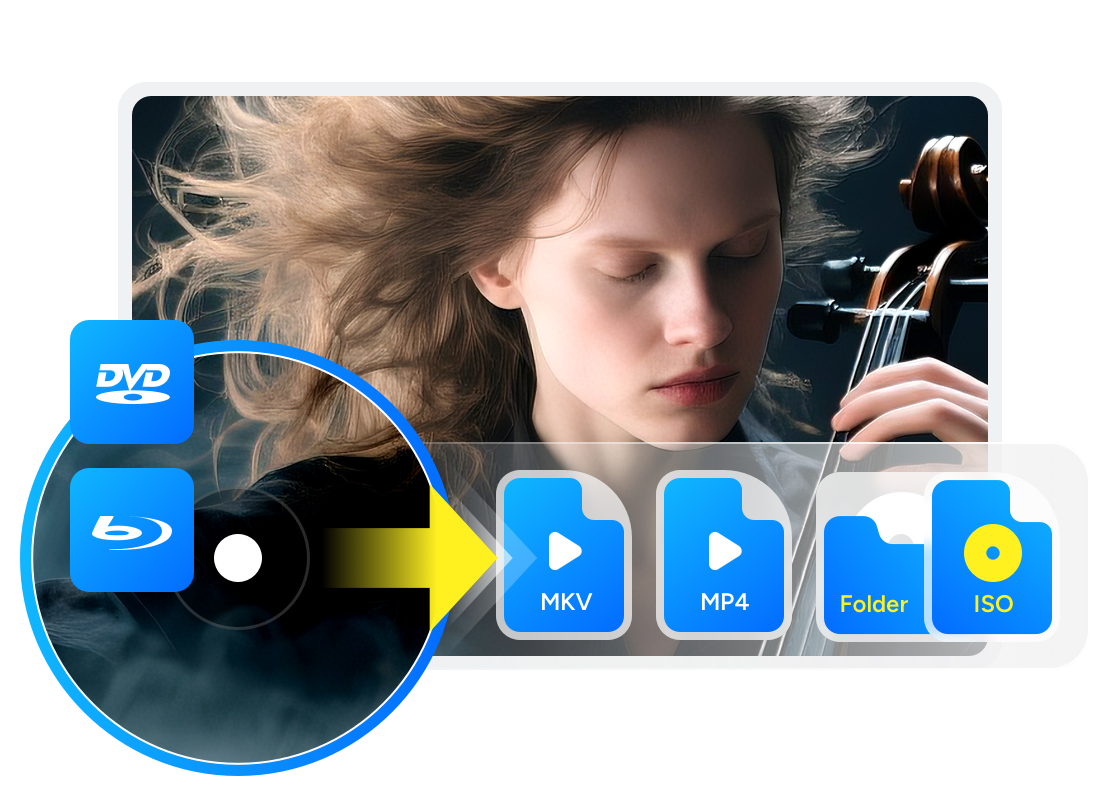
8 Best Free DVD Decrypters for Mac and Windows 11/10/8/7 in 2026

Summary: DVD Decrypter is a discontinued Windows utility for copying older DVD-Video discs, while “DVD decrypter” also describes a broader category of disc tools. For Windows 11 or macOS, choose a maintained program like DVDFab HD Decrypter that matches the disc’s age and your required output. Free options can create ISO or VIDEO_TS backups, or convert supported sources to MP4 and MKV, but many cannot process newly released protections.
Table of Contents
Choosing a free DVD decrypter depends on the disc's age, protection, operating system, and the file you need. DVD Decrypter may still open some older discs on Windows, but its last release dates from 2005 and it has no Mac version. For newer systems or protected titles, a maintained tool is generally the more reliable choice.
In this article, I checked each free DVD decrypter against its published system support, maintenance status, free-use limits, protection coverage, and output options.

8 Best Free DVD Decrypters for Mac and Windows 10/11
Free DVD decryption software available on different machines is listed below. Learn about their features and decide which freeware to use. All eight of the DVD decrypter tools recommended below have been thoroughly tested by me personally.
1. DVDFab HD Decrypter [Best Free DVD Decrypter for Windows 10/11 and Mac]
DVDFab HD Decrypter is a free DVD decrypter can remove supported DVD or Blu-ray copy protections from commercial discs, ISO files, or folders and can copy or convert them for playback or preservation. It is the lifetime-free version of DVDFab DVD/Blu-ray Copy and Ripper combined, which are installed in the DVDFab software package.
In my test, protections were auto-detected, I clicked Full Disc or Main Movie, and out came either an ISO/VIDEO_TS or a quick MP4/MKV. The interface makes audio/subtitle picks obvious and the speed feels steady. It does stall on very new discs and won't handle things like Cinavia in the free tier, but the day-to-day flow is effortless.
✅Best for: Works with both DVDs and Blu-rays and removes old disc copy protections.
💡DVD decrypter download:
Free Download Windows 11/10 (64-bit)
Free Download macOS 10.13 - 15.x
💡Able to decrypt: nearly all DVD protections (CSS, RC, RCE, APS, UOPs, and Sony ARccOS) and Blu-ray protections (AACS, RC, UOPs, and BD-Live) from DVDs and Blu-rays released more than one year ago.
👍Key Features:
- Decrypt both DVD and Blu-ray discs for free.
- Copy DVD/Blu-ray to blank discs, as ISO files or folders with high quality.
- Rip and convert DVD/Blu-ray to MKV or MP4 for playback on portable devices.
- Customize video with a built-in video editor when ripping DVD/Blu-ray.
- Efficient DVD decryption and backup via multitasking mode.
- Auto synchronize all the original metadata information in the output video.
👎Cons:
- Latest encryptions require the paid Pro version—DVDFab DVD Copy or DVD Ripper.
- Limited copy and conversion profile modes.
2. DVD Decrypter [Classic Free DVD Decrypter Windows 10/11]
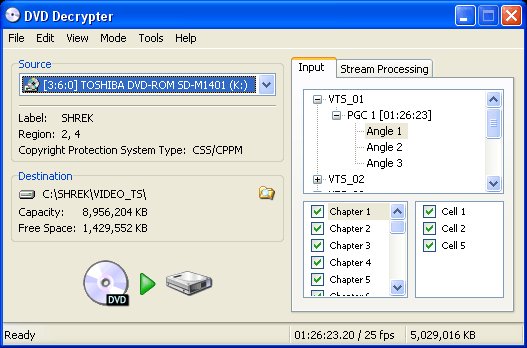
DVD Decrypter is another free DVD decryption software which was last updated in 2005. It can create disk image copies of the DVD-Video structure of many protected DVDs. The software also can make a region-free copy from a region-specific DVD. It provides File mode for copying selected DVD files, IFO mode for selecting titles or chapters, and ISO mode for creating a disc image.
This free DVD decrypter for Windows also removes Macrovision Content Protection. However, legal pressure led to the permanent closure of its development. DVD copying and the circumvention of access controls are governed differently across countries, so owning a disc does not automatically make every decryption use lawful. Use only content you are authorized to copy and check the law that applies in your location. Download only the final stable version, 3.5.4.0. Files presented as newer releases may be unsafe.
I used it to rip older CSS/region-locked discs quickly. The software will write clean ISOs and tell you exactly what it's doing in the logs. Hand it a newer disc and it'll likely choke—but for archiving back-catalog titles, it's still fast, simple, and dependable.
✅Best for: Archiving old DVDs with simple protections.
💡Able to decrypt: Macrovision content protection, CSS, region codes, and user operation prohibitions.
👍Key Features:
- Copy and decrypt some protected DVDs.
- Copy DVDs to multiple disk image files on a hard drive, including File, IFO, and ISO.
👎Cons:
- It hasn't been updated since 2005.
- Doesn't support newer DVDs with advanced encryptions such as XProtect.
- It is now only available from third-party download sites.
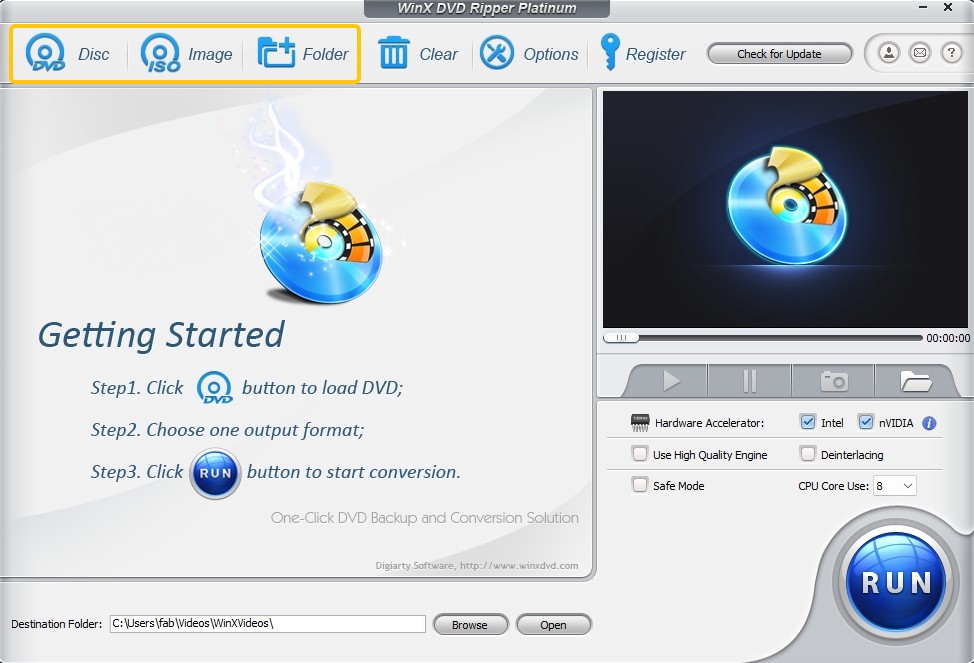
3. WinX DVD Ripper Free Edition [Basic DVD Decrypter for Windows and Mac]
WinX DVD Ripper is another useful DVD decrypter software for Mac and Windows. The free edition of the software supports decrypting CSS and region-locked DVD discs, ISO files or folders, and also directly converting your disc to limited video formats like MP4 for playback on mobile devices or media players.
I treated WinX Free like a "DVD to device" lane: I fed it everyday discs and picked a preset, and it delivered small, watchable MP4s at a decent clip. The interface nudged me along nicely, but when I wanted MKV/H.265 or tighter control over titles and chapters, I hit the limits—great for quick conversions, not my choice for archival copies or nasty protections.
✅Best for: Converting classic and some region-locked DVDs to digital formats for playback on computers, phones, and tablets.
💡Able to decrypt: CSS and region-locked DVD discs, ISO files, or folders.
👍Key Features:
- Smooth DVD decryption and conversion.
- Rip DVDs to four digital formats, including AVI, WMV, MP4, and MOV.
- Offer customized options for DVD ripping, such as selecting subtitles, adding external subtitles, and adjusting video and audio parameters.
👎Cons:
- Doesn't support handling old damaged DVDs, the latest DVDs, Japanese DVDs, or DVDs containing 99 titles.
- Provides limited output formats; important formats such as MKV, H.265, 4K/5K/8K, Dolby Vision, Hi-Fi audio, and subtitles are not supported.
- Automatic detection of DVD discs isn't available.
- Users cannot select specific chapters for conversion.
- Doesn't support lossless conversion.
- Video editing features and more output formats are unavailable in the free version.
- Unable to process and decrypt Blu-ray discs.
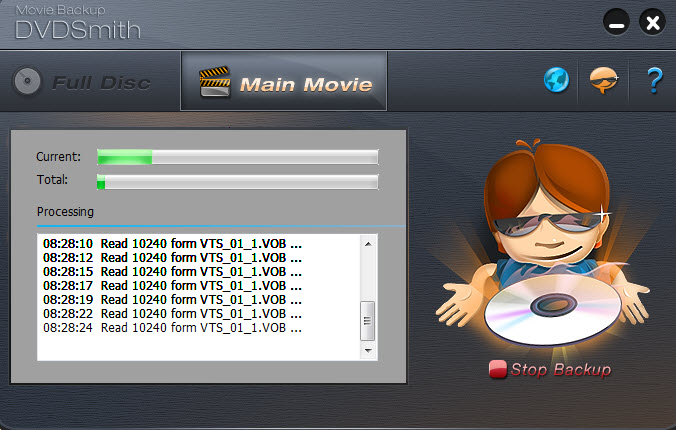
4. DVDSmith Movie Backup [Folder Backup DVD Decrypter Windows 10/11]
DVDSmith Movie Backup is a free DVD decrypter software that allows you to decrypt DVD copying protection and back up DVD movies. This intuitive tool can decrypt DVDs with copy protections and create a DVD folder out of these discs. The DVD folder so created can be played by a number of media players like VLC and MPC.
This one is bare-bones in a good way: choose Full Disc or Main Movie and it mirrors to a VIDEO_TS folder that plays in VLC. On older discs, it's basically push-button. On newer protections, misses show up. If I just want a straightforward folder copy of a classic, it's light, simple, and out of my way.
✅Best for: Backing up DVD movies as folders for PC playback.
💡Able to decrypt: DVD copy protections like CSS, RCE, APS, UOPs, etc.
👍Key Features:
- Remove a number of DVD copy protections for free.
- Copy protected DVDs as a folder on your hard drive.
- Offer two disc-copy modes: Full Disc and Main Movie.
👎Cons:
- Unable to upgrade frequently for newly released DVDs.
- Sometimes it may fail to copy an encrypted movie.
- Unable to decrypt and copy Blu-ray discs.
- Lacks more advanced features, such as copying DVDs to discs or ISO image files, video settings, and editing features.
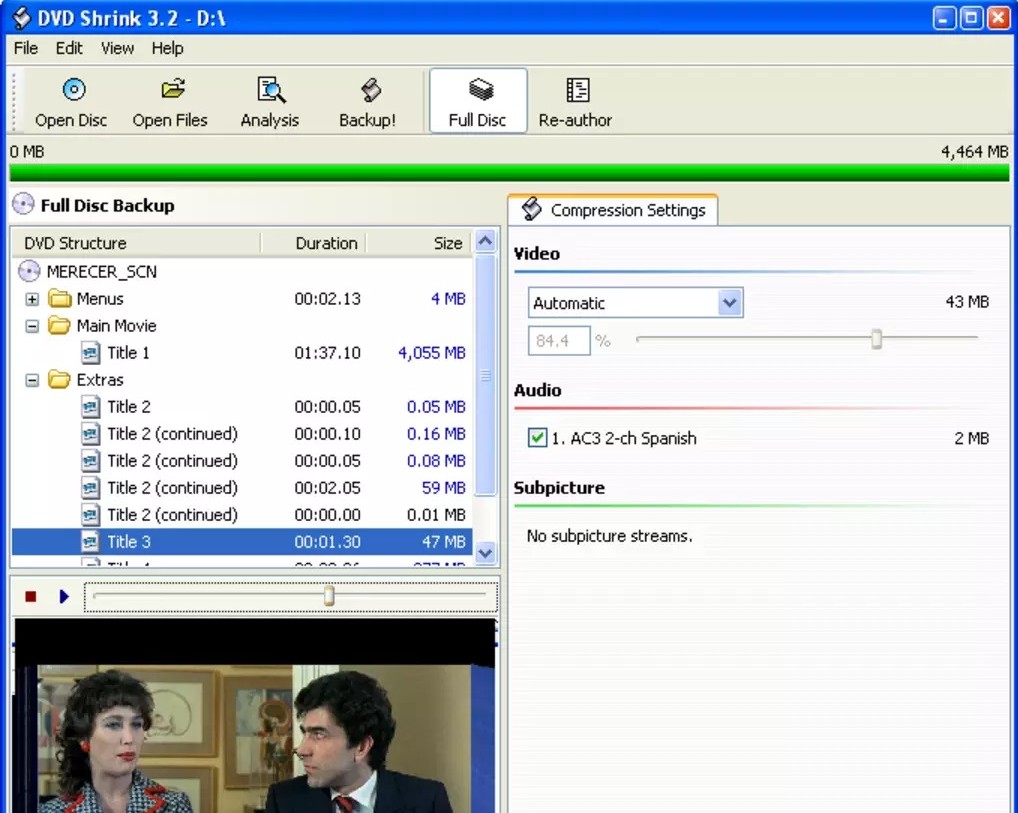
5. DVD Shrink [Free DVD Decrypter on Early Windows Versions]
DVD Shrink is free DVD decryption software that was last updated in 2005. This DVD decrypter is good at making shrunk copies of dual-layer DVDs, which have a size of around 8.5 GB. It shrinks a DVD-9 to fit on a DVD-5, so there will be some video quality loss, but it can remove certain older DVD encryptions for free.
It uses the DeCSS[WIKI] decryption algorithm, but this free decrypter is unable to remove newer encryptions. It can read DVD folders and ISOs along with physical discs. The official final stable Windows release is 3.2.0.15. Avoid downloads presented as DVD Shrink 2010, 2011, 2014, or another newer edition.
I still use DVD Shrink like it's 2005: re-author, compress a dual-layer disc to single-layer, preview, and hand it to a burner. It can decrypt some older CSS discs and it's snappy, but it's clearly legacy kit. Perfect for tidying up my older collection—not what I grab for modern titles.
✅Best for: Shrinking DVD-9 to DVD-5 or making ISOs.
💡Able to decrypt: CSS, RC, RCE, etc.
👍Key Features:
- Decrypt DVDs using the DeCSS decryption algorithm.
- Read DVD files contained in a VIDEO_TS folder or a disk image such as ISO, IMG, NRG, or MDS/Ixx.
- Copy entire DVDs or selected parts to an ISO image or DVD VIDEO_TS folder.
👎Cons:
- No protection or compatibility updates since development ended in May 2005.
- Unable to work reliably on the latest Mac and Windows systems.
- Requires additional DVD burning software.
- Doesn't support automatic DVD/ISO/folder detection.
- The official final installer is available from dvdshrink.org; avoid fake newer editions and unidentified mirrors.
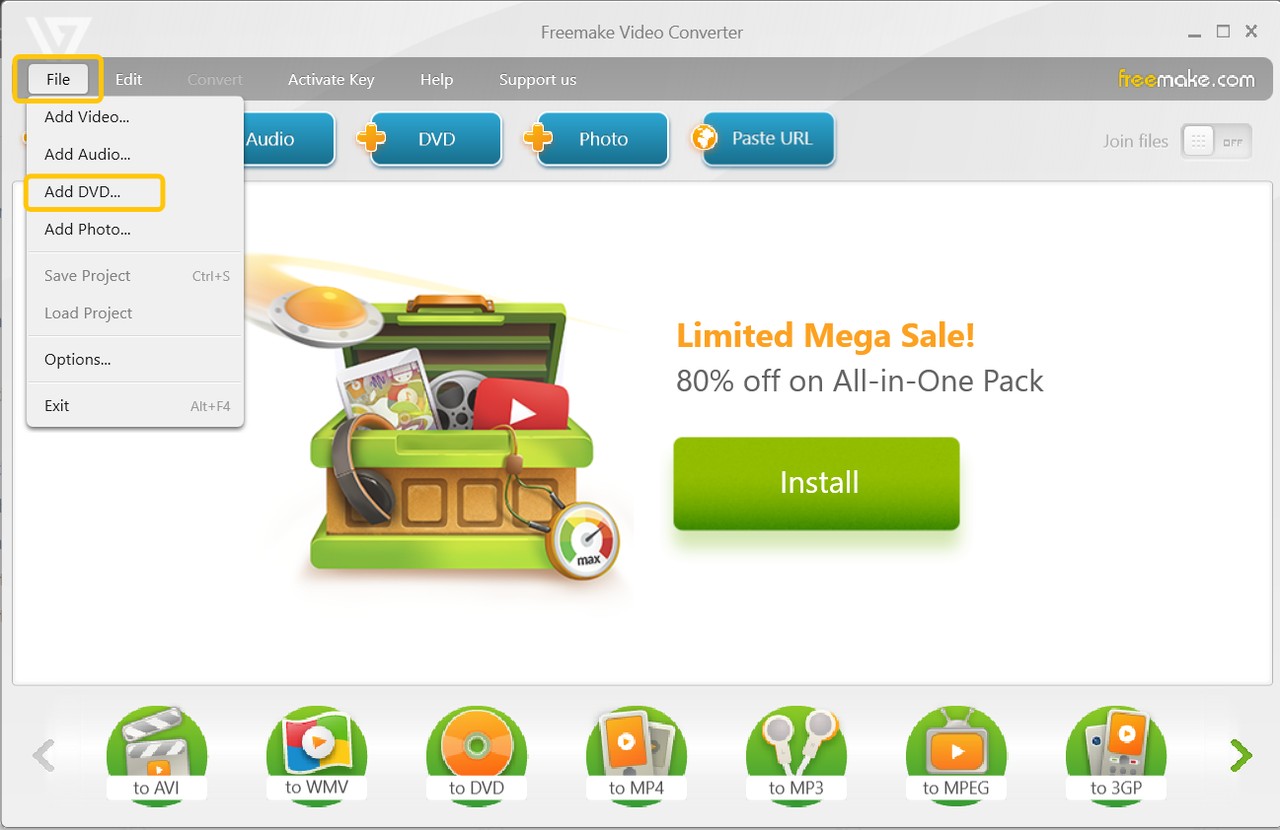
6. Freemake DVD Ripper [Region-Code DVD Decrypter for Windows 11/10]
Freemake DVD Ripper 6.0.1 is a free DVD decrypter that can rip region-locked DVDs or DVD folders to more than 20 video formats with or without subtitles. It can also save DVD content as a DVD folder or ISO file and provides options for selecting titles, chapters, audio tracks, and subtitles.
Freemake behaves like a friendly converter that happens to hop past region locks. I trim what I need, pick from a pile of formats, and get a shareable file quickly. The catch: watermarks and paywalls creep in, and tougher protections don't budge. Fine for quick viewing copies, not for clean archives.
✅Best for: Basic conversions and simple DVD rips for personal use.
💡Able to decrypt: region codes.
👍Key Features:
- Decode and rip region-coded DVDs.
- Rip DVDs and folders to 20+ formats compatible with multiple devices.
- Offer a built-in video editor for customized DVD ripping.
👎Cons:
- Very limited decryption function: only support RC DVDs.
- Not compatible with Mac system.
- The decrypted videos will be watermarked.
- Some functions are only available in paid version.
- Free version adds watermarks.
7. HandBrake + libdvdcss [CSS DVD Decrypter for Windows 10/11 and Mac]
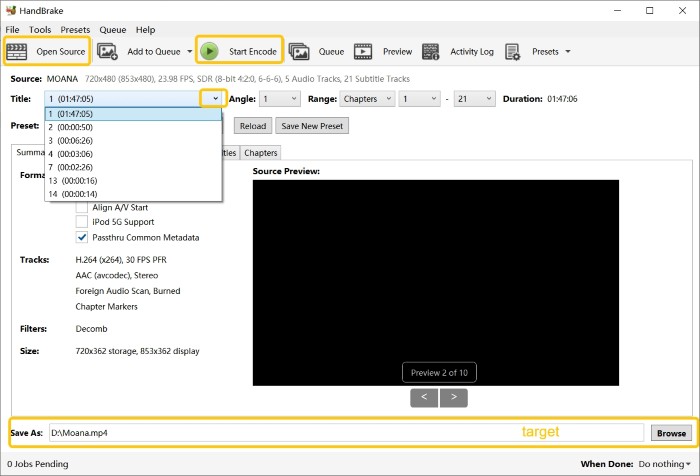
HandBrake cannot decrypt DVDs by itself. It is designed to convert common multimedia files and unprotected DVD or Blu-ray sources. However, HandBrake can work with the additional library libdvdcss[WIKI], a free software library developed by VideoLAN, to access commercial DVDs protected with CSS. When combined, HandBrake can use libdvdcss to read CSS-protected DVDs so they can be transcoded into other digital formats.
Once libdvdcss is in place, HandBrake feels like a well-tuned workshop. I queue titles, pick MP4/MKV, dial in bitrate and subtitles, and let it encode efficiently. It's stable for CSS-only discs and great for batch work. For me personally, the setup feels fiddly. Installing libdvdcss, pointing HandBrake to it, and fixing the occasional path issue breaks the "pop in a disc and go" rhythm. I still use it for clean, consistent transcodes, but given the choice I'd rather use a single app that decrypts and rips in one pass.
✅Best for: Converting CSS DVDs to MP4/MKV.
💡Able to decrypt: CSS with the separate libdvdcss library.
👍Key Features:
- Rip CSS-protected DVDs with the help of libdvdcss for free.
- Convert DVD and Blu-ray sources to MP4, MKV, and WebM formats.
- Advanced control over title, chapter, bitrate, subtitles, and video filters.
👎Cons:
- Requires the separate libdvdcss library for CSS access; VLC is not required by HandBrake.
- No built-in video editing tools.
- Cannot decrypt disc copy protection without installing libdvdcss.
- Unable to process other common or newer encrypted DVDs.
- Limited output video formats; only supports MP4, MKV, and WebM.
8. Any DVD Shrink [Free-Trial DVD Decrypter Windows 10/11]
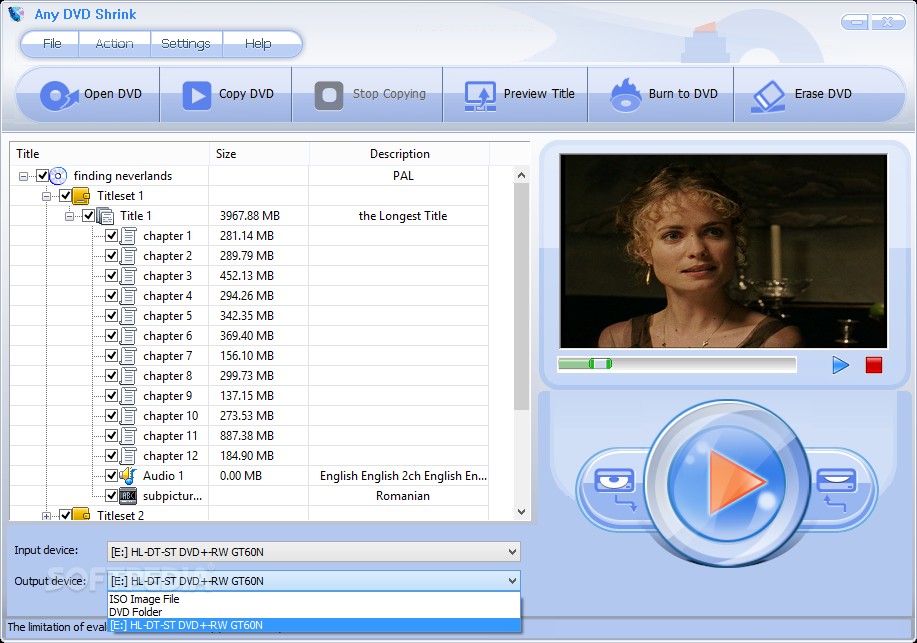
Any DVD Shrink is a free-trial-based DVD decrypter that can copy encrypted DVDs to DVD R/RW discs or make a backup of DVDs on your hard drive. Also, it claims to be able to shrink any DVD video up to 9.4 GB onto your DVD-R disc of 4.7 GB or 8.5 GB with no loss of content or quality. In particular, this DVD decryption software also clones DVDs with all extra items, including menus, trailers, language tracks, and subtitles.
The trial gives me a straight path: copy or compress, keep menus if I want, and burn without extra tools. It handles older protections fine and the steps are clear. Blu-ray and deeper schemes are outside its lane, and the "not really free" part means I reach for it only when I need a quick one-off.
✅Best for: Copying or shrinking DVDs to discs or your hard drive.
💡Able to decrypt: DVD copy encryption like CSS, ARccOS, UOPs, RC, and RCE.
👍Key Features:
- Decode many DVD copy encryptions.
- Make exact copies of DVDs or compress the size of DVD files.
- Burn ISO images and DVD folders directly onto various disc types.
- Erase content from rewritable DVDs.
👎Cons:
- It only provides a free trial, not a permanently free DVD decrypter.
- Unable to decode the latest encrypted DVDs.
- Unable to process Blu-ray discs.
How to Decrypt DVD Free with the Best DVD Decrypter
After learning the advantages and disadvantages of these free DVD decrypters, follow the steps below to decrypt a supported older DVD with DVDFab HD Decrypter. Use only discs you own or are authorized to copy, and check the rules that apply in your country.
📌You can watch this video or follow the detailed steps:
Step 1: Download and Install DVDFab HD Decrypter
Free Download Windows 11/10 (64-bit)
Free Download macOS 10.13 - 15.x
Step 2: Launch the Decrypter Software and Load the Source
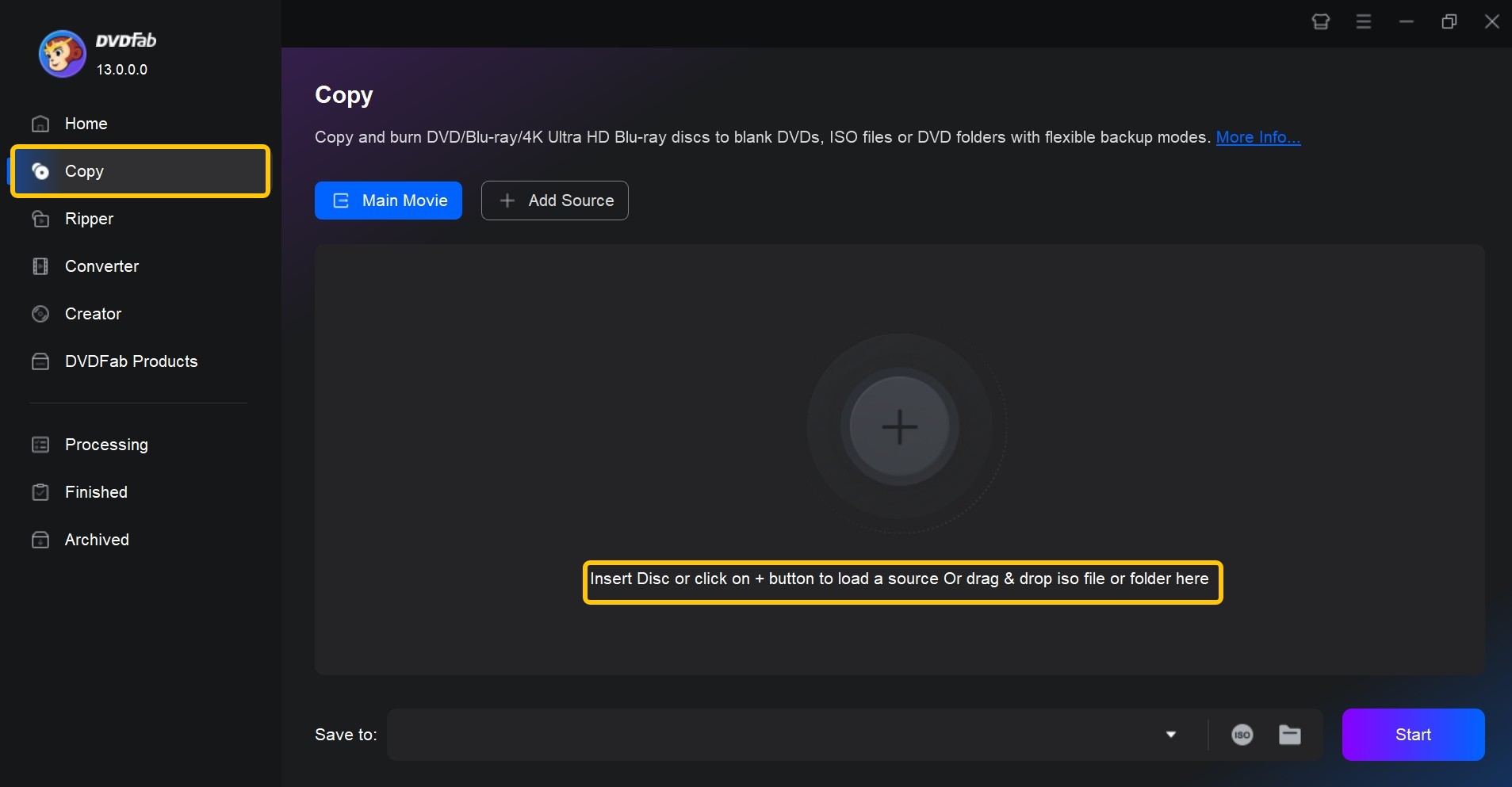
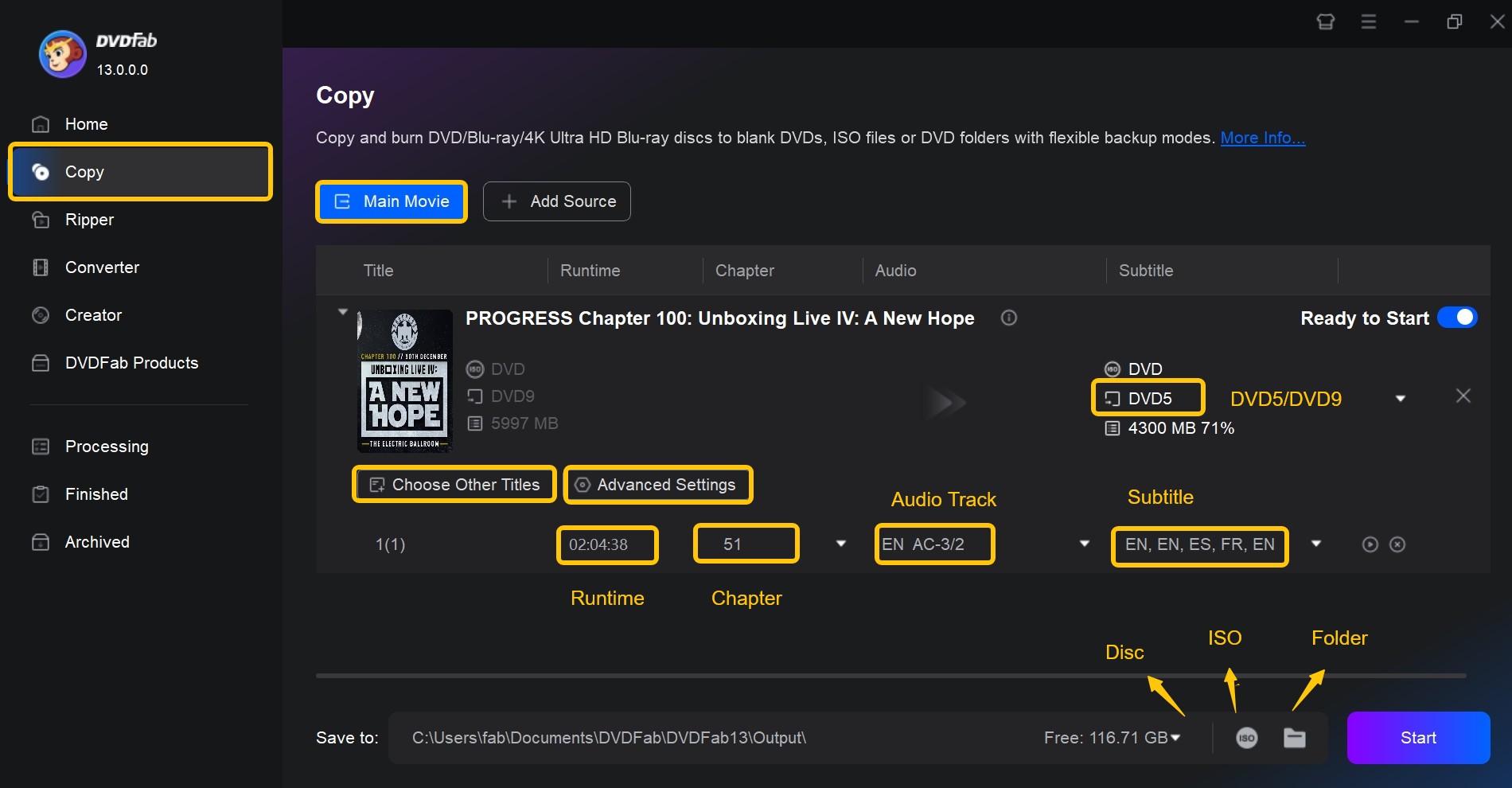
Load the DVD source and select the Copy or Ripper module from the option bar. Here we take the Copy module as an example. Insert the DVD you want to back up into the optical drive, or load an ISO or folder using the add button. Then choose Full Disc or Main Movie from the left pane.
Step 3: Customize the Output
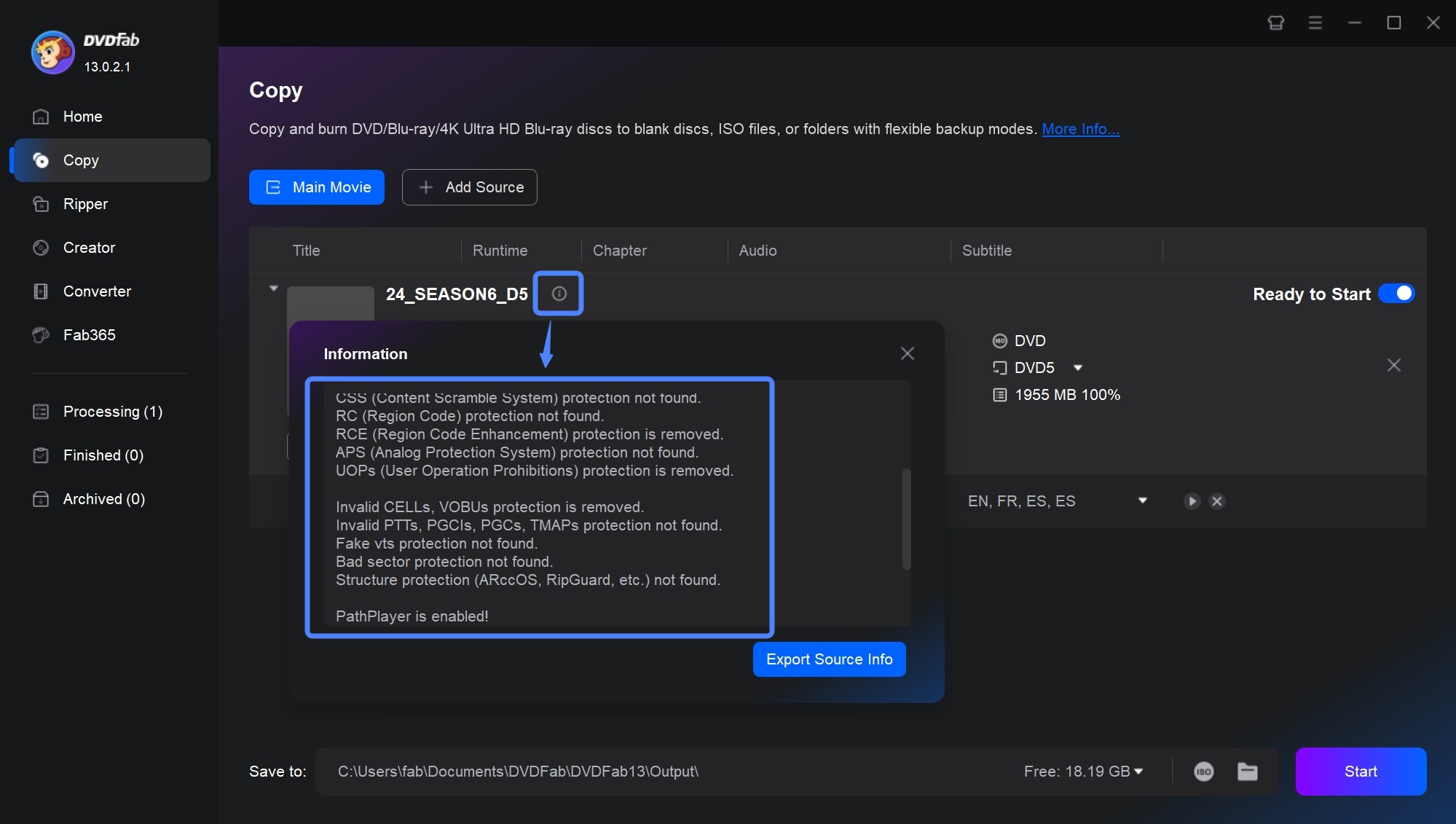
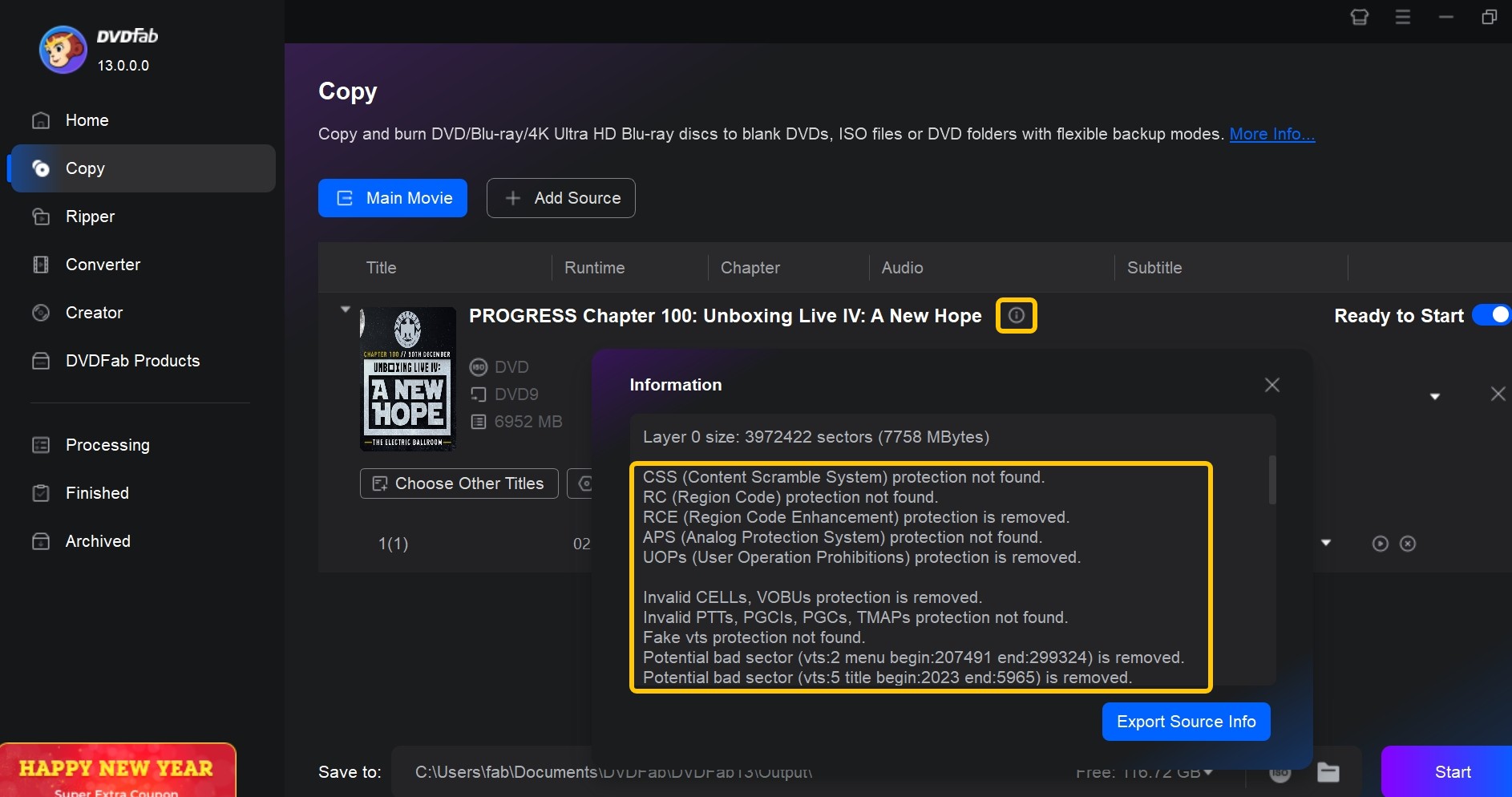
After loading the source, click the Info button to review the copy protections detected on the DVD. Protections that fall within HD Decrypter's free-version limits are processed automatically.
In the Copy module, select the copy option, edit the volume label, and set the output DVD size. Main Movie mode allows you to select the title, audio language, subtitles, and chapters, while Full Disc retains the supported disc structure. In the Ripper module, you can adjust video and audio settings and edit the video by cropping, trimming, rotating, merging, applying watermarks, or adding subtitles.
Step 4: Start to Decrypt the DVD
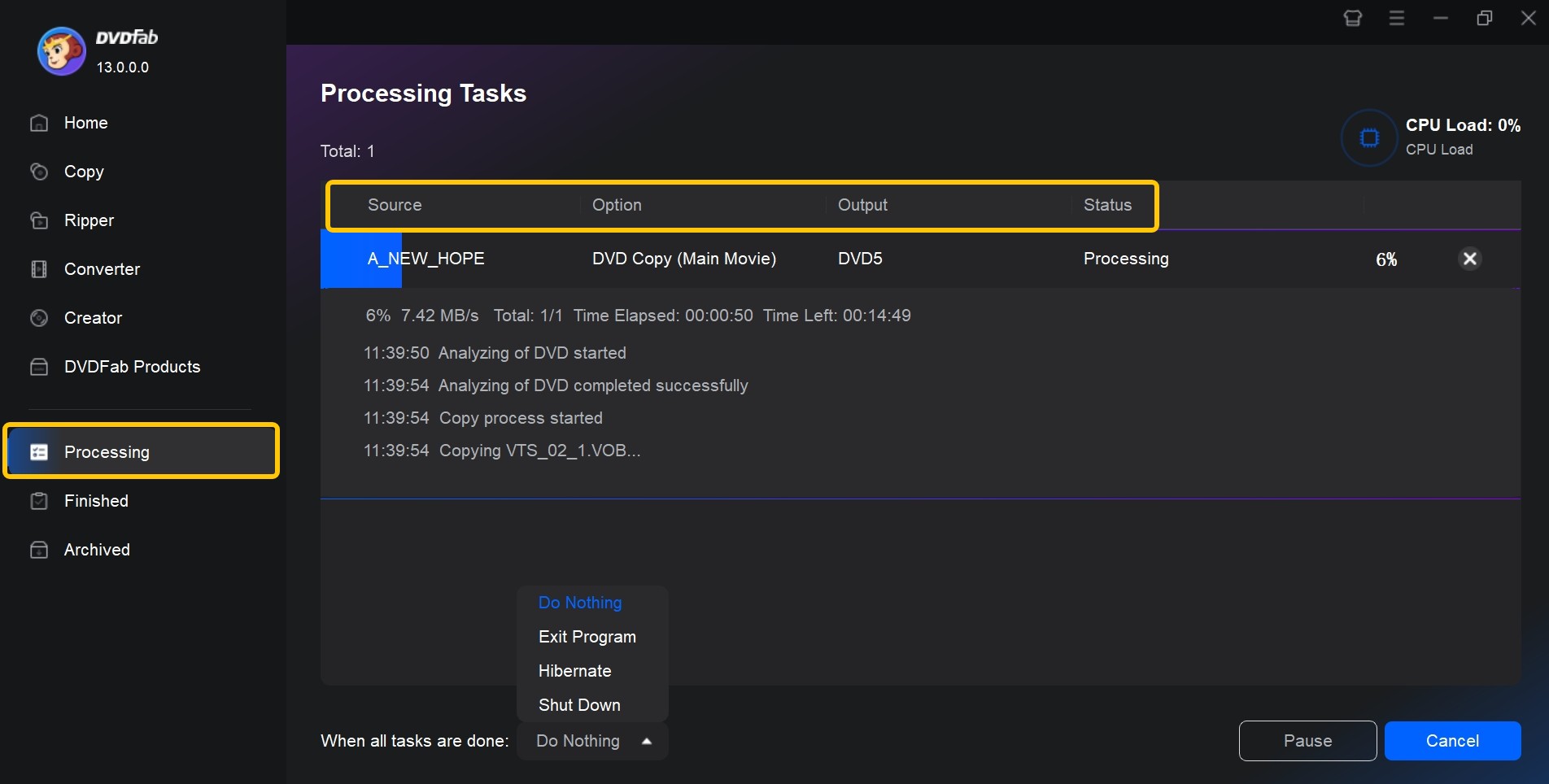
Click Start to begin copying or converting the DVD. The task screen displays the progress and allows you to cancel the job. You can also choose whether the computer should shut down, hibernate, or remain active when the task finishes. After completion, open the ISO, folder, MP4, or MKV and check the title, audio, and subtitles.
Comparison of the 8 Best Free DVD Decrypters
This table compares the tools by decryption capability, supported input and output formats, editing features, batch processing, price, and operating-system compatibility.
| Free DVD Decrypter | Decryption Capability | Input Formats | Output Formats | Batch Mode | Video Editor | Price | OS |
| DVDFab HD Decrypter | CSS, RC, RCE, APS, UOPs, BD-Live, Sony ARccOS, AACS, etc., for supported discs released more than one year ago | DVD/Blu-ray disc, ISO, Folder | DVD/Blu-ray disc, ISO, Folder, MP4, MKV | YES | YES | Free | Windows 11/10 (64-bit) & supported macOS versions |
| WinX DVD Ripper | CSS, RC | DVD disc, ISO, Folder | AVI, WMV, MP4, MOV | NO | In paid version | Free | Windows 11/10 or lower & Mac Ventura or lower |
| DVDSmith Movie Backup | CSS, RCE, APS, UOPs | DVD | Folder | NO | NO | Free | Windows XP, Vista, 7, 8, 10 |
| DVD Shrink | CSS, RC, RCE | DVD, Disk Image, Folder | Image, Folder | NO | NO | Free | Legacy Windows; no official Windows 10/11 support |
| DVD Decrypter | RC, CSS, Macrovision content protection | DVD | File, IFO, ISO/MDS | NO | NO | Free | Legacy Windows |
| Freemake DVD Ripper | RC | DVD, Folder | 20+ video, DVD, ISO, Folder | NO | YES | Free | Windows 11, 10, 8, 8.1, 7, Vista |
| HandBrake + libdvdcss | CSS with the separate libdvdcss library | DVD and Blu-ray sources | MP4, MKV, WebM | YES | NO | Free | Windows / Mac / Linux |
| Any DVD Shrink | CSS, ARccOS, UOPs, RC, RCE | DVD | DVD disc, ISO, Folder | NO | NO | Free Trial | Windows / Mac |
This table gives a side-by-side look at the top free DVD decrypter tools available for Windows and Mac. Each option varies in decryption capability, supported input and output formats, editing features, batch processing, and operating-system compatibility.
- DVDFab HD Decrypter supports DVD and Blu-ray input, along with video editing and batch conversion, within the free version's protection-age limit.
- Tools like WinX DVD Ripper, DVD Shrink, and HandBrake are better suited for basic needs or older discs, with simpler feature sets and limited editing.
- DVDSmith and DVD Decrypter focus on classic DVDs but may not process newer protections or Blu-ray.
My Top Three Picks of Free DVD Decrypter
📌What I value most in picking:
- Protection coverage: Prefer tools that remove multiple real-world schemes, not just CSS or RC, and that keep pace with new discs.
- Active maintenance: Recent builds, changelogs, and OS support matter because unmaintained tools may fail on newer titles.
- Clean, flexible output: ISO or Folder for archival; MP4 or MKV for playback, plus batch mode when processing multiple titles.
1) DVDFab HD Decrypter
Broad protection support for older discs, DVD and Blu-ray input, and flexible outputs such as ISO, Folder, MP4, and MKV with batch processing and a built-in editor. Newly released protections require the paid DVD modules.
2) WinX DVD Ripper (Free) — fast updates, solid on everyday discs
Actively maintained, simple presets, and steady performance on common CSS or region-locked DVDs. While it won't process the newest or more complex schemes, it's reliable for frequent and simple rips.
3) Any DVD Shrink — stronger decryption set for classic DVDs
It provides a straightforward copy and shrink process with integrated burning. It is a free-trial product rather than permanent freeware, so check the current installer source and trial limits before use.
FAQs about Decrypting DVD
Is It Legal to Use a Free DVD Decrypter?
The rules depend on the country, the disc, the protection involved, and the purpose of the copy. Owning a disc does not automatically make every form of decryption lawful. Process only content you own or are authorized to copy and check the law that applies in your location.
Is DVD Decrypter Still Available to Download?
Developer LIGHTNING UK! ceased development and shut down dvddecrypter.com in 2005. Version 3.5.4.0 is still mirrored by third-party sites, but there is no current official installer source. Avoid downloads presented as a newer DVD Decrypter release.
Does DVD Decrypter Work on Windows 11 or Mac?
DVD Decrypter has no Mac version. It may start on some Windows 10 or Windows 11 computers, but it has not been updated or formally supported for either system. Starting successfully does not guarantee it can read a particular DVD.
Why Does DVD Decrypter Show Read Errors?
Read errors can result from unsupported protection, damaged or poorly burned media, an optical-drive problem, or abnormal DVD structure. Clean the disc, try another drive when available, and compare the result in a second disc-reading program before assuming encryption is the only cause.
How Can I Decrypt a DVD with a Newly Released Copy Protection?
Many free tools either stopped receiving updates or limit support for newly released protections. If a free program cannot scan or identify the correct title, a maintained tool such as DVDFab DVD Copy or DVD Ripper may be required.
Can DVD Decryption Software Decrypt and Rip Blu-rays?
DVD and Blu-ray use different structures and protection systems, so DVD support does not imply Blu-ray support. Among the tools compared here, DVDFab HD Decrypter includes limited free Blu-ray support, while most of the other listed programs should not be treated as general Blu-ray decryption tools.
Conclusion
DVD Decrypter still has a narrow use in 2026: copying some older DVDs to selected files or an ISO on a Windows computer. Its discontinued status, third-party downloads, lack of Mac support, and limited protection coverage make it unsuitable as the default choice for a new setup.
Choose the software by the required result. Use an ISO or VIDEO_TS folder when the disc structure matters, and MP4 or MKV when the file needs broad playback support. For supported older DVD or Blu-ray sources, DVDFab HD Decrypter can rip DVD to ISO, folder, MP4, or MKV within its free-version limits. Before processing a full collection, confirm that the program detects the correct title and test one completed output with the target player.