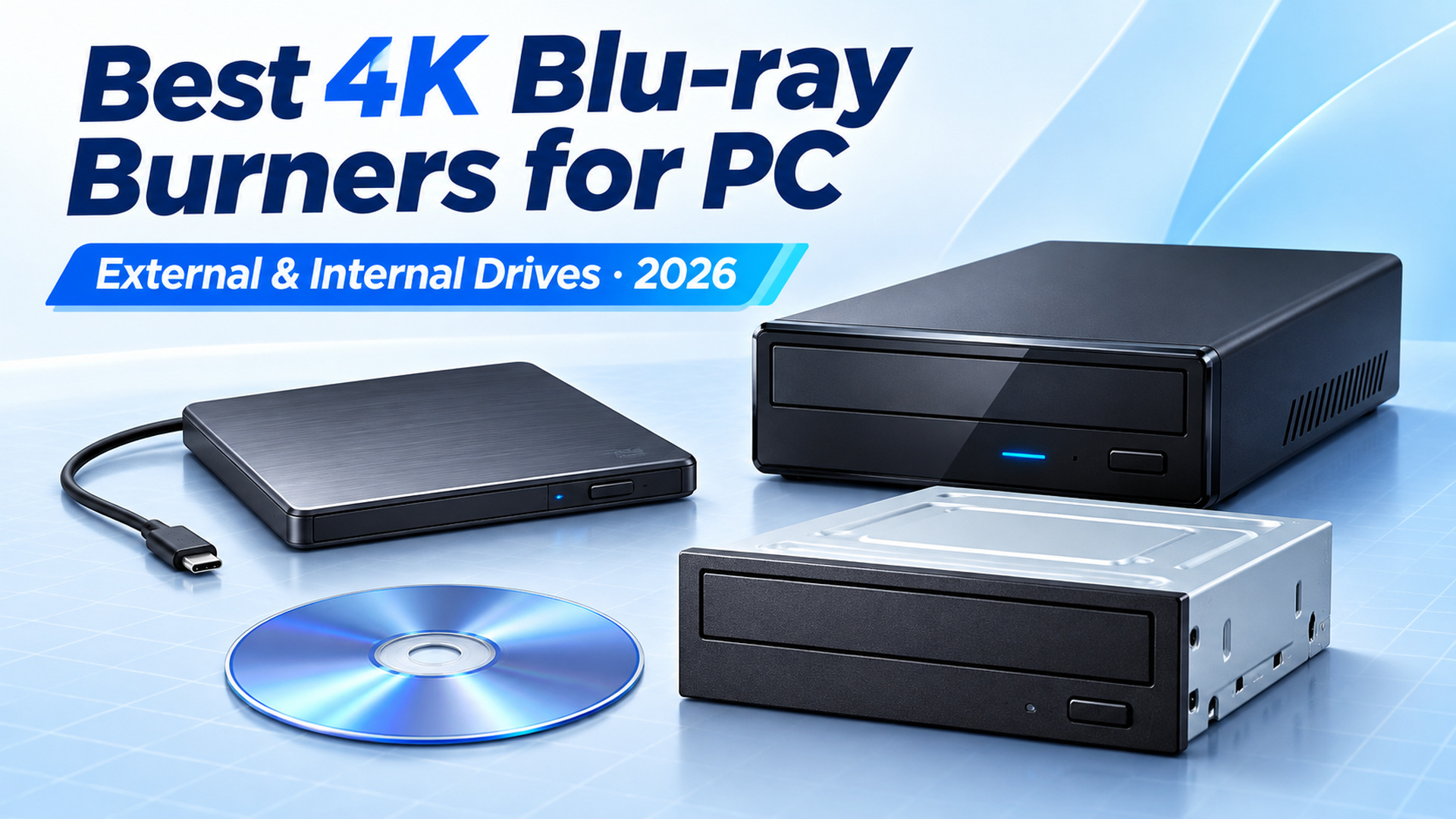
Best 4K Blu-ray Burners for PC: External & Internal Drives (2026)

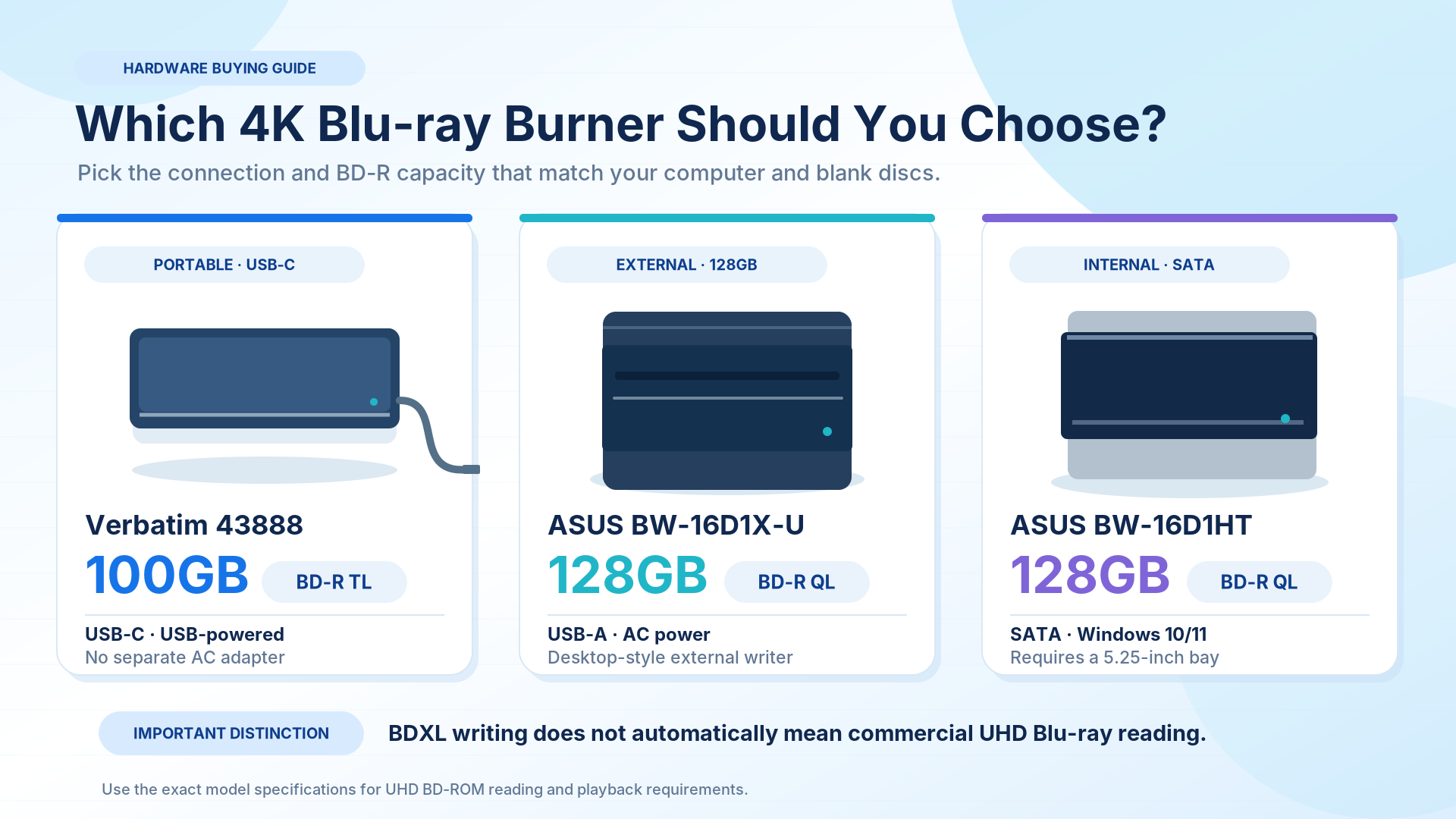
Summary: For a portable 100GB BDXL writer, the Verbatim 43888 offers USB-C connectivity without a separate power adapter. For 100GB or 128GB disc writing, the ASUS BW-16D1X-U is an external option, while the BW-16D1HT suits desktops with a SATA drive bay. Older Pioneer drives remain worth considering when available, but the Buffalo BRXL-16U3 and LG WH16NS60 are discontinued. Before buying, check the exact BD-R TL/QL writing specifications, connection, and operating-system support. BDXL writing does not automatically mean a drive can read commercial UHD Blu-ray movies.
Table of Contents
When choosing a 4K Blu-ray burner, I would first check the blank-disc format rather than trust the 4K label. A UHD reader, a BDXL writer, and UHD authoring software do different jobs. A drive may read UHD media without writing 100GB discs, while software can create a disc structure without physically burning it. The right setup depends on the disc, computer connection, power supply, and intended player.
In this article, I reviewed published specifications, supported disc formats, and model status for external and internal drives, including two ASUS options. I also checked which writing and reading claims require separate confirmation, especially for discontinued models still found in resale listings.
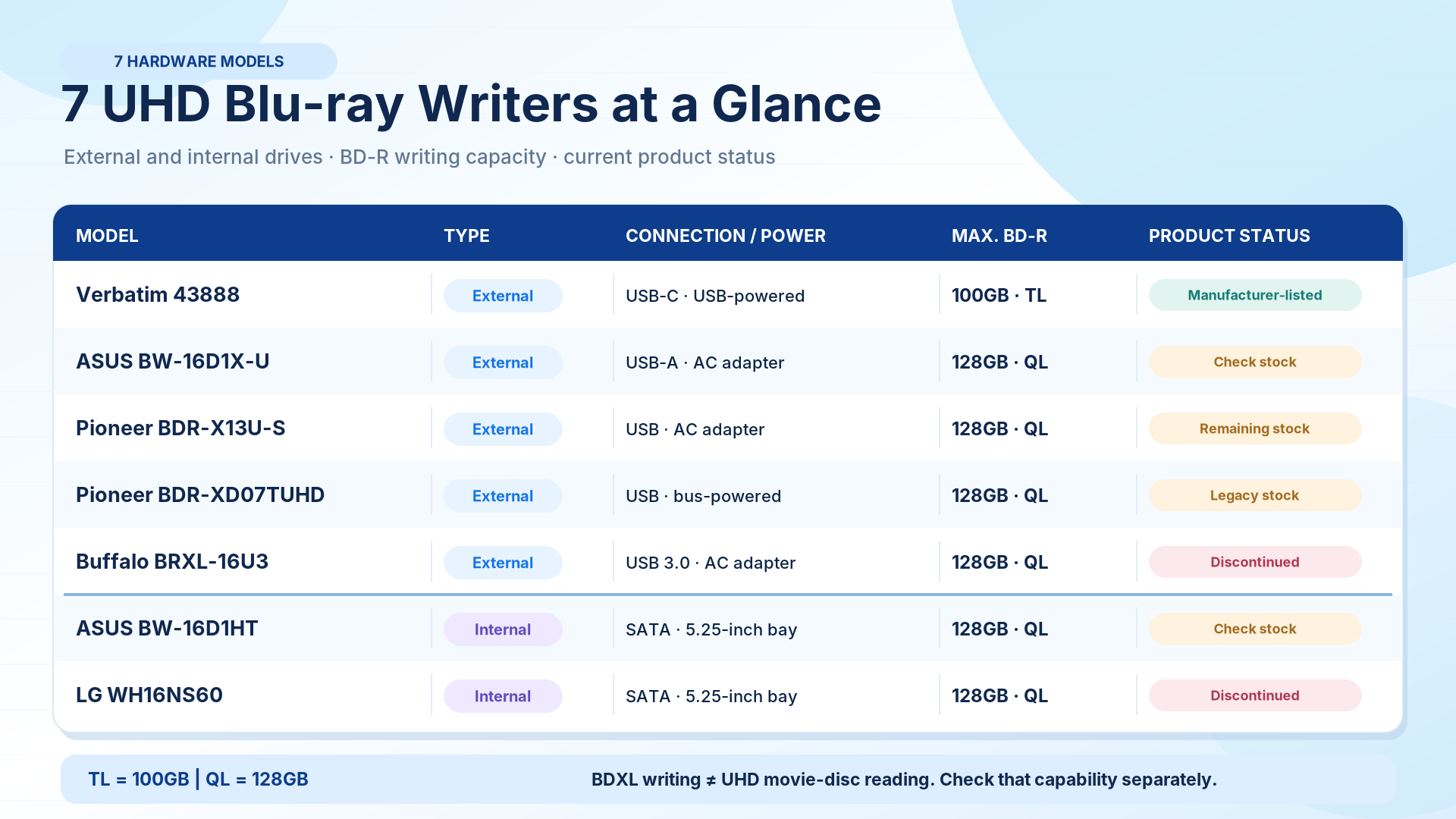
Best 4K Blu-ray Burner Drives Compared
The models below compare writing specifications, connections, and system requirements. The Buffalo BRXL-16U3 and LG WH16NS60 are discontinued references; remaining-stock and resale listings need extra attention.
| Model and Status | Connection and Power | Operating Systems / Software | BDXL and M-DISC | What to Know |
|---|---|---|---|---|
| Verbatim 43888, manufacturer-listed | USB-C external, USB-powered | Windows 7–11; Intel Macs (10.6+ listed); Nero for Windows | BDXL to 100GB; M-DISC | Portable USB-C writer; separate UHD authoring software may be required |
| ASUS BW-16D1X-U, check stock | USB-A external, AC power | Windows 8–11; Mac OS X 10.6+ listed; bundled apps for Windows | BDXL to 128GB; BD-R M-DISC | 16x BD-R; 8x TL and 6x QL |
| Pioneer BDR-X13U-S, remaining stock | USB external, AC power | Windows 8.1–11; macOS 10.11–12 listed; CyberLink for Windows | BDXL to 128GB | Up to 16x BD-R |
| Pioneer BDR-XD07TUHD, legacy stock | USB-powered external | Windows 7–11; macOS through 14 listed; bundled apps for Windows | BDXL to 128GB; M-DISC | Portable; up to 6x BD-R; UHD BD-ROM reading |
| Buffalo BRXL-16U3, discontinued | USB 3.0 external, AC power | Windows 10/11; bundled apps for Windows | BDXL to 128GB | Up to 16x BD-R |
| ASUS BW-16D1HT, check stock | Internal SATA | Windows 8–11; bundled apps for Windows | BDXL to 128GB; BD-R M-DISC | 16x BD-R; 8x TL and 6x QL |
| LG WH16NS60, discontinued | Internal SATA | Desktop PC; check OS and software | BDXL to 128GB; M-DISC | Up to 16x BD-R; UHD BD-ROM reading |
Writing speeds are manufacturer-rated maximums for specific disc types, not results from a common hands-on test. Stock varies by retailer. Listed Mac OS versions do not establish support for Apple silicon.
What to Check Before Buying a 4K Blu-ray Burner
Reader, Writer, and Authoring Differences
A UHD reader can play or read compatible discs, but it does not automatically write BDXL media. A BDXL burner writes compatible blank discs, including 100GB media when that support is listed in its specifications. UHD authoring software prepares a compliant BDMV folder or ISO from video files, while the physical writer transfers that finished structure to a disc.
Creating an ISO or BDMV folder from video files requires authoring software but no physical writer; transferring that output to a disc requires a compatible writer. Readers who only want disc playback or reading do not necessarily need burning features. UHD is also distinct from standard Blu-ray because it commonly uses 4K resolution, HDR, and higher-capacity media. MP4 or MKV files need authoring for a playable UHD video disc, not simply copying onto a data disc; a prepared BDMV folder needs compatible disc-writing software, while an ISO needs image-writing software.
If your project starts with MP4 or MKV files, you may need 4K Blu-ray authoring software, such as DVDFab UHD Creator, to prepare the disc structure. An authored ISO only needs compatible image-writing software. For a full guide, see my article about how to burn 4K Blu-ray.
Compatibility Checks Before You Buy
- Writing support: Confirm that the drive explicitly supports BDXL and BD-R TL if you need 100GB Blu-ray discs; for 128GB media, check BD-R QL support.
- Computer connection: Check USB-C, USB-A, or internal SATA compatibility before buying, along with any required USB power or separate AC supply.
- Operating system: Confirm whether the bundled software supports Windows, macOS, or both.
- Media and drive: Match the blank BD-R, BD-RE, or BDXL media to the drive's supported write formats. M-DISC support is a separate specification.
- Standalone playback: A successful burn on a PC does not ensure that a standalone UHD player will accept the disc.
I would choose a writer that supports the required blank-disc capacity and connects to the PC with the available ports and power supply before comparing maximum write speeds.
New and Used UHD Burner Buying Checks
Before committing to a listing, compare the condition, included accessories, and purchase terms, especially for discontinued models.
- Condition: Distinguish unused old stock from a used drive. For used units, look for a clear condition description and evidence that the writing function works.
- Exact model and capacity: Match the model number on the drive label to its specifications, including the blank-disc type and write capacity your project requires.
- Cables and power: Confirm that the required USB cable, AC adapter, and power cord are included and suitable for your computer and outlet.
- Returns and warranty: Read the seller's return window, return-shipping terms, and warranty coverage. A marketplace listing does not establish manufacturer support.
- Shipping: Include shipping costs in the total and look for protective packaging that secures the drive during transit.
Best External 4K Blu-ray Burner Drives for PC and Mac
These five external 4K Blu-ray burners provide options for a laptop or a PC without an internal writer, transferring a prepared ISO or BDMV folder to compatible media. The list includes portable USB-powered models and larger AC-powered writers.
Verbatim 43888 USB-C Writer
The Verbatim 43888 is an external Ultra HD 4K Blu-ray writer with USB-C connectivity for Windows and the Intel-based Macs specified by Verbatim. It supports BDXL media up to 100GB, making it a relevant option for laptop users who need a USB-C Blu-ray writer rather than an internal drive. Starting with video files requires separate UHD authoring software; an already authored ISO needs image-writing software.
Its compact design draws power from USB without a separate AC adapter. Verbatim lists M-DISC support and includes Nero burning software for Windows. UHD movie playback requires separate compatible software, while Mac users, especially those with Apple silicon, should verify compatibility with their particular computer.
- Slim, USB-C design draws power from the computer without an AC adapter.
- Writes BDXL discs up to 100GB and supports M-DISC media.
- Includes Nero disc-burning software for Windows.
- Does not list support for 128GB BD-R QL recording.
- UHD playback software is not included; Mac compatibility should be checked, especially on Apple silicon.
ASUS BW-16D1X-U
The ASUS BW-16D1X-U is a full-size external Blu-ray writer with USB 3.2 Gen 1 Type-A connectivity and a separate power adapter. Unlike the slim Verbatim model, it supports BD-R TL and QL, with writing speeds up to 8x for 100GB discs and 6x for 128GB discs. Standard single-layer BD-R writing reaches up to 16x.
ASUS lists Windows 10/11 and Mac OS X 10.6 or newer in its specifications. ASUS lists its bundled burning applications for Windows, so Mac users need to check their software setup. The larger enclosure is better suited to a desk than a laptop bag, and retail stock should be checked before ordering.
- Writes 100GB BD-R TL discs at up to 8× and 128GB BD-R QL at up to 6×.
- Up to 16× writing on standard single-layer BD-R media.
- Supports Windows and Mac operating systems, with Windows disc-burning utilities bundled.
- Full-size enclosure requires a separate AC power adapter.
- Bundled burning software is Windows-oriented; Mac users need compatible alternatives.
Pioneer BDR-X13U-S
The Pioneer BDR-X13U-S is an external, AC-powered writer for remaining stock. Its listed specifications include BDXL writing up to 128GB and a Windows software bundle; check the seller’s return and warranty terms before buying.
- Up to 16× BD-R writing speed.
- BDXL 100/128 GB support for large 4K projects.
- Includes CyberLink Media Suite for Windows users.
- Bulkier and requires its own power supply.
- Software bundle is Windows-oriented; macOS users need other burning tools.
Pioneer BDR-XD07TUHD
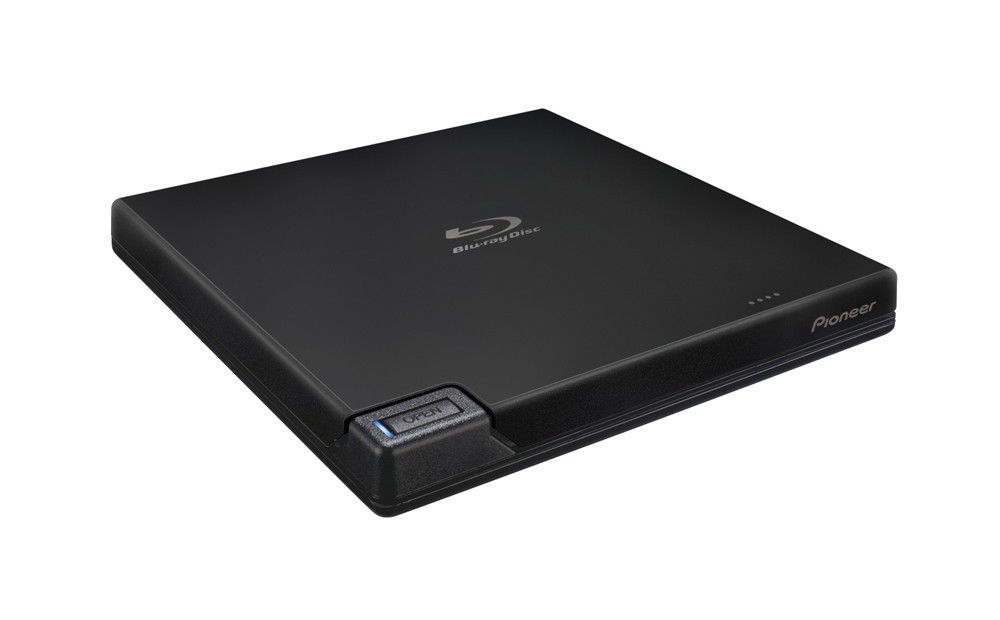
This legacy, bus-powered external UHD burner is small enough for a laptop bag. It writes BDXL media and is rated up to 6× BD-R, making it more appropriate for occasional UHD-BD projects where portability matters more than sustained write speed. Its listed features include M-DISC support, Auto Quiet, PowerRead, and PureRead 3+.
Pioneer also specifies Ultra HD Blu-ray BD-ROM reading for this model. That is separate from BDXL writing and may be useful if you need to read existing UHD movie discs as well as record blank media.
- Compact, lightweight, and USB-powered.
- Supports BDXL media; rated up to 6× BD-R.
- Often bundled with CyberLink playback/burning utilities.
- USB-powered portability takes priority over desktop-class write speed.
- Better for occasional burns than long, high-capacity jobs.
Buffalo MediaStation BRXL-16U3
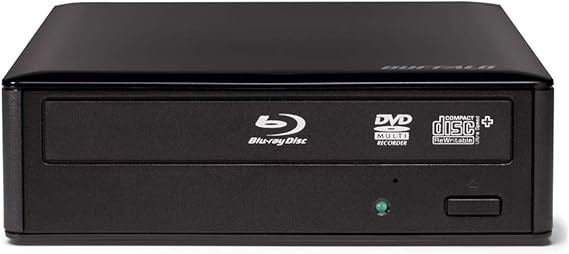
Buffalo's MediaStation BRXL-16U3 is an external Blu-ray burner that supports BDXL up to 128GB, connects through SuperSpeed USB, and originally included CyberLink Media Suite for Windows users. Its specifications remain relevant for desktop burning, but it is now a discontinued model rather than a routine new purchase.
Buffalo's official listing marks the BRXL-16U3 as discontinued. For remaining stock or a used unit, check the accessories and writing condition before purchasing.
- 16× desktop burner with BDXL up to 128 GB.
- Bundled with CyberLink Media Suite, making it easy to start burning on Windows.
- Larger footprint and a simpler, less refined design.
- Bundled software is Windows-focused; macOS users need alternatives.
Best Internal 4K Blu-ray Burner Drives for PC
If you burn 4K UHD discs often or work on a desktop, an internal 4K Blu-ray burner drive is one option. It requires a free SATA connection, a compatible power connection, and a 5.25-inch drive bay inside your PC. Match its supported write formats to the blank media and capacity your project needs.
ASUS BW-16D1HT
The ASUS BW-16D1HT is an internal SATA Blu-ray writer for Windows desktops. It supports BDXL, including 100GB BD-R TL and 128GB BD-R QL discs, with maximum writing speeds of 8x and 6x respectively. It also offers up to 16x standard BD-R writing and supports M-DISC media.
ASUS lists Windows 10/11 compatibility and includes Windows burning utilities such as CyberLink Power2Go. This model adds an internal writing option alongside the discontinued LG WH16NS60, but its BDXL writing specification does not by itself confirm commercial UHD movie-reading capability.
- Supports 100GB and 128GB BDXL recording as well as M-DISC media.
- Up to 16× standard BD-R writing through an internal SATA connection.
- Officially lists Windows 10 and Windows 11 compatibility.
- Requires a 5.25-inch drive bay plus SATA data and power connections.
- Its BDXL writing specifications do not establish commercial UHD Blu-ray movie-reading support.
LG WH16NS60
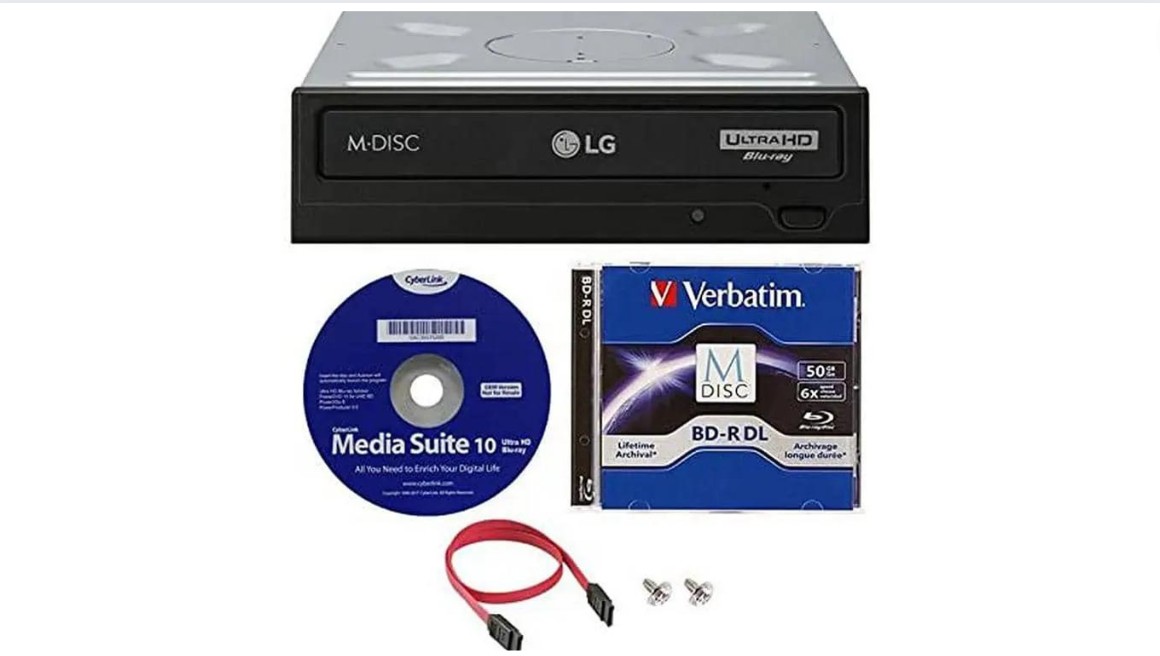
The LG WH16NS60 is a well-known internal 4K Blu-ray drive for PC desktops. It delivers up to 16× BD-R write speeds, supports BDXL including quad-layer 128GB discs, and includes M-DISC support. It also features Silent Play and Jamless Play for disc playback and reading. If you already own this drive or are considering a resale unit, check that your desktop has a spare 5.25-inch bay and SATA connection. For broader software choices beyond UHD-specific authoring, compare Blu-ray burning software that matches your disc format and operating system.
The point to note is product status. LG now marks the WH16NS60 as discontinued on its U.S. product page, so it makes more sense to treat it as a legacy internal option that may still be available through remaining stock or resale channels.
- High write speeds and full BDXL (100/128 GB) support.
- Silent Play and Jamless Play features.
- Compatible with many blank media types and includes M-DISC support.
- Requires internal SATA interface and a 5.25-inch bay; installation needed.
FAQs
Can a burned BD-100 play on a standalone UHD player?
It can, if the player supports the authored disc structure, video and audio formats, and recordable media. ISO preview, written-data verification, and playback on the intended standalone player are separate checks; successful computer playback does not establish standalone-player compatibility.
Does a UHD reader automatically write 100GB discs?
No. UHD reading and BDXL writing are separate capabilities. Confirm that the specifications explicitly list BDXL and BD-R TL or 100GB media support before buying a drive for 100GB discs.
Should I choose an internal or external UHD burner?
Choose an internal UHD Blu-ray drive for regular use on a compatible desktop. Choose an external drive for a laptop, USB-C convenience, or portability. Check whether the external model requires a separate power adapter.
Which external Blu-ray burner is best for an existing ISO?
A prepared ISO needs image-writing software and a writer that supports the intended blank-disc type and capacity. Choose an external writer with a compatible connection and power supply. Menu-editing software is unnecessary for writing an already authored ISO.
Does a good Blu-ray burner need custom firmware?
No. Writing your own video project uses the drive’s supported writing functions; custom firmware is not a routine authoring requirement. Reading protected retail discs is a separate task. For burning, match the writer to the blank-media format and capacity your project requires.
Conclusion
Choose the task first, then match the writer to it. A portable external drive can suit a laptop, while an internal model works on a compatible desktop. The Verbatim 43888 is a compact option for 100GB recording; the ASUS BW-16D1X-U and BW-16D1HT add 128GB BDXL writing in external and internal designs. I would prioritize blank-disc capacity, computer connection, and finished-disc playback over maximum advertised speed. If you start with video files rather than an authored ISO, prepare the disc structure before writing it.

 How to Burn 4K Blu-ray Discs in 2026: Best Discs, Burners & Reliable PlaybackBy Diana Smith - Nov 18, 2026