5 Best DVD/VCR Combo Players in 2026: HDMI Picks and Where to Buy

Summary: DVD/VCR combo production ended in 2016, so today's buying decision is mainly about finding a tested refurbished unit with HDMI, a working tape transport, and the original remote. This guide compares five sought-after models, explains realistic used-market expectations, and shows how to digitize VHS recordings and DVDs for easier playback.
A search for the best DVD/VCR combo or the best DVD/VHS combo player with HDMI now leads to a used market, not a shelf of new models. The useful question is which refurbished unit has the ports, recorder functions, remote, and tested tape transport you need, and whether digitizing matters more than replacing old hardware.
Why DVD/VCR Combos Now Sell Only Refurbished
DVD/VCR combo production ended in July 2016. As of July 2026, buyers find refurbished, renewed, or used units rather than newly manufactured models.
That changes the buying standard. A current-looking listing means little if the VCR transport slips, the DVD tray sticks, or the remote is missing. I would choose a plainly photographed, fully tested unit with a return window over an unopened-looking device with no playback evidence.
A refurbished DVD/VCR combo has usually been inspected or serviced by a seller. “Renewed” is a marketplace condition label that may include testing and a return policy, while an ordinary used listing may offer no work beyond a basic power-on check.
What to Look for in a DVD/VCR Combo
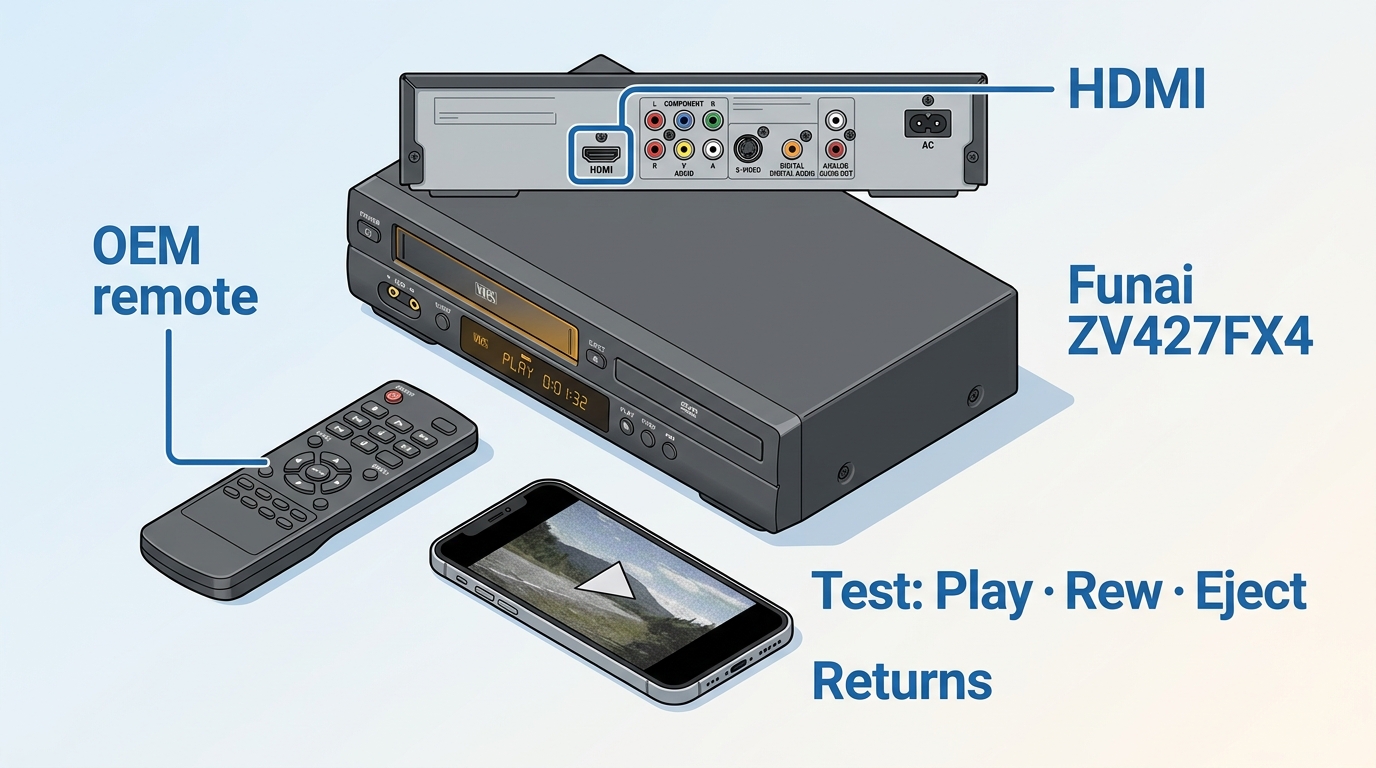
The best DVD/VCR combo player for a modern TV should match your connection needs first, then your recording and disc-format needs. HDMI output and 1080p upscaling deserve the top spot because they simplify connection to a flat-screen television.
- HDMI output and 1080p upscaling: Choose a combo player with HDMI if your TV has limited analog inputs. Upscaling does not create high-definition detail from VHS, but it lets the TV receive a cleaner digital output.
- Player or recorder: A playback-only unit costs less. A DVD recorder/VCR combo is the better match when you need VHS-to-DVD dubbing or want a VHS to DVD recorder for archiving tapes.
- Disc compatibility: Check the formats you actually own, including recordable and rewritable DVDs. Region coding and unusual disc formats still matter on older hardware.
- Tape transport condition: Ask for video showing cassette loading, playback, fast-forward, rewind, and eject. A unit that powers on can still pull, crease, or eat tapes.
- OEM remote included: The original remote can be necessary for input selection, recording modes, setup menus, and finalizing recorded DVDs.
- Ports and cables: Confirm the exact rear-panel connections in the listing photos. Some model families were sold in multiple regional versions.
For a flat-screen TV, I would put verified HDMI output ahead of a long format list. For digitizing, transport condition and stable playback matter more than cosmetic wear.
The 5 Best DVD/VCR Combo Players in 2026
These five models cover the main reasons people still buy a DVD/VCR combo player: HDMI connection, 1080p or 1080i upconversion, DVD recording, VHS dubbing, and lower-cost playback.
| Model | VCR type | HDMI output / max upscaling | Records to VHS & DVD? | Best for | Typical used price |
|---|---|---|---|---|---|
| Funai ZV427FX4 | 4-head Hi-Fi | HDMI / 1080p | Recorder and dubbing model | All-round VHS/DVD recording | Around a $200 budget; serviced units may cost more |
| Panasonic DMR-ES46V | 4-head Hi-Fi | HDMI / upscaled VHS output | DVD recording and dubbing | Digitizing through an HDMI-equipped recorder | Low hundreds, often near $200 with the OEM remote |
| Toshiba DVR-620 | 4-head Hi-Fi | HDMI / 1080i | DVD recording and dubbing | 1080i output and tape-to-disc transfers | Around $200 for a tested unit |
| Sony SLV-D370P | 4-head Hi-Fi | HDMI output | Playback-focused | Lower-cost DVD and VHS playback | Usually below recorder models within a $200 budget |
| Magnavox ZV427MG9 | 4-head Hi-Fi | HDMI / upscaling | DVD recording and VHS-to-DVD dubbing | Simple VHS-to-DVD copying | Near $200; clean remote-included units sit higher |
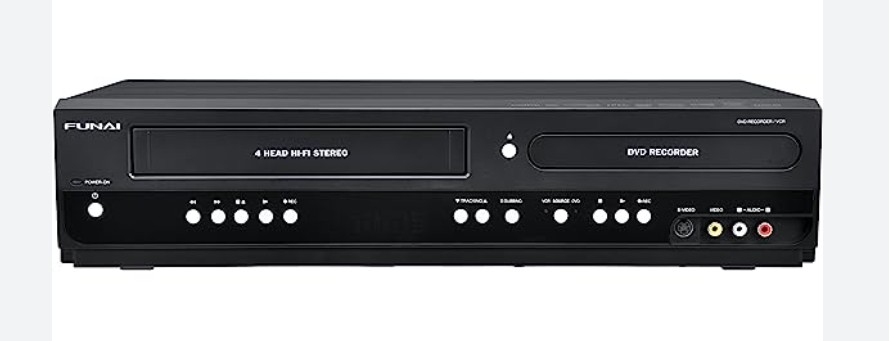
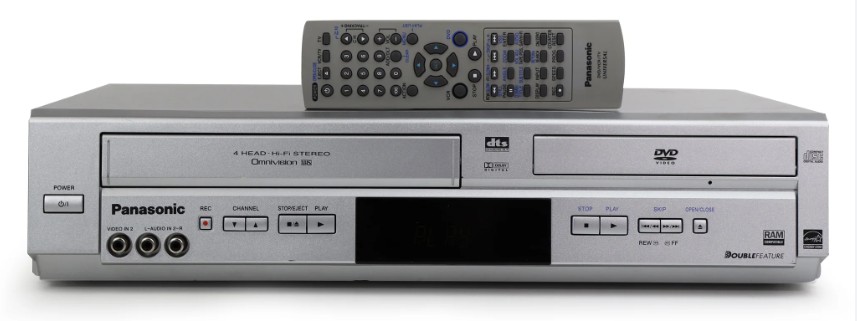
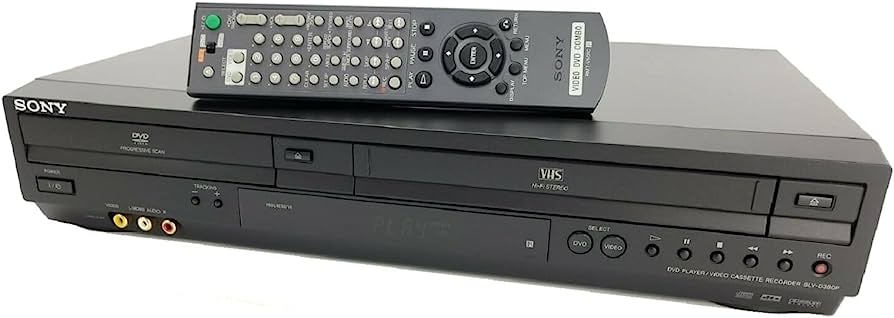
The used market is inconsistent, so model numbers and rear-panel photos matter more than listing titles. These archived combo-player views show the control layouts and form factors you may encounter while comparing listings.
Funai ZV427FX4 DVD Recorder/VCR Combo
The Funai ZV427FX4 is the strongest all-round pick here for buyers who want HDMI, 1080p upconversion, and recording functions in one chassis. It plays DVD and VHS media and supports transfers between the two decks.
Best for: A buyer who wants a best DVD VCR recorder for routine playback and VHS-to-DVD dubbing. Not ideal for: Someone who needs only occasional playback and does not want to pay recorder-model prices.
The controls are straightforward once the OEM remote is present, but a remote-free listing is a poor trade because recording and setup functions can be harder to reach. Funai and Magnavox models from this period share closely related hardware, so there is little reason to buy both.
Panasonic DMR-ES46V DVD Recorder/VCR Combo
The Panasonic DMR-ES46V is a sought-after choice for digitizing because it can send upscaled VHS playback through HDMI while also providing DVD recording functions.
Best for: Buyers comparing the best VCR for digitizing and who want a recorder with HDMI output. Not ideal for: Anyone unwilling to inspect transport behavior closely, since age and prior use matter more than the Panasonic badge.
Look for a listing that demonstrates loading, playback, rewind, eject, and DVD finalization. A short “powers on” clip does not establish that either deck can complete a recording session.
Toshiba DVR-620 DVD Recorder/VCR Combo
The Toshiba DVR-620 combines VHS and DVD recording with HDMI and 1080i upconversion. It is a sensible match when tape-to-disc dubbing matters more than obtaining 1080p output.
Best for: VHS owners who want a recorder and HDMI connection in one unit. Not ideal for: Buyers focused on 1080p labeling rather than stable tape playback and clean recording.
Check whether the seller includes the remote and has tested both recording directions. Recorder functions add value only when the drive, tape mechanism, inputs, and finalization controls all work.
Sony SLV-D370P DVD/VCR Combo
The Sony SLV-D370P is the affordable HDMI pick in this group, aimed more at straightforward DVD and VHS playback than at tape-to-disc archiving.
Best for: A buyer who wants an affordable best VHS DVD combo for watching existing media. Not ideal for: Anyone who specifically needs a DVD recorder VCR combo or built-in dubbing.
Its lower purchase target can leave more budget for a USB capture device, but only if the transport has been tested with a tape. For old hardware, a return policy is worth more than a polished product description.
Magnavox ZV427MG9 DVD Recorder/VCR Combo
The Magnavox ZV427MG9 offers HDMI upscaling and VHS-to-DVD dubbing, making it another useful recorder option for analog collections.
Best for: Buyers who want a DVD recorder VCR combo with simple dubbing controls. Not ideal for: Someone already considering the closely related Funai ZV427FX4, because one tested unit should cover the same core job.
Choose between the Magnavox and Funai by condition, included accessories, seller testing, and return terms rather than by brand name alone.
Where to Buy a DVD/VCR Combo in 2026
Amazon, eBay, Walmart Marketplace, and specialty electronics refurbishers are the usual places to find a refurbished DVD VCR combo. The safest listing is not necessarily the cheapest one; it is the one that documents both decks, HDMI output, the remote, and return terms.
Expect low-hundreds pricing. A budget around $200 is a reasonable anchor for a reliable combo player with HDMI, while tested recorder and dubbing models or clean units with the OEM remote often sit toward the higher end.
Refurbished vs. Renewed: What to Check Before Buying
Refurbished generally implies inspection or service, renewed is a marketplace condition program, and used may mean anything from fully tested to sold as-is. Read the seller's test notes instead of relying on the condition label.
- Match the exact model number and rear-panel photo to confirm HDMI output.
- Confirm that the OEM remote is included and that setup, input, recording, and finalization controls work.
- Request evidence of cassette loading, playback, fast-forward, rewind, stop, and eject.
- Ask whether the unit has been tested with both a VHS tape and a DVD for more than a brief startup check.
- Inspect the return window and who pays return shipping if the unit damages a tape or fails to read discs.
I would pay more for a seller who demonstrates the tape transport than for a cosmetically cleaner unit sold without a playback test. A scratched case is visible; worn belts and rollers are not.
Preserve Your Tapes and Discs Before They Fail
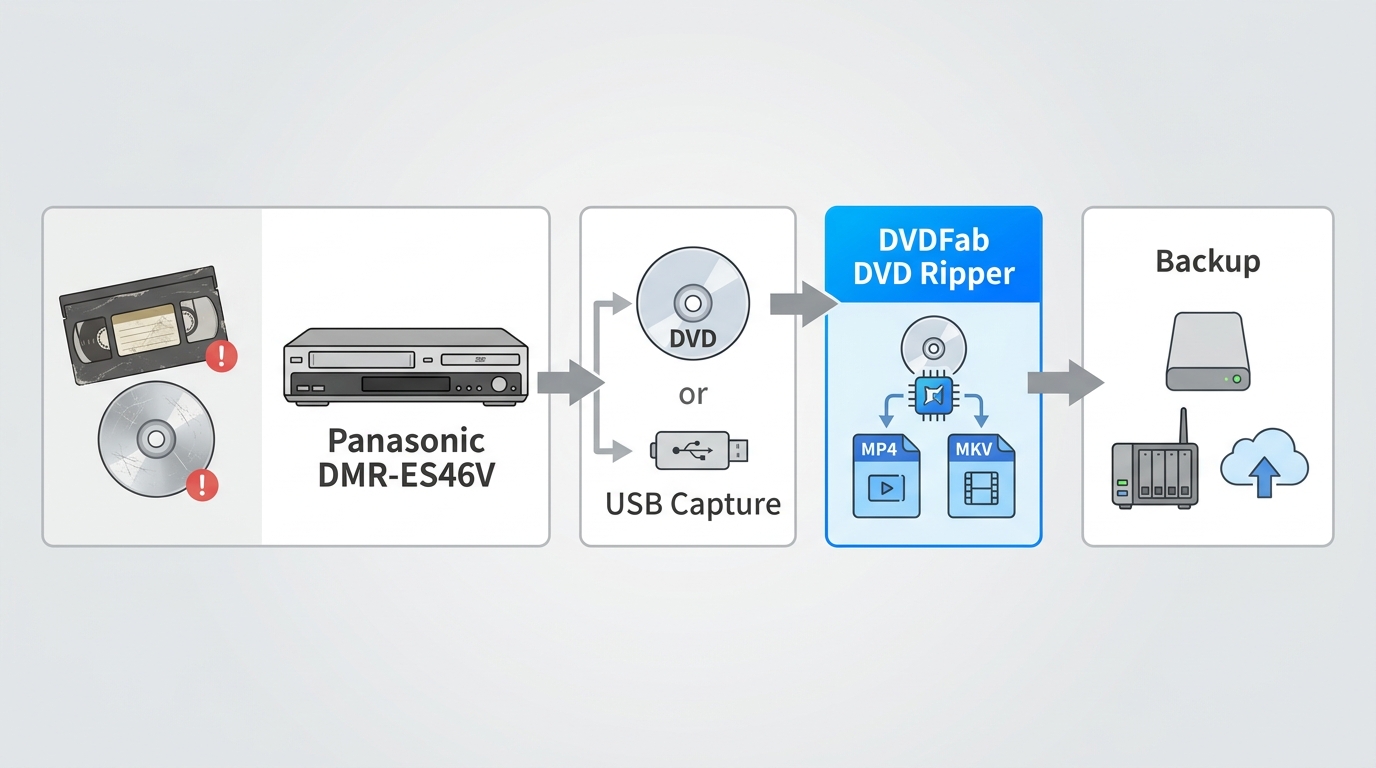
VHS tape can stretch, shed, or develop mold, while disc rot and scratches can make DVDs unreadable. An aging combo can also damage a tape during loading or playback, so irreplaceable recordings should be digitized before the hardware becomes the weak link.
Start with careful cleaning and inspection. If a disc has surface damage, the right scratched DVD repair steps may restore readable playback long enough to make a backup. Do not keep inserting a tape into a deck that creases the leader or fails to eject cleanly.
Digitizing converts captured VHS footage and DVDs into files that can be stored on a drive, NAS, or cloud account. That shift from physical media to DVD streaming and digital playback reduces daily dependence on a best VCR for digitizing or another aging combo player.
I would digitize unique recordings first and keep the combo for occasional playback afterward. Hardware can be replaced; a damaged original recording may not have another copy.
Convert Your Discs to MP4 with DVDFab DVD Ripper
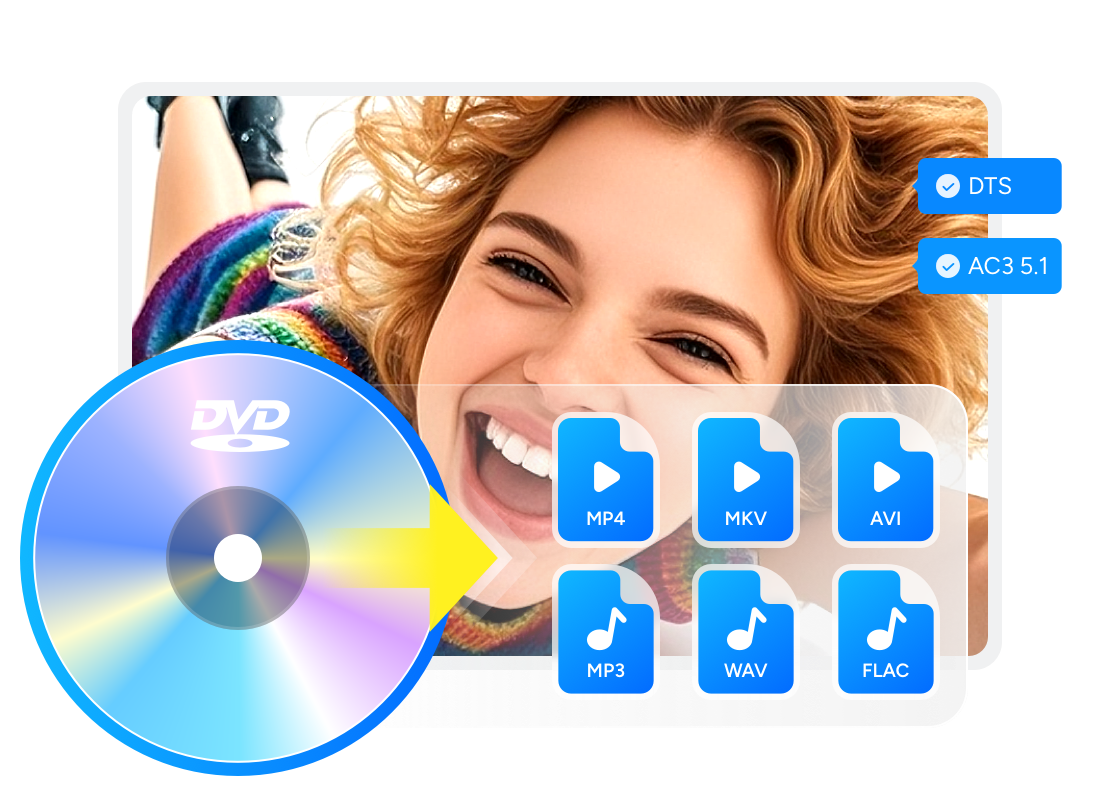
DVDFab DVD Ripper converts DVDs, ISO images, and VIDEO_TS folders to formats such as MP4 and MKV. It is relevant after VHS footage has been recorded to DVD, or when an existing DVD collection needs files for a computer, television, media server, or mobile device.
Use it for personal offline copies of discs you own or are authorized to process, and follow applicable law. It offers a free trial with some functions limited.
- Convert owned DVDs, ISO images, and VIDEO_TS folders to MP4, MKV, and other common playback formats.
- Keep the audio tracks and subtitles you select while balancing picture quality and file size.
- Choose device profiles for televisions, phones, tablets, media players, or a NAS library.
- Use supported GPU acceleration when processing multiple disc tasks.
Supported OS:
Free Download Windows 11/10/8.1/8/7
Free Download macOS 10.13 - 15.x
How to Rip DVD and VCR Recordings to Digital with DVDFab DVD Ripper:
Step 1: Connect your VCR to a DVD recorder or a USB video capture device and record your VHS tapes to a DVD disc. Once this is done, you'll have a playable DVD that can be processed by DVDFab DVD Ripper.
Step 2: Launch DVDFab DVD Ripper and insert the DVD containing your recordings, or open the corresponding ISO file or VIDEO_TS folder. The program will analyze the disc and display the available titles so you can choose exactly what you want to convert.

Step 3: In the profile panel, pick a format such as MP4 or MKV, or select a preset optimized for your device. If needed, adjust video resolution, bitrate, audio tracks, and subtitles to suit your playback devices.

Step 4: Choose an output folder and click the Start button. When the conversion is complete, you can play them directly on your computer, copy them to a USB drive, stream them from a NAS, or back them up to the cloud.
FAQs
Do DVDs and VHS tapes go bad over time?
Yes. VHS tapes can shed, stretch, stick, or grow mold, and DVDs can become unreadable through scratches, layer failure, or disc rot. I would prioritize unique recordings and hard-to-replace discs when deciding what to digitize first.
Is there a Blu-ray/VCR combo?
No mainstream Blu-ray/VCR combo was mass-produced. The usual setup is a separate Blu-ray player beside a VCR or DVD/VCR combo, or a digitized tape library played through a computer or media device.
How do I connect a DVD/VCR combo to my PC to digitize it?
Use a USB video-capture device with composite RCA or S-Video inputs. Connect the combo's analog output to the capture device, install its software, select the correct input, play the tape, and record the signal. Save the capture in a common format such as MP4 after checking audio sync and the full running time.
What should I check when buying a used DVD/VCR combo?
Confirm the exact model, HDMI output, OEM remote, both deck functions, and the return policy. Ask for a video showing tape loading, playback, rewind, fast-forward, and eject because a power-on test does not reveal the common tape-eating fault.
Final Verdict
The Funai ZV427FX4 is the broadest all-round recorder pick, the Sony SLV-D370P suits a lower-cost playback buyer, and the Panasonic DMR-ES46V is the model I would shortlist for digitizing with HDMI output. Toshiba and Magnavox remain strong alternatives when their condition and seller testing are better.
Whichever model you choose, buy refurbished or renewed with proof that both decks and the remote work. For recordings that cannot be replaced, digitize first with DVDFab DVD Ripper and treat the combo as aging playback equipment rather than the sole copy of your media.

 Free DVD Decoder for Windows XP and Windows 11: 3 Ways to Play DVDsBy Diana Smith - Sep 23, 2026
 How to Compress ISO Files: 4 Methods for Storage, Playback, and ArchivesBy Diana Smith - Sep 16, 2026
 How to Rip DVD to Facebook and Upload the Video in 2026By Diana Smith - Sep 15, 2026
![How to Rip DVDs for Plex: Guide to Formats, Tools, and Library Setup [2026]](https://images.dvdfab.cn/media/Screenshot_2026-09-08_at_18.53.34_j36v3l.png/public) How to Rip DVDs for Plex: Guide to Formats, Tools, and Library Setup [2026]By Diana Smith - Sep 8, 2026
How to Rip DVDs for Plex: Guide to Formats, Tools, and Library Setup [2026]By Diana Smith - Sep 8, 2026