DVD vs Streaming & How to Convert DVD to Streaming

Summary: DVD streaming offers a modern way to enjoy your physical collection without relying on a disc player. This guide explains how DVD compares with streaming, and how you can convert your DVDs into a streaming-ready library using simple tools. With practical tips for formats, device compatibility, and media server setup, you can keep the benefits of DVD ownership while enjoying the flexibility of streaming across your favorite devices.
Table of Contents
DVD streaming refers to the process of converting or streaming content from DVDs to a digital format that can be accessed online or through various media devices. Instead of being tied to a DVD player, viewers can stream their favorite content directly from a media server or streaming service.
Streaming offers greater flexibility, allowing users to watch on a variety of devices such as smartphones, tablets, and smart TVs, without the limitations of physical media. This article will guide you through the process of converting DVDs into streaming content. We will also compare the benefits and drawbacks of both formats, helping you decide the best way to manage your media collection in today's streaming-driven world.
DVD vs Streaming: Which One Is Better
There are several considerations while determining whether to continue using a DVD or go to streaming. To assist you in making an informed decision, I will examine important factors including content availability, cost, and quality.
Picture and Audio Quality
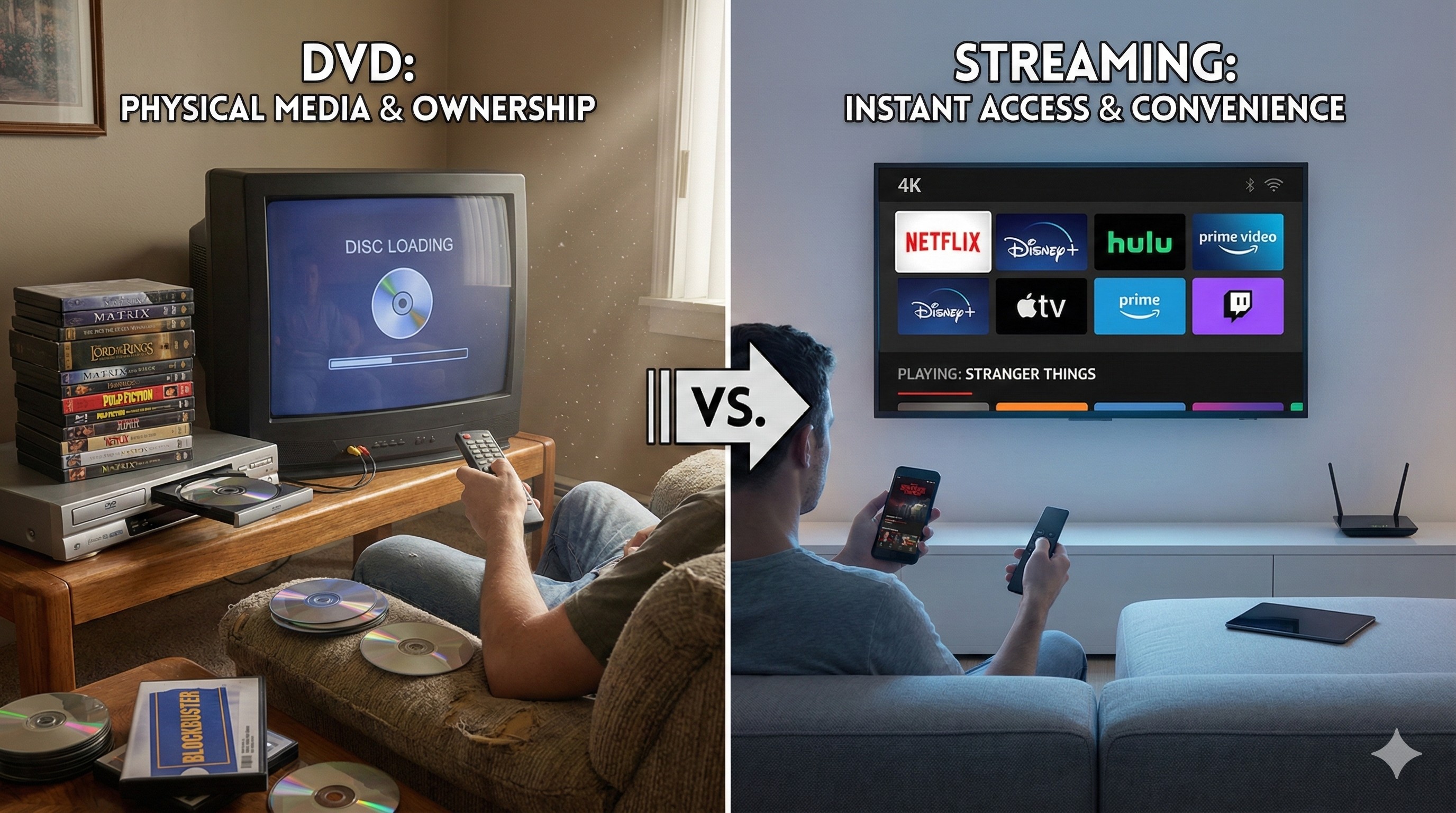
DVDs offer a steady watching experience, but their picture and audio quality is not as high as that of modern streaming services. DVDs typically offer standard definition (SD) or up to 480p resolution, which is lower than the high-definition (HD) or 4K resolutions available through many streaming platforms. However, the quality of streaming content can be inconsistent, as it is often affected by internet connection speeds.
For those seeking the best possible viewing experience, streaming has the upper hand in terms of visual and audio quality, but DVDs can still be a reliable option in areas with less stable internet access.
Cost and Subscription Models
DVDs are a one-time purchase, meaning that after buying a movie or show, you own it indefinitely. Streaming services, on the other hand, usually require ongoing subscriptions, which can add up over time. While streaming offers access to a vast library of content, the cost of multiple subscriptions for different services can be higher than simply buying DVDs of your favorite titles.
Content Availability and Region Restrictions
A vast collection of films and TV series is accessible through streaming services, but given licensing agreements, this content is frequently subject to regional limitations. This means that the content available in one country may not be accessible in another.
Contrarily, DVDs are typically region-locked, meaning that a DVD purchased in one country may not play on a player in another. However, the DVD format has some advantages in that it can be played on a wide range of devices without worrying about internet access or streaming limitations.
Ownership and Longevity
With DVDs, once you've purchased a disc, it's yours to keep indefinitely, with no concerns about losing access due to service changes or subscription cancellations. DVDs also provide a sense of ownership, especially for collectors who enjoy having a tangible media library.
However, streaming services demand continuous subscriptions, and a title is no longer accessible if it is taken down from a platform. The longevity of DVDs can offer peace of mind, while streaming services are more vulnerable to content fluctuations and platform changes.
| Scenario | DVD | Streaming |
| Content Accessibility | Limited to the titles you own. | Vast library available on demand, but may have regional restrictions. |
| Quality | Stable, consistent quality (SD or 480p) | Best for HD and 4K viewing |
| For Collectors | Ideal for movie or series collectors. | Best for casual viewers who don't need ownership. |
| Budget Considerations | One-time purchase per movie/TV series. | Ongoing subscription fees for continuous access. |
DVD to Streaming: How to Turn Your Discs into Streaming Library
Besides the movie streaming sites such as Netflix, Hulu, and Amazon, there are also other streaming services from various streaming devices. What is a streaming device? Say streaming TV, Roku Stick, Box, Kodi, Streaming media player. All of them are tools for you to stream Netflix movies, and videos from other streaming apps. Here, let me have a brief introduction to them one by one.
Preparing for the Conversion
Before you start ripping your DVDs, there are a few essentials you'll need.
- Ensure that your computer has a working DVD drive.
- You'll also need a reliable DVD ripping software that can extract the video and audio content from the disc and convert it into a digital format.
DVDFab DVD Ripper is an excellent tool for this purpose, offering an easy-to-use interface that supports a wide range of formats for streaming. It's capable of bypassing encryption on protected DVDs, which ensures that even the most secure discs can be ripped successfully.
Step 1: Loading Your DVD
Once DVDFab 13 software is installed, insert your DVD into your computer's drive and open the software. The program will automatically detect the DVD.
Depending on the disc, you may have the option to choose specific chapters, or audio tracks. DVDFab allows you to focus on the full movie, without any unnecessary extras like trailers or ads.
Step 2: Choosing the Right Format for Streaming
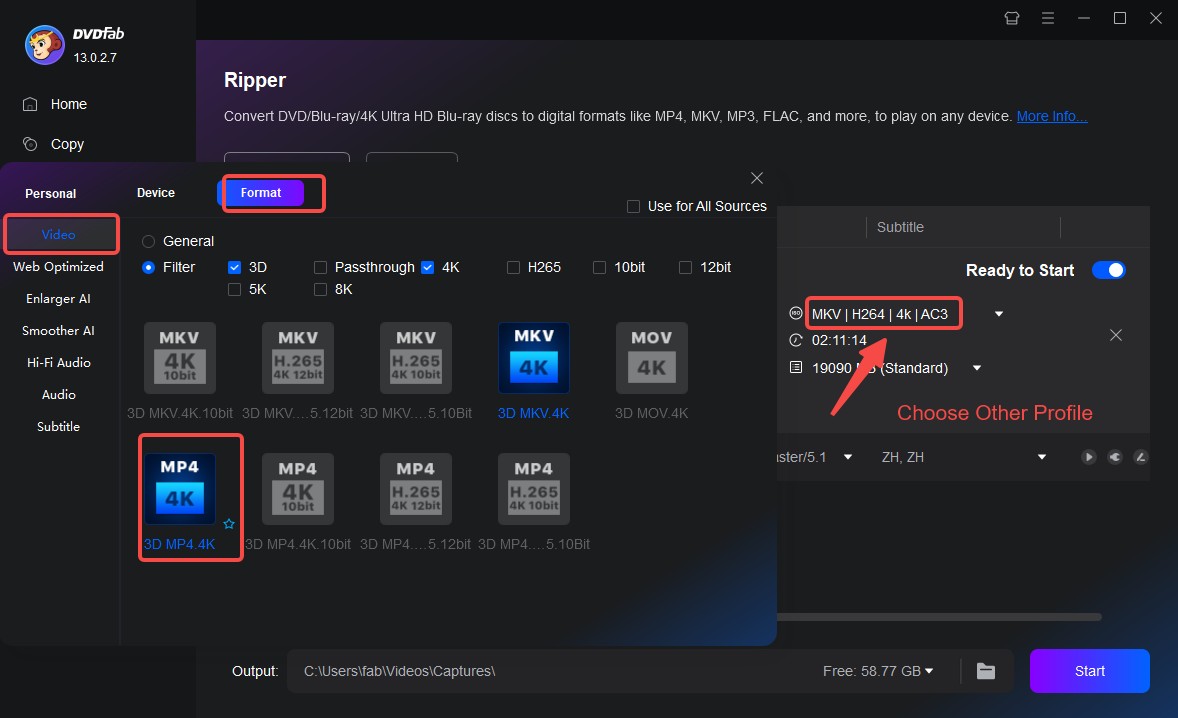
DVDFab DVD Ripper offers a variety of preset formats. Through the Filter option, you can select the format that best fits the device and quality preferences, including 4K or H.265 formats.
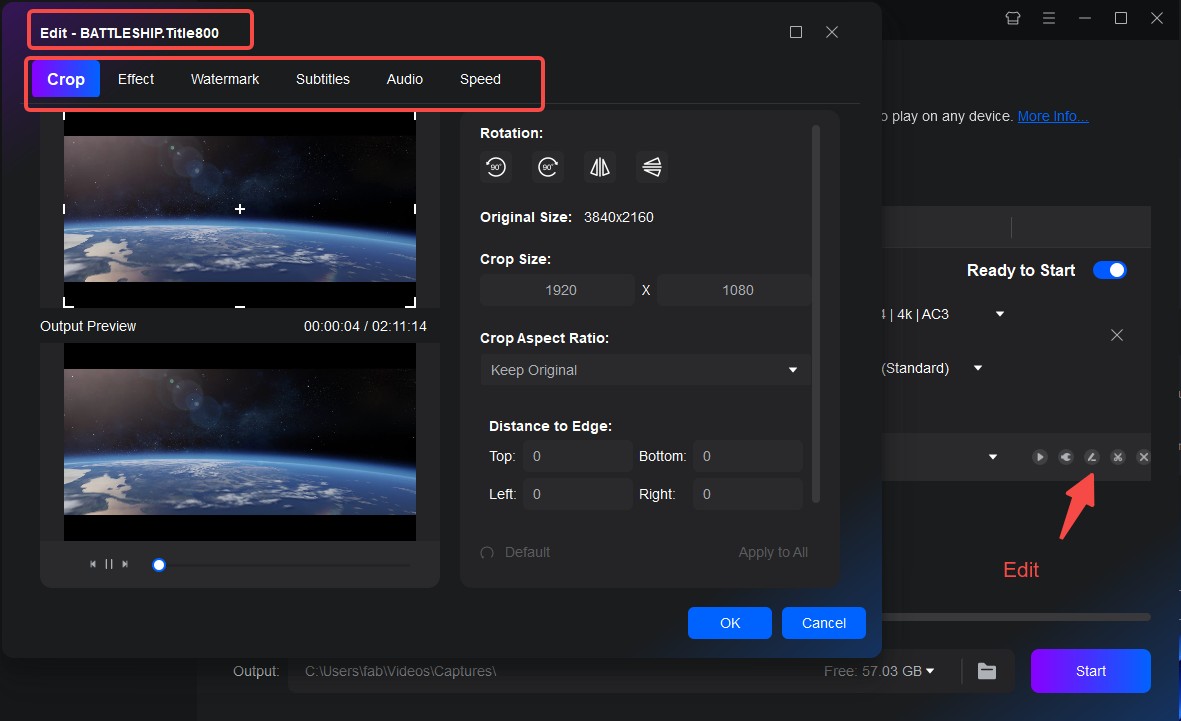
This program also allows you to edit disc content and adjust settings like resolution, bitrate, and frame rate, giving you more control over the final quality of your digital files.
Step 3: Setting Up Your Streaming Library
Once you've ripped your DVDs using DVDFab DVD Ripper, the next step is to organize and manage your files.
To do this, use media server software like Plex, Emby, or Jellyfin. These platforms allow you to upload and organize your converted files, creating a digital library that you can access from any device. These tools also retrieve metadata like movie posters, synopses, and cast information, making it easy to browse your collection.
DVD Streaming on Different Devices
Many users who used to play DVDs on Xbox One or on a standalone player now prefer to stream their converted library through the same devices, with faster access. The table below outlines how DVD streaming works on popular devices and what you can expect when using each one.
| Device | How It Works | Format Compatibility | Ideal Use Case |
| Smart TVs | Access your digital library through apps like Plex, Emby, or Jellyfin. | MP4, MKV | Best for enjoying your movies on the biggest screen at home with simple, app-based access. |
| NAS & Home Media Servers | Store and serve your digital files to every device on your network with automatic metadata. | MP4 | Best for large DVD collections and households with multiple simultaneous users. |
| Android Phones & Tablets | Connect through apps with broad format support. | MP4, MKV | Strong compatibility across different file types. |
| Streaming Sticks (Roku, Fire TV, Chromecast) | Connect to your media server through dedicated apps or casting features. | MP4, MKV | An inexpensive and portable way to stream DVD collection on any TV. |
| Gaming Consoles (PlayStation, Xbox) | Access streaming apps capable of reaching your media server. | MP4, MKV | Great for users who already rely on their console as a main entertainment system. |
Final Verdict
DVDs and online streaming do not have to compete with each other. Streaming services are convenient and flexible, while DVDs still offer the certainty of ownership and the satisfaction of building a physical collection. The best choice depends on how you like to watch, and whether you prefer access on demand or control over your own library.
If you want the flexibility of streaming without giving up your discs, converting DVD to streaming files is a practical middle ground. With DVDFab DVD Ripper, you can back up your DVDs, choose formats that work well on your favorite devices, and build a personal streaming library that is always available.

 How to Rip and Transfer DVD to iPad/iPhone: Free and Paid Options in 2026By Wenny Yan - Jun 24, 2026
 Best DVD to USB Converter in 2026: Tested WaysBy Diana Smith - Jun 18, 2026
 Top 6 ISO to MP4 Converters in 2026: Tested & GuideBy Diana Smith - Jun 18, 2026
 Best Free DVD Decoders for Windows XP/8/10/11: Fix DVD Playback ErrorsBy Diana Smith - Jun 17, 2026