DRM Protection Explained: How It Works and How to Remove DRM from DVD

Summary: DRM protection is meant to control access, but in real life it often gets in the way of everyday use. In this guide, I explain what DRM protection is and why DRM removal can mean very different things depending on the media type. The hands-on part focuses on a step-by-step method to remove DRM protection from DVD.
Digital media is easier to distribute than ever. To manage licensing and control how content is accessed, many publishers use DRM protection. DRM can limit playback to specific apps, devices, regions, or accounts. It may also block copying or format conversion, even for legitimate personal use.
Because DRM works differently across formats, I start by separating the context. Streaming platforms typically rely on browser/app DRM systems. DVDs often involve disc-level copy protection and playback restrictions. E-books may use app or account-based protection.
In this article, I first explain what DRM protection means in each scenario and how to check whether content is protected. Then I move to the most actionable part: a step-by-step method to remove DVD copy protection from DVD.
What is DRM Protection
DRM protection is a group of technologies that control how digital content is accessed, copied, and shared. Instead of a simple password, modern DRM typically combines encryption (to protect the media data) with licenses (to enforce rules such as which device can play it, and in which region).
Streaming DRM, eBook DRM, and DVD protection work differently, and they create different limits for the end user.
DRM in Streaming Media
Streaming services usually rely on a DRM system built into the app playback stack. The video is delivered as encrypted segments, and playback requires a license exchange before decryption can happen.
Common streaming DRM systems:
| DRM system | Where it's commonly used | Typical delivery | What it enforces |
| Google Widevine | Web and Android ecosystems; often used with HTML5 players and CDM-based playback | Encrypted streaming + license acquisition | Playback authorization via license rules and device/app enforcement. |
| Apple FairPlay | Safari/iOS/iPadOS/tvOS | HLS (M3U8) | Secure playback on Apple devices/apps that support FPS. |
| Microsoft PlayReady | Widely used in commercial streaming/device ecosystems | Network delivery with encrypted content + PlayReady licensing | Policies such as expiration, security level, and output restrictions. |
DRM in eBooks and Digital Files
For eBooks, DRM is often implemented at the file and reading-app level. The book may look like a standard EPUB/PDF, but the content is encrypted and can only be opened by an approved app after the user/device is authorized.
- Adobe DRM (Content Server) is used to protect PDF and EPUB content and is commonly encountered in library and third-party ebook store workflows.
- Large platforms often use their own ecosystems: for example, many retailers rely on account/app/device authorization rather than a plain file you can open anywhere.
DRM Protection on DVDs
On DVDs, people often use DRM to describe disc-level copy protection and playback restrictions. The most well-known example is CSS, which is maintained and licensed by the DVD Copy Control Association. DVD releases may also include region codes, a DRM technique introduced to control where a disc can be played.
When users search for DRM protection removal in a DVD context, they usually want to address these disc restrictions so the video can be backed up in a more flexible way.
How to Remove DRM Protection from DVD
Many commercial discs use copy protection and playback restrictions to limit duplication or playback by region. If you want a more flexible digital copy (where permitted by your local laws), you typically need a DVD ripper that can handle the protection used on that disc.
I use DVDFab DVD Ripper because it is designed for DVD ripping and supports for many common DVD protections, such as CSS, APS, RC/RCE, UOPs, RipGuard, and others. It also includes a cloud decryption component to stay updated for newly released DVDs.
Step 1: Launch DVDFab Software and Load the DVD
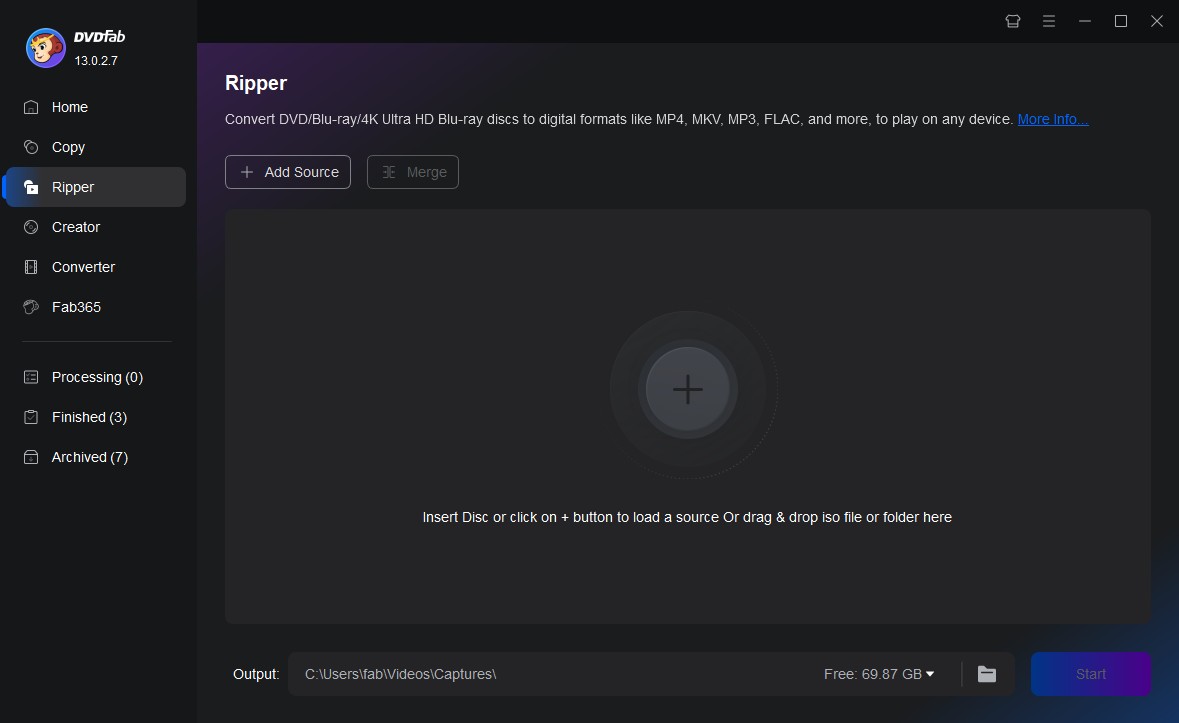
First, open this DRM protection removal software on your PC and select the Ripper module. Then, insert your DVD into the optical drive, or click Add to load a disc source. ISO files and VIDEO_TS folders can also be loaded (including drag-and-drop).
Step 2: Choose Output Profile and Customize Settings
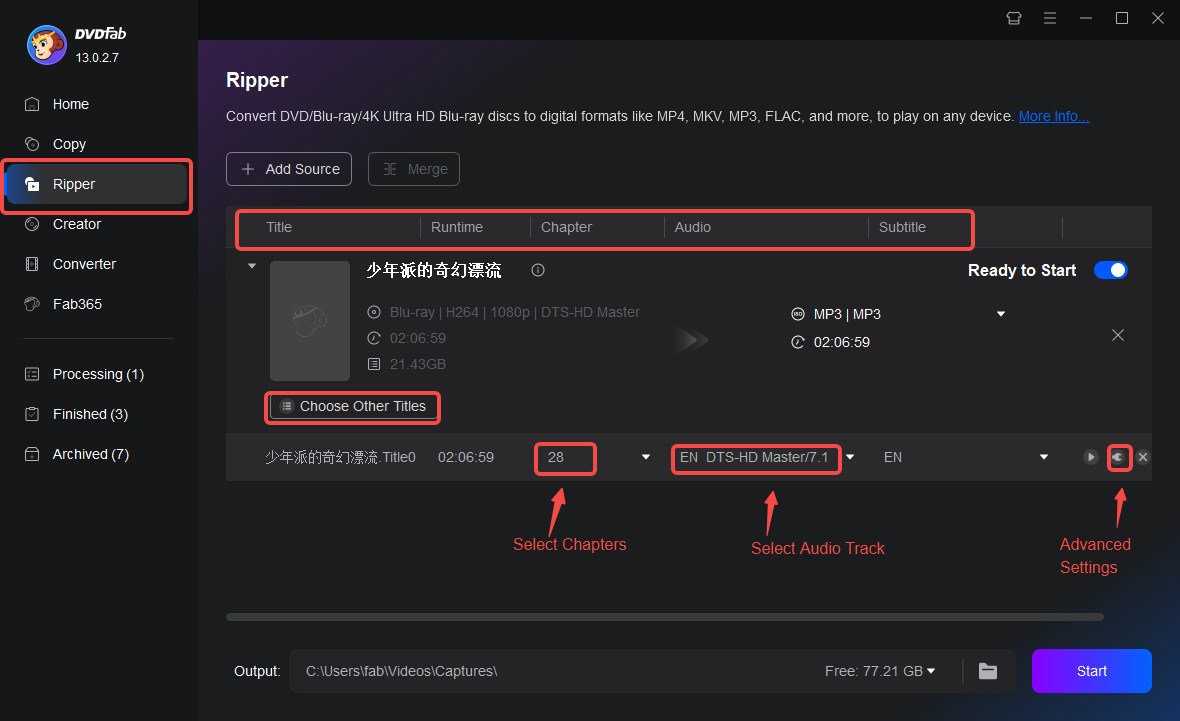
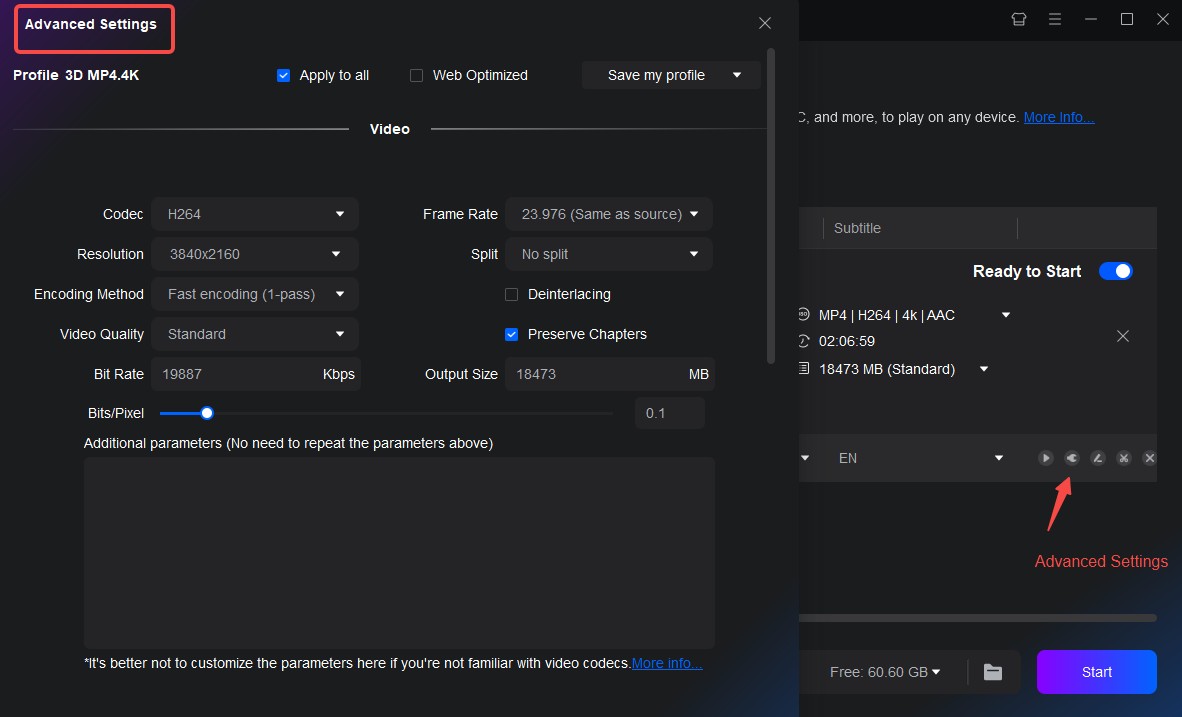
Next, click Choose Other Profile → Format to pick an output format (or a device preset if you're ripping for a specific phone/tablet).
You can also select the titles/chapters you want, then choose audio tracks and subtitles. If you want more control, open Advanced Settings to fine-tune the encoding options such as codec, resolution, frame rate, and overall quality.
Step 3: Start the DVD Ripping Process
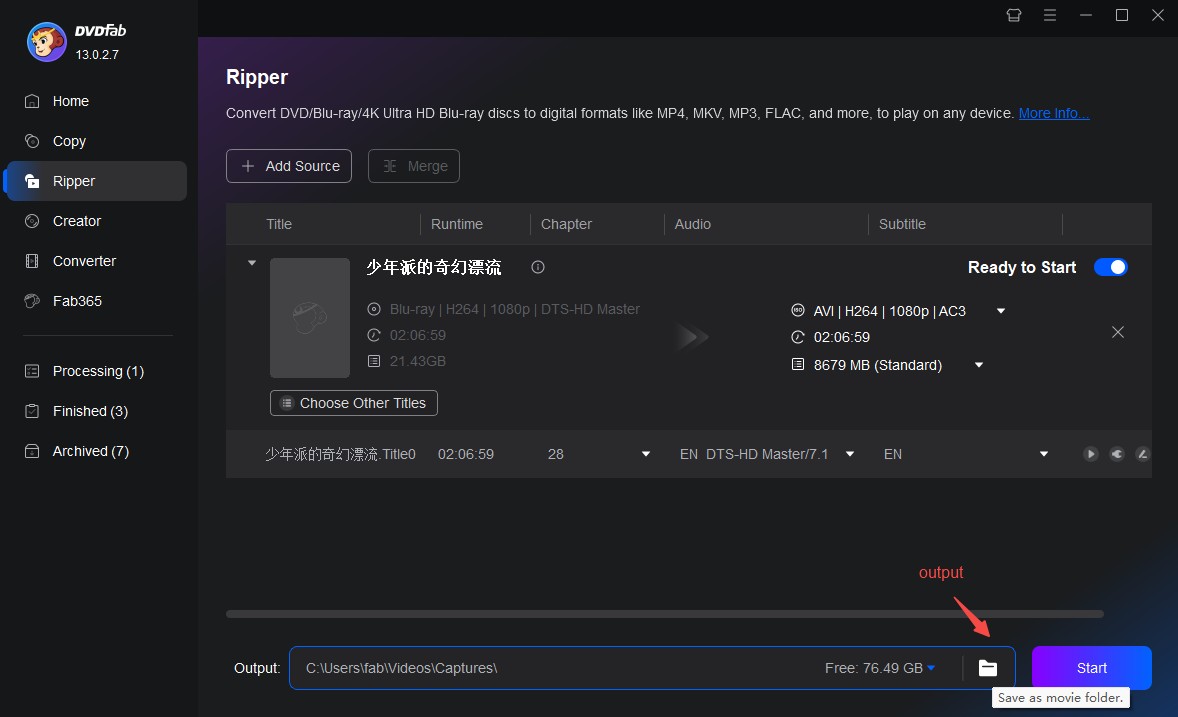
Once you choose an output destination, click the Start button. DVDFab will show the ripping progress on screen while it processes the disc and generates the output file.
Extension: How to Check Whether Content Has DRM Protection
There are several ways you can check if a file has DRM protection. Usually, the checking method differs by file type.
Music and Video Files
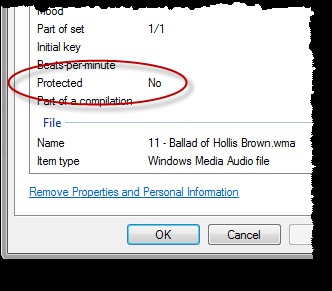
For local audio and video files, you can sometimes spot DRM through file metadata, but this works best for older Windows Media formats and does not cover every modern container.
On Windows (works for some files):
- Right-click the file → Properties.
- Open the Details tab and look for a field like Protected. If it shows Yes, the file is likely DRM-protected.
🎯Solutions:
If you find the media file is DRM-protected, consider using dedicated DRM removal tools tailored for audio and video. For example, use NoteBurner for music, or TunesKit Video Converter for video. Always ensure you are complying with local copyright laws before using these tools.
DVD Discs
With DVDs, visual clues are not proof. Packaging quality, price, menus, and trailers can hint at a commercial release, but they cannot confirm whether a disc uses copy protection. The most dependable check requires reading the disc.
Reliable indicators:
- If ripping software loads the disc and shows many similar titles or fails to detect the correct main movie title, that is a common sign of disc protection designed to confuse rippers.
- DVD Region restrictions are also a DVD-side control mechanism; region information is often printed on packaging/disc art, and region codes are used to restrict playback by market.
🎯Solutions:
If your DVD is DRM-protected, use a reliable DVD decrypter and ripping software, such as DVDFab DVD Ripper, to remove DRM and convert the DVD to a more accessible digital format.
E-books
Ebook DRM depends on the retailer, publisher, and the specific delivery method.
Signs of eBook DRM:
You receive an .acsm file instead of a normal EPUB/PDF. An ACSM file is a license/fulfillment message used in Adobe DRM workflows. It is not the book itself. The book only opens after you sign in/authorize a device in a specific reading app, and it cannot be opened in standard EPUB/PDF readers.
Apple Books note:
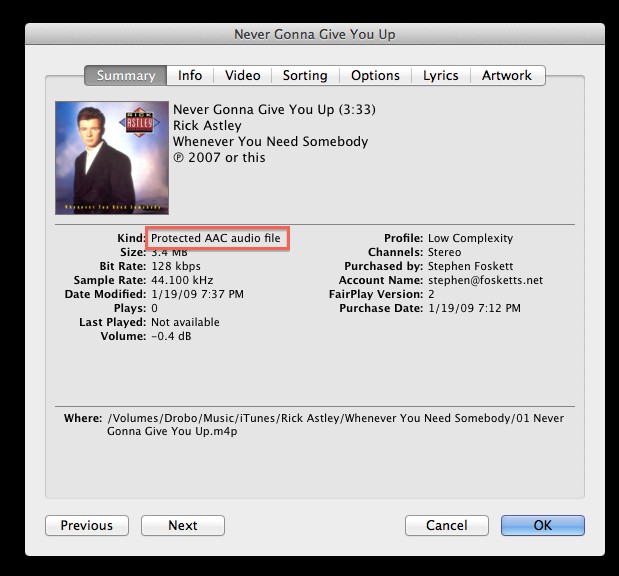
On modern macOS, iTunes has been replaced by separate apps (Music/TV/Podcasts), and books are managed via Books, not iTunes. In Apple Books, some workflows allow File → Get Info to show whether an item is labeled as Purchased book (non-DRM) or Protected book (DRM-protected).
🎯Solutions:
For DRM-protected e-books (e.g., from Kindle, Apple Books, Adobe), use specialized e-book DRM removal tools such as Epubor Ultimate , Calibre with DeDRM Plugin , or BookFab Kindle Converter. After removal, you can convert and read your e-books on different devices and apps. Always respect publisher terms and copyright law.
FAQs
Is it legal to remove DRM protection from media files?
The legality of removing DRM varies by country and the intended use. In some jurisdictions, bypassing DRM—even for personal backup—can violate copyright laws. Always check local regulations and only use DRM removal tools for lawful and ethical purposes.
Can I use DVDFab to remove DRM from music files, e-books, or streaming videos?
DVDFab DVD Ripper is specifically designed for DVDs and does not support DRM removal from music (such as iTunes/Spotify), e-books (Kindle, Adobe, etc.), or streaming content (.m3u8 video). For these cases, use specialized tools like TunesKit, Epubor, or NoteBurner.
Are there any risks in downloading DRM removal software?
Yes. Downloading software from unofficial or untrusted sources may expose your computer to malware, adware, or fake programs. Always obtain software from the official website or reputable distributors, and scan downloaded files with antivirus software.
How to Open DRM-Protected files?
Opening DRM protected files can be tricky due to restrictions on usage. To access these files, use the authorized software or app, like iTunes for Apple Music or Adobe Digital Editions for eBooks, and ensure you're signed into the correct account associated with the purchase. Check for any license restrictions and keep them up-to-date. Some services allow conversion to DRM-free formats, but always verify the provider's policies to avoid breaching terms of service. If issues persist, contact customer support for assistance. Always adhere to legal and authorized methods to avoid violating copyright laws.
Final Thoughts
DRM protection helps publishers control access to digital content, but it can also limit legitimate use. In this article, I explained what DRM protection is, how it differs across streaming media, e-books, and DVDs, and how to check for common signs of protection.
For DVD DRM removal, Tools like DVDFab DVD Ripper can handle many common DVD protections as part of the ripping process. At the same time, DRM removal is a legal gray area in some regions, so it's important to follow your local laws and the licensing terms that apply to your media.

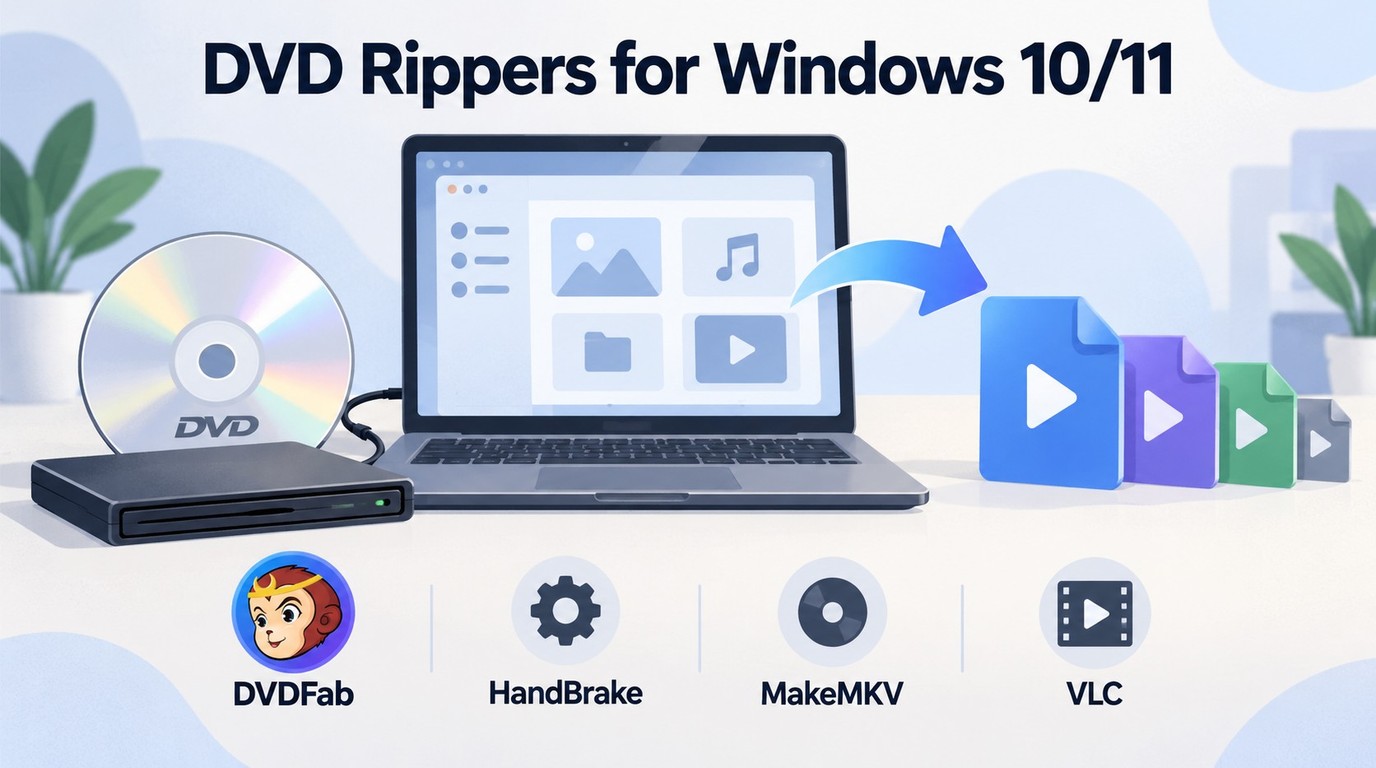 4 Free DVD Rippers for Windows 10/11: Best Tools & Step-by-Step GuideBy Diana Smith - Oct 13, 2026
![How to Convert DVD to AVI Free: 3 Current Options [2026]](https://images.dvdfab.cn/artifact/2026/09/17/2HqH4KgGwIXxwkHdUUZtp0D98DCpL4gS/feature_cover.jpg) How to Convert DVD to AVI Free: 3 Current Options [2026]By Diana Smith - Oct 12, 2026
How to Convert DVD to AVI Free: 3 Current Options [2026]By Diana Smith - Oct 12, 2026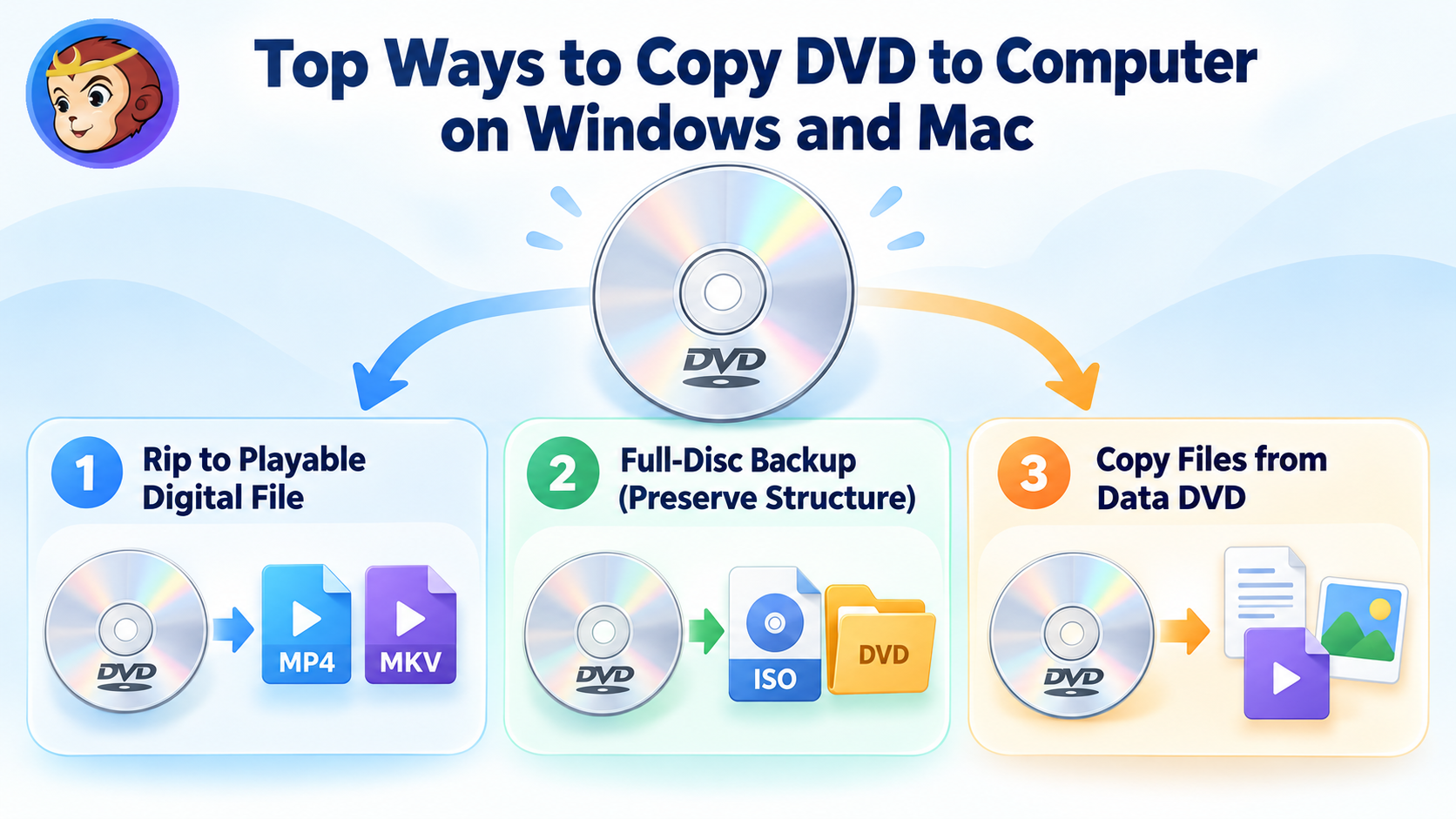 How to Copy DVD to Computer on Windows & Mac: Rip and Direct CopyBy Wenny Yan - Oct 12, 2026
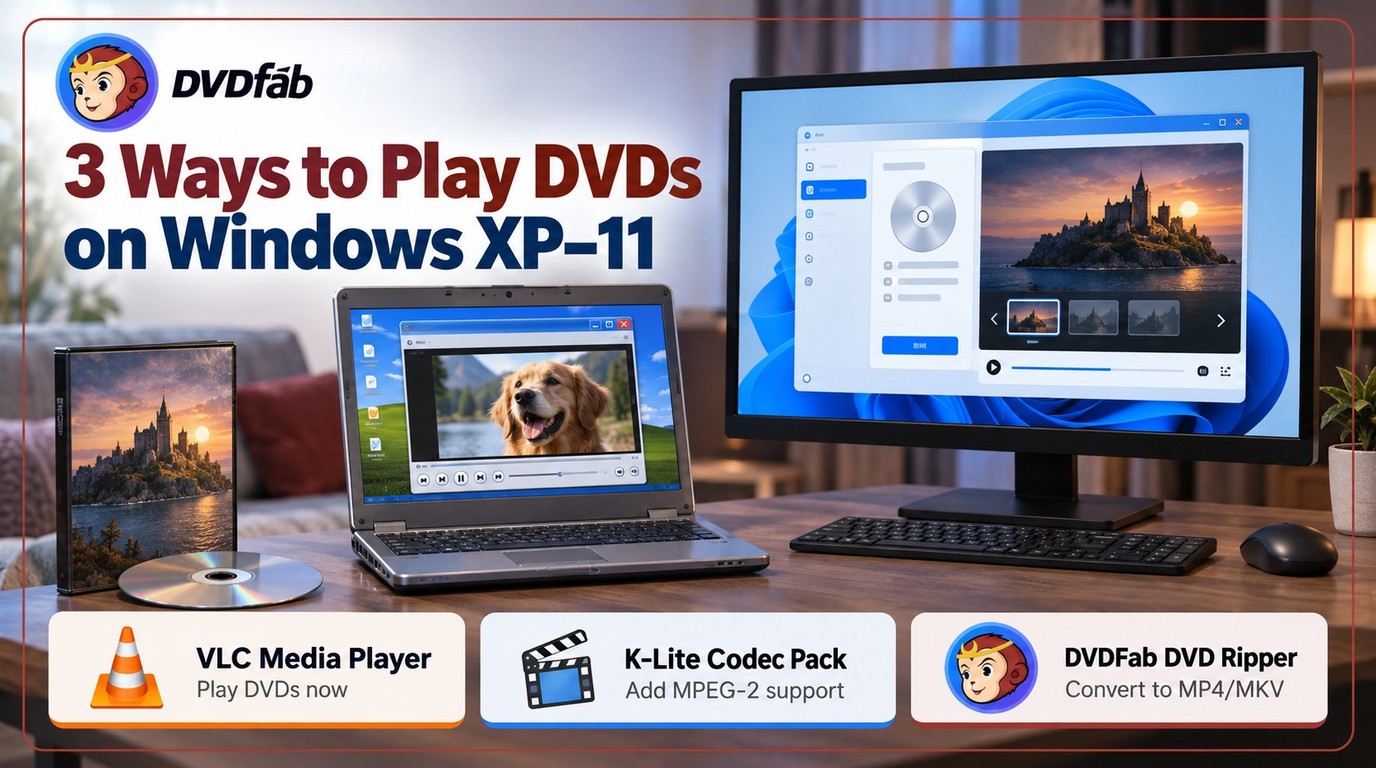 Free DVD Decoder for Windows XP and Windows 11: 3 Ways to Play DVDsBy Diana Smith - Sep 23, 2026